


How Can I Design Like A Pro?
Graphic design is a career in which skills pay bills. Like any job, there are some essential skills that all designers want to master in order to make their dream come true. In this article, we are going to break down the skills needed to be a graphic designer—those that the employer would be looking to help you get hired and succeed in your design career.
We searched the various design job boards and looked at loads of different jobs to find out what employers are looking for, whether they are studio-based, in-house or self-employed. We have broken these down into a convenient list of graphic design skills—which includes all the technical know-how you need to become a full-fledged graphic designer.
Graphic design is a career in which skills pay bills. Like any job
Adobe’s InDesign
First released over 20 years ago, Adobe InDesign is the best friend of graphic designers and the most valuable piece of software. A part of Adobe Creative Cloud, InDesign is a desktop publishing and typing programme used by designers around the world. It replaced Quark, which had been subjected to intense criticism as the industry standard when it was first introduced in 1999. This is why we at Blue Sky Graphics put a lot of focus on adobe programs in our online graphic design learning course.
Although it is a little baffling when you first open it, once the designer is fully trained in InDesign, it opens up a whole world of possibilities.
It can be used to create posters, flyers, books and magazines, among many, many other things—all those things that immediately come to people’s minds when you say you are a graphic designer.
Although, in all seriousness, you are not going to find a graphic designer who is not both a master of InDesign and is constantly learning new tips and tricks on the programme. It really is one of the essential skills needed to be a graphic designer.
Photoshop
Another part of the Adobe Creative Cloud (which, if you have not already guessed, you will be familiar with as a graphic designer), Photoshop is the most popular photo editing app in the world. It was first released in February 1990, 30 years ago. But wait, huh? Photo editing, huh? We are not a photographer! We know, we know—Photoshop is like that, and so much more.
As a designer, you will use Photoshop to edit and modify raster/bitmap graphics (such as JPEGs, PNGS and GIFs) for use in your designs—in simpler terms, it uses pixels to make images.
The programme can be used for such things as cropping, colour correction, re-sizing and editing images and photos.
You can even use it to get rid of the sunburn from your holiday beach snaps. It is also used for loading more jobs that will be part of a designer’s repertoire, from overlaying text on an image to combining photography (your own or someone else’s) and graphics.
Adobe Illustrator
Adobe Illustrator is the third and final part of the Designers Triumvirate that is Adobe Creative Cloud (there are other CC programmes you can learn, but these are the essential ones), a vector graphics editor first released in 1987. Vector graphics are not made up of pixels, but instead are made up of paths and can be scaled much more than raster graphics. While Photoshop is dealing with the latter, Illustrator is dealing with vectors.
Do not let the name put you off, you do not need to have some amazing drawing skills to use Illustrator.
The programme can be used to create a variety of digital and printed images—such as logos, charts, illustrations, drawings, graphics, diagrams—based on anything that may need to be printed or displayed in different sizes or formats.
The real beauty of InDesign, Photoshop and Illustrator is that they can all be used together seamlessly to create designs—file types can be opened in other programmes. For this reason, they are highly ranked in the essential list of graphic design skills.
Digital (UI, UX Design)
Although it was something that had been met with raised eyebrows only thirty years ago, digital design is probably the most exciting, fast-moving and important part of the industry right now.
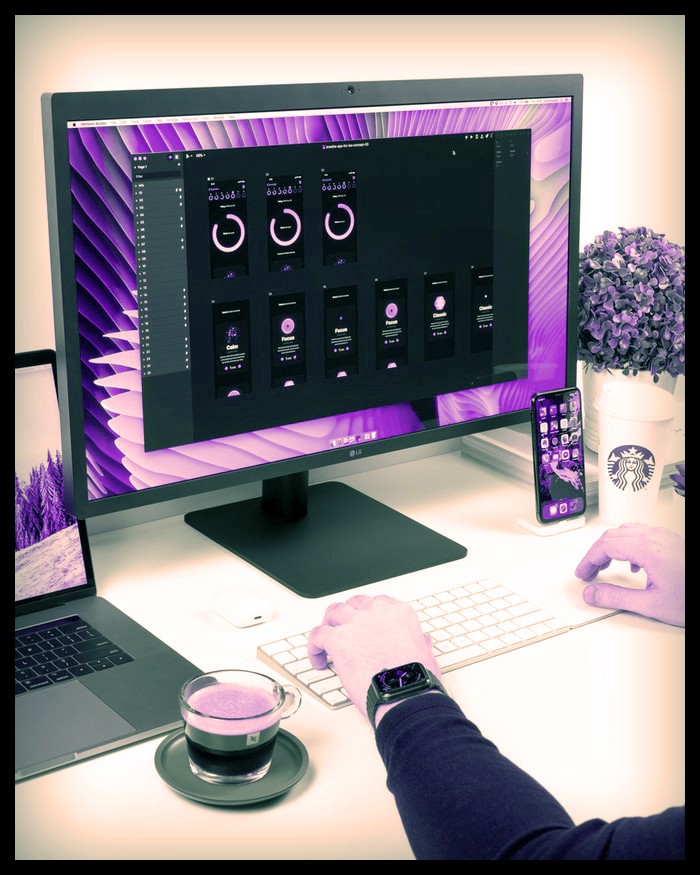
Digital design is most commonly divided into two fields: UI and UX. UI, which stands for User Interface, focuses on visual experience—how a piece of digital design actually looks like. Meanwhile, UX, which stands for User Experience, focuses on usability—how a piece of digital design actually works.
Digital design is most commonly divided into two fields UI and UX. UI,
Although you can often see jobs advertised as explicitly UI or UX designers, it is important for all digital designers and all designers in general to have good understanding and skills in both fields. How could you make a successful piece of UI if you do not understand how UX works, and vice versa?

Although you can often see jobs advertised as explicitly UI or UX designers
Sketch, the industry’s standard digital design programme, is the most important piece of kit in the digital design toolkit. Sketch, a comprehensive platform for digital design, encompasses both UI and UX—and can be used to design, prototype and collaborate on websites and mobile apps. With this in mind, it is easy to see how digital, the term we use to encompass UI, UX, Sketch and more, is an indispensable part of the skill set of graphic designers.

Typography (Typesetting etc.)
It is not exactly news breaking that typography is a big part of graphic design, but that does not mean that typography skills should be ignored—they are a key part of any list of graphic design skills. When we say typography, we are referring to any typography skills that a graphic design might use—from choosing the right font for a project to really getting into the nitty gritty of alignment, kerning, and guiding typography. If you want to get more familiar with some of these terms, check our deep dive into typography and this break down of exactly what kerning is. Most of these typography-related skills will be used when working in InDesign, but will also be used in every programme the designer uses.
It is not exactly news breaking that typography is a big part of graphic design
As well as technical typography skills, it is also important for designers to have an in-depth understanding of typography so that they can explain why they have made certain typographical choices and so that those choices are theoretically based rather than purely aesthetic. “Good” typography can make a design; it can create meaning, remind you of a particular brand, or even evoke a feeling (if you do not believe that last point, ask any graphic designer how they feel about Papyrus or Comic Sans). “Bad” typography can be jarring, distracting from the design itself and make people turn away. At its absolute worst, it could make a design unreadable. We can not stress how important the designer’s good typography skills are.
Principles of Design
Principles of Design
Alignment, repetition, contrast, hierarchy, balance. These are five words that any designer needs to be incredibly familiar with—they make up what we call the Design Principles, which should be used for every design project you are working on.
They are the key to creating any successful design. Let us quickly break down what each person means or how it affects the design:
Alignment—> creates a sharper and more unified design.
Repeat—> strengthens the design by linking otherwise separate parts together and, as a result, creates associations.
Contrast—> is the most effective way to create emphasis and impact on your design.
Hierarchy—> Create an organisation.
Balance—> provides stability and structure to the design, either by symmetry or tension of the elements.









