

Is Photoshop Best For Web Design?
Depending about how you ask, Photoshop may or may not be recommended for web design. Many other professional artists who have been using Photoshop for years prefer to do so. However, younger artists in smaller agencies also utilise other, more advanced resources. In this segment, we’ll look at whether Photoshop can be used for web design or not. Here we go!
Is Photoshop used for web design?
Definitely. Because of its graphic appearance and versatile range of resources and commands, many programmers continue to use Photoshop to perform web design tasks. So, the main issue is, how is Photoshop used in web design?
Learn photoshop and other graphic design software at Blue Sky Graphics online graphic design course.
It’s crucial to note that, while Photoshop is mainly an image editor, it can also perform a broad variety of other functions, including web design.

Is Photoshop Best For Web Design
What Unique Web Design Activities Will Photoshop Handle?
As previously said, Photoshop is primarily a graphics editor. Photoshop excels in picture manipulation of all forms. Photoshop has gained an increasing number of resources, commands, and functions over the years, enabling consumers to bring it to use in a variety of ways.
So what will Photoshop do in terms of web design? What is the function of Photoshop in web design? So far, I’ve been able to distil Photoshop’s site-related capability into four broad categories: photo editing, image optimization, building web properties, and page layout construction.

Let’s have a peek at each one…
Image retouching and manipulation: It goes without saying that being able to change and modify images is necessary, since Photoshop’s origins are in picture editing. However, in a web management job, you will use Photoshop to control images that will be featured on your website.
So, not only do you use Photoshop to crop and scale your pictures accurately, but you can also use Photoshop’s strong colour correction software to make your photographs appear their finest. Photoshop’s versatile editing capabilities will handle stock images, head shots of your team, and photos of your product or service in operation.
However, just making the pictures look good isn’t enough. You must also ensure that they load easily for your guests. This is where Photoshop’s next function comes into play…
Image optimization is the practise of finding the appropriate user-friendly graphic file format for the sort of image you’re operating on and then reducing the file size of that image so that it loads easily within a web browser.
Image optimization is essentially a juggling act in which you must strike a balance between content and file size. It’s just about picture compression, actually. If you don’t use enough compression, your sites can take too long to load. If you compact the pictures too much, they’ll appear like they’re from The Lego Movie! As a consequence, it may be complicated.
And, while there are a number of web platforms and other options for image optimization and compression, I have yet to find something that provides me with the fidelity and power that Photoshop offers. Any picture on my websites has been compressed using Photoshop’s image compression software.
Site asset development:
Another field of web design where Photoshop excels is in the creation of page features such as banners, buttons, icons, and so on. Whatever the page graphic requirements are – a cover for your paperback, an eye-catching banner, and so on – Photoshop will manage it.
In reality, Photoshop can perform a wide range of standard print design tasks (for example, business cards, brochures, and so on). But it’s a piece of cake to use Photoshop to create the same kinds of graphic features for the internet. I’ll also work in Illustrator on these projects as well, taking my Illustrator objects into Photoshop as Smart Objects. But that’s a topic for another day!
Creating web page templates:
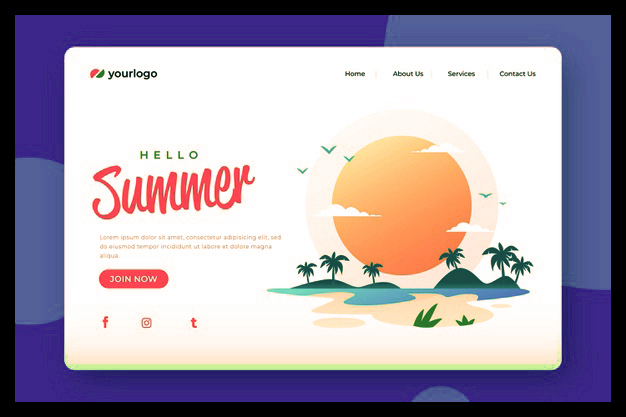
Eventually, Photoshop may be used to construct web page layouts. It covers anything from a skeletal wireframe template used to evaluate the rough dimensions and location of plan artefacts to a fully-designed layout.
It is necessary to remember, though, that Photoshop will sometimes struggle when used to create web templates. This is not its strong point, and with the introduction of responsive design (layouts that are adjustable and react to the system that is displaying them), there are better choices if you would be doing a lot of this kind of job.
Creating web page templates
In a second, we’ll go through Photoshop’s shortcomings when it comes to designing web layouts.
But that’s a peek at the different web design projects that Photoshop will support you with. If your specifications are basic, or if you wish to perform any or all of these activities yourself, Photoshop is an excellent option for web design.
But keep in mind that Photoshop isn’t primarily a web design application. It’s a picture editor first and foremost (it’s in the name!). There are easier, more versatile resources available for many designers who do a lot of wireframing and concept mock-ups.
Why Do People Even Use Photoshop For Web Design?
It’s literally the quickest way to model up prototypes and models for artists who are really familiar with Photoshop and have been using it for a long time. However, younger models, who might operate with smaller companies, may not have been utilising Photoshop for almost as long. As a consequence, they switch to more advanced web design software, and only use Photoshop for image changes and editing, as well as likely image optimization.
Here are some of the reasons why more professional artists want to use Photoshop: These professional designers are not only very familiar with Photoshop, but they’ve also worked out quick workarounds for using Photoshop for more difficult projects, such as designing web templates.
So, rather than learning a whole new piece of software and adapting their workflows (which can be time-consuming, painful, and expensive), these more seasoned designers actually continue to use Photoshop.
Younger programmers who haven’t been creating and developing websites for as long don’t have such well-honed patterns and workflows. This allows it far simpler for them to embrace newer and more effective techniques oriented primarily toward web design and, in particular, mocking up page templates.
Designers wanted a way to model up a develop for a customer, manage graphical web features, and even handle special effects including drop shadows, gradients, and transparencies early on in the development of the web. Although, at the beginning, these kinds of results were only available with graphics. CSS will now quickly manage those conditions. However, things had not advanced so much at the moment. As a consequence, Photoshop was the remedy to all graphic-related problems.









