

Which Is Better Photoshop Or CorelDRAW?
CorelDRAW was created to edit vector drawings by the Ottawa-based firm Corel. The software allows the user to make vector illustrations, edit photographs, and build beautiful layouts.
Adobe Photoshop is a raster-based professional software that was originally intended to edit photos but has since been updated to become one of the finest and most flexible applications on the market. This software is used by both professionals and amateurs to make drawings, edit photos, and do a variety of other tasks. Learn graphic design online through Blue Sky Graphics online graphic design course.
A Quick Comparison
1. Characteristics
Adobe Photoshop is the winner. Adobe Photoshop has more functionality than CorelDraw. While CorelDraw is still a strong vector-editing application, Photoshop’s tools are more precise, and the software allows you to accomplish more. Animation, raster-based illustration, and other techniques are examples.
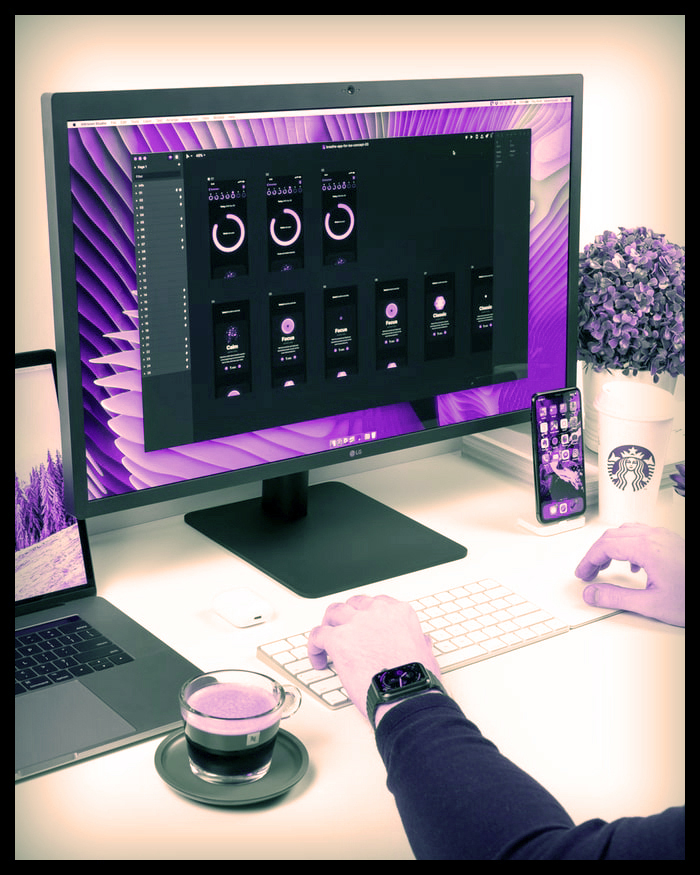
Which Is Better Photoshop Or CorelDRAW
2. Costing
Adobe Photoshop is the winner. In terms of cost, Photoshop is a far superior option. While CorelDraw may be purchased for £499.00, Photoshop offers numerous inexpensive package choices and provides the most up-to-date software with an active subscription, with no additional costs.
3. Cooperation
CorelDRAW was the winner. This software has a built-in chat function that is ideal for teamwork. You may remark and mark up the drawings, making collaboration amongst individuals that much easier.
4. User Interaction
Adobe Photoshop is the winner. Adobe Photoshop features a sophisticated user interface. The design is simple, clean, and easy to use.
5. Adaptability
Tie for first place. Adobe Photoshop and CorelDRAW are both accessible for Mac and Windows computers, as well as mobile devices. Both operate inside their own application families, making them flexible programmes.
6. Education
Adobe Photoshop is the winner. CorelDRAW and Adobe Photoshop both offer a plethora of tutorials and learning tools. Adobe Photoshop now has a more comprehensive learning system, including additional courses, a better online assistance interface, and a larger community forum.
7. Clientele
Adobe Photoshop is the winner. CorelDraw is less popular than Adobe Photoshop. This is due to its flexibility as an application as well as its widespread usage.
The Battle of CorelDRAW vs. Photoshop
CorelDraw is a sophisticated vector-based software, while Adobe is a raster-based tool with a plethora of features. It is like comparing apples and oranges. Adobe Photoshop, on the whole, provides more. If you just need to produce vector-based graphics, CorelDraw may be ideal for you.

Features
Both CorelDRAW and Photoshop provide sophisticated tools for producing high-quality final designs. CorelDraw is ideal for producing logos, flyers, vector graphics, and comic art, all of which are intended for print. Photoshop is used to edit photographs, illustrations, and rudimentary animation, among other things. In general, Photoshop offers more capabilities and is aimed at a larger audience than CorelDraw.
Photoshop Features
Photoshop has a plethora of features. The Clone Stamp tool paints on the canvas using other portions of the picture, making it an excellent tool for photo retouching (i.e., getting rid of acne spots, skin discoloration). The spot healing brush tool will accomplish the same thing, except it will do it automatically, sourcing colours from surrounding the discolouration to produce a seamless cover.
Photoshop also has a wide range of selecting tools. The magic wand tool is particularly effective in selecting regions of similar hue. The fast selection tool follows picture borders, enabling the user to swiftly pick a topic.
Photoshop Vs. CorelDraw
Overall, the degree of accuracy provided by Photoshop’s capabilities is its greatest feature. Depending on the tool, each offers a plethora of modification options, such as altering size, pressure, opacity, and more. Customization offers you the greatest creative freedom.
CorelDRAW offers excellent vector-drawing capabilities. They include freehand and Bezier tools, which allow you to construct vector forms that are not rectangular or other polygons. The B-Spline tool is excellent for allowing you to draw with a freer hand while yet providing control points to produce a smooth form.
Raster and vector images
CorelDRAW and Photoshop both operate with raster and vector images. When scaling a layer in Photoshop, Smart Objects are used to preserve vector/photographic information. CorelDRAW can also import raster and vector files, allowing you to work with both types of files in the same project. Photoshop’s graphic type is raster, while CorelDraw’s is vector.
CorelDRAW and Photoshop both offer a plethora of creative filters. The smooth acrylic filter is a popular CorelDRAW filter that makes your picture seem like a completed painting. You may change the smoothness, detail, and so on to get the desired appearance.
Smooth Acrylic Filter for CorelDraw
Photoshop is used to convert a picture into an oil painting in this example. Again, this software provides a plethora of modification options to help you get the ideal end product.
Oil Painting Filter for Adobe Photoshop
PowerTRACE and Quick Trace, a built-in tool that traces a bitmap picture into a completed vector piece, are two of CorelDRAW’s most powerful tools. It takes some time for the PowerTRACE settings to fully adapt the picture. The user, on the other hand, may produce a fantastic completed vector design without having to sketch anything manually. The final result is precise and detailed.
PowerTRACE is not available in Photoshop; the closest item in the Adobe family is the Image Trace tool in Illustrator. Paths, on the other hand, may be used to generate vector graphics in Photoshop. You may either trace the picture manually with the pen tool or use the Magnetic Pen tool to make a more guided selection. This programme makes a guided, automated selection based on the brightness and colour of a picture.
Overall, Corel provides a lot more user-friendly tool for converting bitmap to vector drawings.
Photoshop has a fantastic animation tool called Timeline. While Adobe After Effects is superior for overall animation, Photoshop is ideal for basic, quick animations such as GIFs. Meanwhile, CorelDraw does not have a Timeline function. To make animations, you must work outside of the programme.
Overall, CorelDRAW is an excellent vector graphics and vector illustration programme. Photoshop’s tools are more flexible and offer a broader variety of capabilities. Photoshop is much more feature-rich and has far more to offer in terms of what the applications can accomplish.









