

What Technologies Or Platforms Should I Use To Develop My App?
A mobile app is a software application that runs on smartphones and other handheld devices. They are typically designed to provide a tailored interface for a particular device or operating system. Mobile apps can be used for a variety of purposes, such as messaging, navigation, entertainment, and communication. There are many different types of mobile apps available on the market today, each with its own unique features and capabilities.
The development process for mobile apps is similar to that of web applications. However, due to the limited screen space and storage capacity on handheld devices, developers must take into account these limitations when designing the user interface and functionality of their apps. In addition to designing the app itself, developers must also consider the design and implementation of specific features such as notifications, push notifications, in-app payments, and location-based services.
Mobile app design is an intricate process that requires expertise in both iOS and Android development languages as well as knowledge of various user interface conventions. To ensure a high level of quality control during the development process, it is important for developers to use established tools and techniques such as unit testing and continuous integration. Quality assurance measures such as user experience testing can also be invaluable in ensuring that users have an enjoyable experience using their mobile app.
Mobile app development process: What goes into making an app?
It’s no secret that apps are a big part of the smartphone landscape, and with good reason – they offer a convenient way to stay connected with friends and family, keep track of your daily schedule, and even book appointments. But making an app is more than just downloading an app from the App Store or Google Play store – it’s a complex process that involves plenty of planning and design.
There are a few key steps in the mobile app development process that need to be taken into account before anything else can happen:
1. Define Your Goals & Objectives: Before you can start developing your app, you first need to decide what it’ll do and how it’ll function. This includes figuring out what features will be included, as well as gauging how popular the app might be – after all, you don’t want to create something that no one will want to use.
2. Research The Competition: Once you know what your goals are, it’s important to take a look at other apps on the market and see how they’re doing. This can help you figure out what features people want (and don’t want) in an app, as well as give you some ideas for designing your own product.
3. Plan Your App: This is where you start to consider the layout of your app, as well as what technology you’ll use to make it happen. The best apps have a clear layout, a good colour scheme, and plenty of features.
4. Design & Detail Checklist: This is where you make sure that the design elements of your app will meet your objectives. You’ll need to consider everything from the size of fonts and pictures to the length of text, navigation bars, and other visual aspects of your app.
Designing an app: How do you create a user interface that is appealing and easy to use?
Designing an app is all about making it look appealing and easy to use. It’s important that your user interface (UI) is easy to navigate and that it looks good on both Android and iOS devices.
There are a few different design principles you can use when creating an app UI. One popular approach is to use flat designs, which are simple, geometric shapes that are easy to understand. Another strategy is to use skeuomorphism, which involves using realistic designs in an effort to mimic the look and feel of real-world objects.
Whatever design approach you choose, make sure that it’s user-friendly and visually appealing. You also want to make sure that your app runs smoothly on both Android and iOS devices.
When designing an app, it is important to think about the end user. What will make them want to use your app? How will you make sure that they can easily find what they are looking for? You also want to make sure that the app is easy to use and looks appealing. There are several ways to achieve these goals.
One way to make the app look appealing is by using colours and graphics that are pleasing to the eye. You can also use typography and layout techniques to improve readability. Another way to make the app easy to use is by providing clear instructions and feedback. You should also provide a helpful menu system so users know where they are and what they can do next. Finally, you should design your app with user convenience in mind. Try to avoid long menus or complicated navigation systems that could frustrate users.
When it comes to making an app easy to use, there are a few key things you need to consider. First, make sure all controls are clearly visible and easy to access. Second, keep menus concise and organized, so users know where everything is located. And finally, provide clear instructions and feedback, so users don’t get lost or frustrated while using your app.
Tips for optimizing an app’s performance: What steps can be taken to make the app run faster?
There are many steps that can be taken to optimize an app’s performance. Below are a few tips to help make your app run faster:
1) Make sure your app is using the latest versions of required APIs and SDKs. This will ensure that your app can communicate with the various services it needs and that the underlying code is optimized for speed.
2) Minimize the number of networks requests your app makes. This can be done by minimizing the number of loading screens, caching data, using efficient storage technologies, and optimizing images and animations.
3) Avoid using excessive CPU and memory resources when possible. For example, avoid using intensive computation algorithms or large image files. When necessary, use appropriate performance optimization techniques such as memory caching or pre-fetching of content.
4) Keep track of how users are interacting with your app and make any necessary adjustments based on user feedback. This will help you determine where additional resources may be needed to improve the user experience or where bottlenecks may exist in your codebase.
Closing thoughts: What are some things to keep in mind when creating or designing a mobile app?
When creating or designing a mobile app, there are a few things to keep in mind. First and foremost, it is important to consider the target audience that your app is designed for. This will help you determine the best design and layout for your app. Additionally, make sure that your app is easy to use and accessible for all users. Finally, be sure to test your app thoroughly before launch so that you can ensure that it meets all of your expectations.
Tip 1: Define Your Goals and Objectives
1) The first step in any mobile app development process is to define your goals and objectives. What do you want the app to do? Who is it for? What are your user’s needs? Once you have a good understanding of these things, it’s time to start designing.
2) First, think about what kind of design style you would like for the app. Are you looking for something sleek and modern? Or maybe something more traditional looking? Once you have a general idea of what style you’re going for, start sketching out ideas.
3)Once your design is finalized, it’s time to start coding! Start by creating a skeleton codebase that will house all of the app’s functionality. Next, add in all of the features that you want the app to include. Be sure to test everything thoroughly before releasing it to the public.
Tip 2: Get to Know the Target Audience & their Needs
There are many different types of mobile apps, but they all have one thing in common- they need to be designed for a specific audience.
When developing a mobile app, it’s important to first identify the target audience. This can be done by surveying your current users or by looking at market research. Once you know who your app is for, it’s important to understand their needs and wants. This will help you create an effective and user-friendly design.
It is important to know the target audience and their needs in order to develop a successful mobile app. In order to do this, it is important to research the market and understand what people are looking for. Additionally, it is also beneficial to understand the user’s habits and preferences in order to create an app that meets their needs. By doing these things, a developer can create an app that is both successful and well-received by users.
Tip 3: Choose the Right Platform & Technology Stack
When planning and designing a mobile app, it is important to choose the right platform and technology stack. The platform is the underlying software that enables your app to communicate with the mobile device or network. For example, Apple’s iOS operating system uses AOSP (Android Open Source Project) as its platform. AOSP is a free, open-source operating system developed by Google.
The technology stack refers to all of the components that are necessary to build a successful mobile app. The most common technology stacks include:
1) Mobile application development frameworks: These frameworks provide a set of APIs and programming interfaces that allow developers to build powerful apps quickly and easily. For example, Titanium makes building Android apps easy and fast; Swift provides an easy-to-use programming language for developing iOS apps; and React Native allows you to develop native apps using JavaScript.
2) Mobile application development tools: These tools help developers build and test their apps on real devices before submitting them for approval by the App Store or Google Play store. Some of the most popular development tools include Xcode (for developing iPhone apps), Android Studio (for developing Android apps), Visual Studio Code (for developing JavaScript code), and WebStorm (for developing web applications).
3) Network infrastructure: In order to access mobile devices around the world, developers need access to cellular networks and 3G/4G networks.
Tip 4: Design a User-Friendly UI & UX
User-Friendly UI & UX design is important for any app, but especially for mobile apps. A user-friendly interface makes it easy for users to find what they need and use the app efficiently. It also needs to be visually appealing so that users will want to use the app. In addition, an effective UX design can make it easy for users to get the information they need and help them navigate the app.
Tip 5. Test the App Thoroughly Before Launching It
Testing an app thoroughly is essential before releasing it to the public. There are a number of ways to test an app:
-In-house user testing: Invite a few friends or colleagues who will use the app and provide feedback.
-User research: Interview potential users and ask them how they would use the app and what they think are its strengths and weaknesses.
-Benchmarking: Compare the app against other similar apps to see where it falls short or excels.
Graphic Design
There is a growing trend of mobile app development that is resulting in more complex and innovative designs. In order to create an aesthetically pleasing mobile app, designers need to have a detailed understanding of the process and design tools involved.
The following are some essential steps in the mobile app development process:
1. Define the business objectives of the app.
2. Design the user interface (UI) based on those objectives.
3. Create graphics that support and emphasize the UI elements.
4. Conduct market research to determine user needs and preferences.
5. Develop coding specifications to make sure all features are implemented as planned.
6. Test and refine the app until it meets expectations and complies with all relevant regulations/standards/guidelines etc., including performance benchmarks for specific devices/platforms/.
Graphic Design Mobile App
There are countless mobile apps on the market, but how do they differ from one another? In this blog post, we will discuss some of the key differences between a mobile app and a website and how you can use that information to make your next project shine.
When you design a website, you have a lot of control over the overall look and feel. You can choose from a wide range of fonts, colours, and graphics to create an attractive and user-friendly interface. With mobile apps, this isn’t always the case. Mobile apps are often designed for quick loading times and easy navigation. This means that the design is less important than the functionality.
However, there are ways to make your app look good regardless of its intended purpose. For example, you can use icons or images that represent different functions within your app. You can also add graphical elements like gradients or shadows to give your app an extra bit of polish. And finally, don’t be afraid to experiment with colour schemes—a well-designed app can really stand out on a device’s screen!
What is UI design?
UI design is the process of creating an interface that is intuitive and easy to use for users. Good UI design can make a user’s experience with your app more enjoyable, which can lead to increased engagement and loyalty.
Some key principles of good UI design include keeping your app’s layout concise and organized, using clear and consistent iconography, and providing easy access to all functionality. You should also aim to create a visually appealing interface that will draw users in and keep them entertained while they are using your app.
There are many different tools and techniques that you can use when designing a UI, but ultimately it comes down to striking a balance between usability and aesthetics. By following these guidelines, you’ll be sure to create an effective mobile app interface that will help you achieve your goals.
What is UX design?
User experience (UX) design is the process of designing a product or service to make the user’s experience a positive one. It encompasses everything from understanding the customer’s needs and wants to create a visual design that helps users interact with the product in an intuitive manner.
There are many different aspects to UX design, but some of the most important include: coming up with user scenarios and tests, designing flows and user interfaces, creating prototypes, and measuring how users interact with the product. All of these elements work together to create an overall successful experience for users.
Creating a great UX design requires both creativity and expertise. Many experienced designers have an eye for detail as well as an understanding of human behaviour. They must also be able to think outside the box, which is why UX design is such a complex process. However, with enough effort and dedication, anyone can create a successful UX design.
UX design is the process of designing user interfaces for digital products. User interfaces are the elements of an application that a user interacts with, such as menus, buttons, and windows. UX designers work with other team members to create a product that is easy to use and looks good. They also focus on making sure the product functions as intended and meets the needs of users.
Visual Communication
A mobile app is not just an application that you can download from the App Store or Google Play. A mobile app can be a completely integrated system, functioning as both a software application and an electronic device. The development process for mobile apps includes designing the user interface, creating the necessary functionality, and testing it for bugs.
The design process for mobile apps starts with understanding the app’s target market. You need to know what features your users will want and how you can make your app more user-friendly. Once you have a rough idea of what your app needs to function well, you can start designing the user interface. This involves coming up with creative ideas for how users will interact with your app and deciding on which features should be included.
After the user interface is designed, you need to think about how users will use your app. How do you want them to navigate through it? What types of information should they be able to access? What functions should they be able to perform? Once you have a good idea of how users will use your app, it’s time to create the necessary functionality. This includes developing the core features of your app and adding any additional features that are required by your target market.
Last, you need to test your app for bugs before release. This includes making sure that all of the features work properly and that there are no errors in the codebase.
There is no doubt that mobile apps have become one of the most popular ways to access information and communicate with others. Moreover, they are quick and easy to use, which can make them very appealing to consumers. However, before a mobile app can be developed, it must go through a process known as design sprints. A design sprint is a method of working together as a team in order to create a new or revised product or service. The goal is for everyone on the team to be able to share their ideas and feedback quickly and easily. This helps prevent any misunderstandings or conflicts from arising later on during the development process.
When it comes to developing mobile apps, there are several different factors that must be taken into account. One of these is visual communication. In order to ensure that users understand what they are viewing onscreen, it is important for all elements of the app to be clear and concise. Additionally, effective visual communication can help users feel engaged with the app and encourage them to stay within its boundaries.
Visual Communication Vs Graphic Design
Graphics designers and visual communication experts often debate which is more important – design or communication. In fact, many people believe that graphic design and visual communication are two different disciplines that rely on different skill sets. However, the truth is that design and visual communication are actually intertwined and can both impact each other positively or negatively.
Designers need to be proficient in both graphic design and visual communication in order to effectively create user interfaces, logo designs, web pages, etc. Visual communication experts need to understand how to use typography, layout, colour schemes, etc., to effectively communicate a message. This can be difficult because, many times, the two disciplines work against one another rather than together. For example, if a designer wants their user interface to look sleek and modern but also wants the text to be legible at a small size, they may have to compromise on either look or readability.
Ultimately it comes down to understanding what each discipline is good at and using it appropriately while still keeping the end goal in mind – communicating the desired message to the intended audience.
Application of Graphic Design: Adobe Photoshop, Adobe Illustrator, Adobe InDesign
Designing and creating a mobile app is a process that requires expertise in both graphic design and programming. There are many different programs that can be used to create a mobile app, such as Adobe Photoshop, Adobe Illustrator, and Adobe InDesign. Each program has its own unique features that can be used to create the look and feel of the app. It is important to have a clear idea of what you want the app to look like before beginning the design process, as this will help you avoid wasting time on tasks that won’t ultimately improve the user experience. Once the design is finalized, it is important to properly test the app before release so that it meets all of the required specifications.
Figma, Adobe XD, WordPress, Elementor.
The mobile app development process and design is something that can be extremely complex, depending on the app being created. For example, if a mobile app is designed for a specific platform, such as Android or iOS, then the process and design will be different than if the app is designed to work on both platforms. Additionally, if the app is designed to function as a website or as an e-commerce store, then the process and design will also be different.
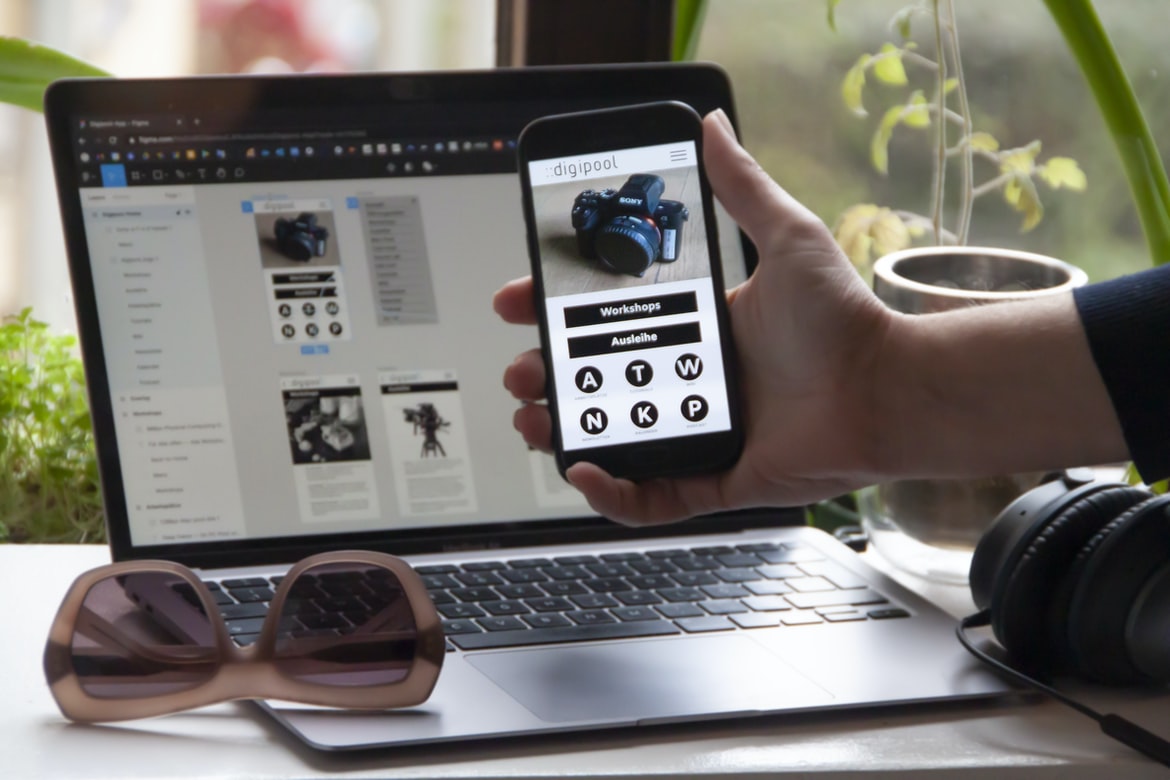
One of the most popular mobile app development tools used today is Figma. Figma has been used by companies like Airbnb and Google to create their own mobile apps. Figma allows users to create user interfaces (UI) and user flows (UF), which makes it very versatile for creating apps. Adobe XD is another tool that has become very popular in recent years for mobile app development. Adobe XD allows users to create custom designs for their apps using vector illustrations and 3D renderings. WordPress is one of the most popular content management systems (CMS) in use today, so it makes sense that many mobile apps are built using WordPress as the foundation. Elementor is an add-on for WordPress that helps with the creation of custom designs for apps.
What Is A Prototype?
A prototype is a preliminary model or version of something. It is a way to test whether a proposed design meets requirements and is feasible. Prototypes can be static, such as drawings or models, or they can be interactive, such as simulations or experiments.
What is A/B testing?
A test is an experiment that determines whether a hypothesis is true. In the context of software development, it is often used to check the validity of assumptions made during development. A test can be run independently or as part of a larger test suite.
What is UI/UX design, and how does it affect an application?
UI UX design is the process of designing the user interface for a mobile app. This includes everything from the look and feel of the menus, buttons, and screens to ensuring that all elements are easy to navigate and use. UI UX design can affect an application in a variety of ways, from making it easier for users to find what they need and get started using the app to making it more enjoyable and visually appealing.
How important is the user experience when designing applications?
User experience is an integral part of any application design process. It can make or break the likelihood that a user will want to continue using an app, and it has a tremendous impact on how users interact with the app. User experience is not just about making sure the user can find what they are looking for but also about making sure the user feels like they are in control of their experience and that what they are doing is valuable.
There are many different factors to consider when designing an effective user experience for mobile apps, but one of the most important is ensuring that the app is easy to use. Users should be able to quickly access what they need without having to fumble through complicated menus or try to figure out how to do something on their own. In addition, any feedback mechanisms or prompts should be clear and concise so that users know exactly what steps they need to take in order to complete a task.
Overall, it is essential that mobile app designers pay attention to every aspect of user experience when developing an application. By carefully considering everything from layout and design to feedback mechanisms and interface simplicity, they can create an application that meets both the needs of their users and their own expectations as a designer.
How can I ensure users have a good experience when using my application?
Users have a good experience when using an application when they are able to easily find what they are looking for, access the desired information, and have a positive user experience. This can be achieved through effective design and development processes.
Effective mobile app design begins with understanding the user’s needs and wants. Once this is established, it is important to create an overall layout that is easy to navigate and use. Additionally, all elements of the app should be designed to look good and be easy to interact with. User interface features such as menus, buttons, and text should be well-organized and easy to understand. Finally, proper feedback needs to be given to the user in order for them to know what actions they have taken and how their progress is affecting the outcome of the application.
To create a positive user experience in your application, consider implementing features that will help users find what they are looking for quickly. For example, search engines can easily be integrated into most applications so users can find what they are looking for without having to scroll through long lists of data. Additionally, pagination or scroll bars can be used on large pages of data so users can see only the sections of information that are relevant to them at any given time. Another feature that can help users navigate your application successfully is pop-ups or alerts that tell them when new content has been added or changed in a particular area of the app.
What are some of the most important principles for designing effective applications?
There are a few key principles to follow when designing an effective mobile app. The first is to consider the user’s needs and wants. It’s important to understand what users want and need from your app, so you can design it in a way that meets those needs. Second, pay attention to how users interact with your app. Make sure everything from the navigation to the content is easy to use and navigate. Finally, keep in mind the overall interface design of your app – make sure all elements are visually appealing and cohesive.
What kind of feedback should I use to determine how successful my application’s UI/UX is?
There are a few key metrics that you can use to determine how successful your application’s UI UX is. These include:
-Usage Data: This provides valuable insights into how often users are using your application and what features they’re using the most. This data helps you to optimize your user interface and increase user engagement.
-User Feedback: This can be collected through surveys, focus groups, or in-app feedback mechanisms. By listening to users, you can ensure that your application’s design is meeting their needs and expectations.
The user interface (UI) of a mobile app is part of the application that the user interacts with. A successful UI UX means making it easy for the user to find what they’re looking for and using simple, intuitive controls.
What tools are available to help me create a great UI/UX for my application?
UI/UX design is an important component of any mobile app. There are a variety of tools that can be used to help create a great user interface. Some common tools include wireframes, prototypes, and sketches.
Wireframes are a visual representation of the user interface for an application. They can be used to illustrate the layout, design elements, and functionality of the user interface. A prototype is a version of the user interface that is simulated or rendered on a computer. It allows users to try out different designs and see how they would look in action. Sketches are quick drawings that typically show only the most basic aspects of an application’s user interface. They can be useful for getting an idea of how something will look before developing a more detailed wireframe or prototype.
Is there a difference between mobile and web applications when it comes to UI/UX design?
When it comes to UI design, do mobile apps look and feel different from web applications? There is some debate on this, but generally speaking, most designers would say that there’s not a huge difference. However, when it comes to user experience (UX), there are definitely some subtle differences that should be taken into account.
One reason why mobile apps may not look as polished as their web counterparts are because of the smaller screen size and often less powerful hardware. This means that mobile apps need to be simpler and more concise in order to be easily readable and navigable. In addition, buttons and other user interface elements need to be located near where they will be used instead of being buried away in an overwhelming menu bar or toolbar.
Another important factor to consider when designing a mobile app is the fact that users are typically using their phones for shorter periods of time than they are using their computers. This means that mobile app interfaces need to be fast and easy to use without sacrificing functionality or complexity. Subtle animations can help speed up the user experience while keeping things visually appealing.









