

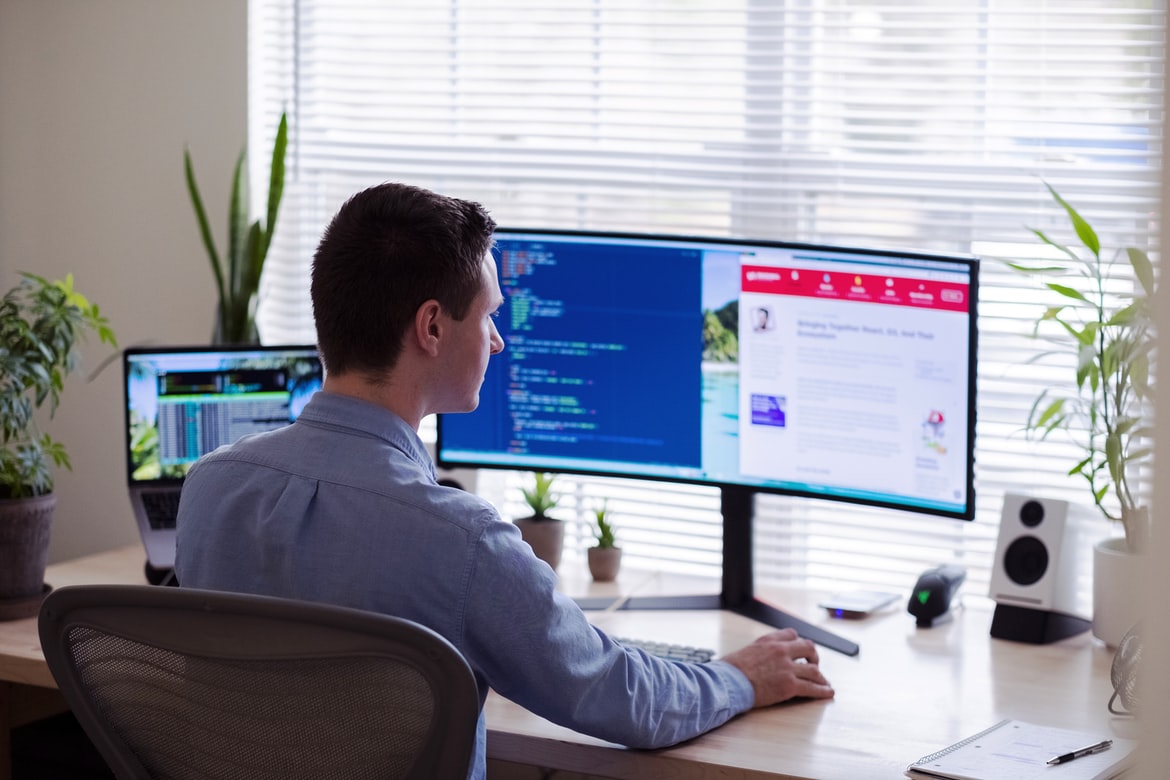
What is web design UI?
When it comes to designing websites and online applications, UI is just as important as UX. While the two have different goals, they both play a critical role in making a website or application user-friendly. In this article, we take a look at what web design UI can be and how it affects users’ experience.
Usability evaluation: What are the different factors to consider when designing a web design UI?
Web design UI UX is an important part of designing a website. It includes the design, layout, and functionality of the website. Factors to consider when designing a web design UI include user experience (UX), accessibility, and usability.
Navigation: How do users access the content of a web design UI?
Web design UI UX is a complex and often a difficult task to navigate. Users must find the right content, choose the right layout, and make sure everything is consistent. There are many different ways to access content on a web design UI, and it can be hard to determine which one is best for your page. This article will help you understand how different methods work and which one is best for your specific needs.
Visual hierarchy: How should elements be placed within a web design UI?
Most web design users agree that the visual hierarchy of a web design UI is important. A well-ordered hierarchy allows the user to quickly understand what elements are present in a document and how they interact with one another. This basic structure can be applied to any type of document, not just web designs. Here are three simple tips for creating a well-ordered visual hierarchy in your UI:
Place the most important elements at the top of the screen. This will help users see everything at once and can be used to make navigation easy and logical.
Keep small screens in mind when designing UI for devices such as smartphones and tablets. A small screen means more space for content and less space for menus, options, and other elements that could interrupt or slow down the user’s experience.
Inputs and outputs: How can users interact with a web design UI?
One of the most important aspects of a web design UI is the user interface (UI). The UI can be used to provide a Flat Design layout, or it can be used to create hierarchical menus and layouts. There are many different ways that users can interact with a web design UI, and each user’s needs will vary.
There are four basic types of input in a web design UI: clicks, taps, key presses, and mouse movements. Each type of input can have different effects on the user interface.
Clicking allows users to select items in the UI. Tapping allows users to change how an item is displayed. Key presses allow users to interact with specific elements in the UI.
Layout: How should the layout of a web design UI be designed?
The layout is one of the most important aspects of web design. It affects how a user experiences a web page and what elements are displayed on the screen. There are many different layout designs available, and it can be hard to know which one is best for your website. This article will help you choose the best layout for your website.
Animations: How should user interactions be animated in a web design UI?
User interactions should be animated in a web design UI in order to make it more engaging and visually appealing. Animations can help users feel like they are controlling the site and also give a sense of progress or completion.
What are the different types of UI design?
UI design is the process of creating user interfaces for computer programs. There are three main categories of UI design: desktop applications, web applications, and mobile apps. Desktop applications are the most common type of UI design, and they include things like Windows 8 and Windows 10 operating systems, Mac OS X Yosemite, iOS 11, Android Lollipop, and more. Web applications are used to create websites, and there are a variety of different technologies that can be used to create them. The most popular web application platform is HTML5 which means that any website can be created with it. Mobile apps are designed specifically for mobile devices like Apple’s iOS and Android devices. They include features like Dropbox, Facebook Messenger, Instagram, WhatsApp, etc.
What are some common missteps when designing web design UI?
When designing web design UI, it is important to keep in mind some common missteps. These can lead to decreased user experience and improved site navigation. Here are a few examples:
1. Discounting usability when creating designs: When designing web design UI, it is important to consider the user’s needs and preferences. Discounting these factors can result in a less beautiful or intuitive design.
2. Not considering users’ devices: When designing web design UI, it is important to consider devices users use most often – such as mobile devices, laptops, and desktops – and their layout preferences. This will help you create designs that look good on all types of devices!
3. Failing to follow common web design principles: When creating web design UI, it’s important to follow common design principles such as grid layout and typography.
How can you create a better user experience with your web design UI?
It can be difficult to create a user experience that is both effective and pleasing to the eyes. By following some tips, you can improve your web design UI.
In order to improve the overall user experience, it is important to take into account several factors. One of the most important was to make sure that the design of your web design UI was performant and appealing. Here are a few tips on how you can do this:
1) Make sure that all elements are well-spaced out. Spacing can have a big impact on users’ perception of an interface and should be taken into consideration when designing your UI. It is also worth noting that using too many elements at once may cause users to lose focus or feel overwhelmed.
2) Keep designs simple but effective.
Tips and tricks for creating a better web design UI.
There are a few things that you can do to make your web design UI more user-friendly. First, make sure that your design is easy to navigate. Next, make sure that your menus and text are large and easily accessible. Finally, use clear and concise font sizes and colours to help users quickly understand what they’re working with.
What Is UX Example?
UX is the design of how a user interacts with a web page or application. UX can be divided into four main types: feature, user experience, task, and interface. Each type has its own unique challenges and benefits when designing web pages or applications. To put it all together, here are five tips on how to make your next website or application look more user Experience (UX).
What Is UI Example?
UI examples are a type of design that can be seen on websites. They can help make a website more appealing to the eyes and help create a better user experience. There are many different types of UI examples, but some common ones include the Home screen, menu bar, and toolbar buttons.
UI examples are a starting point for new web design and UX designers. They can help you learn the different user interfaces that are available on popular websites. By using UI examples, you can create designs that look good and work well.
What Is Bad UX?
UX is the design of how a user experiences a web application. It includes everything from how an application looks and feels to how it behaves. UX affects the user’s experience in every way, so it’s important to pay attention to it when designing applications. Here are four common problems with UX design: poor design, unclear UI, misleading labels, and broken screen policies.
What Is Bad UI?
UI design is critical in the design of a website. It determines how users interact with the site and can influence how people see and use the site. When it comes to web design, bad UI can hurt user experience and make it difficult for people to find what they’re looking for. So, why is it so important?
What Can I Add To My Website To Make It Better?
Adding some simple design suggestions can make your website look more inviting and improve its user experience. Here are a few tips:
1. Make sure your website’s homepage is well-designed and easy to navigate. This will help users find what they need quickly and easily.
2. Try using layout features that aren’t built into the web browser, such as Grid or Listviews. These layouts give you more control over how your content looks and can be used to improve readability and organization.
3. Use fonts that people will likely be familiar with, such as Arial, Verdana, Tahoma, or Arial Black. This will help your site feel more polished and organized overall.
4. Use a consistent layout across your site. Try using the same colour scheme, font, and image throughout your site to help users find their way around.
5. Use images that are high resolution, as they will be a bit more difficult for users to view on mobile devices.
How Do I Make My Website User-Friendly?
If you want to make your website user-friendly, there are a few things you can do. First, make sure your website’s design is easy to navigate and that your content is available in a variety of languages. Next, make sure your website is interactive and that users can easily find what they need. Finally, make sure your website’s layout is easy to use and that it’s structured properly so users can follow the steps necessary to navigate around the site.
Motion Graphic Design
Motion Graphic Design: Tips to Get the Best Out of Your Designs
There are a few things that any motion graphic designer should keep in mind when designing their designs. First, they should make sure that their designs are easy to understand and navigate. Additionally, they should also make sure that their designs are eye-catching and visually appealing. Lastly, they should keep in mind how to use motion graphics in order to create a message or presentation that is unique and engaging.
Animation Design
Animation design is an important part of web design. It helps make websites look more appealing and user-friendly. There are a variety of techniques that can be used to create animations, such as creating frames, looping animations, and using effects.
WordPress for Designers
Designers who are interested in using WordPress for their design needs should be familiar with the platform and its features. This article will help you understand how to use WordPress for your next project.
What Is Elementor Website WordPress Plugin?
Elementor Website WordPress Plugin is a plugin that allows you to add extra features and options to your WordPress website. Elementor Website WordPress Plugin is free, and it has been designed to make your website design more efficient and user-friendly. Elementor Website WordPress Plugin can be used on any website, but it is most popular on websites with a lot of users.
Figma
Figma is a web design UI UX tool that allows designers to create user interfaces for websites and applications. The tool is easy to use and provides an extensive range of features, making it a powerful tool for creating high-quality user interfaces.
Adobe XD
Adobe XD is a brand-new web design UI that was released in February of this year. It is a suite of tools that allow web designers to create more efficient and user-friendly designs. Adobe XD was designed to be easy to use and perfect for beginners.
Design Mobile App
It’s no secret that a lot of mobile devices are now equipped with touch screens. This has led to the design of mobile apps becoming increasingly important. With so many different app design trends on the rise, it can be hard to know where to start. In this article, we will take a look at some of the most common design trends for mobile apps and how they can be used in your designs.
What is Visual communication in graphic design?
Visual communication is the way a website, app, or other digital product communicates information to users. It includes everything from the design of the site and its user interface to the colours, fonts, and layout of Flat Design templates.
There are many different ways that visual communication can be used in web design, but two central ways are text-based and image-based. Text-based visual communications include messages as small as a few words or images attached to web pages or apps. Image-based visual communications include videos, photos, and even illustrations.
Both types of visual communication can be helpful in engaging users and providing information on a website or app. However, there are different strengths and weaknesses of each type of communication which can affect how successful an overall project is.
Visual Communication in Graphic Design is about making information visually appealing and easy to understand. It can be used to create visuals for websites, social media platforms, and even digital products. By knowing how to use visual communication effectively, you can make your designs stand out from the rest and improve customer service.
Application of Graphic Design: Adobe Photoshop, Adobe Illustrator, Adobe InDesign
Graphics design is an important part of web design. With the right tools, you can create stunning designs that look great on any website. Adobe Photoshop and Adobe Illustrator are two of the most popular graphic design tools out there. They are both powerful and easy to use, which means you can get great results quickly. In addition to their power, they also have some great features that make them perfect for web designers. For example, both tools offer great photo editing abilities, making it easy to add textures and effects to your designs. If you want to create a simple but stylish website, Adobe InDesign is a great choice. It’s simple but powerful enough to handle most tasks quickly and easily.
Web Design
There are a number of different web design UI and UX concepts that you can consider when designing your website. Some of these concepts might include designs that resemble the traditional website UI, while others might be more innovative or user-friendly designs. So, which ones are right for you?
Mobile Graphic Design
Mobile graphic design is a growing trend in web design. With the growth of mobile devices and apps, designers must create designs that are easy to use and look great on these platforms.
One way to produce a good mobile graphics design is to use responsive designs. Responsive designs keep the design responsive as the size of your device changes. This makes designing for multiple screens a breeze and helps make sure your designs look good on any device.
Another great way to produce mobile graphics is by using images as part of your design. Images can be used to show off your design ideas, or they can help you create a more professional look for your website or app. Images also let you vary the sizes of your designs easily, which gives you more choice when it comes to how your graphics will look on different devices.
Responsive Graphic Design
Responsive graphic design is a way to make web design more user-friendly by adjusting the size and layout of elements on the web pages. This can improve readability, prevent scrolling and save on energy use.
Some popular responsive graphics design techniques include using gridlines or lines to divide elements into different sizes, putting images in smaller blocks or quarters when used as headings, and dividing a large image into smaller image files.
Responsive graphic design can be used in any type of website, but it’s most popular on websites that are designed for mobile devices like phones and tablets.
Design websites
Designing websites are an important part of web design. They allow for the easy customization and display of your website’s content. There is a variety of designs available, so it is important to choose the one that will fit your specific needs. This article will explore some of the most popular designs that are used in web design.
Graphic design is in demand.
When it comes to web design, there is no simple answer. Different companies have different needs and want when it comes to the design of their websites. However, some general trends that can be observed are that graphic design is in high demand, and firms are looking for someone with a strong understanding of both UI and UX design.
Is There A Demand For UX Designers?
Designers are in high demand in today’s web design and user experience communities, but what is driving this demand? And can designers still thrive in a competitive landscape where design professionals must constantly compete for jobs and recognition?
Web Design is in demand.
Design trends for the web have shifted in recent years, and UI UX is one of the forefront areas of change. With more people using digital devices and online platforms, it’s important to keep up with the latest trends in web design so that your website projects look their best. Here are a few examples of how UI UX has influenced web design in recent years: 1. Grid layout: Grid layouts are becoming increasingly popular on the web as they give websites a cleaner, more organized appearance. This makes it easier to see what’s happening on a page, and it can be used to create organizations or menus. 2. Typography: Typography is also becoming more popular on the web as it helps to provide structure and clarity within a website. It can also be used to communicate information about your products or services.
Design Mobile App is in demand.
Mobile app design is in high demand these days, and it’s not hard to see why. With more people using their smartphones for work, social media, and other activities, designers need to come up with designs that are easy to use and look good on different devices.
One way to achieve this is by using mobile-friendly design principles. These guidelines help make your app layout easier to navigate on a smartphone while still looking professional. By following these tips, you can increase your chances of making a great Mobile App design!
Wireframes
Designers often create wireframes to help them visualize their designs. Wireframes can be used to help you understand the different aspects of your design and how they will interact with each other.
UX Design Trends
Design trends on the web are constantly evolving, and there are a number of different ways to approach UX design. Here are three examples:
1. Modernizr is a free, open-source tool that helps you design modern websites.
2. Sketch is a drawing and animation software used by graphic designers, web developers, and motion graphics artists.
3. Lighthouse is an online resource for UX designs that offers tips, resources, and advice for everything from user flows to colour palettes.
What Are The Basic Components Of A Good Process In UX Design?
In web design, there are a few key components that are essential for any successful process. These include the user experience (UX) of the website, user flows and interactions, and system design. In UX design, these same principles should be followed when creating any other piece of software or hardware.
UX/UI Design Techniques
Designing user interfaces is a critical part of any web design project. By following these tips, you can create an interface that is both intuitive and pleasing to the eye.
Web design UI UX techniques can help improve the usability of your site. By following these tips, you can create more user-friendly designs that will make your site more effective and appealing to users.
When designing a website, it’s important to make it as user-friendly as possible. This will help users feel comfortable and familiar with the site, making it more effective and appealing to them. There are many different ways to go about this, so it’s important to find the right way for your business. Here are four tips:
1. Use common design principles.
Web design is important and has a lot of different ways you can make it look. Some common design principles are using a grid system, using typography, having only one colour for everything, and using whitespace to help separation between elements.
2. Find good examples of successful web designs.
When it comes to web design, there are many options to choose from. One option is to use a CSS-based design approach. This approach allows for an easy user interface that is easy to navigate and looks great. While this approach is popular, there are also a number of successful designs that were built using this method.
One example of a successful web design using a CSS-based approach was the Nike website. This website used a simple and sleek design that was easy to navigate and used powerful colours and fonts to make the interface lookup great. Another successful example of a web design using a CSS-based design was the Google search engine results page. This page used strong colours and fonts throughout the site to make it stand out and easy to navigate.
3. Use colour wisely and make sure the sites look consistent across devices.
Web design has come a long way in the last few years, and with that, the use of colour. However, it’s important to make sure all sites look consistent across devices – whether that be computers, smartphones or even tablets. This can be difficult to do, but with some careful design choices, it can be easier than ever. Here are three tips for making sure your site looks great on all devices: 1) Use consistent colours throughout your design – both the background and text colours should be the same on all devices. This will help keep things looking organized and tidy. 2) Use light and dark colours sparingly – instead of using too much colour, use complementary hues to create a more cohesive look. 3) Use typography wisely – avoiding too many types of fonts can help keep things clean and easy to read on different devices.
4. Give users plenty of options so they can customize the sites they visit most often.
Web design UI UX is a key aspect of creating an effective website. By giving users plenty of options, you can customize the sites they visit most often. This will help them feel comfortable and productive on your site.
User Interface Development
User Interface Development is a process that helps create the look and feel of an online interface. By understanding the different types of user interfaces, developers can create an effective and friendly website or web application. UI development is the process of designing, creating, and testing user interfaces for websites. It can involve creating or modifying existing web pages, designing new interface elements such as menus and buttons, or creating custom user interface frameworks. Whether developing a traditional graphical user interface (GUI) or a more complex text-based system, UI developers must take into account the needs of their users in order to design an effective and efficient system.









