

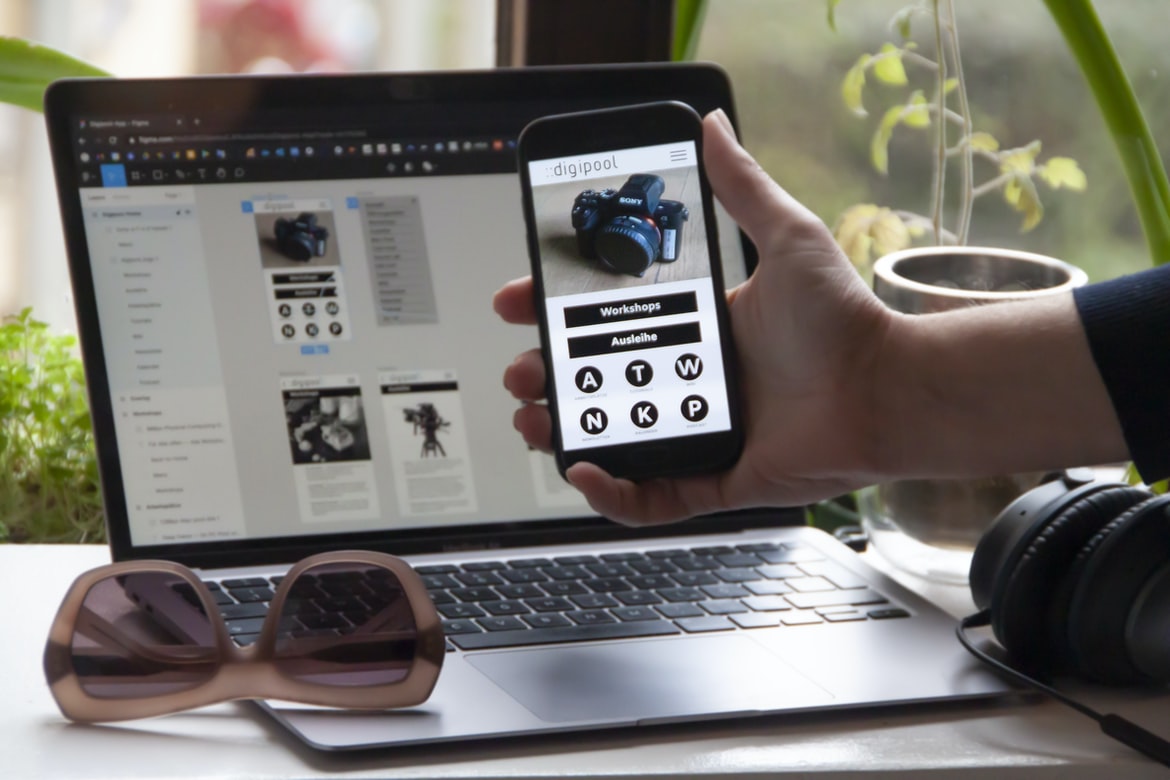
What are the different types of user experience?-
User experience (UX) is the totality of the user’s interactions with an object or service. It includes all aspects of how users interact with a product, be it through using its features or interacting with its user interface. By definition, UX design is the creation and rendition of an environment that allows for positive user experiences.
Types of UX designs include task-based, environmental, gestural, visual, audio/visual, and navigational. Task-based UX designs are characterized by their reliance on users taking specific actions to complete tasks. Environmental UX designs concern themselves with how the user interacts with a product or service in relation to its surroundings. Gestural UX designs involve using natural movements to communicate information to users. Visual UX designs use images and graphics to communicate information to users. Audio/visual UX designers use sound and video to communicate information to users.
What are the different types of user interfaces?-
User interfaces are the displays that allow users to interact with computer systems. There are a few different types of user interfaces, but the most common is the desktop interface. A desktop interface allows users to control the computer system by using a keyboard and mouse. Desktop interfaces are typically used in professional settings, such as companies or universities.
Another type of user interface is a kiosk interface. A kiosk interface is used when there is no physical display device available for use, such as in hospitals or schools. A kiosk interface uses an electronic screen to provide a user experience. Kiosks are typically used in businesses and schools to provide access to educational materials or to ease the process of transactions.
How do designers create user experiences?-
Designers create user experiences (UX) by taking into account the needs of their target audience and designing a plan that will fit the needs of the individual. Different UX design plans vary depending on what type of user they are targeting, how they will use the product, as well as what constraints their business has.
There are many different factors that designers take into account when designing an experience for their target users.
How do users interact with user interfaces?
User interface design is all about making it easy for users to interact with your product. By understanding how users interact with your user interfaces, you can create more desktop applications that are easy and fun to use.
User interfaces are the way users interact with a computer system. They are the intricate pictures, texts, and videos that help users control the computer. They can be found on computers, laptops, tablets, cars, and other devices. User interfaces help us control our computers and make them easier to use.
How does a designer create user interfaces that feel natural and intuitive to users?
Designers want to create interfaces that feel natural and intuitive to users. A good way to do this is by using a natural language processing tool, such as a speech recognition algorithm, to understand the user’s needs.
Designers have a unique ability to create user interfaces that feel natural and intuitive to users. By understanding how users interact with their devices, designers can create interfaces that are both intuitive and user-friendly.
User Interface Guidelines
In general, user interface design (UID) Guidelines recommend that the following should be considered when designing a user interface:
1. The purpose of the user interface should be clear and concise.
2. The overall layout and design should be simple and intuitive.
3. The buttons, text, icons, and other elements on the user interface should be easily discoverable and useable.
4. The input fields on the user interface should be easy to type into and use.
5. The output fields on the user interface should be easy to print out or send to a colleague or friend.
UX Vs Graphic Design
UX and UI design are two different but related fields of design. UX is the user experience, while UI is the graphical presentation of that experience. There are a lot of different UX design trends that have emerged in recent years, and it can be difficult to decide which one to embrace. Here’s a look at some popular trends:
1. Motion Graphics UI
This trend revolves around using motion graphics in your designs to create an immersive user experience. Motion graphics can be used to represent any aspect of your user interface, from how icons look to how the text looks on screens. They can also be used as a way to add excitement or surprise to your designs.
2. Custom Designs
Another popular trend in UX is custom designs. This means designing everything yourself, from icons to buttons and text boxes.
UI Vs Graphic Design
UI is a system that provides the user interface for a computer application. Graphics design is the process of designing the overall appearance and structure of an image or other design work, including its composition, typography, motion, light and shadow effects, and other elements. Graphic design can be used to create interfaces for computers and other digital devices, as well as print products.
Usability And User Experience Design
Designing user interfaces is an important part of any software development project. However, many people forget that usability is also a key design parameter. In this article, we will discuss the difference between user experience and user interface design and why it is so important to consider both when creating a software application.
Designing user interfaces for different devices and applications can be complex and time-consuming. However, with the right user experience design, it can be simple and efficient. In this article, we’ll compare the usability of two user interface designs: a basic desktop interface and a more complicated mobile interface.
Motion Graphic Design
User experience (UX) is the overall emotional and graphical design of a web or app interface. User interfaces can be designed to be intuitive, inviting, and easy to use. Motion graphic design (MGD) is a versatile medium that can help create user interfaces that are engaging, visually appealing, and easy to navigate.
While UX is widely understood within the graphic design community, there is still a lot of debate surrounding how motion graphic design should be used in user interfaces. Oftentimes, designers choose to rely on traditional UI designs or Bootstrap frameworks for their motion graphic designs. While these frameworks are great for creating visually appealing designs, they may not be ideal for creating intuitive yet engaging user interfaces.
Research has shown that using motion graphics in UX can help create more efficient and effective user interfaces that are both visually appealing and easy to navigate.
User Interface Animation Design
One of the most important aspects of user interface design is the way users feel when they are using it. To create an intuitive and responsive user interface, designers often use animation. Animation can help make your user interface more visually appealing and easy to use. However, there are a few things to keep in mind when creatingAnimation designs:
1. Make sure that the animation is gradual and consistent throughout your interface. This will help users feel comfortable with the changes you make and will also ensure that your design remains consistent across different devices.
2. Useconservative animation when possible to avoid disruptive or jarring changes that could cause users to lose their attention. For example, consider using static images instead of animated graphics for buttons and other elements on your user interface.
3. Avoid too many flashy or distracting animations that could interrupt or distract from the functionality of your interface.
Motion Graphics UI UX
Motion Graphics UI UX refers to the design of interfaces and user interfaces that allow users to interact with digital content. Motion Graphics UI designs often emphasize interactivity and create a sense of control for the user. This type of design is typically used in video games, movies, or other visual media.
One important factor in designing a motion graphics UI is to consider the user’s needs. For example, if a user wants to control an object in a scene, it is important to consider how the interface will respond when the object is moved. Additionally, it is important to consider how users will react when they are trying to change options in the interface. In order to create an intuitive and comfortable interface, designers must take into account various factors such as comfort levels, screen size, and eyestrain.
WordPress for Designers
Designers, there’s a new WordPress platform that is your best bet for creating websites. This platform has a sleek user interface and allows you to create beautiful, interactive websites with ease. If you are looking for an easy-to-use platform that will let you create high-quality websites, then WordPress is the right choice for you!
WordPress Elementor for Designers
Designers who are looking for a better user experience with their WordPress website should consider using Elementor. Elementor is an easy-to-use graphic design tool that makes it easy to create stunning designs quickly and easily.
Figma
Figma is a new design tool that allows businesses to create and manage user interfaces quickly and easily. Some of the benefits of using Figma include reduced time spent on designing interface designs, improved user experience, and increased efficiency and accuracy. To learn more about Figma and its potential benefits, read this article.
Adobe XD
Adobe XD is a new program that has created a lot of buzz in the graphics design world. While it is still in Beta, some users are reporting positive experiences with it. Here are three small tips to get started with Adobe XD:
1. Use the online tutorials to get started. Adobe XD offers online tutorials that can help you learn how to use the program.
2. Get familiar with the interface and features before starting work on your projects. Adobe XD provides a lot of user experience (UI) customization options, so make sure you know what you need to do in order to get the most out of your project.
3. Be patient and continue learning as Adobe XD continues to evolve. The program is still in beta, so there will be changes and improvements made along the way. If you have any questions or feedback, feel free to reach out!
Visual Communication
There are many different ways to design a user interface, but one of the most important aspects is how it communicates with the user. A user experience (UX) is the way a system looks and feels to the person using it, while a user interface (UI) is the set of instructions that allow users to interact with a system.
User interfaces have evolved over time to meet the demands of different users and systems. In this article, we will compare two common UI designs – an easy-to-use graphical design and an experienced but difficult-to-use non-graphical design. We will also look at how each UI can be improved by using UX design principles.
What is Visual communication in graphic design?
Visual communication in graphic design is the use of visuals, such as pictures, graphics, or videos, to communicate information. This can be done in a number of ways, including through user interface (UI) design, which is the creation and implementation of interfaces that allow users to interact with a computer system or device. UI design is often important for visual feedback and interactive experiences on computers.
Application of Graphic Design: Adobe Photoshop, Adobe Illustrator, Adobe InDesign
Adobe Photoshop and Illustrator are widely used for photo editing and graphic design. While InDesign is gaining in popularity as a design tool, it can be difficult to determine which one is best for an individual application. To help make this decision, we took a look at both programs’ user interfaces to see how they compare.
Adobe Photoshop
Adobe Photoshop is a highly popular photo editor that has been in use for many years. It is used by artists and graphic designers to create images and designs. Adobe Photoshop has a user interface that is different from most other photo editors.
Adobe Illustrator
Adobe Illustrator is a well-known graphic design software that has been used for many years. It offers a user interface that is easy to use and has many features. Some people find it difficult to learn, while others find it very user-friendly.
Adobe InDesign
Adobe InDesign is a professional graphic design program that is used by graphic designers and web designers around the world. It has a user interface that is easy to use, making it a great choice for people who want to create designs quickly.
Web Design
Designing a website can be overwhelming, but with the help of a few simple tips, you can create a design that is both user-friendly and effective. Here are five tips to help you get started:
1. Choose the right platform: A website’s design will depend on the platform it is used on. For example, if you’re building a website for an iPhone, then you’ll want to make sure your designs are retina-ready. If you’re using a computer or mobile device, then make sure your designs are designed to look good on all platforms.
2. Use typography: Typography is an important part of any web design and should be used in a way that makes sense for the language it is used in.
Mobile Graphic Design
Designing a user experience for a mobile app is important because it affects how people use the app. While different design philosophies may be popular on desktop platforms, on a mobile device, the focus is often on getting users to perform actions quickly and easily. Mobile apps are also more likely to be used in low-light conditions or when there is no desk space to sit.
There are many different types of designs that can be used for a mobile app, but one of the most popular approaches is user interface (UI) design. UI designers focus on creating an intuitive and easy-to-use interface that will let users do their tasks quickly and easily. While there are many different variations of UI design, some common patterns include grid or ListViews, buttons and checkboxes, and grids with thumbnails or images.
Responsive Graphic Design
responsive graphic design: what are the benefits?
The benefits of using a responsive graphic design approach can be quite varied. Some of the more common benefits include improved user experience, faster loading times, and reduced rites for your website or app. There are a number of factors to consider when deciding whether or not to use a responsive design approach, including the type of content you intend to create, your web browser’s support, and your budget.
Design websites
Designing websites are one of the most important aspects of a website. They need to be well-designed and easy to use so that users feel comfortable and happy visiting them. However, there are several different design styles that can be used for websites, and which one is best for each user experience scenario will vary depending on the specific needs of the website.
One popular style for website design is a contemporary or modern design. This approach features sleek lines, clean designs, and simple typography. It is often used in businesses with a modern or high-tech ethos.
Another popular style for website design is a traditional or classic look. This approach features older-looking designs with more detail and understated typography. It is often used in older websites that want to stay true to their roots.
Theory
User experience, or user interface design, is the way in which users interact with a computer system. User interface design includes designing how people interact with a computer system, as well as the physical and virtual elements that make up the user interface. User experience can be divided into two types: active and passive. Active user experience is when the user is actively using the computer system, and interaction occurs directly between the computer and the user. Passive user experience is when the computer system interacts with users indirectly through sensors or other devices. To create an effective user interface, designers must balance both types of experiences to ensure that all users have a positive experience.
The theory of user experience (UX) is a huge topic that has been discussed for years. However, there is still much disagreement about what UX looks like and how it should be designed. This article will discuss the different aspects of UX and how they are related to each other.
Graphic design is in demand.
Graphic design is in demand due to the increasing trend of Consumers wanting more efficient and user-friendly interfaces. Users often rely on graphic design to create interfaces that look professional and pleasing to the eye.
Wireframes
wireframes are a way to visually see how something will look and work. They can help you determine what features your product has and where the expense will be in terms of design.
One common use of wireframes is to create prototypes. By creating a rough version of your product, you can ensure that people who will actually use it understand it from the ground up. Prototype designs also give you an idea of what the user interface looks like and how it might feel on different devices.
When creating a wireframe, be sure to take into account the following: The device that your product is being designed for: A phone or computer? How wide should the screen be? What type of input should users have? Whatstic fonts? How will icons look on different devices? Is there a specific colour that users want? What style should your app have?
UX/UI Design Strategies
User experience (UX) is a term that refers to the design and layout of an interface that is used by humans to interact with technology. While UX can be broken down into many different aspects, the most important part of any UX strategy is how the user will feel when using the product. A lot of different techniques can be used in order to create an effective UX, but some of the more common ones include the following:
Layout: How everything is laid out in the design will affect how users feel and interact with the product. The most common layout choices used are grid systems, tab bars, dropdown menus, lists, and checkboxes.
How everything is laid out in the design will affect how users feel and interact with the product. The most common layout choices used are grid systems, tab bars, dropdown menus, lists, and checkboxes.
User experience (UX) is the design of an interface that the nervous system interacts with. In a recent study, UI design strategies were compared to user experience. The study found that when both designs were used, users felt more confident and comfortable with the product. With this in mind, it is important to consider how you can improve UX for your next project.









