

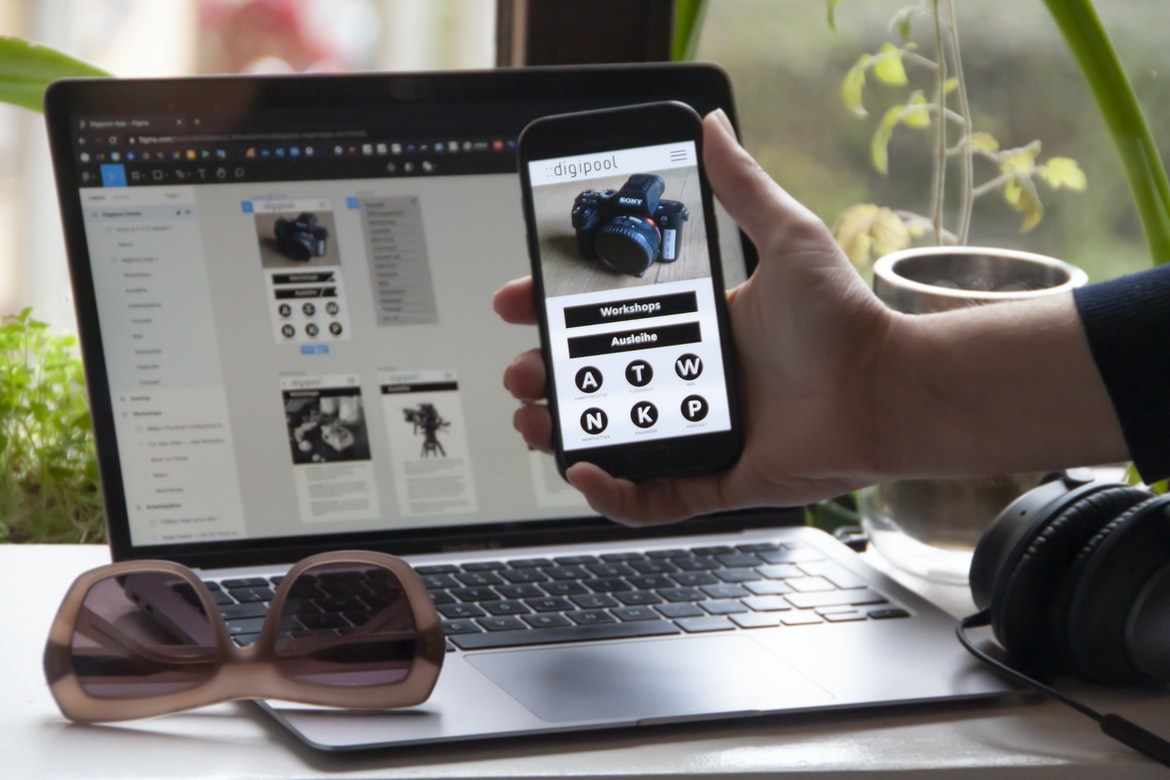
UI design is one of the most important aspects when creating a website or app. It decides how users interact with it and can make or break the user experience. If your UI is poorly designed, your users will be frustrated and likely never visit your site or app again.
What is application design, and why is it important?
Application design is the process of designing everything that needs to be done in order to create an effective and efficient website or application. From the design of the user interface (UI) to developing the code that makes the website work, application design is a critical component of any web or software development project. Without good application design, users will find it difficult to navigate your site or application and will likely not use it.
The goal of design: How should the user interface look to achieve a specific goal?
Introducing the goal of design, which is to achieve a specific user interface goal.UI design goals can be vast and vary in terms of what the user should see or feel when using an application. In this article, we’ll take a look at some common UI design goals and how they can be achieved.
User perspective: What are the user’s needs, and how should the interface be designed to meet them?
The user’s needs are the fundament of interface design. They should be considered when designing a navigation system, for example, or when creating an interactive interface. But what about the user s experience? How can we ensure that our users have the best possible experience on our applications?
Interface design: What are the key elements that need to be considered when designing an interface?
In interface design, the key elements that need to be considered when designing an interface are the user interface (UI), control layout, and business logic. While all of these elements need to be put together in a cohesive way for an interface to be successful, it is important that they are properly balanced and coordinated in order to create a smooth user experience.
Navigation: How can the user get around the interface and find what they need?
UX designers have a lot to think about when creating an interface. How can the user get around the interface and find what they need? There are many ways to do this, but the most common is through menus and icons. This article tries to cover some of the more common methods and how they work.
A simple design can help users get around an interface and find what they need. By understanding how people use an application, developers can create user interfaces that are more effective and efficient.
Button placement: How should buttons be placed on the screen, and what type of buttons should they be?
The button placement is a critical part of the design of an application, and there are many different types of buttons that can be placed on the screen. Some buttons should be placed in specific locations, while others should be placed randomly. The type of button also affects how easy it is to activate the button and how visible it is on the screen.
Formatting: How should the text be formatted, and how should icons be used?
UI designers need to be aware of how to format text and use icons when designing application interfaces. Here are a few tips:
1. Use block quotes to parenthetical statements in the text. This will help keep the formatted text clear and easy to read.
2. Use white space around words and phrases when needed, and use semicolons for trailing commas.
3. Use basic typography rules when formatting text: using Courier New, 12pt Arial, Helvetica or Times New Roman for all types of text; using a single space between paragraphs; keeping lines short; and using italics for emphasis or quoted material.
4. Avoid using too many colours in your interface design. A good rule of thumb is to use one or two colours for the main text and three or four colours for any secondary or tertiary elements.
Effects: How can effects be applied to make the interface look more appealing or functional?
One approach to improving the look and function of an interface is to apply effects. Effects can be used to make a design more appealing, or they can be used to improve the usability of an interface. There are many effects available, so it is important to choose the right one for the situation.
Effective design allows the user to interact with an interface in a more appealing or functional way. By taking into account the user’s needs and preferences, designers can create interfaces that are more engaging and efficient.
Why Convert Web App To Mobile App?
There are many reasons for converting an existing web application to a mobile app. The first reason is that mobile apps tend to be more user-friendly and efficient. They also provide a complete experience, as users can access information and interact with applications in a more intuitive way than they can on a desktop computer.
Another advantage of converting a web application to a mobile app is that your users can now work from anywhere in the world. This is especially important for small businesses, who may not have the luxury of having office space or the time to visit multiple locations.
E-Commerce Platform
An e-commerce platform can be a great way to sell products and services online. It can include a variety of functionality, such as an online store, ordering options, and shipping. In order to create a successful e-commerce platform, designers need to understand the different aspects of the platform so they can create a design that is both user-friendly and effective.
Figma
Figma is a design application that provides a user interface for designing web applications. It is free and open source, and its release notes are frequently updated. Figma has been used by millions of people around the world, and it is easy to learn how to use it.
Adobe XD
Adobe XD, the next generation of Adobe Photoshop, is designed to make your design process easier and more efficient. With Adobe XD, you can create files in a variety of formats, including PDF and PNG. You can also drag and drop objects between files and layers, which makes creating designs quickly and efficiently simpler than ever before.
Design Mobile App
Designing a mobile app is a challenging task, but with the right tools and techniques, it can be done successfully. In this article, we will discuss different design tips for designing a mobile app, including user flows, interface designs, and user experience.
Graphic Design
Graphics design is a process of designing visuals using design rules and conventions. By following these rules, you can create a look and feel that is consistent with your product or service. In addition to the visual clues your customers will use to identify your product or service, good graphics also promote an environment that is positive, inviting, and calming.
What is UI design?
UI design is the design of the user interface for an application. It includes the creation and presentation of the user interface, including menus, buttons, controls, and other elements that users encounter while using an application. The design can be stylized or simple, depending on the needs of the application.
UI design is the design of user interfaces and their layout. It includes the selection, placement, and organization of elements within an interface. UI design is also responsible for the overall look and feel of a user interface.
What is UX design?
UX design is the process of creating a user interface that efficiently and effectively communicates the intent and features of an application to its users. The goal of UX design is to make the user experience as good as possible, regardless of whether or not the application is used for commercial or personal use. By understanding how users interact with different types of user interfaces, designers can create applications that are both efficient and user-friendly.
UX design is the process of creating user interfaces that are both attractive and functional. It encompasses everything from designing how a user interface looks to how it works. By understanding how UX design works, you can create interfaces that are both beautiful and functional.
Visual Communication
Visual communication is an important part of application design. It can help users understand the application and its features. In order to make sure that visual communication is effective, designers must consider the following factors:
1) The user’s eyes are the windows to your application. You must make sure that they are received in a way that is effective and appealing to them.
2) The user’s attention span is limited, and you want to use as much information as possible in a single image or screen grab.
3) Use images sparingly and only when it is necessary to convey important information.
4) Keep text large and fonts 16px or greater when needed for legibility.
Visual Communication Vs Graphic Design
There are a lot of different types of visual communication, from simple illustrations to complex graphs and diagrams. How do you decide which one is the best for your application? While graphic design is often thought of as a means to communicate information visually, it can also be used to create user interfaces and other design elements for your applications.
Application of Graphic Design: Adobe Photoshop, Adobe Illustrator, Adobe InDesign
Graphic design is the process of designing the visual elements of a document, such as covers, logos, illustrations and maps. It can also refer to the creation of published works such as magazines and textbooks. In addition to graphic design, web design may also be referred to as graphic design.
Figma, Adobe XD, WordPress, Elementor.
There are many popular web development frameworks and applications, but which one should you choose for your project? Figma or Adobe XD? What’s the difference between them? And what are their advantages?
Figma is a well-known JavaScript framework used by developers of web applications. It offers intuitive design features and is easy to learn. Adobe XD, on the other hand, is a WordPress plugin that helps you create professional-looking websites. Elementor is another popular application development framework used by designers and developers. It offers a variety of helpful features, such as drag-and-drop support, Inspector debugging, and more.
Now that you know the main differences between Figma and Adobe XD, let’s take a look at their advantages for your project.
What Is A Prototype?
Prototypes are a way to see how something might look before it is made. They can help in the development of new applications and user interfaces. When creating prototypes, be sure to follow these tips:
1. Be clear about what you want your prototype to represent. What are the goals of the prototype? How will it help you meet those goals?
2. Use clear, concise images and descriptions for your prototypes. This will help people who are working on your prototype to understand what they’re looking at without having to read the text.
3. Use minimalistic designs in your prototypes. People who are working on your prototype won’t have as much time to focus on detail as they would if they were designing a full-fledged application, so make sure that your design is easy for people to understand and use.
4. Don’t forget about Feedback!
The prototype is the first step in creating a user interface design. It’s an early version of the design that will be used to test how the user interface looks and functions before it’s finalized.
What is UI/UX design, and how does it affect an application?
UI design is the design of an interface that helps users interact with an application. It can include things such as the layout and visibility of objects, how content is rendered, and how buttons and other elements are arranged. This interaction can range from simple task performance issues to more complex issues like creating a harmonious user experience. As the design of an application affects the overall user experience, it is important to understand what it entails in order to create a successful one.
How important is the user experience when designing applications?
User experience is one of the most important aspects of designing an application. Whether it’s a web or an app, users need an easy and intuitive way to interact with the applications they use. Unfortunately, many times developers don’t consider how their applications will look and feel when users use them. This can lead to frustrating experiences for users and disappointed developers alike. To ensure that your user experience is top-notch, take some time to think about what you want your applications to look and feel like.
How can I ensure users have a good experience when using my application?
There are a few things users can do to ensure a good experience when using an application. First, make sure the interface is easy to navigate and that the buttons and fields are clear. Second, make sure the application is organized properly so users can find what they are looking for quickly. Finally, make sure user feedback is incorporated into the development process so that changes can be made quickly and efficiently.
What are some of the most important principles for designing effective applications?
In design, there are a variety of important principles that should be followed when creating an effective application. These principles include user experience, organization, and accessibility. By following these principles, developers can create applications that are both user-friendly and efficient.
What kind of Feedback should I use to determine how successful my application’s UI/UX is?
UI design is an important part of any application’s success. However, it can be hard to determine how successful a UI design is without Feedback. This article will provide tips on how to use UX testing tools to determine whether your UI is effective.
What tools are available to help me create a great UI/UX for my application?
UI design tools are constantly evolving and expanding. In this era of constant change, it is important to have a clear understanding of what these tools can do for you when designing your application’s user interface. Here are popular UI design tools that can help you create a great user experience:
1. Sketch: One of the most popular UI design tools, Sketch is perfect for creating rough designs and prototypes. It has a wide range of features, including content creation, drawing wizards, and more.
2. Adobe Photoshop: Photoshop is one of the most versatile UI design tools around and can be used to create complex designs or simple illustrations. Its capabilities include advanced layer management and text formatting abilities.
3. Inkscape: Inkscape is another popular UI design tool that can be used for vector illustrations, logos, and icons.
Is there a difference between mobile and web applications when it comes to UI/UX design?
Mobile applications and web applications are both designed to be user-friendly. However, there are some key differences that can affect the way that these applications look and feel. One of the most important differences is their UI design.
A mobile application’s UI may be more simplistic than a web application’s UI, which can make it easier for users to navigate and interact with the application. Additionally, web applications may have a more robust layout and design, which can improve UX performance. If you want to create an effective mobile or web application, it’s important to carefully consider these factors before designing your user interface.
What is the difference between UI and UX design?
UI design is the overall design of an application, while UX design is the design of how an application looks and feels to users. While both are important, there are different ways to approach UI and UX design, which can make a big impact on the user experience. Here’s a look at some key differences:
1. UI design should be fluent and intuitive
UI designs should be easy to understand and use, so users can get started quickly. This means using clear, concise designs that are easy to follow and remember.
2. User experience should be important for all types of users
UX designers must consider the needs of all types of users – from novice users who just want to use an application for the first time to more experienced users who need help navigating features or finding content.
UI design is the process of designing the user interface or user experience for an application. UX design is the process of designing the user experience for a product or service.
What are the principles of good UI/UX design?
One of the most important principles for good UI design is that it should be easy to use and understand. This means that your users will want to use your app more and will be more likely to recommend it to others. In order to make your app easier to use, you should create a Basics of the App Design guide. Follow these tips, and you’ll have an app that users love from start to finish.
When creating an application design, there are a few key principles that should be followed. These principles can help to ensure that the user interface is pleasing and easy to navigate.
How can UI/UX design be used to improve user experience?
UI design is a critical part of the application experience and can be used to improve user experience. By understanding how users interact with your applications, you can create responsive, intuitive designs that make using your applications more enjoyable.
UI design can be used to improve the user experience in a variety of ways. By understanding how people use applications and incorporating user feedback into the design, developers can create applications that are more intuitive and enjoyable to use.
What skills are necessary for an effective UI/UX designer?
UI design is a critical part of any software development project. No matter what your company does, you need to have a good understanding of how users interact with your software. UI designers are important in making sure the user interface looks and feels great while meeting the specific needs of your application.
UI designers are responsible for creating user interfaces that allow users to interact with applications. In order to be successful in this field, you will need to have a strong understanding of user design principles, as well as experience working with different software designs.
How does a designer create a successful user experience in an app?
A designer’s job is to create a user experience that is both beautiful and functional. In order to create an effective user experience, the designer should consider the following factors:
Layout: The layout of an application should be easy to understand and use. The layout should be simple without too many distracting elements.
Design Navigation: The design of the navigation should be easy to understand and use. The navigation should be designed for users who want to explore the app more quickly.
Design Elements: There are a variety of design elements that can help make an application more user-friendly. These include buttons, menus, icons, etc.
Are there any common mistakes to avoid when creating a UI/UX design?
There are a few common mistakes to avoid in designing application designs, and UI UX designers should be aware of them in order to create more user-friendly and effective interfaces. Here are tips to help you avoid making these errors:
1. Don’t overuse icons or rectangular shapes. Icons can be helpful visual cues, but they should not be the only element used in a design. Use rounded corners, triangles, and other simple shapes to make your designs more visually appealing.
2. Make sure the interface is easy to navigate. It’s important that users can find what they’re looking for quickly and easily. Layout the interface so that it’s easy to understand and use. Use smaller buttons and icons instead of large ones, and make all content extremely clear without using too many fonts or colour choices.
3. Don’t make your users do too much. Try to keep the interface simple and easy to use. Don’t require complex navigation or overly complicated actions. 4. Respect audience context and avoid redundancy.
What is the importance of UI/UX for applications?
UI design is an important part of application design. Applications with well-designed user interfaces are more likely to be successful. However, there are a few things that you should keep in mind when designing your UI.
1. Make sure your design is organized and easy to understand.
2. Keep your user interface simple and easy to use.
3. Use clear and concise language when designing your UI.
4. Make sure all elements are correctly laid out and that they work together properly.
UI design is important for any application. UI design can improve the user experience by providing an intuitive and organized interface that makes it easy to find and use the application’s features. Additionally, good UI design will help users stay within the bounds of the app’s layout and user interface boundaries.
How does UI/UX influence user experience?
UI design has a large impact on the user experience of an application. The most important factor in determining how well an application is designed is the user’s needs and preferences. If users don’t have to scroll through pages or use magnification to view content, then it will be more comfortable for them to use. But, if users have to scroll through pages or use magnification to see content, then UI design can influence how well an application will be used. Applications that are poorly designed may cause users to feel frustrated and uncomfortable because they cannot see what they are looking for or need help finding information.
What are the best practices for developing an application’s UI/UX?
UI design is a critical part of any successful application. No matter how good the UI is, if users are struggling to navigate it or use it, the application will be less successful. Here are some best practices for designing an app’s UI UX:
1. Establish a clear and concise user interface (UI) strategy. This should include deciding what features your app will offer, how users will interact with them, and how you want to display information to users.
2. Use white labelling for essential controls and features. This means giving your app’s default user interface (UI) to other applications or services that can be used without having to change it. This helps keep your app development costs down and avoids having to redesign everything from scratch every time someone installs a new version of your app.
3. Place important content in easily accessible places.
There are a number of best practices for designing an application’s UIUX. One such practice is to use Iconography. Iconography can help to provide a consistent and consistent look across different devices and platforms. Additionally, it can add visual hierarchy to your application and make it easier for users to follow along.
What techniques help create a successful application UI/UX design?
In order to create a successful application UI UX design, it is important to understand how users interact with your app. This can be done by understanding the user’s needs and then designing your app accordingly. There are a number of techniques that can be used in order to achieve this, but here are the most popular:
1. Iconography: using icons to represent different sections of your app can help users quickly find what they’re looking for. This is especially useful if you want users to feel like they’re in control of their experience. Additionally, using icons can help identify areas where your app isn’t working well and need more improvement.
2. Animations: adding animations can help users feel more engaged with your app and make it easier for them to move around.
People use applications all the time, whether they are aware of them or not. In fact, some people might say that they use applications every day! To make an application as user-friendly and effective as possible, it is important to design user interfaces that are both appealing and effective.
Appearance is one of the most important factors to consider when designing user interfaces. The look and feel of an application should be sleek and modern without being flashy or overbearing. The interface should be easy to understand and use without taking too long to learn.
Another important factor to consider when designing user interfaces is functionality. It is important that the application functions correctly and efficiently without annoying or confusing users. Users should be able to access all of the features of the application quickly and easily.
What tools and methods can be used to test an application’s UI/UX?
Testing an application’s user interface (UI) is critical to its success. There are a variety of methods and tools available to test an application’s UIUX, but which ones are the best for you? Here are some tips to help you choose the right tool:
1. Testing should be carried out in a controlled environment. By testing in a controlled environment, you can ensure that the results are representative of the real world. This will help reduce bias and improve your results.
2. Use usability tests and focus groups on understanding users’ needs. Usability tests can be used to measure whether an interface is easy to use or difficult, and focus groups can be used to understand how users interact with an interface. These techniques can help identify areas where users need more attention or clarification and thus improve the UX of an application.
3. Design to fit the user’s needs. By tailoring your design to suit the needs of users, you can ensure that they are able to use the application easily and with ease. Designing for a specific user group may mean focusing on different aspects of an interface.
There are a number of ways to test an application’s UIUX, but some common methods include user interviews, usability tests, and webinars. With the right tools and methods, testers can help ensure that an app’s UX is effective and helpful to users.
What elements should be considered when developing an application’s UI/UX?
UI design is a critical part of any application and can determine how successful the application is. In order to create an intuitive and user-friendly UI, it is important to consider the following elements.
Outfielders are important in any baseball game because they are responsible for defence and hitting the ball into play. For an outfielder, his primary role is to stay out of harm’s way by keeping the ball in play and hitting it as close to first as possible. When designing an outfielder’s UI, designers should take into account his Movement (x) value and positioning (y).
In baseball, x is the player’s location on the field, while y is their speed. To account for this positional difference, outfielders have different movement values that affect how quickly they can move around the field.
UI design is a critical part of an application’s user interface. When designing an application’s UI, it is important to consider the elements that will interact with users and how they should be arranged.
How can user feedback be used to enhance an application’s UI/UX?
User feedback is an essential part of any application design, as it can help improve the user experience and make the application more efficient. However, how best to use user feedback to enhance an application’s UI UX? Here are a few tips:
1. Make sure the Feedback is relevant to the problem you are trying to solve.
User feedback can be extremely helpful in finding solutions to problems, but it should not be used just to change existing designs. Take into account what the user wants and needs in order to create a better UX for your application.
2. Use Feedback properly.
If you’re like most people, you receive Feedback in a variety of forms. Some people communicate with others through writing, others through talking to friends, and still others through using other tools. However, when it comes to using Feedback effectively, it’s important to keep in mind the three Cs: Context, Convenience, and Contribution.
Context is what the person receiving Feedback is looking at. It should be clear to them what the problem is, who is providing the Feedback, and how it can be solved. Convenience is how much time or effort it will take for them to get their hands on the information they need. This can be determined by how many different tools are available that can provide Feedback (including phone apps), as well as whether or not they already have some form of feedback system in place.
Foley data is one of the most important sources of user feedback in any application design process. Foley data can be used for various purposes, such as questionnaire creation, user research, focus groups, and more.
Despite the fact that UI design is one of the essential aspects of any web application, few people know how to create effective questionnaires. In this article, we will explore various techniques for questionnaire creation and user research. Additionally, we will focus on creating questionnaires for online surveys and focus groups.









