

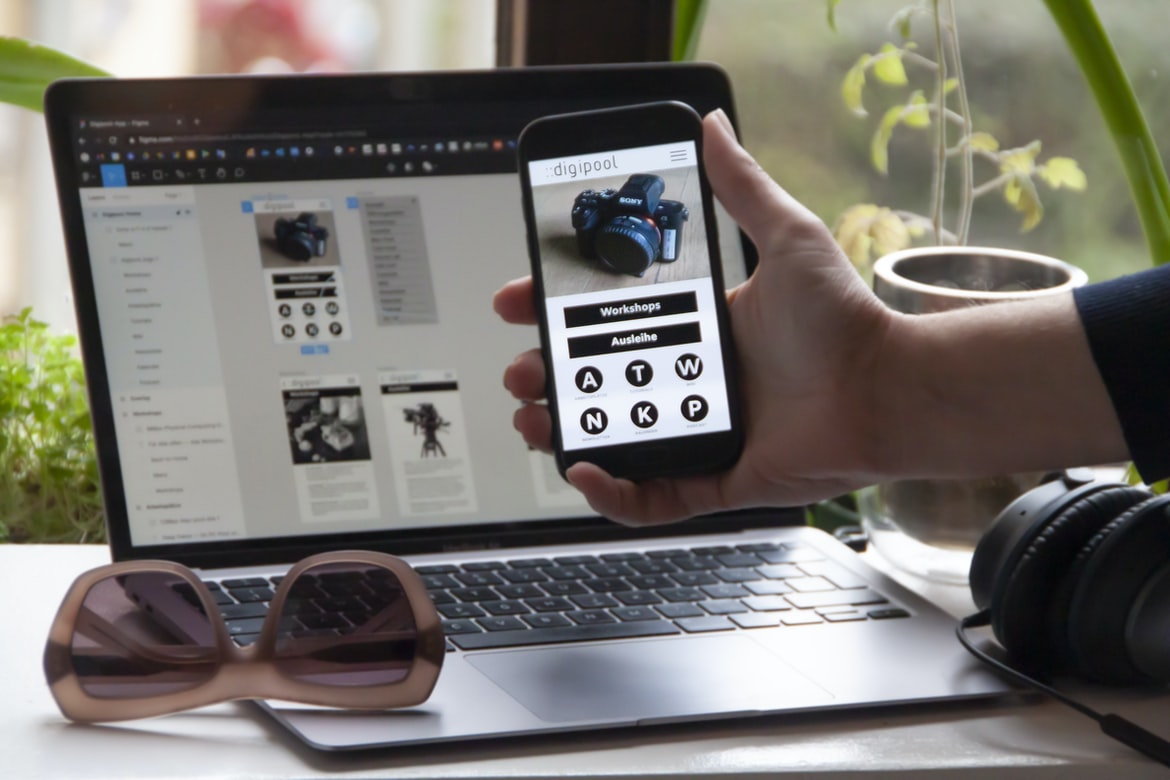
What is UI UX, and why is it important?
User interface (UI) is the design of a computer’s graphical user interface (GUI). A GUI is part of a computer system that provides an environment for users to interact. Good UI design allows users to complete tasks quickly and easily while minimizing distractions. Poor UI design can lead to frustration, reduced productivity, and even abandoning a project altogether.
UI UX is the umbrella term that encompasses all aspects of designing a good user interface. It includes everything from choosing the right typeface to creating effective layout designs. A well-designed UI will look not only good but also easy to use and understand. Whether you’re working on a small website or an entire application, good UI UX will help your customers achieve their goals faster and easier than ever before.
The different types of user interfaces: Desktop, Mobile, Tablet
There are three main ways that user interfaces can be designed: desktop, mobile, and tablet. Desktop user interfaces are typically used on PCs or laptops, while mobile user interfaces are used on phones and tablets. Tablet user interfaces are a mixture of both types, with features adapted for use on larger screens.
Desktop User Interfaces
Desktop user interfaces tend to be more traditional in design and layout than mobile or tablet user interfaces. They feature static layouts with text fields and buttons near the top of the screen. This style is often used for websites with a formal appearance, such as those of banks or government agencies.
Mobile User Interfaces
Mobile user interfaces focus on quick access to information. They feature briefer text fields and less detail in graphics than desktop user interfaces.
The different types of users: Casual, Professional, Power User
Designers and developers need to be aware of the different types of users when designing and building web applications. Casual users will only use the web application for basic tasks, such as checking email or reading news. Professional users are those who need to use web applications for their job, such as scientists conducting research. Power users are the most demanding type of user, as they require a high level of functionality and access to multiple features. It is important to design web applications with these different types of users in mind so that everyone can find what they’re looking for easily.
The different types of usage: Navigation, Content Consumption, Collaborative Work
Web design UI UX is an important aspect of any website. It can make or break the user experience. There are three main types of usage: navigation, content consumption, and collaborative work.
Navigation is the most common use case. Users need to find what they’re looking for on a website, and the UI UX should make that easy. The layout, colours, and typography should be consistent throughout the site. Content consumption happens when users are looking at specific pieces of information on a website. They should be able to find what they need quickly and easily without having to scroll down or search through pages of text. Collaborative work is when users work together on a project or share information with each other. The UI UX should help them stay organized and efficient while working together.
How to create a good UI UX: A user flow diagram and design principles.
Creating a good user interface (UI) for a website or application can be daunting, but with a little know-how and some design principles in mind, it’s definitely achievable. Here are some tips for creating a successful UI UX:
1. Start by understanding your users’ needs. What tasks do they need to perform on your site or app? What information do they want to access most? Once you have an idea of what the user is trying to accomplish, start designing around that.
2. Stick to typography and layout principles. Make sure all your text is legible at any size, use consistent fonts throughout the site, and choose layouts that are easy on the eyes. This will help keep users engaged and make navigating the site more enjoyable.
3. Consider colour schemes when designing your UI.
What Is UX Example?
UX example refers to any graphical representation of a user interface that is used as part of the design process. It can be anything from rough sketches to wireframes to finished designs.
Typically, UX examples are created during the early stages of a project in order to better understand how users will interact with the final product. They can also be used to test proposed designs and see which ones work best.
If you’re working on a project that involves designing or redesigning a user interface, it’s important that you have a good understanding of UX examples. This way, you’ll be able to create accurate and effective graphics that meet the needs of your users.
What Is UI Example?
What is a UI example? There are various ways to answer this question, but one way to think of a UI example is as a visual representation of how a user would interact with a website or app. A well-designed UI example can make it easy for users to find what they’re looking for and understand how to use the interface. In addition, good UI examples can help designers create an appealing and user-friendly interface.
What Is Bad UX UI?
Web design UI UX is something that can either make or break a website. Poor web design UI UX can lead to frustration among users, as well as decreased conversion rates. Here are key elements to consider when designing web UI UX:
1. The visual hierarchy is important. When users interact with a website, they should be able to see the most important information at the top of the screen. This includes menus, primary content areas, and navigational elements. All other content should be placed below this level for easy access.
2. Use simple and effective icons. Icons should be small and easily recognizable without being too cluttered or busy. They should also be appropriately labelled and linked to corresponding page content.
3. Use clear text labels for buttons and controls.
What Can I Add To My Website To Make It Better?
There are many ways to make your website better, but some basic changes you can make include:
-Designing a user interface that is easy to use and looks good;
-Making sure all the content is well organized and easy to find;
-Using effective search engine optimization techniques;
-Making sure your website loads quickly and without errors;
-Creating graphics and images that complement the overall design of your site.
Motion Graphic Design
Motion graphic design is a type of graphic design that uses animation to create a graphical representation of information. Motion graphics can be used in a variety of media, such as television, commercials, and website designs. Motion graphic designers work with creative directors to create visuals that support the message or purpose of their projects.
Some common uses for motion graphics include illustrating product demonstrations, creating cinematic experiences, and creating logos and branding elements. Motion graphics can be extremely versatile and effective tools for communicating ideas. They can provide an engaging alternative to static images, help break up long pages, and add personality to an otherwise bland website or presentation.
To be a successful motion graphic designer, you need both artistic talent and a good understanding of how to use software like Adobe After Effects or Photoshop. You also need to have knowledge of typography, layout, colour theory, and composition.
Animation Design
In the design world, the animation is often seen as a way to add life and motion to a website or application. It can be used to create a sense of interactivity and excitement, which can help draw users in. In this article, we will explore the different types of animation and how they can be used in web design. We will also look at some examples of how animation has been used in web design projects and what benefits it has provided.
WordPress for Designers
WordPress is a popular content management system (CMS) that can be used by web designers to create a website. WordPress has a user interface that is easy to use and is designed with usability in mind. WordPress also has plugins that allow users to add features that are specific to web design.
What Is Elementor Website WordPress Plugin?
Elementor is a WordPress website plugin that helps you create clean and modern web designs with ease. Elementor’s drag-and-drop interface makes it easy to customize your designs, and its built-in theme options let you create custom templates with just a few clicks. Additionally, Elementor provides tons of helpful tutorials and tips so you can make the most of its features. Whether you’re looking to create a simple website or something more complex, Elementor is an excellent option for web design.
Figma
Figma is a web design application that allows users to create user interfaces and mockups. This software has been praised for its simple and intuitive interface, as well as its powerful features.
Adobe XD
Adobe XD is a powerful design tool that can help you create user interfaces for your websites and apps. It has a lot of features similar to other popular design software, but it also has some unique features that make it an excellent choice for web designers. Here are reasons why Adobe XD is great for web design:
1. It has strong vector drawing capabilities. This means that you can create high-quality designs with ease.
2. Its grid system makes layout creation easy. You can quickly create precise arrangements of content and visuals on your pages.
3. Its CSS support is top-notch, making it easy to style your pages according to your preferences.
4. It has built-in tools for creating interactivity and animations.
Design Mobile App
Designing a mobile app is an important part of creating a good user interface (UI) for a website or application. A well-designed mobile app can make your users happy, resulting in increased conversion rates and customer loyalty. The following tips will help you create a great mobile app UI:
1. Use simple, easy-to-understand icons and buttons. Your users will be more likely to use your app if it’s easy to understand and navigate.
2. Store all your data in the cloud. This will make your app faster, more reliable, and easier to update.
3. Keep your design consistent across all platforms, including Android and iOS devices. The consistent design makes it easier for users to switch between devices and apps without feeling lost or confused.
4. Use colour sparingly but effectively.
What is Visual communication in graphic design?
Visual communication is the process of creating a message that can be understood by the human eye. Visual designers use a variety of tools and techniques to create effective visuals, from logo design to web design.
One key component of visual communication is the user interface (UI) UX. UI UX is the process of designing an effective user interface that meets the needs and wants of your target audience. It includes everything from font choice to layout design and must take into account both users who are viewing your site on a computer screen as well as those who are viewing it on a mobile device.
Effective visual communication also requires good typography. Good typography can help improve user experience by making sure text is legible and easy to read. It can also add personality and flair to your designs, helping them stand out from the competition.
Application of Graphic Design: Adobe Photoshop, Adobe Illustrator, Adobe InDesign
Graphic design is an essential skill for any web designer. It can help to create a compelling and user-friendly interface while preserving the brand’s aesthetic. Adobe Photoshop, Adobe Illustrator, and Adobe InDesign are all powerful graphic design programs that can help you achieve your goals. Here are tips for using these programs effectively:
1. Use layers to organize your files. Layers make it easy to change the look of your graphics without affecting the underlying image. You can also use layers to hide elements of your graphic that you don’t want viewers to see.
2. Use typefaces that are legible onscreen. Make sure the typeface you choose is easy on the eyes when viewed at a small size or in a web browser window, and select one that will look good when enlarged or printed out.
3. Create texture using brush strokes. Select a soft-edged brush and adjust its opacity until the graphics look like a photograph. Then use the Brush tool to paint with the brush at different angles, creating a sense of depth and dimension. 4. Create shadows with drop shadows.
What Is A Prototype?
Prototypes are often thought of as rough versions of a website or app. However, prototypes can be used in so many other ways. A prototype can be a way to test an idea before it’s fully developed. It can also be a way to see how people will interact with a new design before it’s released to the public. And finally, prototypes can be used to improve the design of a website or app before it’s released to the public.
Mobile Graphic Design
Since the inception of the mobile revolution, more and more businesses have been focusing on developing mobile-friendly websites. However, developing a website that looks good and works well on a phone or tablet is no easy task. In fact, it can be quite challenging to create an interface that looks good and functions smoothly on a small screen.
Fortunately, there are many talented mobile graphic designers out there who can help you achieve just that. They understand how to create layouts that look attractive and intuitive on smaller screens without sacrificing functionality. In addition, they know how to use typography and imagery to make your website look professional and engaging. So if you want your website to look great on mobile devices, contact a mobile graphic designer today!
Responsive Graphic Design
Responsive design is an approach to designing web interfaces that take into account the different devices and displays that users may be using. Responsive design means creating a site or app that looks good on any device, from desktop computers to phones and tablets. Responsive design can be hard to do well, but it’s essential for modern web and app design. Here are some tips for doing responsive design well:
1. Start with a clear goal. What do you want your site or app to look like on different devices? Do you want it to be touch-friendly or completely tablet-based? Once you have a goal in mind, start designing with those devices in mind.
2. Plan your layout carefully. Make sure all of your content is laid out responsively as well.
Graphic design is in demand.
Graphic design is in high demand, and there are many reasons for this. Graphic design can help to create a cohesive brand, help to communicate ideas, and can be used to visually represent information. Additionally, graphic design can be used to make websites look appealing and professional. In short, graphic design is an essential part of any website or marketing campaign.
Is There A Demand For UX Designers?
There seems to be a growing demand for UX designers as the industry continues to grow and change. According to Indeed.com, the number of jobs in UX design is expected to grow by 18 per cent through 2024. Additionally, recent studies have shown that users are increasingly demanding interactions that are intuitive and easy to use. So why is there such a demand for UX designers? There are a few reasons:
-Users want interactions that are intuitive and easy to use;
-UX design helps companies create better customer experiences;
-Users want more personalized experiences;
-The industry is growing rapidly, and there is a lot of opportunity for those who want to get involved.
What Are The Basic Components Of A Good Process In UX Design?
The basics of a good UX process include: gathering user feedback, conducting user research, developing prototypes, testing the prototypes, and iterating based on feedback. Other important factors to consider when designing a good process include communication and collaboration between team members.
What are UI UX mistakes?
There are many ways to make a user interface (UI) look beautiful, but sometimes mistakes are made that can negatively affect the usability of a website. Here are eight common UI UX mistakes:
1. Putting too much emphasis on flashy visuals over function. A well-designed UI should be easy to use and understand without sacrificing any of the aesthetic appeals. Overly ornate designs can be confusing and overwhelming, leading users to give up before they’ve even had a chance to try using the site.
2. Making buttons too small or hard to see. It’s important for buttons to be large and clear enough for users to easily identify and click on them, but it’s also crucial that they aren’t so tiny that they’re impossible to hit accidentally.
What are UI UX tips to avoid those mistakes?
Mistake #1: Minimizing the use of icons. Icons can be a great way to help users navigate your site, but make sure you use them sparingly. A good rule of thumb is to use icons only when they are necessary and don’t make the user feel like they are clicking through a labyrinth.
Mistake #2: Make your site too complex or overwhelming for users. Many novice web designers make the mistake of designing their sites too elaborately, thinking that it will show off their creativity and sophistication. The opposite often happens; users find the site difficult to navigate and eventually give up on trying to find what they’re looking for.
To avoid this problem, keep your design simple and easy to understand.
Designing a user interface for a website can be complicated and difficult to understand. By keeping your design simple and easy to understand, you will avoid many of the common problems that users experience on websites.
1. Keep your user interface layout simple. Make sure all elements are easy to find and use. Try not to overcrowd the screen with too many elements or buttons.
2. Use clear, concise text labels for all buttons, controls, and icons. This will help users understand what they need to do without having to look at the screen directly.
3. Use effective colour schemes and graphics to improve usability and visual appeal. Bright colours can be distracting, so use them sparingly or opt for more muted tones instead. Avoid using too much text on a single page, as this will also make it difficult to read.
4. Provide adequate space for all controls and options. Too little space can cause users to tap the wrong button, while too much can make the interface look cluttered. 5. Create a consistent look and feel across the entire site by using similar colour schemes, fonts, graphics, and layout techniques.
What is the difference between UI and UX?
Designing a user interface (UI) is about creating a look and feel for a website or app while designing the user experience (UX) is about making sure the users can complete their tasks easily and comfortably. UI and UX are two very different aspects of web design that should be treated as separate entities. UI designs are typically focused on the visual elements of a website or app, while UX takes into account how users interact with the site or app. One of the main differences between UI and UX is that UI designs are typically created in isolation from the rest of the site or app, whereas UX is integral to the overall design. Another major difference between UI and UX is that UI designs are generally designed to be used by humans, while UX designs are designed to be used by computers.
What are some common UI UX mistakes?
There are certain things that web designers should keep in mind when creating user interfaces. Some common UI UX mistakes include:
1. Not considering how users will interact with the interface.
2. Creating an overcrowded or confusing interface.
3. Making it difficult to find what you’re looking for.
4. Choosing the wrong font or colour scheme.
5. Focusing too much on aesthetics instead of functionality.
Over the years, web design has become increasingly important as a field. However, in order to be successful, many designers seem to focus too much on aesthetics instead of functionality. While this may initially please viewers and buyers, it ultimately harms the overall usability of a website or application.
1) Aesthetics are important, but they should not be the only factor that determines whether or not a user will interact with a website or app. The interface should be easy to use and navigate while still looking professional.
2) Too often, designers focus on making their designs look flashy and trendy instead of focusing on how the user will interact with the interface. This can lead to confusion and frustration for users trying to navigate a site or application.
3) In addition, using outdated or non-functional designs can also have negative consequences.









