

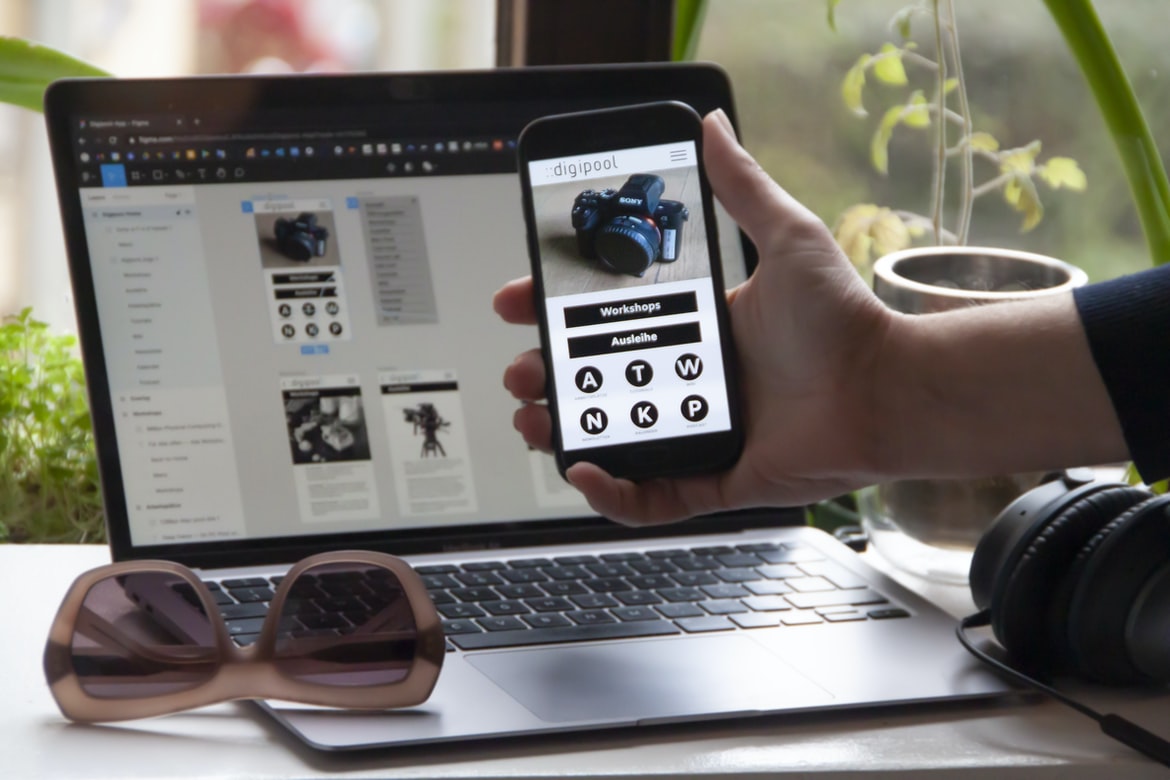
What is web design UI UX?
Web design UI UX is the process of designing the User Interface (UI) and User Experience (UX) for any web-based application. A well-designed UI and UX can help users navigate a website easily, find what they’re looking for, and stay on task. Good web design UI UX also helps keep users engaged with your site, encouraging them to come back again and again.
Types of Web Design UIs: Desktop, Mobile, Tablet
There are many different types of web design UIs, each with its own advantages and disadvantages. Desktop design UIs tend to be more complex and user-friendly than mobile or tablet designs, but they’re less versatile. Mobile design UIs are easier to use on smaller screens, but they lack the features and flexibility of desktop designs. Tablet designs are the most versatile, as they can be used on a wide range of devices and platforms.
Benefits of Web Design UI UX: Better comprehension and usage of your website/app by users.
Every user interface (UI) has its own set of benefits that can be leveraged by developers in order to create a more user-friendly experience on their website applications. These benefits can include increased comprehension and usage by users, as well as a higher conversion rate from potential customers.
Some key points to keep in mind when designing UI UX for your website include making sure all elements are easy to find and navigate, including the main content areas of your site. By simplifying the layout, you are likely to attract more users who will be able to find what they’re looking for with ease. Additionally, consider incorporating intuitive design features such as dropdowns and menu bars, which make it easier for users to select the information or products they need.
Guidelines for creating web design UI UX: Pay attention to user feedback, keep it simple, and use colours and fonts that are easy on the eyes.
Too often, web design UIUX is geared towards the designer rather than the user. Guidelines for creating web design UI UX should be based on feedback from users and kept as simple as possible to make them easier to use. Colours and fonts should be chosen with care in order to make the user experience as positive as possible.
UX Vs Graphic Design
Users interface with digital products through various devices, like desktop computers and laptops, phones, tablets, and even TVs. This means that the look and feel of a digital product can vary drastically depending on the device it is used on.
Both web design UI UX and graphic design are essential for creating high-quality digital products. However, there are some key differences between the two disciplines that should be considered when designing a product.
For web design UI UX, it’s important to take into account how users will interact with your product on different devices. For example, if you have a mobile app, you need to consider how users will use their phones while browsing your website.
UI Vs Graphic Design
Web design UI UX is a hotly debated topic. Some say that the focus on graphics over user interfaces makes websites difficult to use. Others argue that good user interfaces are essential for making websites easy to navigate. Which is better? And which should take precedence in your web design?
UX Vs Web Design
UX and web design are two very different disciplines with their own set of skills, tools, and approaches. UX is concerned with the entire user experience—from finding the right solution to using it. Web design focuses on the look and feel of a website or application while neglecting any aspect of the user experience.
The two disciplines have different goals: UX aims to create an efficient and intuitive experience for users, while web design strives for a wow factor that will persuade people to visit the site or app. There’s no one right way to approach these goals; each discipline has its own strengths and weaknesses.
UX designers focus on user research and understanding users’ needs before designing anything. They also use wireframing tools to conceptualize how a website or application will work before building it.
UI Vs Web Design
There is a growing trend in the design world of favouring user interfaces (UIs) over web designs. This trend is largely due to the rise of mobile devices and the increased importance of ergonomics. User interfaces are easier to use and look more attractive on small screens, while web designs can sometimes be difficult to use and not as visually appealing.
One example of a company that favours UI over web design is Apple. Their products are designed with an emphasis on simplicity and ease of use, which has resulted in them becoming one of the most successful companies in history. Nike also puts a high priority on user interface design, as can be seen with their Nike+ app.
While UI over web design is becoming increasingly popular, it’s important to remember that there are still many great examples of well-designed web designs.
Usability User Experience
Web design UI UX is the process of creating a user interface that is easy to use. This includes making sure all buttons are large and easily visible and that all navigation elements are clear and concise. It also involves creating an environment that is comfortable and intuitive for users, regardless of their experience level with computers.
Usability User Interface
Usability User Interface design is all about making sure the user interface (UI) is easy to use and understand. It’s important to make sure that the user can find what they’re looking for, understand how to use the UI, and navigate through it easily.
Some things to consider when designing a UI are how users will be accessing the site or app, how many screens or pages there are, and how users will be interacting with it. Many times, usability tests will help determine what needs to be improved.
There are a variety of techniques that can be used to improve a UI, including colour selection, typography, layout design, and branding elements. It’s important to think about who the target audience is for the site or app and use features and designs that appeal to them. The usability of user interfaces is an important consideration for web designers. Poorly designed UIs can frustrate users, leading to decreased productivity and decreased satisfaction with the site.
UX Example
Websites are designed with the user in mind, but sometimes it can be difficult to understand how a design works from a user’s perspective. In this article, we will take a look at an example of how web design can be improved by incorporating usability principles into the interface.
In recent years, we’ve seen an increase in websites that use innovative and engaging user interfaces. This has been driven by two main factors: first, users want websites that are easy to use and look good; second, designers want to create interfaces that are fun and engaging for their users.
The best way to achieve these goals is to incorporate usability principles into your web design. These principles include layout organization, feedback mechanisms, visual hierarchy, content delivery, and cross-device compatibility.
UI UX Tips
There are a few things more frustrating than trying to use a website and having problems with the user interface. Here are a few tips to make your web design user interface easier to use.
Layout: Make sure you space your content out well, so it’s not difficult to find what you’re looking for. Use big, legible fonts and keep everything on one page if possible. Try to avoid using too many tabs and buttons, as this can make it difficult for users to navigate.
Design: When designing your web pages, think about how users will be using them. For example, is the page designed for people who are browsing from their desktops or laptops? Will users want access to all of the site’s content at once, or can they browse topics separately?
What Is Bad UX UI?
Web design has come a long way since the days of simple and static websites. With the advent of responsive design and user interface (UI)UX, web designers have a wealth of options to choose from when designing a website. However, not all designs are created equal, and some can be very bad for users. Here are ways bad UI UX can negatively impact users:
1. Slow loading times: Poorly designed websites can cause load times to take much longer than necessary, frustrating users who are looking for information or wishing to make purchases.
2. Unclear or difficult-to-navigate menus: Menus that are poorly designed or crammed with too many options can be confusing and even dangerous to use. This can also lead to lost customers due to frustration and lack of understanding.
3. Lack of intuitive navigation: Poorly designed websites can lack intuitive navigation, making it difficult for users to find the information they desire.
4. Errors and glitches: Poorly designed websites can also lead to problems with loading pages or content that may even crash a browser or device altogether.
What Can I Add To My Website To Make It Better?
There are certain things that you can do to make your website better, such as adding a web design UI UX. Keep in mind that what makes one website better than another is subjective, so it’s up to you to decide what you think will make your site stand out. Here are some tips:
1. Use an interesting and unique layout.
2. Make sure all of the content is well organized and easy to find.
3. Use catchy titles and thumbnails that accurately represent the content on your site.
4. Make sure all of the links on your site work properly and lead users where they need to go.
5. Optimize your images for search engine visibility and user experience.
6. Review your website regularly for potential improvements, and keep updating as necessary!
Motion Graphic Design
Motion graphics have come a long way since their inception in the early days of film. Today, they are used extensively in advertising and web design, particularly for UI/UX designs. Motion graphics can be used to create an engaging and visually appealing experience for users.
There are a few key principles that should be followed when creating motion graphics:
-Keep it simple. Use basic shapes and colours to convey your message.
-Use motion to evoke emotion. Make your animation lifelike and engaging so that viewers want to keep watching.
-Think about the context in which your motion graphics will be used. Is it for a website or an advertisement? Is it meant to complement the content or distract from it?
-Make sure your animations are responsive, so they look good on all devices and screen sizes.
Animation Design
Animation is a key part of any user interface design. It can add life and interest to a page and help users understand how to use the interface.
There are several different types of animation that can be used in web design:
-Transitions are animations that change the appearance of an element from one state to another. For example, when you click on a link, the cursor may change from a crosshair to a pointer.
-Effects are animations that create an effect on or around an element. For example, when you hover your mouse over a paragraph, the text might start shaking or flashing.
-Anchors are objects that remain visible while other elements fade away. When you first load a page, most of the content will be hidden behind a translucent menu bar.
WordPress for Designers
WordPress is a popular content management system (CMS) that can be used by designers to build custom web designs. WordPress has an intuitive user interface and a wide range of features that make it a powerful tool for designing websites.
What Is Elementor Website WordPress Plugin?
Elementor Website WordPress Plugin is a user interface (UI) design plugin for WordPress. It was created by the developers at WPBakery Page Builder, which is a subsidiary of Automattic, Inc., the company that owns and operates WordPress. Elementor Website WordPress Plugin provides a drag-and-drop interface for creating custom WordPress websites. The plugin allows users to create custom menus, header and footer sections, pagination controls, widget areas, contact forms and much more. Elementor Website WordPress Plugin is free and available on the official WordPress plugin repository. Elementor is a popular WordPress website plugin that makes creating custom interfaces for your website easy. Element or’s drag-and-drop interface makes it easy to create simple or complex user interfaces without any coding. You can also use Elementor to create custom menus, paginated content, and more.
Figma
Figma is software for web design that offers an intuitive user interface and allows for the rapid creation of prototypes. Its drag-and-drop interface makes it easy to create layouts, components, and interactions. Figma also features a library of pre-made components and designs, as well as the ability to import from Sketch and Adobe Photoshop.
Adobe XD
Adobe XD is a new design interface for web and app development that Adobe unveiled earlier this year. It’s a lightweight, fast, and intuitive tool that has the potential to revolutionize web and app design.
XD is designed to be fast and efficient, making it ideal for developing user interfaces or prototypes. The interface is simple to use, with drag-and-drop features and tabbed panels that make it easy to move around your project. Plus, XD features vector tools that allow you to create precise designs with ease.
Overall, Adobe XD appears to be a powerful tool that could help revolutionize web and app design. If you’re interested in trying it out, the software is available as a free trial on Adobe’s website.
Design Mobile App
Designing a mobile app is no easy feat. It takes a lot of creativity and hard work to create a user interface that is both beautiful and functional. However, there are a few things you can do to make the process easier. Here are eight tips for designing web UI UX for mobile apps:
1) Keep your layout simple. A complex layout will be difficult to navigate on small screens, and it will also look unprofessional. Stick to a minimalistic design style that focuses on the content rather than the presentation.
2) Use intuitive controls. When designing your mobile app, make sure all of the buttons and icons are easy to find and use. Place them where they will be easily seen by users, and don’t force them into awkward positions or bury them under too many other elements.
3) Design your menus logically.
What is Visual communication in graphic design?
Visual communication is an important part of graphic design. It can be used to create a positive first impression, help people understand what you are trying to say, and help them interact with your designs. There are many different types of visual communication, and they can be used in both digital and print design.
Some common forms of visual communication in graphic design include typography, layout, image composition, logo design, web development UI/UX and motion graphics. Typography can be used to create beautiful headings, titles and subheadings; layout can be used to organize content on a page; image composition can help visualize complex ideas; logo design can help represent your brand; web development UI/UX can make your website easier to use; and motion graphics can add excitement and energy to your designs.
Application of Graphic Design: Adobe Photoshop, Adobe Illustrator, Adobe InDesign
Graphic design is used extensively in the web design industry. Adobe Photoshop, Adobe Illustrator, and Adobe InDesign are widely used graphic design software programs. They offer different features that can be put to use in web design projects. Here are ways in which these programs can be used in web design:
1. Photoshop is often used to create graphics for website layouts and logos. It can be used to create complex designs or simple illustrations.
2. Illustrator is similar to Photoshop, but it offers more features for creating vector illustrations and graphics. It can also be used for creating logos and other graphical elements.
3. InDesign is a page layout program that can be used for creating brochures, flyers, and other types of print materials. It can also be used for creating website templates and wireframes.
4. Fireworks is a vector-based layout program that can be used for creating complex designs and graphics. It can also be used for creating flyers, posters, and other types of print materials.
What Is A Prototype?
A prototype is a visual representation of an idea or concept. It can be used to test the feasibility of an idea and to get feedback from others. A prototype can be simple, or it can be more complex.
How to Create a Great UX/UI Design That Delights Your Customers
Creating a user interface that is both visually appealing and easy to use is essential for any business. If your customers have a difficult time using your website or app, they are likely to move on to competitors.
Here are tips for creating a great UX UI design:
1. Make sure all the elements of the UI are easy to find. Users will spend more time on your site if they don’t have to search for information. Keep navigation tidy and organized, and make sure all the necessary buttons and controls are visible at a glance.
2. Use clear, concise text instructions whenever possible. Not only will this make the UI easier to use, but it will also reduce the number of questions users have (and thus decrease support costs).
3. Use intuitive icons and buttons.
Optimize Your UI/UX Design and Increase Conversions
There are a few things you can do to optimize your UI UX design and increase conversions. One way is to make sure that all of your elements are organized and easy to find. Another is to keep your layout simple and clutter-free. And finally, make sure your buttons and controls are easy to use and understand. All of these tips will help improve the overall usability of your site.
Optimize Your Content for the Best User Experience
There are a few things you can do to optimize your web design for the best user experience. Here are a few tips:
1. Use legible font sizes. Your users will appreciate it if your text is easy to read, even in small sizes. This means using fonts that are between 12 and 14 points in size, depending on the type of content.
2. Use images sparingly. You don’t need an image for every paragraph or sentence, and users will quickly get tired of seeing them everywhere on your page. Try to stick to two or three images per page instead.
3. Make sure all buttons and links are easy to find and use. Make sure all buttons have a clear title and an easily readable caption and make sure all links lead to relevant pages or sections of your site.
What is UI/UX Design, and How Does it Affect Conversions?
User interface (UI) design is a critical part of the web design process. It can help improve conversions by creating a more appealing and user-friendly experience. UI UX design focuses on making sure that the user’s experience with the site is positive, from the initial visit to completing a purchase. Poorly designed interfaces can lead to frustrating experiences, which can ultimately lead to fewer conversions. By focusing on usability and attractiveness, you can create a successful web presence that both users and businesses will appreciate.
Graphic design is in demand.
Graphic design is in high demand these days. With so many people using smartphones and tablets, the need for good-looking and user-friendly websites has never been higher. Whether you’re a start-up looking to stand out from the crowd or an established business with ambitions of expanding into new markets, a well-designed website is essential.
There are many different graphic design techniques that can be used to create a great-looking website. From logo design to web page layout, there’s something for everyone. And with the rise of responsive web design, it’s becoming even easier to ensure that your website looks good on any device.
If you’re interested in learning more about graphic design and how it can help your business, there are plenty of resources available online.









