

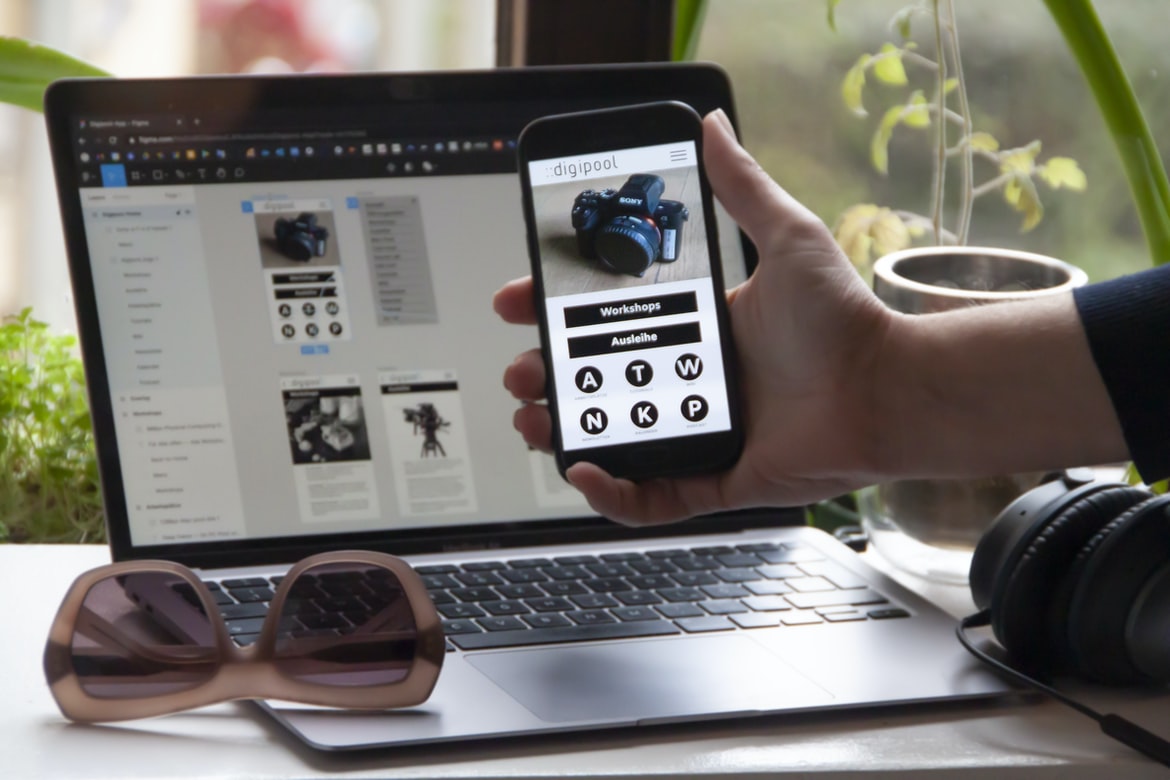
Designing web interfaces and user experiences can be a challenging task. However, with the right tools and techniques, it can be done successfully. There are a number of different design elements that need to be considered when creating a web interface or user experiences, such as the layout of the page, colour schemes, typography, grid systems, and navigation. Additionally, it is important to consider how users will interact with the interface. For example, if users are expected to submit data through a form on the page, it is important to design the form properly so that it is easy to use and navigate.
There are a number of different design tools that can help make designing web interfaces and user experiences easier.
Graphic Design
Graphic design has come a long way since its inception in the early 1900s. The field has evolved to include more than just painting pictures on paper – graphic design can encompass everything from logo design, website layout and graphics to social media marketing and branding. In order to be successful in this demanding field, you need to have a strong understanding of both the technical side of web design (UI UX) as well as the creative side (graphics). Here are some tips for becoming better at both: 1) Be aware of your audience. Understanding who you’re designing for will help you create content and visuals that appeal to them. 2) Be creative. There’s no one right way to do things – experiment with different techniques and approaches until you find something that works best for your project. 3) Pay attention to detail. Graphic design is a discipline that uses visual elements to convey a message or create an effect. A graphic designer creates designs for advertisements, brochures, logos, web pages, and other graphical representations of information. Graphic designers must have the ability to create effective layouts and graphics using various software programs. They also need to be knowledgeable in typography and colour theory.
Successful graphic design requires creativity as well as skills in layout and design. Many professional graphic designers started their careers working on small projects before moving on to larger jobs. If you have a passion for designing graphics and want to make a career out of it, you will need to develop both your creative skills and technical proficiency. There are many schools and programs that can help you achieve this goal.
Visual Communication
Visual communication is a key component of web design and user experience. The right visual elements can make a website easier to use, faster to load, and more engaging for users.
The following are three tips for improving your web design visual communication:
1. Use contrasting colours and typography to create a visually appealing interface. Bright colours and eye-catching fonts can be very effective in grabbing attention, especially on smaller screens. This also helps users focus on the task at hand while browsing your website.
2. Make use of image galleries and videos to illustrate your points or tell stories. These visual elements can help users learn more about your product or service in an entertaining way. Images also allow you to pack more information into a small space, making your site faster to load.
3. Use white space strategically to improve readability and reduce clutter.
Visual Communication Vs Graphic Design
Visual communication is important in web design, but graphic design is also an essential part of a successful website. Graphic designers can create beautiful graphics that will improve the overall look and feel of a website, while visual communicators can help create effective and user-friendly designs.
The two disciplines have different goals, so it’s important to know which one is best suited for your project. Graphic designers are typically more focused on creating stunning visuals, while visual communicators are more concerned with making the user experience as good as possible.
While a graphic design may be more flashy and eye-catching, using visual communication can result in a much more successful website. By understanding each discipline’s strengths, you’ll be able to create a cohesive and effective web design project.
Application of Graphic Design: Adobe Photoshop, Adobe Illustrator, Adobe InDesign
Graphic design is a type of design that uses pictures and graphics to make things look nicer. Graphic designers use programs like Adobe Photoshop, Adobe Illustrator, and Adobe InDesign to create designs. There are many different types of graphic designs, such as website design, logo design, cover art, and print media.
Figma, Adobe XD, WordPress, Elementor.
Figma, Adobe XD, WordPress and Elementor are all popular web design tools used by professionals. They each have their own strengths and weaknesses, but they can all effectively be used to create a user interface or user experience for a website. Here’s a look at some of the key features and benefits of these four tools:
-Figma is the most versatile tool out of the bunch, capable of creating static or animated designs.
-Adobe XD is great for quickly creating prototypes or wireframes.
-WordPress is well known for its easy-to-use platform and wide range of plugins and themes.
-Elementor is ideal for more complex design work. It has a more traditional layout editor compared to Adobe XD and WordPress, but it also has powerful built-in tools for animating elements in your design.
What is UI UX, and what are its benefits?
UI UX, or user interface design, is the process of designing a user interface that is both effective and appealing. By creating a well-designed UI, businesses can improve the overall experience for their customers, which ultimately leads to increased sales. Additionally, good UI design can make your website easier to use and faster to navigate. Here are some of the benefits of using UI UX:
1. Increased Customer Satisfaction: By creating a well-thought-out UI, your customers will be more satisfied with their experience on your website. This will lead to increased loyalty and word-of-mouth marketing.
2. Improved Speed & Navigation: A well-designed UI will speed up navigation and make your website easier to use. This will increase customer engagement and conversion rates.
3. Better User Experience: A well-designed interface will make it easier for your customers to find and interact with the information they are looking for. This will increase customer satisfaction and engagement. 4. Transparency: Transparency will help your customers to understand their data and how they are being used. This will increase customer confidence and trust in your company. 5. Common Language: Common language is a desirable aspect of the design. It will help your customers to understand how the application works and their data is being used.
Common language is a desirable aspect of the design. User interface (UI) UX is a field of design that focuses on the user experience of a computer-based system. This includes everything from the look and feel of the interface to how easy it is to use. UI UX can help improve overall usability, efficiency, and customer satisfaction. Additionally, it can help reduce user stress and confusion. Overall, UI UX is an important part of web design that should be considered when designing any system.
The interface: What should be on the user’s screen?
If you’re designing a website, the interface should be front and centre on your users’ screens. After all, it’s what they interact with most. But what should be on the user’s screen? There are a lot of different ways to do this, so it can be hard to know where to start. In this article, we’ll discuss some of the different types of interfaces and how to design them for your website.
There are three main types of interfaces: desktop, mobile, and web. Desktop interfaces typically involve lots of text and buttons. Mobile interfaces are usually much simpler, with just a few buttons in landscape orientation and no text columns. Web interfaces tend to combine elements from both desktop and mobile designs, with more icons and less text.
Navigation: How do users move around the site?
Users move around a website by using the mouse and keyboard. They can also use their fingers to swipe left or right across the page. Users navigate the web by clicking links, using search engines, and scrolling. How do these activities work in practice? This article looks at how navigation is implemented on websites and how to make it more effective for users.
Screen layout: How should different sections of the site be arranged?
When designing a website, there are many factors to take into account. One of the most important is how the different sections of the site should be arranged.
There are a few different ways to layout a website, and each has its own advantages and disadvantages.
One common way to layout a website is by dividing it into main sections, such as Home, About Us, Services, Contact Us, and so on. Each section should have its own unique look and feel, with its own set of pages and features.
However, this approach can be difficult to manage and customize. If one section changes or needs more attention, it can be hard to make the changes across the entire site.
Another common way to layout a website is by dividing it into subsections.
Typography: What fonts should be used and where?
When it comes to typography, there are a few things to keep in mind. First, the fonts you choose should be legible on any device. Second, they should be versatile enough to work with a variety of designs and styles. Third, make sure they’re licensed properly. Fourth, think about the overall tone of your website or app and select fonts accordingly. Fifth, use tasteful colour schemes and complimentary fonts throughout your design to create a cohesive look. Sixth, avoid using too many fonts or using them in an unintended way; this will distract from your message and cause confusion for users. Seventh, always test your designs on a small scale before going live to ensure everything looks perfect. Eighth, use typefaces sparingly—one or two goes a long way!
Graphics: How should images and logos be used?
Graphics play an important role in any web design. Images and logos should be used to create a cohesive and attractive design. Here are a few tips for using graphics effectively:
1. Use high-quality images. Avoid low-resolution images that may look pixelated or fuzzy onscreen.
2. Choose a consistent image style for your site. Use the same type of image throughout your site, whether it’s a logo, photo, or illustration. This will help create a unified look and feel.
3. Use typography to enhance graphics. Use strong fonts to add emphasis to your images and make them more visible onscreen.
4. Consider using icons or other graphic elements as part of your design layout.
What is the difference between UI and UX apps?
UX is about the experience a person has using an app, while UI is about the look and feel of the app. They are both important, but they are different things. UX designers focus on creating a great user experience, while UI designers focus on creating a visually appealing interface. There are many different types of apps out there, so these two disciplines have to work together to create something that works for everyone.
How do UI and UX apps benefit companies?
There are many reasons companies should consider using user interfaces and user experience (UI/UX) applications. UI/UX apps can help improve customer experience, increase conversion rates, and streamline business processes. Additionally, UI/UX apps can save companies time and money by reducing the amount of work required to create or improve a website or application. Here are ways in which UI/UX apps benefit businesses:
1. Improving Customer Experience
UI/UX applications can help improve the overall customer experience by making it easier for customers to find what they’re looking for and navigate through the site or application smoothly. They can also make it easier for customers to lodge complaints or provide feedback. By improving the overall customer experience, companies can attract new customers and keep current ones happy.
2. Optimizing Customer Experience UI UX apps can help companies optimize their customer experience by making it easier for customers to find what they’re looking for and navigate through the site or application smoothly. They can also make it easier for customers to lodge complaints or provide feedback.
What are the best practices for creating effective UI and UX apps?
There are a few things that you can do to make your UI and UX apps more effective. First, make sure that your app’s design is cohesive. This means that the look and feel of each screen should be consistent throughout the experience. Additionally, keep in mind the principles of feedback design when creating your user interface. This will help you ensure that users have a positive experience while using your app. Finally, think about how you can use features and tools to help users navigate your app. By doing these things, you can create an intuitive and user-friendly experience for your users.
What qualities should a successful UI and UX app have?
A successful web design UI and UX app will have a sleek, modern design that is user-friendly and easy to navigate. The app should also be optimized for mobile devices, featuring intuitive and responsive touch controls. In order to make the most of the user’s time, the app should be fast and responsive. Finally, it is important that the interface is aesthetically pleasing, with an appropriate level of interactivity, to create an engaging experience.
How do user feedback and analytics impact the design of UI and UX apps?
User feedback and analytics are essential in the design of UI and UX applications. User feedback is used to improve the design of an application by providing information on how users interact with it. This information can be used to improve the interface, navigation, and overall user experience. Analytics also play a role in the design process by providing data on how users use an application and what areas need improvement. By using these resources, designers can create applications that are more user-friendly and efficient.
What technologies are used to develop high-quality UI and UX apps?
There are a number of different technologies that are used to develop high-quality UI and UX apps. These technologies can include HTML, CSS, JavaScript, and Adobe Photoshop or Illustrator. In order to create a user interface that is both visually appealing and easy to use, it is important to use the right design tools. Additionally, it is important to take into account user feedback when developing an app. By using the right technology and following user feedback, developers can create apps that are both functional and pleasing to the eye.
How do teams work together to create a successful UI and UX app?
In order to create a successful web design UI and UX app, teams must work together harmoniously. There are a number of factors that must be considered when designing an app, such as the user’s needs, the app’s functionality, and the overall design. The following are some tips for creating a successful web design UI and UX app:
1. Make sure all team members are on the same page when it comes to user needs. Everyone on the team should be familiar with what users will need from the app in order to make informed decisions about its design. This way, no one element of the design is left up to chance or misinterpretation.
2. Take into account functionality when making decisions about design elements. Ensuring that all aspects of the app function as intended is essential for ensuring users have an enjoyable experience using it.
Are there any challenges associated with developing a good UI and UX app?
There are a number of challenges associated with developing a good UI and UX app. One challenge is that it can be difficult to create an effective and intuitive user interface. Another challenge is that users may not find the app easy to use. In order to overcome these challenges, developers must take into account the different needs of users. Additionally, they must consider the design principles that are commonly used in web design. By following these principles, developers can create an effective and user-friendly interface.
What are the advantages of using a UI/UX app?
There are many advantages to using a UI UX app. First and foremost, these apps allow for a faster and more efficient workflow when designing web interfaces. Additionally, they offer a visual representation of the user’s interaction with the website, which can help guide future design decisions. UUI apps also make it easy to share designs with team members or clients and to test them on different devices before finalizing them. Finally, they can help reduce confusion among users regarding how to interact with the website or app.
How do UI/UX apps help increase customer engagement?
User interface (UI) UX is an important aspect of any web or mobile application. It can improve customer engagement by making the user experience more enjoyable and efficient. This can result in increased loyalty, repeat visits, and word-of-mouth marketing. There are a number of different ways to improve UI UX:
1. Use clear and concise icons and menus. Make sure all menu items are visually distinguishable from one another and that users know where to find what they need. Don’t overcomplicate things by adding too many options or submenus. Keep things simple so users can easily navigate your app or website.
2. Make sure all buttons and controls are easy to spot and use. Include labels for all buttons, toolbars, and other interactive elements, so users know what they do without having to look for them.
What features do UI/UX apps provide to users?
UI UX apps provide a variety of features that can make using the app more user-friendly. These features can include easy navigation, intuitive controls, and attractive visuals. They can also help users find what they’re looking for quickly and easily, making the app more efficient and manageable. Overall, UI UX apps are designed to make users’ experience with the app as smooth and hassle-free as possible. Users of UI UX apps are able to find the information they are looking for quickly and easily. Many of these apps also have features that make it easy to stay organized. Some of the most common features include a search bar, menus, and tools that make it easy to customize the app’s look and feel.
What impact can a well-designed UI/UX have on customer satisfaction?
The User Interface (UI) of a website is the first thing that users see and interact with. A well-designed UI UX can have a significant impact on customer satisfaction. A study by Forbes found that websites with better UIs are 7% more likely to convert visitors into customers. The study also found that better UIs lead to happier customers, who are more likely to recommend a company to friends. In addition, better UIs can reduce the amount of time users spend on a website, which saves companies money in advertising and marketing costs.
How can businesses improve their user experience with UI/UX apps?
Businesses can design better user interfaces with user experience (UI UX) apps. These apps help users interact with a company’s website or app in an intuitive and comfortable way. By taking these steps, businesses can create a more positive experience for their users.
Some tips for creating better UI UX include:
-Creating an intuitive and easy-to-use interface.
-Making sure the layout is visually appealing and consistent across all devices.
-Making sure all buttons and controls are easily accessible.
-Providing helpful tutorials and support materials.
-Offering customer feedback surveys so that developers can learn from customers’ experiences.
What factors should be considered when choosing a UI/UX app?
When choosing a web design UI UX app, it’s important to take into account a variety of factors. First and foremost, the app should be easy to use and navigate. Second, the app’s layout and design should be modern and eye-catching. Third, the app should be responsive so that it looks good on all devices and browsers. Fourth, the app’s features and functionality should be user-friendly and easy to understand. Fifth, the app should be reliable and have a robust support system. Sixth, the app’s pricing structure should reflect its features and functionality. Seventh, the app’s compatibility with other software programs should be taken into consideration. Eighth, overall user satisfaction with the UI UX of an app is key.
What is the difference between UI (User Interface) and UX (User Experience) design?
User interface design is focused on the look and feel of a user’s interaction with a system or website. User experience design, on the other hand, takes into consideration all aspects of how a user interacts with a system, from the initial visit to subsequent use. Both are important, but they work in different ways to ensure that users have an enjoyable experience and return again and again.
UI designers generally focus on visual elements such as fonts, colours and layout, while UX designers concern themselves with how users interact with the system. For example, UI designers may decide which menus to include on a website, while UX designers decide where to place those menus so that they are easy to find and use. They also may consider how users can navigate through the site or system.
Overall, both UI and UX design play an important role in creating successful websites and systems.
What are the key elements of a successful UI/UX design?
There’s no definitive answer to this question – what works for one design might not work for another. However, there are some key elements that are essential to any successful UI UX design.
First and foremost, a good UI UX design must be user-friendly. It should be easy to understand and use without requiring too much effort on the part of the user. Additionally, it should be aesthetically pleasing without relying on clunky or outdated designs. Finally, it should be responsive – able to adapt to different screen sizes and devices. A good web UI UX design is based on the following key elements: an intuitive and easy-to-use interface, a well-organized layout, pleasing graphics and animations, helpful and informative user feedback, and effective communication. All of these factors work together to create a successful user experience.
It’s important to keep in mind that not all users will have the same computing experience, so it’s important to design for as many different types of users as possible. For example, someone who is new to using a website may prefer an easy-to-follow layout, while someone who is more experienced may prefer more detailed information. Additionally, different devices will require different user interfaces in order to be effective. For example, smartphones typically have smaller screens that don’t allow for as much detail or animation as desktop computers do.
How do UI/UX design trends change over time?
With the ever-changing landscape of technology and devices, it’s no surprise that UI UX design trends change over time. In this article, we’ll take a look at how UI UX design has evolved over the years and some of the most popular trends currently in use. From flat designs to Material Design, it’s important to keep up with the latest trends so that your user interfaces look modern and appealing.
What are the benefits of having a good UI/UX design for an app?
Good user interface (UI) design makes it easy and efficient for users to navigate and interact with the app. It can help increase engagement and conversion rates, as well as make the app more appealing to users. Here are some of the benefits of having a good UI UX design:
1. It facilitates ease of use. A good UI should be intuitive and easy to follow without requiring too much input from the user. This makes it easier for users to get started with the app and find what they’re looking for.
2. It can improve user retention rates. A well-designed UI can keep users engaged with the app longer, which can lead to increased conversion rates and overall success for the business.
3. It can make the app more visually appealing.
When it comes to creating a website, there are many factors that need to be considered, including the design of the user interface (UI). User experience (UX) is one of the most important aspects of any website and can make a big difference in how users interact with the site.
One way to improve user experience on a website is to use visual design principles. By making sure the UI is visually appealing and easy to use, you can increase engagement and conversion rates. Here are some ways to do this:
Use bright colours and patterns.
A popular way to improve user experience on websites is by using bright colours and patterns. This makes the site more visually appealing and easier to scan. It also encourages users to spend more time on the site, as they will be less likely to lose focus due to its visual appeal.
What technologies and tools are used in UI/UX design?
UI UX design is a process of improving the usability and appearance of websites and applications. There are many different technologies and tools that are used in UI UX design, including research, prototyping, wireframing, user testing, and animation.
One of the most important aspects of UI UX design is research. Before any development or design decisions can be made, it is important to understand the user’s needs and wants. This can be done through surveys or interviews with users. Once the user needs are understood, it is important to create a prototype that accurately displays those needs.
Once the prototype is created, it is important to test it with users. This can be done through informal interviews or focus groups. After the prototype has been tested, it is important to create wireframes that illustrate how the final product will look.
How can I improve my UI/UX skills?
UI UX is the process of designing user interfaces that are both effective and appealing to users. There are a lot of different skills you need to be successful with UI UX, and here are some ways to improve your skills.
1. learn how to use wireframing software like Axure or sketch. This will help you develop initial ideas for your user interfaces and test them before you actually create them.
2. experiment with different styles and techniques, so you can find what works best for your project. Learning about typography, colour theory, and layout can also help you design user interfaces that look great and work well on different devices.
3. pay attention to how users interact with your designs in real life. This will help you make sure your interface is easy to use and navigate, regardless of the device or platform it’s being used on.









