

What Are The Best Practices For Creating A User Interface With Graphics Design? – What is a mobile app, and how can it be developed?
There are basically two types of mobile app development: native and hybrid. A native app is one that is written specifically for a mobile device such as an iPhone or Android phone. A hybrid app is one that uses both native and web app development techniques. The process of creating a mobile app follows a specific set of steps, most of which can be automated.
1. Define the App’s Features and Functionalities
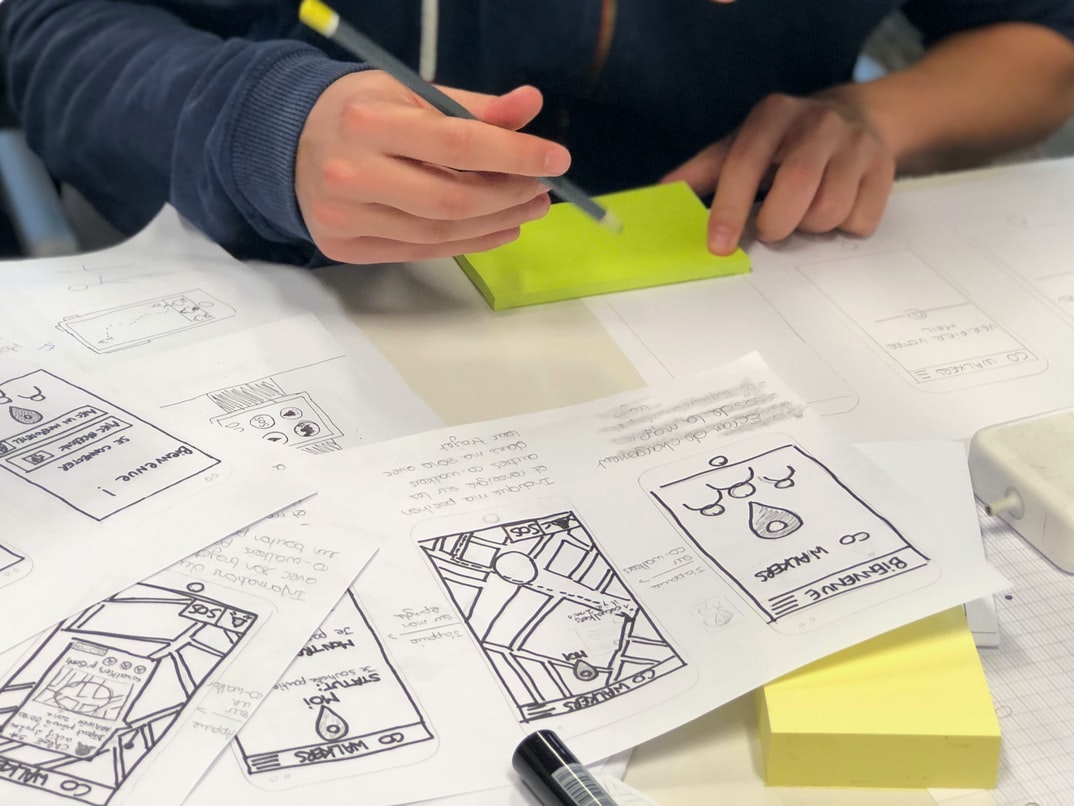
The first step in developing a mobile app is to understand what it will do and how it will function. This involves researching the market, understanding user needs, and developing a detailed Functional Specification document (FSD). The FSD defines everything from the app’s user interface (UI) to its functionality. Once the features have been defined, designers create mockups or wireframes based on the specifications to help visualize how the app will look and work.
2. Design an App Interface That Is User-Friendly and Effective
Once the features are understood, designing an effective UI becomes necessary. Designs should be easy to use and navigate while providing a high level of interactivity so users can easily find what they need. In addition, interfaces should be designed in such a way that they can be adapted for different devices, languages, and regions without requiring too much modification or additional development time. Finally, animations and transitions between screens should be smooth and provide an intuitive experience for users.
3. Pick a Platform and Build on It After the UI is designed, it must be implemented in the app. This may mean starting from a mobile platform, such as iOS or Android, and building from there.
Requirements gathering: What are the app’s requirements?
The mobile app development process begins with a requirement-gathering phase. This involves understanding the customer’s needs and wants, as well as the app’s intended target audience. Apps must meet certain requirements in order to be approved for release, such as having a specific feature set, being bug-free, and complying with Apple or Google Play guidelines. Requirements can change during the development process, so it is important to stay current on what is required in order to successfully launch an app.
Design phase: How does the design process work for mobile apps?
The mobile app development process is typically divided into the design phase, where the app’s concept and look are developed, and the development phase, where the app’s code is written. In between these two phases are various other stages, such as user research, market research, and beta testing.
During the design phase, a team of designers will come up with ideas for the app’s concept and UI. They’ll also identify potential features that should be included in the app. Once this is complete, a prototype of the app can be created to test out these concepts.
Once the design is finalized, it’s time to move on to developing the code for the app. During this stage, developers will create an outline of what needs to be coded and start writing specific code for each feature. As features are added or changed, updates to the code will need to be made accordingly.
After all of this work is completed, it’s time for testing and debugging. This involves making sure that all of the code works as intended and any bugs are fixed before releasing it to users. Once everything looks good from a technical standpoint, it’s ready for release!
Development phase: How is a mobile app developed?
A mobile app is essentially a software program designed to run on smartphones and other mobile devices. The development process for a mobile app typically starts with an idea or concept – in the form of sketches, drawings, or even just vague notions – that the app’s creator has in their head. From here, the team will begin to develop a rough outline of the app and flesh out specific features and functions. Once this initial blueprint is complete, it will be handed off to a software development company which will take it from there.
One of the most important aspects of any mobile app is its user interface (UI). For apps that are meant for primarily consumer use (such as shopping, social networking, etc.), it is essential that the UI is intuitive and easy to use. Conversely, for military or industrial applications where precision and accuracy are key factors, a more technical UI may be necessary. In either case, though, user feedback throughout the entire development process is essential in order to ensure that the end product meets customer needs and expectations.
Graphic Design
In today’s fast-paced world, time is of the essence. That’s why mobile apps have become so popular. They’re quick and easy to use, making them perfect for on-the-go transactions or quick updates. But even with all the advantages of mobile app development, there’s still one key factor that can slow down your process: graphic design.
Graphic design is critical when it comes to creating a good mobile app. It needs to be sleek and appealing, both visually and functionally. And because many people use their mobile devices in more public settings (e.g., at work or while travelling), they want apps that look professional as well as function flawlessly.
Fortunately, there are plenty of affordable graphic design services available online, so you don’t have to sacrifice quality just because you’re working with a small budget. In fact, using a professional designer can actually speed up your process and help ensure that your app looks great from the start. There are multiple steps involved in designing, developing and launching a mobile app. However, the process can be simplified by breaking it down into four main stages: ideation, development, testing and launch. In ideation, the team comes up with an idea for a new mobile app. This could be something as simple as a new recipe collection or as complex as a social network for fitness enthusiasts. Once the idea is finalized, development begins, where the team creates a detailed plan for how to make the idea a reality. This could involve researching existing apps that match the concept, creating wireframes and prototypes and even hiring developers to build the project. Testing is essential to ensuring that the app is ready for release. This involves beta testing with users who can provide feedback on how well the app works and what changes need to be made. Finally, the launch is when users can download the app from their favourite stores and begin using it. When designing a mobile app, the process begins with an understanding of what users want or need. The design process then needs to translate that into a user interface that is simple and easy to use. After the user interface is designed, it’s time to create the content and graphics. Finally, it’s important to test and optimize the app for performance on different devices.
Graphic Design Mobile App
Different types of mobile apps require different levels of graphic design. A basic phone application might only need a few static images and a simple logo. However, more complex applications might require unique designs for each screen, animations and user interface elements.
There are several different ways to go about designing a mobile app. The most common approach is to use templates or libraries provided by the software development company. These templates provide designs for various screens, user interface elements and animations. Alternatively, you can create your own templates from scratch using visual design tools such as Adobe Photoshop or Illustrator.
Once the overall design is complete, it’s time to start creating the graphics for each screen. This can be done in Adobe Photoshop or vector drawing software such as Inkscape or Illustrator. Once all the graphics are created, it’s time to put them all together into one file and export it to an appropriate format for the mobile app platform.
Overall, graphic design for mobile apps is fairly similar to traditional desktop graphics design. However, there are some specific considerations that must be taken into account when developing these apps. For example, users of cell phones often have less storage space than users of laptop computers, so complicated files may not fit on a single screen.
What is UI design?
UI design is the process of creating a visual appearance and feels for a user interface (UI), which is the area of a computer system or application in which people interact with the computer. UI designers need to consider both the technical needs of the application, such as how it should look and function, but also the cultural context in which it will be used. For example, an app for students studying for exams may need to include features that help them track their progress and stay motivated, while an app designed for entertainment purposes might focus more on aesthetics and fun. UI design is the process of creating a visual interface for an electronic or digital product. It encompasses the conception and planning of the look, feels and functionality of all screens in a product, including both graphical elements and menus. UI designers must consider not only the looks of a product but also how easy it will be to use, learn, and understand.
In order to create an effective user interface, a designer must have a firm understanding of both technical specifications and user needs. For example, if a mobile app requires users to input multiple pieces of information in order to make a purchase or sign up for a service, the designer must understand how users will enter these data fields on a mobile device. Likewise, if the app requires users to input personal information (such as their email address), the designer must take into account potential security risks and ensure that the form is easy to complete.
A well-designed user interface can make using an electronic or digital product more enjoyable for both users and designers alike. By taking into account both technical specifications and user needs, designers can create products that are easier to use and understand while still looking beautiful onscreen.
What is UX design?
User experience (UX) design is a process that helps create a well-designed mobile app. UX designers work with the developers to create an app that is easy to use, visually appealing, and meets the needs of the users.
UX design involves creating a plan for how the user will interact with the app. This includes everything from designing the user interface (UI) to determining how users will search for information on the app. UX designers also consider how users will use the app and what features should be included.
Once the design is finalized, UX designers work with developers to make sure that all of the features and elements in the app are functional and user-friendly. They also help test and adjust designs as needed. Ultimately, UX design ensures that users have an enjoyable experience using an app. User experience (UX) design is the process of creating a product that meets the needs and wants of its target audience. UX designers work with clients to understand their goals, design layouts, create prototypes, and test them with potential users. They also help clients understand how people interact with products, monitor feedback, and make changes as needed.
UX design is important for both web and mobile apps. Web apps need to be easy to use and attractive enough to lure customers in. Mobile apps need to be fast, user-friendly, and efficient so people will want to use them instead of using their phones for other tasks.
Visual Communication
Visual communication is an important part of any mobile app development process. When designing and developing a mobile app, it’s important to take into account how users will see the app and what content will be most visible.
One way to ensure good visual communication in a mobile app is to use design principles that are effective onscreen. These principles include using typography, grid layout, colour, and imagery to create a consistent look and feel for your app.
In addition to good design principles, you also need to think about how your users will interact with the app. Users should be able to navigate easily through the app and find what they’re looking for. You can achieve this by creating clear navigation menus and using intuitive user interface (UI) elements like buttons and icons.
Overall, good visual communication in a mobile app is essential for creating an enjoyable experience for users. By following effective design principles and taking into account user interaction patterns, you can create a high-quality app that’s easy to use. A mobile app is an electronic application or piece of software that is designed to be used on a mobile device, such as a smartphone or tablet. Mobile app development has become ubiquitous over the past few years as companies have realized the immense potential of leveraging mobile apps to connect with their customers and drive engagement.
There are several different types of mobile app development processes, but all involve some form of design and development process. The following is a brief overview of the most common types of mobile app development processes:
Front-End Development Process: In this type of process, the front end (or user interface) is designed and developed first. This involves creating designs for screens, menus, buttons, and other elements that will be seen by users. After the front end is complete, developers work on coding the interface so that it works properly on a mobile device.
Back-End Development Process: In this type of process, the back end (or data handling) is designed and developed first. This involves designing databases and developing code to interact with them. Once the back end is complete, developers work on coding the interface so that it works properly on a mobile device.
UI/UX Design Process: In this type of process, designers create initial designs for screens and menus before developers start working on coding them. This allows developers to focus on creating functionality rather than worrying about how things look.
Testing phase: How do you test a mobile app?
Testing a mobile app is important for several reasons. First, it helps to ensure that the app functions as intended. Second, if there are any bugs or issues with the app, they can be fixed before release. Finally, testing can also help to determine whether or not the app is appealing to users and whether or not they would be interested in using it.
There are a number of ways to test a mobile app. Some tests can be conducted manually, while others can be automated using tools such as AppInspector. It is important to consider the various types of users that will be using the app and tailor the testing accordingly.
Testing a mobile app is an essential step in ensuring that it meets all of its goals and objectives.
App Development Requirements
When developing a mobile app, it is important to follow certain guidelines in order to create an efficient and successful process. These requirements include the following:
1) Proper planning – A mobile app should be planned well in advance in order to avoid any last-minute surprises. This means that the development team must have a clear vision of what they want the app to achieve and how it will function.
2) Right tools – Mobile apps require specific software platforms, so it is important to use the right tools for the job. Developers should use technologies that are available on a variety of devices, including both smartphones and tablets.
3) Testing and Quality Control – Once the development process is complete, it is essential that the app be tested for quality before release. This can be done through beta testing or by simulating real-world use scenarios with user inputs. There are a number of app development requirements that need to be considered before starting any project. These include things like the type of app, the target market, the device platform and the desired features. Once these factors are known, it can help to determine what tools and technologies will be needed. There are also specific steps that need to be followed during the development process in order to ensure a successful outcome.
Business Requirements For Applications
The business requirements for mobile apps vary depending on the type of application being developed. However, there are some commonalities across all types of applications. These commonalities include the need to meet user needs, ensure security and stability, and reduce costs.
User Needs:
The first step in designing a mobile app is to understand the user’s needs. This involves conducting research and interviews with users to understand their needs and wants. Once this information is gathered, it can be used to create screen designs or prototypes that represent what the users want from the app. It is also important to consider how different devices will be used in order to create an optimal experience for all users. For example, some users may prefer a simplified interface on the phone compared to a more detailed one on a tablet or laptop computer.
Security and Stability:
Another important consideration when developing mobile apps is security and stability. Ensuring that your app is secure means protecting it from unauthorized access as well as preventing data breaches that could result in identity theft or other financial losses. Stability refers to making sure that the app remains operational regardless of how users interact with it (for example, whether they are using a phone or tablet). To achieve stability, developers often test apps on multiple devices and platforms before release.
Cost savings:
Reducing costs is another common goal when developing mobile apps.
Custom Application Development
Custom Application Development is a term used to describe the process of designing, creating, and deploying an application that is not based on an existing product or platform. This type of development typically involves developing the application from scratch, leveraging software libraries and tools to expedite the project timeline, and integrating with external systems where necessary.
Custom Application Development is often required when there is no existing product or platform that meets the specific needs of a business. This can be due to a new product line or unique customer segmentation. In some cases, custom application development may also be required to meet regulatory compliance requirements.
There are many factors that must be considered when undertaking a custom application development project: the business’s objectives and goals, the target audience and markets for the app, what features are required, how long it will take to develop, anticipated costs and timelines, etc. The right team must have experience with various software platforms and development methodologies in order to deliver a robust and successful solution.
Application Development Process
There are several application development processes that a company can choose from when building an app. Some common ones include waterfall, agile, and rapid application development (RAD). Each has its own benefits and drawbacks, so it’s important to select the process that will work best for your app.
Waterfall is a traditional software development process in which a project is broken down into stages, each with its own set of milestones. Developers begin by creating the core features of the app and work their way backwards until everything is complete. This approach can be time-consuming and prone to errors, so it’s not often used these days.
Agile development methods involve working in short cycles called sprints with frequent customer feedback. Every day or two, developers create a prototype based on customer feedback and then improve upon it until it’s ready for further testing. This approach reduces waste and ensures that applications are completed on time, but it can be more complex to understand than a waterfall.
Rapid application development (RAD) is a hybrid method that borrows from both waterfall and agile methods. Developers create a basic skeleton of an app in RAD format before starting to add features based on customer feedback. The goal is to get the app ready for release as quickly as possible while still addressing any major issues.
App Building
The mobile app development process can be broken down into four stages: ideation, development, testing and release. In the ideation stage, you and your team come up with ideas for new or improved mobile apps. During the development stage, you and your team design the app and write its code. The testing stage involves testing the app to make sure it functions as expected before release.
Mobile Application Development
Nowadays, most people use mobiles to access the internet. So, mobile app development has become very popular. There are many companies that offer mobile app development services. They will take your idea for a mobile app and turn it into a reality.
There are three stages in the mobile app development process: designing, coding, and testing. First, you will need to design the app using a tool like Sketch or Adobe Illustrator. Then, you will need to write the code using an appropriate language like Objective C or Swift. Finally, you will need to test the app on a device before releasing it to the public.
App Development Basics
“There’s an app for that!” is one of the most common phrases we hear when it comes to finding a new use for technology. Millions of people around the world use mobile apps on their smartphones and tablets to access information, make purchases, find friends, and more.
Creating a mobile app is not as difficult as one might think. In fact, with the right tools and guidance, anyone can develop a successful app. But before you get started, there are a few basics you need to understand.
The first step in any mobile app development process is designing the user interface (UI). Your UI will be the main window through which users interact with your app. It should be intuitive and easy to use while still providing all the necessary information.
Once your UI is designed, you need to create the project files for your app. These files include everything from source code to images and sounds. You can use many different programming languages to create your app, but it’s important to choose one that will suit your needs and skillset best. Examples of popular programming languages used for mobile apps include Java, Objective C++, Swift 3+, and JavaScript+.
Once your project files are ready, it’s time to start coding! But don’t worry – coding isn’t as hard as it sounds.
Mobile Application Design Process
When designing a mobile app, there are a few key steps that need to be followed in order to ensure the final product is effective and meets customer needs. The first step is to create a wireframe or prototype of the app. This will help designers to understand how users will interact with the app and what features are needed. Once the wireframe is created, it needs to be tested with potential customers in order to determine if it meets their needs and expectations. After that, the app can be developed accordingly. Designing a mobile application is no easy task. It requires creativity, attention to detail, and an understanding of the user’s needs. The process of designing a mobile app starts with creating a rough outline of what the app will do and then fleshing it out into a detailed plan. Next, the team must come up with an idea for a mobile app and develop a detailed business plan. Once this information is finalized, the developers must create prototypes to test different ideas. After they have determined which concept is the best, they begin developing the app using various programming languages and platforms. Finally, after all the necessary approvals are in place, users can download and use their new mobile application!
Getting Started With Developing Your Own App
Before getting started with app development, it is important to have a clear understanding of the mobile app development process. There are a few key steps that must be followed in order to create a successful mobile app:
1. Define your goals and objectives for the app.
2. Choose an app development platform and develop your project using that platform.
3. Test and optimize your app once it is ready for release.
When your app is ready for release, it’s important to test and optimize it for the best user experience. There are a number of different ways to do this, depending on the type of app and platform.
Some common methods include testing on a variety of devices and using different browsers, operating systems, and mobile networks. You can also conduct customer surveys to find out what users want and how they use your app. Finally, you can deploy a beta version of your app to selected users for feedback.
All of these steps are necessary in order to make sure that your app is as good as it can be. Testing is especially important because users will often have different expectations when they try out an app that’s been released into the wild. If you can anticipate their complaints and address them before they become widespread, you’ll be in good shape!









