

What are the Best Free Applications Builder Platforms in the Market? – What are mobile apps?
Mobile apps are applications that are designed to be used on mobile devices. They can be downloaded onto a device and then used to access various functions or content. Mobile apps can be used for a variety of purposes, including personalising a device, managing finances, engaging with other people or entities, and more.
There are many types of mobile apps available out there, but the two most popular types are those that are designed for businesses and those that are designed for individuals. Businesses usually make mobile apps that offer features such as customer management, invoice printing, and more. Individual users often make mobile apps to manage their own lives or to store information.
The Mobile Apps development process starts with the selection of the target mobile app platform. Platforms like iOS and Android offer different development options, which can be tailored to the specific needs of the project. Once the platform is chosen, developers need to create a project plan that outlines how they will design, develop and deploy their app.
Once the app has been designed, it is important to test and measure its performance in order to improve future iterations. Finally, it’s important to release an updated version of the app that people can download and use.
Mobile app development process:
There are many mobile app development processes and design strategies available to developers. They can be broken down into two types: waterfall and agile.
The waterfall process is typically used when developing an app from scratch. This involves designing, coding, testing, and deploying the app to a device or server. The goal is to create a working product by the end of the process.
An agile process is used when developing an app from scratch with some preceding steps completed in a shorter time frame. This allows for more rapid iteration and increased creativity for the developer. The goal is to create working products that are released asap into different markets around the world.
Mobile apps usually require a different development process than traditional web applications. This is because mobile devices are battery-sipping machines, and developers need to take into account many factors when creating an app: how big it will be, how quickly it will be updated, what dependencies it will exist on, and so on.
Design is also critical when developing a mobile app. Developers need to consider the device’s user interface, application design conventions, and so on. However, there are a few common design patterns that can be used in most cases.
The design process:
Designing a mobile app is not an easy task. There are a lot of factors that need to be considered when designing and developing the app. These factors include the type of phone or device being used, the operating system being used, as well as the specific features and needs of the users.
A classic example of an app that was designed in this way was Apple’s App Store. When creating an app for the App Store, designers had to consider a variety of factors, such as how many apps there were to choose from, how each one should look and feel, and how they could be organised. In order to create an appearance that would be pleasing on all devices, designers also had to take into account how users would interact with the app. For example, if an app needed support for multiple languages, then different designs would have to be created for different devices.
In spite of all these complexities, designing a mobile app can still be a straightforward process if done correctly. By taking some basic tips and following common design principles, developers can make their apps look great on all devices and make them easy to use.
Development tools:
There are different mobile app development tools available on the market. Some of the most popular tools include Appcelerator, Onshape, and CocoaPods. Each tool has its own pros and cons, which is why it is important to use the right tool for the job.
When choosing a mobile app development tool, it is important to consider the following:
-The level of experience your team has in developing mobile apps.
-The cost of using a specific tool.
-Your time constraints.
-Your preferences for developing mobile apps using specific tools.
Some factors to consider when choosing a mobile development tool include the following:
-The number of features that can be developed with a given tool.
-The ease of use and configuration options offered by the tool.
-The amount of software included with the tool.
-The customer service quality offered by the developer(s).
Testing and deployment:
Mobile Apps development process and design differ significantly from desktop apps. Mobile apps are typically designed for mobile devices, such as phones, tablets and smart TVs, which are often much more varied in hardware and operating systems than desktop computers. Additionally, mobile devices are constantly moving and changing, making it difficult to keep up with the same legacy app design patterns that work on desktops.
To overcome these challenges, developers must first familiarise themselves with different mobile app development processes and design principles so they can create quality mobile apps that meet the needs of their target audience. Additionally, they must be able to rapidly deploy and test new mobile apps before they hit the market.
Mobile apps are designed to be portable, Strike fast, and reliable. To ensure their success, developers need to be able to test and deploy them quickly and efficiently. In this blog post, we’ll discuss the mobile app development process and how to design a mobile app that meets customers’ needs.
Design Mobile App
MobileAppsDevelopment.com is a blog post focused on developing mobile applications and designing user interfaces. In this blog post, we will discuss the process of Mobile Apps Development and also give some tips on how to design a successful mobile app.
There are many different development platforms available today, each with its own advantages and disadvantages. So, when choosing a platform for an Android or iOS application, it is important to carefully consider the pros and cons of each choice before making your decision.
For example, if you are creating a simple mobile application that does not require any sophisticated programming skills, then using an existing Android or iOS development environment may be the best option for you. However, if you want to create an app that utilises cutting-edge programming features or requires a more complex user interface design, then using an iOS development environment may be the better choice.
In order to create a successful mobile app, it is important to take into account all of the factors mentioned above. For example, it is helpful to have a well-designed user interface that can be easily customised by users in order to ensure high satisfaction levels across different types of users (users who are not developers). Additionally, it is important to make sure that your app remains stable and consistent across different devices, such as smartphones and tablets – this will ensure that users stay interested in your product and continue utilising your apps even after changing device settings or switching carriers.
Today, we’ll be taking a look at the mobile app development process and how to design an app that’s both user-friendly and functional. In this article, we’ll take you through the key steps involved in building an effective mobile app, from research to design to launch. By following these steps, you can create a great product that will make your users happy.
Graphic Design
When creating a mobile app, the first step is to identify the target audience. This usually involves analysing customer behaviour and studying user interviews. Once you have a good idea of who your target audience is, you can start developing the app design.
Designing a mobile app should be done in an easy-to-read and concise manner. You should also make sure that your app looks professional and sleek. You should also consider using modern design techniques while developing your app.
There are a variety of mobile app development processes and design philosophies out there, but one that is often recommended is the “one-page” design philosophy. This means that all your user interface (UI) elements must be on one page – no multi-page interfaces or filters are needed.
This principle can be applied to virtually any type of app, but it is particularly important for mobile apps, as the user interface elsewhere in an app can easily distract from the main focus of the app – which is getting the user to do something. This concept can also be used in web development, but for mobile apps, it’s a more natural fit because users are always on their phones or tablet and need an easy way to control everything from one place.
Here are a few quick examples of how this philosophy can be employed in mobile apps:
1. The home screen should always be the first thing a user sees when they open the app. This could include icons for Recent Apps, Downloads, etc., as well as a list of recent search results or news items.
2. All UI elements must be self-explanatory and easy to use. For example, every button on the home screen should have a brief description or tooltip that tells users what it does.
3. Control panels and menus should be self-explanatory and straightforward to use without hidden features or options that require some extra work to get working correctly (e.g.
What is UI design?
UI design, or user interface design, is the design of the look and feel of an app or website. The purpose of UI design is to provide a user interface that is easy to use and looks good.
There are many different types of UI designs, but the most common type is a grid-based one. This type of UI is used in most mobile apps, and it can be found on websites such as Facebook, Google+, and LinkedIn. A grid-based UI consists of a main screen that is divided into grids, each grid having a series of fields (e.g., job titles, photos, etc.).
When designing an app or website with a Grid-BasedUI in mind, you will want to make sure that the layout works well with all devices and browsers. Additionally, you will want to make sure that all the fields are properly aligned so that users can easily find them.
UI design is the process of designing and creating a user interface for a mobile app. It typically includes the design of the layout, buttons, menus, and other elements that users will use to interact with the app. The goal of UI design is to make the app easier to use and more user-friendly.
What is UX design?
UX design is the process of designing user interfaces for mobile applications. The goal is to make the user interface easy and intuitive, appealing to users and enhancing the overall experience. UX design often includes developing a system plan, determining what features should be included in the app, creating interfaces and guidelines for use, and conducting user surveys.
UX design is the process of designing the user interface for a mobile app. In most cases, UX designers work with developers to create an application that looks and feels comfortable to use. A mobile app’s user interface is important because it will determine how users interact with the app and affect its overall success.
Visual Communication
There are many types of mobile app development processes, such as user experience (UX), design, and architecture. Many developers choose a process that best suits their preferences and goals. However, understanding how different processes work can be helpful in choosing the right one for your project.
In general, the UX process focuses on designing an app’s user interface and making it easy for users to use. The design process includes choosing an effective layout and creating high-quality graphics. Finally, the architecture process decides how the app will work and what features will be included.
Users often prefer new mobile apps that are simple to use and have minimal functionality requirements. This is why some developers choose to develop apps using existing frameworks such as Objective C or Java. Other developers may choose to create their own framework or use a third-party product. Ultimately, it is up to the developer to decide which process works best for their project.
As mobile devices become more popular, developers and designers must take into account the different ways users access and use their apps. One way is through the use of visual interfaces, which can be used to communicate information or interact with users. A poorly designed or implemented visual interface can result in a user experience that is frustrating, unyielding, and unappealing.
In order to avoid making poor design choices that can have negative consequences for users, it’s important to understand the process behind designing mobile apps. Additionally, it’s important to consider how users will interact with your app – what gestures and screen interactions are necessary to provide an effective user experience? It’s also necessary to plan for eventual updates and changes to the app design, which may necessitate a new visual interface or different methods of communication.
Visual Communication Vs Graphic Design
There is no single answer to this question – different app development processes and design principles vary greatly depending on the specifics of the project. However, a quick overview of some general Principles of Visual Communication (VC) in mobile apps development would be beneficial:
1. Use visually appealing and engaging visuals to grab attention and engage users.
2. Choose Appropriate Images & Graphics for Your Project’s Narrative & Overall Design.
3. Be sure To Use Appropriate Fonts, colours, Shapes & Styles For Your App’s Appearance.
Since the early days of the App Store, developers have lamented how difficult it is to design for different devices. With so many different screen sizes and resolutions, it can be difficult to know what fonts, colours, and shapes will look best on each device.
In this blog post, we are going to cover some tips on how to create an app that looks great on all types of devices. We will start with what font types and styles are available on the iPhone and iPad first, then move on to other platforms.
If you are still not sure which font type or style would look best for your app, take a look at our roundup of the best iPhone fonts. If you need help choosing a style or font for your app, be sure to check out our article on designing an app visually.
Our final tip is to make sure that your app’s design uses Appropriate Fonts & colours. This will help ensure that users feel comfortable using your app and that your designs stand out from the competition.
Application of Graphic Design: Adobe Photoshop, Adobe Illustrator, Adobe InDesign
There are a number of mobile app development processes and design approaches that can be used in order to create the best mobile app experience for your users. Adobe Photoshop, Adobe Illustrator, and Adobe InDesign are all highly popular mobile app development tools that can be used to produce great-looking mobile apps with minimal effort.
Mobile app development process and design can be quite different from desktop apps. One of the most important aspects of mobile app design is to make sure that the user interface is intuitive and easy to use. In addition, it is also important to create an attractive and user-friendly design as well as ensure that the app runs smoothly on different devices.
If you are a beginner in mobile app development, then Adobe Photoshop and Adobe Illustrator are two of the best tools to use. These applications offer a wide range of features for app designers, which makes creating mobile apps simple and fun. They are also very versatile, so you can easily create complex designs with ease. If you are experienced in mobile app development, then using InDesign may be a better option for you. This application offers a wealth of features for designing an effective user interface as well as running smoothly on different devices.
The mobile app development process is highly complex and time-consuming, especially when it comes to developing iOS and Android devices. However, using the latest design tools can make the process much more efficient and less time-consuming. In this blog post, we will be exploring how to use Adobe Photoshop and Adobe Illustrator to develop mobile apps.
Figma, Adobe XD, WordPress, Elementor.
Are you looking to develop mobile apps? If so, then you should definitely check out Figma, Adobe XD and WordPress. These are some of the most popular mobile app development platforms on the market today. Each platform has its own advantages and disadvantages, but overall they’re great options for anyone looking to create mobile apps.
For starters, Figma is a great platform for creating simple mobile apps. It’s easy to use, and walking you through the process is always available online. Additionally, Figma offers an extensive user base which makes it easy to get help from experts when needed.
Adobe XD is a more versatile platform when it comes to developing mobile apps. It has a wide range of features and tools that can be used to create amazing designs and user interfaces. However, it can be quite difficult to find expert advice online or in person. Additionally, Adobe XD doesn’t offer as much support as Figma does for beginner users.
WordPress is another popular choice for developing mobile apps. It’s one of the most popular content management systems on the market today and has been around since 2005! This platform offers a wide range of features that can be used to create amazing mobile applications. Additionally, WordPress offers excellent customer service should you need help with your app development process or design).
There are many mobile app development platforms available today. Figma is one of the most popular mobile app development platforms, and Adobe XD is another popular mobile app development platform. If you are looking for a mobile app development platform that is both easy to use and highly recommended, then Figma would be a good choice.
What Is A Prototype?
A prototype is a preliminary model of an application or product that is designed to show how it will look and work. Prototypes are often used in the development process to help ensure that the final product will be conceptually and functionally sound. A prototype can also be used during marketing research to better understand what potential customers want and need from a product.
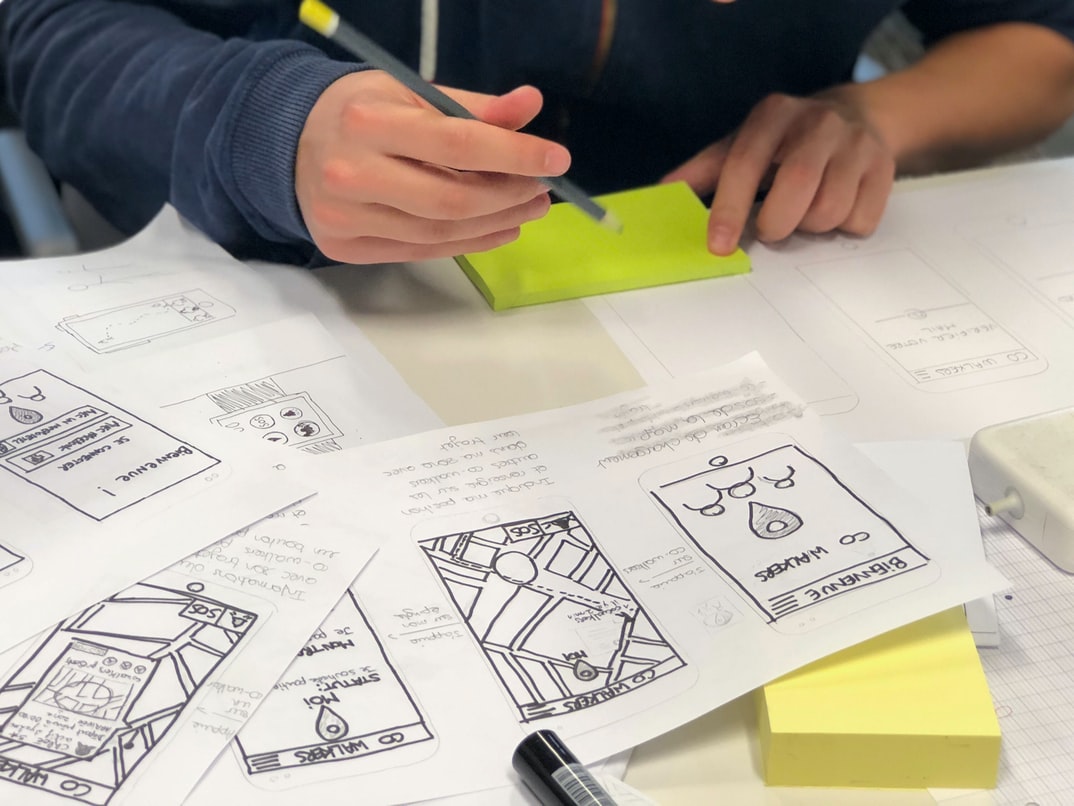
The development process of a mobile app usually starts with the creation of a rough prototype. A prototype is an early version of an app that is prototypeable and can be used to test ideas and see if they work.
What is A/B testing?
Android and iOS mobile apps are very popular these days. They are very user-friendly and provide a lot of features that traditional desktop apps do not have.
There are a variety of testing tools that you can use to ensure the quality of your mobile app. Some common tools used in this process include A/B testing, beta testing, and QA testing. Each tool has its own benefits and drawbacks, so it is important to choose the right one for your specific needs.
For example, A/B testing is an easy way to test different variations of an app on different devices. It is also helpful for verifying how different changes will impact users’ behaviour. This can help you make sure that your app functions as intended before releasing to the public.
However, A/B testing can be expensive and time-consuming. It is also difficult to find enough participants who are willing to do this type of testing on a large scale. Beta testing is another option that can be used in place of A/B testing. Beta testers test different versions of your app before releasing it to the public. This allows you to determine which changes made by users affect their experience the most.
How to Create a Great UX/UI Design That Delights Your Customers
There is no doubt that the mobile app development process and design have become extremely important in today’s economy. Devices are constantly changing, and users are increasingly looking for apps with high-quality designs that are easy to use. In order to create an app that will be popular and enjoyed by your customers, it’s important to follow a well-defined process and design guidelines.
In this blog post, we will discuss the different steps involved in developing a great mobile app design, as well as some tips on how to achieve successful outcomes. We will also cover some of the common mistakes made during the development process so that you can avoid them altogether.
First & foremost, it’s important to create a strong user interface when building an app. This should be designed in consultation with your team of developers and designers, who can help make sure everything looks appealing and simple to use. Secondly, pay attention to colours and typography throughout your app – these should be consistent across every screen type (and even between different devices). Finally, make sure all content is easy to find and navigate – this includes titles, screenshots, table captions, etc.
Once you have a strong user interface in place, it’s time for construction work!
Optimise Your UI/UX Design and Increase Conversions
UI design is an important part of any mobile app development process. It can help you increase conversions and engagement with your users. However, optimising your UI can be difficult. Here are tips to help you improve your UX design:
1. Use the right typeface
Typefaces are a large part of mobile app user interface design. You need to choose a typeface that will look good on all devices and make sure it is available in all supported languages.
2. Use the correct fonts and size
Fonts play an important role in the overall appearance of your mobile app. You should choose a typeface that is well-matched to the device you are using, as well as the language you are targeting. Make sure that the font is available in both Unicode and regular versions so users can easily find it on their devices.
3. Use modern icons and icons packs
Icons have become very popular in mobile apps these days. They give users an easy way to represent information on their screens without needing written instructions or tutorials. You should consider using icon packs when creating your UI designs instead of pre-made icons that may not be compatible with certain devices or languages.
4. Experimental layouts and user flows When designing a new mobile app, always experiment with different user flows and layouts before settling on a final design plan!
When developing a mobile app, it’s important to optimise the user experience and increase conversions. One way to do this is by designing for different devices and platforms. Another way to optimise the design is by using user feedback as a guide.
When designing for different devices, it’s important to consider how users will interact with your app. For example, if your app is available on both Android and iOS, you should make sure your design can be optimised for both platforms. If your app is only available on one platform, you may have to determine which platform users are most likely to use based on their needs.
Moreover, the design of an app should take into account how users will access your content. For example, if your app has an in-app purchase system, you should make sure that the design of your interface is easy to use, even when the device is locked or when there’s no network connection. Additionally, you should consider how users will interact with your content (such as through search).
Optimise Your Content for the Best User Experience
Mobile app development process and design are essential for any business. In order to create an app that’s user-friendly, efficient, and stylish, you need to optimise your content for the mobile web. Here are a few tips to get started:
1. Make sure your app’s title is clear and concise. State the main function of the app in one or two sentences.
2. Make sure your app images are high quality and professional looking. Use relevant keywords in your descriptions and callouts to help customers find your app more quickly.
3. Include screenshots of the current state of the app so users can see what it would be like if they used it on their device (instead of just a screenshot of an empty page). This will help users feel more connected to your app and will give you feedback about how well they’re using it before making changes or releasing an update!
What is UI/UX Design, and How Does it Affect Conversions?
UI design is the process of designing user interfaces (UIs) for applications. It includes the planning, development and testing of a UI to be used by users. The UI will affect conversions and other user experience (UX) outcomes.
In today’s industry, there is a growing trend towards using mobile apps as the primary means of conducting business. This trend is driven by a number of factors, including decreased reliance on paper-based systems, increased access to information and services over traditional methods, and the need for shorter workflows to get results.
Accordingly, it is important that any mobile app development process is designed to reduce user experience (UX) risks. The following are three key UX considerations that should be taken into account when designing an app:
Layout: When designing an app’s layout, it is important to consider how users will interact with it. For example, should the menu be available from the main screen, or does it need to be accessed through a menu item?
When designing an app’s layout, it is important to consider how users will interact with it. For example, should the menu be available from the main screen, or does it need to be accessed through a menu item? Navigation: How will users find their way around an app? Is there a home screen specifically for apps, or are they spread out across different screens?
How will users find their way around an app? Is there a home screen specifically for apps, or are they spread out across different screens? Interface: How easy can users use an app, and what features do they need in order to feel comfortable using it? Are there any surprises or hidden features that could cause confusion or frustration?
One way that UI design affects conversions is through the decision of whether or not to present options in a clear and concise manner. Other factors that affect conversions include layout, Alerts, Buttons, and tabs.
UI design is the process of designing the user interface (UX) for an app. This includes developing the graphic design, menus and icons, and creating page layout. The UX affects how users interact with an app, whether they are searching for information or browsing through a catalogue.
UI design can have a significant impact on conversions – when users see good UX design; they’re more likely to decide to download and use an app than if they see bad UX design. In fact, successful mobile apps rely heavily on great UX design, as only then will users feel comfortable enough to stick around and explore the app in more detail.









