

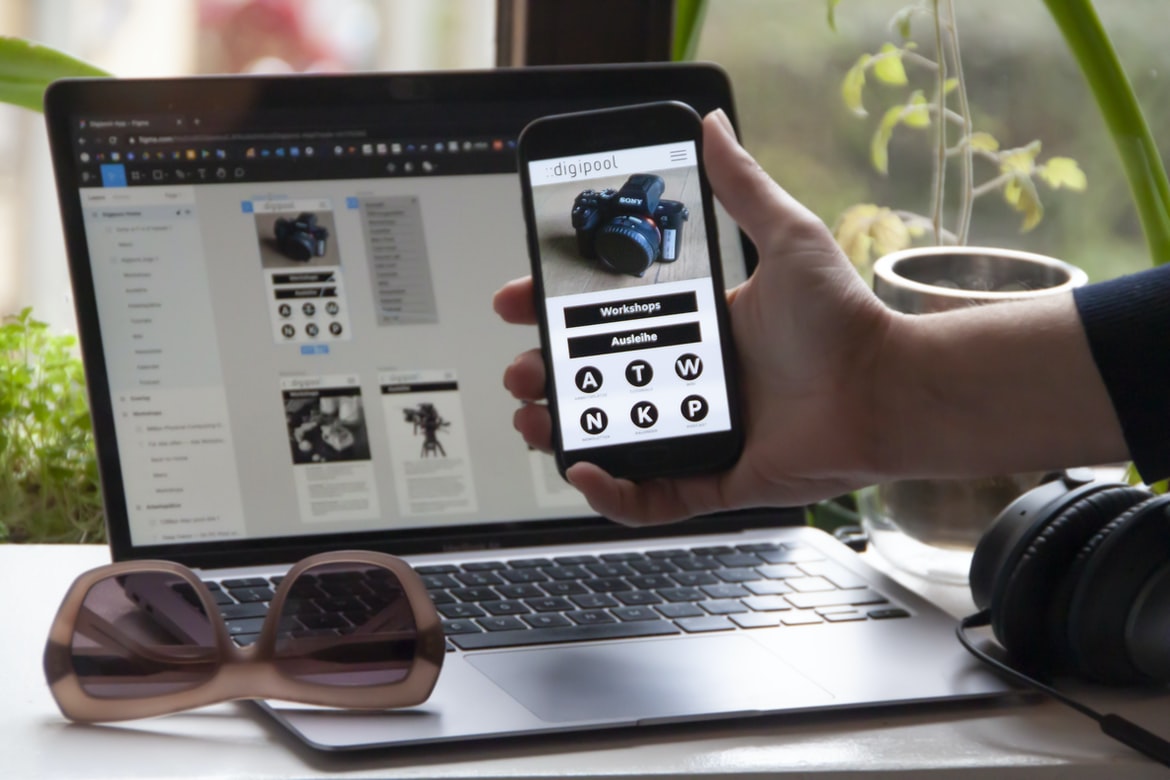
What are the Benefits of Building Your Own Applications – What are mobile apps, and how do they work?
Mobile apps are downloadable software applications that can be used on handheld devices such as smartphones, tablets and laptops. Mobile app development is a process that starts with an idea or concept and ends with a finished product. The idea may come from your customers, or it may come from you, the developer. After you have an idea, you will need to create a plan for how you will develop the app. You will need to decide what platforms the app will be available on (iOS, Android, Windows Phone), what type of user interface (GUI) will be used and what programming languages will be used. You may also need to consider graphics, storage requirements and monetization options. Once you have created your plan, you will need to find a developer who can help you turn your idea into a reality. The process of mobile app development can take anywhere from weeks to months, depending on the size and complexity of the project. Mobile apps are software programs that run on mobile devices such as smartphones and tablets. They allow users to access information, communicate, and shop from anywhere. To create a mobile app, you first need a mobile device and an internet connection. You then need to develop the app using a coding language or development platform such as Android Studio or Apple’s Xcode. Once the app is developed, you need to market it and find users. Finally, you need to keep the app updated with new features and security patches.
App Development Process: The steps involved in creating a mobile app.
There are many different app development processes, but in general, the steps involve designing the app, developing it, testing and launching it onto the market.
In order to design an app, a team will typically start by creating a high-level concept or wireframe. This document will outline the overall design of the app and will help to determine key features and functionality. After this is complete, developers can begin coding the app using specific programming languages for mobile devices. Once this has been completed, testers can then test the app to make sure that it functions as intended and meets user needs. Finally, once all of these reviews have been submitted and approved, the app can be launched onto the market.
App Requirements: What does the app need to function properly?
There are certain app requirements that a mobile app must fulfil in order to function properly. These requirements can vary from app to app but typically include things like an accurate GPS location, access to the internet and a user-friendly interface. Other common requirements include support for mobile payments and notifications. By understanding these requirements, developers can create apps that are both functional and user-friendly.
App Design: How does the design of an app influence its user experience?
Designing an app is not only about creating a pretty front-end interface and designing user flows. It’s also about designing for the user’s experience. That means understanding how the user will interact with the app, what they need to be able to do in order to make use of it, and making sure everything is easy to find and use.
One way that design can influence the user experience is through the layout of buttons and menus. Too many or too few buttons on a screen can make it difficult for users to find what they’re looking for or lead them down unfamiliar paths. Similarly, menus that are too crowded or illegible can cause confusion and frustration.
Other aspects of design that can have an impact on the user experience include colour choice and contrast, font size, and layout orientation. All of these factors can help users understand what they’re looking at quickly and easily while keeping them comfortable while they’re using the app.
Developing an App: The steps required to create a mobile app.
Creating a mobile app can be an exciting and time-consuming process. There are many steps involved in creating a successful app, and each step must be done correctly if the app is to be successful. This article will outline the steps required to create a mobile app, from developing an idea to launching it on the market.
The first step in any mobile app development process is developing an idea for the app. Before starting any development work, it is important to have a clear understanding of what the app will do and how it will function. Once an idea has been developed, it is important to start planning out how the app will function. This involves determining which features should be included and designing the user interface (UI).
Once the features of the app have been determined, it is time to start developing the code for it. This involves coding the logic behind the features desired and designing and creating user interfaces for both Android and iOS platforms. It is also important to design suitable graphics for both platforms, as well as create promotional materials such as website designs and marketing materials. Once all of this work has been completed, it is time to test and refine the app before submitting it for approval by Apple or Google Play stores.
Once an app has been approved by one of these stores, it is now available for users to download and use. It is important that apps are updated so that they remain current with changes made by either store. There are a few steps required to create a mobile app. The first step is to develop a business model and determine the app’s purpose. Next, determine the features and functionality of the app. After that, design the user interface and create prototypes. Finally, test and refine the app before releasing it to the public.
Testing and Maintenance: How should an app be tested before release, and how should it be maintained after release?
Design Mobile App
The mobile app development process is different from desktop app development. Skills and technologies needed are different as well. In this article, we will discuss the context of mobile app development, the design process for mobile apps, and tips for designing a successful mobile app.
Context: Mobile Apps Development Process.
When it comes to developing a mobile app, there are some key things that need to be taken into account. For example, the skills needed for mobile app development may be different from those used for desktop apps. The technologies that are necessary for developing a mobile app also vary from Platform to Platform. And finally, the process of developing a mobile app can take longer than the process of developing a desktop app.
In this article, we will discuss the context of mobile app development, the design process for mobile apps, and tips for designing a successful mobile app. The process of developing a mobile app usually begins with the development of an idea or concept. A team of designers then create a wireframe or prototype to test and refine the idea. After that, developers create the actual app code, which is then tested and refined. If all goes well, the app is published to the Apple App Store or Google Play store for users to download.
Graphic Design
Successful mobile app development starts with a well-oiled design process. When it comes to graphics, the user interface (UI) and the front end are what users see and interact with first. Good graphic design enhances the overall user experience by creating a polished and engaging look and feels for your app.
One of the most important aspects of graphic design is creating a cohesive brand for your app. You want your users to identify your app as part of your company or product line, so make sure all graphics match and support this identity. In addition, pay attention to typography, animation, colour, layout, and other visual elements to create an appealing look and feel.
Finally, keep in mind that users will be spending a lot of time on your app. Make sure everything from the icons to the buttons looks good in low light or under pressure! Graphic design is the process of designing and producing a visual appearance for communication media, including websites, advertising, packaging, films and video games. A graphic designer creates layouts and graphics for print or electronic media.
The role of the graphic designer has changed over the years from one that solely focused on creating static pieces of art to one where creativity and interactivity are key components to the final product. Today’s graphic designers need to be not only proficient in traditional design disciplines such as typography and layout but also have knowledge of digital technologies so they can create content-rich designs that look good and function correctly on all devices.
One of the biggest challenges faced by today’s graphic designers is how to create designs that are both visually appealing and functional. It’s important for users to be able to easily find what they’re looking for while also being able to navigate through complex pages filled with information. In order to meet these demanding standards, graphic designers often use cutting-edge technologies such as HTML5, CSS3 and JavaScript.
What is UI design?
User Interface (UI) design is the process of creating a graphical interface for a software application or website. UI design can involve both the visual aspect of the interface, such as the layout and design of buttons, menus, and windows and the functional aspect, which focuses on how users interact with the interface.
UI designers must take into account many different factors when designing an interface, including user needs and preferences, system functionality, and company branding. They must also consider how users will interact with the interface on different devices, whether they are using a computer or mobile device.
UI design is an important part of any software development process. By creating a well-designed interface, developers can make their applications easier to use and more appealing to users. UI design is the process of designing the look and feel of a mobile app. It includes everything from coming up with original designs to creating pixel-perfect graphics. UI designers must be skilled in both graphic design and programming, as many mobile apps rely on both traditional and cutting-edge technologies.
What is UX design?
User experience (UX) design is the process of designing the experience of using a product or service. It encompasses all aspects of creating an effective and usable interface, from conceptualization to completion and delivery.
UX design is key to the success of any mobile app development process, as it ensures that users have an enjoyable experience when using a product or service. By understanding the needs and wants of your target market, you can create an interface that meets these requirements.
In addition to user experience, UX design involves other disciplines, such as graphic design, web development, marketing, and engineering. As a result, it is important to work with a team that can provide comprehensive support throughout your project journey. User experience (UX) design is the process of designing a product’s interface and overall user experience so that it meets the needs and expectations of users. It encompasses both the look and feel of a product as well as its functionality.
A UX designer must have a good understanding of user behaviour, needs, and wants in order to create an appealing and effective interface. He or she must also take into account any physical limitations that may affect how a user interacts with the product.
The goal of UX design is to make sure that every user has an enjoyable experience with the product. Poor UX can lead to frustrated customers, lost business, and, even worse – negative online feedback. So it’s important to pay close attention to detail when designing any digital product – whether it’s a simple website or an entire mobile app.
Visual Communication
There are many different mobile app development processes that can be used to create an app. Each process has its own strengths and weaknesses, and the best approach for a specific project depends on the specifics of that project.
One of the most common mobile app development processes is the “top-down” approach. In this process, the developer starts by designing the user interface (UI) and then works down from there, creating code for features that will be used in the app. This approach is often used when it is desirable to keep all of the code centralized in a single place so that it can be more easily managed and debugged. However, this approach can lead to poorly designed UIs because developers may not have enough experience designing user interfaces, or they may not have enough time to complete a full UI design before starting to code.
Another common mobile app development process is the “bottom-up” approach. In this process, the developer starts by creating code for features that will be used in the app and then works up from there, adding UI elements as necessary. This approach is often used when it is desirable to have greater flexibility in how UIs are designed since developers can easily try out different ideas before committing them to code. However, this approach can lead to incomplete or buggy code since developers may not have enough experience designing features or they may not have enough time to complete a full UI design before starting work on features. Mobile app development is an ever-growing industry, with more and more people turning to smartphones and other mobile devices for their everyday needs. To make the best impression on potential customers, developers must take into account a plethora of visual communication factors when developing their apps.
From the user interface to the overall design, every aspect of an app must be considered when communicating with users. For example, a cluttered interface will frustrate users, while eye-catching visuals can attract them in droves. Likewise, simple designs that are easy to navigate will save users time, while flashy animations can keep them entertained.
When it comes to creating mobile apps, it’s important to understand what works best for different types of users. By taking into account these visual communication factors, developers can create apps that are both user-friendly and appealing.
Visual Communication Vs Graphic Design
Visual communication is the process through which an idea or message is conveyed through images. On the other hand, graphic design is the process of creating a visual representation of communication through the use of typography, colour, and line work. Graphic designers are often called upon to create iconic designs that can be instantly recognizable. Visual communication can be used in any type of media, while graphic design is typically used in print or digital media.
Application of Graphic Design: Adobe Photoshop, Adobe Illustrator, Adobe InDesign
There are many software programs that designers can use when creating mobile applications. However, the most common application design programs used for mobile app development are Adobe Photoshop, Adobe Illustrator, and Adobe InDesign.
Adobe Photoshop is a widely-used program for making graphic designs and illustrations. It has many features that make it a great choice for designing mobile applications, such as vector drawing tools, layers, transparency, and text editing capabilities. Adobe Illustrator is similar to Photoshop in terms of its features but is more versatile when it comes to drawing illustrations. It also has features that make it perfect for creating user interfaces and graphics for mobile apps. Adobe InDesign is a specialized type of application designed specifically for crafting layouts and graphics for mobile apps. It has features that allow designers to create complex layouts quickly and easily.
Figma, Adobe XD, WordPress, Elementor.
There are many popular software development platforms available today, each with its own advantages and disadvantages. Some of the more well-known ones include Adobe Photoshop, Adobe Dreamweaver, and WordPress. However, there are several other options that can be worth considering if you are looking to develop mobile apps. One of these is Figma, which has quickly become a favourite among app developers due to its sleek user interface and powerful features. Adobe XD is another popular platform for mobile app development, providing a sophisticated user interface combined with a variety of tools for creating advanced designs. Finally, Elementor is a great choice for those who want an easy-to-use platform for creating layouts and graphics for their apps. Designers and developers work together to create mobile apps for consumers. The process often starts with a whiteboard or computer drawing, which is then turned into a functional app. Tools used in this process include Adobe Photoshop and Illustrator, Figma, WordPress, and Elementor.
What Is A Prototype?
A prototype is a preliminary version of a product or service. It’s typically used to test the concept and feasibility of a new idea before developing a full-scale version. Prototypes can be digital or physical, but their purpose is always the same: to provide feedback that can help improve the final product.
Prototypes are often created in stages. The first stage is usually called “exploration .” In this phase, you’re trying out different ideas to see how people might respond. You may build a rough version of your project using simple software tools or create an early prototype using cardboard and plastic toys. This isn’t supposed to be perfect—you want to explore what works and what doesn’t before you start spending too much time and money on development.
Once you’ve gathered some valuable feedback, you’ll move on to “development .” This is where you develop the features that were discovered during exploration and make sure everything works as intended. You’ll also start testing your prototype with real users to get their feedback so you can make the necessary changes before moving on to the next stage.
The final stage is “deployment .” In this stage, you put your prototype into production mode and start selling or giving it away to people who might actually use it. Ideally, this happens after everything has been tested and perfected so that users have the best experience possible.
What is A/B testing?
There are different types of testing that can be done during the mobile app development process. A “B” test is a type of testing where the product is tested with just a few users. An “A” test is a more comprehensive test where the app is tested with a wider audience.
How to Create a Great UX/UI Design That Delights Your Customers
If you’re like most businesses, your goal is to design a great user interface (UI) that delights your customers. But how do you go about it?
There are a few key things to keep in mind when creating a UI that will delight your customers:
1. Keep the design simple. The fewer distractions there are, the more likely users are to be engaged with the app.
2. Use colour and graphics sparingly. Too many bells and whistles can take away from the user experience and confuse them instead of engaging them.
3. Keep things consistent across all platforms and devices. If users encounter inconsistencies in your app, they’ll start to lose faith in it – no matter how great the rest of the design may be.
Optimize Your UI/UX Design and Increase Conversions
One of the most important aspects of a mobile app’s success is its user interface (UI). Poorly designed UI can lead to lower conversion rates, as users are more likely to abandon an app if it is difficult or unusable to use. There are a few things you can do to optimize your UI UX design and increase conversions.
First, make sure your app’s layout is intuitive and easy to navigate. Make sure all elements are sized properly and positioned in a way that makes sense. Also, make sure your buttons look attractive and are easy to press.
Second, use clear labels and text formatting, so users know what they need to do next. For example, use Bold or italics for keywords or phrases, and make sure all elements within the label are capitalized. This will help users stay organized and focused on the task at hand.
Finally, keep things simple by using only relevant features and removing any extraneous clutter. This will help users focus on the task at hand without getting bogged down in unnecessary information. UI UX design refers to the overall graphic and interactive design of a mobile app. It is important to optimize this design in order to increase conversions from potential users. There are a few key factors that can be optimized for UI UX design:
Layout: The layout of the app should be designed in such a way that it is easy to navigate and use. Additionally, buttons and icons should be placed where they are most easily seen and accessed.
Designs: App designs should be simple and sleek, with colours that are both pleasing to the eye and easy to differentiate between different elements. Designs that are too cluttered or visually overwhelming will deter users from using the app.
Images: Images used in mobile apps should be high-quality images that will look good on all types of devices. Additionally, images used in ads or promotional materials should also meet these standards. This will help promote trustworthiness and credibility when potential users see these images on their screens.
Optimize Your Content for the Best User Experience
Creating a mobile app is a complex process and requires meticulous attention to detail in order to create an optimal user experience. The following are some tips for optimizing your content for the best user experience:
1. Choose the Right Platform
When designing your mobile app, make sure to choose the right Platform. iOS and Android are the most popular mobile operating systems, but there are also plenty of other options available. Certain apps may perform better on one platform than another, so it’s important to choose the right one for your project.
2. Optimize Images and Graphics
When designing images or graphics for your app, be sure to optimize them for size and performance. When downloading images or graphics onto a mobile device, be sure to compress them as much as possible before uploading them. This will reduce the amount of data that needs to be transferred over cellular networks, which can lead to faster load times for your users.
3. Use Multilingual Support
If you plan on targeting multiple languages with your app, make sure to include support for those languages from the start. Including multilingual support from the beginning will save you time and money down the road by avoiding any translation needs that may arise later on.
4. Keep Your Users Logged In
It’s important to keep users logged in while they’re using your app.
What is UI/UX Design, and How Does it Affect Conversions?
User Interface (UI) design is the process of designing the look and feel of a user interface for a software or web application. A well-designed UI can make using a product more enjoyable and efficient, as users are more likely to stick with a product if it looks appealing and is easy to use. In addition, well-designed UIs can also spur more conversions, as users are more likely to take actions (such as signing up for a newsletter or purchasing an item) when they find products easy to navigate and use.
What skills are necessary for UI UX design?
UI UX design is a critical and often overlooked part of the mobile app development process. A well-designed interface can make a huge difference in the overall user experience, leading to increased conversion rates and retention. A good UI UX designer will have experience with both design and coding, as well as a deep understanding of user behaviour and needs. In addition, they should be able to take an abstract view of the problem and come up with creative solutions that meet users’ needs.
What are the most important skills to learn when starting off with UI UX?
UIUX design is a process that starts with understanding the customer and their needs and then developing a prototype or mockup to test those hypotheses. After that, the design must be finalized and tested again before being pushed live to the users. Here are some of the most important skills needed for UI UX design:
1. Strong communication and collaboration skills – It’s essential to be able to communicate effectively with other team members, clients, and stakeholders in order to create a successful product.
2. Proven experience in user interface design – Successful UI UX designers have experience creating user interfaces for both desktop and mobile applications. This knowledge gives them a solid foundation from which to develop unique designs for each type of app.
3. Solid conceptual thinking – A successful UI UX designer must be able to think critically about their designs and come up with creative solutions that meet the needs of their customers.
4. Excellent problem-solving abilities – As with any complex task, good UI UX design requires patience and perseverance in solving problems along the way.
What are the most common mistakes that newbie UX designers make?
The most common mistakes that newbie UX designers make are not properly researching the market and their target audience, not properly understanding user flows, and creating confusing or unreadable interfaces. In order to create an effective mobile app, it is important to understand the entire process from beginning to end. There are a number of stages that need to be completed in order for an app to be successful, and if they are not done correctly, it can lead to a dreadful user experience.
If a UX designer does not properly research their market and target audience, they may end up creating an app that is irrelevant or even offensive to some users. It is also important to ensure that user flows are clear and concise so that users can easily navigate the app. If interface elements are too confusing or difficult to understand, users may give up on trying out the app altogether. It is, therefore, essential for newbie UX designers to pay close attention to these details in order to create an effective mobile app. There are many mistakes that newbie UX designers make when it comes to developing mobile apps. One of the most common is failing to properly research their target audience. Additionally, they may not be aware of the best techniques for designing touchscreens and may end up designing apps that are difficult to use. In addition, newbies often do not have a clear understanding of how user feedback should be collected and used when designing an app.
Which design software should I use?
When starting a new mobile app development project, many designers and developers turn to popular design software such as Adobe Photoshop or Illustrator. However, there are many other options that can be just as effective for creating high-quality apps. Some of the most popular mobile app design software include:
Inkscape: Inkscape is used by artists and graphic designers to create illustrations, logos, and infographics. It is very versatile and can be used for basic mobile app design tasks such as drawing vector icons or creating mockups.
GIMP: GIMP is a free photo editing program that can be used for basic mobile apps design tasks such as adding typography or graphics. It also has some built-in tools for wireframing and user experience research.
Sketch: Sketch is a vector graphic designing program that can be used to create high-quality user interfaces and graphics for mobile apps. It has a wide range of features, making it ideal for more advanced tasks such as wireframing and prototyping.
What is design software best for beginners?
Design software that is best for beginners is typically vector graphic design software. Vector graphic design software allows the user to create smooth curves and lines without the need for extra tools like Adobe Illustrator. Additionally, vector graphic design software allows users to easily resize and move designs around onscreen, making it easier to fine-tune layouts.
How do I come up with a design idea for my project?
When you are developing a mobile app, the process starts with an idea. What do you want to create? Do you have a specific problem that you want to solve, or do you simply have an idea that you’d like to see come to life? Once you have a clear vision, the next step is to research the field. You need to think about what users want and what technology is currently available. This will help you stay on track and make sure your project meets today’s needs while also anticipating future changes.
Once you have a rough idea of what your app will look like and how it will work, it’s time to start designing. A great way to start is by creating user flows and wireframes. These help illustrate how users interact with your app, from the moment they launch it until they close it down. Once these are complete, it’s time for the development phase! This can be tricky – making sure all of your design decisions translate well onto actual screens. But with careful planning, talented developers, and quality testing, your app can be ready for prime time!
How do I create wireframes for my project?
When starting a mobile app, it is important to have a clear idea of what you want the app to do and how it should look. The first step in this process is creating wireframes, which are simplified drawings of how your app will look and function. A wireframe helps to ensure that the overall design of your app is consistent and efficient. After you have created a basic outline for your app, it is time to flesh out the details with the user interface (UI) design. UI designers focus on creating mockups that demonstrate how specific screens within your app will look and function. Once both the technical and visual designs are finalized, it is time to start coding!
What is the definition of UI?
User Interface or UI is a term used in computer science and design that typically refers to how a user interacts with a system. A well-designed UI will be easy to use, efficient, and pleasing to the eye.
UI components can include buttons, menus, windows, controls, and other graphical elements. A well-designed UI will allow the user to easily navigate through the system and interact with its features.
What are the benefits of using UI?
UI is a key factor in any mobile app development process. UI design can help make an app more user-friendly and can also improve overall appeal. In addition, a well-designed UI can save time and resources by making it easier for users to navigate the app and find what they’re looking for. The user interface (UI) is the component of an application that enables a user to interact with it. A well-designed UI makes it easy for users to find what they are looking for and provides a consistent experience across different screens in the application.
A well-designed UI can also improve the overall usability of an application by making it more intuitive and easier to use. In addition, a good UI can help reduce the amount of time users spend on the app, which can lead to increased engagement and lower user attrition rates. Finally, a well-designed UI can make an application look more professional and attractively designed, which can lead to increased sales and greater brand awareness.
What are some examples of UI design?
There are different types of mobile app design, but common throughout them all is the need for a well-thought-out user interface. The following are some examples of UI design:
1. The layout and organization of screens within an app should be simple, intuitive, and easy to use.
2. Navigation buttons and menus should be placed where they’re most likely to be used, and all buttons and menus should have labels or icons indicating their function.
3. All elements in the user interface must be visually appealing and easy on the eyes; complex designs will frustrate users and slow down their workflow.
4. A good user interface also needs to be responsive so that it adapts to different screen sizes and densities, as well as different cultural preferences.
What are some advantages of using a UI design tool?
There are many advantages associated with using a UI design tool when developing mobile apps. One of the most important advantages is that a UI design tool can save time and help ensure that the user interface (UI) of an app is consistent and looks good across all devices. Additionally, using a UI design tool can help streamline the development process by allowing developers to more easily mock-up and preview designs before they are implemented in code. Overall, using a UI design tool can speed up the development process and make sure that the user experience on your app is top-notch. UI design tools offer several advantages when developing mobile apps. One advantage is that they provide a consistent interface across different devices, which can help to simplify the app development process. They can also help to streamline the design process by providing pre-built templates and layouts, as well as tools for customizing these designs. Finally, UI design tools can make it easier to find and use existing user interface elements from other apps, which can speed up the app development process.
Why do people use a UI design tool in the first place?
UI design tools are widely used in the mobile app development process because they help developers create high-quality and user-friendly apps. In addition, these tools make it easy to test app designs before they are implemented into code.
How do I know if my website needs a new or updated UI design or not?
UI design is one of the most important aspects of any mobile app development project. However, many businesses do not have the budget or time to hire a professional designer to help create a new or updated UI for their website. In order to determine if your website needs a new or updated UI design, you can use various tools and methods.
One method is to look at your website’s traffic numbers. If your website is seeing lower traffic numbers than usual, it may be time to update your UI design. Another way to determine if your website needs a new UI design is to look at how users interact with it. Are they clicking on the links in the content? Are they finding the menus and buttons easy to use? If not, it may be time to update your UI design. Finally, you can also ask other business professionals for their opinion on whether your website needs a new or updated UI design. They may have seen changes in user behaviour that you have not noticed yet.
What are UI rules?
UI rules are a set of guidelines that developers follow when designing and developing mobile apps. They help to create an app that is easy to use and attractive. UI rules also help to optimize the user experience by keeping the layout organized and clear. User Interface design (UI) is the process of designing the look and feel of a user interface for a software application or website. UI rules are guidelines that dictate how elements of the user interface should be arranged and sized. They are used to ensure the consistent and organized presentation of information to users, as well as to avoid confusion and inconsistency in the appearance of an application.
UI rules vary depending on the type of application being designed, but common principles include using a consistent layout across different screens, applying standard fonts and colours, and using standardized button shapes, sizes, and labels. By following these guidelines, developers can create an easily navigable interface that is both visually pleasing and easy to use.
How do UI rules work?
When designing and creating a mobile app, it is important to consider how the user interface (UI) rules work. UI rules are guidelines that help designers create an effective and consistent user experience across different devices.
One example of a UI rule is the use of a consistent layout and design across screens. This helps users understand the app’s structure and navigation while avoiding confusion or inconsistency in the overall look and feel. It also makes it easier for users to find what they are looking for and reduces the chances of them becoming frustrated or lost.
Another important consideration when designing a mobile app is legibility. Make sure all text is large enough to be easily read, regardless of device size or font type. And make sure all buttons are clearly labelled and visually appealing—users will be more likely to click on them if they are easy to distinguish from other elements on the screen.
Overall, following UI rules will help you create an effective mobile app that users will love—no matter what device they are using!
What are some examples of UI guidelines that are followed by designers?
Design Guidelines for Mobile Apps Development Process:
-The app should be easy to use and understand.
-All elements of the user interface (UI) should be well organized and effective in performing their intended task.
-There should be consistent design language throughout the app.
-All screens and menus should be self-explanatory.
-Animated or interactive elements should be used sparingly, if at all.
-Images, text, and other graphical elements must be sharp and clear in order to provide an enjoyable user experience. There are many UI guidelines that are followed by designers when developing mobile apps. Each guideline has its own specific purpose, and all of them must be considered when creating a user interface for a mobile app. Some of the most common UI guidelines include using consistent design across devices, using typography effectively, and ensuring that the user interface is easy to use.









