

What is user experience?
User experience is all about making sure that the user has an enjoyable and positive experience with whatever it is they are using. It encompasses everything from the design of the interface to how well the product behaves. User experience is critical for products that are used by people, like computers, phones, or cars. A good user experience can make a product popular and help people use it more effectively.
There are a variety of ways to improve user experience. One common approach is to make the interface look good and easy to use. Another is to make sure the product behaves correctly and doesn’t crash or freeze. Sometimes user experience can also involve changing how a product is used or designed. For example, some web browsers now let you drag and drop files onto them instead of having to type in a URL. This makes using the browser more intuitive for new users.
What is user interface design?
User interface design (UI) encompasses the creation of all graphical elements within a user interface, such as buttons, menus, and windows. UI specialists must understand both user experience (UX) and user interface graphics design to create an effective interface. UX specialists focus on how a user will interact with a product or service, while graphic designers create the look and feel of the interface. When creating an effective UI, UX and graphic designers must consider the overall purpose of the product or service, as well as the target audience.
The difference between user experience and user interface design
User experience (UX) is the overall experience that a user has with a product or service. This encompasses everything from how easy it is to find what you’re looking for to how satisfying the final product feels. User interface design (UI) is the look and feel of the elements within a product or service, including menus, buttons, text fields, and other graphical elements. While they share some similarities, UX and UI are two distinctly different disciplines. Here’s a look at why:
1. UX is about creating an enjoyable experience for the user at all stages of their interaction with a product or service. UI focuses mostly on how users will interact with the product itself- from finding what they need to use it effectively.
2. UX takes into account both individual users and overall trends in technology and consumer behaviour.
User Interface Guidelines
In order to create an effective user interface, it is important to consider the user experience as well as the graphical design. User experience includes everything from how easy it is to find what you are looking for to how comfortable the interface is to use. Graphical design refers to the way in which a user interacts with a piece of software or website. It includes things like the layout of menus and buttons, the colours used, and font choices. The two should be considered together in order to create an effective user interface that both users and designers will appreciate. User interface guidelines are important in order to create a positive user experience. The graphical design of an interface should reflect the needs and wants of the users while still keeping in mind the overall aesthetic appeal of the product or service. A good user interface will be easy to use and look attractive, making it more likely that users will return to using the product or service.
UX Vs Graphic Design
User experience (UX) is the process of designing a product or service that makes the user feel comfortable and happy. User interface (UI) design is the process of designing the look and feel of a product or service. Graphic design is the process of creating a visual representation of information.
UI Vs Graphic Design
User experience (UX) is the overall experience that a user has when interacting with an interface or system. It encompasses how well the system conforms to the user’s needs and preferences, as well as how easy it is for the user to find what they are looking for. User interface (UI) design is responsible for creating the look and feel of a system or application. It includes everything from the fonts used on menus to the layout of screens. Graphic design focuses on creating attractive visuals that can attract users and promote sales. Both disciplines have their own strengths and weaknesses, but together they form a complete UX/UI solution.
Usability And User Experience Design
Usability and User Experience Design is a growing field in Graphic Design. One of the reasons for this is that the two disciplines share so many commonalities. In this article, we will be looking at the differences between usability and user interface design and how to improve both.
Usability is all about making sure that what you are designing is accessible and easy to use. This means making sure that your users can find what they are looking for, understand how to use your product, and get their job done. User interface design, on the other hand, focuses on the look and feel of a product. It includes things like colour choice, layout, and branding.
There are a lot of similarities between usability and user interface design. The two disciplines share a lot of common goals—making products easier to use and more accessible for everyone.
Motion Graphic Design
Motion graphic design is the process of creating graphics with the purpose of communicating a message or idea. It can be used in a variety of fields, such as advertising, marketing, and website design. Motion graphic design is often used to create illustrations, videos, and commercials.
There are several different principles that should be followed when creating motion graphics. One principle is that motion should be smooth and consistent. Another is to use time-based effects to create an effect on the viewer. Lastly, motion graphic designers often use typography and colour to create a unique visual effect.
User Interface Animation Design
User interface animation design has been around for years, and it is now more popular than ever. There are many reasons for this, but one of the most important is that user interface animation makes your users feel more comfortable and engaged with your product. They become more aware of what’s going on, and they feel in control of their experience. It can also help to reduce cognitive load, which is when a user has to think too hard about what they’re doing. Finally, good user interface animation can make your product look more appealing and inviting to users.
Motion Graphics UI UX
User experience (UX) is a critical component of any graphic design project. Good UX ensures that the end-user has an enjoyable experience with the product or service. User interface (UI) graphics can play a big role in achieving this goal, and there are various ways to improve UX through UI design. In this article, we will discuss some of these methods and their effects on user experience.
A well-designed UI can help users achieve their goals more quickly and easily. For example, consider the task of finding information on a website. A well-organized interface will list relevant information near the top of the page, making it easier to find. This helps users get what they need faster and avoids unnecessary frustration.
Another way UI graphics can improve UX is by providing feedback to users as they interact with the product. Motion graphics are a great way to add a graphical element to your user interface. However, making sure the motion graphics are easy to use is key to success. In this study, user experience was compared with user interface graphic design.
WordPress for Designers
WordPress is a popular content management system (CMS) that is used by millions of website owners around the world. It is easy to use, has a wide range of features, and has been effectively used by designers and developers to create websites. WordPress is especially well-suited for design professionals who need a platform that is both powerful and user-friendly. In this article, we will look at the different ways in which WordPress can be used as a designer’s tool, as well as some of the benefits that it offers.
WordPress Elementor for Designers
WordPress Elementor is a drag-and-drop content builder that helps designers create beautiful, responsive layouts without any coding. It’s perfect for creating custom designs or updates to existing sites.
Designers can easily add content, styles, and images with Elementor’s intuitive drag-and-drop interface. They can also preview their designs in real-time on the live site before uploading them to the WordPress admin area.
Overall, Elementor provides a streamlined and user-friendly way to design layouts and builds on top of the well-known WordPress platform. With its growing popularity among designers, it’s sure to become an essential tool in your content-building arsenal.
Figma
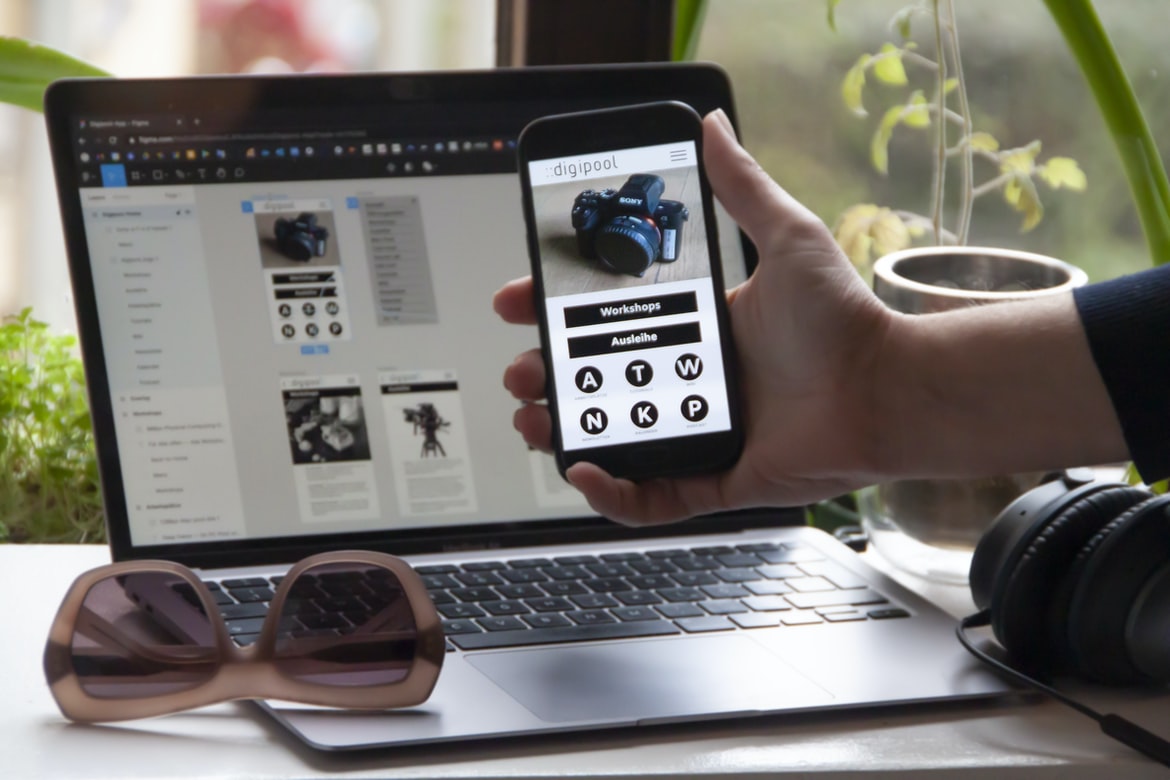
Designing effective user interfaces requires understanding not only how users interact with a product but also the emotional response they may have while using it. A new type of user experience design called “figma” takes this emotional response into account by designing interfaces based on the way users think and feel. Figma is an open-source application that provides designers with a platform to create wireframes, prototypes, and illustrations that simulate user behaviour. By creating designs that reflect real-world scenarios and subjective experiences, designers can create interfaces that are more engaging and intuitive for their users.
Adobe XD
Adobe XD is a powerful and versatile tool that can be used to create stunning user interfaces and experiences. It has a wide range of features that can be used to create beautiful graphics, animations, and illustrations. This program has a user interface that is very similar to Adobe Photoshop.
One of the best things about Adobe XD is that it has a lot of features that are not available in other programs. For example, you can use it to create 3D graphics and animations. It also has tools for prototyping and testing designs before you actually make them available to users. Overall, Adobe XD is an excellent program for creating user interfaces and experiences.
Visual Communication
Creating a graphical design that is effective and engaging is a difficult task. It requires an understanding of user experience and how to create interfaces that are visually appealing. User experience is the first step in creating a successful graphical interface, as it dictates how users interact with the product. The second step is creating an interface that is visually appealing. This involves using appropriate colours, shapes, and fonts to make the user feel comfortable and in control. Finally, it is important to make sure that all of the elements work together to create a cohesive design.
What is Visual communication in graphic design?
Visual communication is the process of delivering information through graphic design. It can be broken down into three main categories: user experience, user interface, and visual design. User experience refers to the entire process of designing and creating a product for users. This includes everything from understanding the user’s needs to crafting a cohesive and attractive design. The user interface focuses on how the user interacts with the product and how they can navigate it. Visual design deals with creating an aesthetic that helps communicate the message of the product. Together, these three categories create a complete picture of how a product should look and function.
Visual communication is essential in any field where users interact with products. From web development to advertising, good visual communication leads to improved user experiences and better business results.
Application of Graphic Design: Adobe Photoshop, Adobe Illustrator, Adobe InDesign
Adobe Photoshop, Adobe Illustrator, and Adobe InDesign are all powerful graphic design software programs. Each offers its own set of features and benefits that can be used to create stunning visuals. However, when it comes to user experience and user interface design, they each have their own strengths and weaknesses. This article will explore these differences in more detail and provide tips for improving the usability of each program.
When it comes to user experience, Adobe Photoshop has traditionally been considered the most intuitive graphic design program. Its simple user interface makes it easy for even novice users to produce high-quality graphics. However, Adobe Illustrator is a more complex program with a wider range of features that may be more suitable for advanced users. Adobe InDesign is a hybrid program that combines the features of both Photoshop and Illustrator.
Adobe Photoshop
Adobe Photoshop is one of the most popular graphic design software programs in the world. It has a very user-friendly interface and is widely used by designers across many industries. However, there are some people who argue that Adobe Photoshop’s user experience is not as good as it could be. They say that the program’s user interface is too cluttered and difficult to use. Some people also argue that Adobe Photoshop’s filters and effects are not as powerful as they should be.
Adobe Illustrator
Adobe Illustrator is a powerful design tool that allows users to create high-quality graphics. However, the user experience vs user interface (UI) can be a challenge for some users. In this study, we compared the two to see which was more beneficial for graphic designers. We surveyed 28 professional graphic designers and asked them about their experiences using both Adobe Illustrator and Photoshop. Overall, the users found that the UI of Photoshop was more beneficial because it was easier to use and understand. The designs produced with Photoshop were also generally more aesthetically pleasing. However, Adobe Illustrator had its advantages as well. For example, it was faster to use and allowed for greater creative freedom. Overall, our study showed that the UI of an application is important for both novice and experienced users alike.
Adobe InDesign
Adobe InDesign is an application used to create graphics, layouts and publications. It is available as a desktop application or as a web-based application. The user interface of the application has been criticized for being difficult to use and for having outdated features. On the other hand, the user experience of InDesign has been praised for its flexibility and its ability to create high-quality graphics.
Web Design
Web design is an ever-evolving field with new challenges and opportunities arising with each passing year. With the growing popularity of mobile devices and the ever-growing number of users accessing the internet through their devices, it is more important than ever to consider how users experience your website. User interface (UI) design focuses on creating a good experience for the user by ensuring that all elements are easy to find and use, while user experience (UX) takes into account how users interact with your website. While these two fields overlap somewhat, they have distinct focuses that can help you create a better website.
When deciding which type of design to use for a website, it is important to consider both user interface and user experience. A good UI will make your site easy to navigate, while a good UX will ensure that your users have an enjoyable experience using your site.
Mobile Graphic Design
Mobile graphic design is an ever-growing field that requires designers to have a strong understanding of user experience and user interface. While there are many different types of mobile apps, each with its own unique needs, there are some general principles that remain constant. In this article, we will discuss some tips for designing mobile graphics that meet the needs of both users and app developers.
When creating graphics for a mobile app, it is important to keep in mind the target audience. Developers should focus on making sure their graphics look good on all devices and orientations, while users should be mindful of how much information they’re presenting at once and whether they want to see ads or other promotional materials. Additionally, it’s important to consider how quickly a user can interact with your content.
Responsive Graphic Design
Responsive graphic design is a type of design that takes into account the user’s device and how it will be used. This means designing layouts, graphics, and graphics elements to work well on different types of screens, from laptops to mobile devices to large monitors. Responsive graphic design can make websites look more like brochures or magazines, making them easier to read on smaller screens and more interactive on larger ones.
Design websites
Design websites can be judged in a few ways: by the looks and feel of the website, by how user-friendly it is to navigate, and by how well the design communicates the company’s message. While all three factors are important, one of the most crucial aspects of design is how user experience (UX) and user interface (UI) work together.
A study released in 2016 showed that when it comes to website usability, good graphic design isn’t enough—users also need an enjoyable experience. The study, conducted by Intercom and commissioned by User Interface Designers Association (UDA), surveyed 2,500 web users across six countries about their opinions on different types of websites.
Theory
The title of the article is “Theory”, and it talks about how user experience (UX) and user interface (UI) graphic design differ. UX focuses on the whole experience a person has using a product, while UI design only focuses on the look and feel of a product. In this article, we will explore how these two concepts are different and why they are important in designing products.
Graphic design is in demand.
Graphic design is in high demand these days. According to The Daily Beast, “The number of graphic designers in the U.K. is expected to grow by about 20 per cent through 2023,” and “the average salary for a graphic designer was £72,160 in May 2017.” This rising trend can be attributed to two factors: the increasing popularity of online platforms and the increasing demand for user experience (UX) over user interface (UI) design.
Since graphic designers are responsible for creating both the UI and UX elements of a website or app, it’s important that they have a deep understanding of both disciplines. In order to create successful designs, graphic designers need to understand how users interact with their products and vice versa. This holistic approach ensures that the final product is effective and intuitive for users.
Wireframes
Wireframes are a way to map out the user experience and user interface of a design before starting to create any visuals. They can help reduce the amount of time needed to create a complete design and can be used by both designers and developers. There are many different types of wireframes, but they all share some common features. First, they should be simple and easy to understand. Second, they should be scalable – that is, they can be adapted as the project changes or grows in size. And finally, they should be fast – that is, they shouldn’t take too long to create or review.









