

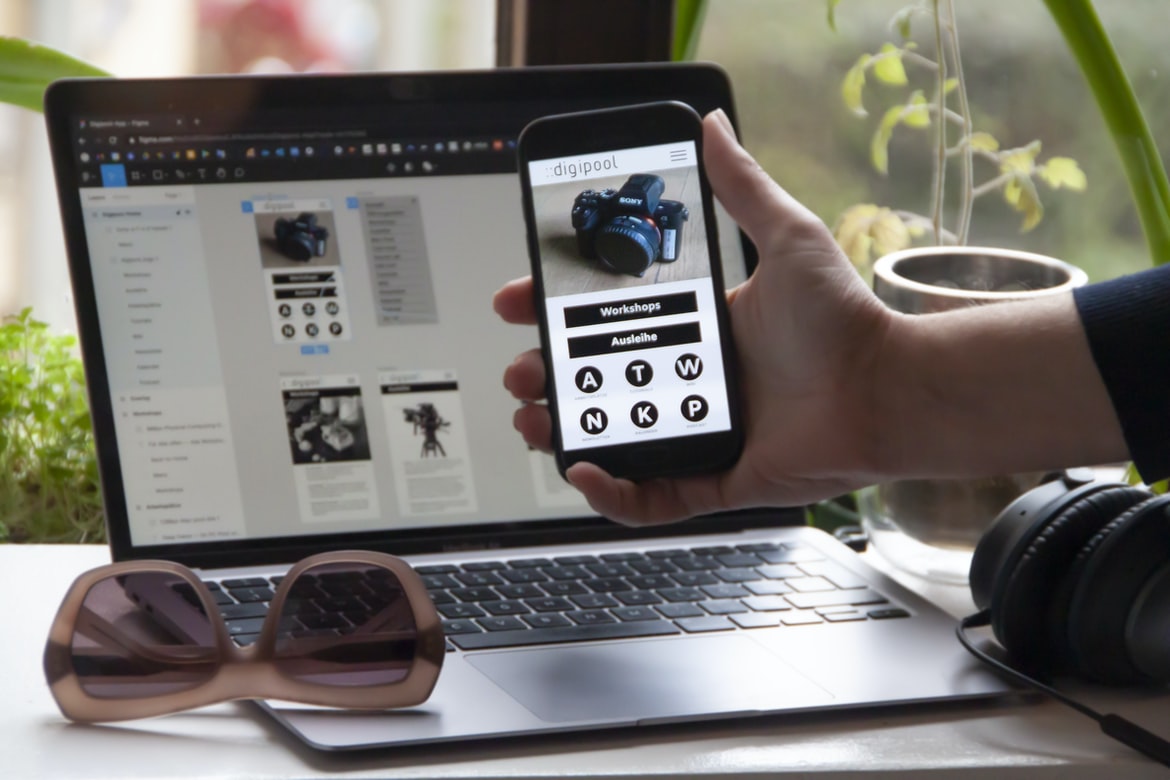
What is user experience, and what is the user interface?
User experience is the overall emotional response a person has when using a product or service. It encompasses everything from how easy it is to find what you’re looking for to how pleasant the interface feels. The user interface, on the other hand, is the specific design and layout of a product or service’s screens and menus.
It’s important to consider both user experience and user interface when creating any kind of product or service because they work together in synergy to create an overall positive experience for users. For example, if an app’s user interface is cluttered and difficult to navigate, that will likely have a negative impact on user experience. Conversely, if poor user interface results in lost sales due to annoyance or frustration, then that too will negatively affect user experience.
What is the difference between user experience and user interface?
User experience (UX) is the totality of a person’s subjective experiences with a product or service. User interface (UI) encompasses how information is presented to users, including the design and layout of screens, menus, and buttons. UX and UI are often confused, but they are actually two very different concepts.
UX is all about creating an enjoyable experience for the user. This can include everything from making sure the product looks appealing to ensuring it is easy to use. UI focuses on making sure the information presented to users is accurate and easy to understand. It includes things like designing effective navigation systems and ensuring all elements fit within the available space.
There is a lot of overlap between UX and UI, but each has its own specific strengths.
What is the relation between user experience and user interface design?
User experience and user interface design are both important aspects of user interface design. A good user interface can make it easier for the user to complete their desired tasks, while a bad user interface can make the task difficult or even impossible.
A good user experience should take into account the individual needs of each individual user. For example, one person might find it easy to search for information on a website, while another person might have difficulty finding what they’re looking for. User interface design should take into account these individual differences in order to create an optimal experience for each individual user.
It is also important to consider how users will interact with the product. For example, if the product is a mobile application, the designer must consider how users will interact with touch screens and buttons. Poorly designed interfaces can make using a product difficult or even impossible for some users.
The relation between user experience and user interface design.
User experience and user interface design are two essential aspects of user interface design. User experience is the overall impression a person has of using a product or service, while user interface design focuses on the look and feel of the interface. They are related, but they are not the same. User experience can be affected by many different factors, such as how well the user can understand and use the product or service, how easy it is to find what they’re looking for, how reliable and error-free it is, and how comfortable it feels. User interface design should take all of these factors into account when designing an interface.
Why is branding important for a company?
There are countless reasons why branding is so important for a company, but here are just a few:
-Branding can help customers identify and remember your company’s name and products.
-It can communicate to potential customers the quality of your products or services.
-It can create loyalty among current customers.
-Branding can help attract new customers to your business.
-It can influence how people perceive you, which in turn can impact your bottom line.
What are the benefits of branding?
The benefits of branding are numerous. First and foremost, a well-branded product or service is more likely to be successful in the marketplace. A company with a recognizable name and logo is more likely to be recognized and respected by its customers, which can lead to increased sales and profitability. Furthermore, a well-branded product or service often enjoys an edge over its competitors in terms of quality, reliability, and overall customer satisfaction.
Furthermore, branding can help companies attract talented employees. By positioning itself as a desirable workplace destination, a company can recruit top talent from around the world. In addition, branded products are often perceived as being of higher quality than their non-branded counterparts, which can lead to increased sales and loyalty among consumers.
Finally, branding can create brand awareness among consumers. By promoting its products or services through various marketing channels.
What are some examples of brands that use a strong visual identity in their design language?
In the design world, it’s often said that a “good logo is one word”. And while that may be true for some companies, many brands today use a strong visual identity in their design language. Here are three examples of brands that use a visually appealing design approach: Nike, Apple, and Starbucks.
Nike is known for its iconic Nike swooshes, colourful logos and typography, and simplistic yet stylish designs. Apple has a long history of innovative product designs, and its latest products feature sleek graphical user interfaces with bright colours and simple shapes. Starbucks has become well-known for its brightly coloured drinks, fun bar designs, and plenty of interesting fonts.
What are the benefits or consequences of using a design language?
Design languages are a way to organize and communicate the design of a product. They can be used for both user interfaces and products themselves. There are many benefits to using a design language, including:
– Reduced friction for new users: A well-designed language will make it easier for new users to get started with your product.
– Improved communication between designers and engineers: Designers can use the language to clearly communicate their ideas to engineers, reducing the need for back-and-forth redesigns.
– Reduced inconsistency among designs: By using a common design language, you can reduce the chances that different parts of your product will look different from one another.
– Increased productivity: Using a design language can help you streamline your work process by reducing the amount of time it takes you to create new designs.
What is the difference between branding and designing a visual identity?
There is a big difference between branding and designing a visual identity. Branding is about creating a name, symbol, or another recognizable aspect of a company that customers can associate with. Designing a visual identity, on the other hand, is about creating an overall look and feel for a company’s website, logo, and other marketing materials. For example, Nike’s iconic swoosh design is both its branding and its design identity. In contrast, Starbucks does not have a distinct branding or design identity; instead, it relies on unique items like the red cup to help identify it.
What is graphic design?
Graphics design is the process of planning, creating, and overseeing the visual appearance of a product or service. It encompasses everything from logo design to web page layout and graphics. A good graphic designer can help make a product look professional, attractive, and user-friendly. They may also be responsible for developing marketing materials and creating advertising campaigns. In short, graphic designers play an important role in any business that relies on visuals to communicate its message.
What is the goal of graphic design?
The goal of graphic design is to create a user experience that is effective and pleasing. Graphic designers must pay close attention to the user interface, as well as the aesthetics of their designs. They must also be able to keep up with changes in technology so that their designs look modern and appeal to a wide range of users. Graphics design is the process of creating a visual representation of information. It can be used to communicate a message or create an appealing, user-friendly interface. The goal of graphic design is to create a cohesive and effective communication system.
What are some of the different types of graphic design?
There are many types of graphic design, each with its own set of skills and techniques. Some of the most common types of graphic design are logo design, web design, interface design, print graphics, and motion graphics. Each type of graphic design has its own set of challenges and requirements that must be met in order to create a successful work product. It is important to have a well-rounded understanding of all types of graphic design in order to be a successful designer. Here are some different types of graphic design and their main areas of focus:
Logo Design: Logos are the visual representation of a company or organization. They can be simple or complex, but they always need to be clear and effective. Logo designers often work with other departments within an organization to create a cohesive branding strategy.
What do designers need to know?
In order to design a user interface or user experience that is effective and efficient, designers need to have a strong understanding of human behaviour and how people interact with technology. This knowledge can be gleaned by studying user experience vs user interface graphics design. User experience is the totality of how a person interacts with a product or service, whereas user interface graphics design focuses on the graphical elements of a product or service. Both disciplines are necessary for creating effective products, but they each have their own strengths and weaknesses.
User interface graphics design is often better suited for creating sleek, visually appealing interfaces. However, because it focuses on aesthetics rather than function, user interface graphics often lack the detail needed to accurately reflect how users will actually use the product.
What do designers need to be able to do?
Designers need to be able to:
-Understand user experience and how it affects the design of a product
-Articulate the goals of a product or service through creative visual communication
-Create concepts that are appealing and inspire users to take action
How does graphic design language work?
A graphic designer’s language is the tools, techniques and conventions they use to communicate with clients, colleagues and users. These include typography, colour, layout and image usage. Understanding how graphic design language works can help you better understand how a designer creates a user interface or experiences for users.
The graphic design language is composed of elements that convey specific messages to users. For example, the typeface used in a document can indicate its importance or tone. The placement of icons or images on a page may suggest actions or tasks that should be completed. Additionally, colour can be used as a communication tool to set moods or evoke certain feelings in people.
While graphic design language is often intuitive for experienced designers, it can be difficult to decipher without knowing the basics.
What are the benefits of using graphic design language?
Graphics and design language play a significant role in user experience. User interface (UI) designers often use graphical elements and design elements to improve the look, feel, and function of their applications. Graphic designers can help enhance the overall look of an application by creating unique visuals that appeal to users. Some benefits of using graphic design language include the following:
1. Increased brand awareness. Using graphics and design language can help increase brand awareness for a business. Graphics can be used to create unique designs that are visually appealing, which can attract new customers.
2. Improved user satisfaction. Graphic design can improve user satisfaction by providing a more aesthetically pleasing experience. Designs that feature visually appealing visuals tend to be more satisfying for users, which means they are more likely to return to an application or website again in the future.
3. Reduced development time and costs.
Why is visual communication important?
Visual communication is an important part of user experience. It can help users understand what a product or service is and how to use it. It can also improve the appearance of a website or application. Many factors affect the effectiveness of visual communication, including the design and layout of a site, the type and size of images used, and the way text is arranged. Visual communication is important for a variety of reasons. It can help to create a positive user experience, which can lead to increased customer loyalty and better business outcomes. In addition, effective visual communication can be essential for creating an engaging website or application. Finally, compelling visuals can also help to stand out in a crowded online marketplace.
What are the different ways of communicating visually?
There are a number of ways to communicate visually, which can be broken down into three categories: interface design, user experience, and graphic design. Interface design focuses on the look and feel of the user interface, while user experience focuses on how users interact with the system. Graphic design is responsible for the overall look and feel of a piece of media, such as an advertisement or website.
How can technology be used to enhance the understanding of visual communication?
Visual communication plays a critical role in our everyday lives. Whether we are communicating with others face-to-face or online, effective visual communication is essential for success. However, traditional methods of visual communication can be difficult to understand and can often be misinterpreted. In order to improve the understanding of visual communication, researchers are exploring innovative ways to use technology to enhance our understanding of visuals.
Some technologies that are being used to enhance our understanding of visuals include virtual reality (VR), augmented reality (AR), and machine learning algorithms. VR allows users to experience different scenarios as if they were actually there, while AR layers digital images over real-world objects. By using these two technologies together, researchers can create enhanced graphics that help viewers better understand the information being presented.
Machine learning algorithms are also being used to improve our understanding of visuals.
What are the benefits of using visuals in communication?
Visual communication has become increasingly important as the world becomes more and more digital. Images can communicate complex information more quickly and effectively than any other form of communication. They can also be more engaging and entertaining, which can encourage users to keep using a product or service. Here are some of the benefits of using visuals in communication:
1. Visuals can be more engaging and entertaining than text-based communications.
2. They can help users understand complex information faster.
3. They can help businesses communicate with their customers in a more personal way.
4. They can help businesses save on printing costs and time spent designing graphics.
5. They can create a sense of community around a product or service, which can increase customer loyalty.
What are some examples of visual communication?
Visual communication refers to the use of images and graphics to communicate ideas and messages. Images can be used in a variety of ways, from online banners and logos to printed materials or even video presentations. Some common examples of visual communication include website design, packaging, advertising, and product design.
User experience vs User interface graphic design:
One of the most important aspects of graphic design is creating a good user experience. This means creating a layout that is easy to navigate and looks professional. It also means making sure all the elements work together cohesively, from the fonts on the page to the colours used in the graphics. In contrast, user interface (UI) graphic design focuses on how a particular piece of software looks and works. This includes things like menu bars, toolbars, buttons, and text fields.
What are the different types of UI UX design?
User experience is the process of designing a product or service that meets the needs and expectations of end users. User interface (UI) UX design is the process of creating an effective and appealing user interface for a product or service. There are three main types of UI UX design: visual, interaction, and mobile.
Visual UI design focuses on how a user interacts with the product or service through visuals. This type of UI UX design can be done in either digital or physical formats. Interaction UI design focuses on how the user interacts with the product or service, both mentally and physically. This type of UI UX design can be done in either digital or physical formats. Mobile UI design focuses on creating an effective and attractive mobile experience for a product or service. This type of UI UX design can be done in both digital and physical formats.
What are the advantages of UI UX design?
There are a number of advantages to using user interface (UI) UX design over graphic design when it comes to creating a user interface. Graphic design is focused on the aesthetics of the design, while UI UX focuses on how users interact with and use the interface. Graphic designers may be better suited for creating designs that look amazing on paper but may not be as effective when it comes to making sure that the user understands how to use the interface and gets the most out of it. UI UX designers can take into account things like how users move around the screen, what buttons they click, and how much time they spend using different parts of the interface. This can help make sure that users have an easier time using the interface and getting the most out of it. Additionally, UI UX design can help reduce user confusion and frustration.
What are the skills of a UI UX designer?
User experience (UX) design is a critical part of creating a great user interface. It’s about understanding how users interact with your product and designing it so that they have a positive experience. There are many skills you need to be successful as a UX designer, and here are eight of the most important:
1. Critical thinking skills: As a UX designer, you need to be able to think critically about your product and its users. You need to be able to come up with solutions that meet the needs of both groups—users and the company itself.
2. User research skills: One of the most important aspects of being a successful UX designer is knowing how users interact with your product. You need to do user research in order to understand how people use your product and what problems they encounter.
3. Communication skills: As a UX designer, you will most likely be in the position of communicating with your team and clients on a regular basis. You need to have good communication skills so that you can successfully convey your ideas and make sure they come to fruition. 4.
What is an example of a good UI UX design?
A good user interface or UX design is one that is efficient, easy to use, and pleasing to the eye. Some common elements of a good UX design include effective layouts, intuitive controls, and thoughtful animations. Some excellent examples of user interfaces that exhibit all of these qualities include the Apple iPhone’s home screen and the Windows Start menu.
What are some common mistakes made in UI UX design?
There are many common mistakes made in user interface (UI) UX design, but some of the most common include the following:
-Not taking into account users with different levels of experience or expertise
-Designing interfaces that are hard to use or understand
-Using too many menu options or buttons, making the interface overwhelming
-Creating designs that are visually complex but don’t actually help users do their jobs better
-Forcing users to make a choice between different options that may not be the best option for them
How do you know when your UI UX design is done?
UI design is an important part of any website or application. It can make a huge difference in how users feel about the interface and can even help persuade them to stay on the site or app longer. But how do you know when your UI UX design is done? There are several factors to consider.
First, it’s important to keep in mind the user’s goals. What are they trying to achieve when they come into your site or app? Are they looking for information? Doing business? Making a purchase? Once you understand their goals, you can start to design around them.
Second, think about the layout of your page or screen. Is it easy for users to find what they’re looking for? Do all the features that matter (for users) seem easy to find and use?
What are some of the most important aspects of UI UX design?
User experience is one of the most important aspects of UI design. It encompasses how a user interacts with your product and how you make it easy for them to accomplish their goals. In order to create a great user experience, there are a few things that you need to take into account:
-The layout and structure of your menus and buttons must be easy to understand and use.
-Your feedback loops must be quick and painless.
-Your designs should be visually appealing and consistent across all devices.
-You should consider the emotional impact of your products on users.
-Finally, you need to focus on making sure that your users can learn how to use your product quickly.
What does a UI UX designer do?
User interface (UI) design is the process of designing the look and feel of a user interface, including the creation of images, animations, and user interactions. User experience (UX) designers focus on creating a positive experience for users by balancing aesthetics and functionality. They also create wireframes, prototypes, and test designs to ensure that the UI meets users’ needs.
What are the most important skills that a UI UX designer needs to have?
There are a few key skills that a UI UX designer needs to have in order to be successful. Some of these skills include understanding user behaviour and needs, being able to create wireframes and mockups that show how a design will look, and being able to work with other team members to create a cohesive design. Additionally, it is important for a UI UX designer to be creative and have an eye for detail. It is also necessary to be able to think outside the box when it comes to solving user problems. Overall, these are some of the most important skills that a UI UX designer should have in order to be successful.
What are the different types of UI UX designers?
There are many types of user interface (UI) designers, but what do they all do? In this article, we will explore the different types of UI UX designers and what they do.
1. Interface designer: Works with the development team to create a modern, user-friendly interface for users. This designer will collaborate with developers to create a layout and design that is easy to navigate and understand for the end user.
2. Graphic designer: Uses typography, colour, images, and shape to create appealing visuals that improve the user experience. Graphic designers often work in collaboration with interface designers to develop a cohesive design for a product or website.
3. User experience (UX) designer: Defines how an individual or group will use a product or service.
What is a UI UX designer?
User experience (UX) design is the process of designing an effective and satisfying user interface for a product. A user interface (UI) designer creates graphics, displays data, and interacts with users to create a positive experience. In order to achieve success, a well-designed UI should be simple, intuitive, and visually appealing. A user’s first impression of your product is key in determining whether they will continue using it or not.
WordPress for Designers
WordPress is a popular content management system used by designers to create websites and blogs. User experience is king when it comes to web design, and WordPress provides an excellent user interface for creating graphical designs. While there are other options available, WordPress makes creating a website or blog easy and efficient for those with little design experience.
WordPress Elementor for Designers
WordPress Elementor is a powerful drag-and-drop editor that can be used by designers to create beautiful and functional WordPress websites. It offers many features that are valuable for graphic designers, such as layers, vector paths, and vector shapes. In this article, we will explore some of the features offered by Elementor and how they can help you in your design work.
When it comes to website design, one of the most important aspects is user experience. A well-designed website should be easy to navigate and use, whether it’s for someone who’s the first time using the website or an experienced user who needs to make changes on a regular basis. WordPress Elementor takes into account both aspects of user experience when designing its interface; this makes it a valuable tool for graphic designers working on WordPress websites.
Figma
A new software design tool called Figma has been gaining popularity among web and app designers. It promises to be a more efficient and user-friendly alternative to Photoshop, Inkscape, and other similar tools. So what is it? And is it worth your time investment? Here’s a look.
Adobe XD
Adobe XD is a new graphic design software that has been in development for some time now. It has been designed to combine the best features of Adobe Photoshop and Adobe Illustrator while also incorporating new features that have been developed specifically for graphic designers.
Adobe XD is available as a subscription service and can be used by individuals or businesses. The software is currently available on Windows and Mac platforms, but an Android version is in development.
One of the main advantages of using Adobe XD over traditional graphic design software is its user interface. The user interface is highly intuitive and easy to use, even for those who are not familiar with Adobe products. Additionally, the tools that are available in Adobe XD allow you to create more sophisticated designs than you would be able to with either Photoshop or Illustrator alone.
Visual Communication
People use visual communication to convey information and ideas. The design of visual communication can have a major impact on how people perceive and use the information it contains. This is why it is important to pay attention to the design of the user interface (UI) and user experience (UX) when creating graphics.
UI design focuses on the look and feel of a product, while UX focuses on how people interact with the product. UI design can be divided into two categories: visual hierarchy and visual style. A visual hierarchy places emphasis on the layout of elements within a screen, while a visual style uses various graphic elements to create an appealing appearance.
Visual communication is a critical component of user experience. Whether it’s conveying information in a photo or chart or just creating an overall look and feel, good visual design can make a big difference. In this article, we’ll take a look at the different types of graphic design and how they can improve user experience.
What is Visual communication in graphic design?
Visual communication can be broadly defined as the use of images, typography, layout, and motion to communicate ideas. Graphic designers are responsible for creating visual elements that support users’ experiences with their products or services. This includes everything from website design and user interface design to print graphics and advertising.
There are a variety of ways that graphic designers can approach visual communication. Some use traditional techniques such as drawing illustrations or painting screenshots. Others rely on digital tools like Photoshop and Illustrator to create realistic renderings or wireframes. And still, others use video to explain features or show how something works.
Whatever the approach, graphic designers must consider a variety of factors when creating visuals. These include the intended audience, the context in which they will be used, and the message they hope to communicate. Visual communication in graphic design is the process of creating messages that are visually appealing to viewers. Visual communication can take many forms, such as typography, images, and layout. The goal of visual communication in graphic design is to create a positive impression on the viewer and help them understand the message being conveyed.
Application of Graphic Design: Adobe Photoshop, Adobe Illustrator, Adobe InDesign
Adobe Photoshop, Adobe Illustrator, and Adobe InDesign are widely used graphic design software suites. They offer different features and capabilities that can be useful in designing various types of graphics. However, it is important to understand the user experience vs user interface when using these programs to create effective designs.
One of the most important aspects of any graphic design program is the user interface. The user interface should be easy to use and navigate, with buttons and icons clearly labelled. Additionally, the user should be able to customize the program’s interface to match his or her preferences.
In contrast, user experience is critical for any application that is used regularly. The goal of a good user experience is to make sure that users feel comfortable using the program and are able to achieve their goals quickly. Poorly designed interfaces can frustrate users and slow down their workflow.
Adobe Photoshop
Adobe Photoshop is a widely used program for graphic design. It has a variety of features that are beneficial for designers. However, some users find the user interface to be difficult to use. This study aimed to compare user experience vs user interface graphic design.
The research found that user experience was more important than user interface in terms of satisfaction. It also found that users were more likely to be satisfied with a design if it was easy to use. This means that designers should pay attention to the usability of their designs when creating them, as this will be key in ensuring satisfaction among users.
Adobe Illustrator
Adobe Illustrator is a widely used program for creating graphic designs, logos, and illustrations. It has a user interface and user experience that can be compared to those of other popular design programs. In this study, the user experience was compared to the user interface of Adobe Illustrator. The results indicated that the two were very similar in terms of how easy it was to use the program and achieve specific tasks.
Adobe InDesign
Adobe InDesign is a popular graphic design application used by professionals and hobbyists around the world. The application has many features and options that can be confusing for new users. In this study, user experience was compared to user interface graphics design using a sample project. It was found that user experience is more important than user interface graphics design for creating effective projects.
Web Design
Web design has come a long way since the early days of the World Wide Web. Today, there are many different types of web designs to choose from, each with its own set of benefits and drawbacks. One popular type of design is user interface (UI) graphic design, which focuses on creating visually appealing and user-friendly interfaces. While UI graphic design can be an effective way to improve user experience, it can also have negative consequences if not done correctly. In this article, we will discuss the benefits and drawbacks of using UI graphic design in web designs and recommend some alternatives that may be more appropriate for certain situations.
Design websites
The difference between user experience and user interface graphic design is often misunderstood. User experience focuses on how the end user experiences a product or service. It includes factors like ease of use, satisfaction, and reliability. User interface graphic design, on the other hand, concerns itself with the look and feel of a website or application. This includes things like colour palettes, typography, layout, and imagery. When done well, a well-designed interface can make a user feel more engaged with the product or service. However, it’s important to consider both aspects when designing any website or application. By understanding each element, you can create a product that both users and designers will be proud of.
Graphic Design Typography
User experience and user interface are two different aspects of graphic design. User experience focuses on how a person interacts with the product, while user interface deals with how the product looks. Graphic designers must consider both when designing a product.
Graphic designers use typography to help communicate information to users. Typography can be used for titles, sub-titles, headings, and other text elements. The typeface and size of the text can affect how users perceive the content. When selecting a typeface, graphic designers should consider the purpose of the text and whether it will be seen by many people or just one person.
Graphic Design Theory
Graphics design theory is a cornerstone of the graphic design discipline. It informs how a designer creates and presents information, and it can help to improve the usability of user interface designs. In this article, we will explore some of the most important principles in graphic design theory.
The first principle is that graphics should be effective and efficient. They should be able to communicate the message that the designer wants to send without taking up too much space or time. Graphic designers must also take into account the context in which their designs will be used. For example, a graphic designed for use on a website may need to be legible from a distance, while one designed for display in a store may require less textural detail.
The second principle is that graphics should be consistent with one another. There has been a great deal of discussion lately about the difference between user experience and user interface. What are they, and what do they have to do with graphic design? In this article, we will explore these concepts and see how graphic design theory can help us understand them better.
User experience refers to the entire process of designing a product or service that is usable by human beings. It includes everything from understanding the needs of your target audience to creating a coherent and easy-to-use interface. The user interface, on the other hand, is the look and feel of a product or service. It can include everything from how buttons look to how menus are organized.
One important distinction between user experience and the user interface is that UX focuses on the entire experience, from beginning to end. Graphic design theory can be difficult to understand and apply. However, if you are looking to improve your graphic design skills, understanding the basics of graphic design theory is essential. In this article, we will explore the different concepts behind graphic design theory and how they impact the way we create user interfaces and experiences.
1) Graphic design theory is about understanding how people use visual communication to interact with products or services.
2) One of the main goals of graphic design is to enable users to easily understand and navigate a product or service. This can be done through the effective use of typography, layout, and colour.
3) In order for users to fully engage with a product or service, it must be easy to find what they are looking for and navigate through the various elements on the screen.
Graphic Design Color Theory
Graphic design is all about making an impact with your visuals. You need to think about the colour theory to create a successful design. There are three main principles: complementary colours, triadic colours, and tetrad colours.
Complementary colours are opposite each other on the colour wheel. They make each other look better because they add brightness and contrast to each other. To use complementary colours in your designs, be aware of how they will interact together. For example, blue and orange are complementary because they cancel each other out and create a more neutral colour.
Triadic colours are made up of two primary colours and one secondary colour. The three colours make up a triangle on the colour wheel. Triadic colours can be powerful when used correctly because they have a lot of potential for contrast and brightness.
Graphic design in demand
Graphic design is currently in high demand due to the increasing popularity of digital media. The industry has seen a rise in freelance graphic designers since the late 2000s, as the demand for quality design has increased. The average salary for graphic designers was $59,670 as of May 2015, which is higher than the average salary for all occupations. Graphic designers are usually required to have a degree in graphic design or a related field, but some employers also require certification or experience. Graphic design is in high demand. In the ever-growing digital age, people are always looking for ways to improve their user experience and make their websites more visually appealing. According to the 2016 U.S. Bureau of Labor Statistics, graphic designers earned a median annual salary of $71,910. That’s good news for those who want to enter the field!
One of the biggest factors that affect a graphic designer’s earnings is education level. Those with a bachelor’s degree earn significantly more than those with an associate’s or vocational degree. However, even those without a college degree can find success in the graphic design field if they have adequate skills and experience.
Some of the most important skills for a graphic designer include proficiency in Adobe Photoshop and Illustrator, knowledge of typography, and strong storytelling abilities.









