

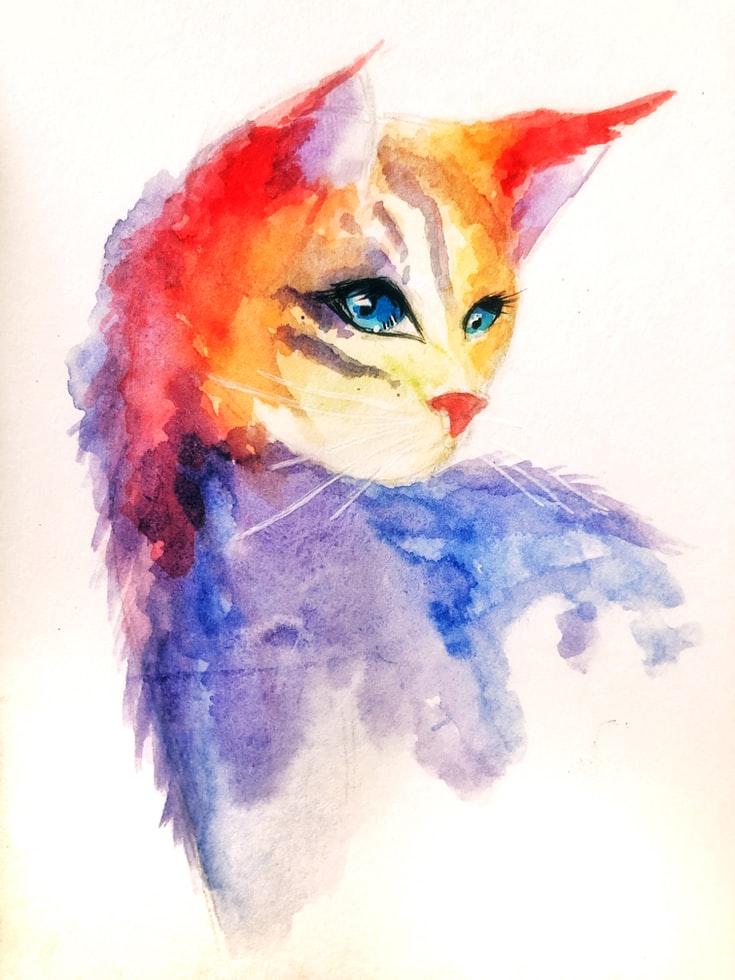
Tools & Resources for Creating Your Own Graphic Design-Based YouTube Videos – What is graphic design, and how should it be practised?
Graphic design is simply the process of designing or creating graphics, whether it be for a website, brochure, flyer, or any other type of project. While there are a variety of different graphic design techniques and tools out there, the most important thing to remember is to always use a good design strategy that will help your project look great. Here are a few tips for beginners:
Start by considering the purpose of your graphic design project. What are you trying to achieve with it? If you’re just starting out, it might be helpful to consult with an experienced designer and figure out what kind of designs are appropriate for your target market and audience.
Make sure your graphics are clear and easy to read. This includes making sure all text is easy to see and that images are properly sized and displayed.
Use common formatting features in your graphics so that people can easily understand them. For example, use blockquote marks and tables throughout your work so readers can easily compare or contrast different ideas or outcomes.
Be aware of the content Hanna (a professional graphic designer) recommends when designing websites:
“If the site is meant as an advertisement or sales tool, then forefront elements such as images should be high quality; secondary elements such as text should be simple but concise.”
Make sure to use a consistent colour palette for all graphics throughout your website. “If you use a consistent colour palette, people will find it easier to navigate the site.” 6. Be aware of responsive design.
Graphic Design Principles: What are they, and why should they be followed?
A graphic design principle is one that should be followed in order to create effective and pleasing designs. These principles usually centre around the use of colour, typography, and composition to make a product or page feel authoritative, sleek, and cohesive. In addition to following these principles, it is important to understand how other elements work together to create an overall design project. By doing so, you can create successful products without breaking a sweat. There are a few key design principles you should adhere to if you want to be a successful graphic designer. These principles include the use of typefaces, whitespace, and grid systems. Additionally, it is important to have a strong understanding of colour theory in order to create effective and accurate designs.
Graphic Design Tools: What are they, and why should they be used in graphic design?
In today’s digital age, many graphic design tools are essential for anyone working in the field. Some of these tools include computers, software, and drawing software.
Computer graphics tools help with creating designs and illustrations. They can be used for anything from simple cartoons to complex illustrations. Software graphic design tools can be used to create logos, icons, and posters. Drawing software is useful for outlining designs and designing patterns.
There are a number of different types of graphic design tools that work well for different tasks. For example, a designer may prefer a computer-based graphics tool to use when creating the final artwork. However, another designer might prefer a software-based drawing tool when it comes time to create symbols or other designs. There is no right or wrong answer when it comes to using a graphic design tool; it depends on the individual’s needs and preferences.
Usage of Graphics in Display Advertising: How is it done, and what benefits does it offer?
Graphics in display advertising can be used to create an impactful and memorable experience for consumers. There are a variety of benefits to using graphics in advertising, including:
-Increased engagement with the product or service
-Better understanding of the product or service
-Positive brand awareness
-Enhanced social media visibility
-Reduced costs associated with producing ads
There are a few key things to keep in mind when designing graphics for display advertising:
Be sure to target specific demographics – target people who will be interested in your product or service, and make sure your graphics are age-, gender-, and location-appropriate. Additionally, consider making sure your images are high quality so that they stand out from other ads.
Use clean, modern designs – most businesses today prefer clean lines and sleek designs. Avoid too much clutter or excess details – this will help you stand out from other advertisers and create an engaging experience for consumers.3) Keep it simple – try not to have too many features or features that would distract from the message of your ad.4) Avoid using photosynthesis symbols – these symbols often indicate products that require special attention or caution (like food poisoning).5) Always test before fully implementing any changes – testing can help ensure that the new graphic design is effective and user-friendly.6) Get creative – don’t just copy other brands when designing your ads! Graphic design Tips is a selection of articles related to the field of graphic design. This blog will provide users with general tips on how to be a better Graphic Designer while also sharing some of the more interesting or unique designs that have been created in the past.
Effectiveness of Graphic Design in Web Layout: How is it used to make an impact on the user experience?
When it comes to designing websites, graphic design is an essential part of the equation. Whether you’re creating a simple homepage or crafting a comprehensive website experience, effective graphic design can make a big impact on the user experience. Here are ways in which good graphic design can improve your web layout:
Use typography to create contrast and interest. It’s no secret that users appreciate visually appealing websites that are easy on the eye. With well-designed typography, you can help create an overall look that’s both attractive and stylish.
Group elements together using a consistent structure and colour palette. If you want users to understand what’s happening on your website quickly, it’s important to use consistent typography, colours, and structure throughout your layout. This will help ensure users know where they are in relation to each other and what content is currently available.
Allow for flexibility and customizability. As the world increasingly becomes more mobile-friendly, it’s crucial that your website remains responsive and easy to adapt to different devices. By allowing for customizations such as font choice and colour selection, you can help make sure your visitors have a great experience regardless of their device or screen size!
Keep things organized with grids and inner grid systems. A well-designed grid system will help group related elements together within a specific area of your layout, making it easier for users to find what they need quickly.
What are graphic design tips?
Designers often focus on making things look good on paper but often forget the importance of making things that feel good in the hand. Here are a few tips to help you achieve this:
Make sure your design is intuitive and easy to understand. When your viewer is first introduced to your work, make sure it feels like they can understand what you’re trying to communicate without needing to read further.
Don’t be afraid to experiment with different types of designs. In addition to looking for inspiration from other designers, try experimenting with different fonts, colours, and shapes. This will help you find new ways of expressing your ideas and creating stunning visuals that will grab attention.
Graphic design is all about designing things that look good on paper. There are many different types of design, but there are some basic tips that will help you in any type of graphic design project.
Typefaces: What are they, and how do you use them?
Typesetting is the process of creating a text or design from a type. There are many different typefaces available on the internet, so it can be hard to figure out what one should use for a particular project. There are three main types of typeface: sans-serif, serif, and Comic Sans. Sans-serif typefaces are typically more common for headlines and logos, while serif fonts are used for book texts and formal documents. Comic Sans is a popular font for children’s books and cartoons. It has a simplified style that is often used in informal writing. Typefaces are a type of fonts used in writing, especially for printed media. There are many different types of typefaces, each with its own unique style and look. You can use any typeface you like in your designs, but it’s important to choose one that will look good on all types of paper—printed or electronic. In this blog post, we’ll take a look at some common typefaces and how to use them in your graphic design work.
Fonts: How to choose them and use them correctly
There are many types of fonts you can use in your design projects. Here are a few tips on how to choose the right typeface for your project and make sure that it looks great.
Consider the font’s style. A modern, sleek typeface will look great on a high-end computer monitor or on a modern website. However, if you’re trying to use a typeface on an older computer or device, you may not be able to see the difference and might end up looking outdated.
Consider the font size. The smaller the font size, the more easily it will appear on any screen size. However, small typefaces may not be as well-suited for larger text or headlines because they may not be as legible.
Consider the weight of the typeface. A heavier font will look more formal and professional than a lighter one. For example, Times New Roman has usually considered a lightweight typeface, while Arial is typically used for darker text passages or headings. If you’re going to use different weights for different parts of your design, such as body copy, subheadings, or headlines, it’s important to figure out which typeface would fit best within that context before choosing one!
Inkscape: How to use it and its features
Inkscape is a vector graphic design program used for creating figures, logos, illustrations, and other graphics. It is free to use and can be downloaded from many websites.
One of the most important aspects of using Inkscape is learning how to use its features. This includes understanding what types of drawings it can create and how to control their elements. Additionally, in order to create high-quality graphics, it is important to practice regularly.
Illustrator: Where to start and how to use its features
When it comes to graphic design, there are a lot of options to choose from. If you’re just starting out, Illustrator may be a great choice. It’s an easy program to use and has many features that can help you create beautiful designs. Here are some tips on how to get started with Illustrator:
Choose the right tools for the job. When working with Illustrator, it’s important to use the correct tools for the task at hand. This means choosing a brush type, setting up layers, and creating graphics in a variety of ways.
Experiment and learn. Be creative and explore every possible way to create graphics using Illustrator. Once you’ve mastered some basic techniques, you can start creating complex designs with ease. Just keep in mind that experimentation is key when learning new software! If you’re just getting started in graphic design or if you’re looking for some helpful tips, we recommend starting with Illustrator. In this blog post, we’ll take a look at some of the most common ways to use Illustrator and give you some basic tips on using it.
What are the main principles of graphic design?
Graphic design is the process of designing graphics that communicate information. This can be done through art, photography, or even just simply writing. There are many different principles that go into graphic design, but some of the most common ones include the following:
Graphics should be clear and concise.
Graphics should be visually appealing and easy to understand.
Graphics should be consistent across all mediums (print, digital, etc.).
How can one make sure they are following the rules of graphic design?
There are a few things that every graphic designer should keep in mind when it comes to following the rules of design. One key rule is to always use common design principles, such as grids and typography. Another important rule is to avoid using too much colour or graphics in a document.
What type of programs and software do graphic designers typically use?
There are a variety of graphic design programs and software that designers use. The most common type of program used is Adobe Photoshop, which is a widely used program for creating graphics. Other popular programs include Inkscape and Illustrator. There are a variety of different applications that can be used to create graphics, so it really depends on the designer’s preferences. There are a variety of graphic design programs and software that designers use. Many designers prefer Adobe Photoshop and Illustrator, which are widely-used programs for creating graphics. However, other popular programs include Inkscape and GIMP. Graphic designers often use these programs to create illustrations, logos, and photos.
How does colour selection affect the overall look and feel of a design?
There are many factors to consider when designing a design, but the colour selection is often one of the most important. Colour can be used to improve the overall look and feel of a design, or it can be used as an accent or highlight. Here are some tips on how to use colour in your designs:
Choose the right colours for your content and your environment. When using different colours for different parts of a design, you’ll need to make sure that each element is visually appealing and consistent.
Use colour in conjunction with other elements in order to create a cohesive whole. If you use different colours for different parts of a design, it’ll likely look bland or unfinished if they’re all used separately. Combine them into an overall effect, and you’ll have something unique and interesting on your resume (or website).
Experiment with colour choice when creating typography and graphics. By using different types of fonts and shapes, you can easily vary the look and feel of your designs without losing their impact. Plus, experimenting with font weights will also give your designs an air of sophistication while still remaining easy on the eye.
Are there any specific techniques or tools that experienced graphic designers use to create unique designs?
There are many techniques and tools that graphic designers use to create unique designs. One of the most important tools is creativity. Graphic designers must be able to come up with new ideas and concepts if they want to create a successful design. They can also use design tools such as fonts, shapes, grids, and elements to help them create their designs. There are many different techniques and tools that graphic designers use to create unique designs. Some of the most common tools used include shapes, typography, and motion vectors. Graphic designers often also use Adobe Photoshop, Illustrator, Inkscape, and GIMP for creating illustrations and graphics.
What is the difference between vector and raster graphics, and when should each be used?
Vector graphics are created using geometric shapes that can be manipulated in a variety of ways. They are typically used for illustrations, charts, and diagrams.
Raster graphics, on the other hand, are created from image data and used to create images for printing or displaying on a screen.
The two types of graphics can be used in different ways, but they both have their benefits. Vector designs are more concise because they don’t need to be meticulously drawn out; raster designs are more complicated because they require more time to create the perfect image. When choosing which type of graphic design is best for your project, it’s important to consider what you want your finished product to look like.
Are there any best practices for creating impactful visuals with minimal effort?
There are a few best practices for creating impactful visuals with minimal effort. One is to think about the overall design goal before starting. This will help you determine what type of visuals are most important to achieve and how much work is necessary to get there. Another great tip is to use clear, concise language when explaining your ideas. This will help others understand your goals and how you plan on achieving them. Finally, always be prepared for feedback. If you don’t take feedback seriously, your visuals may not be as successful as they could be.
What are the basic principles of graphic design?
Graphic design is the process of designing the look and feel of a piece of communication, especially a print or electronic document.
It can be divided into main categories: Typography, Graphics, Illustration, and Animation.
Typography is the design of typefaces and typefaces alone, while Graphics are illustrations and animations that use typefaces as well as other graphic elements to create an effect or look.
The illustration is the use of images to tell a story or add atmosphere to a document. It can be used for photos, videos, headlines, logos, web graphics, etc.
Animation is the use of digital graphics to show a story or idea in motion. It uses images, colours, and sounds to tell a story. 6. Print design is the creation of a physical product, such as a book or magazine. Graphic design is the process of designing or creating graphics, typography, and other visual elements for printed or electronic media. A graphic designer creates designs that communicate information and represent ideas in a way that is practical, stylish, and attractive.
How do graphic designers use colour theory in their work?
Colour theory is an important tool for graphic designers. By understanding how colours work and how to use them in your designs, you can create beautiful and effective visuals. Here are a few tips on how to use colour in your work:
Use dominant colours in your designs: The dominant colour in a design is the one that dominates the visual effect. This means that if you want your design to be eye-catching, it should be made up of colours that are easily seen and remembered. Try to use colours that are easily visible onscreen or imprints, so people can see them at a glance.
Be aware of contrasts: Contrast is another important way to make your visuals stand out from each other. When creating graphics or text, try to keep everything as consistent as possible so people can quickly spot different elements without having to look closely. Try not to have too many details or contradictions in your designs; this will make them difficult to follow and understand.
Edit for impact: If you want your visuals to really grab attention, edit them for impact—making small changes that add value or make the design more interesting overall. For example, if you’re creating a logo, make sure it looks fresh and new every time you update it (or at least update it regularly).
What elements should be considered when creating a successful design?
Design is all about making a product that people will love. A successful design, whether it’s for a website, app or even a piece of furniture, needs to be appealing, efficient and on-brand. Here are some tips to help you create something that will make you stand out and grab attention:
Use clear and concise typography.
When designing a headline or other outward text, use clear, concise and easily remembered typefaces. This will help your reader understand what you’re saying and ensure that the font is used throughout the document in an effective way.
Keep your text easy to read.
When designing smaller texts such as headlines or reviews, try to keep them easy to read by following basic layout rules such as column widths, line heights, and breaks. This will help your reader focus on the content rather than struggling with large fonts and complex layout instructions.
Use strong colours and patterns.
Designers often use strong colours and patterns to help create a unified look. By using strong colours and patterns, you can create a confident, cohesive design. In this blog post, we’ll explore some tips on how to use strong colours and patterns in your designs. When designing elements such as menus or buttons, use bright primary colours (such as green or yellow) and Patterns (such as stripes) to give your design a unique look that will stand out from the crowd. This will help readers remember who made the product and what kind of design it is!
What is the difference between vector and raster graphics?
Vector graphics are created using a number of shapes and colours. They can be used for illustrations, logos, or designs that need to be rearranged quickly. Raster graphics, on the other hand, are created with a specific pixel resolution and are better suited for images that will be displayed on screens.
What are the essential tools used by graphic designers?
There are many essential graphic design tools that a graphic designer must own. Here are some of them:
• Photoshop, Adobe Illustrator and Indesign are the three most popular photo editing software. They have a wide range of features. It is very helpful for designers to have an understanding of each program. Each program has a different range of features. Here are the important features of each program:
Adobe Photoshop Adobe Photoshop is an image editing software. It has a wide range of functions like cropping and resizing, photo retouching, etc.









