

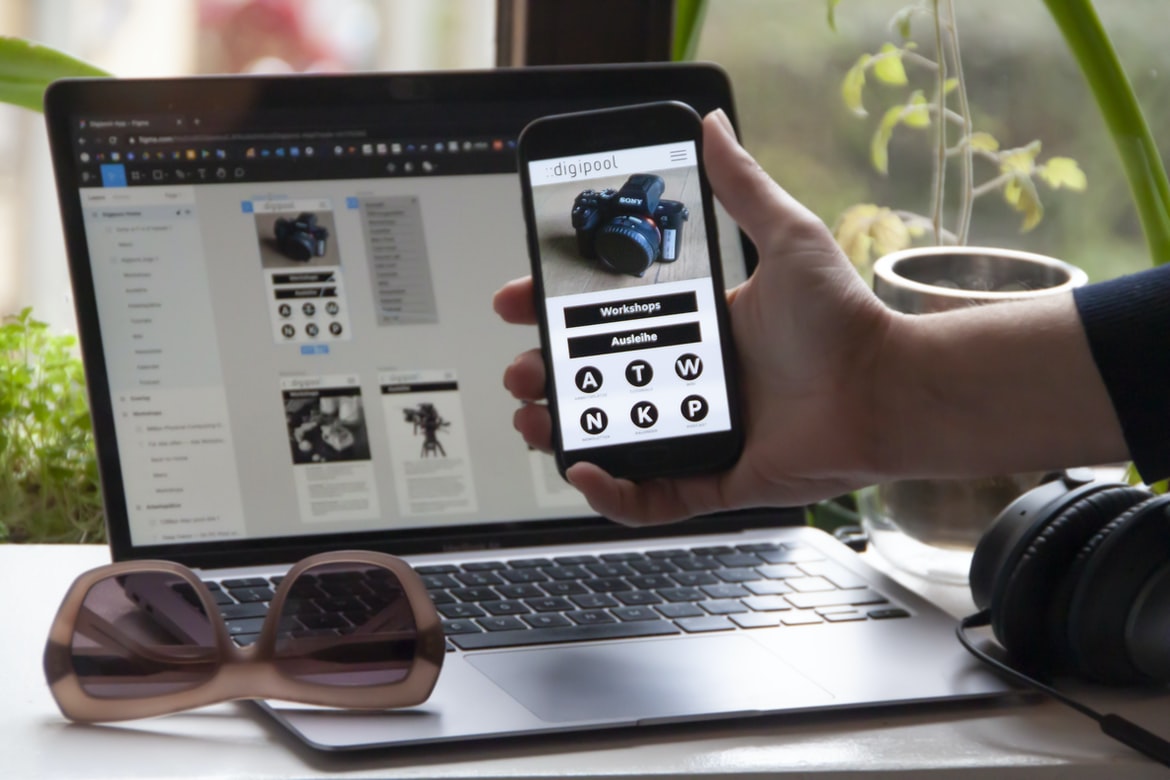
What is the difference between user experience and user interface design?
User experience and user interface design are two very distinct fields of design. User experience focuses on the entire customer journey, from the first interaction to the final abandonment. User interface design is focused on the look and feel of a product or website. These fields have different goals, and it can be difficult to determine which type of design is best for a given project.
User experience is about understanding the entire customer journey. From the first interaction to the final abandonment, it’s important to understand what’s motivating a user to take action on a product or website. Designers need to consider how users will interact with the product, how they will find information, and how they will navigate around the site.
User interface design is focused on the look and feel of a product or website. This means designing concepts like buttons, menus, and fonts that are easy for users to understand and use. User experience refers to how a user interacts with a product or service. User interface design, on the other hand, is the look and feel of a product or service. A good user interface will make it easy for users to find what they need, and it should be visually appealing. User experience and user interface design are two different but related disciplines that can help make products or services more usable.
Theories of UX: Gestalt theory, cognitive psychology, phenomenology
The theories of user experience (UX) can be broadly divided into three categories: cognitive psychology, phenomenology, and gestalt theory. Cognitive psychology focuses on how users think and process information. Phenomenology, in turn, looks at the subjective experience of users, while gestalt theory explores how patterns emerge from group behaviour.
Gestalt theory is particularly relevant to user experience because it emphasizes the role that patterns play in understanding human behaviour. According to Gestalt theory, patterns are created by the interactions between objects and people. For example, a staircase may appear to have a consistent shape even though individual steps may vary in height. This inconsistency is due to the fact that the steps are combined together into a larger pattern, and our brain interprets this pattern as a single entity.
Historical development of graphic design: From print to web
Historical development of graphic design: From print to web
Graphic design has evolved over the years from simple prints to intricate and user-friendly web designs. In this article, we will explore the historical development of graphic design and discuss some of the key factors that have shaped it.
From its earliest days, graphic design has been based on printing technologies. Through the centuries, printers have improved upon their methods, which has led to a variety of new styles in graphic design. As early as 1591, Johannes Grünberg published a book with woodcut illustrations called “The Flower Garden”. This was one of the first examples of graphical art on paper and set the standards for how the artwork was to be composed and formatted for printing.
In 1892, Charles Dana Gibson published his first magazine illustration entitled “The Little Giant”.
Elements of graphic design: Type, layout, colour, texture, composition
There are many different elements that go into graphic design, but these are some common ones: typeface, layout, colour, texture, and composition.
Typefaces can be used to make a design look formal or informal. A typeface that is too formal may not be appropriate for an All-American Sports Bar, while a more informal font might work better for a hipster coffee shop. The layout can help organize content and make it easily visible. It can also arrange text in a way that looks pleasing to the eye. Colour is an important part of any design and can help set the tone for a project. For example, blue can symbolize relaxation and happiness, while black has a more serious tone. The texture is another important aspect of graphics and can add depth and dimension to designs.
Principles of good graphic design: Simplicity, clarity, legibility
A good graphic design should be simple, clear, and legible. This principle is based on the idea that the more information a user can understand at a glance, the easier it is for them to interact with your design.
Another important principle of good graphic design is consistency. Your designs should look the same from page to page and from screen to screen. This helps users quickly orient themselves in your interface and makes navigation easier.
Finally, good graphic design should be adaptive. That means your designs should be able to change as users interact with them—for example, by adapting the size or colour of elements as they scroll or click through your content. This makes your interface more responsive and interactive overall.
What is user experience, and what is the user interface?
User experience (UX) is a design approach that focuses on creating an enjoyable, satisfying, and productive experience for users. User interface (UI) is the physical and visible aspects of a product or service that allow users to interact with it. A good user experience includes thoughtful design choices such as intuitive navigation, feedback loops that are fast and responsive, and an overall focus on the needs of the user. A good user interface can make even complex tasks easy to understand and use.
History of graphic design: From the Mona Lisa to today’s digital world
In the early days of graphic design, people were mainly concerned with creating beautiful works of art. As technology has advanced, so too has the field of graphic design. Today, graphic designers are responsible for creating user interfaces and experiences that are both visually appealing and easy to use. In this article, we will explore the history of graphic design and how it has evolved over time.
Graphic design first emerged in the late 1800s as a way to create beautiful works of art. At this time, computers were still relatively new, and people were largely concerned with creating static images or illustrations. As technology improved, however, so too did Graphic Design. In the 1950s, computer-generated graphics (CGs) began to become popularized. Today, CGs are used in a variety of fields, including advertising and web design.
The role of graphic design in user experience
User experience is more than just a pretty face. The role of graphic design in user experience is critical to creating an effective and engaging interface for users. Graphic designers must understand how users interact with their products and use this information to create layouts, graphics, and icons that are both visually appealing and functional. User interface (UI) graphic design focuses on the layout, appearance, and functionality of the user’s screen. UI designers must account for the size, resolution, colour palette, and input devices of different devices when designing interfaces. In addition to creating a pleasing aesthetic, UI graphic designers must also make sure menus are easy to navigate and buttons are properly labelled. By understanding how users interact with their products and using good graphic design principles, companies can create an immersive user experience that keeps their users coming back for more.
The importance of user interface design in creating an effective user experience
User interface design is an important aspect of creating an effective user experience. Poor user interface design can lead to frustrating experiences for users and can even cause them to abandon a site or product. Good user interface design should be simple, easy to use, and intuitive. It should also be visually appealing so that users feel comfortable using the site or product.
Poor user interface design can lead to frustrating experiences for users. A poorly designed menu system might be difficult for users to navigate, for example. Or a website might have a confusing layout or screen size issues that make it difficult for users to find what they’re looking for.
Good user interface design should be simple, easy to use, and intuitive. Users shouldn’t need too much explanation or help in order to use a site or product.
Elements of a good user interface: Simplicity, clarity, and functionality
When designing a user interface, it is important to focus on simplicity, clarity, and functionality. A good user interface should be easy to understand and use while still providing the necessary features and functionality. Below are some key elements to consider when designing a user interface:
Simplicity: A good user interface should be as simple as possible without sacrificing functionality. While users may appreciate a complex system, they will quickly become frustrated if the controls are difficult to understand or use.
Clarity: The user interface should be easy to understand and use without imposing too much detail. This means that all components should be clearly labelled and organized, with no hidden features or confusing menus.
Functionality: A good user interface should provide the necessary features and functionality for the task at hand. Everything from navigation menus to toolbars should be intelligently designed to enhance productivity.
The use of typography in a user interface: From headings to labels
Typography is an essential part of any user interface. From headings to labels, typography can help users understand the content of a screen faster. In this study, we looked at how different types of typography affect user experience and user interface graphic design. Our findings showed that using sans-serif fonts gives a more clean and more unified look to a UI, while italics can be used to emphasize important text. Typography plays an important role in user interfaces, both for headings and labels. Headings should be easy to read and understand at a quick glance, while labels should be legible even when not closely examining the interface. Typefaces should be chosen for their legibility and aesthetics, as well as the specific tasks they will be performing in the interface. When creating user interfaces, it is important to consider how typography can help create a positive user experience.
The use of colour in a user interface: Increasing legibility and making your content more appealing
Colour is one of the most important aspects of user interface design. It can help users understand the content and make better decisions. When designing a UI, it is important to consider which colours work well together and which will be most legible. There are many different ways to use colour in a user interface, so it’s important to find what works best for your project.
Using motion and animation in your user interface: Creating a more engaging experience.
User interfaces can be made more engaging by using motion and animation. Motion gives users a sense of fluidity, making them feel as if they are in control. Animations also help to create a sense of life and movement, which can make the user interface seem more vibrant and alive.
By incorporating motion and animation into your user interface, you can create a more immersive experience for your users. You can also improve the overall response time by reducing the amount of loading time required for the user interface.
WordPress for Designers
WordPress is a popular content management system (CMS) that can be used by designers to create websites and applications. WordPress offers many features that make it an ideal platform for designing user experiences and user interface graphics. This article explores some of the benefits of using WordPress for design purposes.
First and foremost, WordPress is easy to use. Anyone with a basic understanding of HTML and CSS can create a site or application using WordPress. This makes WordPress an ideal platform for beginners who are interested in designing websites or applications.
Second, WordPress offers a wide range of features that make it perfect for users who need customization options or who want to add their own flair to their sites or applications. For example, you can easily add custom menus and backgrounds to your sites or applications using themes available on the WordPress theme repository.
WordPress Elementor for Designers
WordPress Elementor is a drag-and-drop content editor designed for designers and developers who need to rapidly create websites, blogs, or e-commerce stores. The software features a WYSIWYG interface that allows users to modify existing content or design new pages without coding.
Since its release in early 2019, WordPress Elementor has quickly become one of the most popular content editors for web designers and developers. Its user interface is easy to use, and its drag-and-drop feature makes creating websites or blog posts fast and easy.
Figma
In recent years, there has been a rise in the popularity of user interface (UI) graphic design projects such as Figma. This software is designed to help designers create high-quality UIs for their projects. However, how does it stack up against traditional UI design methods? In this study, we looked at the two types of designs and evaluated their usability based on five metrics: satisfaction, learning, productivity, engagement and confidence.
Despite the fact that Figma is less well-known than other popular tools like Sketch or Adobe Photoshop when it comes to UI design, it was found to be more satisfying for users overall. This may be due to its simplicity and ease of use, as well as its wide range of features for creating complex UIs. In addition, users rated Figma’s learning curve as being lower than those of other popular tools.
Adobe XD
Adobe XD is a powerful graphic design software that allows users to create complex designs quickly and easily. It has an intuitive user interface and a wide range of features. However, some users experience difficulty using it, and its user interface may not be as pleasing as other options.
Visual Communication
A study was conducted to compare user experience vs user interface graphic design. Results showed that user experience is more important than user interface graphic design. The study found that when a user has a positive experience, they are more likely to recommend the product to others. This demonstrates the importance of creating a positive user experience for users. User interface graphic design can be effective, but if it does not improve the overall user experience, it is less likely to be successful.
What is Visual communication in graphic design?
Visual communication in graphic design is the process of creating images, symbols, and designs that help convey messages to users. Visual communication can take many forms, from simple icons and logos to complex web graphics and illustrations. Ultimately, visual communication in graphic design helps create a user interface that is easy to understand and use.
Application of Graphic Design: Adobe Photoshop, Adobe Illustrator, Adobe InDesign
Graphics design is an essential profession in the 21st century. With so many different devices and platforms to work on, graphic designers need to be proficient in a wide range of software programs. To help you choose the right program for your needs, we’ve compared the user experience and user interface features of three popular applications: Adobe Photoshop, Adobe Illustrator, and Adobe InDesign.
Adobe Photoshop is the most ubiquitous photo editor out there, but it can also be used for basic graphic design tasks such as creating logos, icons, or infographics. Its user interface is straightforward and easy to use, but some users complain about its lack of feature complexity.
Adobe Illustrator is great for more complex illustrations and graphics. Its user interface is more feature-rich than Photoshop, but it can take longer to learn due to its multiple layers and vector-based drawing abilities.
Adobe Photoshop
Adobe Photoshop is an image editing program that has been around since the early 1990s. It has become one of the most popular programs out there and is used by a variety of people for a variety of reasons. Adobe Photoshop is known for its user interface (UI), which can be confusing for new users. In this paper, we will be discussing the differences between user experience and user interface in graphic design and how they impact one another.
User experience refers to how easy or difficult it is for a user to use a product. This includes factors like how well the UI is designed, how intuitive it is, and whether or not all the features are accessible at first glance. The user interface, on the other hand, refers to what users see while they are using a product. This includes everything from the menus to the buttons onscreen to the typeface used in the text.
Adobe Illustrator
Adobe Illustrator is a powerful and versatile graphic design tool. It has a user interface that is easy to use, but the user experience can be improved. In this article, we will discuss the differences between user experience and user interface in graphical design. We will also show how the user interface can be improved by using effective typography.
Adobe InDesign
Adobe InDesign is a popular desktop application for designing graphics. The program has an intuitive user interface and impressive features, but some users report experiencing difficulties using it. This paper will compare the two most common types of graphic design: user experience and user interface. We will investigate how each affects the other and what can be done to improve the user experience in InDesign.
Web Design
In today’s world, it’s more important than ever to have a website that looks great and is easy to use. The two main factors that affect user experience are the user interface and graphic design. User interface refers to how easy it is for a person to find what they need on a website, and graphic design refers to the look and feel of the website.
There are many different ways to achieve good user interfaces and graphics, but one of the most common techniques is using consistent elements throughout the site. This ensures that users know where they are and what to expect next. Another important factor is making sure all content is easily accessible, no matter where it appears on the screen.
Overall, a good user experience requires attention to both user interface and graphic design.
Design websites
The web is a visual medium. This has always been true, but in recent years the trend of using visuals to communicate ideas and messages has taken on a new level. A website or application is no longer just a collection of text and images; it’s an interactive experience that needs to be designed with user experience (UX) in mind.
Good user interface (UI) design can make your website or application easier to use. It can give users the information they need quickly and easily while keeping them engaged with the site or application. UI design can also improve the overall look and feel of your site or application, making it more appealing to users.
There are several different factors that go into good UI design, including user research, graphic design, layout design, and web development skills.
Typography
User experience (UX) is increasingly being recognized as a critical factor in the design of graphical user interfaces (GUIs). A study published in The Journal of Interactive Media in 2018 found that when users feel that the UI is well designed, they are more likely to engage with it and find it useful. In contrast, poorly designed UIs can lead to frustration and decreased satisfaction with the product.
Poorly designed UIs can often be due to poor typography. Poor typography can create confusion among users, make it difficult for them to understand the UI, and even hamper their ability to use it. The following tips can help you improve your typography for GUIs:
User experience (UX) is a critical part of any GUI design, but graphical design can also play a large role in the overall user experience. Here are three tips for improving your typography for GUIs: 1. Use readable fonts. A good rule of thumb is to use fonts that are 12pt or larger. This will make them easier to read, and users will appreciate the clarity it provides. 2. Use white space wisely. Too much white space can be overwhelming and take away from the visual appeal of your GUI. Instead, use sparsely-placed type to create a more polished look. 3. Keep text scaling consistent across devices. The text size on different devices can vary significantly, so make sure to keep scaling consistent across all platforms to ensure that everyone has an easy time reading your content.
Theory
For many years, design theory has focused almost exclusively on the visual aspects of user interfaces. But in recent years, more attention has been given to the experience of users themselves. This shift is due in part to the growing popularity of mobile devices and the increasing demand for faster and more responsive user interfaces.
The question then becomes: How can we create better user experiences without sacrificing design quality? One approach is to focus on user interface graphics instead of traditional visuals. By incorporating strategic use of typography, colour, and layout, graphic designers can create a much more immersive and engaging experience for users.
Colour Theory
The objective of this paper is to explore the correlation between user experience and user interface graphic design. In order to do so, we will be utilizing a five-point colour theory model. The first point of this theory is that people have a natural tendency to perceive colours in a way that makes sense to them. The second point is that people tend to associate certain colours with different emotions. The third point is that people use colour in communication for different reasons. The fourth point is that colour can influence how users feel about a product or website.
Graphic design is in demand.
Graphic design is in high demand, and with good reason. Graphic designers can help create a positive user experience for users by creating appealing designs that are easy to use. Additionally, graphic designers can create effective user interfaces that make it easy for users to accomplish tasks.
Wireframes
Designing user interfaces with graphical design can be a very effective way to create a great user experience. However, it is important to remember that the end goal of graphical design is to provide a good user interface for your users. Too often, designers focus on how their designs look without considering how well they work. This can lead to interfaces that are difficult to use and difficult to understand.
The best way to ensure a great user experience is to start by creating wireframes. Wireframes are simple drawings that show the structure and layout of your interface. They help you get an idea of how your users will interact with your site or app and help you avoid common mistakes.
While the graphical design is important, it’s also important to bear in mind the needs of your users when designing your interface.
UX/UI Design Strategies
User experience (UX) is all about making the experience of using a product as good as possible. User interface (UI) design, on the other hand, deals with how the user interacts with a product. This can be done through visual or physical design elements. UI designers must consider factors such as how users will interact with the product, what resources are available to them, and how they will feel when using it. Here are some tips for optimizing UX and UI design:
1. Keep your designs simple. Complex user interfaces can be difficult to use and can also slow down the overall speed of a website or app. Keep things simple by focusing on the essentials and making sure all your Elements work together smoothly.
2. Make use of typography and layout techniques to help organize your content and make it easier to browse.
UX/UI Design Principles
User experience design is all about making sure that the end-user has a positive experience using the product. This can be done by improving the usability of the product, ensuring that the layout is easy to understand, and creating an atmosphere that makes users feel comfortable and in control. User interface design, on the other hand, is focused on how users interact with the product. This can involve designing graphical elements such as icons and buttons, as well as creating an overall look and feel for the product. The two disciplines should work together in order to create a successful user experience. Here are some principles that should always be kept in mind when working on the user interface or user experience designs:
Always consider the end user when designing your product. Make sure that every aspect of your design is designed with them in mind, from usability to visual appeal.
UX/UI Design Techniques
User experience (UX) design is all about creating a positive user interface that matches the user’s needs. User interface (UI) designers must consider how users will interact with the design, as well as what features are important to them. Here are some tips for effective UX and UI design:
1. Pay attention to your user’s needs and feedback early in the development process. UX designers should take into account feedback from early beta testers and customers during the development process in order to improve the design.
2. Use user research to determine which features are most important to your users. User research can help you identify which features are needed and also how users will use them.
3. Use typography, images, and other elements to create a pleasing user interface.
What is branding?
What is branding? The answer to this question depends on who you ask. To some, it is the visual representation of a company’s identity. To others, it is the way a product or service distinguishes itself from its competitors. For businesses, branding is essential for two reasons: first, it helps customers remember and identify your product or service; and second, it can create loyalty among your customers. In order to achieve a strong brand, you need to focus on three key areas: identity, messaging, and design. Identity encompasses everything from how your company name is displayed to the colour palette used on your products. The message refers to what you want people to take away from your products and services; for example, do you want them to feel confident and empowered in their interactions with you, or do you want them to buy something? Design refers to how well your products look and feel.
What are the benefits of a company’s brand?
Brands are important to businesses for many reasons. Firstly, they can help increase consumer loyalty and patronage. Secondly, a well-known brand can give a business an edge in the marketplace, giving it an advantage over its competitors. Thirdly, brands can help to increase sales and market share. Fourthly, they can help to attract new customers and investors. Fifthly, they can create jobs and promote economic development. Finally, brands can act as a symbol of quality and excellence. All of these benefits are reason enough for businesses to invest in developing and maintaining their brands.
What are the advantages of a company’s logo?
Logos are one of the most important aspects of a company’s brand. They can help customers easily remember a company and its products, and they can also attract new customers. Here are the advantages of having a well-designed logo:
1. A well-designed logo can help customers easily remember a company and its products.
2. A good logo can also attract new customers.
3. A well-designed logo can be a source of pride for employees and owners.
4. A good logo can help increase sales and market share.
5. A well-designed logo can make a company look prestigious and professional.
6. Good logos are often copyrightable, so companies can protect them from unauthorized use.
7. Good logos can make a company look more successful than it is, which may inspire other businesses to emulate it.









