

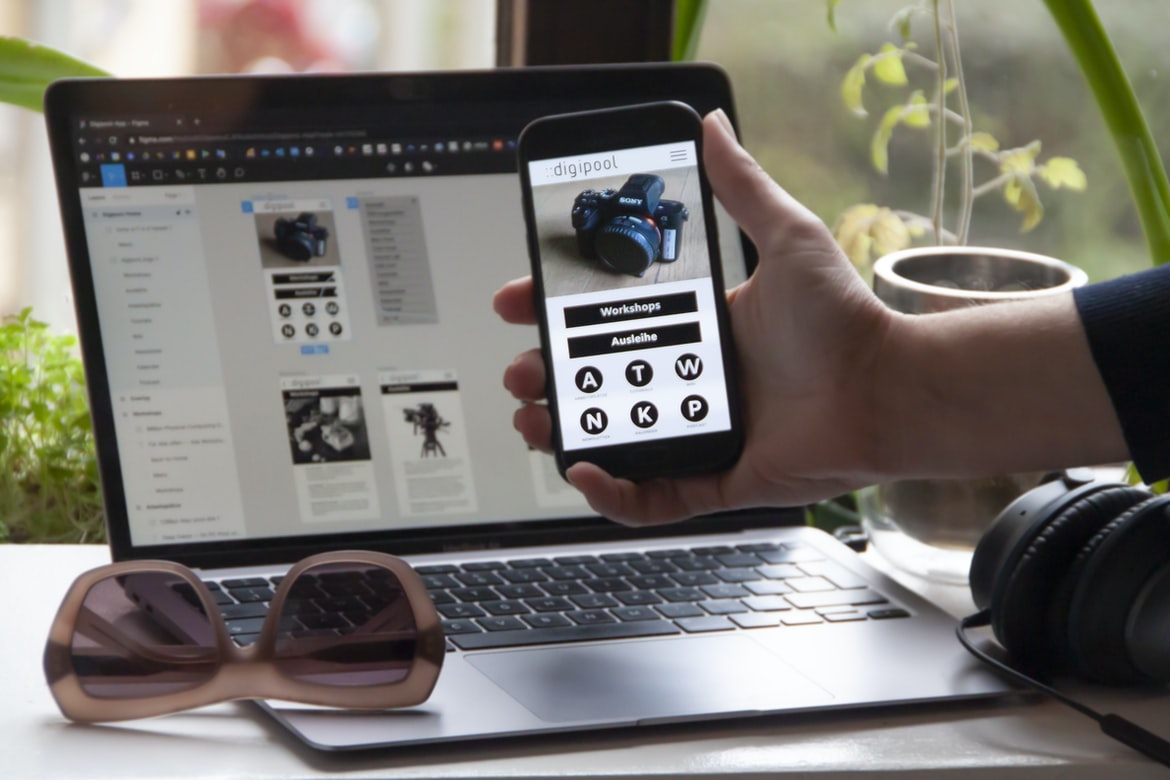
Designers use a variety of design principles on the web and UI designs to create a user interface that is intuitive, efficient, and visually appealing. Some common principles in web design include using lightweight components, Howell Grid for grid layout, using responsive designs, and using fonts that are consistent with the look and feel of the user interface. In UI design, there are four basic principles of design which designers should always keep in mind when creating interfaces: screen size (maximize the space between elements on different devices), colour palettes ( consistent across devices), GridLayout for grid layout, and making sure buttons are clear and easy to find.
Designing a web design is all about ensuring that the user interface is intuitive and easy to use. This is done by creating a visually appealing and organized layout, using sleek fonts, and providing clear and concise instructions. In order to achieve this, it is important to familiarize yourself with the different types of browsers and their quirks.
How to Test Your UX/UI Design For Maximum User
UX design is an important part of web design, and it can make or break a website. When it comes to user experience, good UX designs are essential for maximizing users’ satisfaction and engagement. Here are four tips to help you create the best user experience possible on your website:
1. Make sure your design is easy to navigate and use. Users should be able to find what they need quickly and easily.
2. Make sure your designs are visually appealing and distinguishable from other websites. Your users will appreciate a well-designed site that looks great and feels natural.
3. Pay attention to the user’s comfort level when designing your UI. If you can make your site feel comfortable for users, they will be more likely to stick around until the end!
4. Be sure to test your designs before launching them onto the web.
How can UX/UI design improve user experience?
User experience design is a critical part of web design and can improve the overall user experience by adding features that make the website easier to use and navigate. In this article, we will explore some common UXUI design improvements that can help improve the overall user experience.
Web design UIUX is a design approach that focuses on improving the user experience. This can be done by creating a smarter, easier-to-use interface that is intuitive and visually appealing.
What are some of the best practices for UX/UI design?
1. Start with a clean slate – When starting a new project, always start by cleaning up any visual elements that may be cluttered or outdated. This will help you to focus on the task at hand and avoid making any mistakes that could affect the entire design.
2. Use constructive criticism – If you’re ever feeling stuck in a design decision, always take some time to give your team and yourself feedback on what looks good and why. This will help you to make better decisions in the future and improve your overall UX skills.
3. Keep things simple – When designing web designs, it’s important not to overcomplicate things just for the sake of it. Any complex features or layouts will likely only cause confusion and frustration from users, which is not worth the time or effort involved.
4. Keep it the way it is – You don’t have to redesign a website every time you see something that doesn’t look or function how you want it. If a design idea doesn’t fit your brand, keep it simple and stick with what people expect. 5. People will notice your brand more than the pages you create – The page design is just a surface feature of your design. If you don’t create a brand, people won’t notice it, which means no conversion.
How does UX/UI design help achieve business goals?
User experience design is an important part of web design, and it can help achieve business goals. By understanding how user experience design can help, businesses can better understand their users and create more specific, effective designs that appeal to them.
User experience (UX) design is the process of creating user interfaces that are appealing, effective, and satisfying to users. By understanding how UX design can help achieve business goals, businesses can improve their overall user experience and increase conversion rates.
What are the key elements of a successful UX/UI design?
User experience (UX) is the design of how people interact with your product or service. UX designers must create a beautiful, intuitive, and easy-to-use interface that will delight users. Here are five key elements that make up a successful UX UI design:1. Navigation: Everything in your user interface should be easy to find and use. This means having a sleek and organized layout, as well as making sure every menu or button is easily identifiable.2. Typography: The typeface and font used in your UI should be elegant, timeless, and easy to read.3. Images: You need to use high-quality images throughout your UI to give users an enjoyable browsing experience.4. Animation: Your user interface should be animate to make it feel like an interactive product or service.5.
When designing a web design UI, the key elements to success are user feedback, ease of use, and functionality. By understanding these four aspects of UI design, you can create a user-friendly interface that is both effective and efficient.
What tools and technologies are used in UX/UI design?
Web design UI UX tools and technologies used in designing user interfaces.
Designing user interfaces is a critical part of any web development project. There are a number of different UI design tools and technologies used in this process. This article will discuss some of the most popular ones.
Thanks to advances in technology and tools, UI design is becoming more complex and specific. In this article, we will look at some of the most common and commonly used tools and technologies in UX design.
How important is usability testing in UX/UI design?
Utopia, it seems, is nigh. In the world of web design UI design, usability testing is more important than ever before. If you’re not doing it, you’re falling behind your competition and losing out on potential customer feedback.
But what exactly is usability testing? And why should it be so important in web design UI design?
UI designers need to be able to test user interface elements for functionality and responsiveness. For example, how easy is it to navigate a website’s menus? How do users feel when they try to interact with a product or feature? By understanding these three points, you can create a user experience that’s both enjoyable and effective.
In addition, usability testing can help identify issues with your designs before they become problems. For example, if you have an input form that requires users to enter multiple values (e.g.
Unauthorized access to user experience data is a major concern in web design. In order to ensure user satisfaction, designers need accurate and meaningful feedback from users. Unfortunately, many UI testing tools are not well-suited for this purpose.
This article will explore the importance of usability testing in web design and how to use popular testing tools effectively.
What challenges can arise during the development of a UX/UI design project?
When designing a web design UI, it can be difficult to anticipate all of the challenges that could arise during the project. These challenges could include the following:
1. Fumbling with unfamiliar technology – When designing a UI for the web, it is important to be familiar with the various technologies used in web design. However, many times this cannot be done easily or quickly. In order to overcome this challenge, designers should make use of resources like online tutorials and online platforms that offer step-by-step guides.
2. Incorrect usage – When designing a web design UI, it is important to avoid using styles that are not appropriate for the device or browser on which it will be displayed. This can lead to incorrect looks and results in decreased comfort and user experience. Designers should take into account user preferences when determining what style to use and how best to display information on different devices.
What are the best UX and UI tips to increase user engagement?
User engagement is the key to success for any website or app. There are a number of ways to improve user experience, and some of the best tips are listed below. By following these tips, you can increase user engagement on your website or app and make it easier for users to find what they need and use your product.
In order to increase user engagement on your website, there are a few things you can do. One is to make sure your web design has effective user interface elements. Another is to follow the best UX tips for improving the overall user experience.
What are the key elements of effective UX design?
UX design is the process of creating a usable and appealing interface for a website or application. While there are many different elements that can be included in an effective UX, five key aspects are necessary for success: user experience, navigation, layout, affordance, and typography.
Designing user interfaces is one of the most important aspects of web design. By following these key elements, you can create interfaces that are easy and intuitive for your users to use.
How can UI design be used to improve user experience?
In recent years, UI design has become an increasingly important part of web design. In fact, some say that UI design is the most important aspect of web design. This is because, without a good user experience, users will not be interested in using a website. In order to improve user experience, designers must understand how users interact with a website and how they want their website to look.
One way to improve user experience is by using UI design to create consistent designs across different devices. For example, on the phone, the layout should be consistent so that users can easily find what they are looking for. On a desktop computer, the layout should be similar so that users can navigate between pages quickly and easily. This way, users will have a more pleasant browsing experience and will be more likely to visit your website again.
UI design can be used to improve user experience by making the user interface more intuitive, efficient, and responsive. This can be done by reducing the complexity of the interface, improving the clarity and organization of information, and adding visual cues that guide users through their interactions. Additionally, using a consistent style across different devices can help users feel more at home.
What processes should be followed when designing a user interface?
User interfaces (UI) are the design Shells that contain all the user interface components that a user might need to interact with a system. They can be found on websites and in other software applications. When designing UI, you should follow specific processes to ensure that your users have an easy time understanding what is going on and how it can affect their experience.
How do colours and typography affect UX and UI design?
Colours and typography can have a very influential impact on the user interface (UI) and usability of websites. In this article, we will explore how different colours and typography can affect UX design.
What challenges do designers face when creating an intuitive user experience?
Designers face many challenges when creating an intuitive user experience. One of the most important challenges is making sure that users are able to understand what they are doing. Another challenge is making sure that the user interface is easy to use and that it remains consistent across different devices.
Are there any tools available to help with UX/UI design?
There are a number of tools available to help with web design UI design, but there are also a variety of ways to go about designing user interfaces. One way to approach UI design is to look at it as an opportunity to create designs that make the user experience better. There are many options for finding and using resources when it comes to UI design, so it’s important that you understand what’s available and how best to use them.
There are a few tools that can help with web design and UI UX. Some of these tools include Sketch, Adobe Photoshop, and Illustrator. Other tools include Inkscape and GIMP.
How important is accessibility in UX/UI design?
Accessibility is an important part of web design UI design. By making sure the user’s screen size and device capabilities are taken into account, accessible designs make it easier for everyone to use a website.
Accessibility is an important factor in web design UI design, as it determines how accessible a user’s experience will be. There are many ways to make a website accessible, and one of the most important ways to ensure an accessibility experience is by using accessible components.
What are some of the best UX and UI tips?
UX and UI design tips: A roundup
There are many great UX and UI tips to keep in mind when designing websites or web applications. Here are a few of the best:
1. Use consistent design elements across your website or application. This will help you maintain a consistent look and feel across all of your pages and make user navigation easier.
2. Keep your designs simple and easy to understand. This will help users learn what they need to do on your site or application quickly and avoid confusion later on.
3. Use clear, concise text in your designs. This will make it easier for users to understand what you’re trying to say and also make it easier for search engines to index your site or application properly.
4. Use a consistent colour palette. This will help your pages or applications look more consistent and make it easier for users to find what they are looking for.
Web design UI UX tips can help improve user experience and create a more intuitive interface. By following these guidelines, you can create an effective and efficient website.
How important is UX/UI design to website development?
User experience (UX) is one of the most important aspects of a website. When it comes to developing websites, designers must take into consideration how their users will interact with the site. This includes designing user interface (UI) elements that are easy to use and configure, as well as creating intuitive content management systems (CMSs) that allow users to manage their content easily. UX is also important when designing the overall design of a website, as it affects how users perceive the site and its occupants.
What are some key elements of good UX and UI design?
Web design UI UX encompasses the overall look and feel of a website, as well as its usability. In order to create a site that is both user-friendly and looks professional, designers must take into account key elements such as layout, typography, and colour. By following these simple tips, you can create a website that is both visually appealing and easy to use.
What are the differences between UX and UI design?
There are many different ways to design a website or app, but the two most common types of design are UI and UX. UI design is the design of the user interface, while UX design is the design of the user experience. Here are the key differences between UI and UX:
1. Interface: The interface of a website or app is what users see when they visit it. It can be simple or complex, inline or interactive, and it should be easy to navigate.
2. User Experience: A user experience is how users feel when using a website or app. It can be positive or negative, depending on what users want from their experience.
3. Usability: Usability is how easy a website or app is to use for people of all ages and skill sets.
Are there any tools that can help improve my understanding of UX/UI design?
There are many tools that can help improve your understanding of web design UI UX. Some of the most popular tools include online tools such as Google Earth and Sketch or online resources such as The User Interface Design Academy’s case studies and tutorials. Additionally, there are books and articles that can be helpful when it comes to understanding user interface design.
UX design is a critical aspect of web design, and as such, it is important for designers to understand the various tools that can be used in order to improve their understanding. In this article, we will explore some of the most common tools used in UX design and how they can be used to improve the user experience.
Does UX/UI design affect user experience?
UI design affects the user experience in a variety of ways, and it can be difficult to determine which factor is responsible for a particular outcome. A study by Google found that users who saw UI elements that were easy to access but difficult to use had higher chances of leaving a website than those who didn’t. UX design can affect the way users access and interact with web content, so it’s important to understand how it affects user experience when designing websites.
What are some common mistakes to avoid in UX/UI design?
There are a few common UX design mistakes that can quickly and easily turn a well-designed website into a disaster. Here are tips to avoid making these errors:
1. Use the right font family for your website
One of the most important things you can do when designing web designs is to choose the right font family. Using an obscure or unpopular font may look great on paper, but it will likely look terrible on your website. You’ll want to find a font that people are likely to use and that looks good on everything from brochures to email newsletters.
2. Don’t use too many images on your website
Images are another important part of web design. But, again, don’t overuse them. Use only what’s necessary to make your site look its best.
What are the key differences between user experience (UX) and user interface (UI)?
UX and UI can have a significant impact on the user experience of a website or web application. Here are some key differences:
1. UX focuses on how the user experience is delivered, while UI focuses on how the user interface looks and feels.
2. UX work often starts with understanding what the users want and need on the site or application, while UI design evolves as users interact with it.
3. UX and UI can be different in terms of their focus on functionality, layout, functionality, look and feel.
4. UX can be more tailored to meet the specific needs of users, while UI may be more generalizable for all types of websites or applications.
User experience (UX) is the way a user interacts with a system. User interface (UI) is the way the user sees or experiences a system. UX differs from UI in several ways, including how users interact with screens and what features are emphasized.
How can UX/UI design impact a user’s experience?
UX design can have an intense impact on a user’s experience. It can help to create a more user-friendly interface for your website or application. Additionally, UX design can help to improve the overall usability of an organization. By understanding the different factors that influence user experience, you can make sure that your designs are both effective and pleasing to use.
Web design UI UX is a key factor in the user experience. By understanding how to design UI for different devices, you can create an environment that is easy for your users to navigate and use.
What techniques can be used to create a great UX/UI design?
There are many different techniques that can be used in order to create a great web design UI. Some of the more common techniques include using whitespace, using clear and concise typography, and using easy-to-understand visuals. In order to create a successful UX design, it is important to use these same principles when creating the design for the website overall.
What are the best practices for developing an effective UX/UI design?
UX design is an important part of web design. It affects how users interact with websites and can make a website look more appealing and user-friendly. There are many different tips and techniques that can be used to create an effective UX design, but here are some of the most common ones:
1. Start with a good idea. When designing your UI, it’s important to have a clear idea of what you want your users to do. This will help you determine how best to layout your buttons, tools, and other elements on the page.
2. Use sensible defaults. Many websites offer default designs that are still usable and easy to use, even if the user has no prior experience with the website or design scheme.









