

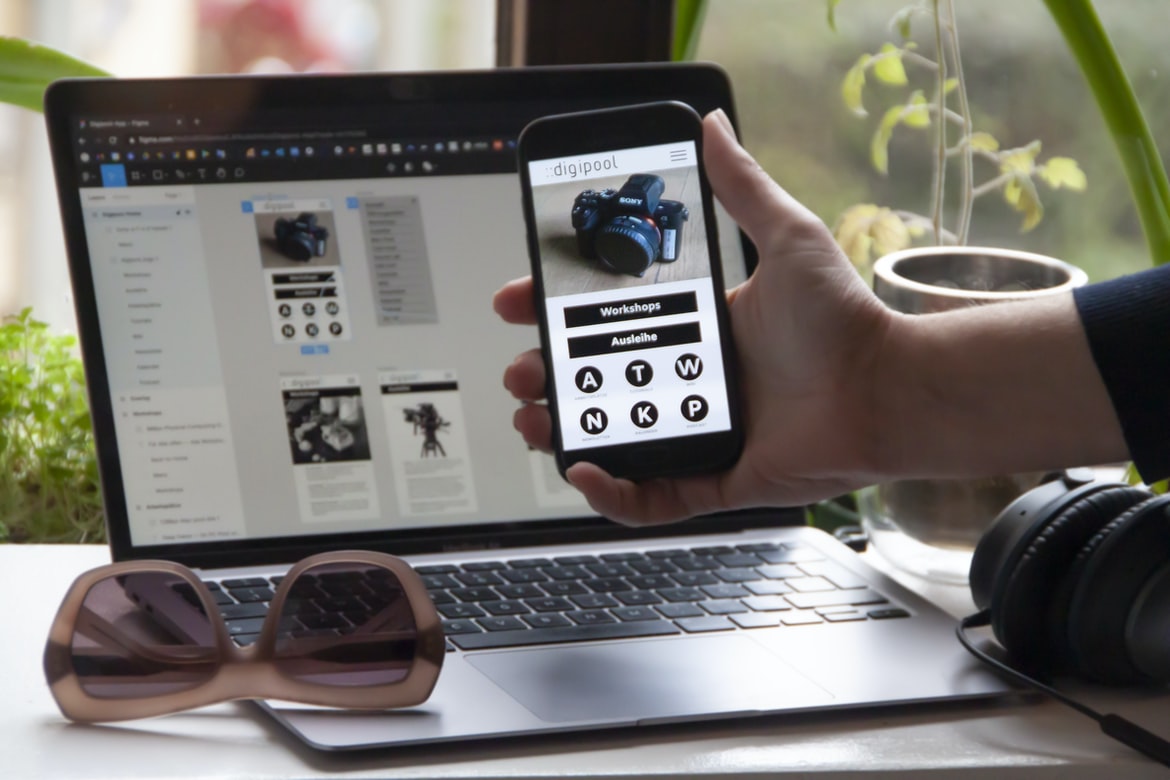
Step-by-Step Guide to Developing An App with Free Tutorials – One of the most important aspects of designing user interfaces is to create a visually appealing and easy-to-use application. Application building is the process of creating an application from scratch, with the goal of making it as easy to use as possible. One way to achieve this is by using a user interface that is easy to navigate and maintain. In this article, we will take a look at how to design an application’s user interface.
Applications and websites need to look professional, but often times they can be difficult to maintain. UI design is a critical part of any website or application, and it can help make your applications more user-friendly and visually appealing. In this article, we will discuss the different types of UI design, how to apply them to your projects, and some tips for improving user experience.
What are the different types of UI design?
UI design is the process of designing an interface for an object or device. This can be done through graphic design, web development, or app development. There are many different types of UI design, but the most common ones are based on how the user interacts with a product or service.
There are three main types of user interfaces: screen-based, control-based, and remote-control. Screen-based user interfaces use buttons and icons to communicate information to users. Control-based user interfaces require users to hold a controller in their hands to interact with the product or service.
There are many different types of UI design. This can be difficult to learn, but it’s important to consider the needs of your application when designing it.
Application Building: This is the design that creates the look and feel of an application. It includes everything from the look and feel of icons on screens to the layout and organization of data.
Application Design: This is the design that creates the functionality of an application. It includes everything from creating user interfaces to ensuring that applications work correctly on different devices.
User Interfaces: User interfaces are designs that make it easy for users to interact with an application. They include everything from simple buttons and controls to more complex forms and interactions.
Forms: Forms are a common type of user interface, and they help users create, update, or sign up for changes to an application.
How to design an application’s user interface?
In order to design an effective user interface for an application, it is important to have a clear understanding of the user’s needs and wants. In this blog post, we will be discussing how to develop an application’s user interface. We will begin by discussing the process of creating a user interface, and then we will go into detail on how to design it.
There are many different ways to design an application’s user interface. One way is to use a standard design pattern. Another way is to create your own custom interface. There are many different ways to do this, and it all depends on the specific needs of the application.
To help with this decision, you can use a few resources to help you out. One resource is the Apple User Interface Guidelines (AUIG). The AUIG provides guidelines for designing an application’s user interface. The AUIG has a few different templates that you can use to begin working on your own user interface design.
Another resource is the Windows GUI Design Pattern Library (WAGL). The WAGL provides a set of templates for designing windows in your applications.
Different types of buttons and icons: Icon, Button, Checkbox, Radio Button, List Box, etc.
Button icons are perhaps one of the most recognizable and well-loved icons in the UI world. Button icons prominently appear on desktop applications such as Windows, Mac, and Linux distributions. On mobile devices, button icons are also used to represent buttons in menus or dockers.
Button icons come in a variety of shapes and sizes, with some being more common than others. Some common button icon shapes include rectangles, circles, triangles, and stars. Button icon sizes range from small (micro) to large (x-large). Button icon colours may be black, white, light blue, green, red, or any other colour desired.
Button icons are often used for different purposes within an application. For example, A micro app might have a single button that does everything the main app does but is limited in functionality, whereas a larger app might have multiple buttons that each do something different than the main button.
Button Icons can also be used as part of an overall design strategy within an application. For example, A dark or light colour scheme might be based on button icons; while Contrast may be used to vary the brightness of button icons across an application’s interface.
How to use elements effectively in an application’s user interface?
UI elements are essential in an application’s user interface, and there are a few key things to keep in mind when designing them. Here are a few tips to help:
1. Choose the right elements for your container: When designing an element’s container, consider its purpose and the layout you want it to have. For example, if you want to create a list of items, use lists or grids as your container. If you want the element to be large enough to show all of the items, use a columnar grid or box instead.
2. Hold off on making too many changes at once: Oftentimes, it’s better not to make any changes to an element until you’ve had a chance to see how it’ll look in action. And if there are going to be multiple changes made to an element within the same design context, make sure they’re related somehow and that they don’t conflict with one another (for example, adding text fields wouldn’t work well with buttons).
3. Don’t try to make the colour of an element match the colours of any surrounding elements (or the background, for that matter): Don’t even think about trying to use colour as a design cue. It’s just not good enough.
How to choose the right colour for an application’s user interface?
There are a lot of factors to consider when choosing the right colour for an application’s user interface. Some of those factors include the application’s target market, design restrictions, and the overall look and feel of the product. Here are some general tips to help you choose the right colour:
1. Consider your application’s target market. When designing an application’s user interface, it can be helpful to think about what kind of users it will appeal to. For example, if your app is designed for mobile phones, you might consider using a different colour for each screen size.
2. Consider design restrictions. If your application is designed for a specific screen size or device type (like a laptop), you might need to consider how best to adapt its user interface for that specific platform or device type. For example, if your user interface is optimized for screens that are smaller than regular web browsers, you might want to use a different colour on each device type (e.g., black on laptops and white on phone screens).
3. Consider the overall look and feel.
When designing an application’s user interface, there are a few things to consider.
In today’s world, the user interface (UI) is an important part of any application. Just as importantly, the UI must be pleasing to the eye and easy to use. There are a few things you should consider when designing an application’s UI:
1. The layout of the UI should be simple and organized.
2. The buttons and icons in the UI should be easily recognizable and accessible.
3. The text in the UI should be clear and easy to read.
4. The screen space used in the UI should be limited so that users can easily focus on what they’re doing.
Some of these things might include the colours of the interface, the fonts used, and other elements that will help people find what they’re looking for. But which colour to choose?
There are a lot of factors to consider when it comes to choosing a user interface colour, and it can be tough to know where to start. Here are some tips on how to make the best decision:
1. Consider the overall look of your application. When thinking about user interfaces, it’s important not just to focus on individual elements or components – think about how your whole system looks. What does the overall look of your app say about you? Is it “cool” or “not”? This is definitely something you want to take into account when deciding on an interface colour.
2. Use different colours in different parts of your application. If you have an application that uses different colours for different parts of the world (like in China), then using different colours in each part can work well – especially if you have a specific colour that customers are interested in!
Tips and Advice on designing an effective user interface.
When designing an effective user interface, it is essential to consider a variety of factors. These factors can include the users’ needs and wants, as well as the application’s design goals. With this in mind, here are some tips and Advice on how to create an effective user interface that will be popular and successful:
1. Consider what the users want.
Before designing an interface, it is important to understand what the users want. This can be done by studying both user trends and user surveys. Once you have a good understanding of what the users want, you can begin to design a functional and efficient interface that meets these needs.
2. Use colour sparingly.
When it comes to designing an application, it’s important to use colour sparingly. This means using only the necessary colours for the task at hand and avoiding cluttering up your design with superfluous colours.
- Here are some tips on how to keep your app’s interface looking clean and crisp:
- 1. Rule out unnecessary colours in wireframes and designs before you start coding. By eliminating any excesses early on, you can save yourself time and energy later on when building actual applications.
- 2. Use white or light grey for most components and elements in your app’s interface. This will help reduce eye fatigue and improve readability under different lighting conditions.
- 3. Keep icons, buttons, checkboxes, images, etc., as small as possible, so they don’t dominate the design space. When making decisions about what to add to an app’s interface, make sure that it doesn’t unnecessarily clutter up your layout or detract from its functionality.
Colour should be used sparingly in interfaces because it can distract from or overwhelm the user. When using too much colour, it can also make it difficult for users to understand what is happening on the screen. Additionally, using too much colour may lead to inconsistency within an interface and may not look pleasing to all individuals.
3. Keep things organized.
Figma
Figma is a cross-platform design application that allows users to easily build and design user interfaces. Figma has been featured in the Times, The Guardian, and many others as an innovative application that is changing the way people design applications.
Adobe XD
Adobe XD is an all-in-one software suite that offers users a wide range of tools to help them build and design the most effective user interfaces. This includes features like Adobe Photoshop, Adobe Illustrator, Adobe After Effects, and Adobe Audition. While each tool has its own strengths and weaknesses, together, they make up Adobe XD’s biggest strength – its comprehensive offering makes it easy to create beautiful user interfaces for any project.
Design Mobile App
When building an application, it is important to consider the user experience. A well-designed mobile app will make using the app easier and more enjoyable.
There’s no question that UI design is a difficult and time-consuming task. But, with the right tools, it can be much more enjoyable and less time-consuming. Here are three of the best tools for UI designers:
1. Inkscape: Inkscape is a vector graphic editor that is perfect for creating beautiful, detailed designs. It can be used to create logos, illustrations, icons, and all sorts of other graphics.
2. Canva: Canva is another great option for UI designers. It’s simple to use and easy to navigate, making it a great place to start when creating designs.
3. Adobe Photoshop: Photoshop is one of the most popular photo editors on the market. With its powerful features and the vast range of brushes, Photoshop can easily be used to create stunning UI designs.
There are a few key factors that should be considered when designing an app’s UI:
Layout: The layout of an app should be easy to understand and use. This includes ensuring that the app’s content is available in a variety of sizes, as well as the placement of elements within the page.
Design: The design of an app’s UI should be sleek and professional looking. It should also be easy to navigate and find information.
UX: When designing an app’s UX, it is important to ensure that users are able to navigate easily and efficiently. This includes making sure that content is organized neatly, providing feedback when users select options and providing helpful tips when needed.
Graphic Design
When it comes to graphic design, there are a variety of different resources at your disposal. Some people may focus on print design, while others may specialize in web or mobile design. Whatever your preference, there are a variety of resources available to help you get started. In this blog post, we’re going to take a look at two popular graphic design platforms – Adobe Illustrator and Sketch.
Adobe Illustrator is an extremely versatile program that can be used for both website and app development. It has a wide range of tools and features that make it easy to create beautiful graphics. One of the main benefits of using Illustrator is its ability to create customized interfaces and designs. Additionally, it’s free to download and use.
The sketch is also an incredibly versatile program that can be used for website and app development. Its intuitive interface makes it easy to create beautiful graphics quickly and easily. Additionally, Sketch is free to download and use, with a ton of feature options available online. One of the main benefits of using Sketch is its ability to create user interfaces quickly and easily – perfect for those who want their designs up front!
There are many different types of graphic design, but one of the most common is UI design. UI design is the design of the user interface, which includes all the elements that a user will need to interact with a system. Many different companies require different types of UI designs, so it’s important to be well-versed in the various types and styles before starting your career.
What is UI design?
Design is the process of creating a visually appealing and efficient user interface for a computer software application. User interfaces can be found in different forms, from the simplest to the most complex. Different design processes must be followed to create an effective and efficient user interface:
The first step is to identify the needs of your users. Once you have this information, it’s important to develop a design plan that meets those needs. You need to consider how your users will interact with your software, what type of design they are likely to use, and how you want them to feel while using your product.
Once you have a design plan, it’s time to begin development. In order for your users to use your application effectively, you need accurate data (e.g., input fields) and a correct layout (e.g., buttons on the left should be next to each other). After we created our first app, we quickly realized that there were several mistakes we had made during development. We fixed them all in just a few hours! This type of quick turnaround is essential for mobile apps; without it, users would become frustrated very quickly and leave their applications in an unhappy state.
What is UX design?
User experience (UX) design is the process of designing and creating user faces that are appealing, effective, and efficient. This includes designing the look and feel of an application, as well as the functionality and interactions within it. UX design can be divided into four main categories: front-end, back-end, user interface (UI), and system performance.
When it comes to front-end UX design, designers must consider how users will interact with the application’s interface. This might include creating layouts that are easy to use and navigate, providing users with voice or graphical feedback when they make choices or input data, and adjusting icons and text size to match the screen widths of different devices. Backend UX design involves creating code that communicates with web applications or other backend systems. This might include setting up security measures, handling user registrations or login passwords, handling credit card information, or managing customer data. UI design refers to how users will see the application’s appearance on screens such as laptop computers or phone screens. This might include creating designs for different types of browsers (Internet Explorer®, Firefox®, Safari), developing responsive coding techniques, and adding features based on device characteristics (such as in-app purchases).
Visual Communication
There are many ways to design a user interface for an application. One way is to take into account the user’s needs and preferences. Another way is to design according to industry trends and standards. Finally, you can use existing designs or create your own. The key is to make sure the user interface is easy and intuitive to use.
Visual Communication Vs Graphic Design
When it comes to designing user interfaces, visual communication is key. It’s the way that users see and interact with your product or service. Whether it’s a website or an app, layout, typography, and colour can make a big impact on how people read and perceive information.
But what about when it comes to design? Is graphic design just for graphics stores, or does it have a place in application building as well?
There are both pros and cons to using graphic design in both areas. On the one hand, if you’re looking for sleek, professional products that stand out from the rest, then go for it – graphic design is definitely one of the tools you can use to achieve this. However, if you’re simply creating simple designs for whatever purpose you choose – such as making something look pretty on paper – then yes, graphic design can work just fine.
So which side of the fence should you be on? If your ultimate goal is to create beautiful products that will make people happy – then go ahead and use graphic design; however, if you want to focus more on developing user experiences that are easy and straightforward – then go with visual communication instead.
Application of Graphic Design: Adobe Photoshop, Adobe Illustrator, Adobe InDesign
Adobe Photoshop is a powerful tool for the digital design used by many professional graphic designers. It can create graphics and logos, as well as illustrations and photos. Adobe Illustrator is a free program that can be used to create comic books, cartoons, and illustrations. Adobe InDesign is a free program that can be used to create brochures, posters, and other types of design documents.
Adobe Photoshop is an excellent application for designing user interfaces. It has a wide range of features and can be used to design everything from simple designs to complex web or app interfaces. Adobe Illustrator is another great option for graphics design, with its easy-to-use interface and diverse tools. Adobe InDesign is a powerful editor that can be used for civil engineering, advertising, and product design.
Figma, Adobe XD, WordPress, Elementor.
If you’re like most people, you probably use one or more applications to build and design your UI. Figma is a great application for this type of work. Adobe XD is a great alternative, and Elementor can be used in place of Adobe XD if needed. All three applications have their own strengths and weaknesses, but they all make great tools for building and designing web applications. Here are four things to keep in mind when using Figma, Adobe XD, Elementor, or any other application:
1) Figma is free to use. This makes it an excellent choice for Beginners or those who don’t want to spend a lot of money on software.
2) Figma has many templates available for download, which can be customized to fit your needs. This makes creating custom designs easy and fun.
3) The editing process is simple and straightforward. You don’t need to learn a new editor or interface when starting out with Figma.
4) Figma is frequently updated with new features and updates, so you can stay up-to-date with the latest advances in the industry.
Figma is a powerful application development and design platform that allows users to quickly create, test and deploy user interfaces. Figma updates quickly with new features and updates so you can stay up-to-date with the latest advances in the industry. With Figma, users can easily create beautiful user interfaces that are easy to use and efficient.









