

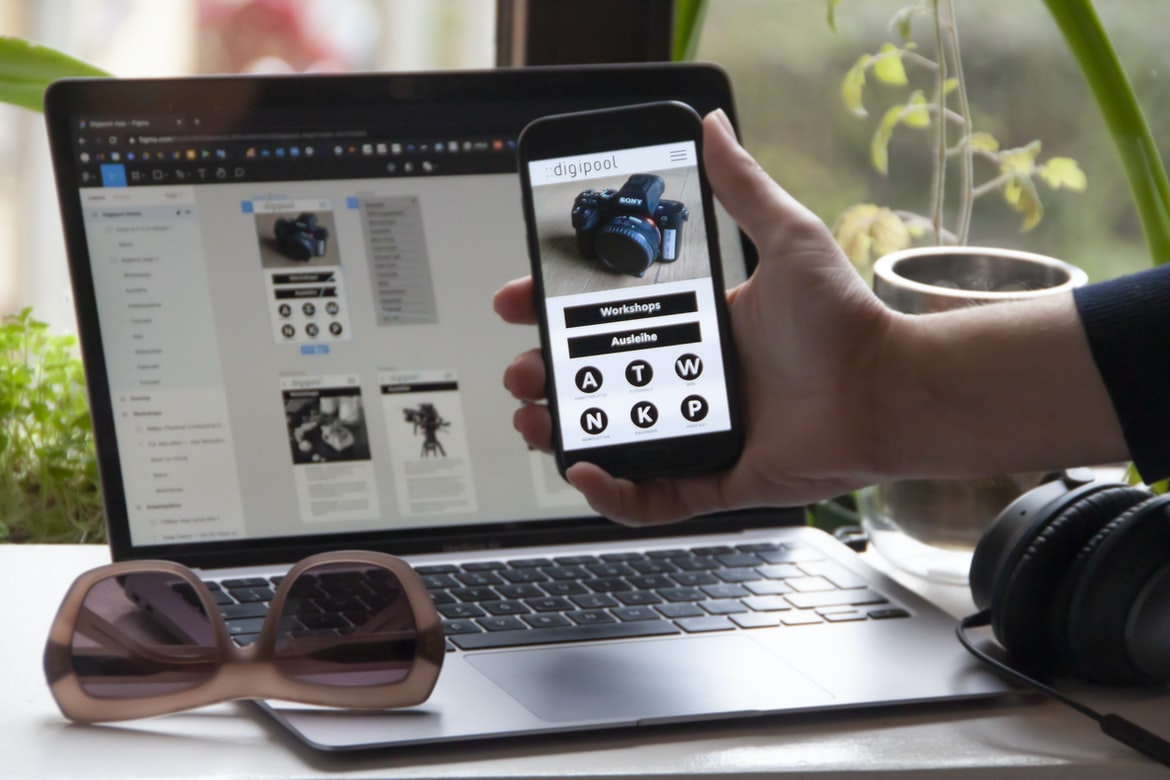
Since the days of simple text-based websites, web design has come a long way. Today, web designers have to take into account no. 1 factors such as usability and user experience. Web design UI UX is critical to creating a usable and appealing website.
When designing a website, it’s important to consider how users will interact with it. For example, will they be using a computer or mobile device? Will they be looking at the website on their own or in group settings? Will they be using a mouse or touch screen? These are just some of the factors that web designers need to consider when designing UI UX for their websites.
By taking these factors into account, users can experience an intuitive and engaging website regardless of their device or browsing environment. In addition, good UI UX can help increase website traffic and conversion rates.
What is web design UI UX?
The term “UI UX” is used to describe the user experience of a website’s interface. This includes things like the look and feel of the menus and buttons, as well as how easy it is to find what you’re looking for. UI UX can be affected by a number of factors, such as the layout of the website’s content, font choice, and colour palette.
The Scope of Web Design UI UX: From the Desktop to Mobile
UI UX is a term used to describe the design and interactivity of user interfaces. It encompasses both the look and feel of a website or app, as well as the way users interact with it. The scope of UI UX extends from desktop computers to mobile devices, and it can involve anything from designing simple interface elements to crafting complex interactions.
UI UX is critical for any website or app since it affects how users perceive and interact with the product. Poor UI UX can make a product difficult to use, while well-designed interfaces can make users more engaged and productive. In addition to designing for usability, UI UX designers must consider the user’s context – whether they’re using the product on their own computer or on a mobile device in a public space.
Elements of Web Design UI UX: Typography, Graphics, Colors, Navigation, and Interface Creation
Web design is an essential component of any digital product. With the popularity of mobile devices and the continued growth of e-commerce, web design has never been more important. In this article, we will be discussing the various elements that go into creating a successful web UI UX.
Typography is one of the most important parts of a web UI UX. Good typography can make a website look professional and well-designed. It should be legible at a small size, and across different screen sizes, it should be easy to search and understand, and it should match the rest of the design aesthetic.
Graphics are also an important part of web UI UX. They can help to convey information quickly and easily, add personality to a website, and reinforce brand messaging. When using graphics in your designs, be sure to use high-quality images that match your overall design aesthetic.
Principles of Web Design UI UX: Applied to a Simple Blog Website
Web design UI UX is all about creating a user interface that is both effective and pleasing to the eye. This can be especially important when dealing with a simple website like a blog, as there isn’t room for extraneous features or complex navigation. In this article, we’ll take a look at some of the principles behind web design UI UX and apply them to a simple blog website.
First and foremost, it’s important to keep the user interface easy to use. A cluttered or complicated interface will frustrate users and make it difficult for them to navigate your site. Instead, focus on making sure all of your primary content is easily accessible from the home page.
Next, make sure all of your buttons and icons are clear and visible. Users need to be able to understand what each button does right away, so don’t make them guess!
The principles of UI/UX design have been applied to a simple blog website. In order to improve the user experience, various factors were considered, such as layout, typography, and colour. The goal was to create a website that was visually appealing and easy to use.
Graphic Design
Graphic design is the process of planning and creating a visual representation of information. It can be used in a variety of fields, such as advertising, publishing, product design, and logo design. Graphic designers must have an understanding of both the technical side of the layout (e.g. typography, images) and the creative side (e.g. composition, colour). They often work with other professionals to create a final product.
Visual Communication
The world of visual communication is constantly evolving and changing. Gone are the days when static images were all that were used to tell a story. Today, more and more people are using visual communication tools such as websites, ads, and logos. This paper will explore some of the different ways that design can impact user experience (UX).
Visual Communication Vs Graphic Design
The two main types of design are visual communication and graphic design. Visual communication includes designing websites, logos, and other forms of marketing collateral. Graphic design encompasses everything from creating a logo to designing the user interface (UI) for a website.
Visual communication is typically easier to execute than graphic design. A designer can create a beautiful website using only graphics software, while it may be difficult to create an effective UI without some type of visuals. Additionally, graphic designers are often tasked with creating complex designs that require attention to detail and precision. Visual communicators, on the other hand, are more likely to use less complicated designs that are easier to understand.
One reason visual communication is more common is that it’s easier to show off your work. A good example of this would be a website’s home page.
Application of Graphic Design: Adobe Photoshop, Adobe Illustrator, Adobe InDesign
Graphic design has come a long way in the past few years. With the ever-growing popularity of Adobe Photoshop, Adobe Illustrator, and Adobe InDesign, graphic designers have more options than ever when it comes to designing user interfaces (UI) and user experiences (UX). In this article, we will explore how these three programs can be used to create stunning UIs and UX.
Adobe Photoshop is the most commonly used program for UI design. Its vector-based tools make it perfect for creating high-quality graphics that can be easily tweaked and modified. Adobe Illustrator is great for creating detailed illustrations and complex designs, while Adobe InDesign is perfect for creating well-organized, printable documents.
Each program has its own strengths and weaknesses.
Figma, Adobe XD, WordPress, Elementor.
A wave of new web design tools is hitting the market, and many are vying for your attention. Figma, Adobe XD, WordPress, and Elementor are all popular options that can help you create a beautiful and user-friendly website. Let’s take a closer look at each one to see which is right for you.
Figma is a software that lets you create high-quality designs quickly and easily. With its drag-and-drop interface, you can create complex designs without having to learn any code. Plus, Figma has a wide range of features that let you customize your designs even further.
Adobe XD is another great option if you’re looking for a powerful yet easy-to-use design tool. It has tons of features, including vector illustrations, layers, responsive design support, and more.
What is Visual Communication in graphic design?
Visual communication is a term used to describe the process of conveying information through the use of images, typography, and layout. Visual communication can take many forms, including website design, graphic design, and user interface (UI) UX.
Website designers use visual communication to create a seamless user experience. They use images and typography to convey important information, such as navigation menus, contact information, and product descriptions. By using effective visual communication, website designers can help their users easily navigate their websites.
Graphic designers use visual communication to create appealing visuals for businesses. They work with clients to come up with designs that will promote the company’s brand and sell products or services. Graphic designers use different types of images to communicate different messages. For example, they may use images of people or products to represent a company’s culture or product line.
What Is A Prototype?
A prototype is a preliminary model or version of something. It can be a three-dimensional representation of a product, or it can be a two-dimensional drawing or sketch. Prototypes allow you to test the design of your product before you spend too much time and money on it.
Prototypes are often used to test the usability and appearance of a product. You can use them to see how people will interact with your product and how they will respond to different features.
You can also use prototypes to test the feasibility of your ideas. If you have an idea for a new product, you can use a prototype to see if people will actually want it.
Prototypes are a valuable tool in web design. They allow designers to test and validate concepts quickly and easily. Prototypes can also be used to create a more polished, user-friendly interface.
How can UX and UI work together to create better user experiences?
User experience (UX) is the totality of a user’s subjective experience with a product or service. This includes how the product or service looks and feels, as well as how easy it is to use. User interface (UI) design is the process of creating a look and feels for a product or service that makes it easy for users to interact with. When done well, they work together to create a better user experience.
UX can be broken down into four main areas: visual design, interaction design, content design, and strategy. Visual design focuses on creating an appealing and effective interface. Interaction design ensures that the interface responds correctly to users’ inputs and is easy to navigate. The content design ensures that the information presented in the interface is accurate and useful. Strategy determines how the user experience will be tailored to meet specific goals.
How can user research help inform UX and UI design decisions?
User research provides designers with insights into how users interact and experience a product. This information can help inform the design of both the user interface (UI) and the user experience (UX). User research can be conducted in person, online, or through surveys. The type of research depends on the needs of the designer. In-person studies allow for more direct observation, while online studies allow for feedback that is more anonymous. Surveys are a versatile way to gather feedback from users and can be tailored to specific groups or demographics. By using user research, designers can create products that meet the needs of their users and improve usability and customer satisfaction.
What types of testing should be done to ensure an optimal user experience?
When creating a website, it is important to make sure that the user experience is optimal. There are a number of different tests that can be done to ensure this. Some common tests include ensuring that the website loads quickly, that the layout is easy to use, and that the user can find what they are looking for. Additionally, it is important to test how users interact with the website and what feedback they provide. By testing these aspects of the user experience, you can ensure that your website meets your customers’ needs and expectations.
How do visual design principles apply to UX and UI development?
Web design and user experience (UX) are two important disciplines that work together to create an effective online presence. According to the Nielsen Norman Group, “User experience design is the process of creating a customer’s positive experience with a product, service or system.” This involves understanding the customer’s needs and wants and then designing a system or product that meets those needs. In order to create a successful UX, designers must understand how the principles of visual design apply to web development.
One principle that is often applied to web development is called “information hierarchy.” This principle states that users should be able to navigate through your website using simple, logical steps. Your website should be organized into easily-accessible sections, with content positioned at the top of the page and navigation menus placed at the bottom.
What are the key principles of UX and UI design?
When it comes to designing user interfaces and user experiences, there are a few key principles that are often overlooked or undervalued. Here are the most important ones:
1. simplification: Don’t make things too complicated for your users. Make everything as easy to understand as possible. This will help them learn and use your product more easily.
2. feedback: Make sure you always provide feedback to your users—whether it’s visual (such as alerts), auditory (such as sound effects), or tactile (a sense of touch). This helps them know what’s going on and gives them a sense of control over their experience.
3. usability testing: Always perform usability tests before you launch your product online or in the wild.
How can I use UX and UI techniques to create an effective user experience?
Effective user experiences (UX) can be created through the use of effective user interface (UI) techniques. This involves creating a design that is easy to navigate, looks professional, and feels comfortable to use. There are many ways to achieve this, but some of the most common include using simple fonts and colours, adjusting the layout for different screen sizes, and using intuitive icons and labels. By following these tips, your users will have an enjoyable experience while visiting your website or app.
What kind of tools do I need to create a successful user interface?
If you’re designing a user interface for a website or app, you need to have a good understanding of web design and user experience (UX) principles. Here are some tools that can help:
1. A wireframing tool like Inkscape or Balsamiq is helpful for drafting rough visuals of your interface.
2. A prototyping tool like Axure or Protozoa lets you test out different design concepts quickly and efficiently.
3. A coding environment like HTML, CSS, and JavaScript can help you create more sophisticated designs and interactivity.
4. Testing and feedback tools like usability studies or user feedback surveys can help you fine-tune your designs before launching them online or into production.
5. Finally, ongoing collaboration with users and expert reviewers is essential for making sure your interface is both effective and popular with the public.
To create a successful user interface, you need to use the right tools. A good user interface design process starts with research and ends with testing.
How can I ensure that my design meets the user’s needs?
When designing a website or application, it is important to consider how the user will interact with the design. User experience (UX) refers to how an interface or product is designed and used by users. There are many different factors that can affect UX, such as the layout of the website or app, how buttons are labelled, and how text is presented. It’s important to make sure that all of these factors work together to create an effective and user-friendly experience. Here are some tips for ensuring that your design meets the user’s needs:
1. Test your designs with real users early in the development process. This way, you can ensure that all aspects of your design are working as intended and that there are no major problems that need to be fixed.
2. Use feedback from users to improve the overall usability of your site or application.
What steps should be taken to ensure optimal usability?
Designing a user interface with perfect usability in mind is important for any website. Here are some tips to help make sure your website is easy to use:
-Choose a clear and simple design language.
-Make sure all elements are labelled and easily accessible.
-Test the website on different devices and browsers.
-Make sure all buttons work as expected and that menus are easy to navigate.
What are the best practices for designing an engaging user interface?
There are many things to consider when designing an engaging user interface, but some of the basics include creating a cohesive and visually appealing design, making sure your buttons and controls are responsive and easy to use, and creating an atmosphere that is both inviting and motivating. Additionally, it’s important to remember that every user is different, so make sure you cater to their individual needs by tailoring your design accordingly. Overall, these are just a few of the best practices for designing an engaging user interface; there’s no one “right” way to do it. So take what you learned here and apply it to your own project!
How can I measure user engagement with my design?
There are many ways to measure user engagement with a design. Some popular techniques include surveys, focus groups, and interviews. Surveys can be sent out to a small group of users, or they can be open to the public. Focus groups are similar to surveys, but they allow participants to give feedback on a specific design element or concept. Interviews can be used to gain more insight into how users use a particular product or service. By using these different measurement techniques, designers can learn more about what causes users to become engaged with their designs and how they can improve them.
What are some of the most common mistakes to avoid when designing a user interface?
Designing a user interface can be a daunting task. However, by following some basic principles and avoiding common mistakes, you’ll be on your way to creating an effective and user-friendly interface.
1. Keep the focus on the user. The goal of any user interface is to provide users with the information or functionality they need in a clear and concise manner. Make sure all elements of your design are organized around this goal and make sure that all content is easily accessible.
2. Use simple, easy-to-use controls. Users should never have to search through dozens of buttons or menus to find what they’re looking for. Instead, try to use simple controls that are logically arranged and easy to navigate.
3. Don’t overcomplicate things unnecessarily.
How can I make sure my UX designs are intuitive and user-friendly?
There are a few things you can do to make sure your web designs are intuitive and user-friendly. First, keep in mind the needs of your users. Make sure all elements of your design are easy to access and use, whether it be buttons or navigation menus. Additionally, make sure everything is organized well, so users know where they are and what they need to do next. Finally, consider how users will interact with your design. Will they be clicking on links or viewing pages one at a time? Take these factors into account when designing your interface so that everyone can enjoy using your website!
What techniques can I use to ensure a good user experience?
Web design is all about creating an experience that users will enjoy. There are a number of techniques you can use to achieve this, and we’ve outlined four of the most common below.
1. Utilize Clear and Consistent Navigation
Users will quickly lose interest in a website if they cannot find what they’re looking for. Make sure your navigation is easy to follow, and make sure all the elements are clearly labelled. This includes menu items, sub-menus, and buttons.
2. Keep Content Fresh and Updated Regularly
If your content isn’t up to date, users will start to get frustrated. Make sure you keep your website updated with the latest news, blog posts, and product information. This will help keep users engaged and interested in what you have to offer.
3. Provide Interesting and Engaging Content Visitors will be more likely to stay on your website if you offer them something new and exciting. Fresh content is a great way to keep users coming back for more, so make sure you have something new to share every day.
How can I use UI elements to create a visually appealing design?
When it comes to web design, one of the most important factors is the user interface or “UI.” Utilizing UI elements can help create a visually appealing design. Here are some tips for creating a great UI:
1. Use Clear and Consistent Design Elements: Make sure all your design elements are clear and consistent. This will help users understand what they need to do and make it easy for them to use your site.
2. Use Appropriate Colors and Fonts: Choose colours that work well together and use fonts that are legible and attractive. This will help keep users on your site longer.
3. Use Navigation Bar Tools: If you have a navigation bar, use tools like drop-down menus and submenus to make navigation easier for users.
Web design has come a long way since the early days of the World Wide Web. Today, users have a much easier time navigating websites thanks to user interface (UI) and user experience (UX) design.
One of the most important aspects of UI and UX design is creating a clear navigation hierarchy. This helps users find what they’re looking for quickly and efficiently. By labelling elements with labels like “header,” “menu,” and “content,” designers can easily indicate where each section of the website resides.
Additionally, modern browsers offer built-in search engines that make it easy for users to find what they’re looking for. By incorporating search features into your website, you can make it even easier for users to find what they need.
Overall, good UI and UX design make it easier for users to navigate websites and get the information they need without the hassle.
What tools can I use to optimize my user interface design process?
Making your user interface design process as efficient and effective as possible is a key part of creating an attractive and user-friendly website. Here are some tools you can use to help you get the most out of your design:
1. Sketch—A sketch is a great tool for designing interfaces and mockups, as it allows you to quickly create rough sketches that can be edited and refined later on. It also has a wide range of features for creating beautiful interfaces, including drag-and-drop functionality and automatic layout generation.
2. Inkscape—Inkscape is another great tool for designing interfaces, as it has a wide variety of features for drawing vector graphics. This makes it perfect for making detailed designs that can be easily modified and scaled without loss of quality.
3. Adobe Fireworks is a great tool for creating mockups and mockups that can later be converted into HTML. It also has loads of features for creating beautiful designs, including dynamic layout generation, the use of CSS and JavaScript, the option to create interactive interfaces and more.
Interactive interfaces are becoming more popular as users become more demanding. By creating an interactive interface, you can provide a better experience for your users and make them more engaged with your website. In this article, we will discuss some ways to create an effective interactive interface and why it is important.
First, you need to consider the user’s needs. What do they want from your website? Do they want to be able to find what they’re looking for quickly? Do they want to be able to modify the content on your website? You should determine these needs and then design your interface accordingly.
Second, consider the layout of your website. How does the layout affect how users interact with it? Are there any obstacles in the way of user navigation? If so, remove them or redesign them so that they are less obstructive.
What factors should I consider when creating an effective UX/UI design?
When it comes to creating an effective user experience, there are a few key factors to consider. One key factor is making sure your users can easily navigate through the interface. Another important factor is making sure the design is visually appealing and easy to understand. Additionally, it’s important to ensure that the design flows well with the rest of the website’s structure and content. Finally, it’s important to consider how users will interact with the design – for example, whether they’ll need to keyboard-navigate or use touch devices. All of these factors should be taken into account when designing an effective user experience for your website.









