

What are user experience and user interface?
User experience (UX) and user interface (UI) are two essential components of any design project. UX focuses on the entire user experience, from how the user finds and uses your product to how they feel after using it. UI is the specific design of screens, buttons, icons, and other elements that make up a user’s interaction with your product.
By understanding these two terms and their respective roles in design, you can create a product that is both easy to use and enjoyable for users. UX takes into account everything from a product’s layout to its functionality. UI focuses on making sure all the necessary elements are easily visible and accessible while also creating an attractive and intuitive interface.
To create a successful user experience or user interface, it’s important to consider not only the technical aspects of your product but also its target audience. User experience is the overall feeling a person has while using a product or service. It can be broken down into several different areas, such as ease of use, satisfaction with features, and overall pleasure. User interface design is the process of creating a user interface that is easy to use and looks good. It should be intuitive and reflect the look and feel of the surrounding environment.
Types of User Experience: Functional, Usability, Interaction, Visual
Functional User Experience:
User experience can be classified according to its focus on the task at hand. Functional user experience focuses on how the system works and is less concerned with the user’s visual interface. This type of user experience is common in systems that require a high level of accuracy, like medical equipment or aircraft engines.
Usability User Experience:
Usability user experience focuses on making the system easy to use, no matter what the users’ level of expertise or familiarity with technology may be. This type of user experience is important in systems that are used by a wide range of people, like websites or smartphone apps.
Interaction User Experience:
Interaction user experience has become a more important factor in the design of graphical user interfaces (GUIs). In order to create a positive interaction, designers must take into account the various methods by which users interact with their devices. The different types of interactions can be broken down into five categories: input, output, task management, collaboration and feedback.
Input involves the user entering data into a form or making selections from a list. Output involves displaying information on the screen. Task management involves coordinating multiple tasks and tracking progress. Collaboration refers to sharing information or works with others. Feedback is providing feedback about the results of an action taken by the user.
Input can be accomplished through touchscreen gestures, keyboard shortcuts and mouse buttons. Output can be displayed in various formats, including text, images and graphs. Interaction user experience focuses on how well the system responds to users’ interactions and how easily they can carry out their tasks.
Types of User Interface: Graphic, Navigation, Human Factors
There are many different types of user interface designs, each with its own advantages and disadvantages. Graphic user interface designs rely heavily on visuals to convey information to users. Navigation user interface designs allow users to easily find what they’re looking for by providing them with a hierarchical menu system or a search bar. Human factors user interface designs take into account the ways in which people interact with computers, often focusing on how users feel when using the computer.
Benefits of User Interface Design: Increased Engagement and Satisfaction, Improved Brand Image
The benefits of good user interface design are clear: increased engagement and satisfaction and improved brand image. A recent study by User Interface Designers Forum (UEDF) found that users who experienced a well-designed interface were 20% more likely to be satisfied with the product than users who experienced an interface with poor usability. This is likely due to the fact that well-designed interfaces make it easy for users to accomplish their goals, while poorly designed interfaces can be difficult or even impossible to use.
In addition, a well-designed interface can help reduce customer service calls. A study by Forrester Research found that customers who had an easy time finding what they were looking for and navigating through the site were 80% less likely to call customer service than those who had a harder time finding what they were looking for.
What is user experience? How important is it when designing a graphical interface?
User experience is an important factor when designing graphical user interfaces, as it affects how users interact with a product. Poor user experience can lead to frustrated users, which can have negative consequences for businesses. There are a number of factors that contribute to user experience, including the layout and design of the interface, the functionality of the product, and the overall usability of the product. It is important to consider all these factors when designing a graphical interface, as they work together to create an enjoyable experience for users.
The importance of user experience in graphical design:
User experience is increasingly important in graphical design, as users are more likely to forgive errors and inconsistencies in a user interface if they find it easy to use. Poor user experience can seriously damage a company’s reputation and potential sales, so it’s essential that graphic designers pay close attention to this aspect of design. There are several ways to improve user experience, including designing for cognitive load, reducing friction, and creating an engaging environment. By addressing these issues early on in the design process, graphic designers can create interfaces that are both easy to use and attractive.
A graphical interface needs to be easy to use and understand by the user. If the user has difficulty using or understanding the interface, they will likely stop using it. User experience is, therefore, an important factor in graphical design.
Elements of user experience:
User experience refers to the totality of a user’s interaction with a product or service. It encompasses the entire process from initial interaction with a system through use and feedback. User interface design is the process of creating an attractive and usable graphical interface for users to interact with. Both are important for creating an enjoyable user experience. Factors that affect user experience include system design, layout, graphics, typography, feedback mechanisms, and navigation. A well-designed user interface can make a difficult task seem easy and can improve overall satisfaction with a product or service.
There are several elements that contribute to a user’s experience when using a graphical interface. These include ease of use, clarity, functionality, and visual appeal. Each element should be considered when designing a graphical interface.
Tips for improving user experience:
User experience is the overall feeling a user has while using a product or service. Poor user experience can make people frustrated, which can lead to negative customer reviews and decreased sales. There are a number of things you can do to improve your user experience, even if your product or service doesn’t have graphical design elements.
1. Make sure your website is easy to navigate. People don’t need to spend hours trying to find the information they need if the site is poorly designed. Use consistent navigation patterns and labels, and make sure all of your content is easily accessible from anywhere on the page.
2. Make sure all of your content is well organized. It’s frustrating for people to try to find what they’re looking for when everything on a page is disorganized and hard to find.
There are a number of ways to improve user experience
1. User experience is about creating a positive overall experience for the user, whether that’s through effective design or thoughtful marketing. It encompasses everything from making the website easy to navigate to make sure all information is easy to find and read to creating an inviting and comfortable environment.
2. There are a number of ways to improve user experience, from improving the design of the website itself to using different marketing strategies and technologies. It’s important to find what works best for your audience and your business, so you can create a positive experience that keeps customers coming back.
3. One common way to improve user experience is by using graphical designs. By incorporating attractive visuals and smooth transitions into the interface, you can create a more engaging experience for your users.
Difference Between UX And UI In Graphic Design
User experience (UX) is the process of designing a product or service that makes users’ experiences more delightful. User interface (UI) is the visual design of a product or service, including the layout and appearance of its screens and menus. In graphic design, these terms are often used interchangeably, but there are important distinctions to be made. Let’s take a look:
1. UX focuses on creating delightful user experiences, while UI focuses on the overall look and feel of a product or service.
2. UX takes into account the user’s needs and desires, while UI only considers how the user will interact with the product or service.
3. UX is about understanding users as individuals, while UI focuses on creating generic designs that can be applied to many different products or services.
4. UX makes sure that the design feels right, while UI only serves as a means to an end. 5. UX focuses on making sure the product is usable, while UI focuses on creating a slick and professional look.
WordPress for Designers
WordPress is a popular content management system (CMS) used by designers to create beautiful and interactive websites. WordPress offers a user-friendly interface and an abundance of features to help designers create stunning websites. However, when it comes to user experience (UX), WordPress falls short compared to other more popular platforms.
In a study conducted by Content Marketing Institute, WordPress was found to rank at the bottom of the list when it comes to user experience. Out of 10 usability tests, WordPress ranked 7th out of 10 in terms of ease of use. In addition, WordPress was also ranked lowest in terms of overall satisfaction with the platform among all surveyed CMSs.
While there are many great features that make WP powerful for web design, it doesn’t always come across as intuitive or easy for users.
WordPress Elementor for Designers
WordPress Elementor is a popular drag-and-drop website builder that offers designers a wide range of features to create custom websites. The Builder was created as an easy way for designers to create and manage their own websites without having to know to code. The Builder also allows users to drag and drop elements from various prebuilt templates onto their site, or they can create their own templates from scratch. In this article, we will take a look at how the Builder compares user experience vs user interface graphic design when creating a custom website.
When comparing user experience and user interface graphic design, it is important to consider the following factors: ease of use, flexibility, customization options, and speed.
Figma
A recent survey has shown that users prefer user experience (UX) over user interface (UI) graphic design. This is surprising because many people believe that UI is more important. However, the survey showed that when it comes to choosing a mobile app, users are more interested in the UX than the UI.
One reason for this may be that user interfaces can be complex and difficult to use. Users may not be able to figure out how to do something, or they may find it difficult to use. On the other hand, UX can be simple and easy to use.
Another reason for the difference in popularity may be that user interfaces are often designed by professionals who are experts in both UI and UX design.
Adobe XD
Adobe XD is a powerful and versatile design tool that can be used to create user interfaces and user experiences. It has been designed with the goal of providing users with an easy-to-use interface that allows them to create high-quality graphics. While Adobe XD has many features that make it a powerful design tool, it may not be the best choice for all projects.
User experience is important when designing any type of product, but it is especially important in the context of user interfaces and user experiences. A good user interface should be easy to use and provide users with the information they need quickly and easily. In addition, a good user experience should be visually appealing, allowing users to enjoy using the product while they are working on it.
Visual Communication
Visual communication has a significant impact on the user experience and on the overall usability of a product or service. In this article, we will take a look at how graphic design can improve the user interface of a product or service. We will explore different types of graphics and their effects on user experience. Finally, we will provide some recommendations for how to improve visual communication in products and services.
What is Visual communication in graphic design?
Visual communication is the process of creating a message that can be understood through the use of visual elements. In graphic design, visual communication should include everything from the layout and composition of a piece to the use of colour and typography. Visual communication can help convey information quickly and easily, making it an essential part of effective graphic design.
Application of Graphic Design: Adobe Photoshop, Adobe Illustrator, Adobe InDesign
When designing a website or application, graphical designers must take into account the user experience as well as the user interface. User experience is the overall impression that a person has after interacting with a product or service. The goal of user interface design is to make the interaction between users and the product or service as easy and enjoyable as possible. Both aspects of graphic design are important, but they work best when they work together. In this article, we will look at how Adobe Photoshop, Adobe Illustrator, and Adobe InDesign can be used to create user interfaces and user experiences.
Adobe Photoshop
Adobe Photoshop is a powerful graphic design program that allows users to create beautiful images and graphics. However, it can be difficult to know how to use the program effectively. This is especially true for new users who are not familiar with traditional graphic design methods. In this article, we will compare the user experience of Adobe Photoshop vs user interface (UI) designs using graphical techniques.
Adobe Photoshop provides a wealth of features for graphic designers. However, some of these features may be unfamiliar or difficult to use for those who are not experienced in traditional graphic design methods. For example, Adobe Photoshop’s layer system can be confusing for beginners because it is similar to layers in video editing software such as Adobe Premiere Pro or Final Cut Pro. In contrast, UI designs use graphical techniques such as vectors and shapes that are easier for new users to understand and remember.
Adobe Illustrator
Adobe Illustrator is a versatile vector graphics program used by graphic designers and artists. The user experience (UX) and user interface (UI) are essential in creating a positive user experience. Graphic designers should focus on the UX when designing for Illustrator while taking into account the UI. Some tips to improve the UX of Illustrator include using keyboard shortcuts, simplifying tools and menus, and making use of dummy files.
Adobe InDesign
Adobe InDesign is a popular graphic design software used by professionals and amateurs alike. It offers an extensive range of features for graphic designers, but how do these features compare when it comes to user experience (UX) and user interface (UI)?
InDesign has been around for a long time, so it has amassed a large user base. This means that there are many different ways to approach using it. Some people prefer the more traditional interface, while others find the use of shortcuts more efficient. The trade-off here is that some people may not be familiar with the old interface and may not be able to get the most out of InDesign.
When it comes to UX and UI, Adobe InDesign falls short in both areas. While it does offer some unique features, they are not well integrated into the main interface.
Web Design
Web design is an ever-changing field that demands constant innovation. As a result, web designers must have a strong understanding of user experience and user interface graphic design in order to create intuitive and beautiful websites. Here are tips for improving the user experience on your website:
1. Use easy-to-follow navigation menus. If users find your website difficult to navigate, they’re likely to abandon it before even getting started. Make sure your menus are simple and easy to follow, with labels that are easily visible and pronounced.
2. Use contrast well. Users want websites to be easy on the eyes, so make sure all text and elements are legible against a solid background colour or gradient. Using contrasting colours also helps users quickly identify important information.
3. Keep everything organized!
Mobile Graphic Design
With the explosion of smartphones, tablets and other mobile devices, graphic design has become hugely important for creating interfaces that look good and feel intuitive on a variety of devices. The trend towards flat designs, simplified icons and clever use of colour can make an interface look very modern even on older devices. In this article, we will explore some of the key differences between user experience (UX) and user interface (UI) graphic design, with a focus on how to create attractive graphics that work well across all devices.
There are a few key considerations when designing for mobile: first, it’s important to think about how users will interact with your app or website on their handheld device. Many times people take their phones with them everywhere they go, so it’s especially important to design an app that is easy to use from start to finish.
Responsive Graphic Design
Responsive Graphic design is a design trend that takes user experience and interfaces graphics into account when creating a website or application. By making the layout adapt to different device sizes, Responsive Graphic Design helps make websites and applications more accessible to everyone. This type of design is becoming increasingly popular as more people adopt mobile devices and tablets. Responsive Graphic design can be used in many different fields, such as web development, marketing, and advertising.
Design websites
If you want your website to be successful, it’s important to design it well. It doesn’t have to be flashy or over the top; in fact, sometimes simple and understated designs are the best way to go. However, if your website isn’t user-friendly, people may not bother visiting at all.
So how do you make sure your website is user-friendly? One way is to focus on the user experience (UX) rather than just the user interface (UI). UX designers focus on creating a smooth and easy experience for users no matter what device they are using or how much knowledge they may have about computers. UI designers, on the other hand, focus on designing things like buttons and navigation menus.
While both aspects of design are important, many people believe that UX is more important than UI.
Typography
Designers and typographers are always trying to find new ways to improve the user experience and increase the appeal of their designs. One way they do this is by using different types of graphic design elements. In this article, we’ll discuss the difference between user experience and user interface graphic design and how they can be used to improve a website or application.
When designing a website or application, it’s important to consider both the user experience and the user interface. User experience refers to how easy it is for a person to use a product or service. This can be affected by things like the layout, colour scheme, and font choices. User interface design concerns itself with how users interact with the product or service. This includes things like navigation menus, button labels, and web page elements.
There are some key differences between these two types of design.
There are some key differences between user experience design and graphical design. User experience designers focus on the entire user journey, from initial interaction to the final outcome. Graphic designers, on the other hand, focus on the design of specific elements in a document or interface. Here are some key points to consider when comparing these two types of design:
User experience designers tend to be more holistic in their approach, while graphic designers are more focused on specific details and layouts. User experience designers typically have a background in psychology or human factors engineering, while graphic designers typically have a background in art or graphics. Graphic designers also often have specialized training in typography and layout, which can give them an edge when it comes to creating polished and aesthetically pleasing documents.
Theory
Theory suggests that different graphical designs can create different user experiences. For example, a simple, uncluttered design may be more intuitive for users and lead to increased efficiency. On the other hand, a more complicated layout may be more visually appealing but could lead to confusion among users. A study was conducted to compare user experience between two different graphical designs – user interface with graphics and user experience without graphics. The results showed that the user interface with graphics led to a higher level of satisfaction among users.
Colour Theory
Colour theory is a set of principles that govern the use of colour in the design. It is used to create a harmonious and appealing user interface and experience. There are three main principles of colour theory: harmony, contrast, and variation. Harmony means that colours should be used together in a way that creates balance and cohesiveness. Contrast means that different colours should be used to create differences in intensity or brightness. Variation means that different colours should be used to create variety.
Graphic design is in demand.
Graphic design is in high demand and is considered an essential skill for any professional. There are many different types of graphic designers, including web designers, branding designers, logo designers, and app developers. Each type of designer has their own speciality and set of skills that make them the perfect fit for a certain project.
One of the most important skills a graphic designer can have is user experience design. User experience design is all about understanding how users interact with the product or service you’re creating. By understanding how users think and feel about your product, you can create a user interface that’s easy to use and fun to look at.
User interface design is also important, but it’s not as closely related to user experience as it is to graphic design. Graphic design is currently in high demand, with many employers looking for designers who can create aesthetically pleasing user interfaces and experiences. To be a successful graphic designer, it is important to have strong user experience skills as well as a mastery of the art of graphic design.
Wireframes
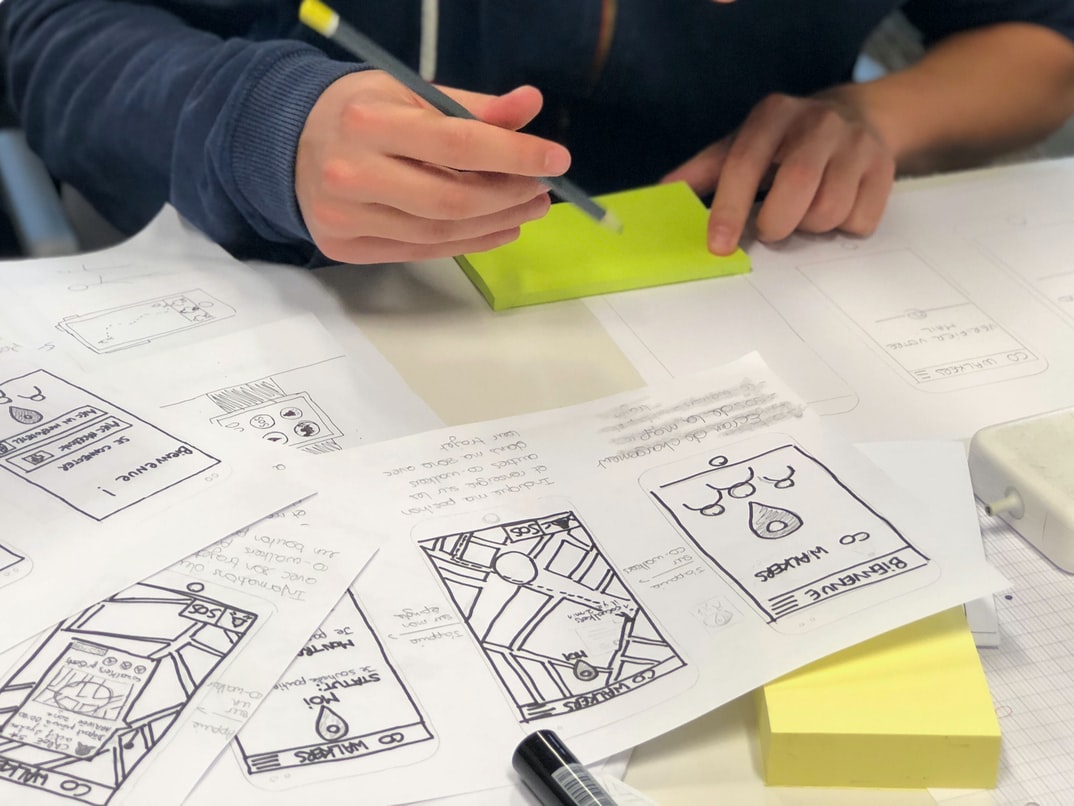
Wireframes are visual models of a system or web page that help designers visualize the interface and user experience before any code is written. They can be used to document and communicate the design intent of a system or page to other stakeholders, as well as to identify potential issues with the design.
Since wireframes are typically designed as low-fidelity representations of a final product, they should be used sparingly in order to minimize distortion of the final product. When done correctly, wireframes can help designers better understand how users will interact with a system or page and can save time and effort during development. Wireframes are a type of graphic design that helps designers create a visual representation of their user interface. They’re typically created in pencil or paper and then refined in Adobe Illustrator or Photoshop. Wireframes can be used to test the look and feel of a proposed interface, as well as to determine how users will interact with it.
UX/UI Design Strategies
User experience design focuses on creating a positive user experience by satisfying the needs of users while incorporating appropriate graphical and user interface design. User interface design concentrates on the look and feel of the user interface, including elements such as fonts, colours, and icons.
There are many different strategies for designing a successful user experience and graphical
design. Here are some tips to help you achieve a great UX UI:
1) Start with research. Before you begin any design project, it’s important to do some research so that you understand your target audience. This will help you create a design that is both engaging and effective.
2) Use feedback loops. Whenever possible, use feedback loops to collect data from users throughout the development process. This will help you make adjustments as needed and ensure that your final product is something that users will love.
3) Be flexible.
UX/UI Design Principles
User experience and user interface design are two of the most important aspects of any digital product. The two fields have a lot in common, from the way users interact with a product to how it looks onscreen. This article will outline some general principles that can be used to create a successful user experience and user interface design.
1. Make sure your product is easy to use. Users should be able to understand and navigate your product without difficulties. Keep all elements simple and straightforward, making it easy for users to find what they need.
2. Take advantage of spatial awareness. People naturally tend to look around when using products, which is why you should consider designing your product in a way that takes advantage of this instinctive behaviour.
UX/UI Design Techniques
User experience (UX) and user interface (UI) design are two very important aspects of web design. However, most designers don’t always understand the difference between the two. In this article, we’ll be discussing some of the differences between UX and UI design and how to achieve a better user experience with your graphics.
1. User experience is all about creating a positive relationship with your users. This means understanding their needs and wants and then designing your website accordingly. UI design, on the other hand, is all about creating an attractive and functional interface for users to interact with.
2. UX designers are experts in customer research. They spend time talking to people who use their website or app to get an idea of what they want and need from it.
User Interface Development
User interface (UI) design is important for creating a pleasant, usable experience for users. However, it’s often misunderstood and undervalued. User experience (UX) is the overall feeling or impression that a user has of the product or service they’re using. It encompasses everything from how easy the interface is to understand to how attractive and professional it looks. UI design is simply one component of UX.
A good UI design should be intuitive and easy to use. It should be responsive so that it adapts to different screen sizes and devices, and it should look clean and modern. A well-designed UI will also take into account your users’ needs and preferences, so you can create an interface that both looks good and works well. A well-designed user interface can improve the overall user experience by providing an easy-to-use and attractive interface. User interface design is a critical component of any website or application, but it can be difficult to decide which type of design is best for a given situation. User experience vs user interface graphic design will help you make the right decision.
User experience is concerned with how users feel while using a product or service. This includes things like how easily they can find what they’re looking for, how comfortable they are using the product, and how happy they are with the results.
User interface graphic design focuses on creating an appealing visual design that helps users interact with a product or service. This might involve designing icons, logos, and other graphics that represent the brand or content of the site or application.
The title of this article is STUDY User experience vs User interface GRAPHIC DESIGN. The purpose of this study was to compare the user experience and user interface graphics design of two different websites. The first website was a news site, and the second website was a social networking site.
The results of the study showed that user experience was better on the news site, while user interface graphics design was better on the social networking site. Overall, the news site had a more polished user interface, while the social networking site had more engaging content.









