

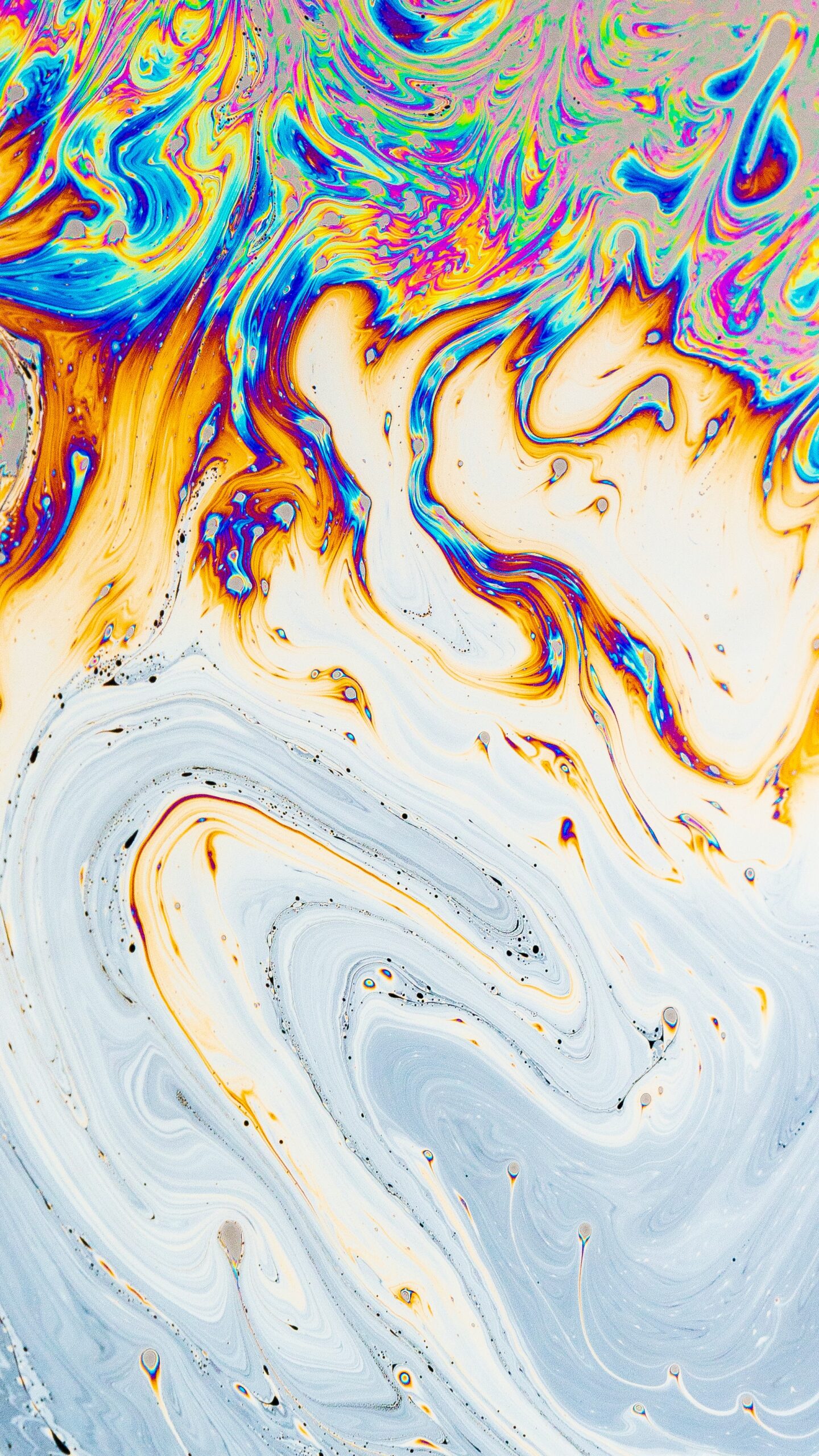
Psychedelic Background Effect Tutorial With Adobe Photoshop
Have you ever wanted to create an eye-catching psychedelic background effect? If so, this tutorial is perfect for you! This tutorial will provide a step-by-step guide to creating a psychedelic background effect using Adobe Photoshop. With the help of this tutorial, you’ll be able to customise your photos and graphics with a unique and vibrant design. Whether you’re creating a poster or flyer, this tutorial offers the perfect way to make a bold statement.
What is a psychedelic background effect?
The psychedelic background effect is a popular design element used in various graphic design projects. It involves creating a visually captivating and trippy background that enhances the overall aesthetic of the project. The idea behind this effect is to create an illusion of depth and movement, which makes the design look more dynamic.
To achieve this effect using Adobe Photoshop, you can use various tools such as gradients, filters, and blending modes. One way to create a psychedelic background is by using bright colours that contrast with each other. You can then apply different filters such as Gaussian Blur or Motion Blur to add depth and movement.
Another technique for creating a psychedelic background is by using radial gradients with vibrant colour schemes. These gradients create a hypnotic spiral pattern that draws the viewer’s attention towards the centre of the image. By experimenting with different blending modes such as Overlay or Screen, you can further enhance and customize your psychedelic background effect. Overall, mastering this technique requires practice and experimentation but once mastered it allows designers to create eye-catching designs with minimal effort.
Step 1: Create a background
Creating a psychedelic background effect with Adobe Photoshop is an excellent way to add some unique and eye-catching flair to your designs. The first step in this process is to create a suitable background that will serve as the foundation for the rest of your design. To achieve this, you can use a variety of different techniques and tools.
One popular approach is to start by selecting a solid colour or gradient and then applying texture or pattern overlays. You can also experiment with various filters, such as blur or distortion effects, to add depth and interest to your background. Another option is to incorporate imagery or shapes into your design, either by using stock photos or creating your own graphics.
Ultimately, the key to creating an effective psychedelic background effect is experimentation and creativity. Try different combinations of colours, patterns, textures, and shapes until you find something that feels exciting and visually engaging. With practice and patience, you’ll be able to develop backgrounds that truly stand out from the crowd!
Step 2: Apply filter effects
Once you have created your psychedelic background in Adobe Photoshop, the next step is to apply filter effects. This will enhance the overall appearance of your design and make it more visually appealing. One popular filter effect that can be used is the “Oil Paint” filter, which gives the image a painted look with brush strokes and texture.
Another useful effect to consider is the “Flame” filter, which creates a fiery and abstract look. This can be particularly effective when combined with bright colour schemes and vibrant designs. Additionally, you may want to experiment with other filters such as “Blur” for a softer look or “Distort” for a more surreal appearance.
Overall, applying filter effects is an essential part of creating a powerful psychedelic background in Adobe Photoshop. By experimenting with different filters and settings, you’ll be able to create unique designs that stand out from the crowd and capture attention.
Step 3: Add colourful shapes
Adding colourful shapes is the third step in creating a psychedelic background effect using Adobe Photoshop. This step involves selecting different shapes and adding colours to them to create a visually appealing design. The key is to choose contrasting colours that complement each other and stand out.
One way to add colourful shapes is by using the shape tool in Adobe Photoshop. This tool allows you to create different shapes such as circles, rectangles, triangles and polygons. Once you have selected your desired shape, you can fill it with colour by choosing a colour from the colour palette or by adding a gradient.
Another way to add colourful shapes is by using brushes. There are various brush sets available online that can be downloaded and installed into Adobe Photoshop. These brushes contain different designs such as flowers, stars, swirls and bubbles which can be used to create unique patterns on your background image. Overall, adding colourful shapes is an essential step in creating a psychedelic background effect that captures attention and stands out from the rest.
Step 4: Blur and layer effects
In step four of our psychedelic background effect tutorial, we’ll be discussing blur and layer effects. Blur is a great tool for creating a dreamy, surreal feel to your images. To achieve this, select the layer you want to add the blur effect to, then go to Filter > Blur Gallery > Field Blur. This will open up a panel where you can adjust the amount of blur and other settings.
Layer effects are another powerful feature that can help you create stunning visuals with ease. By selecting the layer you want to apply an effect to and clicking on the “fx” button at the bottom of the Layers panel, you can access a variety of options including drop shadow, inner glow, bevel and emboss, and more.
When combining these two features together in your design work, there really is no limit as to what kind of creative pieces you can come up with. Experiment with different settings and see what works best for your particular project – who knows what kind of amazing results could be waiting for you!
Step 5: Final touches
Now that we have completed the main steps of creating a psychedelic background effect in Adobe Photoshop, it’s time to add some final touches to make our design even more appealing. One way to enhance the overall look of the design is by adding various textures and patterns. We can use the brush tool with different blending modes and opacity levels to create unique patterns.
Another way to give our psychedelic background effect an extra edge is by experimenting with different colour combinations. We can try different hue, saturation and brightness values for each layer until we find the perfect balance. Adding a gradient overlay or applying a colour filter adjustment layer can also help us achieve this goal.
Finally, we can put some finishing touches on our design by adding typography elements such as quotes, song lyrics or inspiring phrases. We can use different fonts, sizes and colours to make these stand out against our psychedelic background effect. By following these final touches techniques, we ensure that our designs are cohesive, eye-catching and professional-looking!
Benefits of using Adobe Photoshop for graphic design
Adobe Photoshop is a powerful tool for graphic designers that offers many benefits. One of the most significant advantages of using Adobe Photoshop is its vast range of filters and effects. From simple colour adjustments to more complex techniques like adding textures or creating a psychedelic background, designers can achieve almost any visual effect they desire.
Another benefit of using Adobe Photoshop is that it allows graphic designers to work with layers. This feature enables them to create complex designs easily by layering multiple images and adjusting their opacity, blend modes or even mask areas. Additionally, working with layers makes it easier for designers to make changes without affecting the rest of the design.
Lastly, Adobe Photoshop offers unparalleled control over typography. Designers can customise fonts according to their preferences and adjust kerning, line spacing or even add stylistic alternates easily through the software’s robust typography tools. With these benefits in mind, it’s clear why Adobe Photoshop remains one of the most popular choices among graphic designers worldwide.
Tips on how to use Adobe Photoshop
Firstly, it is essential to understand the basics of Adobe Photoshop before attempting to create any intricate designs. Familiarise yourself with the toolbar and corresponding functions such as brush tool, selection tool, and layer mask. Understanding how layers work is crucial when creating psychedelic backgrounds since they allow you to manipulate individual elements without affecting the entire image.
To achieve a psychedelic background effect in Adobe Photoshop, use bright colours and bold patterns that stand out from each other. Experiment with different brush strokes and blend modes to create depth within your design. Using filters like Gaussian blur can also help soften edges and blend colours seamlessly.
Lastly, take advantage of resources like tutorials and online communities for inspiration and guidance on mastering Adobe Photoshop techniques. With consistent practice, you’ll be able to create stunning psychedelic backgrounds that captivate your audience’s attention.
Common tools and features of Photoshop
Photoshop is an incredibly versatile tool for image editing and manipulation. Some of the most common features include layers, masks, brushes, filters, and blend modes. Layers allow you to stack multiple images or effects on top of each other, while masks enable you to selectively reveal or hide certain parts of an image. Brushes come in a variety of shapes and sizes and are used for painting or erasing specific areas within a layer.
Filters can be applied to adjust the colour, contrast, sharpness or blur within an image. Blend modes determine how different layers interact with each other by changing their opacity or colour properties. Additionally, Photoshop offers tools for selecting specific areas of an image such as the lasso tool or magic wand tool which are useful when working with complex images.
Whether you’re a professional photographer or just learning how to edit photos for fun, knowing these common tools will help you achieve your desired results in Photoshop. With these basic features at your disposal – layers, masks, brushes filters and blend modes -you can create amazing psychedelic background effects like those seen in this tutorial! Experimenting with different combinations of these features will allow you to create completely unique designs that are limited only by your imagination!
Popular uses of Adobe Photoshop in graphic design
Adobe Photoshop is a popular tool for graphic designers due to its versatility and user-friendly interface. One of the most common uses of Photoshop in graphic design is to create unique backgrounds like psychedelic effects. With the help of various filters, adjustments, and layering techniques, designers can create stunning visuals that are perfect for websites, social media posts, or print materials.
To achieve a psychedelic background effect in Adobe Photoshop, designers can start by choosing a base image with vibrant colours and patterns. The Liquify filter tool can be used to distort the image and create organic shapes. Then, using different blending modes and layer styles, designers can add textures and overlays to enhance the overall appearance. Finally, adjusting the saturation levels and colour balance will bring out the desired psychedelic effect.
Aside from creating backgrounds with psychedelic effects, Adobe Photoshop is also widely used by graphic designers for photo editing such as retouching images or adding special effects like lens flares or light leaks. With its vast array of tools and features available at a designer’s fingertips, Adobe Photoshop remains an indispensable software for anyone working in graphic design today.
Best practices for creating graphic designs with Adobe Photoshop
When it comes to creating graphic designs with Adobe Photoshop, there are several best practices that can help you achieve professional-looking results. The first step is to ensure your workspace is properly set up and organised. This means having all the necessary tools and panels readily available, such as the Layers panel, Colour panel, and Brushes panel.
Another best practice is to use high-quality images and graphics in your design. Whether you’re working with stock photos or custom illustrations, make sure these assets are of sufficient resolution and quality for your needs. Additionally, pay attention to colour balance and contrast when incorporating these elements into your design.
Finally, it’s important to experiment with different techniques and effects in Photoshop in order to create unique designs that stand out from the crowd. For example, the psychedelic background effect tutorial demonstrates how using layer styles like Outer Glow or Stroke can add a trippy dimensionality to an otherwise simple graphic design.
By following these best practices – including setting up a well-organised workspace, using high-quality assets, paying attention to colour balance and contrast, and experimenting with different Photoshop techniques – you’ll be well on your way to creating stunning graphic designs that capture attention and engage viewers.
Adobe Photoshop: Re-imagining graphic design
Adobe Photoshop has been the industry-standard software for graphic design since its initial release in 1990. With its advanced tools and features, it has revolutionised the way designers create visual content. The recent addition of Adobe’s Sensei AI technology has made graphic design even more accessible by automating repetitive tasks and improving workflow efficiency.
One example of how Adobe Photoshop is re-imagining graphic design can be seen in the Psychedelic Background Effect tutorial. This tutorial demonstrates how to create a mesmerising background effect using various tools such as filters, layers, and blending modes. By following this tutorial, designers can easily create unique and eye-catching backgrounds that would have taken hours to make manually.
Overall, Adobe Photoshop continues to push boundaries in terms of what is possible with graphic design. With constant updates and improvements being made to the software, designers can look forward to an even more streamlined and efficient creative process in the years to come.
The power of layers in graphic design
Layers are an essential part of graphic design, and utilising them can take your designs to the next level. They allow you to add depth, dimension, and complexity to your work. Layers in Adobe Photoshop can be used for creating complex textures or patterns that make an image stand out from the rest. They also offer a range of editing possibilities such as masking, blending modes, opacity adjustments, and filters.
In this tutorial for creating a psychedelic background effect with Adobe Photoshop, layers play a critical role in achieving the desired outcome. By layering different shapes and colours on top of each other using various blending modes such as screen or overlay, you can create vibrant and trippy visuals that grab attention. Additionally, utilising adjustment layers like hue/saturation or curves allows you to fine-tune colours until they look just right.
Overall, understanding how to use layers effectively is crucial in graphic design since it enables you to achieve more elaborate designs with ease while maintaining flexibility throughout the creative process. It’s all about experimenting with different combinations until you find what works best for your project.
Advanced techniques to take your graphics to the next level
One advanced technique to take your graphics to the next level is by creating a psychedelic background effect through Adobe Photoshop. This technique involves using various blending modes, filters, and adjustment layers to create a colourful and abstract design that can be used as a background for posters, album covers, or social media posts. The key to getting this effect right is experimenting with different settings and layering effects until you achieve the desired result.
Another technique that can help elevate your graphics is by incorporating typography in an innovative way. For example, you could use text as a design element by manipulating its shape or colour to make it stand out against other elements in your design. Alternatively, you could experiment with different fonts and typefaces to create contrast and hierarchy within your composition. By approaching typography creatively, you can add depth and visual interest to your designs.
Finally, one more advanced technique for taking your graphics to the next level is by adding motion graphics components such as animated text or illustrations. This approach adds an extra layer of interactivity and engagement for viewers which makes it perfect for social media campaigns or website banners.
With software like Adobe After Effects or Premier Pro at hand, animating vector images has never been easier. By combining moving images with sound effects or music tracks effectively you will bring life into any static graphic design piece turning into something truly unique – capturing audience’s attention longer than ever before!
Features of Photoshop
Photoshop is a powerful image editing software that has been used by photographers, designers, and artists for over two decades. There are numerous features in Photoshop that make it an essential tool for creating stunning visuals. One of the most notable features is its ability to create complex layer compositions with ease. This allows users to combine multiple images, graphics and text elements into one visual masterpiece.
Another important feature of Photoshop is its vast array of filters and effects. These tools allow users to manipulate everything from colour balance and contrast to saturation and hue. Additionally, the software offers a variety of brush tools for painting and drawing directly onto an image or canvas.
Finally, Photoshop’s extensive library of fonts makes it easy to add typography as a design element. With hundreds of font options available, designers can choose from classic serif typefaces or modern sans-serif fonts depending on their project needs. Overall, these features make Photoshop an essential tool for any creative professional looking to take their work to the next level.
Tips for effective graphic design
When it comes to effective graphic design, there are a few key tips that can help you create visually appealing and attention-grabbing designs. Firstly, it’s important to have a clear understanding of your audience and their preferences. This will allow you to tailor your design to their needs and ensure maximum engagement. Secondly, use colour effectively by choosing a colour scheme that complements your message or brand. Use contrast and balance to create an aesthetically pleasing composition.
When creating psychedelic background effects in Adobe Photoshop, there are some specific tips you can follow for even greater effect. Start by selecting a base image with a simple composition that has clear edges between light and dark areas. Then add layers of colourful gradients, experimenting with blending modes until the desired effect is achieved. Finally, use filters such as blur or distortion to enhance the psychedelic feel of the design.
In summary, effective graphic design requires careful consideration of your audience and purpose along with skilful use of colour, contrast, and balance. When creating psychedelic backgrounds in Adobe Photoshop specifically, following these guidelines can help you achieve stunning results that captivate viewers’ attention.
Get in touch with Blue Sky Graphics online design school to learn more about Adobe Photoshop!









