

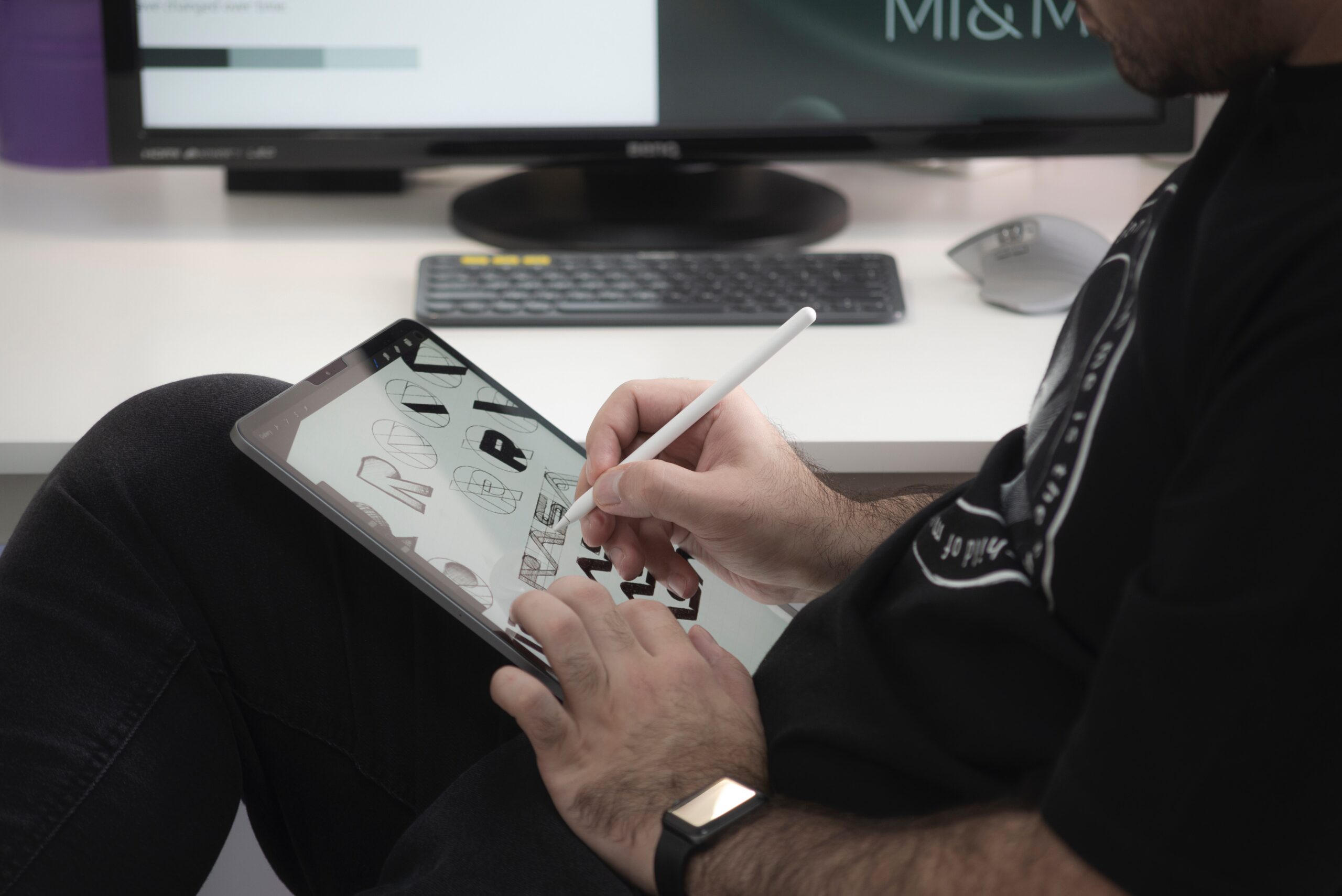
Photoshop Effects – Graphic Design and Photoshop
Photoshop Effects is a powerful image-editing programme used by graphic designers to create impressive visuals. It has become an invaluable tool for both professional and amateur designers alike. With Photoshop, one can easily manipulate images and create stunning graphics with just a few clicks of the mouse. From creating digital art to editing photographs, there are endless possibilities with this versatile application. This article will discuss the different types of effects available in Photoshop as well as how they can be applied to enhance the look of your designs.
Photoshop Effects are an incredibly powerful tool for graphic designers. It is a must-have in any designer’s arsenal, as it can help you produce stunning visuals that are both eye-catching and professional. Photoshop Effects allows designers to enhance their creations and make them stand out from the competition. In this article, we will explore the various forms of Photoshop Effects available, including filters and adjustments, blending modes, and layer styles.
Introduction: Graphic design & Photoshop
Photoshop Effects – Graphic Design and Photoshop is an article that looks at how graphic design is used in combination with the Adobe software, Photoshop. Photoshop is a digital imaging application that has become increasingly popular with professional photographers, illustrators, graphic designers and other creative professionals. It allows users to edit, manipulate and enhance images to create stunning visuals. In this article, we will explore the basics of graphic design in relation to Photoshop, as well as some of its most useful features for creating stunning graphics.
Graphic design is an art form that involves combining text and imagery to convey ideas, emotions or messages visually. Professionals who work in this field are experts at manipulating colour, texture, composition and layout elements so that the resulting image conveys meaning effectively. With the help of tools like Photoshop effects can be easily enhanced or manipulated to further emphasize a desired message or concept.
Basics of Photoshop
Photoshop is a powerful image editing software that allows users to create, manipulate, and save digital images. It can be used for graphic design, photo manipulation, and more. The basics of Photoshop include the tools available in the programme such as layers, selection tools, painting tools, blending modes, and filters.
Using layers allows users to stack multiple images on top of each other and create complex compositions. Selection tools allow users to select specific areas of an image or object so they can then apply effects only in those areas. Painting tools give users the ability to add colour and texture to their artwork while blending modes allow for realistic shadows and lighting effects without creating additional details or objects. Finally, filters are used to enhance photos by applying effects like blur or sharpen to achieve certain looks.
Creative effects
Creative effects are a great way to elevate your graphic design projects with Photoshop. With the suite of tools available in Photoshop, you can apply various textures, filters and colour adjustments to transform any image into something special. Creative effects give designers the power to customise and perfect their designs, adding their own personal touch.
One popular effect for graphic design is layering multiple images together and blending them seamlessly. Not only does this allow you to create intricate compositions, but it also offers endless possibilities for experimentation. You can add texture overlays on top of images or use brush tools to add elements like stars or hearts for a whimsical flair.
Plus, there’s no need to limit yourself to just one effect – multiple creative effects can be used in combination with each other, allowing you to layer up different styles and textures until you find the perfect design solution.
Photo editing in Photoshop
Photo editing in Photoshop is a common practice for graphic designers and photographers alike. With its wide variety of tools, layers, and adjustments, users are able to enhance their photos to the highest quality possible. Whether it’s subtle colour corrections or more complex compositing techniques, Photoshop allows creatives to make powerful alterations that result in stunning visuals.
For basic image enhancements such as brightness, contrast and saturation adjustments, the Adjustments panel is an invaluable resource. It provides users with quick access to commonly used tools such as Levels and Curves. On the other hand, if you need more precise control over your edits there are many advanced features available like Masking and Cloning tools. When combined with Layer Masks these features allow users to make very precise selections within a photo to isolate specific areas for enhancement or removal from the overall composition.
Working with layers
Working with layers is a fundamental element of Photoshop. Layers allow users to separate different parts of an image, so they can easily apply multiple effects and adjust each layer independently. This allows for more complex compositions and better control over the overall look of an image.
To begin working with layers, simply select the “Layers” tab from the top menu bar in Photoshop. This will open up the Layer panel, which displays all existing layers in your project. Here you can add new layers, delete existing ones, duplicate them or rearrange their order using drag-and-drop functionality. You can also change layer opacity, create clipping masks and use blending modes to customise each layer’s appearance. Working with masks is another great way to utilize layers, as it allows you to hide certain parts of a layer while still keeping its overall shape intact.
Text effects
Text effects in Photoshop can be used to create stunning and eye-catching visuals. With text effects, designers can add depth, dimension, and interest to a design piece. Text effects are often used for headlines and titles in order to draw attention and make them stand out from the rest of the content.
With the extensive range of options available in Photoshop for text effects, there’s something for all types of designs. For example, users can layer two or more different fonts with different colours and sizes to create interesting contrast or use a drop shadow effect on their text to give it a 3D look.
Additionally, they can also use other tools like Warp Text or Layer Styles to craft unique visual expressions with their text elements. By playing around with these various features, designers have endless possibilities when it comes to creating aesthetically pleasing graphics using text effects in Photoshop.
Enhancing photos
Photoshop is a powerful image editing software that can be used to create and enhance stunning photographs. With Photoshop, users can adjust colours, apply filters, and make other adjustments to existing photos to give them a unique look. It can also be used to add elements like text and shapes to an image.
One popular effect when it comes to photo enhancement is adding a vignette effect. A vignette adds subtle colour gradients around the edges of the photo, giving it a soft focus look or creating an artistic atmosphere. Photoshop also has tools available for retouching photos such as blemish removal and skin smoothing, allowing users to touch up portraits with ease.
Image manipulation
Image manipulation is an integral part of graphic design and Photoshop. It enables designers to edit images to create compelling graphics for websites, magazines, advertisements, and more. With image manipulation tools such as layers, selections, masks and filters, designers can easily transform a simple image into something extraordinary.
For example, a designer may use layers to add multiple elements to an image – such as text or shapes – without compromising the original photo’s integrity. Selections allow designers to isolate certain parts of an image for editing with precision. Masks are used to reveal or hide specific areas within the composition while filters can be applied to entire images or parts thereof in order to alter colours and apply special effects. By combining these different tools in creative ways, designers can create stunning visuals that convey ideas powerfully and effectively.
Layer blending modes
Layer blending modes in Photoshop are a powerful tool for creating visually stunning graphic designs and photographs. These modes allow the user to control how layers interact when combined, providing an extensive range of options to create unique visuals.
The layer blending modes available in Photoshop include Normal, Darken, Multiply, Colour Dodge, Vivid Light and Screen. Each mode produces a different effect when applied on top of an existing layer; for example, Normal keeps all colours intact while Darken takes the darkest colour from each pixel location and applies it to the underlying layers. Additionally, more advanced blend modes such as Soft Light combine multiple effects by increasing highlights or shadows depending on their tonal values.
By experimenting with various blend modes users can create subtle gradients or other complex effects that would otherwise be difficult to achieve through regular editing techniques.
Filters & colour adjustments
Filters and colour adjustments are some of the most powerful tools available in Photoshop. They can be used to give images a unique look and feel, as well as to make subtle changes that enhance the overall aesthetic of your design.
Photoshop’s filters allow designers to quickly add a variety of effects to their images, such as blurs, distortions, and vignettes. Additionally, colour adjustment tools provide users with an array of options for adjusting hue and saturation levels for greater control over their final product. With these adjustments, designers can easily create vintage looks or completely transform an image into something entirely new. Furthermore, the combination of filters and adjustment tools makes it possible to produce incredible visual effects that would otherwise be difficult or impossible in traditional photography.
Harnessing the power of Photoshop effects
Harnessing the power of Photoshop effects can take a design project to the next level. By applying creative techniques, designers are able to create unique visuals that make a lasting impression. From focus blurs and lens flares to adding texture, filters and colourization – there is a seemingly endless array of options for creating powerful graphics with Photoshop.
One popular technique among graphic designers is layering effects with adjustment layers. This approach allows users to experiment with their designs without altering the original image or artwork, while also layering multiple effects at once for more complex results. Additionally, using masks and blending modes enables designers to selectively apply adjustments and mix different styles together in one composition – such as combining watercolour painting techniques with 3D elements on a single canvas. With these tools, it’s easy to combine digital elements in new and exciting ways for truly innovative graphic designs.
Creating eye-catching graphics with Photoshop
Photoshop is a powerful tool when it comes to creating eye-catching graphics. With its immense range of features, you can create stunning visuals in no time at all. To get started, the most important thing to understand is the various layers and tools available. Layering your design gives you much more control over the final product – for example, having shadows or highlights on separate layers allows you to adjust those elements independently from each other. Additionally, utilizing Photoshop’s selection tools will help you cut out objects with precision, making them stand out against the background.
Finally, remember that experimenting with different filters and effects is key if you want to create truly unique graphics! From glitchy distortions to vintage fades and colour adjustments; playing around with different settings will let you customise your design until it’s just right.
Advanced Photoshop techniques for designers
Advanced Photoshop techniques are essential for designers who want to be able to create complex graphics and images. One of the most common advanced techniques used is layering, which allows designers to create multiple images that can be manipulated independently. This technique is especially useful when creating photorealistic images, as it allows designers to fine-tune the details of each layer separately. Additionally, masking is another popular advanced technique that allows designers to selectively edit a particular area of an image without affecting any other parts of the image.
Another important advanced Photoshop technique for designers is the use of adjustment layers. Adjustment layers allow users to apply changes such as brightness, contrast, hue and saturation without permanently altering their original image. This makes it easier for designers to experiment with different looks and effects without having to start from scratch each time they make a change.
Graphic design & creative inspiration
Graphic design is an ever-evolving field, and it can be difficult to stay on top of the latest trends and tools. Keeping up with creative inspiration is essential for graphic designers if they want to stay ahead of the curve.
There are many different sources of creative inspiration out there, from magazines and blogs to online communities. For example, Behance is a great platform for finding new projects from other designers around the world. Pinterest boards are also a great resource as they often feature inspiring visuals that can help spark new ideas. Additionally, attending conferences or workshops can be a great way to network with other professionals in the industry and gain valuable insight into current trends in graphic design.
Finally, don’t underestimate the power of experimenting with Photoshop effects!
Pro tips for working with Photoshop
When it comes to working with Photoshop, there are a few pro tips that can help you get the most out of your design work. First, mastering layer masks is key for creating complex effects and photo composites. Layer masks allow you to hide or show different parts of the image without actually deleting anything from the document.
Additionally, utilising adjustment layers can give your projects more dynamic range and flexibility. Adjustment layers also let you make changes to one part of an image without affecting other elements in the composition.
Finally, using blend modes can give your designs a unique look by blending two or more images together and adding special effects. Blend modes offer numerous possibilities for creative experimentation with colour and contrast so they are definitely worth exploring! With these tips in mind, any aspiring artist should have no trouble getting started on their next Photoshop project!
From special effects to everyday aesthetics: Explore the possibilities of Photoshop
Photoshop is a powerful tool for graphic designers and photographers alike. This versatile software can be used to create amazing special effects or simple everyday aesthetic enhancements. Photoshop allows users to stretch the boundaries of creativity by giving them the ability to manipulate images in ways that were previously impossible.
Using Photoshop, users can add text, adjust colours, apply filters and effects, or create digital art from scratch. With its wide range of features, there are endless possibilities for creating stunning visuals with Photoshop.
Additionally, its intuitive user interface makes it easy to learn how to use the programme even without extensive knowledge or training in graphic design. From beginner level edits like adjusting levels and cropping photos to more advanced manipulations like creating 3D models and changing backgrounds – anyone can easily explore the full potential of this software.
How graphic designers use Photoshop
Graphic designers use Adobe Photoshop, the most popular image editing software, to create eye-catching designs. Photoshop allows them to edit and manipulate images to create a desired visual impact. Graphic designers can use a wide range of tools for tasks such as resizing and cropping photos, adding colour and lighting effects, creating custom textures and patterns, retouching images for digital art projects, creating complex compositions using multiple layers of images or text elements.
For example, they may combine photographs with typefaces or shapes to make unique compositions like posters or logos. They also have access to various filters that allow them to adjust image colours or apply special effects such as blur or sharpen outlines.
Photoshop’s versatility gives graphic designers ample opportunity for creativity when it comes to creating digital art.
Tips for creating professional looking designs with Photoshop
When it comes to creating professional looking designs with Photoshop, there are a few tips that can help make the process go smoother. First, utilise layers and layer masks to easily edit and mask out parts of your design. Layer masks allow you to quickly adjust the opacity of certain layers, as well as apply effects such as shadows and highlights without affecting other objects in the design. Second, use basic shapes like rectangles or circles for simple elements like buttons or icons. This will help keep your designs organised and easier to work with overall. Lastly, utilise Adobe Illustrator’s vector graphic capabilities when creating logos or complex illustrations; these will look sharp no matter how much they’re resized or zoomed in on.
By following these tips and using Photoshop’s many features wisely, one can create stunning visuals that are sure to impress any client or audience.
Common mistakes to avoid when using Photoshop for graphic design
Working with Photoshop for graphic design can be exciting and rewarding, but it also has its challenges. Unfortunately, mistakes are easy to make, particularly if you are unfamiliar with the software. Knowing what common errors to avoid can help ensure that you get the most out of your Photoshop experience and create beautiful graphics.
One mistake people often make is not taking advantage of layers. Layers are a powerful tool in Photoshop and should be used whenever possible as they allow you to separate elements of your design into individual pieces which can then be edited individually without affecting the rest of the image. Not using layers will make editing more difficult and time consuming as any changes made will affect all parts of the image at once.
Another issue is not adjusting document settings before beginning work on an image or graphic. It’s important to set your document at the proper resolution and dimensions. Proper file organisation is also important as it will make editing easier later on. To learn more about Photoshop, visit our website or follow us on Facebook and Twitter.
UI/UX design
UI/UX design is an integral part of modern graphic design, particularly when it comes to Photoshop effects. UI stands for user interface and UX stands for user experience – both are essential in the development of a product or service with intuitive navigation and consumer-friendly features. Designers use UI/UX to plan out how a customer interacts with their product, including everything from its appearance to how they interact with it. It helps create products that are easy to use and accessible while still being visually appealing.
One important factor in UI/UX design is providing users with feedback on their interactions as they navigate through your application or website. This can be done through visual cues like animations, sound effects, or even changes in text colour when buttons are clicked on.
Get in touch with Blue Sky Graphics online graphic design school to begin your journey in graphic design.









