

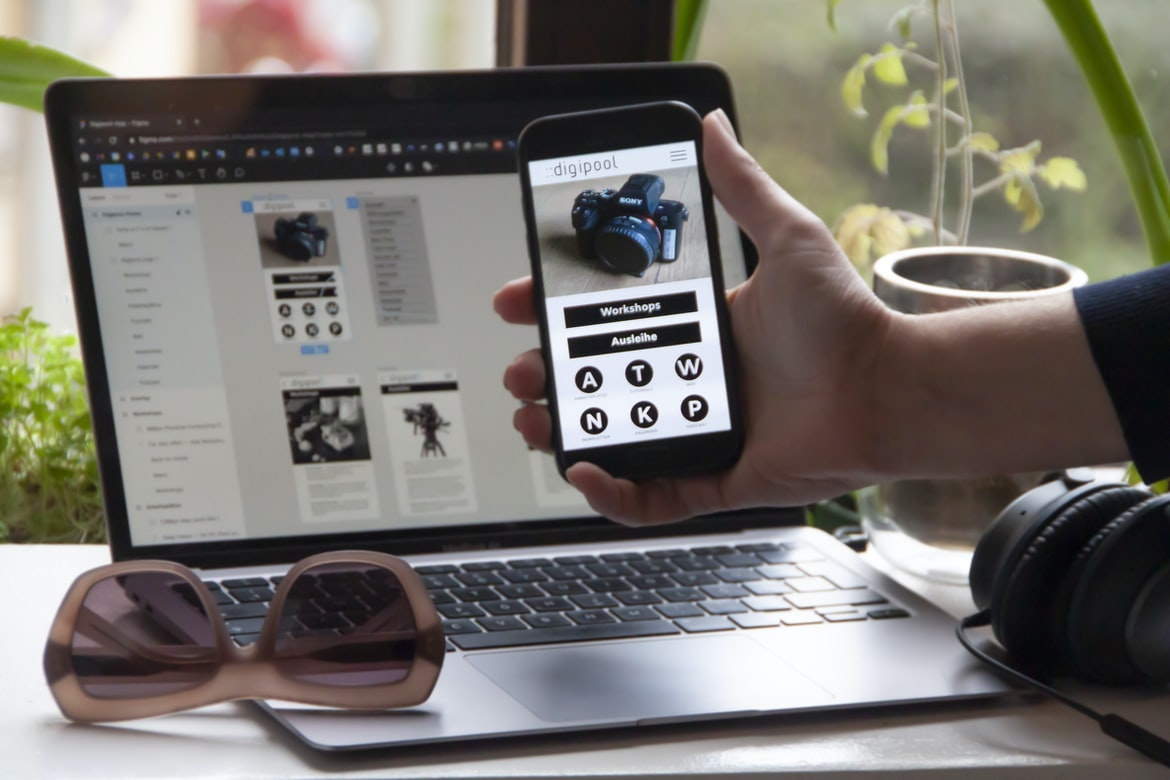
Master App Design for Free – A Comprehensive Guide to Getting Started with No-Cost Resources – How does the user experience (UAE) for an application affect the overall design?
There are a lot of variables that go into designing an effective and efficient user experience (UAE) for an application. From the form input to navigation to the overall look and feel of the application. However, one of the most important aspects of designing an effective UAE is ensuring that the users’ experience is positive. If a user feels uncomfortable or unsafe in an app, it can have a negative impact on their overall experience and may cause them to uninstall the app in frustration.
One way to ensure that users’ experiences are positive is by ensuring that all forms of input are clear and easy to understand. Another key factor is using intuitive design features that make it easy for users to navigate around your application. Finally, it is important to keep in mind that users’ needs vary depending on their personal preferences and circumstances. So while some people might prefer more complex or difficult screens, others might prefer easier interfaces which are tailored specifically for them. By paying attention to these factors, you can create a UAE that meets the needs of your target audience without compromising on overall design quality.
The User Experience Model: A guide to understanding how users interact with an application.
1. UX design is the process of designing user interfaces that are both efficient and appealing to users. The most important factor in a successful user experience is the user’s task at hand. How can the user be best facilitated? This article will explore one way to achieve this, which is through a model known as the User Experience Model (UEM).
The UEM has been used successfully in various industries for years now and has proven its worth by being a guide for understanding how users interact with an application. It enables developers to create more effective and efficient user interfaces, which leads to happier customers and better long-term business outcomes.
In order to better understand the UEM, it is helpful to first understand what it represents. The UEM is a five-step model that outlines how users should use an application: find, browse, input, interact and finish. The model can be broken down into three main areas: finding applications, browsing applications and inputting information.
2. In order to use the UEM effectively, developers need to be aware of its concepts. To start off with, the UEM provides a framework for understanding how users search for applications and browse them according to their interests or needs. Additionally, it offers guidance on how users should input information so that it can be processed quickly and efficiently.
3. Finally, developers need to make sure they are using the UEM correctly when creating their own applications.
Physical Interaction: How do users interact with applications?
There are a few different ways users interact with applications. One way is through the use of application windows or menus. Another way is through physical interaction, such as tapping or shaking an app. A third way is through the use of interfaces, which are designed to help users work with an application. Interface design can be important in order to create a good user experience and ensure that users understand what they are doing.
In recent years, users have become more and more reliant on applications. Whether it’s to shop, pay bills, or just keep up with the news, people need access to these applications as much as possible. However, user interaction with applications can be difficult – often times the user cannot see what is happening right in front of them. This leaves users feeling frustrated and lost. In this blog post, we’ll look at how users interact with applications and try to come up with ways to make them more reliable and efficient.
Structural and Behavioral Design: How do you create a good user interface?
There are a lot of different types of UI design, but common patterns for building UI can be found throughout the software development world. In this article, we will take a look at some basic principles that can be applied when designing user interfaces.
In general, there are three main types of user interfaces: visual, auditory and kinesthetic. Visual user interfaces are the most common type and often rely on icons, graphics or photos to communicate information to users. Auditory user interfaces use sound to convey information to users. Kinesthetic user interfaces involve manipulating objects or Manipulative User Interfaces (MUI), which allow users to interact with the application in a way that is meaningful and satisfying to them. In general, however, all types of user interfaces have one common goal – providing the user with an experience that is easy and efficient to use.
Visual user interfaces are the most common type of user interface, and they generally use icons, buttons, and graphics to communicate information. They are often designed for mobile devices, which makes them easy to use and quick to learn.
Auditory user interfaces are designed for communication over the sound. They typically use headphones or a speaker to listen to audio signals in order to understand what is being said. Kinesthetic user interfaces are used with physical devices such as computers or mobile devices. They allow users to interact with the device by moving their hands, feet, or head.
There are a few important things to keep in mind when designing an effective UI:
UI design is an important part of the design process for any software application, no matter how small or simple it may be. However, when designing an effective UI for a single-purpose application such as a blog, there are a few things to keep in mind.
First and foremost, make sure your user interface is easy to understand and use. This includes making your buttons and icons clear and concise, as well as providing feedback on input (such as clicks or drag-and-drop operations).
Secondly, keep your user interface consistent across all devices and browsers. This includes making sure all elements fit in the available space, including gestures and interactions. Finally, make sure your user interface is easy to maintain and update (including adding new features or removing old ones) so your users feel informed and comfortable using it.
-Layout: The layout should be designed so that the content is easily accessible and organized according to purpose. This will help make it easier for users to find what they need and get started with the application.
-Design Style: When designing an interface, it’s important not just to follow contemporary design trends but also to adhere to classic design principles such as ergonomics and Nunbergs Law (named after Norman Mailer).
Animations, Graphics, and User Interface: What are some common use cases for user interfaces?
There are many different ways user interfaces can be designed, but they all have one common goal: to make the user experience better. User interfaces can be used to control and interact with applications or to display information to users. In this blog post, we’ll take a look at some common use cases for user interfaces and find out how they can be used in your application building and design process.
UI design is the most important part of any application development. User interfaces are the first and most visible interfaces that users interact with. They can provide feedback on how the user’s actions are performing and should be designed to be visually appealing, easy to use, and reliable.
What is branding?
Branding is the process of designing a logo, name, or other identifiers for a company or product. Branding can be done in-house or outsourced. It can also refer to the overall design and strategy of marketing a company or product.
Branding is the way a company or product identifies itself to the outside world. It can be done in many ways, including by using trademarks, brand names, and/or logos. Sometimes businesses choose to use these identifiers without actually producing the product or service. For example, Dell Inc. does not produce laptops but uses a name that is associated with the laptop brand Inspiron. Other companies may simply call their products by their trade names (e.g., Samsung).
Branding is the process of creating a name, symbol, or design that identifies and distinguishes one product from another. Brands are used in different contexts, such as marketing, advertising, and product naming.
How does design language affect branding?
Design language can have a direct impact on branding. In general, design languages are more expressive and allow for more creative expression. This can lead to more innovative and memorable designs, which in turn can make a product more identifiable and desirable. However, there is also the potential for brands to clash with specific design languages – this is especially true when it comes to UI designs. By understanding how these styles interact, developers can create products that are complementary yet distinct from other brands in an industry that is constantly changing.
How does brand identity affect branding?
Brand identity is the name given to the overall image, persona, and brand of a company or product. It can be considered the foundation for a company’s marketing, and it is often tied to the company’s culture and heritage. A strong brand identity helps a company stand out from its competitors, attract new customers, and maintain customer loyalty.
Applications that rely on branding are often more difficult to create than those that don’t. Applications with strong brand identities tend to be more user-friendly and intuitive, while applications without a strong brand identity can be more complex and challenging to use. Brands are also important in today’s market, where customers are increasingly demanding more seamless experiences across different channels.
To create effective branding for an application, it is helpful to understand how the brand affects users’ experiences. Branding should be designed around two key needs: first, creating an emotional connection with users; second, providing an efficient means of delivering content or services to users. Brand identity should help companies fulfil these needs in a way that feels natural and organic for them.
How does the target audience affect branding?
Branding is an important part of any website or application. It decides how people perceive the company, its products, and its services. The target audience affects branding in two ways: first, by what they are familiar with and second, by what they want to learn about the company and its products.
What people are familiar with influences how they think about a brand and how likely they are to use a product or service from a given brand. In the case of websites and applications, this means that the target audience is typically familiar with the content and design of the website or application. If someone is unfamiliar with a website or application, it’s more difficult for them to make an informed decision about whether or not to visit it. This can lead to lower-quality visits and higher losses for companies that rely on online visitors for revenue.
In contrast, what people want to learn about a company impacts their likelihood of choosing a product from that company. If someone wants to learn more about a specific product or service from a given brand, it’s more likely that they will choose that product over another option. This can be helpful for companies that need to increase sales among specific demographics or who want to attract new customers. However, it can also be harmful to companies if they don’t provide enough information about their products or services in order for people to make an informed decision about them. This can lead to disappointed customers and lower sales totals.
What are the benefits of using a design language for branding?
Brand consistency and the ability to take an idea or design and turn it into a successful product are some of the benefits of using a design language for branding. Other benefits, such as faster development times, easier prototyping, and more efficient communication, can be achieved by using a specific design language. In this blog post, we will explore some of the key benefits of using a design language for branding and look at how they can benefit your business.
There are many benefits to using a design language for branding. By using a design language, developers can create applications that are more easily understood and consumed by users. Additionally, using a design language can help to improve the user experience across different platforms.
What is the purpose of design language?
Design languages are used to communicate with developers and designers. They can be designed to communicate specific needs or goals, or they can be general-purpose programming languages that are used for a variety of purposes.
Some common design language usage includes:
Design patterns: Patterns help developers create reusable code and make it easier to maintain.
Layout patterns: These help with layout issues like grid systems, tabular data, and table layouts.
Design principles: Principles govern how things should look and behave. These can include things like using white space well, using negative spaces correctly, etc.
Graphic Design
There are endless ways to design a graphic design project. But what if you’re not quite sure where to start or what you should be focusing on first? Let’s take a look at some general tips for designing an application or interface:
1. Decide the purpose of your project. What is the main goal of your design? Then focus on completing that goal as efficiently as possible. This will help you make better choices in terms of layout, typography, and graphics.
2. Choose the right tools and techniques. If you’re new to graphic design, it’s important to choose the right tools for the job at hand. Here are a few examples:
Software such as Adobe Photoshop or Illustrator is essential for creating basic graphics and logos. It has many features that can help with intricate designs and complex layouts. It can also be used for advanced tasks such as creating realistic images and illustrations.
For more complex designs, there are other software options available, such as Sketch or Inkscape.
What is UI design?
There are a variety of different design paradigms in the world of UI. Some people might refer to this as “UI design,” while others might call it “UX.” What is important to understand is that these two terms have different meanings and should not be confused together.
In general, UI design refers to the design of the user interface for an application or website. This could include everything from designing the look and feel of a page to developing the layout and navigation system. Meanwhile, UX refers to how users interact with an application or website – whether that be through using its features or interacting with the designers who created it.
There are many different types of UI designs out there, but some common ones includeDialogues (which involve creating a set of instructions that someone must follow in order to complete a task), Forms (which allow users to complete transactions by filling in specific fields), &Screens (which provide an overview of a data set or information). While each type of UI has its own strengths and weaknesses, it’s important to remember that all UIs are ultimately designed for user experience – which is what we all want our applications and websites to achieve.
What is UX design?
UX design is the process of creating and assembling a user interface for an application. The goal of UX design is to make the user experience as pleasurable, efficient, and accurate as possible. Different types of user interfaces will be required for different applications, so it is important to understand the different types of designs before beginning any UX design project.
Traditional UI design focuses on making the user interface look good on paper but has no real impact on how users interact with an application. This approach is often too simple or too complex and can be difficult to change or update after the first release.
1D or 2D designs are also popular in traditional UI design but have been shown to be less effective than 3D designs when it comes to usability and accurate feedback. 3D designs allow for more realistic animations that help users feel like they are within the application rather than looking at a screen full of numbers. This type of design is often used for mobile applications where fast response times are important.
User Experience (UX) is the overall satisfaction with an application’s user interface. It affects how people use an application and can influence whether someone decides to continue using an application or not. Different factors such as comfort, efficiency, accuracy, interactivity, Navigation bar effectiveness and visual appearance play a role in UX decisions.
Visual Communication
Designers and developers often have to deal with different types of visual communication. From website design to user experience, there are a variety of ways to communicate with users. Some effective ways to do so include using visuals and graphics, using typography, and using images. Here are ways you can use visuals in your application development and user experience:
1. Use visuals to help identify the functionality of an application. For example, on a website, screenshots can be used to help identify all the features of the application. When designing an interface for an app, you could also use screenshots or other graphical representations to help focus users’ attention on specific elements.
2. Use visuals for branding and marketing purposes. A strong brand is important for any business, so it’s important that your applications display a positive image in the eyes of users. By including visuals throughout your application development process, you can create memorable memories for your customers and encourage them to return in the future.
3. Use visuals as part of a puzzle design approach. In many cases, users don’t pay much attention to text when browsing through websites or apps; they more commonly focus on the visual elements within those pages or applications. By breaking down an entire web page or app into logical pieces that are easy for users to understand (e.g., with screenshots), you can create a more engaging user experience overall while still providing key information at a glance.
4. Keep your ideas simple. Simplify your designs, and everything else will follow. In other words, make sure that you stick with a few key ideas at any given moment rather than trying to cram too many into one spot. 5. Use lots of colours in your designs.
In today’s world, a great deal of communication takes place through visual means. Whether it be in the form of an email, social media post, or even just talking to someone on the phone, visuals are often an important part of the equation. This is especially true when it comes to applications and design. In this blog post, we’ll take a look at how to create effective visual communication for your applications.
Visual Communication Vs Graphic Design
There are many different types of visual communication, from graphics design to application building. When it comes to UI design, there are a variety of things you can consider: font choice, colour scheme, layout, and typography. Graphic design is often used in combination with UI design to create a cohesive whole. Herein, we’ll explore some key differences between the two fields and give an overview of what each one can offer for your next project.
Application of Graphic Design: Adobe Photoshop, Adobe Illustrator, Adobe InDesign
Adobe Photoshop is a widely used graphic design software application used for creating photos, illustrations, and web graphics. It enables users to create intricate designs and complete graphics quickly and easily. Additionally, Adobe Illustrator is an excellent tool for creating logos, illustrations, and icons. Adobe InDesign is a versatile program used for designing layouts and templates.
Figma, Adobe XD, WordPress, Elementor.
Figma (formerly Adobe XD) is a great application development platform that allows you to build and design user interfaces quickly and easily. With Figma, you can create beautiful, responsive user interfaces for any website or application. Figma also allows you to export your designs into different file formats, so you can use them on any device or platform.
Adobe Elementor is another great application development platform that allows you to build beautiful user interfaces quickly and easily. Elementor also supports exporting your designs into different file formats, so you can use them on any device or platform.









