

What is user experience, and why is it important?
User experience is the totality of a person’s interaction with a product or service. It encompasses all the senses, including sight, sound, touch, and smell. It is important because it affects how people interact with products and services and determines their satisfaction with them. User experience can be improved by designing products and services that are easy to use and look good as well.
The different types of user interface designs
There are different types of user interface designs, each with its own advantages and disadvantages. This article will overview the different types of user interface designs, their advantages and disadvantages, and how to choose the best one for your project.
There are three main categories of user interface design: graphic design, web design, and mobile design. Graphic design is focused on creating a beautiful, sophisticated appearance for a user interface. Web design focuses on creating a functional and easy-to-use website. Mobile design is focused on creating an intuitive and fast-loading mobile app.
Graphic designers use typography, colour, layout, and graphics to create beautiful interfaces. They use principles learned in graphic design to create interfaces for websites and mobile apps. Web designers use principles learned in web development to create interfaces for websites and mobile apps.
Principles of graphic design
What are the principles of graphic design? In this article, we will explore 8 of the most important principles that are essential in any graphic design project.
1. Use a balanced and consistent colour palette.
2. Use typography to create a memorable and effective user interface.
3. Create an effective visual hierarchy and layout using grids, guides, and proportions.
4. Choose appropriate symbols, icons, and graphics to communicate your message effectively.
5. Use effects and filters to give your work an edge or a unique look.
6. Use animation to add life and motion to your designs.
7. Keep things simple by using basic shapes, textures, and colours in your work.
8. Follow the Golden Rule of Graphic Design: “User First.
The effects of user experience on user interface design
User experience has a significant impact on user interface design. To be effective, user interfaces must be easy to use and enjoyable to look at. User experience designers work to create an intuitive and easy-to-use experience that matches the needs of the users. By doing so, they can improve the overall usability of a product or service.
User experience affects how users interact with the product or service. For example, if a user is having trouble finding what they are looking for, their experience will be negative. In addition, if the design is difficult to understand or navigate, users may become frustrated and give up on using the product altogether.
Designers must take into account different types of users when creating user interfaces.
Motion Graphic Design
There is a lot of debate in the graphic design community about which should come first: the user experience or the user interface. Some argue that it is more important to focus on the user experience, while others believe that it is more important to focus on the user interface. Which one should you prioritize?
The purpose of this article is to provide you with a snapshot of how motion graphics can help improve both the user experience and the user interface. By creating engaging and visually appealing visuals, motion graphics can elevate your website or application from mediocre to exceptional. This is especially true when it comes to mobile applications, where users are increasingly expecting custom experiences.
User Interface Animation Design
User interface animation design is an important part of creating a user experience that is both pleasing and engaging. It can be difficult to create an animation that accurately represents a user’s interaction with the system, but it is essential to create an animation that is both visually appealing and functionally efficient. User interface animations should be designed with the end goal of making the user feel like they are in control of the system.
Motion Graphics UI UX
The design of a user interface or motion graphics UI can be greatly improved by taking into account the user experience. User experience refers to how a person using a product feels while using it, whereas user interface refers to the graphical aspects of how people interact with products. In order to create an effective motion graphics UI, it is important to understand how users interact with graphical elements and how they perceive the design. This article discusses the importance of user experience in relation to graphic design and offers some tips for improving your motion graphics UI.
WordPress for Designers
WordPress is a popular content management system that many designers use to create websites and applications. WordPress has an easy-to-use user interface and a large community of developers who make modifications to the software. In this study, we compared user experience and user interfaces graphic design using WordPress. Our findings showed that user experience was more important than user interface graphic design when it came to website usability.
WordPress Elementor for Designers
WordPress Elementor is a popular web development platform used by designers to create stunning visual designs. This plugin allows you to quickly and easily create custom designs for your WordPress site using Elementor’s drag-and-drop interface.
Elementor is a powerful tool that can help you quickly create stunning visuals for your WordPress website. This plugin makes it easy for you to utilize Elementor’s drag-and-drop interface to create custom designs.
Figma
Figma is a user interface graphic design tool that has quickly become popular among professional designers. In this article, we will compare the user experience of Figma to its rivals in the market. We will evaluate the features and see how they stack up against each other.
We started by downloading and installing all three software packages: Adobe Photoshop, Adobe Illustrator, and Figma. After that, we opened each program and created a simple mock-up of a web page. We used the same layout for all three programs and made sure that the measurements were identical. We then exported our designs as JPEGs and compared them side-by-side.
The results were clear: Figma users experienced significantly better user interfaces than those using Photoshop or Illustrator.
Figma, a software application designed for creating user interfaces, outperformed Photoshop and Illustrator when it came to user experience. The study, conducted by Nielsen Norman Group, found that 78% of Figma users rated the user interface as excellent or good compared to 60% and 50%, respectively, for Photoshop and Illustrator. Furthermore, 86% of Figma users said they would recommend the app to a friend, while only 57% of Photoshop and Illustrator users said the same. These results suggest that Figma is a more effective tool when it comes to creating high-quality user interfaces.
Adobe XD
Adobe XD is a graphic design software that offers users a number of features and tools not found in other programs. Many graphic designers find XD to be more powerful and user-friendly than other programs, making it a popular choice for those who are looking for a tool that can do more than just create graphics. Those who have used other programs may be surprised at how easy it is to work with XD. The user interface is intuitive, and the program has a number of features that make it versatile and efficient.
Visual Communication
Is there a difference between user experience and user interface graphic design? A study was conducted to find out. User experience is the totality of a person’s physical, cognitive and emotional responses to using a product or service. User interface graphic design is the process of creating graphical elements that support the overall usability of a product or service. The two disciplines have different goals and objectives, which can lead to different outcomes. For example, user interface graphic designers may focus on creating an attractive and appealing look for their product or service while ensuring that all functions are easily accessible. In contrast, user experience professionals may be more concerned with ensuring that users feel satisfied with the end result after using the product or service. Overall, it seems that there is definitely a difference between these two fields – but exactly what it remains unclear.
What is Visual communication in graphic design?
Visual communication is a process whereby an image or design communicates ideas to the viewer. It encompasses everything from the very basics of composition and layout to more advanced concepts such as motion graphics and web graphics.
In graphic design, visual communication is essential in order to create effective and appealing designs. Basic principles of good composition, colour theory, typography, and imagery are all important tools for creating effective visuals. However, beyond these basics, more creative approaches can be taken in order to create truly unique visuals that stand out from the crowd.
For example, motion graphics can be used to add an extra layer of interactivity and visual interest to a design. Web graphics can be used to create stunning visuals that work well on both desktop and mobile devices.
Application of Graphic Design: Adobe Photoshop, Adobe Illustrator, Adobe InDesign
Many people who are new to graphic design often think that the application Adobe Photoshop is the most important program. However, Adobe Illustrator and Adobe InDesign are also very powerful tools for graphic designers. In this article, we will discuss how each of these programs can be used to create a user interface or user experience.
Adobe Photoshop is a widely used program for creating graphics. It has many features that make it an ideal tool for creating user interfaces and user experiences. One of its most popular features is its ability to edit images quickly and easily. This makes it perfect for creating mock-ups or wireframes. Additionally, Photoshop has tools that allow you to create effects such as shadows and highlights. This makes it ideal for creating graphical elements such as buttons and menus.
Adobe Illustrator is another widely used program for creating graphics.
Adobe Illustrator is a widely used program for creating graphics. Its user interface is quite different from other graphic design programs, but this difference can be a plus for some users. Overall, Adobe Illustrator is a powerful tool for creating graphics.
Web Design
Web design is the process of designing the layout, colours, and graphics for a website. It encompasses everything from the design of the website’s homepage to individual pages. In order to create an effective web design, it is important to consider both user experience and user interface graphics. User experience refers to how easy it is for users to navigate through your website, while user interface graphics are the images and designs that appear on the website.
One of the most important factors in creating a successful web design is taking into account the target audience. For example, if your website is designed for children, you should make sure that all elements are kid-friendly. Similarly, if your website is designed for business professionals, you should make sure that all content looks professional and authoritative.
Mobile Graphic Design
Designing for mobile devices can be a daunting task, but with the right approach, it can be an incredibly effective way to communicate with users. Here are some tips for creating graphics that look great on small screens:
– Use simple shapes and solid colours. Fuzzy borders and gradients can make your graphics look pixelated when viewed on a phone screen.
– Use fonts that are legible in small sizes. Many mobile users will zoom in on your text to read it, so make sure the fonts are small enough to still be readable without zooming in.
– Avoid using too many images or large files. Mobile devices have limited storage space, so keep your designs as compact as possible.
– Consider using infographics and charts to show data or information in an easy-to-understand format.
Responsive Graphic Design
Responsive Graphic design is a term used to describe the practice of creating graphics that automatically resize to fit any device, be it a phone, laptop or desktop. Responsive design has become increasingly important in recent years as more people access information and services through devices other than desktop computers.
Due to the prevalence of mobile devices, responsive design is key for creating content that looks good and functions well on all devices. Creating graphics that are responsive not only makes them look better on small screens but also allows users to see more content at once without having to scroll horizontally. Additionally, responsive designs can increase website speed by eliminating the need for multiple page loads.
While there are many different techniques for achieving responsiveness, some of the most common include using media queries and fluid grids.
Design websites
Today, more and more businesses are opting for website design that is both user-friendly and visually appealing. In order to make the most of this trend, it is important to understand the difference between user experience and user interface graphics design.
User experience refers to how a website makes users feel while using it. This includes things like how easy it is to find what they are looking for, how comfortable they feel while clicking around, and how logical the layout is. User interface graphics design, on the other hand, focuses on the look and feel of a website’s graphical elements, such as logos, images, and fonts.
There is no single right way to approach website design; each business will have its own unique needs that must be taken into account when designing a site.
Theory
The theory is often thought of as a dry and academic subject, but the principles behind user experience (UX) and user interface (UI) design can be applied to any field. In fact, the two disciplines are so intertwined that it’s sometimes hard to tell which came first.
But while UX may have its roots in human psychology, UI design starts with empirical observation of how users interact with digital products. This means that both disciplines rely on a number of foundational theories, including cognitive psychology, gestalt theory, and applied behavioural science.
To create effective interfaces, designers must understand what motivates users. Some common drivers include convenience, efficiency, and satisfaction. To optimize these goals, designers must also take into account cognitive biases such as confirmation bias and sunk cost fallacy.
In short, the theory provides the foundation for effective user experience design.
User experience (UX) design is all about creating a positive, satisfying experience for the users of a product or service. User interface (UI) design is all about creating an effective and intuitive graphical interface for users. These two disciplines are often seen as distinct, but they share a fundamental foundation: Theory.
Without a strong understanding of how humans interact with digital products, it’s impossible to create an effective UX design. The theory provides the foundation for understanding how users work and what motivates them. From there, it’s possible to create designs that are both effective and pleasing to use.
Effective UI design relies on understanding human cognitive processes. We process visual information quickly and easily, so we need easy-to-understand designs that don’t require too much effort on our part.
Graphic design is in demand.
Graphic design is in high demand these days. According to the 2018 report from PwC, graphic designers are expected to earn an average of $92,660 by 2026. This increased demand for graphic designers has led to a rise in salary and job opportunities for those who have this skill set. Here are some reasons why graphic design is in high demand:
1. Graphic design can be used in a variety of industries, including advertising, marketing, and retail.
2. Graphic designers can create unique and innovative designs that can attract customers or help businesses succeed.
3. Graphic design is often viewed as an essential skill set for professionals in the media industry.
4. Many employers consider graphic design skills when hiring employees for positions such as product managers or UI/UX designers.
5. Graphic design can be a lucrative career path that requires no formal education. 6. Graphic designers are often paid much more than their counterparts in other professions, making graphic design a good career choice for those who have a passion for this type of work.
Wireframes
What are wireframes?
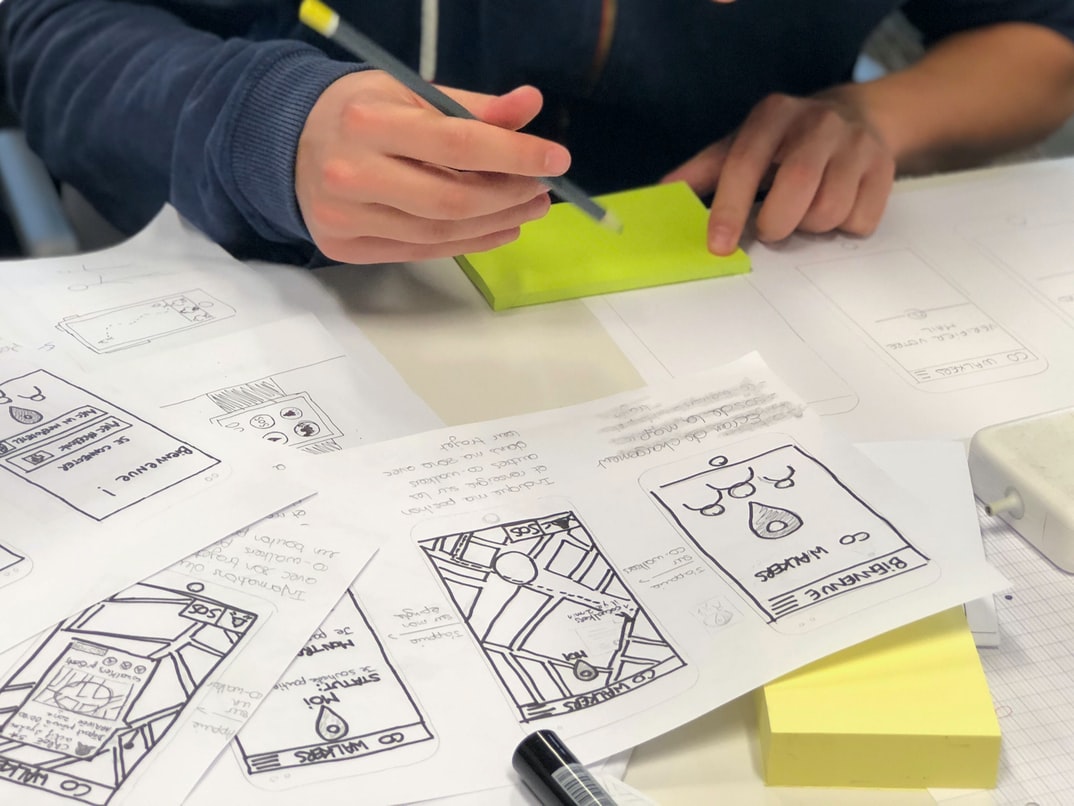
Wireframes are a tool used in user experience design to help communicate the goals of a project to stakeholders. Wireframes consist of simple, static drawings that show the layout and functionality of a website or application. They allow people who don’t understand code to see how the project will look and work.
Why use wireframes?
Wireframes help designers achieve two key goals: they help users understand what they need, and they guide the development process by ensuring that the final product matches the proposed design. By understanding these goals, you can create better user interfaces and experiences for your users.
How can wireframing be improved?
Wireframing is a process used to create an interactive representation of the user interface for a web or mobile application. It can be improved by taking into account the user experience and the graphic design.
One way to improve wireframing is to consider the user experience. By understanding what users want and need, you can create a better wireframe that is easier to understand and use. Additionally, by creating wireframes that are visually appealing, users will be more likely to use your app or website.
Another way to improve wireframing is by taking into account graphic design. Good wireframes should be simple and easy to understand while still looking professional. This means using clean lines and colours that appeal to a wide range of users. By incorporating graphic design into your workflow, you can create better-finished products faster than ever before.
There are several ways you can improve your wireframing skills. One approach is to create more detailed drawings that include more specific information about each element on the page.
UX/UI Design Strategies
User Experience vs User Interface Graphic Design:
The two fields of study – user experience and user interface graphic design – often overlap, but there are important distinctions to be made. User experience is about how a user interacts with a product or service. User interface graphic design is about how looks and layout contribute to that interaction.
In terms of the end goal, user experience seeks to create a positive experience for the user. This may involve anything from making sure all elements of the product are useful and easy to use to create an environment that feels comfortable and welcoming.
User interface graphic design, on the other hand, aims to create an effective visual presentation of information. This may involve creating attractive layouts that are easy to read and navigate or crafting striking visuals that communicate key messages in a clear and concise way.
UX/UI Design Principles
User experience (UX) and user interface (UI) design are two very important aspects of web design. They are both essential in order to create a positive user experience for the users of your site or application. In this article, we will take a look at some UX UI design principles that can help improve the overall usability of your site or application.
1. Keep things simple. The more complex your interface becomes, the more difficult it will be for users to understand and use it. Make sure all elements of your interface are easy to find and use, and make sure all buttons, links, and form fields are sized correctly so that they are easily detectable by users.
2. Use typography wisely. Typefaces can play an important role in conveying a positive user experience.
UX/UI Design Techniques
User experience design is all about making sure that the end-user has an enjoyable and productive experience with a product. User interface (UI) design is one way to achieve this goal, as well as create a visually appealing product. Here are four UI design techniques that can help improve your product’s usability:
User interface (UI) design is a critical component of any product. Poorly designed UIs can lead to frustration and decreased user engagement. However, there are many techniques that can be used to improve the usability of a product. In this article, we will discuss these techniques.
1. Use Clear and Concise Designs
When designing a UI, it is important to keep in mind the target audience and their needs. The more concise the design, the better it will be for users who are looking for quick and easy access to the controls they need. Keep buttons small and within reach, use icons instead of text labels wherever possible, and make sure all elements are visually aligned onscreen. This will help users find what they’re looking for quickly and without having to scroll through long lists of information.
2. Use Color Contrast and Contrast in Size As we mentioned previously, users who are colour-blind or have low vision might have difficulty using your UI. If you use bold and bright colours to highlight important controls, this may be a problem.
1. Use Clear and Consistent Navigation Patterns. Users should be able to navigate your product easily and understand how it works without having to look at multiple menus or screens. Use common icons, labels, and metaphors throughout your product so users can understand how to use it quickly.
2. Keep Elements Clean and Minimalistic. Oversized or cluttered elements will distract from the content and make it difficult for users to find what they’re looking for. Keep everything simple and straightforward, using light colours and limited fonts that are easy on the eyes.
User Interface Development
The interfaces we use on a daily basis are designed with considerations for usability in mind. However, how do these interfaces stack up when it comes to their graphical design? User experience and user interface graphic design are two very different disciplines and can often be at odds with each other. In this study, the two were compared to see which is better suited for specific tasks. The results indicated that user experience was better suited for tasks that required deep analysis, such as understanding a system’s functionality, and user interface graphic design was better suited for tasks that required more visual appeal, such as conveying information effectively to users. While both disciplines have their benefits, it may be best to use one or the other depending on the task at hand.
What are the benefits of a great UX design?
User experience design is all about making sure that the end user of a product or service can get their job done as easily and efficiently as possible. A great user experience can make a product more popular, increase sales, and even win awards. Here are some of the benefits of having a great user experience:
1. Increased Popularity – A well-designed product will be more popular with users, leading to increased sales and popularity.
2. Improved Efficiency – When users can get their jobs done quickly and easily, they are more likely to use the product or service. This leads to increased productivity and savings for businesses.
3. Increased Engagement – When users are engaged with a product or service, they are more likely to stay loyal and return again and again. This increases business revenue over time.
4. Better Conversion Rates – When a product or service is easy to use, users, are more likely to become a customer. This increases conversion rates and leads to greater sales.
User interface (UI) design is the process of creating a good user experience for an app or website. A well-designed UI will make it easy for users to find what they’re looking for and help them navigate the site or app. UI designers also need to take into account how users will use their apps or website. For example, a UI designer might create different menus and buttons depending on whether the user is viewing the app in portrait or landscape mode.
There are many different ways to create a good UI design. Some popular methods include wireframing, prototyping, and testing with potential users. Each method has its own benefits and drawbacks, so it’s important to choose the right approach for your project.
UI design is an important part of any digital project.
User interface design (UI) is an important part of any digital project. The goal of a good UI is to make the user experience as smooth and easy as possible. Good UI design can make a website or application look sleek and professional while ensuring that all the necessary functions are easily accessible.
There are a number of different factors that go into creating a good UI. First, it’s important to consider the overall layout of the page. Everything from the spacing between elements to the colour palette should be considered in order to create a cohesive look and feel. Additionally, it’s important to think about how users will interact with the site or application. Will they need to input data manually? Will they be able to use simple controls? All these factors should be taken into account when designing a user interface.









