

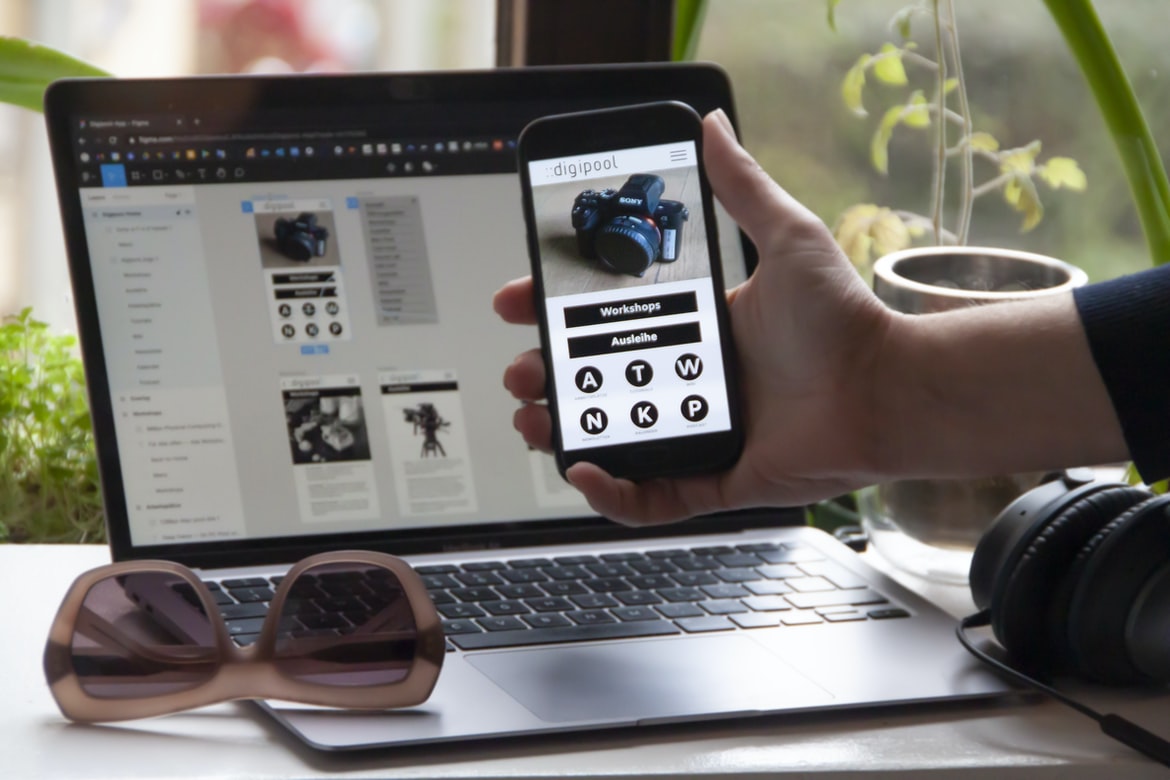
Introduction: What is an Android App and How Can You Build One Without Coding? – Application building UI UX is critical in order to make the process of creating an application as easy and enjoyable for users as possible. It’s important to consider the user’s needs when designing a user interface and also to take into account how users will interact with the application. This article will discuss some of the key aspects of UI UX and provide some tips on how to build a user interface that is both effective and appealing. Designing user interfaces (UIs) is an essential part of creating software that meets the needs of users. A well-designed UI makes it easy for users to understand how to use the application and helps keep them engaged with the product. However, designing a user interface can be challenging and often requires a significant amount of input from users during the early stages of development.
What is UI UX?
UI UX stands for User Interface Design. It is the process of creating a user interface that is both effective and appealing to users, as well as ensuring that it meets the needs of the business. The goal is to create an interface that is easy to use and provides a high level of functionality while still looking good.
User interfaces can be designed in a number of ways, but some common approaches include focus groups, surveys, interviews, and heuristic assessments. After collecting data from users, UI designers will create various mockups to test out different design ideas. Once they have a finalized design, they will implement it into the application and make any necessary changes.
Defining User Experience: What are the key considerations for designing a user interface?
User experience is the totality of an individual’s perceptions and experiences with a product, service or system. This includes both the physical experience of using a product and the emotions experienced while using it. It encompasses not only the design and layout of a user interface but also how well that interface responds to user inputs and provides helpful feedback.
There are many key considerations for designing a user interface, including:
How easy is it for users to find what they’re looking for?
Do menus and buttons look and feel inviting?
Is content well organized?
Are all elements accessible from where users are sitting?
Does the overall design stand up over time (i.e., does it look dated)?
Building a Usable Interface: How do you create a user interface that is easy to use?
The design of user interfaces has come a long way in recent years, and there are many different approaches that designers can take to make applications easier to use. One common method is to create an interface that is easy to navigate and use. There are a variety of ways to achieve this goal, and the approach that you choose will depend on the specific requirements of your application.
One important factor to consider when designing an interface is the layout of the screen. Make sure that all elements are placed in a logical order so that users can understand how everything works. Additionally, make sure that all buttons and controls are easily accessible from where users are seated.
It’s also important to consider how users will interact with your application. For example, will they be clicking on links or typing in the text? Will they need to select items from a list or drag and drop them onto another location? In these cases, it’s important to provide clear instructions and feedback as users perform their tasks.
Overall, it’s essential that you take into account the various factors when designing a user interface for your application. By doing so, you’ll ensure that users have an easy time using your product.
Enhancing Navigation: How can you improve navigation within your application?
There are many ways to improve navigation within an application. One way is to use tabbed browsing. This allows users to hop between different sections of the application with ease. Additionally, using menus and toolbars can also help improve navigation. By separating different tasks into easily accessible menus and toolbars, users can more easily find what they need without having to search through the entire application. Additionally, using icons and labels can also help make navigation easier for users. By providing clear icons and labels that correspond to specific buttons or menus, users will be able to find what they are looking for.
Enhancing Contrast and legibility: How can you make your user interface more visible and easy to read?
While creating a user interface, it is important to consider how Contrast and legibility will be affected. By increasing the Contrast of text and background colours, users will be able to read your interface more easily. Additionally, making sure all elements are outlined or have a defined border can also help make the text more visible. Finally, using fonts that are easy to read can also make your user interface more accessible.
What are the key considerations for creating a usable interface?
There are many factors to consider when designing a user interface. One important consideration is the feedback loop- how quickly can the user see results and make changes? Another is accessibility- does the design require any special equipment or skills to use? And finally, consider how easy it will be for users to find what they are looking for.
Good UX always takes into account the user’s goals and needs. Often, this means designing interfaces that are easy to use and understand without requiring too much upfront knowledge or training. In addition, taking into account accessibility considerations can make sure that everyone can use your application no matter their skill level or ability.
Adobe XD: Building Apps Without Coding Knowledge
Adobe XD is a user interface design software package that is used by professionals to build applications without needing any coding knowledge. It offers a drag-and-drop interface and allows users to create custom templates or designs. Adobe XD also includes features such as motion graphics, animation, and data visualization.
E-Commerce Platform
In today’s market, there are many e-commerce platforms available to entrepreneurs. Each has its own strengths and weaknesses, which can be important to consider when choosing one. Below is a summary of the leading platforms, with some key considerations for entrepreneurs thinking about building an e-commerce business:
Shopify: Shopify is a popular platform that enables entrepreneurs to build custom online stores. It offers a wide range of features and tools, including an easy-to-use drag-and-drop builder, automated shipping options, and powerful affiliate marketing tools. Pros: Wide range of features and tools.
Easy to use drag-and-drop builder.
Automated shipping options.
Affiliate marketing tools. Cons: Fees can be high (up to 5% of sales).
Not as widely used as some other platforms (e.g., Amazon).
BigCommerce: BigCommerce is similar to Shopify in that it allows entrepreneurs to build custom online stores. However, it also offers support for larger businesses, including multiple store locations and inventory management capabilities. Pros: Wide range of features and tools.
Figma
Figma is a user interface design tool that has quickly gained popularity in the past few years. It offers a wide range of features for creating user interfaces, including drag and drop, wireframes, mood boards, prototyping, and more.
Some of the benefits of using Figma include its easy-to-use interface and a large library of built-in templates. Additionally, Figma’s drag-and-drop system makes it easy to create user interfaces quickly. Finally, because Figma is free to use, it is a great option for budget-conscious businesses or creative professionals who want to develop professional-grade user interfaces without spending a lot of money.
Adobe XD
Adobe XD is a new application-building platform that allows users to create custom user interfaces and UIs for their applications. It has a similar interface to Adobe Photoshop and Adobe Illustrator, but it is designed for application development. This platform can be used to create desktop applications, web applications, or mobile apps. Adobe XD also has features for collaboration and team productivity.
Design Mobile App
When building a mobile application, it is important to consider the interface and user experience. Interface design includes things like how users interact with the app, what buttons and menus are available, and the overall look and feel of the app. User experience includes making sure that the app is easy to use and navigate, providing helpful information when needed, and ensuring that all of the features work properly.
One way to improve interface design is to take advantage of modern mobile device capabilities. For example, many apps now allow users to scroll through lists or pages easily by using their fingers instead of clicking on individual items. Additionally, most devices now have sensors that can detect when a user tilts or turns their device, which can be used to change views or transition between screens in an app.
User experience also depends on the type of app being built. For example, games typically require more interaction from users than other types of apps do. This means that games must be designed so that players can easily navigate around the game environment and find specific items or objectives.
Graphic Design
Graphic design is the process of designing the look and feel of a piece of communication, such as a logo, website, advertisement, or product. Graphic designers create images, typography, and other graphics to represent ideas or messages.
Graphic design often involves collaboration with other professionals in marketing and advertising to create an effective product. To create a successful graphic design project, it is essential to have a clear understanding of the audience that the design will be used for and the goals that the designer wishes to achieve. Additionally, good graphic design takes into account all aspects of user experience from start to finish – from choosing appropriate typefaces and colours to ensuring that designs are legible on all devices.
What is UI design?
UI design is the process of creating a user interface for an application. A well-designed UI will be easy to use and look attractive while ensuring that the functionality of the application is easily accessible.
UI design can involve a wide range of elements, from layout and typography to colour and imagery. In order to create a successful UI, it is essential to understand both the needs of the user and the functionality of the application itself. Through careful planning and design, a qualified UI designer can help build an effective and user-friendly application.
What is UX design?
User experience (UX) design is the process of designing a product or service to make it easy and enjoyable for users. It can be thought of as the opposite of user interface design, which is the process of creating an effective graphical interface for users to interact with.
UX designers aim to make products that are easy to use, understand, and fun. They often work with other departments within a company, such as engineering or marketing, to ensure that their designs meet the business goals of the company.
One common goal of UX design is to make it easy for users to accomplish tasks on a product or service. This can be done by creating menus that are intuitively organized, making sure buttons are large and visually appealing, and designing screens that are responsive enough so that they look good on all devices.
Another goal of UX design is to ensure that users have a positive experience using a product or service. This can be done by ensuring that all screens let users know what they need to do in order to complete a task, crafting helpful feedback loops into products and services, and ensuring that devices are usable even when they’re cluttered or crowded.
Visual Communication
Designing and creating a user interface or user experience can be an arduous task, especially if the goal is to create a visually appealing product. But with the right tools and techniques, it can be done easily. This article will outline some tips for designing effective visual communication within your application.
When creating a GUI, keep in mind that users will be interacting with it on a daily basis. Make sure all elements are organized and easy to find. Use typography and colour to reinforce key messages and guide users through the interface. Avoid clutter, particularly onscreen elements that don’t have any functional purpose. Keep buttons large enough, so they’re easily spotted and clickable.
One of the most important aspects of good UX is making sure your application looks good on all devices, from desktop computers to smartphones and tablets. Make use of grids, proportions, fonts, and images that look good across all screen sizes. When choosing colours for your app interfaces, consider how different colours might look when displayed on different types of displays (monitors vs phones).
To ensure your application looks its best from start to finish, take advantage of professional design services or frameworks like Bootstrap or Foundation.
Visual Communication Vs Graphic Design
Visual communication is the process of effectively conveying information through images, typography, and motion. Graphic design is the process of creating a visual representation of an idea or product using lines, colours, and shapes. Both disciplines can be used to create beautiful and effective applications, but there are important distinctions to make between them.
Graphics designers typically have a deep understanding of how images work and how they can be combined to create powerful messages. They use Typography as an essential tool for constructing readable messages at small sizes or on large displays. They also frequently use motion graphics in their work to add excitement and life to presentations or websites.
Application of Graphic Design: Adobe Photoshop, Adobe Illustrator, Adobe InDesign
Designers use a variety of software programs to create graphical designs for their projects. These programs can be used for different purposes, such as photo editing, web design, and graphic design. Adobe Photoshop is the most popular program used in the graphic design industry. It allows users to create images, logos, and flyers. Adobe Illustrator is also a popular program used in the graphic design industry. It allows users to create illustrations, logos, and icons. Adobe InDesign is a program used for creating brochures, flyers, and other types of marketing materials.
Figma, Adobe XD, WordPress, Elementor.
There are a lot of different application-building tools out there, but which one is best for you? In this blog post, we will be looking at three popular application-building tools – Figma, Adobe XD, and WordPress. We will be comparing their features and determining which one is the best suited for your specific needs.
Figma is a tool that has been around for quite some time, and it boasts a lot of features. Its main drawback is that it can be difficult to learn, but once you get the hang of it, its capabilities are impressive. Adobe XD is newer on the scene and boasts more features than Figma. It can be more difficult to learn, but once you have mastered it, its capabilities are definitely worth taking advantage of. Finally, WordPress is probably the most well-known application-building tool out there, and its simplicity makes it very user-friendly. It doesn’t have as many features as some of the other options, but its low cost makes it an excellent option for smaller businesses or projects.
What is a mobile application?
When it comes to app development, one of the most important things you can do is build a great user interface. A good user interface will make your app more usable and attractive, and it will also make it easier for people to interact with your app.
One way to build a great user interface is to consider how people will be using your app. For example, if you’re developing an app that helps people keep track of their finances, you might want to design the user interface so that people can input their budget information quickly and easily.
Another way to build a great user interface is to think about how users will interact with your app. For example, if you’re developing an app that helps people cook dinner, you might want to design the user interface so that people can see all of the ingredients they need at once and easily choose which recipe to try out.
Regardless of how users are interacting with your app, always make sure that the user interface is easy to understand and use.
What are the benefits of building an application?
There are many benefits to building an application. Some of the most important ones include the following:
1. Revenue: Applications can generate revenue by selling subscriptions, advertising space, or data products. This can be a valuable source of income for companies and individuals.
2. Visibility: Applications can be very visible on various platforms, which can help them reach a wider audience. This can lead to higher profits and more exposure for the company or individual who created the application.
3. Engagement: Applications can engage users by providing valuable content or features that they want or need. This engagement can lead to increased loyalty and spending on behalf of the user base.
There are many benefits to building an application. First and foremost, an application provides a platform for businesses to interact with their customers in a more efficient way. Additionally, applications can help organizations streamline processes and improve communication between departments. And finally, apps provide a way for users to access information and services quickly and easily.
How do you go about building an application?
There is no one answer when it comes to building an application. However, there are a few steps that can help you get started. First, you need to think about what your app will do. Once you know what the app will do, you can start considering how it should look and feel. Next, you need to figure out the user interface (UI) for your app. You’ll need to design the UI and create the user interface elements (like menus and buttons). Finally, you’ll need to create the code for your app. You’ll need to build the programming logic and code for your app.
What are some tips for building a successful application?
1. When developing an application, it is important to consider the user experience from start to finish. User interface (UI) design and user experience (UX) are two key aspects of a successful application. UI design should be consistent throughout the application while ensuring that all features are easy to use and understand. Good UX ensures that users have a positive overall experience with your application from beginning to end.
2. It is also important to keep in mind the target audience when designing an application. Knowing who will be using your application and what they will want from it can help you ensure that your UI and UX are tailored directly to their needs. Additionally, making sure that your application looks good and works smoothly on all types of devices can be crucial for success.
3. Testing is another essential part of building a successful application. Before release, it is important to test on various devices and browsers so that everything runs smoothly for all users. Also, make sure all features work as expected and that there are no unexpected issues along the way.
How to convert a website to an app
There are many ways to convert a website into an app, but the most common way is by using a platform like Appcelerator or Titanium. Once your website is converted, you need to create an app version of it and promote it on various platforms. You can also use online tools like AppAnnie to see which apps are popular and copy their designs.
Application Building
There are many different factors that go into creating a user-friendly and visually appealing application. A good user interface (UI) should be easy to use and understand while also looking aesthetically pleasing. Additionally, the UX of an application should be designed with the end user in mind, making sure that all features are accessible and convenient.
One way to improve UI and UX is by using design principles such as empathy and human-centred design. Empathy refers to understanding how people work and how they interact with their environment. The human-centered design takes these concepts one step further by focusing on the user experience rather than just the technical aspects of an application. By doing so, it can help create applications that are more user-friendly and functional.
Overall, it is important to consider all aspects of an application when designing it, including the UI and UX. By doing so, we can make sure that our applications are both easy to use and visually appealing.









