

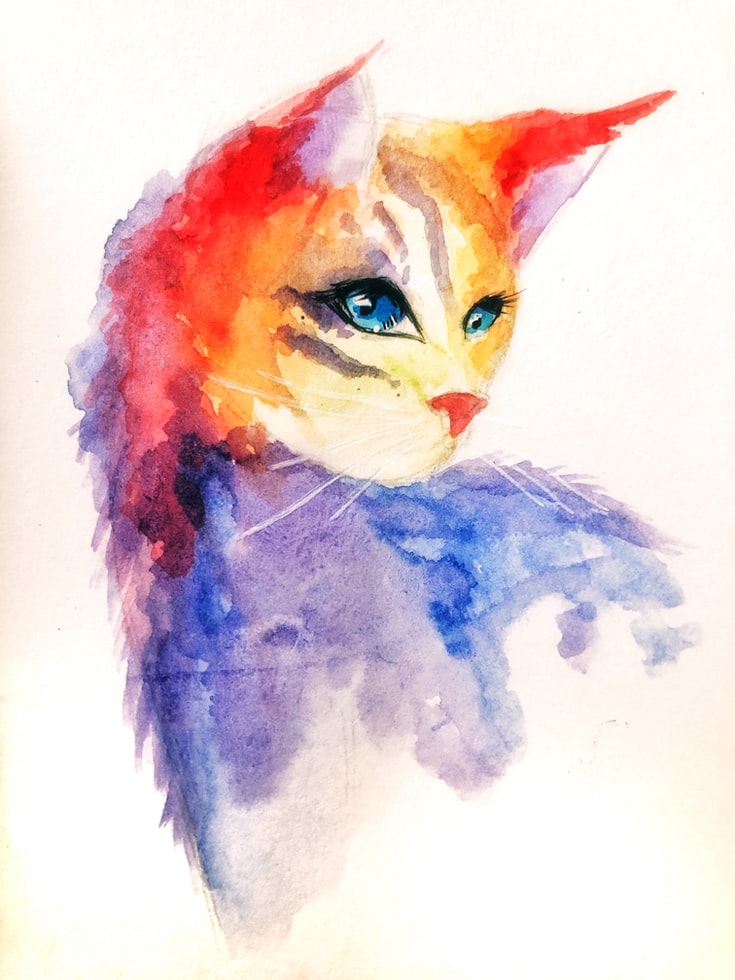
What is a digital illustration, and what does it offer artists? Illustration Courses University UK
The Basics of Digital Illustration: How computers are used to create illustrations and how they differ from traditional drawing and painting.
Digital illustration is the creation of artwork using digital tools like computers and graphics tablets. Unlike traditional drawing and painting techniques, it requires the use of software programs specifically designed for this purpose. Digital illustration offers a host of benefits over traditional mediums, such as versatility, speed, and ease of use.
One key difference between digital illustration and traditional methods is that digital illustrations can be edited, manipulated or changed at any time. This flexibility allows artists to experiment with different colours, brush strokes, layers and effects without fear of making permanent mistakes. Additionally, the ability to save multiple versions of artwork or revert back to previous versions makes it easier to collaborate with clients or other artists.
Another major advantage of digital illustration is that it allows artists to work on large-scale projects quickly. With powerful computer processing power, artwork can be created in a fraction of the time compared to traditional painting methods such as oil or watercolours, which require drying times between layers. Furthermore, digital illustrations can easily be printed on various mediums ranging from paper to fabric without losing quality – a feat not possible with traditional paintings.
The Elements of Digital Illustration: Picture quality, colour, shapes, perspective, etc.
Picture quality, colour, shapes, perspective, and texture are the main elements that digital illustrators should be familiar with. The picture quality refers to the resolution of an image and ensures that it is clear and crisp. It’s crucial because a low-resolution image will look blurry when enlarged or printed. Colour choice is another essential element that influences how viewers perceive an illustration. A skilled illustrator knows how to use colour theory to create a mood or emotion in their artwork.
Shapes play an integral role in digital illustrations as they help to convey depth and form within a piece. They can be manipulated to create abstract imagery or realistic objects using shading techniques like gradients and highlights. Perspective is another element that helps illustrate depth within a piece of art by placing objects at different distances from the viewer’s vantage point.
Finally, texture adds realism to digital illustrations by mimicking real-life textures such as wood grain or fabric weave patterns. This element can be achieved through various Photoshop brushes or digital tools like Procreate’s textured brush sets. Understanding these five elements of digital illustration will allow illustrators to create visually compelling pieces for any project they undertake while ensuring high-quality output every time!
Technical Tips for the Best Use of Digital Illustration: How to use the software well, optimize your images for search engine optimization, and find the right printing medium.
When it comes to digital illustration, using the right software is crucial. Whether you’re a beginner or a seasoned professional, mastering software like Adobe Photoshop and Illustrator can help you create stunning illustrations that stand out from the competition. Take time to learn the basics of these programs and explore advanced techniques like layer masks and blend modes to take your work to the next level.
Optimizing your images for search engine optimization (SEO) is also essential for digital illustrators looking to showcase their work online. Make sure your images are properly compressed without losing quality or resolution. Use descriptive file names that include relevant keywords, and add alt text tags with descriptions for each image on your website or portfolio page.
Finding the right resources can also be challenging when it comes to digital illustration, but there are many tools available that can help make your workflow more efficient. Websites like Behance offer a wealth of inspiration and tutorials from top artists in the field, while stock image libraries like Shutterstock provide access to thousands of high-quality photos and illustrations that can be incorporated into your own designs. By utilizing these technical tips effectively, digital illustrators can create eye-catching visuals that capture attention in today’s fast-paced digital world.
Adobe Illustrator
Adobe Illustrator is a powerful digital illustration tool used by countless designers and artists. It allows for precise and detailed artwork that can be scaled up or down without losing quality. The software offers an array of tools such as the pen tool, brush tool, shape tool, and more. These features make it easy to create intricate designs from scratch.
One of the most significant advantages of Adobe Illustrator is its vector-based nature. Unlike raster graphics programs, vector graphics are not made up of pixels. Instead, they use mathematical formulas to create shapes and lines that can be manipulated without affecting their quality. This makes it ideal for creating logos, icons, typography, and illustrations in print or web media.
Moreover, Adobe Illustrator integrates well with other Adobe Creative Suite software applications like Photoshop or InDesign, which makes it easier to transfer files between them seamlessly. Overall, Adobe Illustrator is an essential tool for any designer looking to create visually appealing illustrations with precision and ease.
Using digital illustration to its full potential can be a rewarding experience.
Digital illustration is a versatile art form that can be used in various ways to bring creativity to life. With the help of software tools and hardware like tablets, digital illustrators can create stunning images, animations, and designs with ease. The possibilities are endless when it comes to using digital illustration, as it allows artists to experiment with different styles and techniques.
One of the biggest advantages of using digital illustration is its flexibility. Artists can easily modify their work without having to start from scratch or worry about making mistakes. This saves time and allows them to focus on creating more refined artwork. Moreover, digital illustrations can be easily shared online or printed for various purposes like advertising, book covers, or even merchandise.
In addition to these benefits, the digital illustration also offers a cost-effective way for businesses and individuals alike to get custom-designed graphics without breaking the bank. Freelance illustrators specializing in this field provide affordable services that cater specifically to clients’ needs which makes it an appealing option for those looking for unique artwork at reasonable prices. Overall, using digital illustration has proven itself as an innovative tool that adds value both artistically and commercially by providing accessible solutions for creative expression.
What Is Digital Illustration?
A digital illustration is a form of art that involves using digital tools and software to create visual images. It has become increasingly popular over the years as it offers artists greater flexibility and control over their work. Digital illustrations can range from simple sketches to intricate designs, and they can be used in various mediums, such as print media or websites.
One of the key advantages of digital illustration is its ability to be easily edited and manipulated. Artists can make changes to their work at any stage without having to start from scratch, making the creative process more fluid and efficient. Additionally, digital illustrations often have a cleaner finish than traditional methods since there are no smudges or eraser marks.
Many artists also enjoy using digital illustration because it allows them to experiment with different styles and techniques without worrying about wasting materials or resources. There is a wide variety of software available for creating digital art, ranging from free programs like GIMP to professional-grade applications like Adobe Illustrator. Overall, digital illustration provides a versatile platform for artistic expression that continues to evolve alongside technological advancements.
What Are The Benefits Of Using A Digital Illustration?
A digital illustration is a powerful tool that offers many benefits, particularly in the world of design and advertising. Firstly, digital illustrations are incredibly versatile and can be used across a range of mediums – from website graphics to print materials. This flexibility makes them an ideal choice for businesses looking to create cohesive branding across multiple platforms.
Another advantage of using digital illustrations is their ease of editing. Unlike traditional hand-drawn artwork, digital illustrations can be quickly adjusted or tweaked as needed without requiring a complete redraw or starting from scratch. This not only saves time but also allows for more experimentation and refinement during the design process.
Lastly, digital illustrations often have a more polished and professional appearance than traditional hand-drawn art due to their clean lines and ability to incorporate precise details. They also offer greater control over colour palettes and shading options, resulting in images that are both dynamic and visually striking. Overall, the benefits of using digital illustration make it a valuable investment for any business or designer looking to create high-quality visuals that effectively communicate their message to an audience.
What Are The Different Techniques Used To Create Digital Illustrations?
One of the most common techniques used to create digital illustrations is vector art. This technique involves creating images using mathematical equations and geometric shapes. It allows for a clean, crisp final product that can be easily scaled up or down without losing quality. This method is often used when creating logos, icons, and other graphics that require precision.
Another popular technique is digital painting. This method mimics traditional painting but uses software such as Photoshop or Procreate instead of physical paint and canvas. Digital painting allows for a wide range of styles and effects, from realistic portraits to whimsical cartoons. It also offers the ability to work with layers, making it easy to create complex compositions.
Finally, some artists use 3D modelling software to create their illustrations. By building digital models of objects or characters in a virtual space, they can manipulate them from all angles and adjust lighting and textures until they achieve the desired effect. This technique is often seen in animation or video game design but can be used in any illustration project that requires three-dimensional elements.
Is It Necessary To Attend Specialized Training To Learn Digital Illustration?
A digital illustration is an art form that has gained immense popularity in the last decade. With the increasing demand for digital artwork, many people are opting to learn this skill. However, the question arises whether it is necessary to attend specialized training to learn digital illustration.
While there are plenty of online tutorials and resources available on digital illustration, attending specialized training can be beneficial as it provides a structured learning environment. Specialized courses offer a comprehensive curriculum designed by experts in the field, giving learners access to knowledge that may not be available through online resources.
Moreover, specialized courses provide learners with hands-on experience with tools and software used for digital illustration. This practical application of skills helps learners develop proficiency and confidence in their abilities. Additionally, attending a course allows learners to receive feedback from professionals and peers alike, which can help identify areas of improvement and refine their technique.
How Long Does It Take To Master Digital Illustration?
The time it takes to master digital illustration depends on various factors, such as your existing skills, practice routine, and learning resources. If you are already familiar with traditional drawing techniques, the transition to digital illustration might be smoother for you. However, if you are starting from scratch, it may take longer to get used to the tools and processes involved.
Another critical factor in the mastering digital illustration is consistent practice. The more time you spend creating art on your computer or tablet, the faster you will improve. It’s essential to establish a regular practice routine that works for you and stick with it. Consider setting aside a specific amount of time each day or week dedicated solely to practising your digital illustration skills.
Lastly, the quality of your learning resources can also impact how long it takes to master digital illustration. There are numerous online courses and tutorials available that cater specifically to aspiring artists interested in exploring this medium. Choosing high-quality resources that align with your skill level can help speed up the learning process and provide valuable insights into best practices in the industry.
How Can Digital Illustrations Be Used To Enhance Storytelling?
Digital illustrations are a popular tool used by artists and storytellers to enhance their visuals and bring their stories to life. These illustrations can be extensively customized using digital tools, allowing for greater levels of detail, colour, and texture than traditional illustration methods.
One major advantage of digital illustrations in storytelling is the ability to create interactive experiences. With the rise of e-books and online publications, authors can use digital illustrations to create animated scenes or interactive elements that engage readers in new ways. Additionally, digital illustrations allow for easy revisions and updates, making it possible for authors to make changes as needed without having to re-create entire pages or scenes.
Another benefit of digital illustration is its versatility. It can be used in a wide range of formats, including social media posts, blog articles, advertisements and even video games. This makes it an incredibly valuable tool for marketers looking to tell compelling stories that resonate with their target audience across multiple platforms. Ultimately, whether you’re an author or marketer looking to amplify your message, or simply an art enthusiast wanting more creative control over your work – digital illustration is a powerful tool that offers endless possibilities when it comes to enhancing storytelling.
How Do You Do A Digital Painting?
Digital painting is an art form that allows artists to create beautiful and expressive works of art using digital tools such as a drawing tablet, stylus pen, and computer software. The process involves creating different layers of colours, textures, and shapes to build up a complete image. The first step in digital painting is choosing the right software, which can vary depending on the artist’s preference.
After selecting the appropriate software, the next step is to set up your workspace by adjusting brush settings and creating a colour palette. Then comes sketching out the basic outlines or shapes of your subject matter using various tools such as pencils or brushes. Once you have your outline done, it’s time to start filling in colour and texture layer by layer until you achieve the desired effect.
In conclusion, digital painting is an exciting way for artists to express their creativity without being limited by traditional media. With its versatility and convenience, more people are starting to explore this new medium for their artistic expression.
What Do You Need For Digital Painting?
One of the great things about digital painting is that you don’t need a lot of supplies to get started. In fact, all you really need is a computer or tablet and a stylus. Of course, there are other tools that can help enhance your experience and improve the quality of your work. For example, having a high-quality monitor or graphics tablet can greatly improve the accuracy and detail of your strokes.
Another key element to consider when starting out with digital painting is software. There are many different options available on the market, each with its own unique features and tools. Some popular choices among artists include Adobe Photoshop, Corel Painter, and Procreate. It’s important to find software that feels comfortable for you to use and provides the tools necessary for achieving your desired style.
While not essential, investing in additional tools such as custom brushes or texture packs can also help take your digital painting skills to the next level. With these resources at hand, you’ll have everything needed to create stunning illustrations in no time!
What Is The Meaning Of Digital Painting?
Digital painting refers to the process of creating an artwork using digital tools such as a computer or tablet. It involves the use of software programs that simulate traditional painting mediums like oil, watercolour, and pastel. Digital painting offers several advantages over traditional methods, including greater flexibility, ease of editing and undoing mistakes, and the ability to work faster.
One of the most significant advantages of digital painting is that it provides endless possibilities for experimentation with colours, textures, and styles. This allows artists to create unique and original pieces without being limited by physical materials or techniques. Additionally, digital paintings can be easily shared online through social media platforms or websites dedicated to art.
In conclusion, digital painting has become a popular medium for artists who want to explore new horizons in their work while retaining the essence of traditional art. Its versatility allows for the creation of visually stunning pieces with unlimited creative potential.
Is Digital Painting Easy?
Digital painting is a form of art that has gained immense popularity in recent years. With the evolution of technology, digital painting has taken over traditional forms of artmaking, providing artists with a new medium to showcase their skills. However, the question remains whether a digital painting is easier or more challenging than traditional forms.
In reality, digital painting has its own set of challenges and requires equal amounts of skill as traditional forms. While it may be easier to undo mistakes and make changes in digital paintings compared to traditional ones, creating realistic textures and lighting requires just as much attention to detail and practice.
Overall, whether a digital painting is easy or not depends on one’s level of experience and skill set. Similar to any other form of art-making, it takes time and dedication to master this craft. As with anything else worthwhile in life, if you put in the effort required, you can become great at it regardless if you started off thinking it was going to be easy or not.
Computer Art
A digital illustration is a form of computer art that has revolutionized the way artists create their work. With digital tools, illustrators can create stunning and intricate pieces with ease. Digital illustration allows for greater precision and control over every aspect of the artwork, from line weight to colour choice.
One of the biggest advantages of digital illustration is its flexibility. Artists can easily make changes to their work without having to start all over again, making it perfect for graphic designers who need to make quick adjustments to their designs. Additionally, digital illustrations can be easily shared and exported in various formats, such as PNG or JPEG.
In recent years, digital illustration has become increasingly popular among businesses looking for unique and eye-catching visuals for their branding materials. With its versatility and professional quality, it’s no wonder why more artists are turning towards computer art as a viable career option.
Drawing Styles
Digital illustration is an incredibly versatile medium that allows artists to experiment with a wide range of drawing styles. One popular style in the digital illustration is the cartoonish or caricature style, which exaggerates certain features to create a humorous effect. This style is often used for editorial illustrations or character design.
Another popular style in the digital illustration is the realistic or lifelike style, which aims to create a highly detailed and accurate representation of the subject matter. This style requires a high level of technical skill and attention to detail, as well as an understanding of anatomy, light and shadow.
Finally, there’s the abstract or surrealistic style, which can be quite experimental and playful. This approach often involves using unusual colour schemes, shapes and patterns to create images that are dreamlike or otherworldly. Some artists may also combine different styles together in their work, creating hybrid forms that push the boundaries of digital illustration even further.
Pencil Drawing
When it comes to digital illustration, pencil drawing is still a popular technique used by artists. The versatility of pencils allows for a range of line weights and shading techniques that can create a variety of textures and moods in the final piece. In addition, many digital illustration programs offer brushes that emulate the look and feel of traditional pencils, making it easy to incorporate this classic technique into your digital workflow.
One benefit of using pencil drawing in the digital illustration is the ability to easily make changes or corrections without having to start over from scratch. With traditional media, mistakes can be difficult or impossible to fix, but with digital tools such as layers and undo/redo functions, artists have more control over their work.
Overall, pencil drawing remains a valuable skill for any aspiring illustrator, whether working digitally or with traditional media. Its flexibility and ease of use make it an essential tool in any artist’s toolkit.
Cartoon Drawing
Cartoon drawing has come a long way from the traditional pen and paper method. With the rise of digital illustration, artists now have access to advanced tools that allow them to create stunning artwork with ease. Digital illustration software like Adobe Illustrator and Procreate offers a range of features that make a cartoon drawing more accessible than ever before.
One advantage of digital illustration is the ability to edit or undo mistakes quickly. This feature makes it easy for cartoonists to experiment with different styles and techniques without worrying about ruining their work. Additionally, digital tools like pressure sensitivity and brush customization give artists more control over their strokes, making it easier to achieve desired effects.
Another benefit of digital illustration is its versatility. Cartoonists can create artwork on a variety of devices, including tablets and laptops, giving them the freedom to work virtually anywhere. And with social media platforms like Instagram and TikTok providing an audience for creators, there’s never been a better time to explore the world of digital cartoon drawing.
Watercolour Pencils
Watercolour pencils are a great tool for digital illustrators who want to add a touch of realism and depth to their work. These versatile pencils can be used in many different ways, and they offer unique benefits that other colouring tools don’t have. For example, watercolour pencils can be activated with water to create a wash effect or blended together to create gradients and shading.
One of the biggest advantages of using watercolour pencils is their ability to layer colours. Digital artists can apply multiple layers of colours on top of each other, creating intricate details and textures that would be difficult to achieve with other tools. Additionally, watercolour pencils allow illustrators to control the intensity of colour by adjusting the amount of pressure applied while colouring.
Overall, incorporating watercolour pencils into digital illustration can elevate the artwork and make it stand out from similar pieces created with more traditional tools. With practice and experimentation, artists can master the unique properties of these versatile pencils and unlock even more creative possibilities in their work.
Graphite
Graphite is a versatile drawing tool that has been used by artists for centuries. It is made of carbon, which lends it its signature dark colour and smooth texture. Graphite pencils come in a range of hardness levels, from 9H (the hardest) to 9B (the softest). This allows artists to create a wide range of tones and shading effects.
In the digital illustration, graphite can be mimicked using software tools such as the pencil brush in Photoshop or Procreate. These brushes are designed to replicate the look and feel of traditional graphite on paper, allowing artists to achieve a similar level of control and nuance in their digital work. Many illustrators who work digitally still prefer to start with traditional materials like graphite before moving onto the computer.
Despite advances in digital technology, there is still something special about working with traditional materials like graphite. The tactile experience of holding a pencil and feeling it scratch across paper can never truly be replicated by software alone. For many artists, the combination of analogue and digital techniques provides the best of both worlds when creating illustrations.
Figure Drawing
Figure drawing is an essential aspect of digital illustration. It involves the process of creating accurate and realistic depictions of human figures, which can then be incorporated into various forms of artwork. One critical skill required for figure drawing is understanding anatomy, as this helps to create more lifelike representations. Additionally, knowledge of proportions and perspective is necessary to ensure that the final piece looks proportional and well-balanced.
The use of technology has greatly enhanced figure-drawing processes in recent times. There are a plethora of software applications available today that allow artists to sketch, shade, and colour their illustrations digitally. These tools not only make the entire process much faster but also provide easier access to advanced features like layers and filters to enhance the overall output.
In conclusion, digital illustration offers incredible opportunities for creative expression through figure drawing. With sufficient knowledge and practice in anatomy, proportions, and perspective coupled with suitable software tools at hand, artists can produce stunning renderings of human figures with ease.
Coloured Pencils
When it comes to digital illustration, coloured pencils may not be the first tool that comes to mind. However, they can actually be quite useful in the early stages of sketching and planning out a piece. Coloured pencils allow for quick experimentation with colour and shading without committing fully to a digital brush stroke.
One technique is to use coloured pencils for rough sketching before scanning the drawing into a computer program. This allows for more organic lines and textures that can then be refined digitally. Additionally, using coloured pencils on paper can provide a break from staring at a screen all day and give your eyes some much-needed rest.
Another benefit of using coloured pencils in the digital illustration is their portability. Artists can easily bring a set of coloured pencils with them on the go or outside to do some outdoor sketching. This helps keep the creativity flowing even when away from the computer screen. Overall, while coloured pencils may not seem like an obvious choice for digital illustration, they offer many benefits and should not be overlooked as a valuable tool in any artist’s toolkit.
Gesture Drawing
Gesture drawing is a technique used in digital illustration to capture the essence of movement and motion. It involves quickly sketching the basic form and shape of a subject without worrying about details or precision. The purpose of gesture drawing is to capture the energy and flow of a subject, whether it be a person, animal, or object.
One benefit of using gesture drawing in the digital illustration is that it helps artists loosen up their drawing style and become more fluid with their strokes. By focusing on capturing the overall gesture rather than getting bogged down in details, artists can create dynamic and expressive illustrations. Additionally, gesture drawing can help improve an artist’s ability to observe and understand movement, which can be applied to other areas of the artwork, such as animation.
While gesture drawing may seem like a simple technique, it takes practice and patience to master. Digital tools such as tablets or styluses make this process easier by allowing artists to quickly sketch out their ideas without being limited by traditional mediums like pens or pencils. Whether you are an experienced illustrator or just starting out, incorporating gesture drawing into your workflow can lead to more dynamic and engaging artwork.
Chalk Drawing
Chalk drawing is a popular form of traditional art that has been around for centuries. However, with the advent of technology, digital illustration has become an increasingly prevalent medium for artists to express themselves. While digital illustration offers many advantages over traditional mediums, such as the ability to quickly erase mistakes and experiment with different colour schemes, it can be difficult to achieve the same level of texture and authenticity that comes with chalk drawing.
One way in which digital artists have attempted to capture the essence of chalk drawing is through the use of specialized brushes and textures. These tools allow them to create realistic-looking chalk strokes that mimic the subtle variations in tone and texture found in traditional chalk drawings. Another technique involves using layers and blending modes to add depth and dimensionality to a piece, similar to how an artist would layer different colours of chalk on top of each other.
Despite its challenges, digital illustration offers many unique opportunities for artists interested in exploring new forms of expression. By combining the versatility and convenience of technology with the timeless appeal of traditional art forms like chalk drawing, they can create works that are truly one-of-a-kind. Ultimately, whether you prefer working with physical materials or enjoy experimenting with new technologies, there is no limit to what you can achieve when it comes to creating beautiful artwork.
Line Drawing
Line drawing is a technique that has been used in the art for centuries. It involves creating an image using only lines, without any shading or use of colour. In the digital illustration, line drawing can be done using a variety of tools such as a stylus and tablet or mouse and keyboard.
The beauty of line drawing lies in its simplicity. It allows the artist to focus on the basic elements of the subject matter, capturing its essence with just a few strokes. This minimalistic approach can create powerful imagery and evoke deep emotions in the viewer.
Line drawing is also versatile and can be used in various styles, from realistic to abstract. With digital illustration, artists have access to tools that make it easy to experiment with different techniques and styles, allowing them to push their creativity even further. Whether used alone or combined with other techniques such as colour and shading, line drawing remains an essential tool in digital illustration.
Crayon Drawing
Crayon drawing is a traditional art form that has been around for centuries. However, with the advancement of technology, digital illustration has become increasingly popular among artists and designers. Despite this shift towards digital art, crayon drawing still remains relevant and is often used as a starting point for many digital illustrations.
One advantage of using crayons in traditional drawings is the ability to create texture and depth. The wax-based medium allows for layering and blending, resulting in a unique range of colours and tones. This technique can be applied to digital illustrations by using software that mimics the effects of crayons, such as Procreate or Adobe Photoshop.
In addition to creating textures, crayon drawings are also known for their whimsical charm. This playful quality can add character to any project or design. By combining both traditional and digital techniques, artists are able to create pieces that are both nostalgic and contemporary at the same time – giving them an edge over those who stick solely with one medium or style.
Perspective Drawing
Perspective drawing is an essential skill in creating digital illustrations. It involves the use of techniques that give the illusion of depth and distance in the artwork. By mastering perspective drawing, artists can create realistic and eye-catching pictures that capture the viewer’s attention.
One important aspect of perspective drawing is understanding vanishing points. In the digital illustration, this means identifying the location on the horizon where parallel lines converge to create a sense of depth. Using vanishing points helps artists place objects correctly in relation to one another, creating a more realistic and engaging visual experience.
Another technique used in the perspective drawing is foreshortening. This method involves shortening or distorting parts of an object or figure as they appear closer to the viewer. Foreshortening creates a sense of depth by emphasizing how objects appear differently depending on their proximity to the viewer’s eye line. With practice, digital illustrators can master these techniques and produce stunning illustrations that truly come to life on screen.
Digital Drawing With Tablets
Digital drawing with tablets has revolutionized the world of illustration. With the advent of the digital art software and pressure-sensitive styluses, artists can now create stunning illustrations digitally using a tablet. It enables them to draw more precisely than ever before and to experiment with different styles and techniques.
One of the most significant advantages of digital drawing is its versatility. Artists can use different brushes, colours, layers, and styles to create unique pieces that would be difficult or impossible with traditional media. They can also easily undo mistakes or make changes without having to start over entirely.
Moreover, creating artwork digitally saves time and effort compared to traditional methods like painting or sketching on paper. After finishing a piece, it can be edited or shared online instantly without worrying about scanning or photographing it first. Overall, digital drawing with tablets offers endless possibilities for artists who want to explore new creative horizons while saving time and resources in the process.
Ink Drawing
Ink drawing is a classic art form that has been used for centuries. It involves using ink and pen on paper to create intricate designs, illustrations, and paintings. With the advent of digital technology, ink drawing has become even more accessible as artists can now use digital tools to produce their artwork.
Digital illustration allows artists to experiment with different styles of ink drawings without having to worry about making mistakes or starting over from scratch. They can easily edit their work and make changes until they are satisfied with the final result. Additionally, digital tools offer a range of options for colours, brushes, and textures that allow artists to create unique pieces that stand out from traditional ink drawings.
Despite the convenience of digital illustration tools, many artists still prefer working with traditional pen and paper for their ink drawings. There’s something special about the tactile experience of creating artwork by hand and seeing it come to life on paper. Whether created digitally or traditionally, ink drawing remains a timeless art form that continues to captivate audiences around the world.
Photorealism
Photorealism is a genre of digital illustration that aims to create images that are almost indistinguishable from photographs. This style requires precision, attention to detail, and mastery of software tools like Photoshop and Illustrator. Photorealistic illustrations often feature intricate textures, reflections, and lighting effects that mimic real-world elements.
Creating photorealistic illustrations can be time-consuming because every element must be carefully crafted to achieve the desired level of realism. However, this style can also be incredibly rewarding as it allows artists to push their skills to new heights and create stunningly lifelike images. Many digital artists specialize in photorealism and use it in fields like advertising, product design, and movie production.
Despite its challenges, photorealism remains an important genre of digital illustration because it demonstrates the incredible potential of technology when combined with artistic skill. It also challenges our perceptions of what is real or not by creating convincing illusions that blur the lines between art and reality.
Pen Drawing
Pen drawing is a traditional form of illustration that has been practised for centuries. With the advent of digital technology, pen drawing has taken on a new life as an accessible and versatile medium for artists and designers alike. The beauty of pen drawing lies in its simplicity – all it takes is a pen, paper or tablet and an idea. Whether you’re sketching out rough ideas or creating intricate details, the precision and control offered by pens make them an ideal tool for illustrators.
In the digital illustration, pen drawing has become even more popular due to its ease of use and versatility. With tablets like the Wacom Intuos or iPad Pro, artists can draw directly onto their screens using digital pens that offer pressure sensitivity and even tilt recognition. This allows for more natural-looking strokes that mimic traditional pen-and-ink techniques. Furthermore, with software like Adobe Photoshop or Procreate, artists can easily manipulate their drawings to add colour or texture without losing the charm of hand-drawn lines.
Overall, whether you prefer working with traditional materials or digital tools, there’s no denying the enduring appeal of pen drawing in illustration. It’s a timeless art form that continues to evolve with technology while remaining rooted in its simple yet powerful origins.
Pointillism
Pointillism is a form of the art technique that emerged in the late 19th century. It involves creating an image using tiny dots or points of colour, which, when viewed from a distance, appear to blend together and create a cohesive image. Pointillism was originally used in painting, but with the advent of digital illustration software, this art style can now be recreated on computers.
Digital pointillism involves using a digital pen to create small dots or strokes of colour on a digital canvas. The size and opacity of each dot can be adjusted to create different shades and textures within the artwork. This technique is often used in illustrations and graphic design work to add depth and dimensionality to an image.
One advantage of digital pointillism is that it allows for greater precision and control than traditional painting methods. Artists can easily undo mistakes, adjust colours or change the size/shape of individual dots as needed without having to start over completely. It also opens up new possibilities for experimentation with colour schemes, patterns, and styles that were previously difficult to achieve by hand.
Charcoal Drawing
Charcoal drawing is a traditional art form that has been around for centuries. Today, it remains a popular medium among artists and illustrators alike. With the rise of digital illustration, many artists have turned to technology to create their charcoal drawings digitally. Using digital tools allows artists to achieve the same texture and depth as traditional charcoal while also providing more flexibility in terms of editing and sharing.
One great advantage of digital charcoal drawing is the ability to work with multiple layers. This means an artist can create separate layers for different elements of the drawing, such as background, foreground, or details like shading or highlights. Layers make it easier to adjust specific parts of the image without having to redo everything else from scratch.
Furthermore, using a tablet or stylus instead of traditional materials makes creating digital charcoal drawings more accessible and less messy than working with physical materials. Artists can experiment freely without worrying about wasting precious supplies or making mistakes they cannot undo. Overall, digital technology offers a new way for artists to explore this classic art form while pushing its boundaries into new territory.









