

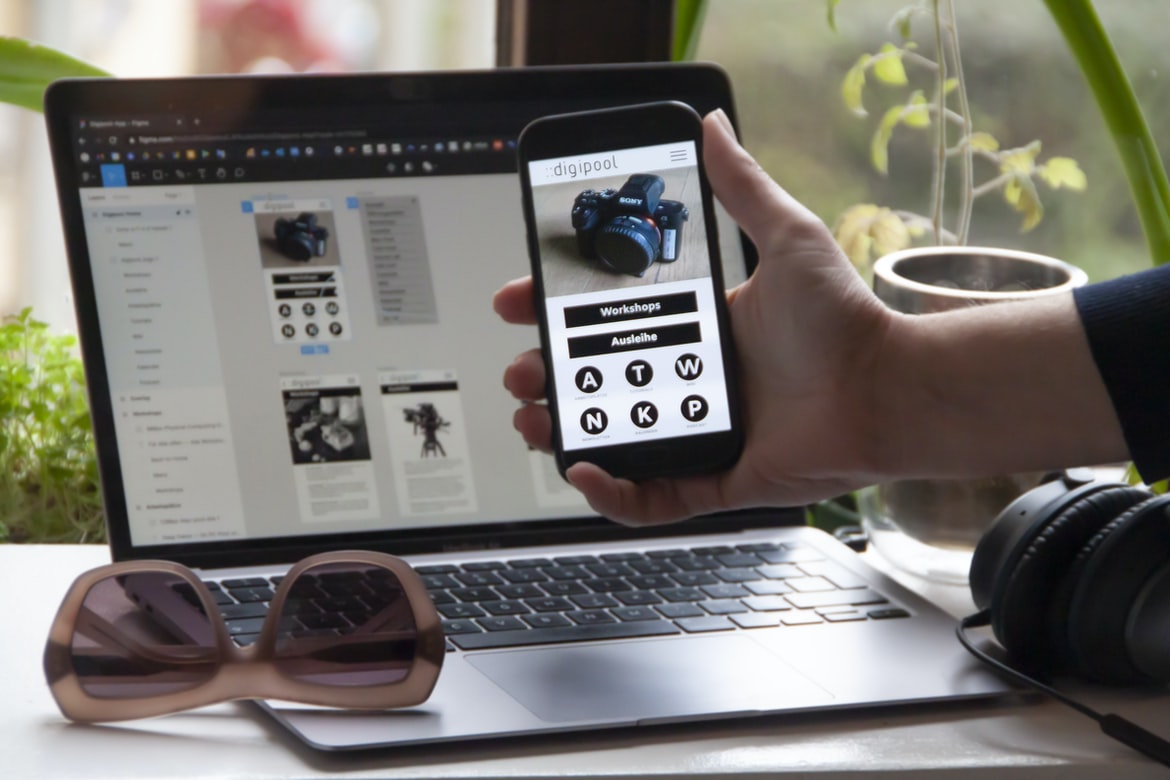
There is no one “right” way to design a website’s user interface (UI). However, some tips on how to create an effective UI can help make your website more user-friendly. Some popular UI design patterns include Bootstrap, Foundation, and Grid.
What is web design?
Web design is the process of designing a website or web application. It includes developing the design concepts, creating and maintaining the content, and creating user experiences.
Elements of web design: HTML, CSS, JavaScript, and AJAX
Web design is all about finding the right way to put together a website. There are many different elements that can make up a website, and each one has its own importance. HTML, CSS, JavaScript, and AJAX are three of the most important elements in web design. They help create the basic structure of a website, as well as give users access to specific parts of it.
How Much Should I Charge For UX Design?
1. In order to charge what is fair for UX design, it is important to know the industry average.
2. Knowing your skill level and the amount of work that you put into a project will help determine a fair price.
3. It is also important to consider the time you’ve invested in developing your skills as well as experience and reputation.
4. Be prepared to give estimates and always be willing to adjust prices based on feedback.
How Much Should I Charge For Ux Design?
Designing a user interface (UX) is an important part of any business. However, not all businesses have the resources to do a good job. How much should you charge for UX design? There is no one answer to this question. It depends on your skills, experience, and the project you are working on. Here are some tips to help guide you in setting your rates:
1. Know your worth
Don’t undervalue your work – charging too little will likely lead to dissatisfied customers and lost business, while charging too much may not be possible for your skill set or budget. Set a price that reflects the level of detail and effort put into your work but also allows you to live comfortably while continuing to provide quality services.
2. Research your clients’ needs. It’s important to research each client and understand their needs before you begin the project. This will help you better communicate with them, as well as provide a better experience for the customer.
3. Set realistic expectations. With every project, there is always some risk of failure.
Stylesheets: Styling for content and presentation
Stylesheets can help a web design team create more consistent and easy-to-read content across different website designs. Stylesheets can also help to improve the organisation, presentation, and readability of content on a website.
Headings: The anatomy of a blog post
Web design UI UX is the process of designing the user interface for a website. This includes developing the layout, design, and overall look of the website. It can also include creating buttons and other elements that users will use to navigate the website.
Tips for writing better web design
Designing a web page is a process that starts with creating the design and then specifying how it will be used. There are many tips you can use while designing your web page to make it more user-friendly and efficient. Here are some of the most popular ones:
1) Use typography correctly. Typography is essential for making your pages look good and easy to read. You should use typefaces that are well-known, like Arial, Helvetica, or sans-serif fonts. Avoid using fonts that are too small or too large.
2) Use clear margins and dividers. When you want to divide items on a web page, use clear margins instead of those default 5px orphans. This will make your pages look easier to read and less cluttered.
Graphic Design
Designing user interfaces is critical for any website or application. There are a variety of factors to consider when designing a UI, such as how the interface should be designed, what features to include, and how it should look. In this article, we will take a look at some basic design principles that can help improve user experience on websites and applications.
Designing user interfaces for websites can be a challenging task. There are so many different ways to design and create a good web interface it can be hard to know what is the best approach. In this article, we will take a look at some tips on how to design a user interface that will work well on any device.
Visual Communication
Visual communication is a key component of web design. When designing websites, it is important to keep in mind the way people interact with websites. In order to create an effective and efficient user interface, designers need to understand how users communicate with their screens.
Thanks to the use of different design techniques, such as grids and typography, users can easily see what information is available on a website. By understanding how users communicate with your screens, you can make your design more effective and efficient.
Visual communication is an important part of any website and web design. It can be used to improve the user experience and create a more desirable look and feel for your site. There are many different ways to visualise data, so it is important to find the right way to communicate these findings to your audience.
There are many different methods you can use when visualising data, but some of the most common are bar charts, pie charts, scatter plots, line graphs and time stereograms. Bar charts are a great way to show how different groups of data compare side-by-side. They can be used in both simple and complex situations, so they are perfect for quickly understanding trends or describing relationships between different data sets.
Visual Communication Vs Graphic Design
The different types of visual communication used in web design include graphics, logos, icons, and photos. Graphic design is often used to create a memorable and appealing impression on the user. In contrast, UI design is the process of designing how a website looks and works.UI designs can be tailored to meet the specific needs of a company or organisation. They are also more involved than graphic designs, which can be designed quickly and easily.
One advantage of using UI designs is that they are less complex and require fewer coding skills than graphic designs. This makes them more suitable for small businesses or startups who want to start building their own website without any prior experience in web design. On the other hand, if you have experience in web design, using graphic designs can make it easier to set up your website and manage its content – something that UI designs don’t have to do.
Application of Graphic Design: Adobe Photoshop, Adobe Illustrator, Adobe InDesign
There are many different graphic design applications that can be used to create web designs. These applications include Adobe Photoshop, Adobe Illustrator, Adobe InDesign, and more. Each application has its own strengths and weaknesses. It is important to carefully choose which application will best suit the needs of a particular web design project.
Figma, Adobe XD, WordPress, Elementor.
Figma, Adobe XD and WordPress are three of the most popular web design frameworks used today. Elementor is also popular among web designers. Figma is a free software designer management platform that helps you manage your designs and projects. Adobe XD is an open-source video editing software that lets you create videos easily. WordPress is a free content management system that lets you easily create and manage websites.
What is Visual Communication in graphic design?
Visual communication in graphic design is the use of visuals to communicate information. In web design, UI (User Interface) is the main way that visual communication takes place.UI can be found on websites and in applications like browsers, email clients, and even mobile apps. Common elements in a user interface are buttons, textboxes, fields, and radio buttons. These elements can be used to create a basic or more complex layout for a website or application.
One common type of user interface is the hamburger menu. A hamburger menu has three options: one at the top, one at the bottom, and one between them. The first two options represent the current state of the menu; when you select one of them, the other two follow as defaults. The third option shows all available options for that particular menu item.
What Is A Prototype?
The prototype is a term used to describe a preliminary design or prototype of something. Prototypes can be used in a variety of ways, including for testing and development, as well as for decisions about how something shall be designed.
What processes should be followed when designing a user interface?
Designing a user interface can seem like an overwhelming task, but there are some basic steps that should be followed when planning the design. First, the goal of the user interface should be to simplify and reduce complexity. Second, it should be easy for users to find what they need and understand how it works. Third, the interface should be designed using CSS or other front-end design tools. Fourth, it should be responsive so that it changes with screen size and variations in the device hardware. Fifth, any typography or colour selection should be made carefully to avoid clashes with other elements on the website. Sixth, input values and buttons should remain simple and easy to use without overcomplicating things. Seventh, results should always be measured against what is desired by the user base and the overall design objective.
How do colours and typography affect UX and UI design?
Why do colours and typography affect UX design?
Different font types, weights, and sizes can impact how users interact with a website or application. And when it comes to web design, different colours can also have an impact on user experience. For example, the colour green can be popular for creating a feeling of freshness and openness on a website or application. But if the website is used frequently by people who are not interested in using fresh colours often, then that could lead to users feeling bored or frustrated with the site. The same goes for other colours- depending on what type of person uses a website or application, some colours may be more appealing than others.
Why do colours and typography affect UI design?
In recent years, the use of colour in web design has become more and more popular. This is due to the fact that it can help improve readability, usability and overall user experience. Additionally, typography also has a powerful impact on UI design. Here are some reasons why:
1) Color helps create a sense of order and hierarchy on a webpage. Colours also help communicate information quickly and easily to users.
2) Typography can be used to communicate emotions, feedback or symbols. It can also be used to create an overall look and feel for a website or app.
3) Typefaces often have unique shapes, which can give your website or app its own unique look and feel.
4)Color doesn’t have to be limited to just web design applications, either.
What challenges do designers face when creating an intuitive user experience?
Designers face many challenges when creating an intuitive user experience for web designs. One such challenge is the need to create a design that is both visually appealing and easy to navigate. Another challenge is ensuring that all users can understand how the design works.
Are there any tools available to help with UX/UI design?
Designers and developers can use many tools to help with UX design, but some of the most commonly used are tethered design tools like Sketch and Adobe Photoshop or free software like Canva. There are a variety of reasons why using these types of tools can be helpful, but here are five main reasons:
1. They make it easier to plan and draft designs. Tethered design tools let you plan your designs right on your computer, so you can quickly iterate on them. This makes it much easier to get feedback on how your designs look and feel, which is essential for making sure they’re satisfying to users.
2. They make it easier to test designs. Tethering allows you to test designs on different devices in real-time, which is important for ensuring that your designs work well on all sorts of devices.
How important is accessibility in UX/UI design?
Accessibility is an important part of web design UI design. It can help people with disabilities access the website and its features and make it easier for them to find the right information.
What are some of the best UX and UI tips?
Web design UI tips can help make your website look and feel more engaging, modern, and efficient. By following these tips, you can improve the overall user experience on your website.
The best web design tips for user experience (UX) and User Interface (UI) can help create a more intuitive and engaging website. By following these tips, you can improve the overall user experience on your website.
How important is UX/UI design to website development?
User experience (UX) design is one of the most important aspects of website development. Without a well-designed UX, users may not be able to use your website correctly and may even have negative experiences. Poorly designed UX can cause a number of problems for a website, including incorrect navigation, unresponsive screens, and lost traffic.
What are some key elements of good UX and UI design?
Designing user interfaces is one of the most important aspects of web design. In order to create an intuitive and engaging experience, a well-designed UI must be easy to navigate, efficient and visually appealing. Here are some key elements to consider when designing a successful web design UI:
1. Navigation: Make sure your web design UI is easy to navigate by using simple titles and buttons, as well as sensible defaults. This will make it straightforward for users to find what they need quickly and easily.
2. Graphic Design: Make sure your designs are visually appealing and consistent across all devices while still keeping the overall look of the site intact. Avoid trying too hard or looking too artificial on different devices – instead, focus on making your designs look great on any device!
3. Functionality: Make sure your web design UI is easy to use and does the job it was made for. This will help users get the most out of their website when visiting it for the first time. 4. Use of Web Standards: Make sure your web design UI is up to date with the latest website standards. This will help you stay ahead of the competition when it comes to your website. 5. Use a good drag & drop interface:
Avoid using the mouse to drag and drop as much as possible. Dragging and dropping is more of a visual language than a real one. Hence, you will be able to know where your items are placed after the fact.
What are the differences between UX and UI design?
UX design is the process of designing a user interface that is both beautiful and functional. UI design is the process of designing all the elements in a webpage, or any other device, to make it look good and work correctly. UX design can be used for websites, apps, or anything else where users will be using them. UI design can also be used for product commercials and other marketing materials.
Are there any tools that can help improve my understanding of UX/UI design?
There are a number of tools that can help improve your understanding of web design UI UX. Some include:
1. Design Sponge – This online tool can help you create user interfaces using drag-and-drop tools.
2. providingaUIKit – This toolkit offers tips, tutorials and examples for designing user interfaces.
3. Ui-kit – This online resource offers tutorials and examples for web design UI UX.
4. zooming into elements – Zoomable versions of ElementZoom and Similar Elements offered by ui-kit can help you better understand how elements are positioned in your interface.
Does UX/UI design affect user experience?
UX design affects user experience in a number of ways, some of which are more subtle than others. Some people might say that the way a user interacts with a website or product is simply how they interact with the rest of their life, so it’s not really UX design. But what if there was another way to look at it? What if we looked at user experience as an overall process? This way, we could better understand what makes users want to interact with our designs and then make sure our designs are meeting these needs.
What are some common mistakes to avoid in UX/UI design?
There are a few common mistakes that people make when designing web design UI, and it is important to be aware of them in order to avoid them. Here are a few examples:
1) Not knowing what the user wants or needs.
2) Thinking about the design too narrowly.
3) Not considering feedback.
4) Over-reacting to user feedback.
5) Erratic designs.
6) Using the wrong colour palette.
7) Focusing on visuals instead of functionality.
Web design is all about making sure the look and feel of a website are pleasing to the eye. However, many times functionality can overshadow the visuals. This can be difficult to fix, but there are some ways to do it. By focusing on the visuals, you can make sure your website is easy to use and looks great.
What are the key differences between user experience (UX) and user interface (UI)?
UX is the user experience of a website or application. UI is the user interface, which is the design of what appears on a screen. UX and UI differ in many ways, but they all have one common goal: to provide a good user experience. Here are some key differences between UX and UI:
User Experience:
-UX should be designed to create an enjoyable experience for users, leading them to interact with your website or application in a positive way.
-UI should be designed to provide an easy-to-use interface that meets users’ needs and expectations.
User Interface:
-GUI must be structured so that users can easily find what they need and use your application’s features.
-UI must be easy to learn and use, making it easier for people to find their way around your site or application.
Adding navigation arrows to your website or application can make it easier for people to find their way around. This can help you stay organised and improve user experience.
How can UX/UI design impact a user’s experience?
UX design is an important part of web design, and it can have a significant impact on users’ experience. UX designers work to create designs that are intuitive, appealing, and Rifleman-like. By understanding how user experience affects the overall user experience, designers can create designs that are both successful and pleasing to the eye.
A user s experience is the overall impression that a user gets from using a product or service. UX design can have a significant impact on how a user feels about using a product or service. Some of the most common design issues that can affect a user s experience are undesired behaviours, incorrect input, and faded colours. When it comes to UX design, it is important to pay attention to the overall goal of making the product or service more pleasurable for users.
Do you find your web design UIUX more pleasurable to use than before? If so, you’re not alone. In fact, many users feel this way. It seems that with the growing popularity of responsive design and user experience (UI) design, designers are able to push the envelope even further in terms of how they create websites.
In addition to making website designs more pleasurable to use, responsive design can also help users with certain disabilities. When using a device that’s different in size or weight, having a website that adapts automatically based on the user’s viewing position is important. For example, if you have someone who is wheelchair-bound and uses a wheelchair as their primary means of transportation, having a website that takes this into account would be beneficial.









