

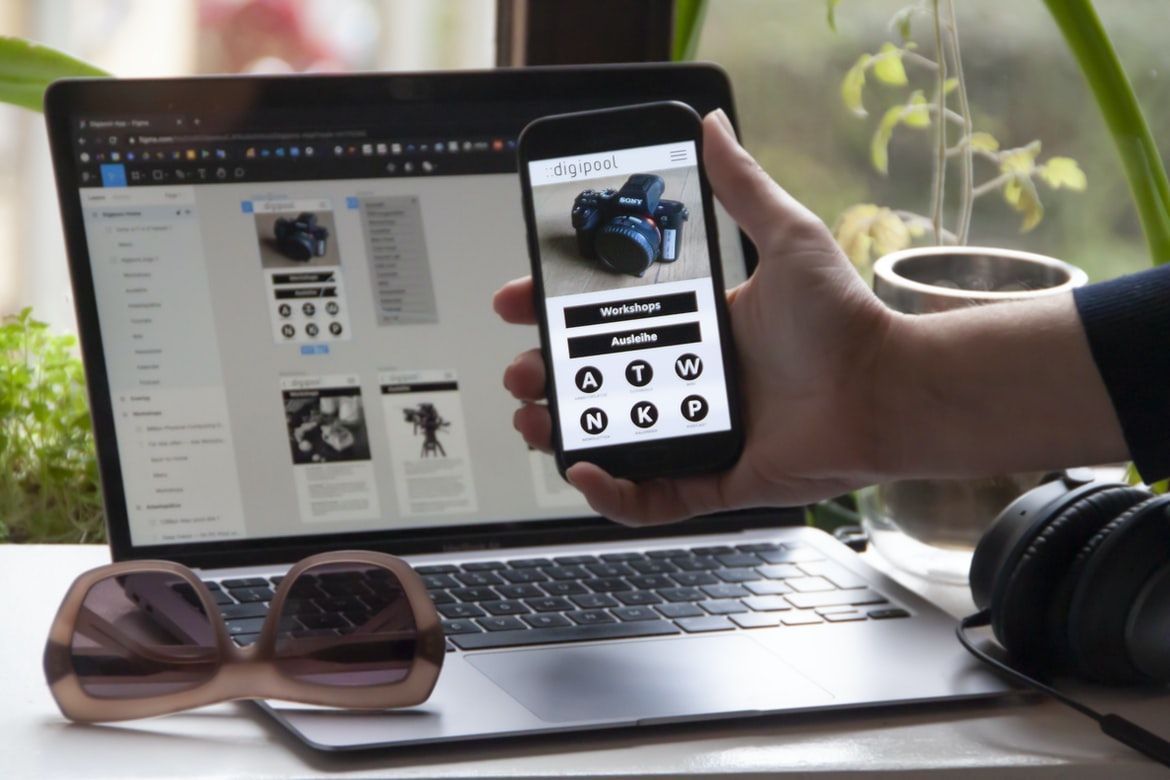
Designing a user interface (UI) is an important part of the overall user experience. Poor UI design can make or break the experience a user has and can even lead to users abandoning a product altogether. A good UI design must be intuitive, effective, and stylish. It should also be easy to use, look professional, and conform to the brand’s tone and aesthetic.
There are several factors that go into creating a good UI design. One key component is ensuring that all elements work together seamlessly to create an overall cohesive experience. This means incorporating not only visual elements such as graphics and colours but also functional elements like menus and buttons.
Another important factor is usability. User interface designs should be easy for users to understand and navigate without requiring too many steps or confusing menus.
What is application design UI UX?
Application design UI UX is the process of designing a user interface that is appealing and easy to use. It should be designed in such a way that it is easy for users to find what they are looking for and navigate through the website or application. The user interface should be visually appealing, and it should be easy to use.
Defining UI UX:
The term “UI UX” has been gaining popularity in recent years as more and more businesses begin to realize the importance of designing a user interface that is both easy to use and visually appealing. To define UI UX, we must first understand what goes into designing a user interface.
First and foremost, when designing a user interface, it is important to consider the audience that will be using the application. What features are they most likely to use? What do they want to see on screen? It is also important to consider how users will interact with the application. Do they prefer text or graphics? Is a drop-down menu more their style, or does a simple button work better for them?
Once we have an understanding of the target audience, it’s time to start thinking about how we can make the application easier for users to navigate.
How can we measure the usability of an application’s user interface?
There are many ways to measure the usability of an application’s user interface. One way is to ask users how easy it is to learn the application, how well they understand how it works, and how often they have to look up help documentation. Another way is to ask users how likely they are to recommend the application to a friend. And yet another way is to measure how often users complete tasks in the application.
The Role of Usability in Application Design:
Usability is an often-overlooked but critically important factor when designing applications. Poor usability can cause frustrated users and ultimately lead to decreased engagement with your product. Here are four essential tenets of good usability:
1) Consistency: Your user interface should be visually and functionally consistent across all devices and platforms.
2) Error Prevention: Make sure your application prevents common user errors, such as typing the wrong email address or password.
3) Navigation: Provide easy access to your main features and help users navigate between sections of the application.
4) Feedback: Give feedback to your users about their interactions so they know what’s happening onscreen.
How does usability impact the design of an application’s user interface?
User interface (UI) design is an important part of any application. It needs to be easy to use and aesthetically pleasing so that users will want to use the application more often. Usability is one factor that impacts the design of an application’s UI. Poor usability can lead to frustration and decreased adoption rates, which can have a serious impact on an organization’s bottom line. There are a number of factors that need to be considered when designing a user interface, including usability.
Guidelines for Enhancing User Interface Usability:
Usability guidelines are a great way to improve the usability of your application. By following these guidelines, you can make your application more accessible and user-friendly. Here are some tips for enhancing user interface usability:
Your application should be easy to use from the first time you open it. This means that the interface should be well-designed and easy to understand. You should also make sure that all controls are easy to find and use.
Your application should be easy to navigate. This means that the menus, buttons, and fields should be organized in a logical way. You also need to make sure that all navigation options are available at all times.
Your application should be easy to read. Your text labels and buttons should be clear and legible, no matter how small the font size is.
What are some effective techniques for improving the usability of an application’s user interface?
There are many techniques for improving the usability of an application’s user interface. One effective way is to use feedback loops to ensure that users are constantly informed of the changes that are being made to the interface. Another technique is to make sure that all aspects of the user interface are appropriately labelled and organized. Additionally, it can be helpful to provide users with clear instructions on how to use the application’s features. In some cases, it may also be necessary to redesign portions of the user interface in order to make it more accessible. By employing these various techniques, developers can create an application that is easier for users to navigate and use.
Why Convert Web App To Mobile App?
There are many reasons to convert a web application to a mobile app. The first reason is that the mobile app is more engaging and usable. The user interface is simplified, and the content is presented in an attractive format. This allows users to spend more time on the app and get the most out of their experience.
Another advantage of converting a web application to a mobile app is that it saves time and money. A mobile app can be developed quickly and without much investment, which can be advantageous when there is limited time or money available. Finally, using a mobile app makes it easy to reach a wider audience. Millions of people use smartphones, which means that a mobile app can be easily accessed by more people than a web application.
E-Commerce Platform
In today’s world, many people prefer to shop online. There are a variety of reasons for this, but one of the most common is that online stores have a much more user-friendly design than their brick-and-mortar counterparts. This is due in part to the fact that e-commerce platforms allow web designers to create layouts that are both visually appealing and user-friendly.
A good e-commerce platform should be easy to use and navigate. It should also have features that make it easy for customers to buy products. Some popular e-commerce platforms include Shopify, eBay, and Amazon.
Figma
Figma is a new UI design tool that has been gaining popularity in the design community. Figma allows users to create wireframes, prototypes, and illustrations in a simple and easy-to-use interface.
Since its release in 2016, Figma has quickly become the go-to application for UI design. Its intuitive interface and wide range of features make it an excellent choice for both novice and experienced designers.
Some of the key benefits of using Figma include its ability to quickly create high-quality visuals, its integration with popular prototyping tools like Mockplus and Principle, and its customizable interface.
Adobe XD
Adobe XD is a new application design platform that was announced at the Adobe MAX conference last year. Adobe XD is designed to help designers create intuitive user interfaces (UI) and UIs that look great on all devices.
One of the key features of Adobe XD is its vector drawing capabilities. This makes it ideal for creating designs that are sharp and easy to understand. In addition, XD supports multiple languages, so you can easily create designs in multiple languages without having to learn multiple programming languages.
Overall, Adobe XD is a powerful platform that provides designers with the tools they need to create great UIs. It’s perfect for those who want an intuitive platform that can be used on all devices.
Design Mobile App
When designing a mobile app, it is important to consider the user experience (UX) and user interface (UI). UI design can be difficult because many different devices have different screen sizes and resolutions. UX design is even more difficult because users can access your app from any location or device. To make your app easy to use, you need to think about how users will interact with it. Here are some tips for designing an effective UI and UX:
1. Make your app easy to use by designing a simple layout. You don’t need to include features that most users won’t need, and you can focus on making the app look good instead.
2. Use large buttons and text labels that are easy to see.
Graphic Design
Graphic design is the process of creating a visual composition for communication. It can be applied to any medium, such as print, advertising, or web design. Graphic designers create images, layouts, and logos that help tell a story or promote a product. They also create digital assets such as web pages and user interfaces.
Graphic design is the process of creating a graphical representation of information, typically for an electronic medium. Graphic designers create layouts, logos, and graphics for businesses, websites, and products. They may also create illustrations, animations, or videos.
What is UI design?
What is UI design? UI design is the process of creating the user interface for a software or web application. It includes everything from designing the look and feel of the user interface to choosing the right technologies to implement it.
UI designers need to have a strong understanding of human behaviour and psychology in order to create an effective user interface. They also need to be able to think outside the box and come up with innovative solutions to common design challenges.
UI design is a critical part of any software or web application, and experienced designers are in high demand. If you want to become a successful UI designer, you’ll need to have both creativity and technical skillset.
What is UX design?
What is UX design? UX design is the process of designing an interface for a software or mobile application. The goal is to make the user experience as positive and efficient as possible. This involves understanding the user’s needs and goals, developing a plan of action, and creating a design that meets those goals. UX designers must have a thorough understanding of both digital and human behaviour in order to create successful products.
Visual Communication
Visual communication is essential for a well-functioning user interface. It can help users understand the purpose of a UI element and make informed decisions about their interactions with it. Effective visual communication often includes a combination of design, user experience, and human factors considerations.
Visual communication can take many forms, from the layout of a page to the way an element is styled. All elements of a UI – from menus to buttons to labels – should be designed with consideration for how they will be viewed by users. Clear labelling and intuitive navigation are also important considerations in visual communication.
User experience is also important when it comes to visual communication. Factors like ease of use and accessibility must be considered when designing any interface element. Poor design or poor user experience can ruin an entire interface, so it’s crucial to take all aspects into account when creating visuals for a site or app.
Visual Communication Vs Graphic Design
There is a growing divide between what is considered visual communication and graphic design. Visual communication typically refers to the use of images, icons, and other visuals to convey information. Graphic design, on the other hand, is the creation of graphical elements for a specific purpose, such as brand identity or website layout. This distinction can be difficult to make because both disciplines often combine graphical elements with text and images. However, there are some key differences that should be taken into account when comparing the two disciplines.
First, visual communication tends to focus on the message being conveyed rather than on the design itself. Graphic designers, on the other hand, often focus on creating beautiful designs that look good and are cohesive with each other. Second, visual communication typically uses a more pictorial approach, while graphic design relies more on geometric shapes and layouts.
Application of Graphic Design: Adobe Photoshop, Adobe Illustrator, Adobe InDesign
In the world of design, one of the most popular applications is Adobe Photoshop. It is used by graphic designers and artists to create layouts, logos, and graphics for websites and other publications. Adobe Illustrator is another application that is used by graphic designers to create vector illustrations. Adobe InDesign is a program that allows graphic designers to create PDFs and website designs.
Figma, Adobe XD, WordPress, Elementor.
Figma, Adobe XD, WordPress, and Elementor are all widely used application design tools. They allow users to create complex designs quickly and efficiently. These applications have different features that make them useful for different types of users. Figma is best suited for designers who want to create high-quality drawings and diagrams. Adobe XD is great for creating mockups and wireframes. WordPress is perfect for creating simple websites or blogs. Elementor is perfect for creating complex forms and user interface designs.
Figma, Adobe XD, WordPress, and Elementor are some of the most popular design applications used by web designers. They all have their own strengths and weaknesses, but they all offer an intuitive user interface and a wide range of features. Here’s a look at how each application stacks up.
What Is A Prototype?
A prototype is a low-fidelity representation of an idea or product. It can be used to test the feasibility and potential of a concept, to get feedback from users, and to determine if the target audience would find the concept appealing.
There are several types of prototypes, including wireframes, mockups, and paper prototypes. A wireframe is a simple drawing or diagram that outlines the structure and layout of a website or application. A mockup is a visual representation of how an interface might look, and it’s often used during the early stages of product development to help designers test out concepts. A paper prototype is a model made from actual paper that can be used to demonstrate how an interface might work.
What is UI/UX design, and how does it affect an application?
User interface (UI) design is the process of creating the look and feel of a user’s interaction with an application. This includes the selection and arrangement of graphical elements on a screen, as well as the creation of any accompanying sound or animation. It can also involve the study of ergonomics, human factors, and usability principles in order to create an interface that is both efficient and enjoyable for users.
When designing an application, it’s important to take into account not only how it looks on a computer screen but also how it will be used. For example, if an application is meant to be used by people who are visually impaired, it might need to be designed in a way that is accessible to them. Similarly, if an app is meant for children, it might need to be simplified so that they can understand it easily.
How important is the user experience when designing applications?
Designing an application is an important task, but it’s not always easy to ensure a great user experience. Many factors, such as the complexity of the application and how it will be used, need to be considered when designing the user interface (UI) and overall user experience (UX).
While there are many different ways to design an application, some key principles that need to be followed include creating a well-organized interface with intuitive navigation, providing clear and concise instructions for users, and making sure the overall look and feel of the app are appealing.
It’s important to remember that not all users will have the same experience when using your application. Some may find it difficult to navigate because everything is crowded together, or they may not understand certain instructions.
How can I ensure users have a good experience when using my application?
Making sure that users have a good experience when using an application is important. There are a few things that can be done to ensure this happens. One way is to make sure the design of the UI is user-friendly. Another way is to make sure that the application functions properly and meets the needs of the users. Additionally, it is important to keep track of feedback and change accordingly. By doing these things, you can ensure that your users have a positive experience and will return to use your application again.
What are some of the most important principles for designing effective applications?
Application design principles should be based on the user’s needs and how the user will interact with the application. Principles for designing effective applications include creating a well-organized user interface, following established design patterns, and using intuitive design principles. Additionally, effective application design incorporates feedback from users during the development process to improve the overall experience.
What kind of feedback should I use to determine how successful my application’s UI/UX is?
When designing an application, one of the most important factors to consider is the user interface (UI)UX. Feedback is a key part of determining how successful an application’s UI UX is. There are a variety of types of feedback that can be used to judge a UI’s usability, including user interviews, focus groups, and surveys. It’s important to choose the feedback method that will provide the most accurate results. Some factors to consider when choosing feedback methods are the target audience, the purpose of the application, and the time period in which the feedback was collected. By using appropriate feedback methods, designers can improve their applications’ UIUX and make them more user-friendly.
What tools are available to help me create a great UI/UX for my application?
Different types of application users will have different needs when it comes to the user interface (UI) of the application. To create a great UI UX for your application, you’ll need to consider the different types of users and their needs.
One way to help ensure that all users have an enjoyable experience is to make sure that your UI is easily accessible and configurable. You can do this by using standardized controls and layouts, as well as making sure that all elements are accessible via keyboard shortcuts or voice commands.
Another important factor to consider when designing a great UI UX is how your users will interact with the app. For example, if your app requires users to input data manually, you’ll want to make sure that the input fields are easy to find and use.
Is there a difference between mobile and web applications when it comes to UI/UX design?
When it comes to user interface (UI) design, there has long been a debate as to whether mobile or web applications pose a different challenge. Are they treated differently when it comes to aesthetics and usability?
In short, the answer is that there is no clear-cut difference between the two platforms. However, certain considerations may need to be made in order to create an effective UI for either type of application. For example, touch-based interfaces on mobile devices require specific gestures and timing that differ from those used on desktop browsers. Likewise, web applications often rely on mouse clicks and other common cursor movements, even if the user’s device has a touchscreen.
Overall, though there may be some subtle differences between how mobile and web applications are designed, these distinctions are more likely due to specific implementation concerns rather than any fundamental differences in how users interact with software.
What is the difference between UI and UX design?
UI design is focused on the user interface or the look and feel of an application. UX design, in contrast, is focused on the user experience or how a user interacts with an application. While both are important aspects of app design, there are significant differences between the two. UI designers are more concerned with the overall look and feel of an app, while UX designers focus on how users interact with the app. Additionally, UI designers typically work with developers to create the interfaces for apps, while UX designers work directly with users to understand their needs and develop solutions that meet those needs.
What are the principles of good UI/UX design?
There are a few key principles of good UI UX design that should always be considered when creating a user interface for a software or mobile application. The first principle is that the user interface must be easy to use. Too often, users find complicated user interfaces frustrating and difficult to use. In contrast, well-designed user interfaces are simple and intuitive, allowing users to easily navigate through them and complete tasks.
Another important principle of UI UX design is that the user interface should be visually appealing. Users will likely be more likely to use an application if it looks pleasant and professional. GoodUIUXdesigners take into account factors such as colour palettes, font sizes, and layout designs when designing a user interface.
The last principle of good UI UX design is usability feedback.
There are many principles of good UI UX design, but some of the key ones include making sure the user understands what they are doing, providing consistent and accurate feedback, and creating an intuitive experience. Successful UI UX design also takes into account the overall look and feel of the application, as well as its functionality.
How can UI/UX design be used to improve user experience?
User experience is essential for any app or website. The goal of user experience design is to create a satisfying and engaging experience for the user. UI UX design can be used to improve the user’s overall experience while using an app or website. Here are some ways UI UX design can be used to improve the user experience:
1. Make it easy to find what you need. Make sure all of the necessary information is easily accessible and organized in one place. This will help users find what they are looking for quickly and efficiently.
2. ensure all buttons, menus, and other elements are clearly labelled and visually appealing. This will help users know what they are doing and make navigation easier overall.
3. use clean, modern designs that appeal to a wide range of users.
Designing an application that is both visually appealing and user-friendly is essential for success. Today, there are many different types of users who require different types of applications. Therefore, it is important to design an application that appeals to a wide range of users.
One way to achieve this is to use clean, modern designs that are easy on the eyes. Additionally, these designs should be simple and straightforward so that even novice users can understand them. In addition, modern designs should be visually appealing enough to attract attention but not too flashy that it becomes overwhelming.
Finally, it is important to keep in mind the target audience when designing an application interface. For example, if your application is geared towards business professionals, make sure the design looks professional and doesn’t look too friendly for consumers.
What skills are necessary for an effective UI/UX designer?
User interface (UI) design is a critical component of any application. The user interface designer must be skilled in a variety of disciplines, including graphic design, user experience design, and programming.
Some skills that are necessary for an effective UI UX designer include understanding human behaviour, creativity and problem-solving skills, good communication and collaboration skills, knowledge of computer software programs, and experience working with users. In addition to these general skills, the UI UX designer should have specific knowledge of the software they are designing for, as well as excellent visualization and typography skills.
How does a designer create a successful user experience in an app?
User experience is critical in app design. A successful user experience should make the app as easy and fun to use as possible while still providing the desired functionality. In order to create a user experience that meets these goals, designers must take into account a variety of factors, including the user’s needs and wants, the app’s features and functions, and the device or platform on which it is being used.
To create a successful user experience in an app, designers must consider a variety of factors.
Some key considerations include understanding the user’s needs and want, designing for different devices and platforms, incorporating feedback from early testers, and balancing functionality with ease of use. By taking these into account during the design process, designers can ensure that their apps are both effective and enjoyable to use.
Are there any common mistakes to avoid when creating a UI/UX design?
There are a few common mistakes that designers make when creating UI UX designs. One of the most common is not properly considering the users’ needs. By doing this, the design will not be as effective as it could be, and users will struggle to understand and use the interface. Additionally, designers often neglect to test their designs with real users before finalizing them, which can lead to major issues down the line. Finally, it’s important to have a clear understanding of user behaviour and how they interact with technology in order to create designs that are both intuitive and effective.
What is the importance of UI/UX for applications?
Designing an effective user interface (UI) for an application can make it more user-friendly and successful. Good UI design can make the application more usable, efficient, and attractive. It can also help users learn how to use the application quickly and effectively. Poorly designed user interfaces can frustrate users and lead to lower user engagement and eventual abandonment of the application. Therefore, excellent UI design is critical for applications. There are a number of different factors that go into creating a good UI, but some key considerations include layout, typography, colour palette, the hierarchy of controls, feedback mechanisms, navigation patterns, and component sizing. It’s important to find a balance between providing too much information and not enough; making sure all elements work together coherently; determining what’s necessary for the task at hand; and ensuring that the overall design is easy to understand and use.
How does UI/UX influence user experience?
User interface (UI) design is an important part of application design that influences user experience. Properly designing a UI can make a user’s interaction with the application more pleasant and efficient. Poor UI design can lead to frustration and ultimately decrease user adoption and retention of the application.
What are the best practices for developing an application’s UI/UX?
Designing an effective user interface for an application is critical if the application is to be successful. There are a number of best practices that should be followed in order to produce a user interface that is both pleasing to look at and easy to use. Below are tips for developing a UI UX that will make your applications stand out:
1. Use primary colours sparingly. Bright primary colours are attention-grabbing and can be easily seen across a wide area, but they can also be jarring and difficult to work with when it comes to user interface design. Stick with muted shades or pastels instead for a more subtle look that will still be easy on the eyes.
2. Keep elements organized. Your users will thank you if all important items are located in one place and the layout is easy to follow. Make sure to keep them grouped together in logical ways so that it’s easy for users to find what they need. If a user needs to make a change, it will be easier for them if the changes are located logically based on their original work. 3. Use accessible navigation.
What techniques help create a successful application UI/UX design?
Looking to create a successful application UI UX design? Here are some techniques to help you get started: first, focus on the user’s needs and goals; second, create a human-friendly design; third, use perceptual grouping to help users find what they need quickly; fourth, make sure your design is easy to navigate and use; fifth, keep your design consistent across different screens and devices; sixth, consider ways to make the application more engaging for users. Finally, remember that good UI UX design takes time and effort, so don’t be discouraged if it takes some trial and error before you achieve success.
What tools and methods can be used to test an application’s UI/UX?
Different types of user experience (UX) testing can be used to evaluate an application’s usability. These tests can be divided into three categories: cognitive, psychophysical, and multimodal. Cognitive tests focus on how users think and process information. Psychophysiological tests measure how people feel while using an application. Multimodal tests use multiple channels of communication, such as touch, sound, and graphics. All three types of tests have their own strengths and weaknesses.
Cognitive testing is the most objective type of UX test because it doesn’t involve any user interaction. It uses questionnaires or surveys to measure how users understand and use the application’s features. However, cognitive testing isn’t as effective at measuring user emotions because it doesn’t involve physical reactions like sweating or crying.
What elements should be considered when developing an application’s UI/UX?
UI UX is an important part of any application, and it’s vital that designers take into consideration the various elements when designing the user interface. Here are key factors to consider:
1. The overall layout of the UI should be easy to navigate.
2. The user interface should be intuitive and visually appealing.
3. The user interface should be responsive and fast-loading.
4. The user interface should be easy to use and understand.
5. The user interface should be visually consistent across all devices used by users.
6. The user interface should be well-documented so that users can easily find what they’re looking for.
How can user feedback be used to enhance an application’s UI/UX?
User feedback is essential to creating a user interface that is both appealing and efficient. By taking the time to solicit and analyze feedback, developers can create an interface that meets the needs of both users and the application itself. Here are some tips for incorporating user feedback into your design process:
1. Ask your users what they think about the current UI. This is especially important if you are making changes to an existing interface. Get feedback from all areas of the user interface, including menus, buttons, labels, and overall layout.
2. Use focus groups or individual interviews to get real-world feedback on how people are using your application. This information can help you improve navigation, labelling, and other fundamental elements of your design.
3. Pay attention to online reviews and ratings of your application in order to gauge public sentiment about it.
User feedback can be used to enhance an application’s UI UX. The first step is to identify the areas of the interface that users interact with the most. Once these areas are identified, it is important to collect user feedback on how best to improve these areas. This feedback can then be used to create mockups or prototypes that demonstrate how different changes would improve the user experience. Finally, testing is necessary to determine which changes actually improve the usability of the interface. By using user feedback in this way, applications can significantly improve their overall user experience.
A good user experience (UX) can make a difference between an application that is used once and one that is used frequently. The following tips will help improve the UX of your applications.
1. Use feedback loops to constantly improve the user experience. This means keeping track of what users do and how they feel about it, so you can make changes as needed.
2. Use clear, concise design language. Make sure all text is easy to read and understand and use consistent typography throughout the interface. This will help users orient themselves in the application and find their way around quickly.
3. Minimize confusion and frustration by providing clear instructions for common tasks. If a user doesn’t understand how to do something, provide a guide or tutorial instead of forcing them to figure it out on their own.
4. Provide a smooth, intuitive user experience. If users find your application difficult to use or to confuse, they ll get frustrated and stop using it. A good user interface makes the difference between a positive customer experience and a negative one.
A negative customer experience can be caused by a number of factors, such as poor service or incorrect information. A positive customer experience, on the other hand, can be created through thoughtful and effective design. Here are key ways that UI UX can create a positive customer experience:
1. By streamlining and simplifying tasks, a user’s journey from discovery to completion is made easier. This not only makes the process more efficient for them but also reduces the amount of time they have to spend learning about your product.
2. By creating an aesthetically pleasing interface, customers feel appreciated and connected to your brand. This builds trust and loyalty, which can result in repeat business down the line.
3. By anticipating customers’ needs, you’re able to provide solutions before they even know they need them.
Designing and implementing user interfaces that are both visually appealing and functional is a challenge. By anticipating customers’ needs, you can provide solutions before they even know they need them. A well-designed interface will make it easier for users to complete tasks and access information. It should also be easy to navigate, making it simple for users to find what they are looking for. In addition, effective user interfaces should be responsive so that they look good on any device or screen size. By following these guidelines, you can create an interface that is both user-friendly and efficient.
How has the development of AI and machine learning impacted application UI/UX design?
As AI and machine learning are developed, they are having a significant impact on application UI design. For example, voice recognition has become more accurate and natural over time, which has led to new ways of interacting with applications. In addition, app designers must now account for how users will interact with the app through touch or voice input. Additionally, some developers are creating bots that can autonomously navigate and interact with apps. As AI and machine learning continue to evolve, it is important for app designers to keep up with the latest trends in order to create user interfaces that are both effective and appealing.
Effective user interfaces (UI) are often both appealing and effective. The reason for this is that effective UIs lead users through the process of completing a task quickly and easily. This means that the amount of time spent using the application is maximized, which ultimately leads to increased satisfaction with the product or service. Here are tips for designing effective user interfaces:
1. Utilize white space effectively. Too much text can be overwhelming, so use blank spaces to break up large blocks of text and to create emphasis on particular points. Also, avoid making too many changes to font size throughout a UI; it can be jarring for users and disrupts their flow.
2. Use gestural elements sparingly but well.









