

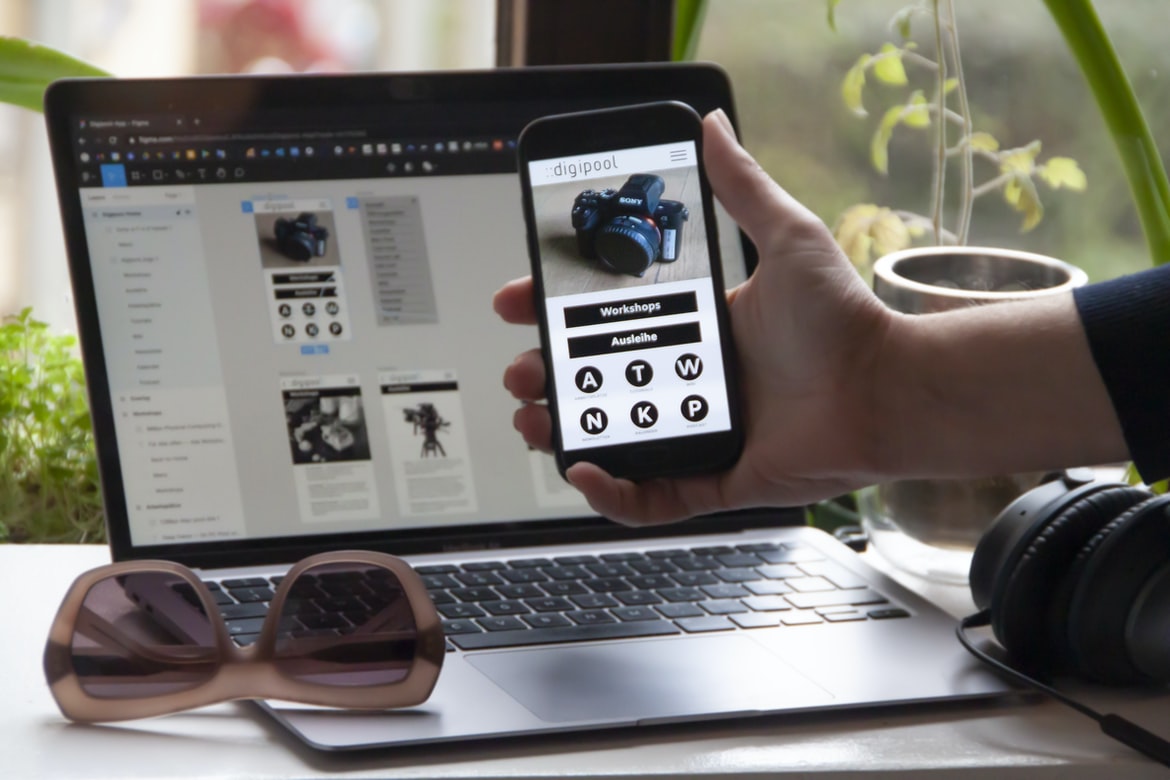
Web design UI UX is an important aspect of designing a website. A well-designed UI will be organized and intuitive, providing users with the information they need to do what they need to do quickly and easily. This can include making it easy for users to find the information they’re looking for, finding the right information quickly and easily, and being able to navigate through the website without difficulty.
What is UI UX? What are the benefits of having a good UI UX?
UI UX is the design of a user interface that takes into account the user’s experience. It can be defined as the process of designing a system to make it easy for people to use and understand. There are many benefits to having a good UI UX, including making users happier, reducing errors, and improving customer satisfaction. A well-designed UI can help users find what they’re looking for more quickly and easily, minimize frustration, and increase productivity. Overall, a good UI UX leads to increased customer satisfaction and decreased costs associated with user error or confusion.
User flows: How do you create a user flow for your web design?
User flows are a tool that can be used in web design to help users interact with your website. They are also known as “user interface design patterns.” There are many different ways to create user flows, and they can vary based on the type of website you’re designing. However, there are some general tips that will help you create a user flow for your website.
First, think about the main goals of the user flow. What do you want users to be able to do on your website? Once you have an idea of what users will be able to do, start by thinking about how they’ll be able to do it. Do you want them to be able to sign up for an account? Add items to their shopping cart? View their orders?
Design principles: What are some design principles that you should keep in mind when creating a web UI?
When designing a web UI, it is important to keep in mind some design principles. One of the most important is the effective use of spacing and typography. By spacing elements out and using readable fonts, you can make your user interface more legible and user-friendly. Additionally, good design principles include creating an effective hierarchy for your content, making use of colour and contrast to stand out, and providing clear instructions for users. All of these factors can help improve the overall usability of a web UI.
Usability testing: How can you usability test your web UI?
Usability testing is a process that can be used to evaluate the usability of a web UI. There are many different ways to do usability testing, and the method that you use depends on the type of web UI that you are testing.
One way to do usability testing is to have participants use a remote control to interact with the web UI. This method is useful for evaluating how users navigate through the UI and how they find information.
Another way to do usability testing is to have participants complete questionnaires or interviews. Questionnaires can be used to evaluate how users feel about using the web UI, and interviews can be used to learn more about how users use the web UI.
Both questionnaires and interviews can be used in conjunction with remote control tests, which allows you to compare results from different types of tests.
What are the benefits of having a good UI UX in web design?
Web design is an art form that incorporates both graphical and textual elements. A good web interface should be easy to use, aesthetically pleasing, and functional. There are many benefits to having a well-designed UI UX in web design.
First and foremost, a well-designed UI UX makes the user experience more enjoyable. Users will be more likely to stay on your site longer and return again in the future if they have a positive experience using it. This means more business for you! Additionally, a well-designed UI UX can help users find what they’re looking for faster. If everything is organized logically and visually appealing, users are less likely to get lost or frustrated.
A good web interface also looks professional and sleek. It’s no wonder many businesses invest in a good UI UX – it can make all the difference when attracting new customers or potential employees.
Graphic Design
Graphic design is the process of creating a visual representation of information using either digital or traditional media. A graphic designer creates graphics for print, web, software, and other forms of communication. Graphic designers use their skills to create a cohesive and effective display for the message they are trying to send.
Graphic design often involves working with clients to come up with a design that meets their specific needs. Graphic designers must be able to think critically and creatively in order to come up with solutions that fit the problem at hand. They also need to be able to work quickly and efficiently in order to meet deadlines.
This skill set is essential for anyone who wants to create professional-quality visuals. Whether you are looking for a career change or just want some eye candy on your website or project, graphic design is an excellent option.
The role of graphic design in the web design process has evolved over the years to include more than just designing graphical elements for websites. Graphic designers now have a wide range of skills that can be used to create user interfaces (UI) and interaction designs for websites. Here are tips for using graphic design to improve your website’s UX.
1. Use typography to emphasize key points and create a strong foundation for your content. Clear, legible text is essential for a good user experience, so make sure to use typefaces that are easy on the eyes and choose word counts that will support your message without becoming overwhelming.
2. Keep images clean and simple. Images can help communicate important information quickly and clearly, but they should also be kept low-resolution enough not to cause loading times or distortion when enlarged.
Visual Communication
In today’s world, visual communication is key. Whether it’s for a website, app, or another type of digital media, effective user interface (UI) design can make a huge impact on how users interact with your content.
Here are some tips for designing an effective UI:
1. Keep the focus on the user. Make sure to focus on what the user wants and needs rather than what you think they should see. This will help ensure that your designs are easy to understand and navigate.
2. Use clear and concise icons and buttons. YourUI should be visually attractive as well as functional. Make sure to use icons that are easily recognizable, and avoid clutter by using only the necessary buttons.
3. Balance aesthetics with functionality.
Visual Communication Vs Graphic Design
Visual communication and graphic design are two very different types of art. Graphic designers create layouts, designs, and illustrations for print media, while visual communicators create visuals for websites and other digital platforms. However, there are many similarities between the two fields.
Both disciplines use visuals to communicate ideas. Graphic designers use typography, image placement, and colour to create a professional look, while visual communicators use images to tell a story or convey a message. Additionally, both disciplines rely on user experience when creating their designs. Graphic designers must take into consideration how users will interact with their designs, while visual communicators must consider how users will see their content.
Despite these similarities, there are some key differences between the two fields that should be taken into account when creating a design.
Application of Graphic Design: Adobe Photoshop, Adobe Illustrator, Adobe InDesign
Web design has come a long way since the early days of HTML and CSS. Today, there are a number of different graphic design programs that can be used to create websites. Adobe Photoshop, Adobe Illustrator, and Adobe InDesign are three of the most popular programs for this purpose. Each has its own strengths and weaknesses, but they can all be quite useful for creating user interfaces (UI) and electronic documents (ED).
Adobe Photoshop is well-known for its ability to create stunning images and illustrations. Its tools for manipulating images are powerful and versatile, making it a great choice if you want to create detailed graphics or logos. However, Photoshop is relatively limited when it comes to creating user interfaces. If you need to create complex interface controls or text boxes, you’ll need to use another program like InDesign or Illustrator.
Figma, Adobe XD, WordPress, Elementor.
The race is on to create the best web design UI UX. Tools like Figma, Adobe XD, and WordPress are all vying for your attention. Let’s take a look at each one of them and see what sets them apart.
What techniques can be used to create a great UX/UI design?
According to UX design experts, there are a few key techniques that can help create a great UX UI design. One technique is to focus on the user’s goals and needs. Another is to use effective visual aids and tools to make the user experience easier and more efficient. Additionally, it’s important to take into account the user’s environment when designing a UI. Finally, it’s essential to keep feedback in mind throughout the process so that users can provide feedback about how their experience has changed.
What are the best practices for developing an effective UX/UI design?
There are many things to consider when developing a user interface (UI) for a website or app. Here are some best practices to help make your design effective:
1. Use appropriate resourcefulness. Don’t be afraid to experiment with different layouts and design ideas as long as they use the resources available to you (e.g., fonts, colours, images).
2. Make sure your UI is consistent throughout the site or app. This will help users feel confident and in control while navigating your site or app.
3. Minimize clutter and extraneous information on your UI. This will make it easier for users to find what they’re looking for and focus on the task at hand.
4. Pay attention to user feedback and incorporate it into your design decisions. This will help you develop an interface that is both effective and appealing to users.
How does UX/UI design help to improve user engagement?
UX design is an important part of any website or application’s user experience. By designing the interface with usability in mind, designers can improve user engagement and ultimately create a more successful product. Here are some ways UX UI design can help:
1) Making the layout easy to understand and use. UX UI design should be simple and effective without being cluttered or overwhelming. Navigation should be intuitive and concise, while content should be well-organized and easily accessible. In addition, users should be able to find what they’re looking for quickly and easily.
2) Providing clear instructions for how to use the product. Users need clear instructions when using a new piece of software or website, especially if it’s their first time using it. Clear steps and explanations should be included in user interfaces wherever possible so that users know exactly what to do next.
How do you know if your UX/UI design is successful?
If you’re tasked with creating a user interface (UI) for a website or application, it can be difficult to know if your design is successful. But there are some indicators that can help you determine if your design is working well.
First and foremost, the UI should be easy to use. If users have to spend too much time figuring out how to use your interface, it’s not effective. Additionally, the UI should be visually appealing and cohesive. Users shouldn’t have to focus on separate elements in order to understand the overall design. Finally, the UI should be responsive so that it looks good on various devices and screen sizes. By taking these factors into account when designing a UI, you can ensure that your users have a positive experience using your site or application.
What tools can be used to create a successful UX/UI design?
There are many tools that can be used to create a successful UX UI design. These tools can include but are not limited to, Adobe Photoshop, Illustrator, Inkscape, and Sketch. It is important to use the right tool for the job and to experiment with different techniques and methods until you find something that works best for you. There are also many online resources available that can help you learn more about UX UI design.
Are there any common mistakes to avoid when designing a UX
There are a few key things to keep in mind when designing a user interface for a web application. One is to make sure the layout is easy to see and understand while also incorporating design elements that will increase user engagement. Another important factor is making sure the user experience is efficient and easy to use. Finally, it’s important to consider how users will interact with the interface – from clicking on links to entering data – in order for them to get the most out of your site. Here are some common mistakes to avoid:
When it comes to web design, there are a few things you should always keep in mind. One of the most important is user experience (UX). Unfortunately, many novice designers make common mistakes that can ruin an otherwise great website. Here are the most common UX oversights and what to do about them.
1. Focusing Too Much on Appearance Over Functionality
One of the biggest mistakes novice designers make is focusing too much on the appearance of their site instead of its functionality. This can easily be fixed by ensuring that all buttons and menus work as intended, but it’s also important to remember that users don’t care about how your site looks; they just want to be able to access what they need.
2. Not Test-Driving Your Site It’s important to test-drive your site on as many different devices and platforms as possible. Make sure you test on a mobile, desktop, tablet, touch-enabled screens and even through your phone’s browser.
Forgetting to Research Your User Base: Before you start designing your user interface, it’s important to do some research on who your target audience is. This will help you choose which type of design style best suits your audience and website. For example, if you’re designing a website that caters to the elderly, it would be important to make sure all of your text is easy to read and that all of your buttons are large enough for the ageing crowd. This is where you’ll want to consider typography, colour, and layout.
It’s also important to keep an eye on the overall design of your site – what type of image will it be? Will it be photo-heavy or video-heavy?
What is the difference between UX and UI?
UX and UI are two different yet related design disciplines. UX is focused on the user experience or how a user interacts with a product. UI is focused on the look and feel of the product, including its layout, colours, and fonts. UX designers work closely with UI designers to create a harmonious interaction between the two disciplines. Both disciplines have their own strengths and weaknesses, but together they form an effective web design process.
What are the best practices for designing a user experience?
1. User experience (UX) is the process of designing a product or service that makes its users happy. Good user experience features intuitive and easy-to-use interfaces, thoughtful design, and feedback loops that ensure users know how their actions impact the system.
2. A well-designed user experience takes into account the entire customer journey, from discovery to engagement to conversion. It starts by understanding your audience and their needs and then mapping them to the features and functionality of your product or service.
3. Once you have a clear understanding of your users’ needs, you can start creating wireframes and prototypes that represent what your final product might look like. Test them with potential customers to make sure they understand how the interface works and feels intuitively comfortable to use.
4. Once you have multiple prototypes, it’s time to test them out with a real user. Use in-person usability testing to make sure that the prototypes accurately portray what the users will see when they interact with your product or service.
What are the key elements of a successful user interface?
User interfaces (UI) are the visual elements of a website or app that allow users to interact with the content. A good UI should be easy to use, look professional, and meet the needs of the users. Here are some key elements of a successful UI:
The user interface should be easy to use. Users should be able to find what they need quickly and easily. The design should be visually appealing. The colours, fonts, and layout should be pleasing to the eye. The user interface should meet the needs of the users. For example, if a user is looking for information on a particular topic, the UI should provide relevant information in an easy-to-read format. The user interface should be responsive. If users make changes to their browsers or devices, the UI should adapt accordingly. The user interface shouldn’t require too many clicks or steps to perform tasks.
How can UX and UI work together to create better user experiences?
UX and UI are two very important aspects of web design. They work together to create better user experiences. By understanding how they work together, you can create a better overall website.
User experience is the process of creating a good or acceptable interaction with a system or product. It is the sum total of all interactions a person has with any digital system or product. User experience includes everything from how easy it is to find what you’re looking for on the website to how pleasant it is to use.
UI (user interface) design is responsible for creating the look and feel of a website. This includes everything from the background images and fonts to the layout of the pages. UI designers also consider how users will interact with the site, such as how they will navigate around it and what buttons and menus they will be able to use.
How can user research help inform UX and UI design decisions?
User research can be used to help inform UX and UI design decisions. Researchers can ask users questions about their preferences and how best to interface with the chosen design. This information can be used to create a more intuitive and user-friendly experience for the user.
User research can help inform design decisions for both web and app interfaces. When designing web pages, it’s important to consider the user’s context, such as their role in the organization, what they are trying to accomplish, and their current state of mind. Similarly, when designing mobile apps, care must be taken to account features that will be used most frequently by users. User research can help determine which features are most important and how best to design them.
What types of testing should be done to ensure an optimal user experience?
When designing a web-based interface, it is important to consider the user experience (UX) as part of the design process. There are many different types of testing that can be done in order to ensure an optimal user experience. Some common types of testing include:
-A/B testing: This type of testing involves randomly assigning one group of users to receive a variation of the design and another group to receive the original design. The goal is to determine which version is more effective in achieving the desired results.
-Usability testing: This type of testing involves using various methods (such as interviews, focus groups, and surveys) to measure how easy it is for people to use the product. This information can then be used to make changes to the design if necessary.
How do visual design principles apply to UX and UI development?
Visual design principles are often used in web design and user interface (UI) development. These principles can help create a consistent, appealing look for a website or app. Some of the most common principles include using colour, typography, and layout. By following these principles, designers can create a cohesive and appealing visual design for their projects.
One of the most important aspects of web design is to use consistent colours. This helps users navigate the site more easily and provides a sense of cohesion between different sections of the site. Typography can also be used to convey information quickly and easily. For example, headings should be large enough to be seen from a distance, while paragraph spacing should be generous so that the text is easy to read. The layout can also help users find what they’re looking for quickly.
What are the key principles of UX and UI design?
UX and UI design are two essential disciplines that help make a website or app more user-friendly. Here are the key principles of UX and UI design:
1. User experience (UX) is all about making sure users have an enjoyable experience while using your product. This includes everything from the look and feel of the interface to how easy it is to find what they’re looking for.
2. User interface (UI) design is all about creating a functional, attractive way for users to interact with your product. This includes things like how menus are organized, how buttons look and feel, and whether or not buttons are clickable.
3. It’s important to consider both the short-term and long-term goals of your users when designing your product.
When designing a product, it’s important to consider the goals of your users. These goals can help you create a user interface that is both efficient and effective. Here are some tips for designing user interfaces that meet your users’ needs:
1. Make sure your user interface is easy to use. People don’t want to have to spend time learning how to use your product. Create menus and buttons that are clearly labelled, and make sure all controls are within reach.
2. Make sure your user interface is responsive. People need quick access to the information they need, and your user interface should respond quickly to their gestures and clicks. If possible, use designs that collapse or hide elements when users aren’t looking at them, so they don’t have to scroll through long lists of information.
3. Keep your user interface clutter-free.
Keeping your user interface clutter-free can make your website easier to use and more appealing. By simplifying the design, you can make it easier for people to find what they’re looking for and stay on your website longer. Here are four tips for keeping your UI clean:
1. Use typography to create a balanced look. Headlines should be punchy and easy to read, while body text should be softer and less dense. This will help users navigate your site without getting bogged down in information overload.
2. Keep buttons simple and organized. Place all of the important buttons near the top of your page so that users don’t have to scroll down to find them. Avoid using excessive padding or borders around buttons, as this will only make them harder to see.
3. Make sure images are properly sized and placed.









