

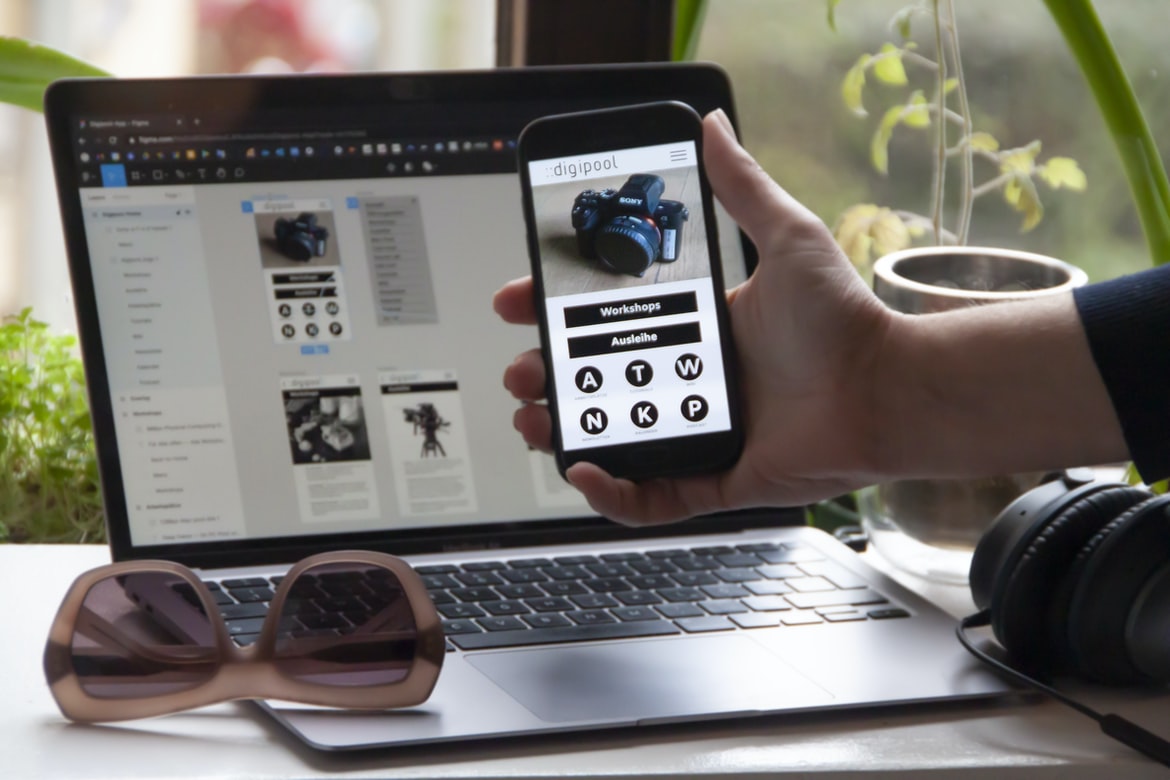
The interface is the physical and digital manifestation of a user s interactions with a system. A well-designed UI will make it easy for users to do what they need to do without having to struggle with complex menus or buttons. Poorly designed UIs can be frustrating and difficult to use, leading users to abandon or change systems altogether.
There are a number of factors that go into designing an effective UI, including the user s needs, the system s capabilities, and the environment in which it will be used. Familiarity with these factors is key if you want your system to stand out from the crowd.
Good UIs balance simplicity and functionality with eye-catching designs. They should be easy for new users to understand and navigate while still offering enough flexibility for experienced users to customize their experience.
What is web design UI UX?
Web design UI UX is the process of designing a user interface that is both intuitive and appealing to users. By creating an interface that is easy to use, designers can increase the number of people who are likely to visit and use their website. Additionally, by making the layout visually appealing, users are more likely to stick around and learn more about the site.
While there are many different ways to achieve web design UI UX, some of the most common techniques include using clear and simple layouts, using intuitive icons, and incorporating attractive fonts. By taking these factors into account when designing a website, designers can create an interface that is both user-friendly and visually appealing.
Web design UI UX is all about creating a user interface that is easy to use and looks good. It is important to make sure that the design is easy to understand and navigate while also looking professional. There are many different techniques that can be used to achieve this goal, and it can be difficult to choose the right approach for each project.
Different types of user interfaces: Static, Dynamic, Flat, etc.
User interfaces can be classified according to their design principles: static, dynamic or flat. A static interface is one in which content is laid out in a predictable and unchanging way, with no animation or interaction. A dynamic interface is one that responds to user input and can change according to what the user does. A flat interface uses a minimal amount of design elements and allows users to interact directly with the content on the screen.
There are a few different types of user interfaces that designers can use on their websites. Static user interfaces are those that don’t change, such as a menu bar at the top of a screen or buttons on a page. Dynamic user interfaces are those that respond to what a user does, such as clicking on a link to open a new window. Flat user interfaces have no sidebar, menus, or other distractions and are more like paper documents. Finally, there are hybrid user interfaces that combine features from all three categories.
Usability: How do users interact with the interface?
Usability is the process of designing an interface that is easy to use. There are many different factors that go into usability, such as the layout, colours, and text size. Research shows that users will spend less time on a website if it is difficult to use. In order to create a usable interface, it is important to understand how users interact with it. User input can be measured using surveys or interviews.
Creativity: What can be done with web design UI UX?
Web design UI UX is an important part of any website. It can make a big difference in how users perceive and interact with the website. There are many ways to improve web design UI UX, and here are examples.
1. Use colour effectively. Colour can be a very effective way to affect user behaviour on a website. It can help users find what they’re looking for, motivate them to take action, and create a sense of comfort or familiarity. When using colour judiciously, you can achieve great results without overwhelming your users or requiring too much attention from them.
2. Keep things simple. One of the most important aspects of web design UI UX is simplicity—of both the layout and the user interface (UI). This means making sure all elements are easy to understand and use while still looking professional and inviting.
Principles of good web design UI UX: Easy to use, efficient, pleasing to look at.
Anyone who has ever used a web browser knows that the user interface (UI) can make or break a website. A user’s first impression of a website is largely based on how easy it is to navigate, and good UI UX can go a long way in making a site look professional and inviting. This article will outline some key principles for good UI UX and provide tips for achieving them.
First and foremost, good UI UX must be easy to use. People are busy, and they don’t want to spend extra time learning how to use your website. Make sure all of the main features are located in one place and make sure the menus are clear and concise. Also, make sure all of the buttons have appropriate labels and iconography, so users know what they do. Finally, keep things tidy by using common design patterns and improving default settings wherever possible.
How do you know if your UX/UI design is successful?
When it comes to web design, there are three main aspects that need to be considered: the layout, the UI/UX, and the graphics. A successful web design will have a well-designed layout that is easy to navigate and use. It should also have a user interface/UX that is aesthetically pleasing and easy to understand. Finally, it should feature high-quality graphics that complement the overall look of the site. If these elements are all successfully incorporated, then the web design is considered successful. However, there are many factors that can affect a website’s success, so it is always important to keep an eye on things. If any of these elements start to look out of place or if users find it difficult to use or understand the site, then it may be time for a redesign.
What tools can be used to create a successful UX/UI design?
There are many tools and techniques that can be used to create a successful UX UI design. Here are a few of the most commonly used tools: wireframing, user research, prototyping, and user testing.
Wireframing is a visual tool that can be used to conceptually layout and plan the flow of a website or app. User research is also an important tool for creating a successful UX UI design. This involves interviews with users about their needs and wants in relation to the product or website. Prototyping is another useful technique for creating mockups of user interfaces. Finally, user testing is essential for ensuring that the final product is intuitive and easy to use.
Are there any common mistakes to avoid when designing a UX
There are many common mistakes that designers make when designing a UX, but there are also some general best practices to follow. One mistake is trying to design everything from scratch instead of using preexisting designs or prototypes. Another mistake is not considering the user’s context or needs when designing the interface. Finally, designers can improve their work by following established principles of user experience design.
What is the difference between UX and UI?
User experience (UX) is a design approach that focuses on the interaction between people and computers. It encompasses the entire process of designing for people from start to finish, from understanding their needs and wants to create an intuitive and engaging user interface. User interface (UI) design, on the other hand, is all about creating the look and feel of a computer application or website. It includes everything from developing creative layouts to choosing the right colours and fonts.
What are the best practices for designing a user experience?
User experience is an important part of any website or application. It can make a great difference in how users interact with your site or app and can help keep them coming back. There are a few best practices for designing user experiences, and here are some tips to follow:
Start by understanding your users. What do they need from your site or app? What do they want to see? Once you know what the users need, start creating mockups that reflect that. You don’t have to stick to realism; a simple design that reflects your idea will be better than no design at all.
Make it easy for users to find what they need. Make sure all the features are easily accessible from the home page and make sure all the content is organized logically.
What are the key elements of a successful user interface?
The success of any user interface is reliant on a well-designed combination of elements. Each element should be purposeful and effective in helping the user achieve their goals. Here are the key elements to consider when designing a user interface:
1) Layout: The layout of the user interface should be easy to understand and use. Elements should be grouped together logically, and each section should have a clear purpose.
2) Navigation: The navigation bar should be easily accessible and organized. It should include all the essential features needed to find what you’re looking for, and it should be easy to switch between different sections.
3) aesthetics: The look and feel of the user interface are important, especially if it’s going to be used by many people. Make sure everything is sleek and modern without being too cluttered or intimidating.
How can UX and UI work together to create better user experiences?
UX and UI are two different disciplines that work together to create better user experiences. However, there is a lot of misunderstanding about how they work and what their respective roles are. In this article, we will explore the basics of how UX and UI work together to create a great user experience.
First and foremost, it is important to understand that UX design is all about understanding the needs of the users. This means understanding their problems and trying to come up with solutions that make them happy. UI design, on the other hand, deals with the look and feel of the interface. This includes things like layout, colour schemes, typography, and overall aesthetics.
However, it’s not always easy for designers to translate these ideas into reality. That’s where UX designers come in handy.
How can user research help inform UX and UI design decisions?
User research is an important part of the web design process. It can help inform decisions about how to design interfaces and user experiences.
One of the best ways to use user research is to test different designs. You can test different layouts, colours, fonts, and navigation options. You can also test different interactions and scenarios. This will help you determine which designs are the most effective and which users will be happy with.
User research is also important when it comes to creating prototypes. A prototype is a simplified version of a website or app that you can show other people. This helps you get feedback on your designs. You can also use prototypes to test different ideas. This will help you decide which design is best for the final product.
What types of testing should be done to ensure an optimal user experience?
Testing can ensure that an optimal user experience is created for web designs. Testing can help identify issues with the design and how users interact with it. There are many different types of testing that can be done, depending on the specific needs of the project. Some common tests include usability testing, functional testing, and QA testing. Each type has its own set of benefits and limitations. It is important to choose the type of testing that will best suit the needs of the project.
How do visual design principles apply to UX and UI development?
Visual design principles are essential for both web design UI and UX development. By understanding how these principles work together, you can create a cohesive and beautiful user experience for your users. Here are key visual design principles to consider when designing UI and UX:
1. Balance: The goal of any design is to achieve balance. When working with multiple elements on a page, always seek to maintain equilibrium by keeping everything in proportion. This includes sizing, colours, fonts, and patterns.
2. Contrast: One of the most important principles of visual design is contrast. It’s essential that all elements on a page stand out from each other so that the user can easily find what they’re looking for. Use different colours, font sizes, shapes, and textures to create contrast in your designs.
3. Proportion: Proportion is the relationship between the size of elements on a page. It’s important to keep this in mind when you’re designing because a design with out-of-proportion elements can look sloppy and unprofessional. 4. Rhythm: The third principle of visual design is rhythm.
What are the key principles of UX and UI design?
User experience (UX) and user interface (UI) design are two essential aspects of web design. UX is about creating a positive experience for the user, while UI is about creating an effective and appealing interface. Here are the key principles of UX and UI design:
1. User input should always be direct and actionable.
2. The design should be easy to use, regardless of the user’s level of experience or familiarity with technology.
3. The layout should be simple and easy to navigate without taking up too much space on the screen.
4. The website should be visually appealing without being gaudy or over-the-top trendy.
5. All content should be easily searchable and accessible, regardless of where it is located on the page.
6. Content should be clearly labelled and organized. 7. The design should make it easy for users to find what they’re looking for, regardless of how knowledgeable they are about the topic.
What are the differences between UX and UI design?
There are a few major differences between User Experience (UX) and User Interface (UI) design. UI design is focused on the look and feel of the user interface, while UX focuses on how the interface can help users achieve their goals. Here are some key differences:
1. UX is about understanding the needs of users and designing an interface that meets those needs. UI design is about creating a look and feels that pleases users.
2. UX takes into account what users see as well as what they don’t see. UI design only considers what the user can see.
3. UX focuses on how people interact with technology, while UI design focuses on how technology looks and feels to humans.
4. UX seeks to improve the usability of a product or service by addressing problems such as frustration and confusion caused by poor design.
How can I use UX and UI techniques to create an effective user experience?
There are numerous ways that you can use UX and UI techniques to create an effective user experience. One of the most important things that you can do is to focus on the user’s needs and wants. By doing this, you can make sure that your users are able to understand and navigate your website easily. Additionally, it is important to consider the layout of your website and make sure that all of the elements are easy to find. Finally, it is important to think about how users will interact with your website and design it accordingly. By following these tips, you can create a user experience that is both effective and pleasing to the eye.
What kind of tools do I need to create a successful user interface?
There are many different tools that can be used to create a user interface, but the most important thing is to determine what you need and what will best suit your project. If you are not sure how to start, there are many online resources that can help. Some common tools include graphic designers, coders, and web developers.
Some of the most common software used for creating user interfaces include Adobe Photoshop, Inkscape, Illustrator & Dreamweaver. Other tools that can be useful include Axure RP, Balsamiq Mockups, CodePen & SitePoint’s HTML5 Boilerplate. There are also many online services that offer free trials, so you can see how they work before committing to a subscription.
How can I ensure that my design meets the user’s needs?
1. A good way to ensure that a design meets the user’s needs is to involve them in the design process from the beginning. This can be done by asking for feedback during the early stages of development or using user studies or interviews to get a more in-depth understanding of how users will use the final product.
2. Another way to ensure that a design meets user needs is to make sure that all aspects of the design are considered. This includes layout, colour palette, and typography, among others. It’s also important to take into account different accessibility needs, such as those for people with disabilities.
3. Finally, it’s important to keep in mind that not everyone will see or use a design the same way. Therefore, it’s important to test potential designs with different groups of people before they’re released publicly.
What steps should be taken to ensure optimal usability?
There is no single answer to this question, as different users will have different needs and preferences, but there are some key steps that should be taken when designing a web interface. Improving usability can be achieved by ensuring that the interface is easy to navigate, well laid out and fresh looking. It is also important to make sure that all the buttons are reachable and that all text is legible. Additionally, it is important to consider how people will use the interface in various situations, such as when they are working on their computer at home or when they are using it on a mobile device. Finally, it is essential to test the design thoroughly before finalizing it so that there are no surprises when users actually try using the site.
What are the best practices for designing an engaging user interface?
There are a few things to keep in mind when designing an engaging user interface. One is to make sure that all elements of the interface are carefully considered, from the colours used to the layout of buttons and icons. Another is to be cognizant of how users will interact with the interface, taking into account both their needs and habits. And finally, it’s important to create a sense of ease and familiarity for users—something that can be hard to achieve but ultimately makes using an interface more enjoyable.
Consider these tips when creating a user interface that will keep users coming back:
1. Use clear, well-defined interfaces with easily identifiable buttons and icons.
2. Use colours that are easy on the eyes and soothing on the nerves.
3. Use consistent colours and layouts across all applications. 4. Provide a consistent look and feel between your applications. 5. Nurture the user’s sense of ease with the interface by creating a safe, familiar environment.
How can I measure user engagement with my design?
How can you determine if your users are engaged with your design? There are a few different ways to measure user engagement, but the most important thing is to find what works best for your particular project.
In this article, we will discuss three different methods of measuring user engagement and show you how they can be useful in gauging the success of your web design.
One way to measure user engagement is by looking at click-through rates (CTRs). CTRs indicate how many times a visitor clicks on a link on a web page. A high CTR indicates that the page is effective in engaging users and getting them to take action. However, CTRs don’t tell the whole story; other factors, such as the length of time people spend on a page, also play into the equation.
Web design UI UX should be designed with the user in mind. There are a variety of ways to measure user engagement, which can help you improve your design.
One of the most important aspects of web design is the user interface or “UI”. A good UI can make a website easy to use and attractive, while a poor UI can make a website difficult to use and unattractive. There are many things you can do to improve your web design UI UX.
1. Use intuitive icons and buttons. Make sure all your buttons and icons are easy to understand and that they correspond with the functionality of the underlying content. If somebody has to look up an icon in a glossary, it’s not going to be a very user-friendly experience.
2. Make sure all your content is visually appealing. Use high-quality images, fonts, and layouts that are eye-catching and easy on the eyes. This will help draw people in, making the website easier to use overall.









