

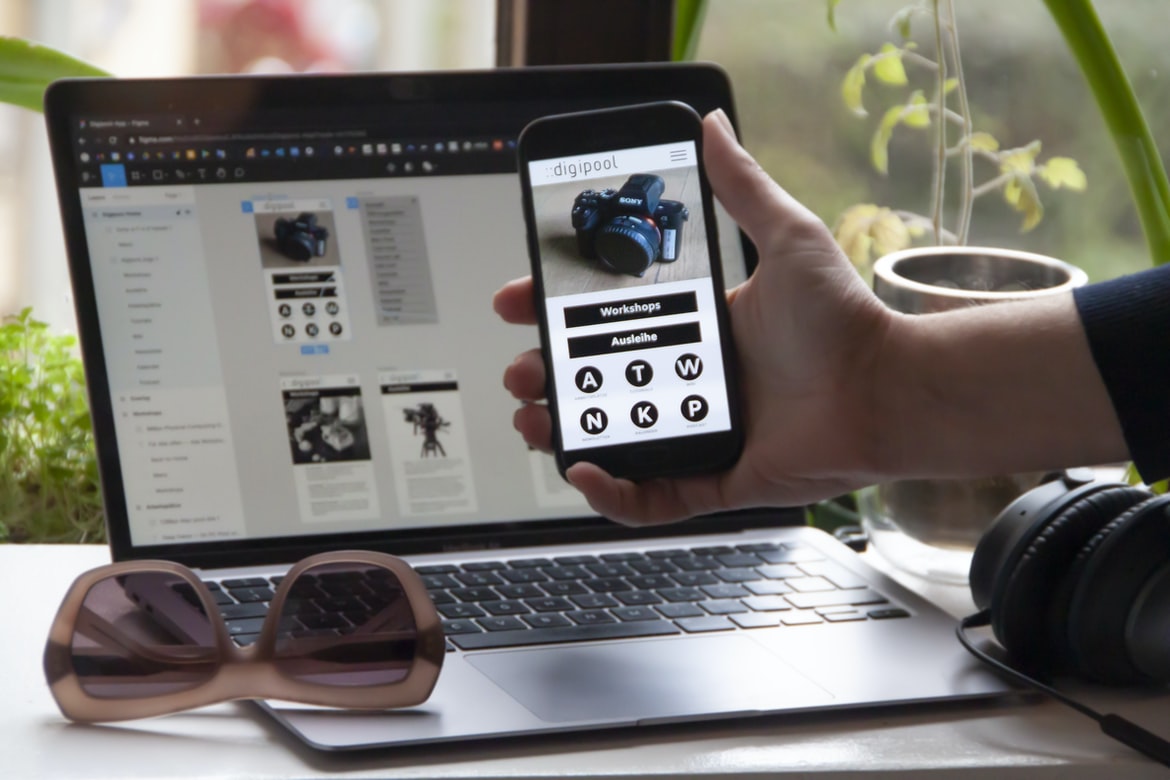
It can be tough to decide which design approach is best for a given project. Which one willithmetic maximizes the user experience (UEE)?
When it comes to choosing the right design approach for a project, there is no one-size-fits-all answer. Ultimately, the user experience (UEE) of a given application is the most important factor to consider. To maximize this experience, some designers choose to use A/B testing and other user feedback techniques in order to determine which design approach provides the best results. Others prefer more traditional design approaches that focus on creating intuitive and visually appealing interfaces. Still, others take a more minimalist approach and only use images or text to communicate their ideas. Ultimately, whatever design approach is chosen will rely on the specific needs of the project and its stakeholders.
User experience vs User interface: What’s the difference?
User experience is the quality of the relationship between an individual and a product or service. The user interface is the design of how an individual interacts with a product or service. User experience is the overall impression of a product or service to a user. The user interface is the design of how a product or service is presented to users. In general, user interface design needs to be easy and intuitive for users to use. On the other hand, user experience can be improved by using effective visuals and sounds that are easy for users to understand.
How do user interfaces work?
User interfaces are the interface that a user sees when interacting with a computer or device. They can be found on devices such as laptops, desktops, and smartphones. User interfaces vary in their design, but they all have one common goal: to help users interact with the device in a way that is comfortable and effective. User interfaces work by providing a way for users to interact with the software. They can do this in a variety of ways, but some common ways are through buttons, checkboxes, and text fields. User interfaces can also be designed to look good and feel smooth when used.
Usage examples of different UIs
UI design is a critical component of any website or application. By understanding how users interact with your UI, you can create a more user-friendly experience for your customers and employees. Here are some examples of different UIs that have been used in various applications:
A website using the Safari web browser: This site has a simple, black-and-white interface with a small text field in the top left corner to enter data. The text field is flanked by two buttons to change the current page or view and an arrow to go back to the previous page. The user interface is designed for quick navigation between pages.
An application using Internet Explorer: This application has a sleek, green interface with a large text field in the top left corner for entering data.
It all comes down to how the user feels when using a UI.
UI design is all about how users feel when using a UI. The wrong user experience can ruin a website or application. To avoid this, designers must understand the user’s needs before designing any part of a system. UI design is important, but it’s not the only factor that affects user experience. How the user feels when using a UI also matters. A study found that users who feel disrespected or uncomfortable when using a UI are more likely to give up and never use a product again.
What are the different types of user experience?
User experience (UX) is the overall experience that a user has with a product or service. It refers to how people interact with products and services, including the way they feel when using them. UX can be divided into four main categories: usability, design, interface, and user feedback.
Usability is the ease of use of a product or service. It includes factors such as how easy it is to use and find what you need. The interface is the way a product looks and feels, including how organized it is and how well it matches the users’ natural behaviour. User feedback is the way people talk to themselves about their experience with a product or service, including whether they like it or not.
Why do different designs matter?
Different design choices matter because they impact how users interact with a system. User experience (UX) is the experience of the user cursor over an interface or product, while user interface (UI) is the graphical representation of that interface. The two design categories are fundamental to different types of systems and products.
A company’s UX strategy should take into account what its customers want, whether that’s for single-purpose products or complex web applications. UI design, on the other hand, affects how people use a product by making it easy to find and use functions. Different types of users have different needs, which must be taken into account when designing an interface for each type of user.
All interfaces are not created equal; there are key differences between UX and UI designs that impact how users interact with a product.
How do you go about designing a good user experience?
Designing a good user experience (UX) is important for any organization. Whether it’s an online store, a company website, or even just your home computer, effective UX design helps users feel comfortable and happy with the experience they are using. However, there are also a lot of factors to consider when designing a good UX. Here are four tips to help you achieve a successful UX:
1. Make sure the user interface is easy to use and customize.
2. Use contrasting colours and fonts to make the user interface stand out from the background.
3. Place elements where they will be most visible and easiest for users to see.
4. Uneven backgrounds and text can make the user interface more confusing.
Besides these four tips, there are still many things that you have to take into consideration when designing a UX.
What to look for when designing a user interface
User interfaces (UI) are the physical and virtual surfaces that users use to interact with software applications. They can be designed for touch, move, or look devices such as a computer, phone, or watch. A user interface must be efficient and easy to use so that users will want to keep using it. There are many different types of UI, but some basic things to consider when designing one include: how the user should be able to interact with the application; how the application should look and feel; how the user can control various aspects of the application; and how feedback can be given to users about the application.
WordPress for Designers
Designers, what are you waiting for? WordPress is the perfect platform for designing your website or web app. With easy-to-use drag-and-drop tools, you can start creating quickly and efficiently. Plus, WordPress has a well-defined user interface that will make creating site content easy and intuitive. Whether you’re starting from scratch or wanting to update an existing site, WordPress is the perfect platform to use.
WordPress Elementor for Designers
Designers and developers alike need to realize that WordPress is an extremely versatile platform and can be used to create a variety of different types of websites. If you are looking to create a website using WordPress, there are a number of elements available to help with the process.
One such element is Elementor. Elementor is a drag-and-drop interface that makes it easy for designers and developers to create beautiful, visually appealing websites. Elementor has been incredibly popular among users in the WordPress community, and it can be found in many popular plugins. If you are looking for an easy way to create beautiful websites with WordPress, Elementor is definitely worth checking out.
Figma
Figma is a new design tool designed to make it easy for you to create user interfaces. By using Figma, you can quickly and easily create interfaces that are both visually appealing and intuitive.
Adobe XD
Adobe XD is a feature-rich vector graphic design application that offers a user experience that is different from any other application on the market. This unique approach to design can be seen in Adobe XD’s interface, which is designed to be intuitive and easy to use. However, while Adobe XD’s user experience is great, it may not be the best for all users.
Visual Communication
When it comes to user experience, there is no one design style that is best. However, many users prefer a visual approach in order to communicate their needs and preferences. This is especially true when it comes to interfaces and user interfaces, which are what people use to interact with technology.
What is Visual communication in graphic design?
Visual communication is the way a design affects people’s perception of a piece of information or an object. It starts with how the design appears to the user and ends with how it feels to the user. In order to create a visually appealing and interactive design, designers must have an understanding of user experience (UX). UX is the process that helps people interact with a product or service in a way that is comfortable, effective, and satisfying.
In graphic design, UX means creating an interface that is easy for users to understand and use. A good interface should be intuitive, organized, easy to navigate, and easy to customize. Designers must also consider how people will use their interface – for example, when they are looking for specific information or when they are interacting with other parts of the design.
Application of Graphic Design: Adobe Photoshop, Adobe Illustrator, Adobe InDesign
The trend in graphic design in the current era is to use Adobe Photoshop, Illustrator and InDesign. These programs are powerful graphic design tools that can be used to create illustrations, logos, flyers, brochures and other types of graphic designs.
Adobe Photoshop is a software that is widely used for creating graphics. It has a user interface that is easy to use and can be customized. This program can be used for creating illustrations, logos, photos and similar types of designs.
Adobe Illustrator is also a popular program used for graphics. It has a user interface that is easy to navigate and can be customized. This program can be used for creating illustrations, logos, photos and similar types of designs.
Adobe InDesign is another powerful graphic design tool that can be used for creating designs.
Adobe Photoshop
Adobe Photoshop is a widely used photo editor and graphic design program. Its user interface has been compared to that of a Windows operating system, making it easy for users to navigate. While Adobe Photoshop is well known for its graphics capabilities, it can also be used for other tasks, such as photo editing and web design. In this article, we compare the user experience of Adobe Photoshop and the Windows operating system.
Adobe Illustrator
Adobe Illustrator is a vector graphic design software that is used for drawing illustrations, graphics, logos, and other types of graphics. It has a user interface that is designed to be easy to use. One of the main advantages of using Illustrator is that it is an extremely versatile software that can be used for a wide range of tasks.
Adobe InDesign
Adobe InDesign is a vector software that helps create graphics and icons. It has a user interface that is designed for easy manipulation and scrolls quickly on small screens. While Adobe InDesign does have some features that are not found in other graphic design software, such as layers, it does offer a great user experience when using it.
Web Design
There is no definitive answer to the question of which design approach is better when it comes to web design. However, many users who are familiar with the web report that user interface designs (UI) are often more effective in providing a good user experience. This is particularly true for smaller websites, where less time and effort are required to create a functional and attractive website.
One potential reason for this may be that UI elements are easier and faster to use than text-based designs. Additionally, users are more likely to interact with UI elements than with text-based designs, which makes them more likely to enjoy using a website. In other words, users who use UI elements generally have a better overall experience on a website.
Design websites
There is a big difference between how users experience websites and how user interfaces are designed. User experience (UX) is what the user sees and feels when they use a website. The user interface (UI) is the design that surrounds and supports the UX. UI can be divided into two categories: desktop apps and mobile apps. Desktop app users interact with the website through their desktops, whereas mobile app users primarily use their phones to access websites. In this article, we will focus on desktop app users and discuss some tips for designing an effective UX for them.
First, it’s important to understand that desktops are not always where people want them to be when they start using a website.
Typography
In design, typography is the use of typefaces and other graphic elements to create a visual presentation. Typography can be used to improve the readability, understanding, and comprehension of text. Typography also has an impact on the overall look and feel of a website or document.
Theory
User experience (UX) design is, in most cases, the first step in creating a user interface. This article discusses the different aspects of UX and how they contribute to creating an effective user experience.
Colour Theory
Colour theory is the study of how colour can be used to create different aspects of a user experience. In some cases, colour can be used as a contrast to improve readability or visibility. It can also be used as part of an overall design strategy in order to create a visually appealing and efficient user experience.
Graphic design is in demand.
With the ever-growing trend of graphic design, students and professionals alike are in demand. Many professional firms are now looking for graduates with strong design skills, as well as creativity and imagination. The demand for quality graphic design is high, so it’s important to have the proper skills if you want to be successful in this field. The graphic design industry is in high demand, and many students choose to study it as a way to get into the field. While there are many different types of graphic design, user experience (UX) is always a key component. A lack of UX skills can lead to negative user experiences that can tarnish a company’s reputation.
Wireframes
Wireframes are visual representations of a product or application. They can be used to explore potential user interfaces, as well as the features and functionality of the product. They are also used to test how different elements interact with each other. Wireframes are a representation of the user interface for a website or app. They are often used to design the look and feel of a product. By understanding how wireframes function, you can create designs that are both user-friendly and effective.
UX/UI Design Strategies
UI design is a critical part of any website or app. It helps users find and interact with the content. However, it can also be a challenge to create effective designs that feel natural and intuitive. In this article, we’ll look at five common UI design strategies and how they can be used to improve user experience on your site or app.
UX/UI Design Principles
Design principles for user interfaces are important when designing effective and efficient websites. While there are many different design principles to consider, some of the most common ones include the following:
In this article, we will explore some of the more common UX design principles and how they can be applied in web development. By understanding these principles, you will be able to create better user experiences that are more efficient and user-friendly.
UX/UI Design Techniques
UX design is all about creating a user interface that is both intuitive and visually appealing. While there are a number of different UX design techniques, here are basic tips to help you create an effective and pleasurable user experience:
1. Use consistent colour palettes throughout your design.
When designing a user interface, it’s important to use the same colours throughout the entire application. This will give users a familiar look and feel, which will make them more likely to return to your application in the future.
2. Use attention-grabbing visuals and icons.
If you want users to spend more time looking at your interface than scrolling through your text, use eye-catching visuals and icons to draw their attention to what they’re viewing.
What is design language?
Design language refers to the specific style and elements that are used in creating user interfaces. It can be used for creating a design for an entire web application or for a specific part of the website. While there are many different design languages, some common ones include HTML, CSS, JavaScript, and JQUERY.
What is the difference between a design language and a software interface?
User experience (UX) is the way a user interacts with a product or service. User interface (UI) is the design of how a user should interact with a product or service. UX and UI are both important in providing an overall user experience for users. While there are many similarities between UX and UI, there are also key differences that can influence the overall success of a project. Design languages are specific to a certain type of software application and cannot be used with other types of software applications. Software interfaces, on the other hand, are common across different types of software applications and can be used with other types of software applications. A design language is more specific to a certain type of software application, while an interface is common across different types of software applications.
What are some of the major design languages in the market?
Design is the process of creating a set of instructions for making something. There are many different design languages in the market, each with its own strengths and weaknesses. Here are four of the most popular ones: user experience (UX), user interface (UI), graphic design, and infographics. Design is a vital part of any business. Whether it’s creating beautiful user interfaces or developing complex software, designers are always working to create superior experiences for their customers. It can be tough to decide which design language to use when starting out, but there are several important options to consider. Here are some of the most popular design languages in the market today: User experience (UI) vs User interface (UIC).
How does a design language work?
In design, there is a general approach to how something works. This is called the language of design. A design language is a set of rules that dictate how a product or system should be designed. There are many different design languages, and each has its own advantages and disadvantages.
One advantage of using a specific design language is that it can be clarified and described in more detail than other designs. This allows for better communication and collaboration between team members, who can better understand the overall direction of the project. Additionally, when it comes to reviewing and criticizing your work, you can use this specific language to make sure that your designs meet the required criteria.
There are also some disadvantages to using specific design languages. User experience (UX) and user interface (UI) design are two of the most important aspects of a company’s design. UX is the user’s first impression of a product, while UI is how the user interacts with a product. To create an effective UX, designers must understand how users interact with a product in order to create an intuitive Ui.
What are the benefits of using a design language?
Design languages are a way to communicate with users in a more concise and organized manner. By using a design language, users can easily understand what you want them to do and how it should be done. This also makes it easier for you to create beautiful user experiences that will delight your customers. Design languages appeal to a wide range of users and can be used for a variety of different purposes. Some of the benefits of using a design language include cleaner, more organized and informative designs, decreased development time and costs, easier prototyping and faster feedback.
What are the drawbacks of using a design language?
Design languages offer a new way of thinking about user interfaces. While they can have some advantages, such as giving designers more control over the look and feel of their interfaces, they also have drawbacks. One is that they can be difficult to learn and use. Another is that they often lack standard features, meaning that different designs in a language can look different depending on the designer’s preferences. Design languages can have a number of drawbacks when it comes to user experience. Some of the more common ones include difficulties in understanding what a design means, difficulty in changing designs after they are implemented, and difficulty in learning.
Is there a “right” or “wrong” way to use a design language?
Designers and developers have different preferences when it comes to how they want their designs to look, and this difference can be seen in user experience (UX) design as well. Some designers prefer more graphic designs that are simple and easy to understand, while others prefer more complex and challenging designs that will require a bit more thought. While both opinions can be valid, there is no “correct” way to use a design language – it all depends on the specific needs of the project and the designer/developer involved.
What are some examples of design languages?
Design languages are a group of computer programming languages used to create user interfaces. There are many different design languages, but some common ones include Adobe Photoshop, Apple iOS, and Microsoft Windows.
Design Languages: user experience vs user interface
When it comes to design, there are two key aspects that have to be included in any given project: the user experience and the user interface. While both needs to be taken into account when designing a website or app, User Experience (UX) is often thought of as the more important part of the equation – making sure the end users are happy and using your product optimally. UX can take many forms, from creating simple interfaces that only require a few inputs to developing complex designs that require dozens of factors to work together correctly. So, which design language should you use when creating an effective UX? There are plenty of options out there, but some common ones include Objective-C, HTML/CSS3, Adobe Photoshop and Illustrator. Design languages are a group of programming languages that allow for the creation of graphical user interfaces. This includes everything from creating simple screensavers to creating more complex designs for web and mobile applications. While there are many different design languages out there, some of the most popular ones include Photoshop, Illustrator, Inkscape, and GIMP.
What are the limitations of design languages?
Design languages are limited inasmuch as they do not provide a comprehensive view of how a product should be designed. This can lead to confusion and a lack of control over the final product. Design languages are powerful tools that can be used to create beautiful user interfaces. However, there are some limitations to these tools that can affect the way a user experiences a design project. One limitation is the number of options that a designer has when creating designs.
This can make it difficult to create an effective user interface for a product or service. Another limitation is the use of specific fonts and colours in designs, which can cause problems when trying to communicate with users.









