

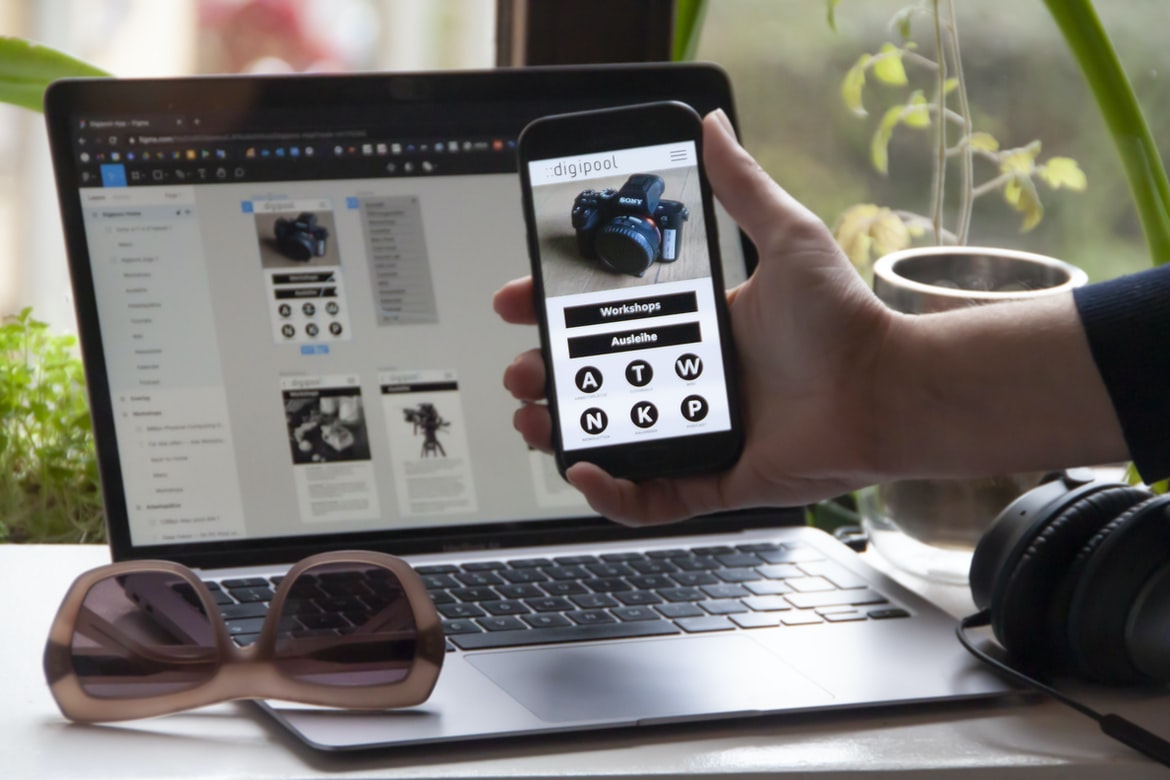
Many people don’t think of UI UX when they think of application design, but it’s actually one of the most important aspects. A good UI UX will make a user feel comfortable using the application and will help them get what they need quickly. The layout, graphics, and how everything looks on a screen all play a role in making a user happy. This is why it’s so important to have a good understanding of UI UX when designing any software application.
Designing an application UI/UX can be a daunting task. But with the right tools and techniques, it can be a breeze. In this article, we’ll discuss some of the best tools and techniques for designing user interfaces in applications.
Graphic Design
Graphic design is the process of designing symbols, logos, typefaces, and images that are used to communicate messages to the public. A graphic designer typically has a bachelor’s degree in art or design. In order to be successful as a graphic designer, it is important to have strong skills in both design and marketing. Graphic designers must be able to create beautiful designs that will capture the attention of potential clients while also being marketable and user-friendly.
Graphic design is the process of designing graphics for use in a printed or electronic medium. A graphic designer creates a layout, selects images, and works with printers to create the look and feel of a piece. Graphic designers may also create user interface (UI) designs or Usability Experiments (UX).
What is UI design?
What is UI design? UI design is the process of creating a visual interface for users to interact with. It encompasses everything from the overall look and feel of an app to specific elements like buttons and menus. UI designers must have a strong understanding of both user behaviour and technology, as well as artistic ability. They work with developers to create user interfaces that are both easy to use and visually appealing.
What is UX design?
UX design is the process of creating a user interface that is both effective and appealing to users. It encompasses everything from the layout of the screen to the gestures users make while using the interface. The goal is to create an experience that makes users feel comfortable and in control, even when using an unfamiliar piece of software or website.
There are many different disciplines within UX design, including user research, graphic design, engineering, and marketing. Each has its own unique approach and set of skillsets necessary for success. A good UX designer must have excellent communication and problem-solving skills, as well as a deep understanding of human behaviour.
UX design is an important part of any software or website development project. It can help to improve user satisfaction and overall usability ratings, which can lead to increased conversion rates and longer customer lifespans.
Visual Communication
Visual communication has come a long way in recent years, with more and more designers using visual elements to help users understand their products. Whether it’s using icons or clearly labelling buttons and menus, good visual communication can make a big difference in the user experience of your product. Here are tips for improving your product’s visual communication:
1. Use iconic imagery to simplify complex tasks. A well-designed interface should be easy to use, regardless of the user’s level of experience. One way to achieve this is by using iconic imagery that users will recognize and understand. For example, Apple’s “home screen” features icons for Mail, Calendar, Safari, and Photos. This simple layout makes it easy for users to find what they need without having to search through multiple screens.
2. Use colour to enhance visual communication. The use of colour is another important tool for increasing the usability of your product. Colour can have a positive effect on a user s ability to perceive information, making it easier for them to distinguish between different elements.
Visual Communication Vs Graphic Design
As visual communication has become increasingly important in our society, the line between graphic design and visual communication has become blurred. Visual communication encompasses everything from creating simple infographics to designing complex user interfaces. This article will explore the difference between these two disciplines and their respective uses.
Graphic designers use vector shapes, layers, and colours to create intricate designs that can tell a story or promote a message. Their creations are often used on products like ads, logos, and web pages. While visuals are an important part of graphic design, they are not always necessary for successful applications.
User interface (UI) designers focus on creating an easy-to-use interface that is visually appealing and functional. They work with stakeholders across multiple teams to create an interface that meets the needs of all users. Good UI design can make a poor website look good and vice versa.
Application of Graphic Design: Adobe Photoshop, Adobe Illustrator, Adobe InDesign
The application of graphic design in the user interface (UI) and user experience (UX) fields is constantly growing in importance. User interfaces are becoming more interactive and engaging, with designers needing to create an aesthetic that not only looks good but also makes the user feel in control and empowered. This is where the use of Adobe Photoshop, Adobe Illustrator, and Adobe InDesign comes into play.
Adobe Photoshop is the most commonly used program for creating UI graphics. It has a wide range of features that can be used to create realistic or cartoon-like designs, as well as text and logos. Adobe Illustrator is used for more intricate designs, such as icons, illustrations, and infographics. It has capabilities similar to Photoshop but with a greater range of vector-based tools. Adobe InDesign is used for creating PDFs and other print-ready documents.
Figma, Adobe XD, WordPress, Elementor.
Designing user interfaces with different tools can be a daunting task. Luckily, there are a few popular application design tools that make the process easier. Figma is a web-based tool used to create mockups and prototypes. Adobe XD is an app used for designing digital products. WordPress is a content management system used to create websites and blogs. Elementor is an interface builder used for creating mobile apps. Each of these tools has its own advantages and disadvantages, so it’s important to choose the right one for your project.
Here are tips for choosing the right user interface design tool:
1) Evaluate your project’s needs first. What do you want to achieve? Do you need a simple prototype, or do you need a full-blown website? Then decide which tool will work best for you. 2) Consider your budget. How much time and how many resources are you willing to spend on your project? Do you need a professional designer, or do you have the skills to do it yourself? 3) Think about the features of each tool.
What Is A Prototype?
A prototype is an early version of a product or service that allows you to test the viability of your idea and see if people will actually use it. Prototypes can be digital or physical and can be used to test the feasibility of an idea, determine what features people want, and see how people will interact with the product.
When designing a prototype, it’s important to consider what features you want to include and what functionality you need to test. You also need to think about how users will interact with the product. For example, will they be mouse-driven or touch-based? Will they need specific instructions? Once you have all of this information, you can start building your prototype.
There are many different software creation tools that can help you create a prototype.
Designing user interfaces and user experiences for software applications can be time-consuming and frustrating. Prototyping tools can help reduce the time and effort required to develop a functional interface or UX. There are many different prototyping tools available, but some of the most popular include Axure, Balsamiq, and Mockplus.
Prototyping tools allow you to create a low-fidelity version of your application’s user interface or UX before you start developing the full application. The low-fidelity prototype allows you to test the design before you spend any more time developing it. You can also use the prototype to collect feedback from users and testers before you finalize the design.
If you’re new to prototyping, it’s important to choose a tool that fits your needs.
What is application design UI UX?
Application design UI UX refers to the overall look and feel of an app’s user interface. It includes the layout, colours, fonts, and graphics used throughout the interface. It can also include features like menus, buttons, and toolbars.
UI UX is important because it affects how users interact with the app. If the UI looks cluttered or outdated, it can negatively affect users’ satisfaction with the app. Likewise, if the UI is well-designed, it can make using the app more enjoyable.
UI UX is a complex topic that requires a lot of creativity and attention to detail. Anyone who wants to create an effective UI for their app should definitely take into account aspects like UI UX.
Different Types of User Interfaces: Desktop, Mobile, and Tablet
There are many different types of user interfaces, each with its own unique set of benefits and drawbacks. Desktop, mobile, and tablet user interfaces all have their own strengths and weaknesses. Here’s a look at the three types of user interfaces and their respective advantages:
Desktop User Interfaces: Desktop user interfaces are familiar and comfortable for most people. They’re typically large and easy to use, making them great for tasks like browsing the internet or working on paperwork. They’re not as good for tasks that require quick responses, like playing games or using applications that need to be constantly active.
Mobile User Interfaces: Mobile user interfaces are smaller and more responsive than desktop user interfaces. This makes them great for tasks that require quick responses, like playing games or using applications that need to be constantly active.
The Elements of a Good User Interface: Navigation, Structure, and Functionality
Application design is an important step in the software development process. A good user interface (UI) should provide navigation, structure, and functionality. Navigation includes the overall layout of the application, while structure includes the organization of content and controls. Functionality includes the ease with which users can perform their tasks. The following are some tips for creating a good UI:
Layout: Keep your layout simple and easy to understand. Use common elements to make navigation easy and consistent throughout your application.
Design: Use intuitively named buttons and menus, as well as well-designed icons. Make sure all content is legible from a distance.
Responsiveness: Make sure your UI responds quickly to user input. Avoid laggy or sluggish animations or interactions that cause delays in user actions.
Guidelines for Creating Effective User Interfaces
Effective user interfaces are essential to the success of any software application. However, creating an interface that is both easy to use and visually appealing can be a challenge. In this article, we provide guidelines for designing effective user interfaces.
First and foremost, an effective user interface should be easy to use. The majority of users will only need to interact with the interface once or twice during their entire workflow, so it is important that the interface is simple and straightforward. Additionally, users should be able to understand how to use the interface without having to read through lengthy instructions or watch instructional videos.
Secondly, an effective user interface should be visually appealing. Not only do users want an easy-to-use and attractive interface, but they also want applications that look professional and polished. Opt for sleek designs and high-resolution graphics whenever possible.
Tips for Improving Your Application’s UX
Application design UX is critical for creating an effective and user-friendly experience. Here are some tips to improve your application’s UX:
1. Keep the layout simple. Your users will have less to focus on and will be able to find what they’re looking for. Use a grid system and keep everything within easy reach.
2. Use clear, concise text descriptions of each element of your interface. This will help your users understand how to use your application and avoid any frustration or confusion.
3. Use contrasting colours and shades to make sure elements stand out, especially during low-light conditions. This will help users easily find what they’re looking for, even when they’re holding the device in their hands one-handed.
4. Use simple fonts and graphics to keep the interface simple and uncluttered. 5. Use large, easy-to-read text labelling your elements. This will help your users quickly recognize what each element does and make navigation easier.
What is the difference between UI and UX apps?
UX and UI are two different design philosophies that focus on the user experience. UX designers focus on the user interface or how a person interacts with an app, while UI designers focus on the look and feel of the app. There are many differences between these two disciplines, but here are some of the most important ones:
1. UX designers usually focus on how people will interact with an app, while UI designers focus on how the app looks and feels.
2. UX designers often use research to create better user interfaces, while UI designers rely more on intuition and personal preferences.
3. UX design is often more flexible than UI design since it can be adjusted to fit different types of users and platforms.
4. UX design often uses wireframing and prototyping tools to test designs before they’re finalized.
How do UI and UX apps benefit companies?
UI and UX design are essential to the success of any business. As digital interfaces evolve, so do the needs of businesses. Businesses need applications that are easy to use, look stylish, and meet the needs of their customers. UI and UX designers can help businesses achieve these goals by creating user-friendly and visually appealing designs. Additionally, good UI and UX designs can save companies time and money by reducing the amount of work required to create an application.
What are the best practices for creating effective UI and UX apps?
When it comes to creating an effective user interface (UI) and user experience (UX) for an app, there are a few key things to keep in mind. Here are some of the best practices:
Keep your design simple.
Make sure all your elements are easy to access and use.
Consider how users will interact with your app on different devices and platforms.
Think about how users will navigate your app.
Include clear instructions and tutorials when possible.
Remember that users will be using your app in various contexts, so make sure your design works well in all situations.
What is the difference between UI and UX applications?
Application design differs between UI and UX applications. UI applications are designed to be used by users such as a website or application. UX applications are designed to improve the user experience, such as an e-commerce website. Generally, UI designs focus on the visual elements of an application and how they look, while UX designs focus on how the user interacts with the application. Additionally, many companies use both types of design when creating their applications.
What qualities should a successful UI and UX app have?
Successful application design UI UX requires an understanding of the user’s needs and wants, a clear vision of the app and its features, attention to detail when designing user interface elements, effective communication between team members, and a commitment to user feedback.
Some key qualities that are often necessary for success in application design UI UX include: having a clear understanding of the users’ needs and wants, being able to see the big picture, paying attention to detail when designing user interface elements, communicating effectively with team members, and being willing to change or revisit designs based on feedback from users.
How do user feedback and analytics impact the design of UI and UX apps?
The design of user interfaces and user experience (UX) applications is heavily influenced by feedback from users. User feedback can come in the form of feature requests, comments on how an application looks or behaves, and ratings and reviews. In order to best utilize this feedback, developers must understand how to interpret it and use it to improve the design of their apps.
User feedback can be used to improve the following aspects of an app:
-Interface design: Feedback about how a user interacts with an interface can help designers create a more intuitive experience. For example, if users find that they have to click multiple times before an action is taken, designers could make changes to the layout or interface elements to reduce the number of clicks required.
-Design processes: Developers can learn from user feedback about which steps in the design process need refinement.
What technologies are used to develop high-quality UI and UX apps?
There are many different technologies that are used to develop high-quality UI and UX applications. Here are some of the most common ones:
1. User interface design: This is the process of designing the look and feel of a user interface (UI). Common UI design tools include Photoshop, Illustrator, Inkscape, and Sketch.
2. User experience design: This is the process of designing an application so that it is easy for users to navigate and use. It includes things like creating effective user flows, designing intuitive menus and interfaces, and ensuring that all content is accessible from anywhere in the app.
3. Graphic design: This involves creating visuals that help communicate the message of a website or app. Common graphic design tools include Adobe Photoshop, Adobe Illustrator, Inkscape, GIMP, and Sketch.
How do teams work together to create a successful UI and UX app?
A successful user interface and user experience (UI/UX) application require the collaboration of team members working together to create an end product that meets the needs of the users. There are a number of factors that contribute to the success of a UI/UX application, including effective communication, coordination, and collaboration.
To create a successful UI/UX application, it is important for team members to communicate effectively with one another. Coordination is also essential in order to ensure that all elements of the UI/UX design are cohesive and work together as a unit. Finally, collaboration is necessary in order to create solutions that meet the specific needs of the users. By working together as a team, these factors can help create a successful UI/UX application.
Are there any challenges associated with developing a good UI and UX app?
Some challenges associated with developing a good UI and UX app include making sure the design is intuitive and user-friendly, as well as ensuring the app meets the specific needs of its target audience. In addition, it can be difficult to create an effective layout that looks good on a variety of devices and ensures that all elements work together seamlessly. Finally, it’s important to consider how users will interact with the app—from clicking on links to filling out forms—in order to ensure that their experience is positive.
What are the advantages of using a UI/UX app?
There are many advantages to using a UI UX app. First, they can save you time and energy by streamlining the design process. Second, they can help you build a more user-friendly product. Third, they can help you improve your overall brand image. Fourth, they can help you target your audience more effectively. Fifth, UI UX apps can make your products more accessible to a wider range of users. Sixth, they can help you increase customer retention rates. Seventh, UI UX apps can reduce training costs for new employees. Eighth and finally, UI UX apps tend to be cheaper to develop than traditional applications.
How do UI/UX apps help increase customer engagement?
UI UX apps help increase customer engagement by making it easy for customers to find what they are looking for and reducing the need for customer input. They also make it easy to navigate and provide up-to-date information. Additionally, UI UX apps can be customized to meet the needs of a particular company or product.
What features do UI/UX apps provide to users?
User experience (UX) is a term used to describe the overall experience of using a product or service. In a nutshell, good user experience means that users feel happy, satisfied, and able to complete their tasks quickly and easily. UX encompasses everything from how the interface looks and feels to the functionality of the app.
What impact can a well-designed UI/UX have on customer satisfaction?
UX design is one of the most important aspects of any application. It can have a positive impact on customer satisfaction and retention rates. In fact, a well-designed UI UX can make a huge difference in how users interact with your app. Poorly designed interfaces can frustrate and even anger users, leading to decreased engagement and eventual abandonment. By paying attention to the details of your user interface, you can create an environment that is both inviting and efficient. Here are some tips for designing successful user interfaces:
1. Keep Your Interface Clean and Simple
It’s easy to get lost in a cluttered interface full of buttons and menus. Keep your design clean and simple by using text rather than images for primary navigation elements, limiting the number of buttons on each page, and using clear labels for each control. When designing an interface, remember that users already have a lot on their minds. Make it easy for them to find what they’re looking for. 2. Use Contrasting Colors, and Text Colors should not be the same as those used in your brand or company s identity.
How can businesses improve their user experience with UI/UX apps?
Today’s businesses are faced with an ever-growing array of user interfaces (UI) UX apps. These apps allow customers to interact with the company in a variety of ways, from ordering products to signing up for services. However, many businesses don’t know how to make their UI UX apps user-friendly and efficient. In this article, we’ll discuss some tips on how businesses can improve their user experience with UI UX apps.
1. Start by designing a clear and concise user interface. It’s important that users can understand how to use your app quickly and easily. Make sure all elements of your UI are well organized and easy to navigate.
2. Make sure all required information is clearly displayed at all times. Make sure there’s no confusion about what needs to be done in order to complete a task.
3. Use intuitive navigation buttons and icons wherever possible.
What factors should be considered when choosing a UI/UX app?
When selecting a UI UX app, it is important to consider the following factors:
The app’s purpose
The user’s needs
The app’s design goals
UI/UX research
User feedback and testing
What is the difference between UI (User Interface) and UX (User Experience) design?
UI and UX design are two different design disciplines that focus on the user experience of an application or website. UI designers focus on the look and feel of the user interface, while UX designers focus on how the user interacts with the interface. There are a few key differences between UI and UX design that need to be considered when designing an application:
1) UI design is focused on the layout and appearance of a user interface, while UX design is focused on how users interact with the interface.
2) UI design is focused on creating a usable, attractive interface, while UX design is focused on creating an effective user experience.
3) UI design typically focuses on aesthetics, while UX design considers usability and function when designing an interface.
What are the key elements of a successful UI/UX design?
There are many different aspects to a successful UI UX design, but these key elements are essential:
1. Effective communication – Knowing how to communicate effectively with your users is essential for a successful UI UX design. This means understanding their needs and desires and then presenting that information in a clear, concise manner.
2. Usability testing – Once you have communicated your designs to your users, it’s important to ensure that they can actually use them. This means conducting usability tests to determine how well the designs work and whether or not they’re easy to understand and navigate.
3. Feedback loops – It’s important to make sure that your users are always giving feedback on the designs. This way, you can iterate on the design until it’s perfect!
4. Adapting to user feedback This is where things get interesting. Once you’re sure that your designs are working, it s time to test them again with different users and see how they react. This is where the real magic happens!









