

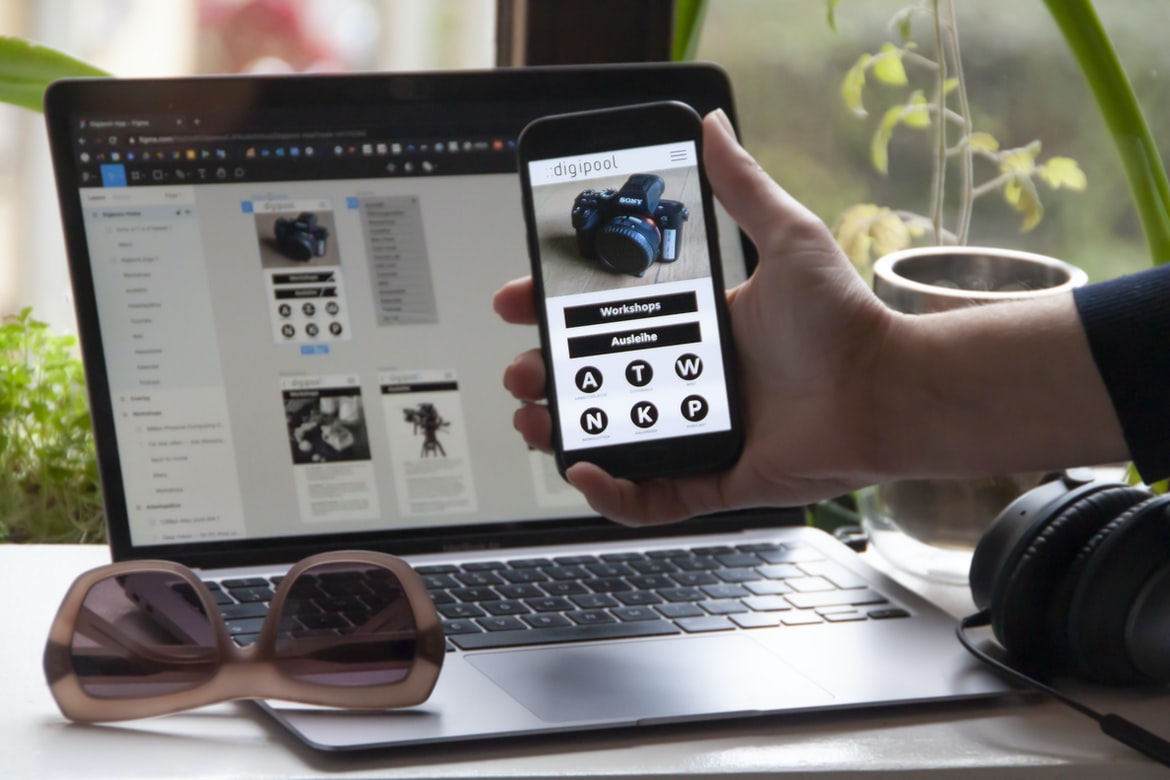
What is user experience, and what does it have to do with graphic design?
User experience (UX) is about creating a good experience for users, whether it’s through designing an interface or creating a product. It’s about making sure that the people using your product or service feel like they’re in control and understand what they’re doing. User interface (UI) design is about creating an appealing and easy-to-use interface for users. Graphic designers are often responsible for both aspects of user experience and user interface design, so it’s important to understand the difference between them. UX focuses on the entire user experience, while UI only covers the look and feel of the interface. UX encompasses everything from how users find your site or app to how they interact with it. UI just focuses on how users interact with your content and features.
The role of the user interface in user experience
User interface (UI) is the visible manifestation of a user’s interaction with a system or application. It encompasses all the elements that are on-screen and available for the user to interact with, including menus, buttons, widgets, and other graphical elements. The goal of good UI design is to make the interactions as easy and intuitive as possible for the user while still providing the necessary functionality. Poor UI design can lead to frustrating experiences for users and can even result in decreased use of a system or application.
There are many different factors that go into creating a good UI design, including understanding what users want and need, balancing usability with aesthetics, and considering how users will interact with the system or application in different contexts. Properly implemented UI can significantly improve an overall user experience, making it more likely that people will stick around and use your system or application longer.
Guidelines for creating effective user interfaces
User interfaces are a critical part of any software or website. Developers must create interfaces that are both easy to use and visually appealing. Here are some tips for creating effective user interfaces:
1. Keep interface designs simple. Don’t overload users with information, and keep controls simple and organized. This will make the interface more concise and easier to use.
2. Use colour effectively. Choose colours that will stand out without being too loud or jarring, and use them to convey important information (such as error messages).
3. Use typography well. Make sure all text is legible at a glance, and choose appropriate fonts for the task at hand (such as headings, labels, etc.).
4. Use feedback loops wisely.
Feedback loops play an important role in user experience (UX) design. A feedback loop is a cycle in which information flows back and forth between two or more entities. In UX, feedback loops help designers understand how users interact with their designs and make changes accordingly.
There are four main types of feedback loops: observational, deliberative, communicative, and reflexive. Each type has its own advantages and disadvantages.
Observational feedback loops allow designers to see how users are interacting with their designs without having to ask them. However, this type of feedback is limited because it doesn’t allow users to give feedback directly. Instead, observers must record the data and pass it along to those who can provide feedback. Deliberative feedback loops allow users to give feedback that helps design decisions get made.
Factors to consider when designing graphics for users
When designing graphics for users, it is important to consider not only the user experience but also the user interface. The two are often intertwined, as one affects the other. For example, a complex or cluttered user interface may be difficult to use, while an easy-to-use interface may not be effective in conveying information effectively. Additionally, graphics that are too complicated or ornate can negatively impact a user’s experience. In order to create graphics that are both effective and easy to use, it is essential to understand both the user experience and the user interface.
UI UX Graphic Design
If you want your user interface to look good, you need a good user interface graphic design. But what is a good user interface graphic design? There is no one answer to this question. It depends on the context and the specific needs of the user. However, there are some general tips that can help improve your user interface graphics.
First and foremost, use colours that harmonize well with each other. This will make your user interface look more cohesive and professional. Additionally, use typography to create strong visual elements that communicate your message. Use plenty of whitespaces to give your designs a clean appearance and add dimension. And last but not least, be sure to test your designs before finalizing them – nothing looks worse than an ugly user interface that doesn’t work well either visually or functionally.
UI
User experience and user interface design are two different yet equally important aspects of designing a website. User interface design focuses on creating an intuitive and easy-to-use user interface, while user experience takes into account the overall interactions users have with the site. This split can be seen in many ways, but one example is how designers may choose to display information on a screen.
While both disciplines have their pros and cons, it’s important for website owners to understand the differences in order to create an effective user experience for their users. Here are some key points to keep in mind when designing either type of interface:
1) User Interface Design is focused on creating an attractive and usable UI while taking into account how users will interact with the site. 2) Usability Design is focused on how easy it will be for users to navigate a site and interact with the content. Interactive design The goal of interactive design is to help users solve problems by guiding them through the interface.
Graphic Design
Graphic design is the process of creating a graphic design. Graphic designers create designs for different purposes, such as products, websites, advertisements and packaging. The goal of graphic design is to communicate a message to the viewer by using graphics and typography. A good graphic design should be well-composed, visually appealing and easy to read.
UX
User experience is all about making sure the end-user has a positive interaction with your product. It involves understanding the user’s goals and needs, creating a design that meets those needs, and testing it to make sure it works as intended. User interface (UI) design is all about how your users interact with the product. It includes things like the layout of pages, buttons and menus and how these elements look on different devices. They should be designed to be easy to use and understand for all users, regardless of their level of technical expertise. The two disciplines need each other to create an effective product.
What is UX graphic design?
User experience (UX) and user interface (UI) graphic design are two different disciplines that focus on the visual representation of a computer user’s interactions with a system. UX designers create graphics that help users understand and complete tasks, while UI designers create visuals that make the system easy to use.
UX graphic design is focused on creating beautiful, effective designs that improve the usability of a product or website. Common methods used by UX graphic designers include wireframing, prototyping, and interface design. Many times, these designs will be used as reference materials by developers when creating the final product.
UI graphic design is focused on creating beautiful visuals that help users understand how to use a product or website. Common methods used by UI graphic designers include sketching, Illustrator, Photoshop, and Inkscape.
User experience vs User interface
User experience (UX) is about creating a great user interface that enhances the user’s interaction with the product, while user interface (UI) design is about creating an effective and pleasing user experience. Graphic designers are often asked to create both types of designs, but there can be a big difference in how they’re approached.
A study by Intel found that people who have positive experiences using products feel more engaged with them and are more likely to recommend them to others. They also tend to stick with products longer than those who have negative experiences.
To create a great UX, graphic designers should focus on making sure the layout is easy to navigate, the buttons look consistent, and the colours are appealing. A well-designed UI will also make it easy for users to find what they’re looking for, understand how it works and get started using it right away.
UI vs UX Design: What’s the Difference?
In today’s market, it’s more important than ever to design user interfaces that are both visually appealing and easy to use. Yet many designers still struggle to differentiate between user interface (UI) and user experience (UX) design. What is the difference? And how can you improve your designs if you don’t know the difference?
UI design is focused on creating a visually appealing interface. It involves creating layouts, designing graphics, and deciding on the overall look and feel of the website or app. UX design, on the other hand, focuses on creating an enjoyable experience for users. It involves understanding their needs, developing a plan of action, and testing the finished product.
There is no one right answer when it comes to separating UI from UX design – each situation requires a different approach.
Difference Between UX And UI In Graphic Design
UX vs UI: What’s the difference?
User experience (UX) is all about how a user interacts with a product. This can include everything from how they find and use the product to how they feel after using it. User interface (UI) is all about the look and feel of a product’s screens and menus. It includes things like colour, typography, layout, etc. While there are many similarities between UX and UI, there are also key differences that should be taken into account when designing either type of product.
Here are some key points to keep in mind when designing for either user experience or user interface:
-UX focuses on the entire user journey from initial exploration to final use. UI only concerns itself with the actual screens, and menus users see.
User Interface Guidelines
There has been a recent trend in the design of user interfaces to emphasize the experience over the look of the interface. User interface guidelines have been created to help designers create interfaces that are both visually appealing and easy to use. By following these guidelines, designers can create an engaging experience for users without sacrificing functionality.
UX Vs Graphic Design
User experience and user interface graphic design are two important aspects of web design. User experience is all about creating a positive user experience, which means that the end user should be able to complete tasks with ease and enjoy the experience. User interface graphic design is all about creating appealing and intuitive designs that help users interact with the website. Both disciplines have their own strengths and weaknesses, but together they create a successful web presence.
UI Vs Graphic Design
User interface (UI) and graphic design are two different but complementary disciplines that work together to create a user experience. While both disciplines have their own strengths, it’s important to remember that UI is about how users interact with a product, while graphic design is about the look and feel of the product.
A well-designed interface will be easy to use and provide an overview of the product’s features. It should also be visually appealing, with a consistent style that can be easily adapted to different products or contexts. A good user interface will also make it easy for users to find what they need while providing enough information so they can understand it.
Graphic design is responsible for the overall look and feel of the product, from the logo to the fonts used on menus and screens.
Usability And User Experience Design
User experience design is an important part of creating a usable and accessible website. It can help to make the website more enjoyable for users and can improve the conversion rate of visitors. User interface (UI) design is also important, but it is not always as user-friendly as user experience design. UI design focuses on the look and feel of the website, while user experience design focuses on how users interact with the website. The two disciplines should be combined when designing a website in order to create a well-rounded product.
Motion Graphic Design
Motion graphic design is a type of graphic design that uses motion to communicate a message or create an effect. It can be used to create logos, product packaging, website graphics, and any other type of visual communication. In order to create effective motion graphics, it is important to understand the user experience vs user interface (UX) debate.
User Interface Animation Design
Interface animation design is a process that can be used to improve the user experience. Animations can help to improve the user’s understanding of what is happening on the screen and can make it easier for them to use the interface.
There are a few different types of animation that can be used in interface design. These include motion graphics, which are short animations that are used to illustrate a point or to create a dramatic effect, and tweening, which is a type of motion graphics that uses interpolated values between two points as an animation primitive.
Motion graphics are often used in interface design because they have the ability to create complex effects quickly. Tweening is also popular because it allows designers to create smooth animations without having to deal with complicated math equations.
Interface animation can be used in a number of different ways.
Interface animation can be used in a number of different ways to improve the user experience. By creating an interactive animation, the user is more engaged with the interface and feels more connected to it. This increased engagement makes it easier for them to learn how to use the interface and provides a better overall experience. Additionally, Animated interfaces can also provide a visual guide for users as they navigate through the interface. This helps them understand what they are doing and makes navigation smoother.
Motion Graphics UI UX
Motion Graphics UI UX is important for creating a good user experience. Motion Graphics UI UX should be designed to make the user feel comfortable using the application. Motion Graphics UI UX should also be designed to make it easy for the user to understand how to use the application.
WordPress for Designers
WordPress is a versatile platform for web designers and developers. Its popularity as a content management system (CMS) means that it is used by millions of people around the world. WordPress is fast, flexible and easy to use, making it an ideal tool for designers who need to create professional websites or applications.
WordPress can be used for everything from personal blogs to large commercial websites. Its intuitive design makes it easy for any user to create a website or application, no matter their level of experience. Additionally, WordPress has a host of built-in features that allow you to customize your site perfectly.
Some of the most popular uses for WordPress include creating custom e-commerce sites, creating blogs, creating news sites and creating mobile apps. If you are interested in using WordPress to create high-quality graphics-rich websites or applications, then learning its ins and outs is essential.
WordPress Elementor for Designers
WordPress Elementor is a user interface design tool that allows users to create custom designs and embedded media for WordPress websites. The free version of Elementor offers limited functionality, but the paid version includes more features and is available in both desktop and mobile versions.
Users can use Elementor to create custom designs for websites using a drag-and-drop interface. They can also use Elementor to create custom templates and embed media into their designs. The paid version of Elementor includes more features, such as the ability to export projects as PDFs.
Elementor is a user interface design tool that allows users to create custom designs and embedded media for WordPress websites. The free version of Elementor offers limited functionality, but the paid version includes more features and is available in both desktop and mobile versions.
Figma
There’s no one-size-fits-all answer to the question of which type of user interface design is best, as the right solution will vary depending on the product and its target audience. However, there are a few key factors to consider when choosing a graphical design approach:
1. Understanding your users – What do they need and want from your product? What do they know and understand about it? Using this information, you can create an interface that is both easy to use and visually appealing.
2. Making your product accessible – No matter how well-designed your interface may be, if it’s inaccessible to certain users or difficult to navigate, it will be of little use. Make sure all aspects of your product are easily accessible and usable by as many people as possible.
3. Creating a balance between usability and aesthetics – As stated in the article, people who use graphical interfaces usually require an interface that’s easy to understand yet attractive. Try not to overdo it with the graphics. Remember that most users can’t see everything on-screen at once.
Adobe XD
Adobe XD, formerly known as Adobe Spark, is a vector graphic design software that was released in May 2017. It is created to be user-friendly and fast to use, with features such as a layering system, vector shapes, and artboards.
Adobe XD has received positive reviews from users who appreciate its user interface and how it is faster than other graphic design software. While it may not have the same features as more expensive programs, it may be a good option for users who are starting out or need a simple program that is easy to learn.
Visual Communication
After years of research and development, user interface (UI) designers have finally found a way to make their designs more appealing to the eye. With the help of new graphic design techniques, users can now experience better visuals that make it easier for them to understand and interact with a website or app.
Some of the most popular visual communication techniques used today include using typography, colour, and layout. By properly using these three elements, UI designers can create a visually appealing design that will help users navigate their devices more easily.
One of the most common mistakes UI designers make is the overuse of typefaces. Too many fonts on a page can be confusing and difficult to read. Instead, use typefaces selectively in order to increase legibility and appeal to your target audience.
Another common mistake UI designers make is using too much colour.
What is Visual communication in graphic design?
Visual communication is the use of visual media to send messages and convey information. In graphic design, visual communication includes everything from the layout and composition of a piece of art to the way in which a design communicates its message. Visual communication can be used for a variety of purposes, such as informing, persuading, and entertaining users.
One of the most important aspects of effective visual communication is user interface (UI) design. A well-designed UI helps users understand and navigate a design quickly and easily. Poorly designed UIs can frustrate users, leading them to abandon a site or app altogether.
In addition to UI design, graphical designers must also consider user experience (UX). UX involves designing products that are easy to use and satisfying for users.
Application of Graphic Design: Adobe Photoshop, Adobe Illustrator, Adobe InDesign
Graphic design is an ever-growing field that can be applied to any type of project. With the many different software programs available, it can be hard to know which one to choose for a specific project. Adobe Photoshop, Adobe Illustrator, and Adobe InDesign are all popular graphic design software programs that have their own strengths and weaknesses.
Adobe Photoshop is known for its ability to create detailed images and graphics. It is also a versatile program that can be used for creating logos, flyers, and other types of marketing materials. Adobe Illustrator is known for its vector graphics capabilities and its ability to create complex designs with ease. It is perfect for creating templates or wireframes for websites or apps. Adobe InDesign is best known for its ability to produce print documents, but it can also be used to create interactive designs such as e-commerce sites or app interfaces.
Adobe Photoshop
Adobe Photoshop is one of the most popular and well-known graphic design software programs. It is used for creating images, graphics, and illustrations. There are many different ways to use Adobe Photoshop, depending on the user’s needs. Some users prefer to use the program’s user interface (UI), while others prefer to use the program’s features. In this study, user experience was compared with user interface GRAPHIC DESIGN. The results showed that user experience was more important than UI GRAPHIC DESIGN when it came to determining a person’s satisfaction with using Adobe Photoshop.
Adobe Illustrator
Adobe Illustrator is a powerful and versatile vector graphic design program that offers users many different ways to create graphics. While the user interface can be complex at times, the program’s powerful capabilities make it a popular choice for professional graphic designers.
One of Illustrator’s most important features is its ability to create vector illustrations. This means that the graphics can be scaled up or down without losing clarity or quality, making it an ideal tool for creating logos, icons, and other high-resolution graphics. Additionally, Illustrator supports a wide range of file formats, so you can easily share your work with others.
Overall, Adobe Illustrator is a powerful tool that has many benefits for both novice and experienced Graphic Designers alike. While the user interface can be complex at times, the program’s powerful capabilities make it a popular choice for professional graphic designers.
Adobe InDesign
Adobe InDesign is a versatile and powerful vector graphic design program used by professional designers. However, its user interface can be difficult to understand for novice users. A recent study compared the user experience of two different types of graphic designers: those who use Adobe InDesign and those who use another vector graphic design program. The study found that the user interface of Adobe InDesign was more difficult to understand than that of the other program. This may lead novice users to switch programs or give up on using InDesign altogether.
Web Design
The success of a website is heavily reliant on the user experience. The user interface, or how the site looks and feels to users, is just as important as the user experience. However, many businesses mistakenly equate graphic design with only creating beautiful visuals. Web design encompasses more than just designing a pretty face-it must also consider how users will interact with the site, from how they find information to how easy it is for them to navigate.
A well-executed user interface can help increase engagement and conversion rates for your business. Poorly designed websites can actually have a negative impact on your company’s bottom line due to lost customers and increased bounce rates. It’s important to consider both aspects when designing your website user experience and user interface so that you create a site that users will love using every time they come across it.
Mobile Graphic Design
Mobile graphic design is a growing field that has seen explosive growth in recent years. With so many people now using smartphones and other mobile devices, there’s a huge market for creative professionals who can create beautiful, user-friendly graphics that reflect the specific needs of mobile users.
There are a few things to keep in mind when designing graphics for mobile devices. First and foremost, it’s important to think about how the user will be interacting with the Graphic. Will they be tapping on it or scrolling through it? Second, consider factors like screen size and orientation. Will the graphic fit nicely on a small phone screen, or will it need to be blown up? Finally, always make sure your designs look good both on retina displays and old-school LCD screens.
Responsive Graphic Design
Responsive Graphic design is a growing trend that takes user experience into account when designing graphics. This means that the graphics will adjust to different devices, such as laptops, phones, and tablets. Responsive Graphic design is becoming more important as more people are using mobile devices instead of desktop computers.
Design websites
There is a growing trend in the design world of focusing on user experience rather than just user interface (UI) graphics. User experience is about making sure that the end-user has an enjoyable and productive experience when using a product or service. The goal is to make it easy for people to find what they need, understand how to use the product, and feel confident that they are making the best choices.
User interface graphics, on the other hand, focus on creating a visually appealing design. They can be used to create an impression of sophistication or authority or to attract attention and interest. However, if the user experience is not taken into account, then these visuals can actually detract from usability instead of enhancing it.
Theory
In the field of graphic design, there is a growing trend of using user experience (UX) over user interface (UI) design. While both techniques have their place, some believe that UX should be the focus of graphic designers and UI should be used as a supporting tool. In this article, we will explore the pros and cons of using UX over UI in graphic design and see which approach is more effective in certain cases.
There are many benefits to using UX over UI in graphic design. First, UX is more focused on the end-user experience, which means that it takes into account how people interact with a product or service. This can help create designs that are easier to use and understand. Second, UX often involves developing prototypes before making any final decisions about a product. This helps ensure that the final product is well-executed and meets users’ needs.
Graphic design is in demand.
Graphic design is in demand due to its versatility and its ability to communicate a message. Graphic designers can create logos, flyers, websites, and more. User experience vs User interface graphic design is the key difference between these two types of design. User experience graphic design focuses on how the user interacts with the product or service. User interface graphic design focuses on how the product or service looks and feels.
Wireframes
Wireframes are a way to get an idea of a user’s experience with a product or service. They help designers create the layout, design and look of the interface without having to build it first. They can also be used to test how users will interact with the product or service before building it. There are different types of wireframes, but all share one common goal: to provide a visual representation of what the final product or service might look like.
UX/UI Design Strategies
User experience design (UX) is focused on the satisfaction of end users, while user interface design (UI) concentrates on how a user interacts with the physical elements of a system. In order to create effective user experiences and interfaces, designers must understand both the goals of their users and how they interact with a system.
There are four main principles that underlie effective UX design: simplicity, feedback, empathy, and understanding users’ needs. By following these principles, designers can create systems that are easy to use and navigate while providing accurate and timely feedback to users.
In order to ensure that users’ needs are met, it is important for designers to understand their target audience. This involves researching the demographics of your target customers as well as their common behaviours and preferences.
UX/UI Design Principles
User experience (UX) design is all about creating a positive, engaging experience for the user. It encompasses all aspects of the design process, from developing user research to crafting intuitive and beautiful interfaces. To create a successful UX design, you need to adhere to a few principles. Here are the most important ones:
1. Keep your designs human-centric
Remember that your users are people, not computers or devices. Pay attention to their needs and emotions, and design for their experiences as individuals. This means taking into account things like screen size and resolution, cognitive load (the amount of information a user is processing at any given moment), and preferred navigation methods.
2. Respect users’ time
Design for quick and easy access to the information users need without having to navigate through an overwhelming interface full of unnecessary bells and whistles.
UX/UI Design Techniques
User experience (UX) is the overall experience that a user has with a product. User interface (UI) design is the process of designing the look and feel of a product’s user interface. Graphic design is the creation of visual elements for products, including logos, illustrations, and websites. Together, these three disciplines form user experience design. Here are some tips for creating successful user experiences using UI and graphic design techniques:
1. Make sure your user interface is easy to use and understand. Your users will be frustrated if they can’t figure out how to do what they need to do quickly and easily. Use clear graphics and labels, along with intuitive icons or menus, to help your users navigate your product.
2. Keep your user interface consistent across all devices you plan to release your product on.
User Interface Development
User interface (UI) development is an important part of any design or engineering project. Users need to be able to interact with the system in a way that is comfortable and efficient. In order to create a user interface that is both effective and appealing, it is important to understand the difference between user experience and user interface graphic design.
User experience refers to how a system makes users feel while using it. This includes things like how well the system responds to inputs, how easy it is to navigate, and how satisfying the results are. User interface graphic design concerns itself with the look and feel of a system’s graphical elements, such as icons, buttons, menus, and windows. While they are both important aspects of UI development, they should not be viewed as entirely separate disciplines.
User interface design (UI) is a critical part of any computing experience. It must be intuitive and easy to use while still providing the necessary functionality. One way to achieve this goal is through the use of graphic design. User interface graphics can help create a visually appealing and user-friendly interface. However, user experience (UX) should always be considered before graphical design. UX professionals understand how users interact with a product and can make sure that the graphics are designed in a way that enhances this interaction.
What is the difference between visual branding and other types of branding?
When it comes to branding, there is a difference between visual branding and other types of branding. Visual branding is all about creating a strong image for a company or product, while other types of branding focus on the user interface or how the product functions. For example, McDonald’s has a well-known visual brand that makes it easy for customers to identify the restaurant even if they’re not familiar with the name. Meanwhile, Starbucks focuses on creating an intuitive user interface so that customers can easily find what they need and move along quickly.
Visual branding is important because it sets a positive tone for a company or product. If a company has a strong visual brand, customers feel confident in doing business with them no matter what. Conversely, if a company has an unimpressive visual brand, customers may be less likely to trust them and choose another option instead.
What are the benefits of visual branding?
Visual branding is the process of designing an image or logo that represents a company, product, service, or individual. It can be used to create an overall impression on the viewer and help them remember who they are looking at. There are many benefits to visual branding, including the following:
-It can help create a unified image for a company.
-It can help promote products and services.
-It can help individuals stand out from the crowd.
-It can increase customer loyalty.
Study of user experience (UX)
1. The study of user experience (UX) has gradually become an important field in the design community.
2. There are many different ways to measure UX, but one of the most common is through a user interface (UI) graphic design metrics.
3. UI graphic designers can use these metrics to improve the overall user experience by creating attractive and easy-to-use interfaces.









