

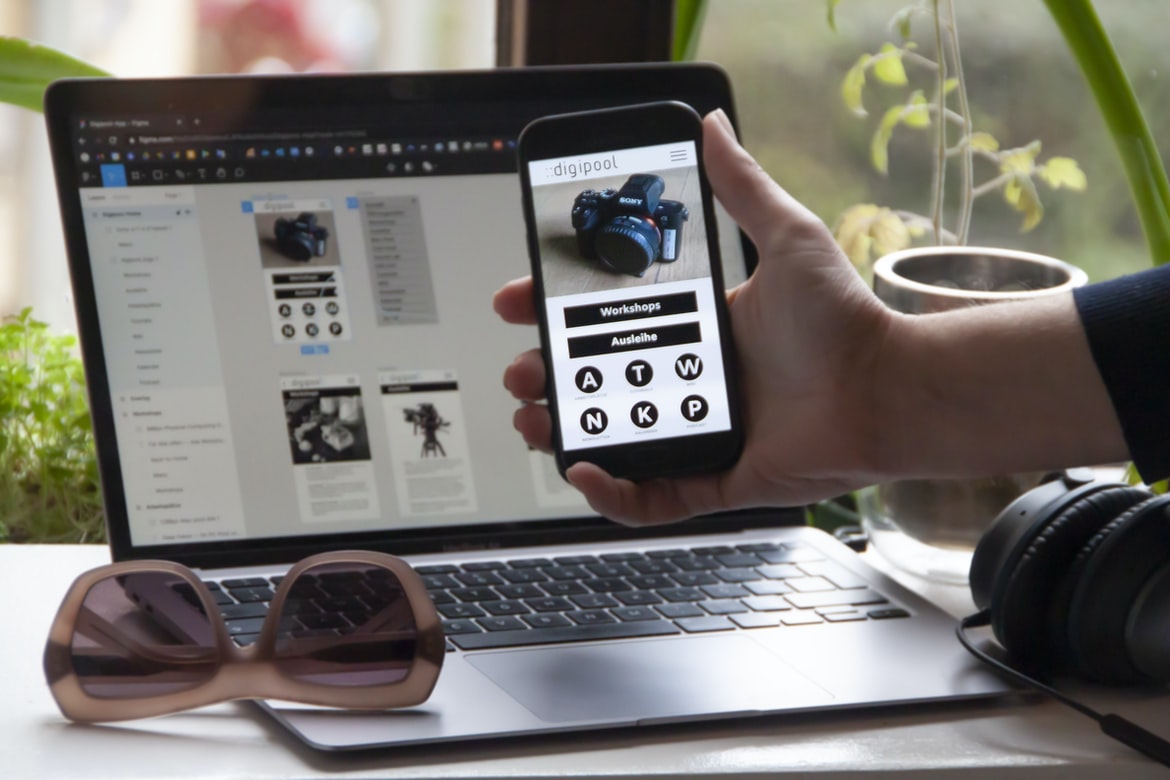
What is the difference between web design and UI UX?
Web design is the process of designing the layout, structure, and look of a website. UI UX is the process of designing the user interface for a website. They are both important parts of web design, but they have different goals.
Web design focuses on creating an appealing and visually appealing website. UI UX focuses on making sure that the user interface is easy to use and fits the needs of the users.
There are a few key differences between web design and UI UX:
-Web design focuses on creating a cohesive and attractive whole, while UI UX focuses on individual elements within that site.
-UI UX is more concerned with how people interact with the site, whether it be through navigation or content areas.
The Role of Web Design: Creating a beautiful and user-friendly website.
Web design is the process of designing the layout, colour, and graphics of a website. It encompasses both the technical aspects of how a website looks and the user experience. A well-designed website is easy to use and looks attractive. It should be responsive to different devices, including desktop computers, laptops, tablets, and smartphones. User experience (UX) refers to how easy it is for users to find what they are looking for on a website and understand how to use the site’s features. A well-designed website has clear navigation menus and easy-to-understand text descriptions for buttons and links.
The Role of UI UX: Making sure the website is easy to use.
Users interact with websites through a series of steps: they arrive at the website, click on a link or icon, enter information, and make a decision. The process can be frustrating if the website is difficult to use. User interface (UI) UX is the design of interfaces that make it easy for users to complete these steps. Poor UI UX can result in lost customers and wasted time.
There are several important factors to consider when designing UI UX: how users will find what they’re looking for, how easy it is to navigate between different sections of the site, how user feedback will be handled, and whether or not the site incorporates accessibility features. In order to create a user-friendly experience, it’s important to understand your target audience and their needs.
One way to improve UI UX is by using effective design patterns.
Design patterns are a powerful way to improve the usability of your user interface (UI). They can save you time and money and make your users more satisfied with their experience.
Here are four of the most common design patterns you should be aware of:
1. The hamburger menu: This is popular on websites that have multiple pages. When users hover their mouse over the top part of the menu, they will see a list of items in a dropdown menu below. This makes it easy for them to find what they’re looking for.
2. The accordion: Accordions are great for hiding content until needed, and they’re also commonly used on menus. When users open an accordion, all the content inside it will expand automatically.
The Difference Between Web Design and UI UX.
Web design is the process of designing the layout, structure, and style of a website. UI UX is the process of designing the user interface for a website. There are many different aspects to UI UX, and they can vary greatly from website to website. For example, one website’s UI UX might focus on making it easy for users to find what they’re looking for, while another’s might focus on making sure all of the content is easily accessible.
What is UI UX, and what is web design?
UIUX (User Interface User Experience) is a style of web design that emphasizes the importance of creating an intuitive and beautiful user interface. Good UIUX can make your website feel like a natural extension of your users’ browsers, making it easier for them to find what they’re looking for and providing an enjoyable experience overall.
Web design, on the other hand, focuses on how a website looks and functions. This can include everything from designing the layout and structure to ensuring the site loads quickly and looks professional.
Differences between UI UX and web design:
There are many differences between UI UX and web design. UI UX is focused on designing the user interface, whereas web design is focused on creating a good overall look and feel for the website. UIUX designers often focus on how users will interact with the site, while web designers typically focus on how the site looks.
Another major difference between UI UX and web design is that UI UX is usually used for smaller websites or applications, while web design is used for larger websites and applications. Lastly, UIUX designers usually have more experience designing user interfaces than web designers do.
Benefits of UI UX:
UI UX is an important aspect of web design, as it can make a website more user-friendly and engaging. Here are some of the benefits of having good UI UX:
1. User engagement is improved. When users find a website easy to use, they are more likely to stay on the site and explore its content. This leads to greater customer loyalty and higher conversion rates.
2. Faster page load times are achieved. A well-designed UI will speed up the loading of pages by reducing the need for extra graphics or code. This makes your site more accessible and efficient, which can lead to increased traffic and earnings.
3. Increased interactivity is achieved. Good UIUX can help users take action on your website by making it easier to find what they’re looking for and navigate around the site.
What are the differences between UI UX and web design, and which is better for your business?
There are a few fundamental differences between web design and UI UX. Web design is focused on the creation of a visually appealing and user-friendly website, while UI UX is more concerned with the needs of the end user.
UI UX is often considered to be more effective when it comes to creating a user-friendly interface, as it takes into account the needs of both the designer and the end user. This can result in a more fluid and intuitive experience for users, which can improve conversions and boost business efficiency.
While web design is undoubtedly an important aspect of any business, UI UX may be an even better option if you want to create a truly unique and effective presence online.
UI UX Guidelines
Designers have been struggling to find a way to bridge the gap between web design and UI UX for years. The problem is that these disciplines operate on very different planes of abstraction. Web design treats websites as individual pieces of content, while UI UX focuses on the user experience within a given interface. This divide can make it difficult to create cohesive designs that meet both goals.
To help solve this problem, several organizations have created comprehensive guidelines for how designers should approach both disciplines. The most popular of these is the HCI Design Guidelines from Nielsen Norman Group. These guidelines provide recommendations for how to design interfaces that are both effective and intuitive for users.
Other organizations, like A List Apart, offer more general tips for improving overall user experience across all types of interfaces.
UX Vs Graphic Design
Web design and user experience (UX) are two very different disciplines that often overlap. UX is all about making sure the user has an enjoyable experience using a website or app. This could mean anything from making sure the layout is easy to understand to ensuring all of the content is easily findable.
Graphic design, on the other hand, focuses on creating beautiful, stylish designs that look good both online and off. Graphic designers can create things like logos, website templates, and even entire websites from scratch. However, they may also work with clients who want them to modify existing designs or add new features.
Both disciplines have their own strengths and weaknesses. For example, web designers are great at creating well-organized pages with a clear hierarchy and consistent branding.
UI Vs Graphic Design
There is a lot of debate between the two design disciplines- UI design and graphic design. Both have their own strengths and weaknesses, but which one is better for your website? In this article, we’re going to compare and contrast the two, looking at their key advantages and disadvantages.
UI design is focused on the user interface of a website. This includes everything from the look and feel of the menus to the way information is presented. Graphic designers typically focus on creating stunning visuals that stand out from the crowd. However, when it comes to user interface design, graphic designers tend to have an edge.
One advantage of UI design is that it’s easier to get started with. You don’t need any detailed knowledge of graphics or Photoshop to create a beautiful user interface.
What Is A Ui Style Guide?
A UI style guide is a document that outlines the design principles and guidelines for the user interface of a website or application. It should be updated as the design and interface evolve and can help to ensure consistency across different applications and websites. A UI style guide can be used by designers, developers, and other stakeholders to create a consistent look and feel for their projects.
Usability User Experience
In today’s market, usability and user experience are more important than ever. Not only do companies need to consider how their website looks and feels, but they also need to think about how easy it is for users to find what they’re looking for and navigate through the site. User experience encompasses everything from how a website is designed to the way its content is organized. If your website isn’t user-friendly, no matter how well it looks or how well your content is written, you likely won’t be able to attract the attention of potential customers. Here are some tips for improving your website’s usability: -Make sure all of your pages are easy to navigate. Make use of a clear layout design and easy-to-understand navigation menus. -Design your site in a consistent manner.
Usability User Interface
Many web designers are uninformed about usability, which can lead to websites that are difficult to use. User interface (UI) design is the process of creating a user interface that is easy to use and follows standard design principles. The goal of UI design is to create a user experience that is satisfying and efficient. There are many different techniques used in UI design, but the most important factor is always the user.
Motion Graphic Design
Motion graphic design is a growing field that is becoming more and more important in the world of web design. While there are many different styles of motion graphic design, the most common are animation, stop motion and interactivity.
Animation can be used to create a feeling of movement or energy. Stop-motion animation uses actual physical objects to create the illusion of movement. Interactivity means incorporating interactive elements into your graphics, such as pop-ups or web forms that users can fill out and submit.
Overall, motion graphic design is an extremely versatile way to illustrate information on a website or presentation. It can add excitement and life to your designs, making them more engaging for users. If you’re interested in learning more about this growing field, be sure to check out some of the resources available online.
Animation Design
In the early days of animation, it was common for animators to use hand-drawn sketches to create the final product. Today, computer animation is the dominant form of animation and has become an integral part of web design and user interface design.
Animation can be used to create a range of effects, from simple motion graphics to full-fledged 3D animations. It can also be used to convey information or interact with users.
There are two main types of animation: traditional animation and digital animation. Traditional animation is created by hand drawing the images frame by frame. Digital animation is created using a computer program that creates the images onscreen as the animator sketches them. There are pros and cons to both types of animation, but digital animations tend to be more versatile and faster to create.
WordPress for Designers
Web design is increasingly being replaced by the user interface (UI) UX. WordPress is a popular content management system (CMS) that can be used for both web design and UI UX. This article will explore how to use WordPress for web design and UI UX.
There are many advantages to using WordPress for web design. First, it’s free and widely available. Secondly, it has a wide variety of plugins that can be used to add features or change the look and feel of a website. Thirdly, it’s easy to learn, so you won’t need any special skills or experience to start using it. Fourthly, it supports a wide range of themes and styles, so you can create a unique website with little effort.
WordPress Elementor
Web design vs UI UX: Two very different disciplines with different goals
Designing a website is all about creating a layout that’s attractive and user-friendly. User interface (UI) designers focus on making the interactions between users and the website as smooth and easy as possible.
Both disciplines have their benefits, but they approach the same goal from very different directions. For example, a layout may be designed to look good on a computer screen, but it might not be easy for someone with ADHD to navigate. On the other hand, some UI designs are so user-friendly that even people without any experience using computers can easily use them.
The two disciplines also have different tools and skill sets at their disposal. A web designer might use Adobe Photoshop or Illustrator to create layouts, while a UI designer might use programs like Sketch or Axure to build prototypes.
Elementor UI UX
Web design vs UI UX.
Two important aspects of any design project are the look and feel of the interface and the user experience. A web designer’s main focus should be on creating a visually appealing and easy-to-use interface, while a UI (user interface) designer is more concerned with how users interact with the design. Here are some key differences between these two disciplines:
1. A web designer typically focuses on creating a layout and typography that looks good in all types of browsers, while a UI designer is more focused on ensuring that the user can easily find what they need and understand how to use the design.
2. A web designer may include features like drag and drop or tabbed browsing, but a UI designer is usually responsible for designing all buttons, menus, forms, etc.
Figma
There’s been a lot of debate lately about who is better- at designing websites or user interfaces (UIs). So which is it? In my opinion, it’s both. When done well, both can create amazing and appealing websites and UIs. Figma is a tool that allows you to easily create high-quality designs for both types of projects.
First of all, if you’re new to website design, learning how to use tools like Photoshop or Illustrator can be a daunting task. But luckily, there are plenty of online resources that will teach you the basics. And once you have some experience under your belt, using more advanced design tools like Figma can be a great way to improve your skills.
One big advantage of using Figma is that it’s really easy to get started.
Adobe XD
Adobe XD is a new software development platform that aims to bridge the gap between web design and user interface (UI) design. Adobe XD gives designers a simplified way to create high-quality, interactive interfaces without having to learn a new programming language.
Adobe XD has many features that make it ideal for creating interfaces for web and mobile apps. The platform has a drag-and-drop interface that makes it easy to create layouts and user flows. Furthermore, Adobe XD has built-in animations and transitions, which help create an animated look and feel for your designs.
Overall, Adobe XD is a powerful tool that can help bridge the gap between web design and UI UX.
Design Mobile App
Designing a mobile app can be a daunting task, but there are some key considerations to make when designing your app. First and foremost, it’s important to consider the user experience (UX) when designing your app. This means creating a user interface that is easy to use and intuitive. Additionally, it’s important to consider the look and feel of your app. Make sure that the colours you choose match the overall theme of your app, and choose fonts that are easy on the eyes. Finally, pay attention to the user’s location when designing your app. design specific for different regions or countries can also be an important factor in considering how users will interact with your mobile app.
Visual Communication
Many people think that web design and user interface (UI)UX are the same things. They’re not. User interface design is about creating a look and feels for a product, while web design is about creating the structure and content of a website. In many cases, one can be done without the other. But understanding the difference between these two fields can help you create better websites.
1) User interface design is all about creating a look and feels for a product. This includes everything from the layout of a page to the colours used on it.
2) Web design, on the other hand, is all about creating the structure and content of a website. This includes things like designing how pages to load, designing custom fonts, and deciding what information to include on each page.
What is Visual communication in graphic design?
Visual communication is the process of conveying information through the use of images, typography, and layout. In graphic design, visual communication can be used to create a cohesive and effective user interface or web design. Visual communication can also be used to create a strong brand identity or communicate an idea.
Application of Graphic Design: Adobe Photoshop, Adobe Illustrator, Adobe InDesign
There are various types of graphic design, which can be broken down into two main categories: web design and user interface (UI) UX. Web design is all about creating a visually appealing website or application, while UI UX is focused on the user experience and how a user interacts with the application. Graphic designers use different software to create their designs. Adobe Photoshop, Adobe Illustrator, and Adobe InDesign are all commonly used for web design and UI UX, respectively.
Web Design
Web design is a process that starts with an idea and ends with a final product. A web designer creates the look and feel of a website while also ensuring that the user interface is easy to use. A web designer’s skills can be put to use in many different industries, including business, education, healthcare, and government.
Mobile Graphic Design
With the explosion of mobile devices, the need for rich and user-friendly graphics has never been greater. Mobile graphic design can take many different forms, from simple logos and icons to complex interface designs. Here are some tips for creating great graphics on mobile devices:
1) Keep your designs simple. Complex graphics can be difficult to manage on a small screen, and they can also slow down the loading time of your site or app. Keep your designs clean and minimalistic, with only the necessary elements displayed onscreen at a time.
2) Use motion graphics sparingly. Motion can be visually stunning, but it can also be difficult to control and distracting for users. Use motion effects sparingly, when appropriate, and make sure they complement your overall design instead of overpowering it.
3) Think about accessibility.
There are a lot of things to consider when it comes to accessibility, but one of the most important is making sure that your website is easy for people with disabilities to use. This means making sure all content is properly labelled and accessible through screen readers and other tools, as well as considering how users will navigate your site. Another important factor is making sure your website’s layout and design is easy to understand and use. Make sure all buttons are clearly marked, fonts are legible at a distance, and everything looks consistent throughout the site. Finally, make sure your website loading times are reasonable – people with disabilities shouldn’t have to wait too long for content to load.
Responsive Graphic Design
In today’s world, it is more important than ever to have a responsive design on your website. Responsive design makes sure that the site looks good on all devices – from phones to laptops to tablets – no matter what size screen they are using. This is great for users because they don’t have to worry about how their site looks on different devices, and it’s also great for businesses because it means that more people can access your content.
There are two main types of responsive design: fluid and adaptive. Fluid designs automatically adjust the layout and colours based on the width of the device, while adaptive designs allow you to specify specific changes you want to be made, like making all text bigger or shrinking images. There are a lot of different tools available to help you create responsive designs, but one of the best resources is HTML5 Boilerplate.
Design websites
Web design and UI UX are two very different disciplines that have their own set of unique challenges and advantages. When it comes to designing a website, there are a few things you need to keep in mind: the layout, graphics, and overall look and feel of the site. On the other hand, when it comes to creating a user interface (UI), your focus should be on making the site easy to use and understand for users.
There are many different factors you need to take into account when designing a website, such as typography, colour schemes, animations, and overall layout. In contrast, when it comes to creating a UI, you’ll want to focus on making sure everything is organized in an easy-to-follow format. This includes items like menus and buttons, as well as navigation between pages.
When it comes to creating a website, the design and layout of each page are important. But for users interacting with the site, how well does the user interface (UI) work? A recent study found that UI UX is more important than web design when it comes to website usability. In fact, 71% of respondents rated UI UX as more important when making a decision about whether or not to visit a website.
According to the report, “A large majority of respondents (71%) said that good UI UX was more important than good web design when making a decision about visiting a website.” The study also found that “designers who focus on improving their UI skills are likely to see better results in terms of conversion rates and overall website performance”. So if you want your website to be successful, make sure you focus on improving your UI UX!









