

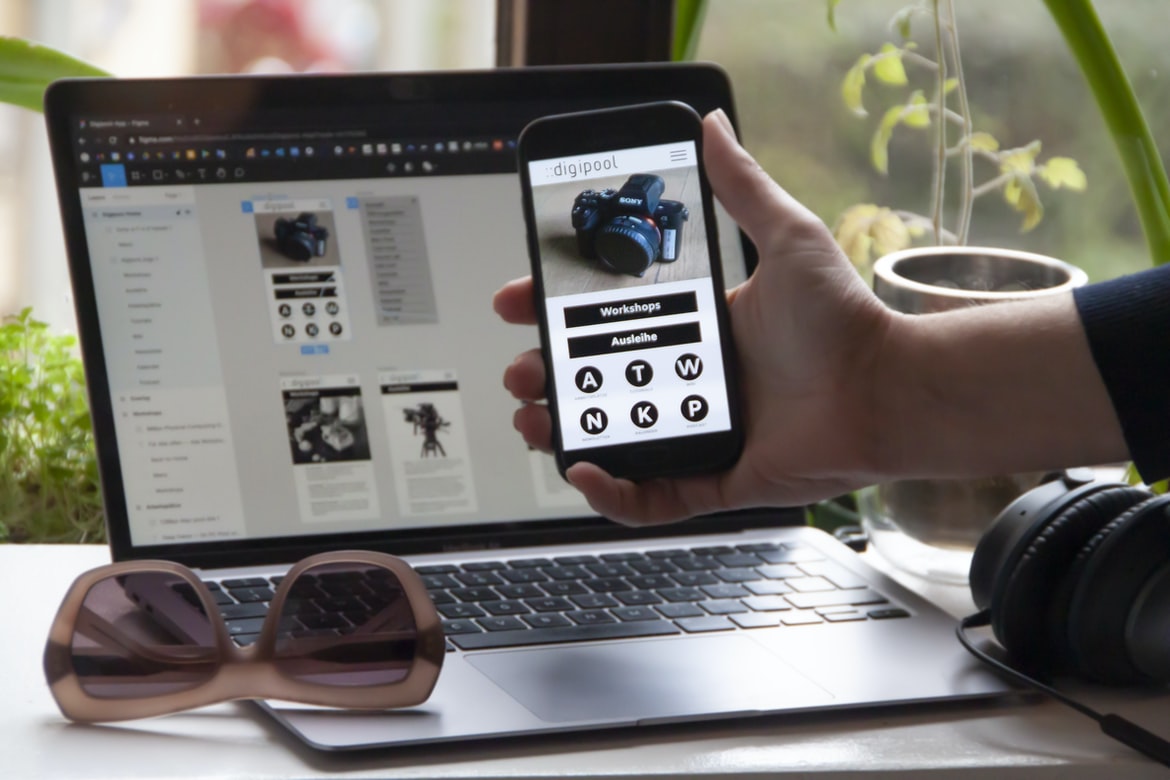
Creating a user interface (UI) for any website can be difficult, but it is an important part of the overall site. By spending time designing a user interface that is easy to use and looks good, the site will be more successful. There are a few things to keep in mind when designing a UI: first, make sure all the information users need is easily accessible; second, make sure the layout is easy to follow; and finally, keep in mind the user’s experience. These three tips will help make your UI design successful.
What is UI UX?
UI (user interface) UX design is the process of creating a pleasant, usable experience for users of a website or app. This includes things like making sure the navigation is easy to use and comprehend, ensuring all elements are responsive and bug-free, and crafting an overall aesthetic that looks good and feels natural. It’s essential for any site or app looking to succeed in the market, so it’s important to have a designer who understands how to create an effective UI UX.
What are the different types of UIUX?
There are a variety of different types of user interfaces that can be found in web design. Each type has its own set of unique benefits and drawbacks, so it’s important to choose the right one for the specific project.
Some common user interface types include:
-Front-end frameworks: These allow developers to create templates and layouts that can be used over and over again, making design and development more efficient. They also make it easy to add interactivity and animations to a site.
-Mobile first: This approach focuses on creating a mobile-friendly version of a website first before adding features for desktop users. This allows you to account for different screen sizes and devices when designing your site, which can save time in the long run.
How does the user interact with the interface?
There is no one right way to design a user interface, but there are some general principles that can be followed. One of the most important factors is accessibility. The user interface should be easy to use and understand, no matter the user’s level of experience or literacy. Additionally, the interface should be responsive so that it adapts to whatever device or screen size is being used. Lastly, it’s important to make sure the design looks good and fits in with the rest of the website or app.
What makes a good UIUX?
There are many factors to consider when designing a good UIUX. The user interface must be easy to use, functional and aesthetically pleasing. It is important to consider the size of the screen and how users will interact with the interface. Additionally, it is necessary to think about how users will move around the site and what features are most important to them. Finally, it is important to make sure that all information is easily accessible and organized.
Graphic Design
Since the early days of the internet, graphic design has played an important role in creating user interfaces and web designs. In this article, we will explore how to create effective user experiences through effective graphic design.
User experience is one of the most important aspects of any design, and it can be hard to get right. Poor user experiences can lead to frustrated customers, low conversion rates, and decreased brand loyalty.
There are a few key considerations that must be taken into account when designing a user interface or web design: clarity, organization, feedback, animation and aesthetics. Clarity is key when it comes to communicating your message to the user. Your users should be able to understand what you are asking them to do without having to look at multiple menus or screens. The organization is also crucial in making sure your users know where they are and what steps they need to take next. Graphic design is the process of creating and designing visual messages for use on a printed or electronic medium. It encompasses the creation of logos, designs for publications or packaging, and the layout and composition of web pages. Graphic design also includes typography, photography, illustration, motion graphics, and 3D rendering.
Visual Communication
What are some of the main components of a good visual communication strategy?
When it comes to web design, one of the most important things to consider is how users will interact with your website. This includes everything from user interface (UI) design to user experience (UX). Here are some key components of a good visual communication strategy:
1. Make sure your UI is easy to use and understand. Users should be able to navigate around your site quickly and easily without having to guess which buttons do what. Keep all elements simple and straightforward, so users can focus on what matters most—the content.
2. Pay attention to detail. Nothing makes a user feel like they’re struggling with your website more than confusing or poorly designed UI elements. Make sure every element on your page is clearly labelled and visually appealing. Visual communication is an important part of web design, and a good user interface can make a huge difference in how users interact with your site. Good visual design can help users understand the functionality of your site, making it easier for them to find what they’re looking for.
There are many different ways to achieve good visual communication on a website, but some of the most common techniques include using layout principles like grids and typography, creating effective images that convey your message, and employing effective animation techniques.
To create a successful user interface, it’s important to take into account the user’s needs and wants. By understanding your audience, you can create interfaces that are both visually appealing and functionally effective.
Visual Communication Vs Graphic Design
There is a lot of confusion between visual communication and graphic design. Visual communication refers to the use of visuals to communicate ideas, and graphic design is the process of creating beautiful images that can be used in marketing, advertising, and other communications.
One important difference between the two is that visual communication generally relies on simple forms or shapes, while graphic design incorporates more complex layouts and details. Additionally, visual communication typically uses less text than graphic design, which allows for a cleaner look.
Another key distinction between these two fields is that visual communication often focuses on how information looks onscreen, while graphic design focuses more on what information looks like and how it can be best presented. This difference is especially apparent in web design, where effective user interfaces require both good visual designs as well as user experience (UX) designs that take into account things like screen size and resolution.
Application of Graphic Design: Adobe Photoshop, Adobe Illustrator, Adobe InDesign
Graphic design is a very versatile field that can be used for a variety of applications. Adobe Photoshop, Adobe Illustrator, and Adobe InDesign are all commonly used graphic design programs. They all have their own unique features that make them perfect for different tasks. This article will outline some of the most common uses for each program and how they can be applied to web design.
Adobe Photoshop is widely used for photo editing, but it can also be used to create user interfaces and graphics for websites. User interface designs typically use layers and transparent elements to create 3D effects and simulate 3D viewing. Images can also be inserted into compositions using the lasso tool, and text can be styled with type tools or filters. Adobe Illustrator is widely used for vector illustrations, logos, icons, and technical drawings.
Figma, Adobe XD, WordPress, Elementor.
Three of the most popular web design software suites on the market today are Adobe Photoshop, Adobe Illustrator and Microsoft Word. But which one is best for your specific needs? Figma, Adobe XD and WordPress are all great options for creating a user interface (UI) or visual design for your website or application. Let’s take a closer look at each one.
1. Figma is perfect for designing web pages, landing pages, and app interfaces. It has an intuitive drag-and-drop interface making it easy to create high-quality visuals quickly. Plus, its built-in collaboration tools make teamwork easier than ever.
2. Adobe XD is great for creative professionals who need powerful tools to create stunning illustrations, videos and animations.
What techniques can be used to create a great UX/UI design?
There are many different techniques that can be used to create a great UX UI design. Some of the most common techniques include using engaging images, carefully designing buttons and input fields, and creating a consistent layout throughout the interface. Additionally, it is important to consider the user’s needs when designing an interface. By understanding their needs, users can be better equipped to use the site or app.
What are the best practices for developing an effective UX/UI design?
If you’re tasked with developing an effective user interface for your web design projects, it’s important to follow some best practices. Here are tips for creating a well-rounded and intuitive design:
1. Start with the goal in mind. What does your user want to accomplish? Once you know that, start designing based on that rather than forcing yourself to conform to arbitrary standards or guidelines.
2. Use typography effectively. Your UI should be legible and easy on the eyes, which means using typefaces that are both legible and appealing. Go for weights that are easy to read without being too heavy or blocky, like Georgia or Arial.
3. Keep things organized and tidy. When users see a cluttered interface, they’ll have a harder time figuring out what they need and where it is located.
How does UX/UI design help to improve user engagement?
User engagement is important for any website or app, and it can be improved with the help of user interface (UI) design. UI design can help to make a user’s experience more enjoyable and efficient by creating an intuitive and appealing interface.
One way UI design can improve user engagement is by making it easy for users to find what they’re looking for. Good navigation menus and search features can help users quickly find the information or resources they need.
UI design also plays a role in how users interact with a site or app. Well-designed buttons, input fields, and other elements allow users to enter data easily or select options. This makes it easier for them to take actions on the site or app, such as signing up for an account, submitting a comment, or buying a product.
How do you know if your UX/UI design is successful?
There is no definitive answer to this question, as it depends on a variety of factors. However, some things you can look for to gauge the success of your UX UI design are whether people find it easy to use and navigate, whether they feel inspired or motivated to take action after using your site or app, and how often they come back. It can be difficult to measure these things directly, but by paying attention to feedback from users and testing different versions of your site or app yourself, you can help ensure that your design is effective.
What tools can be used to create a successful UX/UI design?
There are many tools that can be used to create a successful UX UI design. A few of the most common tools include wireframing software, user research tools, and colour palettes. When creating a design, it is important to use the right tool for the job. For example, if you are designing a website, using wireframing software will help you quickly mock up how your site might look before beginning to develop it in code. User research tools can help you understand how users will interact with your product or website and help you choose the right design features. Additionally, colour palettes can be used to convey a certain feeling or message to users. By using these tools correctly, designers can create high-quality and intuitive designs that meet the needs of their users.
Are there any common mistakes to avoid when designing a UX
Designing a user interface (UI) for a website or app can be a daunting task. Here are common mistakes to avoid when designing a UX:
1. Failing to consider the user’s context. A user’s current location, time of day, and other factors can influence how they interact with your UI. Make sure you take these into account when designing your interface.
2. Ignoring the need for feedback. Users need feedback to help them understand what actions they should take and whether their input is yielding desired results. Make sure you provide users with clear feedback signals in your UI design so that they know where their input is being used and whether it’s producing the desired results.
3. Making assumptions about the user’s experience and needs without testing first.
What is the difference between UX and UI?
UX and UI are two different but complementary design disciplines. UX focuses on the user experience or how people interact with the design. UI focuses on the look and feel of the design.
UI is often more visual, while UX is more focused on the user’s interaction with the design. For example, a good UI might make it easy to navigate through a website, while a good UX might ensure that the information is easy to find and understand.
Both disciplines play an important role in web design, but they are not interchangeable. A good UX designer will always take into account the UI when designing a site, while a bad UI will ruin a well-designed UX.
What are the best practices for designing a user experience?
A user experience, or UX, is the overall experience a person has with a product. It encompasses everything from how easy it is to find what you’re looking for on a website to whether the content is engaging and useful. There are many different factors that go into designing a user experience, but here are some of the best practices to follow:
1. Keep things simple. Overcomplicating your website design will only frustrate users and make it more difficult to find what they’re looking for. Make sure all elements are clearly marked and labelled, and avoid using too many flashy graphics or animations.
2. Make it easy to navigate. Users should be able to easily find their way around your website without having to search through menus or scroll through long pages of content.
What are the key elements of a successful user interface?
Successful user interfaces are well-designed and easy to use. They must be intuitive, efficient, and visually appealing. Some key elements of a successful user interface include:
-An effective and easy-to-use navigation system.
-Graphics that are both attractive and informative.
-A clear layout that is easy to understand.
-Positive feedback that is timely and accurate.
How can UX and UI work together to create better user experiences?
UX and UI work together to create better user experiences. They are two different disciplines, but they are both essential in creating a good website or application. UX designers focus on the user experience, which includes everything from the design of the user interface to how users interact with the site or app. UI designers focus on the look and feel of a site or app, including things like font choices, colour schemes, and layout designs.
When working together, UX and UI designers can create a cohesive and engaging experience for users. They can also take into account different user needs and preferences to create an interface that is both easy to use and stylish. By combining their skillset, UX and UI designers can help your website or application stand out from the competition.
How can user research help inform UX and UI design decisions?
User research is an essential part of the design process for websites and apps. It helps determine what users want and need and how they interact with a product or service. User research can also help designers make informed decisions about the design of the user interface (UI) and the user experience (UX). For example, if a designer knows that users frequently make mistakes when entering data into a form, they may redesign the form to be more intuitive. Conversely, if users consistently report that they find a particular element difficult to use, it may be redesigned. By understanding how users interact with a product or service, designers can create products that are both effective and enjoyable for everyone involved.
What types of testing should be done to ensure an optimal user experience?
User experience (UX) is an important aspect of any web design, and it’s necessary to test various aspects of the user interface (UI) in order to ensure a positive experience. Here are some types of testing that should be conducted:
-User research: Conduct interviews and surveys with users to get feedback on the design and see how they interact with the UI.
-A/B testing: Testing different versions of the UI to see which one provides the best user experience. This can help identify problems and improve the overall design.
-Checking for usability issues: Checking for things like incorrect input or confusing layout that could cause users difficulty in using the site.
-Observing users in natural settings: Watching people use the site outside of a controlled environment, such as at a conference or trade show.
How do visual design principles apply to UX and UI development?
There is no question that good design principles can be applied to both user experience (UX) and user interface (UI) development. In fact, many of the same principles can be used to create a harmonious, aesthetically pleasing interface that is easy to use.
One of the most important aspects of effective web design is creating a clear hierarchy and purpose for each element within site. This way, users know what to expect and are able to navigate the site easily. Using colour and typography effectively can also help promote an organized user experience.
Similarly, when designing interfaces for devices such as smartphones or tablets, it’s important to take into account how people will be using them. For example, touch screens should be designed with a minimum of buttons or icons so that users don’t have to hunt for what they need.
What are the key principles of UX and UI design?
UX and UI design are two important aspects of web design. They focus on how a user interacts with a website and help create a positive user experience. Here are the key principles of UX and UI design:
1. User experience is the key focus of UX and UI design. Making sure that users have an enjoyable experience is crucial in creating a successful website. This involves understanding the user’s needs and wants, as well as designing the interface in a way that is easy to use.
2. Navigation must be easy to find and use. Users should be able to find what they’re looking for quickly and without having to search through numerous menus or tabs. Similarly, buttons, links, and other interactive elements should be clear and easily visible.
3. The layout of the website should be visually appealing.
The layout of the website should be visually appealing. A good web design UI UX should be easy to navigate, have an attractive design, and use clear and concise language.
One of the biggest challenges in web design is making sure the user interface (UI) and user experience (UX) are both concise and effective. Too much text can be confusing, making it difficult for people to understand what’s happening on a website. In this article, we’re going to discuss how to make your UI and UX more concise by using some simple techniques.
Keep your content short and sweet. When you have to explain something complex, it can be difficult for people to understand. Try to keep your text as concise as possible and break down complicated concepts into simpler terms. This will help people feel more comfortable using your website, and they’ll be able to find what they need quickly.
Use clear visuals. Another way to make your UI and UX more concise is by using clear visuals.









