

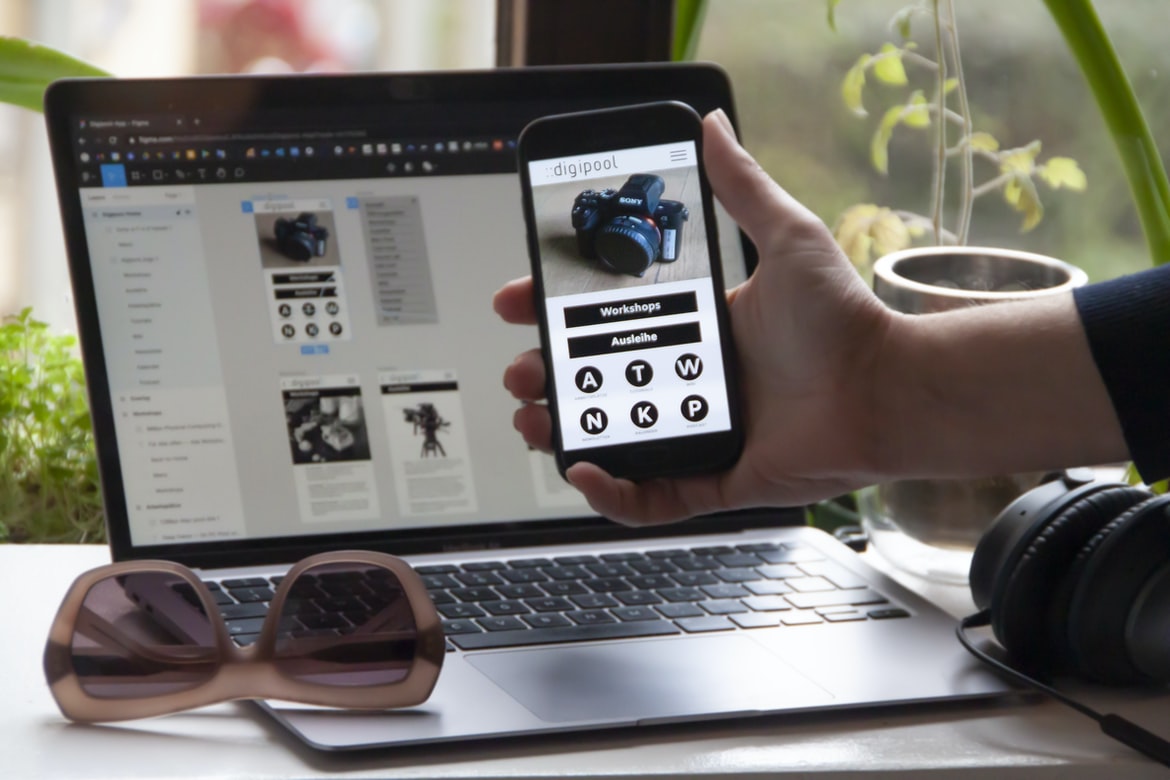
What is user experience, and what is user interface design?
User experience is the overall experience a person has when using a product or service, including both the technical and non-technical aspects. User interface design is the process of creating a user interface that is easy to use and meets the needs of the users.
Principles of user experience: Keep users in mind, be intuitive, use feedback loops, provide visual cues
1. User experience is all about keeping users in mind, whether it’s designing a product that’s easy to use or making sure the interface is intuitive. Feedback loops allow designers to gauge how users are responding and make changes accordingly.
2. Visual cues can help users understand what they need to do quickly and easily. For example, using icons or colour coding can make it clear which buttons should be clicked next.
3. It’s important to remember that user experience isn’t just about looking pretty; it has to work well too. If everything feels sluggish or confusing, users will likely give up before getting started.
4. It s important to measure the success of a design. What is the number of people who signed up, became active, or engaged with your design? 5.
Principles of user interface design: Make it easy to find what you’re looking for, make it logical and efficient, and use typography and colour to help users understand the information.
What are the benefits of good user experience and good UI design?
What are the benefits of good user experience (UX)? UX is all about creating a positive user experience. This can be done by improving the look and feel of the user interface, as well as making sure that all features are easy to use and understand.
Good UX can lead to increased customer loyalty and higher satisfaction levels. It can also help businesses save money by reducing customer support costs, and it can even lead to increased sales. Overall, good UX is a valuable asset for any business.
How can you improve user experience and UI design?
User experience (UX) and user interface (UI) design are two important aspects of creating a successful product. UX designers focus on creating a positive user experience, while UI designers work to create an intuitive and attractive user interface. There are many ways to improve user experience and UI design, but here are tips:
1. Use feedback loops
One way to improve user experience is to use feedback loops. This means that you keep track of how users are using your product and use that information to make changes. For example, if users are frustrated with a certain part of your product, you can change the layout of the area to make it more accessible. This type of feedback loop keeps users engaged with your product and helps you make informed decisions about how to improve it.
2. Use visual affordances. Some objects in your product may be easier to use than others. For example, buttons should have a bright colour and contrast with the surrounding area, making it easy for users to find them.
UI UX Graphic Design
The User Interface (UI) and User Experience (UX) design disciplines are often confused with one another. However, they are two very different aspects of graphic design. UI design focuses on the visual elements of a user interface, such as the layout and look of buttons and menus. UX design, on the other hand, deals with the entire experience a person has when using a product or service, from the initial sign-in to completing an action.
There is no one “right” way to design a user interface. However, there are some key principles that should always be considered when designing any interface, regardless of its type. These principles include making sure the user can find what they’re looking for quickly and easily, ensuring all elements work together seamlessly, and creating an intuitive layout that is easy to learn and use.
UI
A study published in the journal “PLoS One” has shown that user interface (UI) graphic design is more important than user experience when it comes to improving website usability. The study showed that websites with well-designed UIs are significantly more effective at engaging users and driving conversions than those with poorly designed UIs. The study also found that, when it comes to engagement, a site’s UI can have a greater impact than its content or layout.
Graphic Design
User experience (UX) is a critical aspect of graphic design, and it can be difficult to nail down what exactly constitutes a great user experience. User interface (UI) design is another important aspect of graphic design, and it can be easy to get lost in the minutiae of button placement and font sizing. But just as with UX, there are certain elements that are essential to good UI design. In this article, we’ll look at four of the most important factors when it comes to designing good UI graphics.
UX
User experience (UX) and user interface (UI) are two different design disciplines that focus on the user’s experience with a product or service. UX designers focus on how a product or service functions and looks, while UI designers focus on the look and feel of the user interface.
The difference between UX and UI has become more apparent as technology has evolved. With the increased use of smartphones and tablets, users are accustomed to touch-based interfaces that are easy to navigate. In contrast, traditional desktop computers rely on text-based interfaces that can be difficult for users to learn and master.
UI designers must take into account how users will interact with their product or service when designing layouts and user interactions. For example, they may need to include buttons that are easy to press or locate within a specific area of the screen.
What is UX graphic design?
User experience (UX) is the totality of a person’s experience with a product or service. User interface (UI) is the design and layout of the elements on a screen that make up a user’s experience. Graphic design is the process of creating images for use in communication, such as web pages, advertisements, and products. Together, UX and UI are known as graphic design. Graphic designers create both static and dynamic images to represent things like people, places, things, ideas, or processes.
User experience vs User interface
User experience is all about making the user’s interaction with the product as smooth and easy as possible. The user interface, on the other hand, is all about how the user interacts with the product’s visuals. While both are important, it’s the user experience that will ultimately determine whether a product succeeds or fails. Here’s a look at how each plays a role in determining success.
1. User experience is all about making sure that the process of using a product is as smooth and easy as possible for the user. This means taking into account everything from how buttons are labelled to how often the user has to reload pages to get their desired result.
2. User interface, on the other hand, concerns itself with how users interact with visuals within a product – be they screens or images within documents.
UI vs UX Design: What’s the Difference?
What’s the difference between UI and UX design? Both design disciplines are focused on creating an optimal user experience, but they go about it in different ways. UI design is focused on designing the look and feel of an interface, while UX design is focused on the interactions and experiences users have with a product. Here are some key differences:
UI designers typically focus on visual elements such as layout, colour, and typography. They may also consider how elements work together to create a coherent look and feel. UX designers, on the other hand, typically focus on how users interact with a product. They may study surveys or user feedback to determine how people use a product and what could be improved. They may also create mockups or prototypes to test different designs.
Difference Between UX And UI In Graphic Design
User experience (UX) and user interface (UI) are two different aspects of graphic design. UX is about how the user interacts with the design, and UI is about how the design looks. UX designers focus on what the user can do with the design, and UI designers focus on how the design looks. There are many differences between UX and UI, but here are a few key points to remember:
-UX is focused on what users can do with a design, while UI is focused on how the design looks.
-UX designers focus on what users can see and understand, while UI designers focus on how the layout looks.
-UX designers often work with developers to make sure their designs work properly in a web or app environment, while UI designers work most of the time independently.
User Interface Guidelines
User interface guidelines have been around for a while now, but there are still a lot of inconsistencies in how different applications use them. This can lead to frustrating experiences for users, as well as difficulty when trying to compare and contrast different applications.
One way to address this is to develop user interface guidelines specific to your application. This will help create a consistent look and feel for all users, regardless of which device they’re using or which version of the application they’re using. It will also make it easier for new users to get started with your application, as they’ll understand what’s expected of them from the outset.
There are a number of ways you can achieve this: by developing specific icons and splash screens, setting up standard dialogues and menus, and ensuring that all user interface elements look the same across platforms.
UX Vs Graphic Design
As designers, we are constantly trying to find the best way to appeal to users and make our interfaces as intuitive and user-friendly as possible. With so many different devices and platforms out there, it can be difficult to create a design that looks good no matter what device or platform it’s being viewed on.
One popular way of creating an interface is by using user experience (UX) principles. UX professionals focus on how users interact with a product, and they use this information to create designs that are easy for users to understand and use.
On the other hand, graphic designers often focus on the look and feel of an interface. They may use different colours, fonts, and layouts to create a visually appealing product. While both methods have their own benefits, it’s important to choose the right technique for each project.
UI Vs Graphic Design
UI and graphic design are two very different fields of work. UI focuses on the look and feel of a user interface, while graphic design focuses on creating an appealing and functional graphical design. UI designers must be aware of how their designs will appear on various devices, while graphic designers can create designs that work well no matter what device is used.
Some key differences between UI and Graphic design include the following:
-UI designers focus more on the user experience, while graphic designers focus more on the appearance or function of a product or website.
-UI designers typically use software such as Photoshop and Illustrator to create designs, whereas graphic designers use programs such as Inkscape and Adobe Photoshop to create graphics.
-UI designs are typically created for webpages, apps, or websites, while graphic designs may be used for print media or advertisements.
Usability And User Experience Design
Usability and User Experience design are two important disciplines in the design field. Usability is the study of how people interact with products, services, or websites. User experience (UX) is the overall impression a person has of using a product, service, or website.
There are many factors that go into creating a successful usability and user experience design. Some of these factors include: making sure all content is easy to find and use, designing interfaces that are intuitive and easy to learn, paginating pages so that users can see everything at once, and providing feedback loops so that users can tell you if they encounter any problems while using your product or website.
Creating a successful usability and user experience design requires knowledge of both disciplines. However, it is also important to have an understanding of user behaviour in order to create an effective UX strategy.
Motion Graphic Design
Motion graphic design is a rapidly growing field that uses animation and the graphical representation of information to create a visual story or message. It can be used in both commercial and non-commercial applications, such as advertising, web design, educational materials, and product packaging.
Many factors go into creating successful motion graphics: good user interface design, well-planned animations, and strong composition. A well-executed motion graphic should be easy to understand and navigate while still providing impactful visuals.
User Interface Animation Design
User interface animation design is a process that takes user experience and interfaces graphic design and creates a cohesive, animated experience for users. User interface animation can be used to create a more engaging and visually appealing experience for users. Animations can also be used to convey information to users or to help users learn new content. Animation can also help improve user feedback and satisfaction with the interface.
Motion Graphics UI UX
Motion graphics are becoming increasingly popular in web and mobile applications. While they can be very effective, they can also be difficult to use. User experience (UX) designers must take into account the user’s experience when designing motion graphics UI. This article will discuss the different factors that must be considered when creating a good user experience for motion graphics UI.
WordPress for Designers
WordPress is quickly becoming the go-to platform for designers looking to create beautiful, user-friendly websites. And with good reason: WordPress is easy to use, customizable, and robust. In this article, we’re going to explore some of the benefits of using WordPress for graphic design purposes.
1. WordPress is extremely user-friendly. Whether you’re a novice designer or an experienced one, WordPress will make creating a website easy and intuitive.
2. You can customize every aspect of your site without having to learn a complex programming language or use third-party plugins. This gives you complete control over how your site looks and feels.
3. WordPress is also very affordable, making it a great option for small businesses or individuals who want to create a simple website without breaking the bank.
4. If your site gets a lot of traffic, it s very easy to upgrade to a more powerful hosting plan. WordPress is highly scalable, and you can easily add multiple websites with the same platform.
WordPress Elementor for Designers
WordPress Elementor is a popular online tool for web designers and developers to create custom designs, layouts, and themes. It offers many features and options to its users, but what makes it an attractive design platform is its user interface (UI).
The UI of WordPress Elementor is well-organized, intuitive, and easy to use. Users can easily drag and drop content from the main editor onto different pages or posts and then customize the look by adding CSS styles. Additionally, Elementor includes several built-in templates that make creating custom designs easy.
Overall, WordPress Elementor’s user interface is well-designed and easy to use. This makes it an attractive platform for users who want to create custom designs or build layouts for websites.
Figma
A new design tool that is quickly gaining popularity is Figma. Figma is a cloud-based software that allows users to create interfaces and user experiences for web, mobile, and desktop applications. This paper will compare the user experience of using Figma vs a traditional user interface graphic design program. The study was conducted with 23 participants who were asked to complete a survey about their experience using each program. The results indicated that while both programs had their pros and cons, users preferred the user experience of using Figma. They found it more intuitive and less confusing than using a traditional graphic design program.
Adobe XD
Adobe XD is a vector graphic design application that has been gaining popularity in recent years. It offers a wealth of features for users to create high-quality graphics, and it has been praised for its user interface and user experience. In this study, we will compare the two to see which is better.
One of the main advantages of Adobe XD is that it comes with a wide range of tools for users to create graphics. This includes both basic objects, such as circles and rectangles, as well as more complex features, such as paths and layers. Additionally, Adobe XD offers a variety of filters and effects that can be used to customize graphics further.
In terms of the user interface, Adobe XD is praised for its ease of use. This is thanks to its streamlined approach and the fact that all the features are accessed through menus or toolbar buttons.
Visual Communication
A study has been conducted in order to compare user experience, and user interface graphic design. The results of the study found that user experience is more important than user interface graphic design when it comes to usability.
User interface graphic design should be simple, consistent and easy to understand.
What is Visual communication in graphic design?
Visual communication is the process of conveying information through images. It can be done in both graphic design and marketing, but it is most commonly used in graphic design because it allows for a more creative approach. Visual communication can be used to create a positive or negative first impression, and it can be essential in helping someone learn or understand something.
Application of Graphic Design: Adobe Photoshop, Adobe Illustrator, Adobe InDesign
The application of graphic design has become an important field in the world today. Graphic design can be used for a variety of purposes, such as advertisement, branding, packaging, website design and even print media. In this paper, we will be discussing the use of Adobe Photoshop, Adobe Illustrator and Adobe InDesign. We will also be looking at user experience vs user interface when it comes to these programs.
Adobe Photoshop
Adobe Photoshop is an industry-leading graphic design software. It offers both a user experience and a user interface that are unmatched by other software programs. Graphic designers use Adobe Photoshop to create high-quality images, logos, and graphics. Adobe Photoshop has many features that allow users to create professional designs quickly and easily. The user interface is simple to use, making it easy for beginners to learn how to use the program. Additionally, the features offered in Adobe Photoshop are versatile and can be used for many different types of graphic design projects.
Adobe Illustrator
Adobe Illustrator is a widely used program for creating graphics. But what makes it so popular? One reason may be the user experience vs user interface (UX) trade-off.
One of the advantages of using Illustrator is its wide range of tools and features. This can be helpful when you need to create specific kinds of graphics, such as logos or illustrations for a book. However, some users may find the sheer number of options overwhelming.
In order to help users make more informed decisions, Illustrator offers different types of UI: the toolbar at the top of the window, which contains a few commonly used tools; the central toolbar, which includes all the main tools and is located in a panel along the top; and panels, which are divided into areas that are customizable.
Adobe InDesign
Adobe InDesign is a powerful graphic design tool that allows users to create layouts, graphics, and documents. It has a user interface that is different from other graphic design software, which can be confusing for some people. So how does this software work, and what are its benefits?
InDesign offers many features that make it an ideal tool for professional graphic designers. It can help you create high-quality graphics quickly and easily. Additionally, its user interface is unique and easy to learn, making it a good choice for those who are new to graphic design.
Web Design
Web design is an interesting and creative field that has been around for many years. There are many different types of web designs, including user experience and user interface graphic design. User experience deals with how a user interacts with a website or application. User interface graphic design focuses on the look and feel of a website or application. Both of these types of designs are important because they can affect how users feel about a website or application.
Mobile Graphic Design
In the world of mobile-based graphic design, there is a growing trend of using user experience (UX) over user interface (UI) graphical design. While both approaches have their own strengths and weaknesses, when done correctly, they can work together to create a successful mobile app.
One reason why UX takes precedence over UI is that users are more likely to interact with a mobile app if it feels natural and intuitive. Poorly designed UIs can make an app difficult to use and frustrate users. In contrast, well-designed UIs can help users get up and running quickly while also providing them with feedback on their progress.
However, not all apps need or benefit from great UIs. For example, some apps may only require basic information to be displayed in a simple format.
Responsive Graphic Design
Responsive design is all about creating websites that are fluid and adaptive to the devices that people are using, whether it’s a desktop computer, laptop, tablet or phone. This means taking into account things like the width of the device’s screen, how much space is available and what type of device it is. Responsiveness also means being able to change the look and feel of your website without having to redesign it from scratch.
There are many different responsive design tools available, but one of the most popular is Foundation by ZURB. Foundation makes it easy to create responsive designs with a drag-and-drop interface, as well as providing lots of presets for different types of devices. It also includes features like media queries so you can adapt your layout based on how large or small the device is.
Design websites
Design websites are often judged by their user interface and graphic design. But what about the user experience? A study conducted by YouGov found that user experience is more important to users than visual design when making a purchasing decision.
The study asked 1,000 consumers to rate nine different categories from most important to least important when making a purchase: ease of use, attractiveness, usefulness, credibility, brand image, price, shipping time and customer service. User experience received the highest ratings in all nine categories. In fact, it was more important than visual design in seven of the nine categories.
This suggests that if your business wants to thrive in today’s digital economy, focus on improving user experience rather than just graphics and layout. It may be the key to keeping customers coming back for more.
Theory
User experience is all about making sure that the user has an enjoyable and productive experience with the product. User interface (UI) design is all about making sure that the user sees what they need to see and can find the information they are looking for. This can be done through the use of graphics, colours, and layout. The two disciplines should be considered when designing products.
Graphic design is in demand.
A study by job site HiringManager.com found that graphic design is in high demand, with over a third of hiring managers citing the field as a priority when searching for candidates. In addition, graphic designers are in high demand amongst employers, with an average salary of £159,700, according to Payscale. Graphic designers can expect to have many opportunities open to them in the near future due to the increasing consumer trend towards personalized experiences and a continued increase in digital media consumption.
Wireframes
Wireframes are a visual representation of how a user interface or website will look and feel. They help designers to understand the user experience and make improvements before creating any actual visuals. They can be easily created in sketch or Adobe Illustrator and are often used in conjunction with mockups to create a final product.
There are many different types of wireframes, but all share some common features. First, they typically include an overview of the entire user interface, from top to bottom, with each section labelled and described. Second, they include detailed drawings of each element on the screen, including font sizes and spacing, buttons, images, etc. Finally, they often include animations or illustrations that show how elements would move or behave when users interact with them.
Despite their simplicity, wireframes can be incredibly helpful when it comes to designing user interfaces.
UX/UI Design Strategies
User experience (UX) and user interface (UI) design are closely related, but there are distinct differences between the two disciplines. UX focuses on how users interact with a product, while UI primarily concerns the look and feel of the interface. However, there are several strategies that can be used to combine the two disciplines to create a better user experience. Here are tips for combining UX and UI design:
1. Make sure your content is easy to read and understand. Poorly written or confusing content can frustrate customers and lead to negative feedback. Use clear language, short paragraphs, and bulleted lists when possible to make information easy to access and navigate.
2. Use strong typography throughout your website or app. Fonts should be easy to see and read, no matter which device someone is using (PC, phone, tablet).
UX/UI Design Principles
User experience (UX) design principles are essential to creating an effective user interface. By understanding how different design elements affect the user’s experience, designers can create a more intuitive and efficient interface.
There are UX design principles that play an important role in creating an effective user interface:
1. Understand the task your users are trying to accomplish.
2. Make it easy for users to find what they need.
3. Make sure all information is easily accessible and understandable.
4. Keep tasks simple and straightforward.
5. Respect users’ privacy and security concerns.
User experience is concerned with the entire experience a person has with a product or service, including how delightful or frustrating it is. User interface design, on the other hand, focuses on the visual aspects of a product or service.
Graphics designers have to consider both user experience and user interface when designing products and services. They must take into account how the design will look and feel to the users, as well as what functionality it will provide.









