

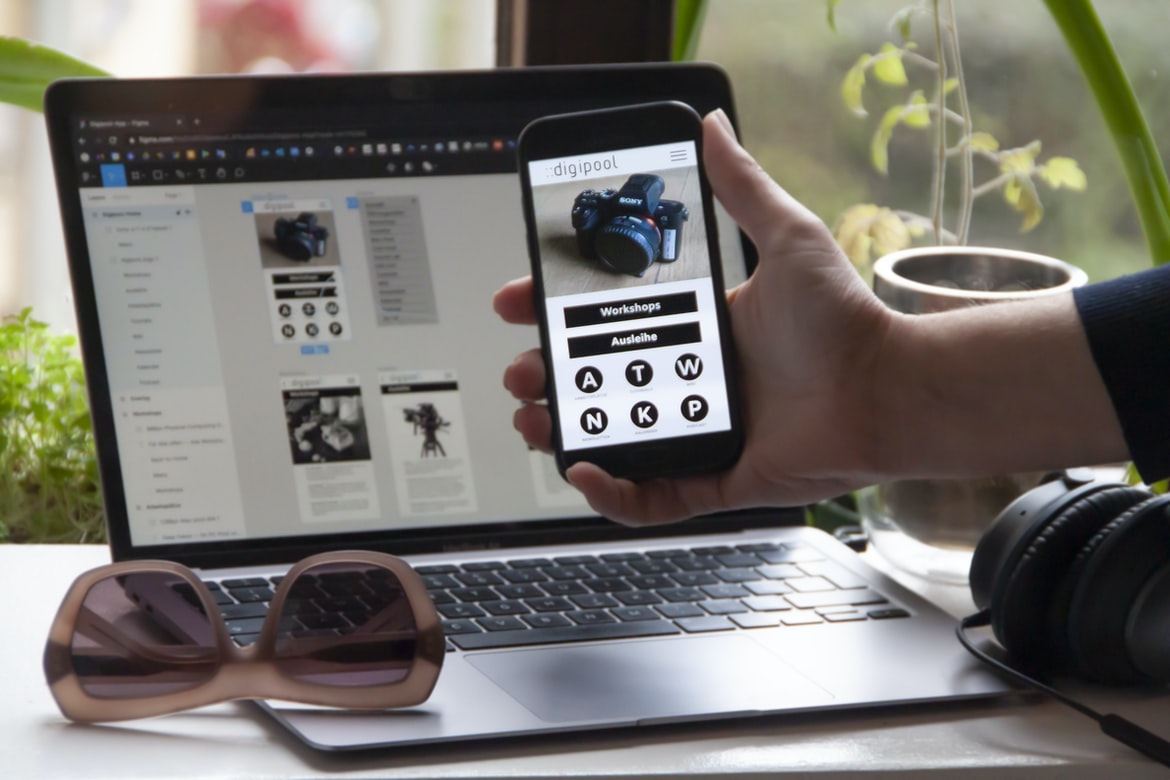
What web UI UX is, what it can do for your website, and some popular examples.
Web UI UX is the design of the user interface for websites. It can be applied to any website, regardless of its genre or purpose. Some popular uses for web UI UX include improving the usability and accessibility of a website, enhancing navigation, and creating a cohesive look and feel. There are many different ways to achieve these goals, and each project will require a unique approach.
Some common techniques used in web UI UX include using established design concepts such as cards and grids, simplifying complex processes by designing interactions directly into pages, and incorporating feedback mechanisms into the user interface to ensure that users are always aware of their surroundings. The most effective web UI UX designs take into account the users who will be using the Site, as well as the Site’s purpose and target audience.
What is web UI UX?
A user interface (UI) for a website is the look and feel of the controls and menus that users see when they navigate to a website. It is important to create a well-designed UI in order to make users feel comfortable and confident while using the website. A good UI should be easy to use, visually appealing, and interactive. Additionally, it should be responsive so that it looks good on all devices.
There are many different ways to design a UI, but some of the most common techniques include using buttons, text fields, dropdowns, lists, and icons. When designing a UI, it is important to consider the purpose of each element as well as the user’s interaction with it.
The benefits of web UI UX: Improved user experience, increased conversions, and more.
Web user interface (UI) design has been widely recognized as one of the most important aspects of web design. Poor UI design can have a negative impact on the overall user experience, leading to lower conversions and decreased customer satisfaction. However, there are many benefits to achieving a well-designed web UI. Improved user experience leads to increased adoption and loyalty, while increased conversions result in more revenue for businesses. Here are key reasons why UI design is so important:
1. Improved User Experience: A well-designed web UI can help improve the overall user experience by making it easier for users to find what they’re looking for and navigate through the Site. This results in higher levels of engagement and conversion, as users are more likely to stick around if the interface is easy to use.
2. Higher Engagement: Users are more likely to engage with your website if they find it easy to use. A well-designed web UI helps users accomplish tasks quickly and easily, which results in higher levels of engagement.
How to create a web UI UX: A look at some popular design tools and methods.
There is no one-size-fits-all answer to creating a web UI UX, as every project and user group will require different design considerations. However, some popular design tools and methods that can be used to create a well-designed interface include wireframing, prototyping, and usability testing.
Wireframing is a simple but effective way to visualize the interface before any coding or design work is done. By drawing out basic designs on paper, designers can get an idea of the overall flow of the page and how users will interact with it. This approach can be particularly helpful when developing mobile interfaces, as developers can see how various screen sizes will affect the layout.
Prototyping is another popular method for visualizing user interfaces.
Prototyping is another popular method for visualizing user interfaces. It’s a way to quickly test out different ideas and see what works best before building a complete UI.
There are a few things to keep in mind when prototyping:
-Keep it simple. Don’t try to create the most realistic or detailed UI possible; instead, focus on testing which elements work best and how users interact with them.
-Make it modular. Break your prototype down into smaller parts so you can easily tweak and change it without having to start from scratch. This will also make it easier to share with other stakeholders.
-Test with real users. Once you’ve finalized your prototype, test it out with real users to ensure that it actually works as expected and that there are no hidden bugs.
Some common web UI UX problems to watch out for: Poor navigation, confusing menus, and cluttered pages.
Most people know that web design can be a lot of work, but they may not realize the importance of a good user interface (UI) UX. Poor navigation, confusing menus, and cluttered pages can all make it difficult for users to find what they’re looking for or figure out how to use the Site. Here are some common UI UX problems to watch out for:
1. Poor Navigation: Users will struggle to find their way around if the navigation is confusing or poorly designed. Make sure all links lead where you want them to and that buttons are easy to hit.
2. Confusing Menu Systems: It’s important that menu items are clear and easy to spot, especially if users have to scroll through a long list. Avoid using too many sub-menus and make sure each one offers useful information.
3. Unclear Sign-In Pages: Your sign-in page should be clearly labelled and easy to understand. If users have any concerns about the Site, they may not bother signing up. 4. Poor Social Media Integration: Your social media integration should be simple and intuitive. It’s also important that your pages are easily tracked so that you can see how customers are interacting with them. 5. Poor Search Functionality: It is important to have a thorough search function on your website.
Tips for improving web UI UX: Try these tricks to make your users happy and increase engagement.
1. Keep your user interface design simple and easy to understand. A cluttered or confusing layout can quickly turn off users, making it difficult for them to find what they’re looking for.
2. Pay attention to the spacing between elements on your page. Small margins can make a big difference in how easily users can navigate your page. Too much space and users may have trouble reading the text or finding specific buttons and links.
3. Use contrasting colours and fonts to create visual interest and keep users engaged. A dull look will quickly put users off, so it’s important to use different shades, tones and sizes to make your pages look interesting and exciting.
4. Avoid making too many clicks necessary for users to get what they want. Eliminate extraneous links, unnecessary menus, and hidden content – anything that makes navigation difficult or time-consuming.
What is web design UI UX?
Web design UI UX is the process of designing user interfaces that are both effective and appealing. It is important to consider the user’s experience when designing a web page or application, as this can make a significant difference in how people interact with the Site or app. There are many different ways to create a well-designed UI, but some of the most common techniques include using clear and concise layout designs, using visually appealing graphical elements, and providing easy access to all of the Site’s features. Ultimately, it is important for web designers to take into account the overall user experience when creating their web pages or applications, as this can make a huge difference in how users feel about using the Site or app.
How to improve web design UI UX?
There are a few ways to improve web design UI UX, and each has its own advantages. One way is to make sure all of your buttons and icons are easily visible and identifiable. Another is to use intuitive labels for your controls, so users will know what they do without having to look at the documentation or go through a tutorial. Finally, make sure all of your interface elements are organized logically and visually appealing. By following these tips, you can create an interface that is both easy to use and attractive.
Examples of good and bad web design UI UX.
Good web design UI UX examples include interfaces that are easy to use and navigate, while bad designs can be difficult to use and navigate. Poorly designed interfaces can often be overcrowded, or it is difficult to find specific information, making them less user-friendly. Poorly thought-out user experience can also result in websites that are confusing or overwhelming. Some good web design UI UX examples include the Nike website, which is well-designed and easy to navigate, as well as the Google search interface, which is simple and efficient. However, some poor web design UI UX examples include the Microsoft Windows 8 Metro Interface, which is cluttered and difficult to use, and the Apple iPhone 4S interface, which is outdated and poorly designed.
What Is Bad UX?
What is bad UX? In short, it’s any interaction or design element on a web page that makes it difficult, time-consuming, or confusing for users to complete their desired action. Poor usability can lead to frustrated customers and lost business.
Here are a few common examples of bad UX:
Inconsistent layout and navigation. Navigation tags and icons are hidden or placed in confusing places, making it difficult for users to find what they’re looking for.
Confusing menus and options. Options are hidden behind too many layers of menus, leading to frustration when users need to make a simple choice.
Incorrect labels or instructions. Labels are misspelt or don’t match the visual elements on the page, making it difficult for users to understand what they need to do.
What Is Bad UI?
Web design is a process where a designer creates an interface for a web page or application. A good web design UI must be user-friendly, which means that it should be easy to use and understand. Poor web design UI can make using a website or application frustrating and difficult to navigate. Here are common examples of bad web design UI:
1. Ineffective navigation menus: Navigation menus should be easy to find and use, concise, and organized into sections that make sense. They should also include clear labels, so users know what they’re looking for.
2. Confusing layout: The layout of a website or application should be easy to understand and navigate. Items should be placed in logical locations, and each element on the page should have a purpose.
3. Confusingly complex menu systems: Every time you visit a website or application, it should be easy to figure out what items are available in the menu system. This means the menus will be easy to find and use, and they won’t have too many options that are difficult to understand and navigate.
Motion Graphic Design
Motion graphics have become one of the most popular types of design for the web. They can be used to create a sense of motion and excitement or to provide a more subtle and sophisticated look to a website or application. There are many different ways to create motion graphics, from hand-drawn animations to computer-generated ones.
Motion graphics are often used in video content, such as commercials and online ads. They can also be used in web pages and applications as decorative elements or to help tell a story. They can be used for everything from fixing typos to creating an immersive experience for users.
There are many different types of motion graphics software available, from free tools like Adobe After Effects and Adobe Illustrator, to more expensive programs like 3D MAX and Maya.
Animation Design
Animation design has come a long way since the days of flickering pencils on paper. With computers and programs that can generate realistic motion, animators have more creative control than ever before to create engaging displays for websites and applications.
Today’s animation software allows for a wide range of effects, from simple movement to full-blown 3D animations. The key is to use the right tool for the job and understand the different types of animation available so you can create an effective display.
When designing a web interface, it’s important to consider how users will interact with it. Animations can help guide users through tasks by providing visual feedback. This can be as simple as animating menus or buttons as they are clicked or more elaborate sequences that take into account user interactions across multiple pages.
WordPress for Designers
WordPress is a popular content management system used by both professional and amateur web designers. It’s free and open source, making it an appealing option for those looking for a lightweight platform that can be customized to suit their specific needs. WordPress also has a large user base, so there are likely many design professionals using it already. In this article, we’ll take a look at how WordPress can be used as the foundation for creating custom user interfaces (UI) for web design projects.
WordPress is well-suited for creating custom UI elements because of its simple structure and abundant plugin capabilities. For example, you can easily create custom menus and widgets using third-party plugins or build your own from scratch using the WordPress API.
What Is Elementor Website WordPress Plugin?
Elementor Website WordPress Plugin is a powerful website design plugin that allows users to create stunning and user-friendly websites in minutes. It comes with a built-in drag-and-drop editor, which makes creating websites easy and fun. Additionally, Elementor Website WordPress Plugin also comes with a wide range of features, such as:
– custom menus and widgets
– unlimited colour options
– pagination options
– custom headers and footers
– password protection for posts and pages
…and much more!
Figma
Figma is a user interface design tool that has quickly become one of the most popular options for web designers. It offers a number of features that can make designing user interfaces easier, and its intuitive style makes it a popular choice for those just starting out in the field.
Some of the features of Figma that are particularly helpful for web designers include support for layers and vector images, as well as the ability to export designs to various formats. Additionally, Figma offers commenting and collaboration features that can be useful when working with a team. Overall, Figma is an excellent tool for anyone who wants to create user interfaces or mockups quickly and easily.
Adobe XD
Adobe XD is an interface design software that offers a more intuitive UX for web designers. Adobe XD has a drag-and-drop interface that is easy to use, making it a popular choice for designers who want to create user interfaces quickly and efficiently. Adobe XD also offers a variety of features that help designers create high-quality user interfaces, including vector tools, real-time previewing, and collaboration capabilities.
Design Mobile App
Over the past few years, mobile app design has exploded in popularity. In fact, it’s estimated that by 2020, there will be over 1.2 billion mobile app users worldwide! And that number is only going to continue to grow.
So why are so many people interested in mobile app design? There are a few reasons. First of all, mobile apps are incredibly versatile. They can be used for anything from checking stock prices to tracking your fitness stats.
Secondly, mobile apps are very user-friendly. Most of them have simple and intuitive designs, which make them easy to use. And lastly, mobile apps tend to be more engaging than regular websites. This is because they allow you to interact with the app in a way that’s not possible on a website.
What is Visual communication in graphic design?
Visual communication is the use of graphic design to create and communicate ideas. Visual communication can take many different forms, from the simple act of conveying information through a website’s design to creating an engaging user interface. In this article, we will explore the basics of visual communication in graphic design and discuss some key strategies for Creating effective visuals.
1. The goal of visual communication in graphic design is to create a powerful and impactful message that can be understood by the viewer.
2. There are a number of different ways to achieve this goal, from using colour and layout to create an appealing composition to using typography to add emphasis to your content.
3. It’s important to consider each individual viewer when designing your visuals, as not all people will respond equally well to certain elements of visual communication.
4. There are many different ways to create effective visuals in graphic design, and we’ll cover a few of the most common ones here. 1. Use of Colorful Color has always been an important part of visual communication in any field, but it s particularly important in graphic design.
There is no one answer to this question, as it can vary greatly depending on the project and the designer’s personal preferences. However, in general, visual communication typically refers to how an image or design conveys meaning to a viewer. This could involve creating a stunning layout or designing a logo that stands out from the rest. At its core, visual communication is all about creating an effective message that will encourage people to take action or visit a website again.
Application of Graphic Design: Adobe Photoshop, Adobe Illustrator, Adobe InDesign
Graphic design is an essential part of any website’s UI UX. The user interface or user experience, as it is formally known, is the first impression a user has of your Site. It sets the tone and mood for what the visitor can expect. As graphic designers, we must take into account all aspects of the Site- from its layout to its colour scheme- in order to create a cohesive and pleasing experience for our users.
Adobe Photoshop and Adobe Illustrator are two of the most popular graphic design software programs on the market. They both have their own strengths and weaknesses, but they are both capable of creating high-quality graphics. Adobe InDesign is also a great tool for creating user interfaces, but it is not as widely used as Photoshop and Illustrator.
When designing a website, it is important to consider how users will interact with it.
Designing a website is an important task, but it’s also important to consider how users will interact with it. If you’re not mindful of how people will use your Site, you can end up creating an unusable experience for them.
One way to make sure your website is easy to use is to pay attention to the user interface (UI) design. A well-designed UI makes it easy for users to find what they’re looking for and navigate around the Site. It also helps prevent them from having to search through a cluttered interface or navigate through complex menus.
When designing your UI, keep in mind the following tips:
-Make everything easy to find. Include clearly labelled buttons and icons on your pages, as well as helpful labels on content areas such as headings and paragraphs.
Web Design
In today’s industry, a well-designed website is key to success. The UI (User Interface) of the website must be user-friendly and intuitive, while the UX (User Experience) should make sure users find what they’re looking for quickly and easily. Here are tips for designing web UI/UX:
1. Keep the layout simple and easy to navigate. Use clear typography and graphics that are easy on the eyes.
2. Make use of sidebar menus, drop-down menus, and other navigational elements to help users find what they’re looking for more quickly.
3. Try to keep everything on one page where possible – this makes it easier for users to navigate and find what they need without having to scroll through long pages of content.
4. Keep the number of pages on your Site to a minimum. Many users will find it easier and quicker to read through a page or two of content than to scroll through an entire website. 5. Keep navigation elements (such as links, buttons, etc.) as simple, concise and straightforward as possible.
Mobile Graphic Design
Mobile graphic design has come a long way over the past few years. With so many different devices and platforms to design for, it’s important to have a versatile platform that can work well on all devices. Here are some tips for creating mobile graphics that look great on any device:
1. Use simple, clear designs. Mobile users don’t have time to decipher complex graphics. Keep your designs simple and easy to understand.
2. Use white space wisely. Just like on desktop monitors, mobile users want plenty of room to see your text and images clearly. Try to use minimal amounts of text or images and instead focus on spacing them out evenly across the screen.
3. Choose high-quality fonts for your text and logos.
Responsive Graphic Design
Responsive web design is a type of web design that takes into account the user’s device and display size. This allows designers to create a site that looks good on any device, from desktop computers to smartphones and tablets. Responsive web design is important because it makes websites more accessible and mobile-friendly. Users can access your website regardless of what device they are using.
One of the main benefits of responsive design is that it helps save bandwidth. When a website is designed for different devices, only the portions of the Site that need to be displayed on each device are downloaded. This saves bandwidth and improves page loading times.
There are several types of responsive designs: fluid, adaptive, flexible and dynamic.
There are several types of responsive design, each with its own set of advantages and disadvantages.
Fluid design is the simplest type of responsive design, relying on a few core principles: all elements should be able to resize automatically, and the layout should change relatively little between different screen sizes. This simplicity can be an advantage, as it makes responsive design easier to implement and faster to test.
Adaptive design is more complex than fluid design, relying on a combination of adaptive scaling and flexible layout rules. This allows the layout to change significantly between different screen sizes while still ensuring that all elements look consistent. However, adaptive designs can be more difficult to implement and may require more testing than fluid designs.
Flexible design is similar to the adaptive design in that it uses flexible scaling and layout rules to adapt to different screen sizes.
Graphic design is in demand.
Graphic design is in high demand these days. Many businesses realize that a well-designed website or app can help them stand out from their competition and make more sales. According to The Guardian, “More than 60% of consumers now say design is important when making a purchase, up from just over 50% in 2022”. So if you want to work in graphic design, you’d better get started learning about user experience (UX) and how it can help your designs look and feel better.
User experience is all about making sure that the user of your product or website has an enjoyable experience while using it. This means understanding their needs and desires as well as designing the interface around those needs. It also means ensuring that the overall look and feel of the product is consistent across different devices and browsers.
UI UX is in demand
The demand for user interface (UI) UX is on the rise as more and more businesses realize how important a well-designed interface can be. A good UI can make a website or app easier to use, faster to navigate, and more visually appealing. Additionally, a well-designed UI can help users get the most out of their experience.
There are many factors that go into creating a successful UI UX, including cognitive load (the amount of mental effort required to complete an action), page layout and design, colour schemes and text formatting, feedback mechanisms (such as sound or animation), and usability testing. It’s essential that designers take these factors into account when designing a website or app in order to make sure everyone, from novice users to experts, can enjoy using it.
Users of any level can enjoy using a well-designed web interface. The following tips will help ensure that everyone, from novice users to experts, can enjoy using your interface.
1. Keep the layout simple and consistent. Users should be able to navigate the interface quickly and easily without having to guess which buttons do what.
2. Use familiar icons and symbols throughout the interface. This will help users orient themselves quickly and make sure they know where they are in the design process.
3. Use clear, concise text descriptions for each button, icon, or menu item. This will help users understand what they need to do to access features on your Site.
4. Make sure all elements of the interface respond smoothly and crisply on all types of devices and browsers. This will give users a high-quality experience no matter what device or browser they are using.









