

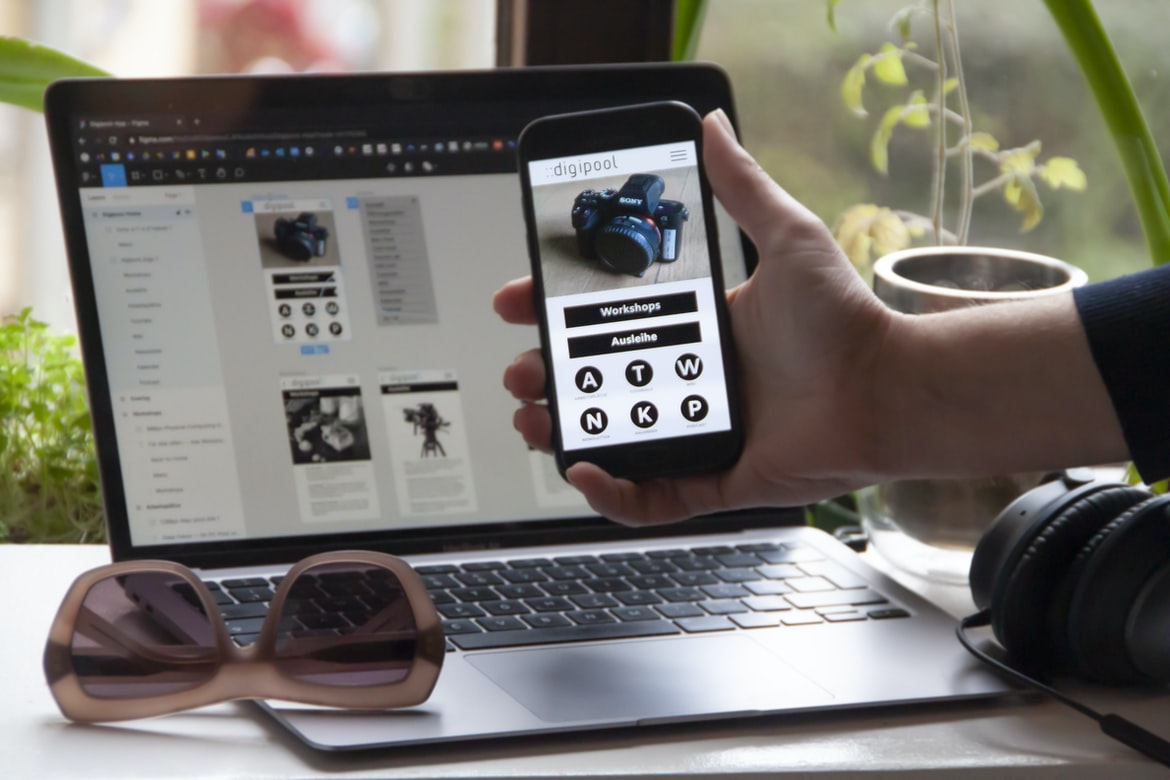
Free Learning Design the Basics of Your App – Add Functionalities & Features – User interface design principles can help improve the usability of web applications by reducing complexity and improving organization. If you’re looking to build an application that feels clean and organized, then you’ll want to focus on user experience (UI). UI can make or break an application, and it’s important to make sure that your users feel comfortable and confident using your product. Here are tips for building a great UI:
1. Keep the interface simple and intuitive.
Users will want to be able to quickly find what they need without having to search through a pile of options. If you can keep the interface simple and intuitive, then users will be comfortable using your web application. 2. Keep the navigation simplified and consistent. Users will always want to find what they’re looking for, so it’s important to make sure that they know where they are in your application. It’s also important to make sure that the navigation is clear and consistent with each section of your application. 3. Give users a sense of control.
What are the benefits of applying UI UX principles?
UIUX principles can have a multitude of benefits for your application, depending on the specific situation. Here are some examples:
1. Your users will be more satisfied with the end result.
2. Look and feel better because of cleaner design structures.
3. faster development times because of reduced risk and waste.
4. increased efficiency as you can use fewer resources while maintaining the same quality.
UI design has become increasingly efficient as more resources are used while maintaining the same quality. By using a few basic principles, you can create effective and efficient UI designs.
The role of design in user experience: What design principles should be followed when creating an application’s user interface?
Applications have a huge impact on people’s lives, and for a good reason. They can be used for anything from simple tasks to complex ones. However, user experience (UX) is an important part of any application and should be taken into account when designing it. If you’re not following UX design principles, your app will likely have negative consequences on users.
Here are a few tips to get started:
1. Use user-centred design principles when creating the user interface. This means that your app’s design should focus on the needs of your users, not just the developers or designers who created it.
2. Use predictable patterns and templates when developing the user interface. This helps developers and designers know how to create interfaces that are easy to use and look great overall.
3. Use clear and concise labels when designing the user interface. This will help users quickly find what they need and avoid confusion. 4. Use consistent colour schemes when designing the user interface. This will keep your design from becoming confusing to those who are new to it. 5. Place information in different locations so that users don’t have to scroll through too many screens to find it. This will make the information more visually appealing. 6. Use images and other media (such as videos) when designing the user interface.
Principles of interaction design: How should app users interact with the interface?
Interaction design is the process of designing how users interact with an interface. It includes creating a user experience for an app and designing how the user interacts with the app. There are many principles that should be followed when designing an app user experience. Some of these principles include:
1) The purpose of the interface should be clear to the user.
2) The interface should be easy to navigate.
3) The interface must be consistent across different devices.
4) The interface should be visually appealing.
5) The interface should be easy to find and use.
There are a lot of different applications out there, and it can be hard to find the right one. One way to make your applications more user-friendly is by making the interface easy to find and use.
How to create a good user experience: What tips can you give to help improve an application’s user experience?
To create a successful user experience, it’s important to have a clear understanding of what your users need and want. Here are some tips to help improve an application’s user experience: 1. Choose the right design language for your users.
2. Make sure your users feel in control.
3. Use clear and concise labels to guide users through the application.
4. Keep the interface simple and easy to use.
5. Keep your text explanatory and accessible.
6. Use features that make your users happy, such as animations or 3D effects.
User experience (UX) is a vital part of any software application, and it should be designed to make users happy. Here are tips to help you create a successful UX design:
1. Use features that make your users happy, such as animations or 3D effects.
2. Make your users feel in control and comfortable with the interface.
3. Use easy-to-use controls and interfaces.
4. Use clear, concise illustrations and graphics to improve user understanding.
5. Make sure your user feedback is incorporated into the design process – it will help you fine-tune your designs!
User feedback is an important part of the design process when creating applications. The incorporation of user feedback will help you fine-tune your designs and make sure that they are as effective as possible. By incorporating user feedback, you can improve the overall usability and effectiveness of your applications.
What are some common UI UX mistakes, and how can they be avoided?
Common UI UX mistakes can lead to a number of problems for your applications and user experience. By avoiding these mistakes, you can make sure that your users have a positive experience when using your application.
In this article, we will take a look at some common UI UX mistakes and how to avoid them. We will also discuss some tips on how to make your applications more user-friendly. So, if you are looking for a better way to design and develop your applications, then read on!
Application Building
There are a number of different ways to build an application: from the ground up, using pre-built software or frameworks, or using custom code. The choice of building approach is important because it affects the design and user experience of the application. In this article, we’ll explore two different ways to build an application: from the ground up and using pre-built software or frameworks.
When building an application, UI design is important to consider. This article will discuss how to create a simple but effective user interface for a website or application.
Adobe XD: Building Apps Without Coding Knowledge
Adobe XD is a software development platform that makes it possible for developers to build apps without coding knowledge. This makes it easier for people to create and test apps and helps with the development of more complex applications.
E-Commerce Platform
What are the different types of e-commerce platforms?
There are a variety of e-commerce platforms, but three of the most common are the web browser, mobile app, and desktop application. Each has its own strengths and weaknesses that can affect how an individual decides to implement them.
For example, a web browser platform is great for browsing the internet or taking quick snapshots of articles while on your computer, but not so great when it comes to buying items. Mobile app platforms are much better for shopping online and having access to fast shipping and easy returns, but they may not be as user-friendly as web browsers or desktop applications.
Desktop applications are perfect for people who want to buy items from a single source and have everything they need at their fingertips.
Figma
A new UI design tool called Figma has caught the attention of developers who are looking to build better user interfaces for their applications. Figma is a simple yet powerful application-building tool that helps developers quickly and easily develop custom user interfaces for their applications. With Figma, developers can create beautiful, intuitive and efficient user interfaces that will help make their applications more accessible and valuable to users.
Adobe XD
Adobe XD is a new development platform for creating user interface designs. It is free and open source, making it an ideal platform for anyone who wants to create web applications. This article will take a closer look at Adobe XD and introduce you to the basics of designing user interfaces with it.
User interfaces are the foundation of an application and should be designed to be effective, intuitive, and visually appealing. Designers should consider user experience when designing an application’s user interface. By understanding how users interact with an application, designers can create a design that is both effective and pleasurable to use.
In the world of user experience, there are two schools of thought: effective and pleasurable. Depending on how you want your UI to feel, either approach can be effective. However, it’s important to remember which approach is better for your specific needs – whether that’s a simple task or something more complex. Here are tips to help you make the right decision:
1. Decide what you want your users to do with your interface – is it a straightforward screen list or a labyrinth?
2. Choose the right buttons and controls – if they’re easy to hit but don’t provide an instructions field, they might not be motivating enough; if they have multiple uses (like a hamburger button that can be used as both an Add and Remove button), they should be grouped together in one spot.
3. Make sure your controls are clear – what do you want people to be able to do with them? 4. Use a combination of gradient and solid colours – they will always show up better than plain black, and they’re more visually appealing. – if you’re using a gradient colour combo, do not just use solid colours – they have the same colour palette as black. 5. Make sure the icons are clear and easy to read – make them stand out, so people know what they are supposed to be doing.
Design Mobile App
Making a mobile app is an extremely complex task that involves creating a user interface that looks and feels great. While there are many different tips and tricks to help with this, often the most important factor is designing for usability. By following these simple tips, you can create an app that users will love and be able to use easily and efficiently.
Designing a mobile app is a challenging task that requires careful planning and design. In this article, we will discuss the different aspects of designing a mobile app and how to best achieve the desired outcome.
Graphic Design
In today’s digital world, design is more than just a technical field. It’s an art form and a way of life. In order to create beautiful, user-friendly applications, designers must be able to utilize different design elements in order to communicate their message effectively. Here are five tips for designing intuitive, effective user interfaces:
1. Use typography and colour to add interest and warmth.
2. Use images and slogans to convey your message quickly and easily.
3. Make use of layout features to group information together logically.
4. Create easy-to-use menus and buttons in order to make your users’ lives easier.
5. Keep your designs simple and cohesive so that they look great on any device!
There are a lot of different types of graphic design, but the most common type is UI.UI is a design language that helps you create user interfaces. In this article, we’re going to take a look at some of the most common UI designs and how they can be used in your apps. As always, the examples are from the UI design community and are not necessarily representative of what Apple or Google has in mind for your app.
The most common type of UI is that of a user interface.
UI is the user interface that a computer or device sees. It includes the design and layout of the app’s screens, menus, and buttons. UI can be used to display information to users, control action, or show feedback.
In the current market, graphic design is a necessary skill for any web developer. If you are not familiar with graphic design, it is important to understand the different types of designs and how they can be used in your project.
A basic understanding of graphics will help you create effective and efficient applications. By following these simple tips, you can quickly learn how to use graphics to improve user interfaces and create a more professional appearance on your website.
What is UI design?
UI design is the process of designing user interfaces for applications. It includes creating designs that are appealing to users, choosing the most efficient and effective layouts, and developing code that makes use of user interface elements.
UI design is the design of the user interface for an application. It includes designing the look and feel of the elements on a screen, as well as creating the functionality that will be used to interact with those elements.
What is UX design?
UX design is the process of designing user interfaces that are effective, appealing, and efficient. There are many different types of UX design, but each one requires a different approach and skill set. In this article, we will explore four main types of UX design: conceptual, functional, aesthetic, and layout.
UX design is the process of designing user interfaces that are accessible, effective, and appealing to users. It encompasses the creation of designs for all types of applications, from small businesses to large enterprises. While there are many different ways to approach UX design, there are some commonalities that make it an essential part of any successful application development effort.
Visual Communication
UI design is the process of creating a user interface for an application. It can be used to improve the usability and experience of a product or service. In most cases, UI design needs to be done carefully and thoughtfully to ensure that it is both effective and pleasing to users.
The use of visuals in UI design has become increasingly popular in recent years. This is due to the fact that visuals are easier to understand, and they can help to convey a message more effectively than words. In this article, we will be discussing how to create effective visuals for your application-building UI.
Visual communication is the act of creating or using visuals to communicate information. This can be done in a variety of ways, but often it relies on props and devices to help the user understand what is happening. Some popular examples include movies, commercials, and website design.
Visual Communication Vs Graphic Design
When it comes to designing the user interface (UI) for applications, there are a few key differences between visual and graphic design. For one, UI is typically designed to convey information to users on a screen, while graphics are used more for decoration and illustration. Additionally, different design elements can be used in both types of design, which can result in various outcomes. Here’s a look at some of the most common differences between visual and graphic design:
1. Fonts: Graphic designers use fonts in order to create Looks and Sizes that will match the overall theme or design of an application. Visual designers often rely on typefaces as a means of expressing emotions or giving an appearance that will fit the culture or environment within which the application is running.
2. Colors: Visual designers use colours as a means of expressing feelings and emotions. They can also be used to create subtle contrast within an application or emphasize certain elements. 3. Images: Graphics are often used to complement the text and provide context for the information within an application.
When it comes to designing user interfaces, visual communication is king. While graphic design can provide a more presentable and organized interface, it’s often less effective in communicating the message of an application.
Application of Graphic Design: Adobe Photoshop, Adobe Illustrator, Adobe InDesign
Adobe Photoshop and Adobe Illustrator offer users a wide range of features for creating user interfaces. These programs allow users to create designs easily, and they are perfect for creating things like web pages, brochures, and advertisements. In addition to their ability to create user interfaces, these programs also offer a lot of other features that can be used in the design. For example, Adobe Photoshop can be used to create logos and illustrations. Adobe Illustrator can be used to create graphics for websites and advertising. And Adobe InDesign can be used to create manuals, brochures, and other types of documents.
Figma, Adobe XD, WordPress, Elementor.
Figma, Adobe XD, WordPress, Elementor: 3 Ways to Optimize Your User Interface
With so many applications and websites now using modern UI design principles such as Figma or Adobe XD, it can be difficult to keep up. In this article, we will take a look at three ways to optimize your user interface with these tools.
Figma, Adobe XD, WordPress, Elementor and More are on the rise in UI design
Forget the traditional design tools. UI designers are using Adobe XD, Elementor, WordPress and more to build user interfaces. These platforms offer easy-to-use designs that make creating user interfaces a breeze.
What Is A Prototype?
Prototypes are a form of customer service that allows users to try out the software before buying it. They can help you test new ideas, designs, and functions before making a purchase. Prototype building is often used in mobile app development, web development, and product testing.
Prototypes can be a useful way to understand how an app or website will look and function before it is released to the public. A prototype is also a great way for developers to learn about potential user feedback and improve the design of their app or website.









