

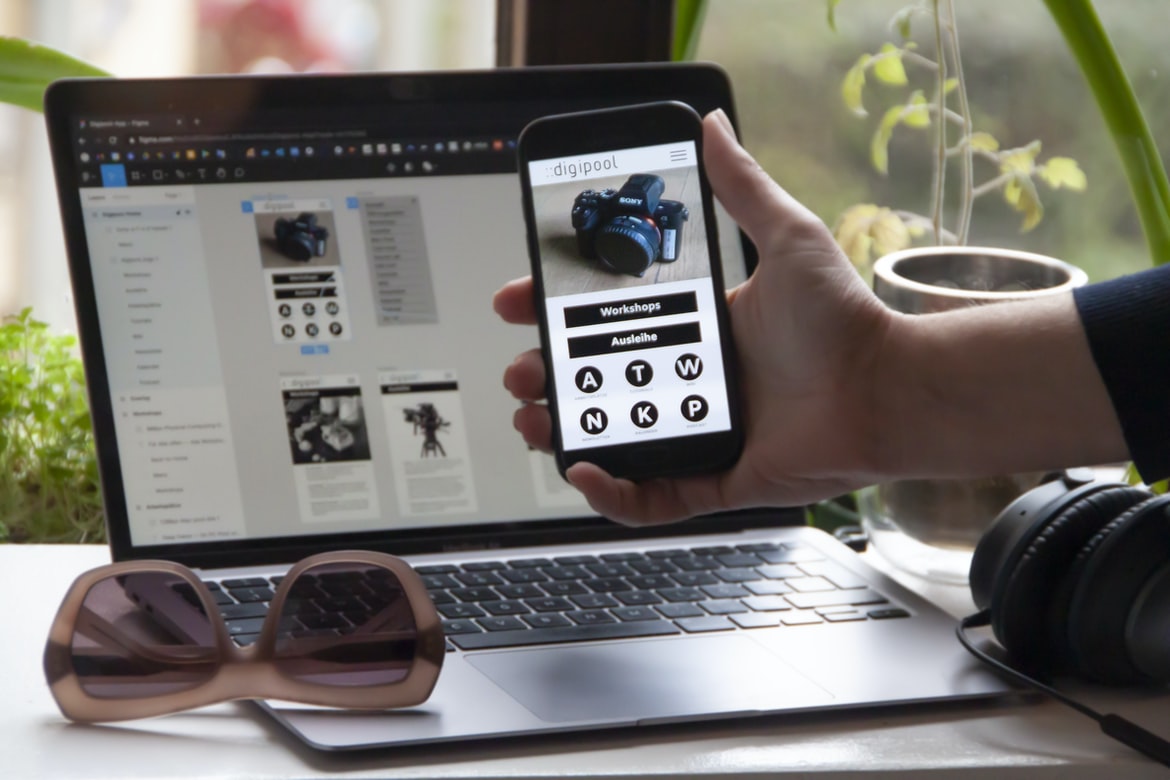
Exploring Various Online Resources & Courses to Advance Your Knowledge in App Building – What is a UI UX? And what is the difference between UI and UX?
UI/UX is the process of designing a user interface and its accompanying user experience. UIs are designed to be appealing and easy to use while also meeting the specific requirements of a given software or application. UX, on the other hand, is an umbrella term that refers to both the design and the overall experience of using an application. It encompasses everything from how an application looks and feels to how well it performs.
While UI/UX design is often considered a separate discipline from web design, many principles and techniques used in one can easily be adapted for use in the other. For example, effective typography can help improve the look and feel of a web page, while a thoughtful layout can help users search for information more easily in an iPad app. Likewise, effective user feedback loops allow developers to gather valuable data about how their applications are being used. By understanding both UI/UX design and UX, developers can create applications that are easier to use and more appealing overall. UI (User Interface) and UX (User Experience) are often used interchangeably, but there is a big difference between the two. UI is the look and feel of an application or website, while UX is how the user experiences that interface.
UI design focuses on creating a visually appealing and easy-to-use interface. Factors that are considered include the layout of pages, menus, buttons, etc. It is important to consider how users will interact with the application, as well as what features should be included.
UX design focuses on understanding how users will interact with the application. This includes things like determining what features are necessary, designing user flows (the sequence in which users complete tasks), and creating screenshots that accurately depict how users will experience the application. UX designers also take into account cultural factors when designing an application.
The Role of Application Building: What do you need to build an application?
There are many different pieces that go into building an application, but in general, you will need to have a few things: a web server, programming languages and frameworks, database software, and a way to display and interact with your data. Additionally, you’ll need to design your interface and think about how users will interact with it. All of these components must work together seamlessly for your application to be successful. There are many different things that you will need in order to build an application. You will need a web server, programming languages and tools, as well as databases and development environments. Your application will also require images and files for the user interface (UI) and the user experience (UX). You may also need to hire developers to help with the construction of your project.
The Role of Application Design: How do you design an application’s user interface?
There is no definitive answer to this question, as user interface design can vary greatly depending on the type of application and its intended purpose. However, there are some general guidelines that can be followed when designing an application’s user interface.
One important factor to consider when designing an application’s user interface is the target audience. Who will be using the application, and what do they need or want from it? Will it be used by people who are technologically savvy and know how to use advanced features, or will it be used by people who are new to technology and need help navigating the system? Additionally, what type of keyboard and mouse will be available to users? Will they need to use a mouse with a trackball or pointer? What will graphics hardware be available? All of these factors must be taken into account when designing an application’s user interface.
Guidelines for Building an Effective User Interface: Tips for creating a successful UI.
Building an effective user interface often boils down to making sure the design is easy to understand and use. This can be a challenge, as many interfaces are designed with aesthetics and functionality in mind rather than ease of use.
There are a few tips for creating an interface that is both effective and easy to use:
1. Keep the layout simple. The fewer buttons and screens there are, the easier it is for users to understand and navigate.
2. Use clear signage and labels. Users will quickly learn where everything is if everything is labelled clearly.
3. Keep the colours simple & muted. Bright colours can be difficult to see in small spaces, while intense hues can be overwhelming. Stick with light shades or neutrals for a more comfortable experience.
4. Use common metaphors & icons wherever possible. Familiar images will help users understand how to use the interface more quickly without having to read through lengthy instructions every time they open it up.
5. Use minimalism when possible. Simplicity not only makes an interface easier to use, but it also reduces cognitive load (the number of tasks your brain has to process at any given time). This means users can spend less time on tasks they don’t want to do – like reading through long menus – and more time actually using your application!
Considerations for User Interface Design: Things to consider when designing a user interface.
Designing user interfaces is a challenging task. There are many things to consider, such as the layout of the screens, how easy it is to use the application, and whether or not users will be able to understand and navigate through it. Here are some tips for designing user interfaces:
1. Make sure your user interface is easy to use. User interface design should be simple and straightforward so that users can easily find what they need and navigate through the application. Try to use icons and labels instead of text for menus and buttons, so users will have an easier time understanding them.
2. Make sure the layout of your user interface is flexible. If your application needs to be adapted to different screen sizes or devices, make sure your user interface can accommodate these changes without losing its overall appearance or functionality. You also want to make sure that all elements of your user interface are visually appealing so that users will want to use your application even if it isn’t the most convenient or efficient.
3. Consider how users will interact with your user interface. What methods do users usually use when navigating through websites or applications? What keyboard shortcuts do they typically use? How might they want to interact with your application in different situations? All of these factors should be taken into account when designing an effective user interface for your application. -User interface design should be simple and easy to understand.
-The user interface should be organized in a way that makes it easy for the user to find what they are looking for.
-The user interface should be responsive so that it responds appropriately to the size and resolution of the device or screen on which it is being viewed.
Principles of User Experience: What are the principles behind good user experience?
User experience is the overall feeling a person has when using a product or service. It encompasses the entire process from beginning to end and includes things like how easy it is to find what you’re looking for, how well the design flows, and how intuitive the controls are.
The following principles are often used to achieve a good user experience:
1. Make it easy for people to find what they’re looking for.
2. Keep the design visually appealing and easy to use.
3. Make sure all of the features are accessible and usable.
Graphic Design
Designing an effective user interface (UI) or graphical design is essential for any application. Creating a clean, attractive layout can be the difference between success and failure for a software company. A well-designed UI can also help users find their way around an application more easily, making it easier for them to complete their tasks. Additionally, a well-designed GUI can make an application look more professional and attractive. Graphic design is concerned with the design of logos, packaging, Web pages, advertisements, and other visual elements used to communicate a message. A graphic designer creates an image that is appealing to the eye and can be easily understood. Graphic designers must be able to think outside the box and come up with unique ideas that will catch people’s attention. They also need to be proficient in computer programs such as Photoshop and Inkscape.
What is UI design?
UI design is the process of creating the user interface for a software system. It encompasses everything from developing a layout and graphics to understanding how users interact with the system. In order to create a successful UI, designers must consider both the technical specifications of the software and the user’s needs and preferences.
While there is no one definitive way to design a user interface, many common principles can be followed. For example, UI designers often try to organize content in an intuitive way and make sure that all controls are accessible and easy to use. They also often focus on making sure that the overall look and feel of the system is consistent across different platforms or devices.
Overall, UI design is an important part of any software development project. By taking into account both technical specifications and user needs, designers can create systems that are easy to use and stylish as well.
What is UX design?
User experience (UX) is the design of a product or service that makes it easy, comfortable and efficient for users to interact with. It encompasses everything from the initial exploration of a product to the final interaction with it.
There are many perspectives on what constitutes good user experience, but some key considerations include making sure all elements of the product are easy to use and understand, providing an intuitive layout that is both aesthetically pleasing and functional, and ensuring that all interactions within the product are fast and responsive.
UX designers often work in collaboration with developers and other designers to create a cohesive design for an entire application or website. They may also work on individual components, such as user interface designs or marketing materials. Whatever their role, UX designers strive to create products that are both visually appealing and easy to use.
Visual Communication
Visual communication is the use of visual elements, such as images, to convey information. It can be used in a variety of contexts, including application building and design, user interface (UI) UX, and marketing.
Some key factors that influence visual communication are the context in which it is being used, the intended audience, and the medium. For example, graphics designed for a website might be simpler and less detailed than graphics designed for a smartphone app. Additionally, different media have different limitations—for instance, digital media can be animated while print media cannot.
Visual communication can also play an important role in user experience (UX). For example, if an application requires users to input data using text fields or drop-down menus, making the fields visually appealing can make the process more enjoyable for them. Likewise, if an app’s UI is cluttered or difficult to use, making adjustments to the layout may improve usability.
Overall, good visual communication makes products more appealing to users and easier to use. It can play an important role in both application building and design as well as user interface (UI) UX and marketing efforts. It has come to our attention that a lot of people are not getting the full potential out of their applications. This is due, in part, to the lack of good visual communication.
When designing an application, it’s important to take into account how users will interact with it. This means understanding their needs and providing them with a clear interface that helps them get what they need as quickly as possible.
One way to achieve this is through the effective use of visuals. Whether it’s using colour to represent different elements on a screen or incorporating images that help convey a message, visuals can be very helpful in conveying information.
Visual Communication Vs Graphic Design
Visual communication includes all methods of delivering information, whether it is through written or visual means. Visual design is the process of creating a look and feels for a product or service. Graphic design involves designing visuals such as logos, labels, and web pages. Both visual communication and graphic design are essential to making an effective application or website.
Visual communication can be used to convey complex messages quickly and easily. For example, one way visual communication can be used in an application is by using icons to represent different functions or features. Icons can also be used to simplify navigation within an application. By simplifying the user’s experience, users are more likely to stick around long enough to use all the features of the application.
Graphic design plays an important role in conveying a feeling of quality and professionalism to an application or website. By using high-quality graphics, designers can create a sense of awe and wonderment among users. Additionally, graphic designs may help users remember specific aspects of an application or website. For example, if a user encounters a confusing interface element on an application, they may be able to remember the logo associated with that interface element if it was designed well.
As evidenced by these examples, both visual communication and graphic design are essential for creating effective applications and websites. It is important to consider not only what content needs to be communicated but how it will be communicated as well.
Application of Graphic Design: Adobe Photoshop, Adobe Illustrator, Adobe InDesign
Adobe Photoshop, Adobe Illustrator and Adobe InDesign are three of the most popular graphic design applications used in businesses today. Each application has its own set of features and capabilities that can be applied to create a variety of designs.
One common use for Adobe Photoshop is creating logos, brand identities and other graphics for websites, apps and other marketing materials. Adobe Illustrator is often used for creating illustrations and diagrams, while Adobe InDesign is primarily used for creating print layouts and documents. Each application has its own unique set of features that can be effectively used when designing graphics. Adobe Photoshop, Adobe Illustrator and Adobe InDesign are graphic design programs that allow you to create professional-looking graphics. Each program has its own set of features and capabilities, so it’s important to know how to use them appropriately if you want your graphics to look their best. For example, Adobe Photoshop is great for creating images and illustrations, while Adobe InDesign is better for designing user interfaces (UI) and templates.
Figma, Adobe XD, WordPress, Elementor.
Currently, there are a few popular application building and design tools available on the market. These tools include Adobe Photoshop, Adobe Illustrator, and Inkscape. They are all powerful tools for creating professional applications or graphics. However, there is another application building and design tool that has been gaining popularity in recent years- Figma. Figma is a desktop application that allows users to create user interfaces (UI) and user experiences (UX) for their applications using drag-and-drop. Additionally, Figma offers a wide range of features that make it a versatile tool for application development.
Adobe XD is another application building and design tool that has been gaining popularity in recent years. Adobe XD is an online application that allows users to create interactive prototypes using drag-and-drop. Additionally, Adobe XD offers features such as animation and prototyping support. WordPress is also a popular application building and design tool that has been gaining popularity in recent years. WordPress is an online platform that allows users to create websites and blogs using drag-and-drop. Additionally, WordPress offers features such as customizing designs with themes, creating pages with posts, customizing fonts and colours, security features, tracking data activity with Google Analytics, etc. Finally, Elementor is another application building and design tool that has been gaining popularity in recent years. Elementor is an offline application that allows users to create UI/UX designs using drag-and-drop.
How do you know when your design is successful?
Successful design is when an interface or product meets the user’s needs in a way that is both efficient and enjoyable. There are many ways to gauge success, but some of the most common indicators are whether users feel comfortable using the product or if they find it easy to learn how to use it. Additionally, successful design can be judged by whether it appeals to a wide range of users, whether it looks good and feels modern, and whether it is sustainable over time. When we design something, we want it to be successful. But what does that mean? How do we know when our design is really working, and people are enjoying using it? There are a few indicators that can help us determine if our design is successful: user feedback, conversion rates, engagement levels, and so on. However, ultimately the success of a design is subjective – what may be seen as a success by one person may not be seen as such by another. That said, there are some general principles that can help us achieve better design outcomes regardless of subjective judgement.
What are the key elements and principles in designing a visual communication UI UX?
The design of a user interface (UI) is one of the most important aspects of an application’s overall usability. When designing a UI, it is important to pay attention to key elements such as layout, colour, typography, and imagery. Additionally, it is important to consider how users will interact with the UI and what features they will need access to.
Layout:
One of the most important aspects of UI design is the layout. Layout plays a critical role in how users perceive an application’s interface. Poor layout can cause confusion and frustration for users, leading them to abandon an application prematurely. It is also important to take into account different device types when designing a UI; for example, touchscreens should be designed with ample space between buttons and other elements so that fingers can easily tap on them.
Colour:
Another key aspect of UI design is colour. Colour can help users differentiate different elements within an interface and help convey specific messages. For example, green may indicate health information, while blue may indicate server information. Additionally, colours can be used to create a sense of atmosphere in an application; for example, dark colours may be used in horror games, or light colours might be used in children’s applications.
Typography:
Typography also plays an important role in UI design. Correct use of typefaces can make the text legible at small sizes and on various devices while contrasting typefaces can help draw attention to specific areas within the UI.









