

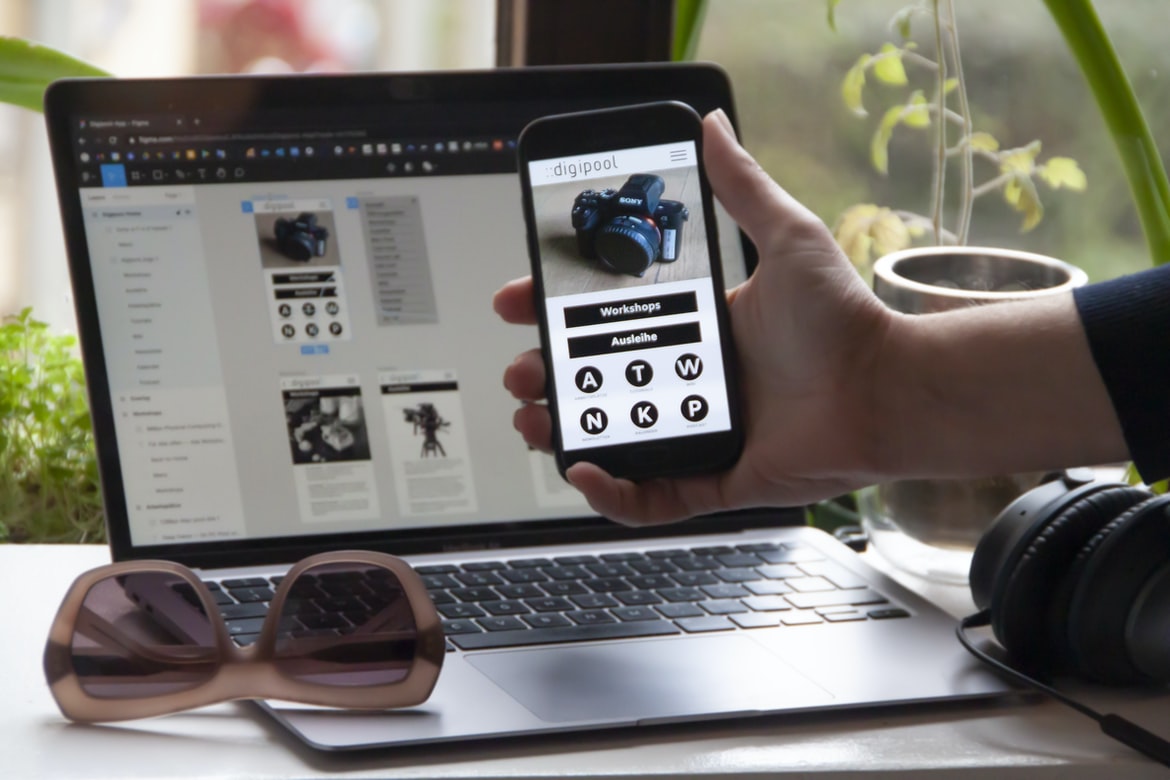
Web design UI UX has come a long way in recent years, with developers and designers alike striving to create interfaces that are as intuitive as possible for the end user. Gone are the days of clunky and unappealing interfaces, replaced by sleek and modern designs that are easy to use and navigate. While there is no one perfect design, following some guidelines can help make your web UI look more appealing to your users and ensure they have an enjoyable experience when interacting with your site.
What is UI UX, and what are its benefits?
UI UX (User Interface Design) is the process of creating a user interface that is both effective and appealing. It can be thought of as the overall visual appearance of the interface, from the layout of menus to the way buttons look and feel. In addition to looking good, UI UX can also make your users’ lives easier by making it easier to find what they’re looking for and providing an intuitive experience when using your website or app.
The anatomy of a web page: What’s on the screen, and how do they relate to each other?
There’s a lot of technology on a web page, from the browser to the server, and it all has to work together. In this article, we’ll take a look at how the different parts of a web page work and what role they play in making your website look and feel great.
1. The browser is responsible for retrieving web pages from the internet and displaying them on your screen.
2. The HTML (hypertext markup language) document that makes up a web page is coded in a specific way so that the browser can understand it.
3. CSS (Cascading Style Sheets) are tags used to style different elements on the page, like paragraphs or images.
4. JavaScript is another programming language that helps us interact with the pages on our websites.
The different types of user interface designs: How do they work, and which is the best for your project?
User interface design refers to the process of designing how an end user interacts with a system or product. There are many different types of user interfaces, each with its own advantages and disadvantages. This article will discuss the three most common types of user interfaces and their advantages and disadvantages. After reading this article, you should be able to make a better decision when it comes to choosing the right user interface for your project.
The first kind of user interface is the textual interface. Text-based interfaces are usually simple and easy to use, but they can be less effective at displaying information than graphical interfaces. Most text-based interfaces use menus rather than buttons, which can make them difficult to navigate for users with limited experience using computers. Additionally, text-based interfaces don’t always work well on mobile devices due to their small screen size.
Tips for improving web page usability: Which techniques work best, and when do you need to use them?
Web page usability is important for both users and web designers. There are many different techniques that can be used to improve a web page’s usability, but which ones work best for each situation is difficult to determine. Many factors must be considered, including the target audience, the type of website, and the design style.
Some general tips for improving web page usability include making sure pages are easy to navigate, using clear and concise text, using fonts that are easy to read, and creating layouts that are easy to understand. Certain design elements may also need to be adapted in order to make a page more usable, such as using smaller fonts on main content areas and avoiding excessive animation or colour.
There is no one right way to make a web page usable; it all depends on the specific situation and what works best for the target audience.
What did we learn about UI UX, and what should we take away from this article?
UI UX design is important for creating a visually appealing and user-friendly website. The following lessons can be learned from the UI UX of various websites.
Lesson 1: Use Clear and Consistent Navigation
Users should be able to navigate your website easily and quickly. Make sure all navigation elements are clear and easy to find. Use consistent colours, fonts, and icons throughout your website.
Lesson 2: Use Eye-Catching Graphics and Images
Graphics can help attract users to your website. Use eye-catching images that will capture their attention. Experiment with different types of graphics to see which works best for your site.
Lesson 3: Keep Your Pages Clean and Functional
Your pages should be clean and functional, without any unnecessary clutter or features. Keep your layout simple so that users can focus on the content instead of the layout.
Application of Graphic Design: Adobe Photoshop, Adobe Illustrator, Adobe InDesign
“Graphic design is more than just making pretty pictures. It’s about creating a functional and appealing interface that users will love using. In this article, we’ll be looking at how to apply graphic design principles to web UI UX design in Adobe Photoshop, Adobe Illustrator, and Adobe InDesign.”
When designing a website, one of the most important aspects is making sure the interface is easy to use. This means creating an intuitive layout that loads quickly and looks attractive while performing its main function. Graphic designers have years of experience designing user interfaces and can apply their skills to create a sleek, user-friendly website in just a few steps.
Adobe Photoshop: Photoshop is well known for its capabilities as a graphics editor, but it’s also great for web UI UX design. One of its main features is the ability to create custom menus and dialogue boxes.
Figma, Adobe XD, WordPress, Elementor.
Are you looking for a web design UI UX that can help you create stunning user interfaces? If so, then you may be interested in trying out Figma, Adobe XD, WordPress, and Elementor. These tools all offer different features and benefits that could help you create amazing user interfaces more quickly and easily. Let’s take a closer look at each one.
Figma is a tool that allows users to create professional-grade illustrations and animations. It offers a wide range of features, including easy access to 3D models and the ability to export illustrations directly to Adobe Photoshop.
Adobe XD is a powerful digital design platform that offers users quick access to advanced tools and features for creating high-quality graphics and user interfaces. Its intuitive interface makes it easy for even novice designers to get started, while its robust feature set provides plenty of options for more experienced users.
What is the difference between UX and UI?
UX and UI are two very different design fields. UX is focused on the user experience, which includes everything from the layout of a website to the interactions users have with it. UI, on the other hand, is focused on the look and feel of a website or application. These two fields work together to create a well-designed product, but they have different goals and priorities. Here’s a quick overview of their differences:
UX focuses on the end user and their experience with the product. This means that UI elements like colour and font size can be much less important than in UI design, where every detail has to be considered for both aesthetic appeals as well as functionality.
UI focuses on how an audience will interact with a product. This includes things like button sizes, placement, and navigation menus.
What are the best practices for designing a user experience?
Designing a user experience is an essential part of creating a successful website or application. There are many important factors to consider when designing a user experience, such as ensuring that the navigation is easy to use and that the content is clear and concise. Here are some best practices for designing a user experience:
1. think about how users will interact with your website or application. This includes considering how they will search for information, navigate around the site, and use the features available.
2. make sure the interface is easy to navigate and use. Include simple menus, labels, and buttons that are easy to find and click on. Avoid complicated designs that require users to learn how to use them properly.
3. make sure all content is easily accessible and legible. Provide adequate spacing between text items and avoid dense paragraphs of text.
What are the key elements of a successful user interface?
There are a few key elements of a successful user interface. They must be easy to use, look good, and provide the necessary information. The user should be able to access the necessary information quickly and without difficulty. In addition, the user interface should be consistent across all related websites or applications. Finally, the user interface should be updated regularly in order to reflect changes in technology and users’ preferences.
There are a number of key elements that make up a successful user interface. These include an intuitive layout, easy-to-use controls, and effective feedback mechanisms. It is also important to consider the user’s needs when designing your interface, as different users will have different expectations. By keeping these key factors in mind, you can ensure that your users have a positive experience while using your website or application.
How can UX and UI work together to create better user experiences?
UX and UI work together to create better user experiences. Good UX design makes the interface easy to use and understand, while good UI design makes the UX more effective. When these two disciplines are combined, users can have a positive experience using your site or application.
There are many factors that go into creating a good user experience, but one of the most important is making sure the interface is easy to use. A well-designed interface should be simple to navigate and understand without any confusing icons or menus. It should also look attractive and be consistent with the rest of the site or application.
UI designers also play an important role in creating a good user experience. They need to make sure the interface is legible and colourful without being too busy or cluttered. They should also make sure all buttons and links are easy to find and press.
How can user research help inform UX and UI design decisions?
User research is an important part of any design process, and it can help inform not only UX and UI design decisions but also the overall structure and style of a web or mobile app. User research can be conducted in person, through surveys or interviews, or using other methods such as focus groups. By understanding the needs and wants of users, designers can create a more intuitive and user-friendly interface for users to navigate.
What types of testing should be done to ensure an optimal user experience?
There are many things to consider when designing a user interface for a website, but one of the most important is making sure that the experience is as good as possible for the users. In order to achieve this, it’s important to perform various types of testing. Here are some of the most common types:
1. User research – This involves talking to real users and collecting their feedback on how they interact with the design. This helps you determine what works well and what needs improvement.
2. A/B testing – This is a type of testing where you compare two different versions of a web page or user interface and see which version performs better. This is useful for finding areas where changes can be made that will improve user experience.
3. A-C testing A C test involves creating two different versions of a web page, then showing them to two different groups and seeing which version is more popular. This helps you find out which features users prefer so you can create the most effective design. 4. Optimize The site is optimized for search engines. 5. Load Time Crawl time, or the time it takes a page to load, affects how quickly the page loads on your visitors’ computers.
How do visual design principles apply to UX and UI development?
Visual design principles are a key part of effective user interface (UI) and user experience (UX) development. By understanding and applying these principles, developers can create an enjoyable and efficient experience for their users.
Some key principles to keep in mind when designing UI or UX include: using a consistent theme throughout the design, creating a hierarchy of controls that is easy to understand and use, using feedback mechanisms to ensure users know what actions they are taking, and using appropriate typography and layout techniques to enhance the overall appearance of the design.
By following these simple principles, developers can create designs that are both visually appealing and easy to use.
How can I use UX and UI techniques to create an effective user experience?
There are many ways to create an effective user experience, but it starts with understanding how users interact with your website or application. User interface (UI) and user experience (UX) design techniques can help you understand how people use your product and make it easier for them to use. Here are some tips for optimizing your UI and UX:
1. Use feedback loops to track user behaviour. Use data collected from surveys, interviews, and other sources to determine what users like and don’t like about the product. This information can help you improve the design of your product as well as tailor marketing campaigns to reach more users.
2. Make sure all elements of the UI are easy to understand and use. Clear labels, intuitive icons, and simple menus make using your product easier for both novice users and experienced ones.
How can I ensure that my design meets the user’s needs?
User experience is a huge concern for web designers. But how do you ensure that your designs meet the user’s needs?
There are a few things you can do to make sure that your UI UX is on point. First, always take into account what your users want and need. Second, use feedback from early beta users and test different versions of your site until you find the one that works best for your target audience. And finally, make sure that all of your design elements work well together and conform to design principles such as usability heuristics. By following these tips, you’ll be sure to create a user-friendly interface that meets the needs of your users.
What steps should be taken to ensure optimal usability?
Designing web interfaces that are both usable and pleasing to the eye is a challenging task. Many factors must be considered, including the user’s screen size, browser type, and operating system. Here are some tips to help make your interfaces more usable:
Test your designs on a variety of devices and platforms. This will help you identify any problems early on and make necessary changes.
Use clear and concise language when designing your pages. This will ensure that all users can understand what you are asking them to do.
Make sure all elements of your interface are accessible from anywhere on the page. This includes buttons, links, and other elements that users might need access to frequently.
Keep design elements simple but stylish. This will make your pages easier to navigate and look more professional.
Design for both male and female users equally.
What are the best practices for designing an engaging user interface?
There are many different ways to design an engaging user interface. Some popular techniques include creating a visually appealing layout, using clear and concise labels, and incorporating interactive elements. In order to create a user interface that is both effective and user-friendly, it is important to follow specific best practices. Here are some tips for designing an engaging UI:
1) Use visuals to attract attention. Make your user interface look visually appealing with eye-catching graphics and colours. This will help them stay interested in the content and make it easier for them to navigate.
2) Use contrast effectively. Make sure all elements of your user interface are easily visible and well-defined. Use bright colours and contrasting shades to make items more noticeable. This will help users quickly locate what they need and avoid confusion.
3) Keep labels concise.
How can I measure user engagement with my design?
There are many different ways to measure user engagement with your design. A few popular methods include surveys, interviews, and focus groups. Surveys can be sent to a very large sample size, but they can also be expensive to administer. Interviews can be more cost-effective, but they can also be less reliable because users may not feel comfortable discussing their experiences with your design. Focus groups are the best option for getting user feedback in a controlled setting, but they can be difficult to schedule and expensive to maintain. There are also technological tools that allow you to track user behaviour and engagement without requiring people to take time out of their day. For example, web analytics tools like Google Analytics offer detailed information about how people are using your website and what areas of the site are most popular.
What are some of the most common mistakes to avoid when designing a user interface?
Designing a user interface can be a daunting task, but with a few common mistakes avoided, the process can go smoothly. Here are some of the most common mistakes to avoid:
– Making an interface too cluttered or overwhelming: A user should be able to easily find what they are looking for and understand the controls within the interface. Keep your layout simple and organized, using only relevant elements and keeping text and graphics to a minimum.
– Failing to consider users with different disabilities: People with disabilities often have different needs when it comes to user interfaces. Make sure you take into account accessibility issues when designing your website or application. For example, people who are blind may find it helpful to have audio cues as well as visual ones, while those with mobility issues may appreciate menus that are accessible from where they sit.
It’s not just about making menus accessible but also making sure they’re usable from where the user sits. One common way to do this is to make menus scalable and responsive. This way, they’ll automatically adjust to the size of the screen, no matter what device or browser the person is using.
No matter what device or browser the person is using, there are certain design principles that should be followed when creating a web UI. By following these principles, users will be able to easily navigate through your site and find what they are looking for.
One of the most important principles is simplicity. When creating your web UI, try to keep things as simple as possible so that users can understand it. This will also make your website more user-friendly and faster to load.
Another principle is accessibility. Make sure that all of your content is accessible to all users, including people with disabilities. This will ensure that everyone can use your website without difficulty.
Finally, consider the layout and design consistency across different devices and browsers. This will help users who use different devices or browsers to feel comfortable accessing your site from any device or browser.
Accessing your website from any device or browser has never been more comfortable. With the right web design UI UX, you can create a user-friendly experience that will make your site accessible to everyone. Here are some tips to make sure your website is easy to use no matter where you are:
1. Use a consistent user interface across all devices and browsers. If you have different menus or buttons on different devices, it will be difficult for users to navigate your site. Make sure all the elements of your user interface (UI) are consistent and easy to find.
2. Use simple and intuitive navigation menus. Navigation menus should be simple and uncluttered, with only the essential elements displayed at a time. Try to avoid using complicated hierarchies or menu bars that require users to scroll down long lists of items.
3. Make sure that all your site’s pages have a consistent and simple organization. If you have different sections on your website for different types of content, make sure that the navigation menus are clear and easy to use.
Creating a website that is easy to navigate is important for both users and web designers. Navigation menus should be clear and concise, with labels that are easy to read. The unnecessary text should be removed, and links should be active and easy to click. A website’s layout also affects its usability, so keep in mind how different devices will be used when designing your site. Finally, make sure you test your site before launching it into the world!
How can I make sure my UX designs are intuitive and user-friendly?
Designing user interfaces that are intuitive and easy to use is an important part of a successful web design. There are a few factors you can consider when designing these interfaces, including making sure they are accessible and well-organized. Here are some tips to help make your user interface designs easier to understand and use:
1. Keep your user interface simple. Complexity can be confusing for users and can slow down their computers or device. Try to keep your designs as simple as possible without sacrificing functionality.
2. Use icons and graphics sparingly. Users should be able to understand what buttons or menus do without having to read through text descriptions or images. Use icons and graphics only when they are necessary, and make sure they are easy to see and understand.
3. Make sure all elements of the user interface are accessible.
Everyone who uses a computer must know how to use the mouse and keyboard. By making sure all elements of the user interface are accessible, you make it easier for people with disabilities to use your site.
A person’s ability to use a computer depends on many factors, including their age and physical abilities. However, one of the most important factors is their level of comfort using a mouse and keyboard.
If you can’t see or reach an element on your website, you won’t be able to use it. Make sure all buttons, links, menus, and other components are easy to find and use.
People with disabilities may have difficulty reading small type or moving around a screen quickly. If your website is difficult to navigate or use, you’ll lose customers who are too disabled to access other websites.









