

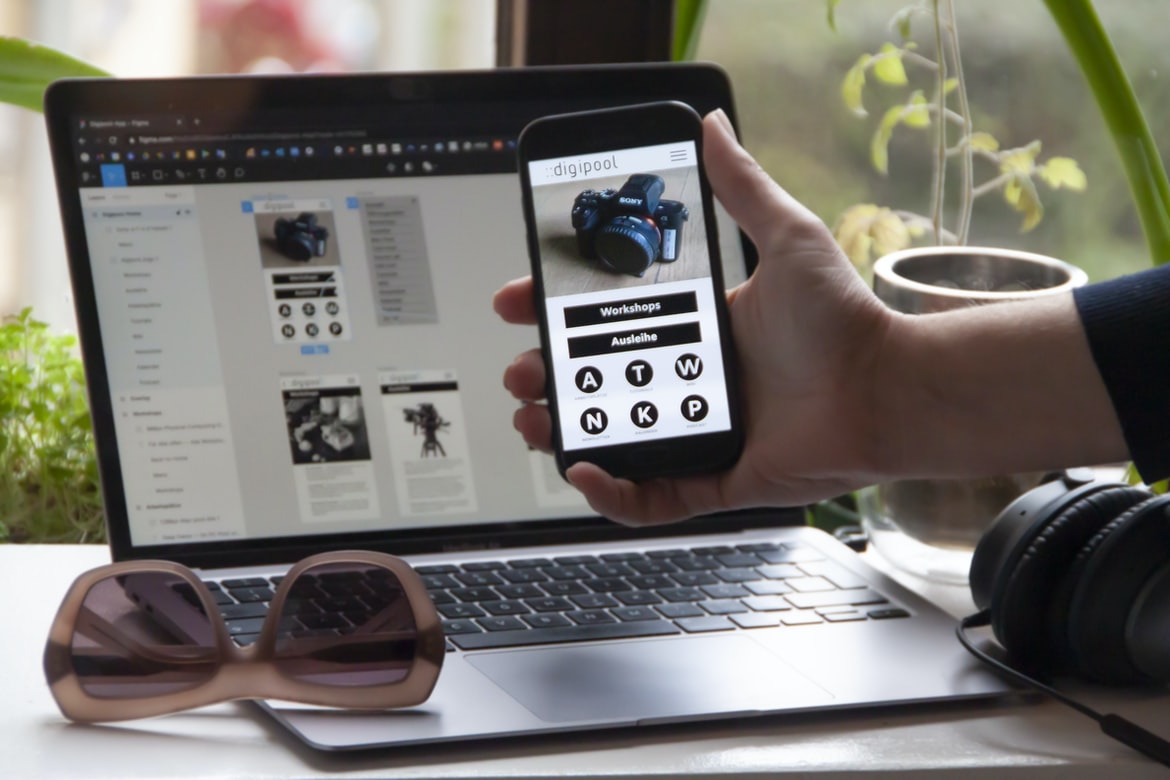
Explore the Different Free App Development Platforms Available Online What is User Interface (UI)? How important is it for application development?
User interface (UI) is a term used in the design and development of applications. It refers to the graphical elements that a user sees when using an application. The main purpose of UI is to provide a seamless experience for the end user, so they can complete their tasks without interruption. Good UI design can make an application easier to use, more efficient, and more engaging.
UI UX is critically important in the development of any application. Poor UX can lead to frustrated users who abandon an application prematurely, which can have negative consequences for both the company and the individual involved. A well-designed UI will make it easy for users to find what they are looking for, navigate through the interface efficiently, and find information that is relevant to them.
Overall, good UI design and good UX go hand-in-hand. They are two essential aspects of any successful application.
User interface (UI) is the design and layout of a graphical user interface, including the physical components of a computer system, such as displays, input devices, and buttons. The goal of good UI design is to make the task of using an application more efficient and convenient for the user. Good UI design can also help users feel confident in their use of an application.
While not as important as some other aspects of application development, good UI design can have a big impact on user satisfaction and adoption rates. Poorly designed applications can be difficult to use and can lead users to abandon them prematurely. Good UI design can also make an application more visually appealing and inviting to users.
Overall, good UI design is essential for creating successful applications. It’s worth taking the time to ensure that every aspect of an application’s UI is well-designed so that users have a positive experience using it.
Building a Good UI: Tips for creating an effective user interface.
UI design is the process of creating a graphical interface for use by humans. In order to create an effective user interface, it is important to consider a number of factors, including the target user, the task at hand, and the available resources.
Target User: The target user should be considered when designing an application’s UI. For example, if the application is designed for children, the target user may be smaller in stature than an adult user. In addition, different users may have different browsing and interaction habits due to their age, experience level with computers or other software applications, or disability.
The task at Hand: The task at hand should also be considered when designing an application’s UI. For example, if the application is meant to order food from a restaurant, the task at hand might involve choosing a meal from a menu and filling out dietary information (e.g., dietary restrictions). Conversely, if the application is meant to manage finances or track one’s fitness progress, the task at hand might involve entering bank account information or tracking exercise data.
Available Resources: The available resources should also be considered when designing an application’s UI. For example, if the app is designed for users who are visually impaired and need assistance navigating through various tabs and menus, additional features that make navigation easier may need to be incorporated into the UI design.
If you’re looking to create an effective user interface for your application, there are a few key things to keep in mind. First and foremost, it’s important to consider the overall purpose of your application. If it’s primarily for providing information or serving as a tool for managing content, then you should focus on creating an easy-to-use interface that is both informative and stylish.
Another thing to keep in mind when designing your user interface is the target audience. Make sure that the elements you include are appropriate for the people who will be using your application – whether they’re experienced, users or first-time visitors. And finally, always make sure that your user interface is easy to navigate and use. People will be less likely to stick with an app if it’s difficult to use or navigate.
Designing the User Interface: How to effectively layout and design the user interface.
When designing a user interface for an application, it is important to take into account the goals of the application and the users who will be using it. In order to achieve these goals, a user interface must be effective and efficient.
To layout a user interface, it is important to consider how users will interact with the application. For example, if an application is designed to manage finances, users likely will want to be able to input their transactions quickly and easily. Thus, the user interface should include areas where transactions can be entered horizontally or vertically. Additionally, if an application is designed to help students study for exams, they may want access to different resources (such as flashcards) in one central location. In this case, the user interface should place these resources near the top of the screen so that they are easy to access.
Once a design for a user interface has been created, it is important to test it out with potential users. This can be done by asking them what they think of the current layout and whether or not they find any areas that are difficult or confusing to use. If necessary, changes can then be made to the design based on feedback from testers.
There is no one-size-fits-all answer when it comes to designing user interfaces, as the layout and design of a user interface can vary drastically depending on the type of application or website being created. However, there are some general principles that should always be adhered to when creating a user interface in order to ensure that the users of your application or website have a positive experience.
Layout:
The first step in designing a user interface is establishing its layout. The layout should be simple and easy to understand while still providing all the necessary information to the user. In most cases, this will mean dividing the screen into sections that are logically related to one another. Each section should also be designed with a specific purpose in mind – for example, the toolbar at the top of a website should be used for navigation purposes, while the main content area should be used for displaying information or data.
Another important consideration whenLayouting an interface is how users will interact with it. For example, if you’re designing a web application, it’s important to ensure that users can easily navigate between different pages by using menus and links scattered throughout the page. Conversely, if you’re creating a mobile app, it might make more sense to have all of your pages located on one screen instead of having them divided up into separate screens.
Testing &debugging the UI: Tips for testing and debugging the user interface.
There are many ways to test and debug the user interface of an application. Below are tips for testing and debugging the user interface based on your specific needs.
1. Use a dummy user account or a test environment to duplicate the actual users’ usage patterns. This will help you identify any issues with how users interact with your application.
2. Use various tools and techniques to monitor user activity and performance, such as web analytics or session recording tools. This will help you identify issues with how users interact with your application, as well as any potential bottlenecks in the system.
3. Use automated testing tools to simulate user interaction and check for errors. This will help you catch problems early and avoid long-term damage to your application’s overall usability.
What are some best practices for creating a good user interface?
There are a few key things that need to be considered when designing a user interface for an application. A well-thought-out and effective UI will help to increase engagement and productivity for users while also making the application more visually appealing.
One of the most important aspects to consider when designing a user interface is how it will be used. If the UI is only being used for viewing data or results, then it may not need to be as flashy or colourful as if the application were used for other activities, such as entering information or making requests. In these cases, it is important to keep in mind the target audience and what features they are likely to use most often.
Another important factor to consider is how users will interact with the UI. For example, if a user needs to make a request for the application, it would be helpful if they could see all of their options right away instead of having to search through numerous menu options. Additionally, if there are multiple ways that a request can be made, it may be helpful to display them all together so that users can easily choose which one works best for them.
Finally, it is important to think about how users will feel when using the UI. For example, if a certain section of the UI is difficult or inconvenient to use, users may become frustrated and stop using the application altogether.
Application Building
When starting a new application, one of the most important tasks is to build the user interface and make sure it is intuitive and easy to use. This process can be time-consuming and frustrating if done incorrectly. It is also important to consider the user experience when designing the interface, as users will be using it every day. Some factors to consider when designing an application include the following:
Layout: The layout of the interface should be simple and straightforward. Too many buttons or icons on the screen can be confusing and take up too much space.
Design: Use colours that are easy on the eyes, fonts that are legible, and graphics that are appealing. Make sure all elements of the design work together harmoniously to create a cohesive look and feel for your application.
Functionality: The functionality of an application must be easy to access and use. Navigation should be logical and organized, with labels describing each step, so users know where they are going.
Adobe XD: Building Apps Without Coding Knowledge
Adobe XD is a powerful app development platform that allows users without coding knowledge to create apps. Adobe XD provides a drag-and-drop interface, which makes it easy for users to create and customize apps. Additionally, Adobe XD offers helpful tutorials that help users learn how to use the platform.
E-Commerce Platform
Choosing an eCommerce platform can be overwhelming. There are so many to choose from, and each one has its own set of features and benefits. It can be difficult to decide which one is right for your business. In this article, we’ll discuss some of the key factors to consider when choosing an eCommerce platform and provide a few recommendations based on our experience working with clients in the industry.
When choosing an eCommerce platform, it’s important to first understand your needs. Do you need a full-fledged eCommerce solution that allows you to create custom pages, products, and checkout processes? Or do you just need a place to store your products and manage orders? Depending on your needs, you may want to look into specific platforms like Shopify or Bigcommerce.
Another important factor to consider is the user interface (UI). Do you want an intuitive platform that makes it easy for customers to navigate through your store? Or do you prefer a more complex interface that provides plenty of customization options? Again, depending on your needs, different platforms may appeal to you more than others. Some popular options include WordPress and Magento.
Finally, it’s important to consider costs when selecting an eCommerce platform. Each platform has different pricing structures, so it’s important to compare them carefully before making a decision. Some of the most popular platforms include Shopify and Bigcommerce.
E-Commerce platforms are used by businesses to sell products and services online. They allow businesses to create a website, design their own sales pages and manage their inventory. Some of the most popular e-commerce platforms include Shopify, Magento and OpenCart.
Figma
Figma is a user interface design tool that has quickly become one of the most popular applications in the industry. Figma allows designers to create detailed designs and interactions for their applications, websites, and products with ease.
Figma was founded in 2013 by engineers from Google and Dropbox. Since then, it has amassed a large following due to its user-friendly interface and fast development process. The application is free to use for both individuals and businesses, making it an ideal choice for those looking to create high-quality user interfaces without spending a fortune.
Adobe XD
Adobe XD is a powerful design and application-building tool that gives users the ability to easily create, prototype, and test applications. With XD, you can quickly build prototypes or test applications without having to learn code. In addition, XD has a user interface that is easy to use and looks great on any device.
Design Mobile App
When building an application, the first step is understanding the user’s needs and what they are looking for. Once this is known, it is important to design an interface that is easy to navigate and looks good on different devices. The user experience (UX) of an application must be considered as well, from the initial splash screen to how information is presented on a page or screen.
Designing applications can be challenging, but with a little creativity and knowledge of users’ needs, the process can be fun and rewarding.
We all know that designing a good mobile app is not easy. But with the right tools and strategies, you can create a top-notch product that users will love. In this article, we’ll outline some of the key considerations when designing a mobile app, from user experience to design aesthetics.
User Experience: Making Users Feel at Home
It’s important to remember that users are not used to using mobile apps on their phones. They’re used to browsing the web and using traditional applications on desktop or laptop computers. That means you need to take special care when designing your app’s interface.
There are two main ways you can make a mobile app feel more like a native application: by mimicking the look and feel of an existing application or by building an entirely new interface from scratch. If you choose to mimic an existing application, be sure to research which ones are popular and match their design style as closely as possible. This will help your users feel more at home in your app and increase engagement overall.
If you decide to build an entirely new interface, keep in mind that users are likely unfamiliar with how mobile apps work. You’ll need to explain everything in plain language so users can understand how your app works without having TOO much information overload. And finally, make sure your user interface is aesthetically appealing, so people want to use it even if they don’t know what it does!
Graphic Design
The design of an application is critical in order to make it easy and efficient for the user to use. It’s important to consider the overall look and feel of the app as well as its functionality. Additionally, good design can help increase user engagement with your app.
When designing a UI, it’s important to consider how users will interact with the app. For example, will they be using a mouse or touchscreen? Will they be using a keyboard or a mouse-and-keyboard combo? Additionally, you should consider how users will navigate through the app. Will they be using tabs or buttons?
Finally, when designing a UX, it’s important to consider how users will find what they’re looking for within your app. Is navigation linear or branching? Are dropdowns present throughout the interface?
Designers and developers who build user interfaces or applications face two primary challenges: making sure the interface is easy to use and appealing to users and accommodating the specific needs of each individual application.
One way to make an interface more user-friendly is by using graphic design principles such as layout, typography, and colour. By carefully choosing which components to include on a screen and how they should be arranged, designers can make a complex process seem simple and organized. Additionally, good typography can help convey information quickly and accurately, while eye-catching colours can attract users’ attention.
User experience (UX) professionals focus on enhancing the overall experience of using an application or website. One way to do this is by considering the different ways people might use it—for example, by thinking about how people with different disabilities or levels of experience might interact with it. UX specialists also may take into account cultural factors when designing an interface or developing a website. For example, certain gestures or words used in some cultures may be misinterpreted if not designed carefully.
What is UI design?
UI design is the process of designing the look and feel of a computer user interface. It includes creating the graphics, layout, and overall appearance of a software application or website.
A good UI design can make a complex task seem effortless and help users interact with your software more easily. When done well, it can also improve user satisfaction and conversion rates.
There are many different aspects to consider when designing a UI, including navigation, fonts, colour schemes, and button designs. However, one of the most important factors is how well the entire interface flows together. Poorly designed interfaces can be frustrating to use and hard to navigate.
What is UX design?
User experience design, or “UX” for short, is a critical part of any application’s development. It ensures that the end-user experience is positive and intuitive and that the application functions as intended.
UX designers must have a strong understanding of both user behaviour and interface design. They need to be able to understand how users interact with the application, what challenges they face, and how best to address them.
Additionally, UX designers need to be familiar with different platforms and devices. They need to understand how users will access and use the application on different devices, whether those devices are desktop computers, laptops, smartphones or tablets.
Overall, UX designers work closely with developers in order to create an effective and pleasing user experience for all users of an application.
Visual Communication
Visual communication is an important aspect of user experience design. It can help users understand and interact with a system or application quickly and easily.
One way to improve visual communication is to use icons. Icons are small, easily recognizable images that can be used to represent different elements in an interface. For example, the icon for a file might be a folder, the icon for a button might be an arrow, and the icon for a menu item might be an open menu.
Another way to improve visual communication is to use colour. Colours can help users differentiate between different elements in an interface and can also indicate the status of an element (for example, blue means that an input field is currently empty).
Finally, it’s important to keep your user’s context in mind when designing your UI. For example, if your app is designed for users who are familiar with how computers work, you may want to avoid using complex interfaces that are unfamiliar to them. Instead, try to create interfaces that are easy enough for beginners to understand but complex enough so experienced users will find new features interesting and valuable.
A good user interface (UI) is key to a successful application. If a user cannot easily understand what the application is doing, they are likely to abandon it. The UX (user experience) of an application is just as important as the design of the UI. Poor UX can lead to unhappy users and even abandonment of an application.
One way to improve UX is to use visual communication. A good example of visual communication is using icons. Icons make it easy for users to understand what buttons or menus they need to click. They can also be used as cues for users when they are lost in the application.
Another way to improve UX is through layout design. Layout designers should consider how different screens will be used and how they will affect users’ tasks. For example, if an application has multiple windows open at once, the designer should consider how best to arrange them so that users can see all their open windows at once without having to scroll down or tab between them.
Visual Communication Vs Graphic Design
Visual communication is the process of creating effective images and graphics to convey a message. Visual designers use images, typography, and layout to create a visual hierarchy that communicates the content of a web page or application. Graphic designers are responsible for the creative design of all aspects of an application’s user interface (UI), including buttons, icons, menus, and labels.
While both visual communication and graphic design can be used in application development and design, they have different goals. visual communication is focused on conveying information effectively, while graphic design focuses on creating an aesthetically pleasing experience. For example, consider the following screenshot:
The main goal of this visualization is to provide a clear overview of the company’s products. The use of colours and symbols creates a visual hierarchy that makes it easy for users to understand the information presented. While visual communication can be used in any type of application, graphic design is most often used in web applications because they rely so heavily on visuals to communicate information.
Visual communication is the process of conveying information through images, whether it’s for printed materials or digital platforms. Graphic design, on the other hand, is the process of creating a visual presentation that can improve understanding and engagement with a message.
Both disciplines involve designing visuals that can be effective in communicating ideas and messages. However, there are key differences in how they approach this task. Visual communication typically relies on less formal and more illustrative styles, while graphic design uses more realistic renderings and sometimes employs typography to create an elegant look. Additionally, visual communication often uses images that people will frequently see, such as company logos or product shots. Graphic designers, on the other hand, may focus on creating pieces that are less visible to the general public but are still eye-catching and effective in conveying a message.
Application of Graphic Design: Adobe Photoshop, Adobe Illustrator, Adobe InDesign
There are many programs that can be used for graphic design, but some of the most popular ones are Adobe Photoshop, Adobe Illustrator, and Adobe InDesign. Each program has its own set of features and capabilities that make it perfect for different purposes. For example, Photoshop is great for editing photos and creating graphics for websites and brochures, while Adobe InDesign is ideal for creating books, logos, and other types of printed materials.
One of the main benefits of using these programs is their versatility. You can use them to create any type of graphic design project – from simple flyers to complex book covers – without having to learn a new skill or switch to a different program. Additionally, these programs have been consistently updated over the years with new features and bug fixes that make them more reliable and easier to use. If you’re looking to improve your graphical skills or build an extensive portfolio of work, using one of these programs is a great way to get started.
Graphic design has come a long way over the years, with many different software applications being used to create designs. Adobe Photoshop, Adobe Illustrator, and Adobe InDesign are all popular applications used for graphic design. Each application has its own strengths and weaknesses, but they are all widely used in the industry.
Adobe Photoshop is the most popular application for creating graphics. It is widely used for creating logos, flyers, and other simple designs. Adobe Illustrator is a more powerful application than Photoshop, but it is less common in the industry. It is best used for complex illustrations and graphics that need to look realistic. Adobe InDesign is a recent addition to the graphic design software market. It is similar to Illustrator in terms of capabilities, but it is better suited for creating layouts and vector graphics.
Graphic design is a process that uses graphics, images and symbols to create a composition or design for a product, publication or another type of communication. Graphic designers create logos, identities, signs, illustrations and other visual elements for products and companies. In addition to creating graphical designs, graphic designers may be asked to create user interfaces (UI) for computer software and hardware products. UI design is especially important in web and app development as it can greatly influence the overall user experience.
Figma, Adobe XD, WordPress, Elementor.
There’s a lot of different software available when it comes to application development and design, but which one is the best for you? Figma, Adobe XD, WordPress, or Elementor?
Figma is a free and open-source application that allows users to create mockups and prototypes for their applications. Adobe XD is a paid application that offers more features than Figma, but it’s also more expensive. WordPress is an open-source platform that can be used to create websites and applications. Finally, Elementor is an app that allows users to create UI designs for websites and applications. Which one is the best for you depends on your needs and preferences.
Which Application Development Platform Should You Use?
There are a number of application development platforms (ADP) available on the market today, each with its own unique set of features and advantages. However, when choosing an ADP, it’s important to consider both the platform’s capabilities and your specific needs.
One popular ADP in Figma. Figma is a versatile platform that can be used for a variety of application development tasks, such as designing user interfaces (UI) and wireframes, creating prototypes, and building full applications. Additionally, Figma offers excellent UX design tools that make it easy to create intuitive user interfaces.
Adobe XD is another well-known ADP that provides powerful features for application development tasks such as prototyping, design collaboration, code generation, performance optimization, and more. Adobe XD also offers excellent UX design capabilities that make it easy to create realistic user interfaces.
WordPress is another popular ADP that offers an easy-to-use platform for creating online applications. WordPress also has excellent built-in SEO capabilities that make it ideal for creating websites or online applications that will rank high in search engines.
Finally, Elementor is a powerful drag & drop interface builder that can be used to create complex UIs quickly and easily. Elementor also offers extensive UX design capabilities that allow you to create user interfaces that are both visually appealing and intuitive to use.









