

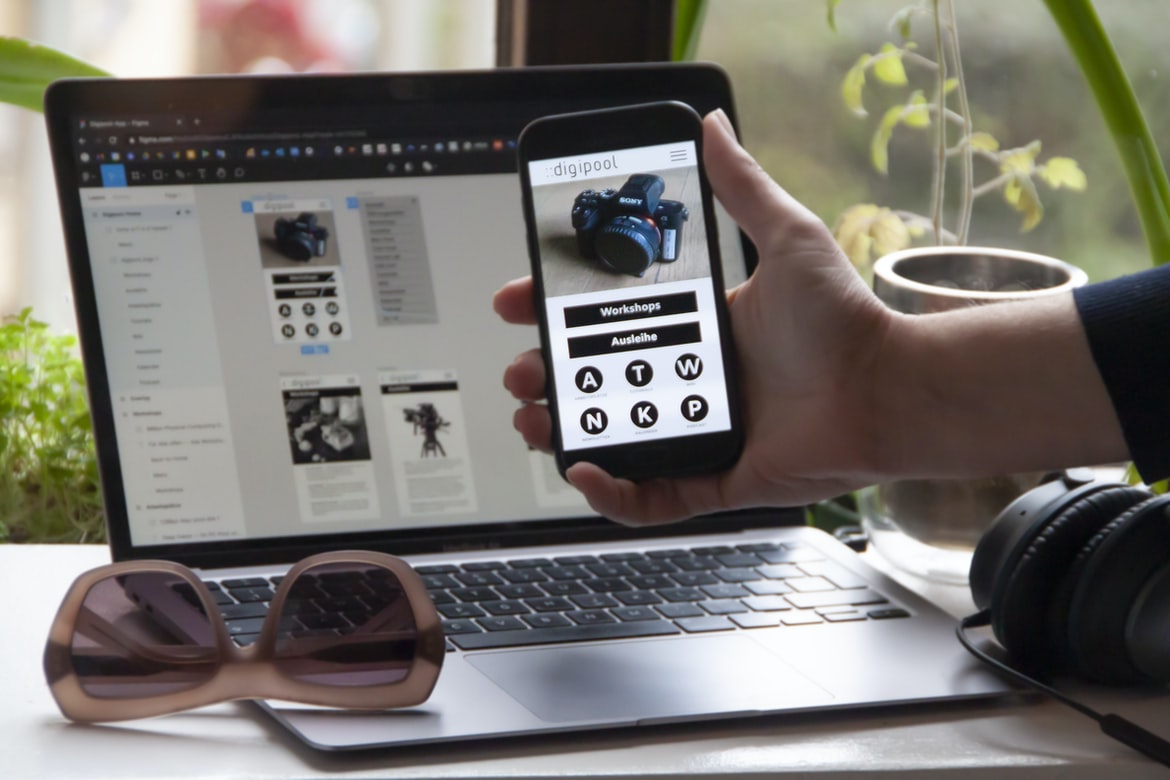
Create A Free App – What is a user interface, and why is it important?
User interfaces are the graphical elements of an application that allow users to interact with the software. They serve as a way for the user to navigate and find their way around the application. The design and layout of user interfaces can impact how users feel about using the application and can even affect their productivity. User interfaces also play an important role in conveying information to users. When done correctly, user interfaces can make an application easy to use and efficient to use. A user interface (UI) is the physical or logical design of a system that allows a person to interact with it. It includes the look and feel of the system, its buttons, icons, and menus, as well as how these elements are organized. A well-designed UI can make using a system easy and enjoyable, while a poorly designed UI can be frustrating and difficult to use.
A good UI should be intuitive and easy to use without requiring too much guesswork or guesswork on the part of the user. It should also be responsive to the user’s changes in input (for example, if they double-click an item in a list) so that the system behaves as expected. In addition, a good UI should look good and feel professional regardless of what device it’s being used on (PC, phone, tablet).
While a well-designed UI is important for any application, it’s especially important for mobile apps. Mobile users tend to spend more time using apps than desktop users do, so it’s important for mobile apps to be easy to use and pleasant to look at. Poorly designed mobile UIs can lead users to abandon an app quickly instead of sticking with it long enough to see whether it becomes useful. User interfaces are an important part of any application. They allow users to interact with the application in a way that makes sense and is easy to understand. A well-designed user interface will make it easy for users to find what they are looking for, and it will be visually appealing. User interfaces can also help users learn how to use the application quickly.
What are the different types of user interfaces?
There are many different types of user interfaces. A few popular ones are:
-Text-based: This is the simplest type of UI, where all the information is displayed in one or more lines of text.
-Graphical: This type of UI uses images, icons, and other graphical elements to represent information.
-Flat: A flat UI doesn’t use any fancy graphics or designs; it’s just a simple list of items.
-3D: 3D UIs use visual effects to give the user a more immersive experience.
How do you create a good user interface?
The user interface (UI) is the visible part of an application that a user sees and interacts with. It encompasses all the elements on an application’s screen, from buttons and menus to text fields and images. The UI should be easy to use and understand, with clear instructions for completing tasks.
Good UI design involves careful consideration of both the user’s needs and the features of the application. Users need to be able to find what they are looking for quickly without having to search through multiple screens. Navigation should be simple and straightforward, so users can move around the application quickly. Images and text should be size-appropriate and easy to read.
User interface design also requires attention to detail. All elements of the UI must function as planned, from small items such as labels on buttons to larger components like entire screens. Mistakes in design can make an application difficult or even impossible to use.
Are there any best practices for creating user interfaces?
When designing or building a user interface (UI), it is important to consider how users will interact with the interface. There are many different best practices for creating user interfaces, but some general tips include the following:
-Make sure your UI is easy to use and understand. Make sure all elements of the UI are self-explanatory and that users can easily find what they need.
-Create a consistent design throughout your UI. This will make it easier for users to understand and navigate.
-Keep in mind the target audience when designing your UI. Make sure the design is appropriate for the type of users that you are targeting. For example, if you are designing an application for children, make sure the design is colourful and playful rather than serious and professional.
Themes: What are the different types of themes available for user interface design?
There are many different types of themes available for user interface design. A theme might be used to change the look and feel of an application or to create a specific atmosphere. Some common themes include retro, modern, and minimalistic. It is important to choose a theme that will suit the overall aesthetic of the application and that will match the style of the user interface elements.
How do you choose the right theme for your project?
Theme selection is an essential part of any design project. This is especially true when it comes to applications and websites, as the overall user experience (UX) can be greatly improved by choosing the right theme. There are a number of factors to consider when selecting a theme, including the company’s branding and marketing goals, the target audience, and the overall design style.
Some general tips for choosing a theme include considering how you want your users to feel when they use your application or website. Do you want them to feel like they’re inside a specific product or brand? Or do you want them to feel like they’re on their own personal website? Once you have a basic understanding of your goals, it’s time to start exploring potential themes.
There are dozens of online theme directories that can help you find exactly the right match for your project. You can also search for specific typefaces, images, or icon sets that might be compatible with your desired look and feel. Ultimately, it’s important to get creative and experiment with different themes until you find something that truly matches your vision for the project.
Tips for creating effective user interfaces with themes.
User interfaces (UI) are the face of an application. They are the first thing users see and interact with, so it is essential that they be user-friendly and effective. There are a number of factors to consider when designing a UI, including the theme or style of the app, its target audience, and its functionality.
One common approach to designing user interfaces is to use a specific theme or style. This can help to create a cohesive look and feel for the app, as well as make it more appealing to certain target audiences. For example, apps designed for young adults may feature trendy graphics and colours, while apps designed for parents may focus on practicality and functionality.
Another important factor to consider when designing user interfaces is functionality. It is important that all aspects of an app work properly and smoothly together. If any elements are buggy or difficult to use, users will quickly lose interest in using the app.
Overall, effective user interface design requires thoughtfulness and consideration of both theme and functionality.
Navigation: How do you create effective navigation in user interfaces?
There are a few key elements to effective navigation in user interfaces. First, it is important to keep the overall design and layout of the interface consistent. This will help users navigate the application more easily and quickly.
Another key element is providing clear and concise labels for each button, control, or menu item. In addition, it is helpful to include descriptive text beneath each label that provides additional information about the item.
Finally, it is important to make sure all navigation links lead to relevant sections of the application. If a user clicks on a link that leads them outside of the application, they may become lost and have difficulty returning.
Tips for creating effective navigation in user interfaces.
Navigation can be a hard task to design well. It is important to consider the user’s needs and the functionality of your app while designing your navigation. Here are some tips for creating effective navigation in user interfaces:
1. Make sure all your buttons and links are labelled clearly. This will help users know what they need to do next.
2. Use descriptive titles for each section of your UI so users know what they’re looking at.
3. Make sure all your buttons lead to relevant pages or sections of the app. Don’t make users scroll through long lists of unrelated content just to get to where they need to go.
4. Include brief instructions or tips near each button or link so users know what to expect when clicking on it. This will help them navigate the app more easily and quickly.
5. Use colour coding or other visual cues to help users understand which buttons lead to which pages or sections of the app. This will make navigation more intuitive and easy for users, especially if you have a lot of different pages or sections in your app.
Elements of a Good Navigation System: What are they, and how can you make them work in your project?
Navigation can be a huge part of an application, and it is important to design it well if you want users to be able to find what they are looking for. There are many different elements that can go into a good navigation system, but here are some common ones:
1. A clear and concise hierarchy.
2. identifiable destinations/paths.
3. easy access to frequently-used features or functions.
4. context-sensitive help content (if needed).
5. smooth animation or visual transitions between pages or screens.
Typography:
A typeface can make or break the user experience of a website or application. Poorly chosen typefaces can result in an unpleasant and difficult-to-read interface, while well-chosen typefaces can create a polished and inviting experience. In addition to affecting readability, typefaces can also affect the overall look and feel of a site or application. For example, fonts that are popular among designers can give a site or application a luxurious or high-end appearance. Conversely, fonts that are used primarily for body text may be more practical and utilitarian in appearance.
There is no one right way to choose typefaces for your website or application, but there are some important factors to consider. First, you need to decide what kind of look you want your interface to have. Do you want it to be sleek and modern? Classic and traditional? Luxurious and high-end? Whatever style you choose, the typefaces you use should reflect that. Second, consider the audience your website or application is aimed at. Are you targeting general consumers who just want to browse around without getting too bogged down in details? Professional users, who need accurate data input? Children who will be using your site or application regularly? Each group may prefer different types of typography, so it’s important to think about who your target market is before choosing typefaces.
Finally, think about how the typefaces will be used on your website or application. When it comes to typography, the most important thing is to make sure your text looks good on all devices. This means using Typefaces that look good at small sizes and on large screens, as well as legible fonts when printing materials. Additionally, use typefaces that are versatile enough to be used in a variety of applications and projects.
Graphic Design
The design process for any application begins with the creation of a wireframe. A wireframe is a rough blueprint of an application, its layout, and the user interface. After the wireframe is created, it needs to be redesigned based on feedback from users. The final product of the design process is the application’s graphical interface or front end. Graphic designers are responsible for creating the overall look and feel of an application’s graphical interface. They may also be involved in designing the user interface (UI) and user experience (UX). Graphic design is the process of designing the layout, style, and appearance of a publication, whether it be a magazine, book, website or any other type of graphic presentation. Graphic designers work with many different types of media and must be knowledgeable in a variety of design software to produce professional results.
Some common skills for graphic designers include: creating layouts using grid systems; applying typography; composing images for use on websites or in print publications; understanding user behaviour and preferences; and troubleshooting printing issues. Additionally, graphic designers are often expected to have strong creative sensibilities, as well as knowledge of marketing and advertising principles.
Visual Communication
It is no secret that users are visual creatures. They use visuals to understand and interact with information. Whether it is understanding a diagram or looking at a picture of what you want, visuals are often the first tool that people use to comprehend information. User interface (UI) designers and developers must take this into account when creating their applications.
One way to do this is by using icons and other visuals to signal the user what they should do next. For example, if you have a menu item with three options, an icon might indicate which one the user should select. If the user clicks on an icon, they will then see a larger version of the icon with more detail so they can better understand what it represents. This also helps keep the design consistent across different screens or devices since all devices will have different icons and buttons.
Another way to help users understand what they are seeing is by using colour. Different colours can be used to represent different types of information, such as danger signals in a video game or warnings in an application’s interface. For example, when you enter your password into an application, the password field might be blue, while other fields might be red or green for extra emphasis. This way, users know not to enter their password into any other fields on the screen because those fields may contain sensitive information.
All of these small details add up over time and make for a more cohesive and understandable user experience overall. Visual communication is the process of conveying meaning through the use of images, graphics, and symbols. It can be used in both digital and traditional media. Visual communication can help communicate ideas more effectively, simplify complex processes, and increase user engagement.
Designers must consider visual communication when creating interfaces and user experiences. For example, interface elements such as icons, buttons, and menus should be easily recognizable and attractive to look at. Similarly, user experience design should consider how users will interact with the application’s visuals (e.g., how they will scroll or zoom).
Visual Communication Vs Graphic Design
Visual communication and graphic design are two very different disciplines. Visual communication is about creating a message that can be understood by the viewer without any accompanying text or graphics. Graphic design, on the other hand, is all about creating appealing and effective visual displays.
There are a lot of crossovers between the two disciplines, but each has its own set of strengths and weaknesses. For example, visual communication can be effective when there isn’t a lot of information to convey or when it’s important to keep the message simple. Graphic design, on the other hand, is better suited for conveying complex ideas and concepts.
Ultimately, it’s important to know which discipline will be best suited for what kind of project. If you’re not sure which route to take, it’s always helpful to consult with a professional who can help you choose the most effective approach.
Application of Graphic Design: Adobe Photoshop, Adobe Illustrator, Adobe InDesign
The graphic design process is often thought of as a solitary journey, with one designer working on a project by themselves. But in reality, the graphic design process is commonly applied in collaboration with other professionals, such as web developers and marketing specialists. This collaborative nature of the graphic design process can be seen in the way that different applications are used to create graphics. Adobe Photoshop, Adobe Illustrator and Adobe InDesign are some of the most commonly used programs for graphics creation. Each program has its own strengths and weaknesses, which can be put to use when creating graphics for various projects.
Adobe Photoshop is well-known for its ability to create detailed images and illustrations. It is also commonly used to create logos and other marketing materials. Adobe Illustrator is better suited for creating vector illustrations and illustrations that can be scaled up or down without losing quality. It is also good for creating layouts and wireframes for websites. Adobe InDesign is best known for its ability to create print advertisements and brochures, but it can also be used to create logos, menus and other graphical elements.
Each program has its own quirks that need to be taken into account when creating graphics for a project. For example, Adobe Photoshop requires more time than other programs to complete a project due to its complexity. However, because of its versatility, Adobe Photoshop can often be used to create graphics that look great, no matter how complex they may appear initially.
Figma, Adobe XD, WordPress, Elementor.
There are so many popular UI design platforms out there it can be hard to decide which one to choose. In this blog post, we will be looking at three of the most popular ones- Figma, Adobe XD, and WordPress.
Figma is a user interface design platform created by way of a collaboration between Facebook and Google. It has an intuitive drag-and-drop interface allowing for the quick and easy creation of user interfaces. Additionally, Figma allows for the import of other design tools, such as Photoshop or Sketch. However, one downside to Figma is that it can be challenging to learn for first-time users. Adobe XD is another user interface design platform created by Adobe Systems Incorporated. It has a more sophisticated look and feels than Figma and allows for more complex designs with features such as layer diagrams. Another downside of Adobe XD is that it can be more expensive than some of the other platforms we’ve looked at; however, its robust feature set may make it worth the investment in the long run. WordPress is perhaps the most well-known website-building platform in the world; moreover, it also boasts strong user interface design capabilities thanks to its custom-built “Theme Customizer” plugin. With WordPress, you can build any kind of website you could dream of; moreover, its simple and straightforward admin panel makes setting up your website a breeze.
Where can a visual communication specialist work?
A visual communication specialist can work in a variety of industries, such as advertising, product design, and web development. Some Visual Communication Specialists may specialize in only one area, while others may have a broader focus.
Some employers that may employ Visual Communication Specialists include Google, Apple, Facebook, and Twitter.
What is the difference between a graphic designer and a visual communication specialist?
There is a big difference between a graphic designer and a visual communication specialist. A graphic designer creates designs for printed materials, such as brochures and advertising. They also may create images to be used on websites or in print materials. Visual communication specialists design interfaces and user experiences for software applications, websites, or mobile apps. They might focus on how a user interacts with an application or website, or they might design graphics that convey information effectively. Graphic designers create graphics for products or websites. They design logos, buttons, and other visual elements to make a product look good. Visual communication specialists create designs that help people communicate ideas. They might create designs for online surveys, web pages, or presentations.
What are some of the benefits of working as a visual communicator?
Visual communicators have the unique ability to connect with people on an emotional level by creating compelling visuals. This can lead to increased sales, more positive customer reviews, and a better reputation when it comes to customer service. Additionally, visual communicators build powerful relationships by being able to see the world through their customers’ eyes. This makes it easier for them to understand their needs and create solutions that meet those needs. Finally, visual communicators are highly adaptable and can quickly learn new techniques in order to keep up with changing trends. This makes them valuable assets in any company because they can help bring new life and energy to stagnant departments.
What is the role of a visual communicator?
Visual communicators are responsible for creating and delivering effective visual communication across a variety of platforms. From designing applications to crafting user interfaces, these professionals must be skilled in both technical and design disciplines. Visual communicators must possess strategic thinking skills, as well as the ability to work collaboratively with team members in order to create a cohesive brand or product. A visual communicator is someone who can communicate ideas and messages through visuals. They may be responsible for developing user interfaces or creating attractive graphics for a company’s website or applications. A visual communicator must have strong design skills, as well as the ability to think critically about how their work will impact the users of their products.
What are the most common tasks of a visual communicator?
Visual communicators are responsible for creating and communicating ideas through images and design. Common tasks of a visual communicator include creating user interfaces, designing logos, and creating marketing materials. In order to be successful as a visual communicator, it is important to have an understanding of both application development and design. Additionally, it is helpful to have experience working with users in order to better understand their needs.









