How to create a spotlight - Adobe Photoshop Tutorial Are you tired of your photos blending into the background? Want to learn how to make your...
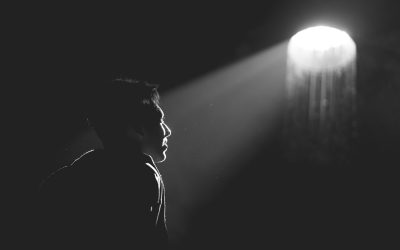


How to create a spotlight - Adobe Photoshop Tutorial Are you tired of your photos blending into the background? Want to learn how to make your...

How to create dreamy and soft effect - Adobe Photoshop tutorial Have you ever looked at a photo and wished it had a dreamy and soft effect? Well,...

Inflate anything with Adobe Illustrator tutorial Are you ready to take your artwork to new dimensions? With the Adobe Illustrator tutorial, Inflate...

Modern and Simple 3D Logo - Adobe Illustrator Tutorial Are you tired of your logo looking outdated and lacklustre? Do you want to create a modern...
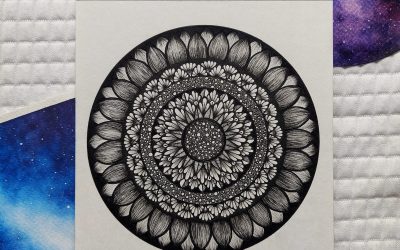
Modern Mandala Idea - Adobe Illustrator Tutorial Have you ever been captivated by the intricate patterns and mesmerising symmetry of mandalas? If...

Remove background with ONE click - Adobe Photoshop Tutorial Do you ever find yourself struggling to remove the background from an image? Well, your...
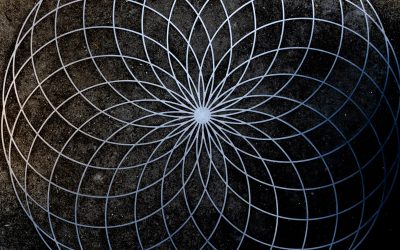
Spirograph Design - Adobe Illustrator Tutorial Are you tired of the same old geometric designs? Do you want to create intricate and mesmerising...

Optical Illusion Logo - Adobe Illustrator Tutorial Are you tired of seeing the same old logos? Do you want to create a logo that stands out and...

Modern Star Logo - Adobe Illustrator Tutorial Are you tired of using generic logos for your brand? Are you looking to create a modern and...

Using Gaussian Blur Like a Pro with Adobe Illustrator Are you tired of your designs looking flat and lifeless? Are you ready to take your...

Sunburst effect tutorial with Adobe Illustrator Do you want to add a touch of magic to your designs? Look no further than the sunburst effect in...

Removing background with fur tutorial with Adobe Photoshop Are you tired of spending hours trying to remove the background from your furry pet's...

Leaf Pattern Brush Tutorial With Adobe Illustrator Are you tired of using the same old brush patterns in your designs? Looking to add a touch of...

How to use replace colour like a pro with Adobe Photoshop tutorial Adobe is synonymous with creativity and innovation. Its suite of powerful design...

How to transform individual objects with Adobe Illustrator Have you ever looked at a plain, ordinary object and wished you could transform it into...
Cool logo idea tutorial with Adobe Illustrator Are you tired of having a generic logo that looks like it was designed in the Stone Age? Well, get...

Chain Pattern Brush Illustrator Tutorial Looking to add some creative flair to your illustrations? Well, look no further! In this step-by-step...

Chain Brush Photoshop Tutorial Are you tired of using the same old brushes in Photoshop? Looking for a way to add a unique and eye-catching element...
Straighten any layer with Adobe Photoshop Have you ever taken a photo only to realise later that it's slightly crooked? Don't worry, we've all been...
Upscale images without losing quality with Adobe Photoshop In the fast-paced digital era, where visuals play a crucial role in capturing attention...

Removing elements using generative fill with Adobe Photoshop In the world of digital image editing, Adobe Photoshop has long been hailed as the...
How to remove a background with fur from an image with Adobe Photoshop Have you ever tried to remove the background from an image with fur, only to...

How to fix soft blurry edges with Adobe Photoshop Have you ever taken a stunning photograph, only to find that the edges appear soft and blurry when...

How to expand a background with Adobe Photoshop Have you ever taken a stunning photograph, only to realise later that the background doesn't do...
How to crop an image into a circle with Adobe Photoshop In today's visual-centric world, image editing has become an essential skill for individuals...

Change hair colour with Adobe Photoshop Have you ever wondered what you would look like with a different hair colour? Whether you're curious to try...

Change anchor point location for rotation with Adobe Photoshop Have you ever wished that you could change the anchor point location for rotation in...

Radial blur effect with Adobe Photoshop Have you ever wondered how photographers achieve that stunning radial blur effect in their images? The one...

Turn anything into ice with Adobe Photoshop Have you ever wondered what it would be like to turn everyday objects into solid blocks of ice? With the...

Overlap effect with Adobe Photoshop In the world of digital art and graphic design, Adobe Photoshop stands as a powerful tool that never ceases to...
I’ve recently completed the Graphic Design course at Blue Sky Graphics with Jack as my tutor, and I couldn’t be happier with the experience. Jack is an outstanding tutor - professional, encouraging, and incredibly supportive. Over just seven months, he pushed me to achieve far more than I thought possible, and I now have a portfolio website I’m truly proud of.
Dragan was the best tutor ever, thoughtful, practical and patient. I learned so much and will definitely be looking into other courses. If you are considering learning more about Graphic design and attain great base for any of the future design aspirations, this is a very good first step.
I’ve recently finished a graphic design course with BlueSky with Kosh as my teacher. This was probably the best decision I could’ve made and has landed me my first role in the industry!was an amazing teacher, so thorough and patient! I will be looking into doing another course with BlueSky. Highly recommend!
Last year, I enrolled on the Graphic Design course with Han. Having never used Adobe he was super clear, thorough and patient with me as I progressed through the software. A great tutor and just who I needed at the time.
I finished the GD course feeling confident with my new set of skills aware of how much I had learnt from beginning to completion.
The Graphic Design course has been an amazing experience, and I’ve learned so many new things. I’ve especially gained confidence in using the software, learned how to work smarter, and developed a strong understanding of graphic design fundamentals.I had Jack as my tutor, and he’s been the best tutor I could ask for. Even when we were learning something new each lesson, we always had laughs.
Thank you, Jack!
Alexie 🙂
This was my first course at Blue Sky Graphics. My tutor was Dragan and he was great - extremely patient, relaxed but with a huge amount of knowledge and is able to explain things in a really practical and easy to understand way.
I would definitely recommend!
I took the Graphic Design course with Blue Sky Graphics to brush- and top-up my skills so that I could be more confident and eficient at my job. Best decision I made - I learned so much, and in such fun and relaxed way. I found every lesson with Jack super inspiring and always looked forward to the next class, knowing that I would learn something new, something cool!
The Blue Sky Graphic Design course was excellent. Better than I could have expected! One:one lessons meant the course was delivered at my pace and focused on my areas of interest. Dragan was an excellent tutor. Very patient and happy to explain things in a different way if I didn't understand. Always happy to repeat something I'd forgotten from a previous lesson.
Create a new career and make money. Are you ready to get your creative juices flowing?






