

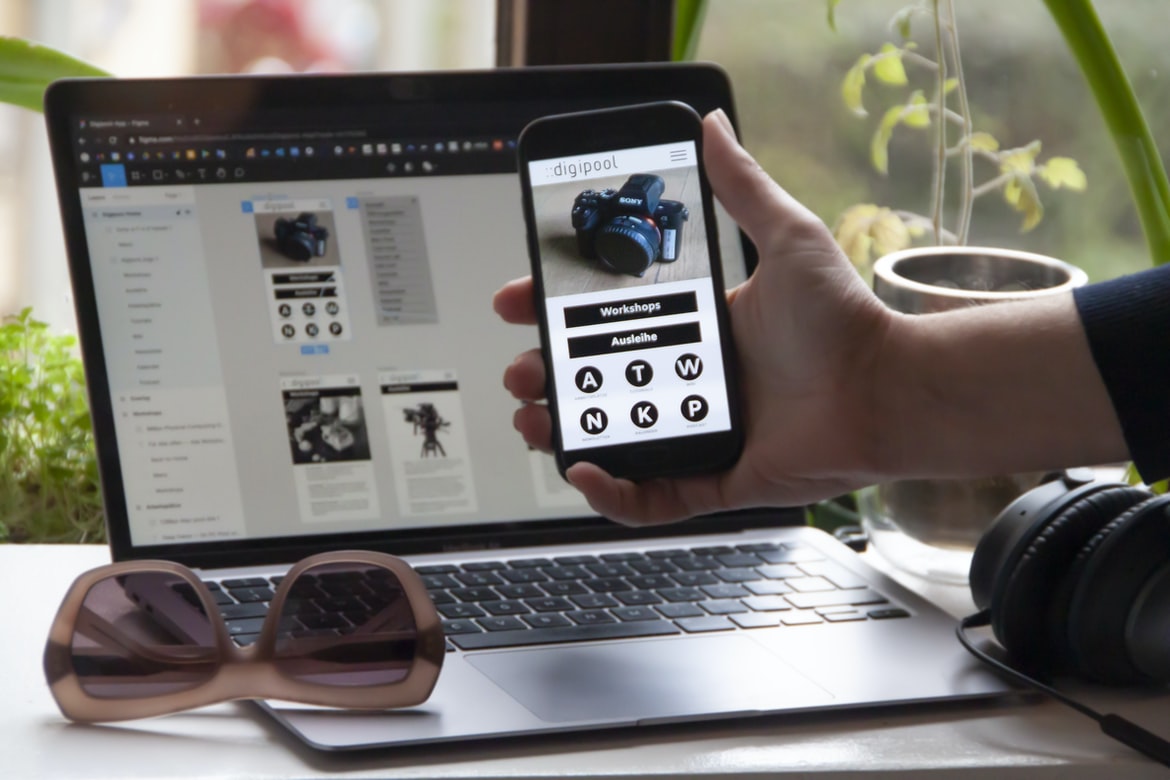
A Comprehensive Guide to Building Apps with Free Tutorials and Resources
User interfaces are the physical or logical layouts of a computer system. They can be as simple or complex as is necessary for the task at hand. User interfaces are often divided into two categories: graphical user interfaces (GUIs), which use pictures and common symbols to represent interactive elements, and text user interfaces (TUIs), which rely on text instead of icons. A GUI is typically more user-friendly, while a TUI is better suited for longer or more detailed tasks. However, both types of user interfaces have their advantages and disadvantages. A GUI may be easier for users to understand and navigate, but it may not be capable of handling complex tasks or requiring a lot of input. Conversely, a TUI may be more difficult to use but can deal with more complicated tasks quickly.
What is UI UX, and what are the key considerations in designing an interface?
UIUX (User Interface User Experience) is the design of a graphical interface in a digital product, such as an application or website. In order to create a truly user-friendly experience, UIUX designers must consider many factors, some of which include: the layout of the interface, the use of colour and contrast, how information is displayed, and how easy it is to navigate. Additionally, UIUX designers must take into account the target audience for the product, which can vary depending on the type of product.
Guidelines for User Interface Design: What should be included in a UI design?
Task-oriented user interface design guidelines are essential for creating an effective and efficient application. Here are some basics that should be included in any UI design:
-Layout should be simple and easy to understand.
-Inspectable elements should be logically grouped together.
-The layout of menus and toolbars should be consistent throughout the application.
-Navigation menus, toolbars, and other important buttons should have consistent labels and icons.
-Input fields should be large enough to accommodate most input but not too large or difficult to use.
-Text fields should support both basic and advanced formatting options.
-Images must be used sparingly if at all, to avoid overwhelming users with visual information.
How to Design Great UIs: Tips on creating intuitive, attractive user interfaces.
There are a few things you can do to help create intuitive, attractive user interfaces. One is to follow some guidelines for layout and typography. Another is to think about how your users will interact with your app. And finally, it’s always important to keep in mind the user’s goals and the goals of your app. Let’s take a look at each of these tips in more detail.
Layout and Typography: Follow Some Guidelines
When designing layouts, make sure that everything is easy to understand and access. Try to use large fonts that are legible from a distance, and space things out so that everything feels balanced. Additionally, make sure all elements are labelled clearly, so users know what they’re doing. When it comes to typography, use simple fonts that are easy on the eyes.
Examples of Good and Bad UIs: Case studies of good and bad user interfaces.
User interfaces come in all shapes and sizes, but what makes for a good one and what makes for a bad one? In this article, we’ll explore some good and bad user interfaces by looking at case studies.
The first example is a good UI design: the Amazon Kindle Fire tablet. The interface is easy to use, with an intuitive layout that allows you to quickly access your content. The lack of clutter on the screen also helps make it easy to focus on what you’re doing.
The iPad’s interface, on the other hand, is less than perfect. The main problem is that it’s difficult to tell which apps are open and which ones are not. This can be frustrating if you want to switch between different apps or if you just want to browse through your content.
Why Convert Web App To Mobile App?
There are many reasons to convert a web app to a mobile app. In this article, we will look at some of the most common reasons and how to overcome them.
1. Speed
Conversion from a website to an app can be time-consuming and slow. To make it faster, it is important to keep all the content in the same place and design for touch screens first. This will help you cut down on development time by streamlining the process.
2. Functionality
A lot of websites are designed for desktop computers only, which doesn’t work well with mobile devices. When you convert your website to an app, you can ensure that it functions well on all devices, including phones, tablets, and laptops. This will give your users the best experience possible.
3. Ease of Use Whether you are designing an app for iOS or Android, it is important to design with ease in mind. This will give your users the best experience possible when downloading and using the app.
Designing an app is not a simple task, especially if you want to get it noticed.
E-Commerce Platform
E-commerce platforms are the backbone of today’s online businesses. They allow you to create an online store, sell products, and accept payments. These platforms provide a common interface that allows you to manage your inventory, track sales, and keep customers happy.
Choosing the right e-commerce platform is critical for success. Here are some factors to consider:
Interface: The e-commerce platform should be easy to use. You need to be able to add products, browse through your inventory, and make sales transactions quickly and easily.
Features: Make sure the e-commerce platform offers all the features you need to run your business successfully. For example, some platforms offer advanced search capabilities, tracking tools, and customer management features.
Cost: Don’t forget about the costs.
Figma
Figma is a web application design platform used to create user interfaces and prototypes. It provides an interface for users to create designs, collaborate with others, and export their work. Figma also has a library of templates that can be used to create designs.
Adobe XD
Adobe XD is a design software that allows users to create user interfaces and mockups. The software has been praised for its ease of use and the ability to create high-quality mockups. Adobe XD is available as a subscription service with monthly or yearly plans.
Design Mobile App
Designing a mobile app is not as easy as it may seem. There are different layouts to consider; different user interfaces to create, and different overall aesthetics that need to be implemented. It’s important to keep in mind that users of mobile apps are typically on the go, so they want an app that is quick and easy to use. Below are some tips for designing a successful mobile app.
When designing a mobile app, it’s important to consider its target audience. For example, if your app is designed for children, you’ll need to make sure that the interface is simple and easy to understand. You’ll also want to make sure all of the content is appropriate for a younger audience. Additionally, you’ll want to design your app specifically for mobile devices instead of making it look similar on both desktop and mobile devices.
Graphic Design
Graphic Design: A Brief History
The history of graphic design is one of creativity and innovation. It can be traced back to ancient civilizations, where symbols and signs were used to convey information. Over time, graphic designers have developed a wide range of skills and techniques to create effective visual communications.
Today, graphic design is widespread throughout the world. It can be found in industries such as business, advertising, and public relations. Graphic designers use a variety of tools and approaches to create effective visuals. They may use graphics software or templates to create designs quickly and efficiently. Alternatively, they may work with images scanned from physical objects or photographs.
Regardless of the approach taken, graphic designers must know how to craft effective visuals that communicate the message effectively. They must also have an understanding of typography and layout principles to ensure that their designs look good on various devices and platforms.
What is UI design?
Application design is the process of designing user interfaces for software applications. UI design is the process of creating a look and feels for an application’s user interface. UX design is the process of creating a user experience for an application’s user interface.
What is UX design?
UX design is the process of creating a user interface that is enjoyable to use. It encompasses everything from the design of the user interface itself to the way that the interface works with user behaviour. User experience (UX) is often seen as one of the most important aspects of any application or website, and it’s essential that designers focus on making sure that users have an enjoyable experience while using an application or website.
Visual Communication
When designing an application, it is important to consider the visual communication between users and the design. This includes everything from the user interface (UI) to the user experience (UX). In this article, we will explore how to create an effective UI and UX for your application.
First, you need to think about what kind of interface you want your users to use. Do you want them to be able to type in data, or do you want them to be able to use a drag-and-drop system? Once you have decided on an interface, you need to think about how you are going to display that information. Are you going to have separate screens for different parts of your application, or is everything going to be on one screen? Once you have decided on how your user will interact with your application, it is time to think about the user experience.
Visual Communication Vs Graphic Design
Visual communication, or the use of visuals to convey meaning and messages, is becoming increasingly important in both the business and design worlds. Graphic design, on the other hand, is the process of designing visual elements for publication. While these two fields share a lot in common, there are distinct differences that must be taken into account when creating a good visual design.
In general, visual communication is more about creating an enjoyable experience than it is about being technically successful. This means that designers should focus on creating an intuitive and visually appealing interface instead of constantly striving for perfection. Graphic designers, on the other hand, are often more concerned with achieving specific goals such as legibility or impact.
While these two fields share some similarities, they also have some key distinctions that should be considered when designing a project.
Application of Graphic Design: Adobe Photoshop, Adobe Illustrator, Adobe InDesign
Graphic design is an application that can be used to create a variety of designs, such as logos, website layouts, and illustrations. Graphic designers use Adobe Photoshop, Adobe Illustrator, and Adobe InDesign to create their designs. Graphic designers must have good graphic design skills in order to create successful designs. They need to be able to understand how images work together and are able to edit them properly in order to create a cohesive design. Additionally, they need to be familiar with typography and colour theory in order to make the best choices for their designs.
Figma, Adobe XD, WordPress, Elementor.
If you have been in the app design or user interface design business for any length of time, you have likely heard of Figma and Adobe XD. Figma is a software application designed for creating wireframes, mockups, and prototypes. Adobe XD is a video editing software that can be used to create 2D and 3D designs. WordPress is a content management system (CMS) that powers millions of websites around the world. Elementor is an automated design tool that allows users to create custom designs for webpages, apps, and more.
What Is A Prototype?
What is a prototype? A prototype is an early version of a product or service that helps to test the feasibility and potential usefulness of the idea. Prototypes are often used to explore different design options, determine how users will interact with the product, and identify any potential problems. They can also be used to generate feedback from users about the feasibility and usability of a proposed solution. In short, prototypes are essential tools for testing hypotheses and developing innovative ideas.
How can developers optimize the customer journey through their application’s interface?
Developers can optimize the customer journey through their application’s interface by creating a well-designed user interface (UI) and user experience (UX). The UI should be easy to use and navigate, while the UX should make the application easy to understand and use. Developers should also take into consideration how users will interact with their application, such as whether they will need assistance or want to move quickly through the process. By optimizing the customer journey, developers can ensure that their customers are satisfied with their experience and return to use their applications again.
What are the common mistakes to avoid when designing a UI/UX for an application?
Designing a user interface for an application can be a daunting task. However, there are some common mistakes to avoid if you want to create a user experience that is both easy to use and appealing. Here are tips to keep in mind:
1. Make the layout simple and easy to understand. Try to keep your design as straightforward as possible, with a few buttons and icons onscreen at once. This will make it easier for users to navigate and find what they need.
2. Use natural language when describing your UI elements. When users try to figure out how your interface works, they will often resort to using common words and phrases themselves. If you can include these kinds of descriptions in your user interface, it will help them understand everything at a glance.
3. Keep the focus on the task at hand.
How can UI/UX designs be tested to ensure optimal performance?
When it comes to application design, ensuring that the user experience is optimal is key. However, how can this be reliably achieved? A number of different methods can be used to test the user interface (UI) for performance, with varying levels of rigour.
Some quick and easy techniques include conducting user interviews and analyzing feedback surveys. More involved methods include performing A/B testing and usability testing. All of these methods have their own strengths and weaknesses, but together they provide a comprehensive picture of how users interact with the UI and what elements might need further refinement.
Ultimately, effective application design requires a combination of an approach tailored to the specific project at hand as well as empiricism – using various tests to measure results and improve upon them where necessary.
What tools and technologies are used in building application UI/UX designs
Some common tools and technologies used in the design of user interfaces for applications are sketchers, wireframing tools, and prototyping tools. In general, these tools can be used to create rough or detailed representations of the user interface, to test ideas and hypotheses about how the interface should work, or to experiment with different design concepts. Additionally, a graphical representation of data can be created through charts and graphs, which can help communicate complex information more effectively to users.
What is UI/UX design and how does it affect an application?
UI UX design is the process of creating a user interface that is effective and attractive. It can have a significant impact on the success of an application, as good UI design can make the difference between a usable and enjoyable experience for users and a frustrating one.
To create a successful UI, designers must take into account factors such as usability, appearance, and function. In addition to these basics, they must also consider how users will interact with the application and what features will make it more useful or appealing.
Good UI design can help make an application more user-friendly and engaging, leading to increased adoption and satisfaction among users.
How important is the user experience when designing applications?
Application design is one of the most important aspects of any software project. A well-designed application will provide a more enjoyable user experience, which can increase customer loyalty and lead to increased sales. User experience (UX) is critical in all stages of the software development process – from initial design to release. In this article, we’ll explore some of the basics of UX and how it affects application design.
User experience begins with understanding your users and their needs. You need to know what they want and how they want to use your product. Once you know that, you can start designing for them.
One key part of designing for users is paying attention to the user interface (UI). The UI should be easy to use and look good while also meeting the user’s needs.
How can I ensure users have a good experience when using my application?
There are a number of ways to ensure that users have a good experience when using your application. One way is to design your interface UX carefully to make sure that all the elements work together smoothly. Another is to make sure that your application is easy to use, even for inexperienced users. And finally, always make sure that your application is responsive so that it looks good on any device or screen size.
What are some of the most important principles for designing effective applications?
There are a few key principles to keep in mind when designing applications that will be effective and user-friendly. One of the most important is to think about the user’s needs first and foremost. This means understanding their tasks and goals, as well as the ways they interact with your application. It’s also important to create an intuitive interface that is easy to use, regardless of users’ skill levels. And finally, it’s crucial to maintain a consistent look and feel across all your applications so that users can easily find what they’re looking for. By following these principles, you can ensure that your users have a positive experience using your applications and that they are more likely to return again in the future.
What kind of feedback should I use to determine how successful my application’s UI/UX is?
In order to ensure that the user experience of an application is optimal, it is important to use feedback mechanisms to determine how users are interacting with the interface. There are a variety of different methods that can be used to collect feedback, and the type of feedback that is collected will depend on the type of application being designed. Some common types of feedback include surveys, interviews, focus groups, and usability tests.
Surveys are a popular way to collect feedback because they are easy to administer and can be completed quickly. Surveys can be administered through online forms or by mailing out questionnaires to a large number of respondents. Interviews are another popular method for collecting feedback because they allow users to share their thoughts in an informal setting. They can also be used to get more in-depth information about specific areas of the interface.
What tools are available to help me create a great UI/UX for my application?
UI UX is a critical part of the design process for any application. There are many different tools that can be used to help create a great user experience. Some common tools include wireframing tools, prototyping tools, and user testing tools. It is important to choose the right tool for the job and to use multiple methods to get a comprehensive view of the user experience.
Some popular user interface design tools include Axure RP, Balsamiq Mockups, and Sketch. Each has its own benefits and drawbacks. Axure RP is considered a high-fidelity prototyping tool, while Balsamiq Mockups is more suitable for rapid development and prototyping. The sketch is relatively new but has quickly become popular due to its simplicity and versatility.
User testing is an essential part of any UI UX project.
User testing is an essential part of any UI UX project. It helps to ensure that the user interface is easy to use and responds as expected. User testers can also help to identify problems with the design and make suggestions for improvement.
User testing can be done in a variety of ways, depending on the size and complexity of the project. In general, it’s best to use a mix of methods so that no one technique can give complete feedback. Some common techniques include interviews, focus groups, and user tests.
User testing is an important part of any UI UX project. It helps to ensure that the user interface is easy to use and responds as expected. User testers can also help to identify problems with the design and make suggestions for improvement. User testing is an essential part of any UI UX project. User testing helps to ensure that the end-user experience is positive and meets the expectations of the target audience. It can also help to identify areas in which further enhancements or changes may be necessary. UserTesting.com offers a variety of user testing services, including remote user testing, in-house user tests, and user feedback surveys.
Is there a difference between mobile and web applications when it comes to UI/UX design?
When it comes to user interface (UI) design, there is a lot of debate between those who think that mobile and web applications have different requirements and those who maintain that the principles behind good UI design are the same no matter what device or platform a user is using. The truth is that there is some crossover between the two types of applications, but there are also a number of unique considerations to take into account when designing for either type.
When designing a mobile application, it’s important to keep in mind that users will be interacting with the app on small screens. This means that buttons and other elements should be compact and easy to tap. In addition, app designers need to consider how users will interact with content onscreen – for example, by selecting items or filling in fields – and make sure all elements are organized logically. There is a lot of debate over whether there is a difference between mobile and web applications when it comes to UI UX design. Some people believe that the two types of applications should be designed with different principles in mind, while others feel that there is no real difference. The truth likely falls somewhere in the middle. However, regardless of whether there is a difference or not, good UI UX design will be important no matter what type of application you are creating.
What is the difference between UI and UX design?
There is a lot of debate around the difference between UI and UX design. From what perspective should the design be viewed? Should it be seen as a visual aspect or the interaction between the user and the system? There are many factors to consider when trying to answer this question, but at its heart, the two disciplines are about creating an effective and desirable experience for users.
UI design focuses on the visual presentation of an application. This includes everything from the look and feels of menus to how buttons are arranged on a screen.UX design, on the other hand, considers how users interact with an application. This includes things like how easy it is for them to find what they’re looking for and how efficiently they can complete tasks.
The two disciplines have overlapping areas, but there are also significant differences.
What are the principles of good UI/UX design?
Understanding the principles of good UI UX design will help you create a user interface that is easy to use and attractive. Here are key principles to keep in mind:
1. Simplicity is key. The fewer buttons, menus, and icons there are on your UI, the easier it will be for users to navigate.
2. Use clear and concise labels for your buttons and menus. This will help users understand what they need to do next without having to look at the text accompanying the buttons or menus.
3. Keep your layout simple and orderly. Avoid cluttered pages with too many different elements on them. Try to group related elements together so that users can more easily find what they’re looking for.
4. Use visual cues to assist users in their navigation. Use arrows, checkmarks, and other visual indicators to show where users should go next. 5. Design your UI for touch interfaces. There are a few key principles of good UI UX design. These include making the design easy to use, intuitive, and fast. Additionally, it is important to consider the user’s needs when designing a UI. By following these principles, users will be able to navigate and use your application with ease.
Users will be able to navigate and use your application with ease if you follow these principles.
1. Use a consistent layout across your application. This will help users find their way around quickly.
2. Keep your navigation simple. There is no need to clutter your application with too many buttons and menus.
3. Make sure all of the content on your pages is easy to see and understand. Clear font sizes, organized content, and bold headings are all helpful ways to achieve this goal.
4. Use colour sparingly, if at all. Too much colour can make it difficult for users to see what they’re looking for, especially on darker backgrounds or at night time.
5. Avoid using animations unless they’re absolutely necessary (and even then, consider using slower ones).









