

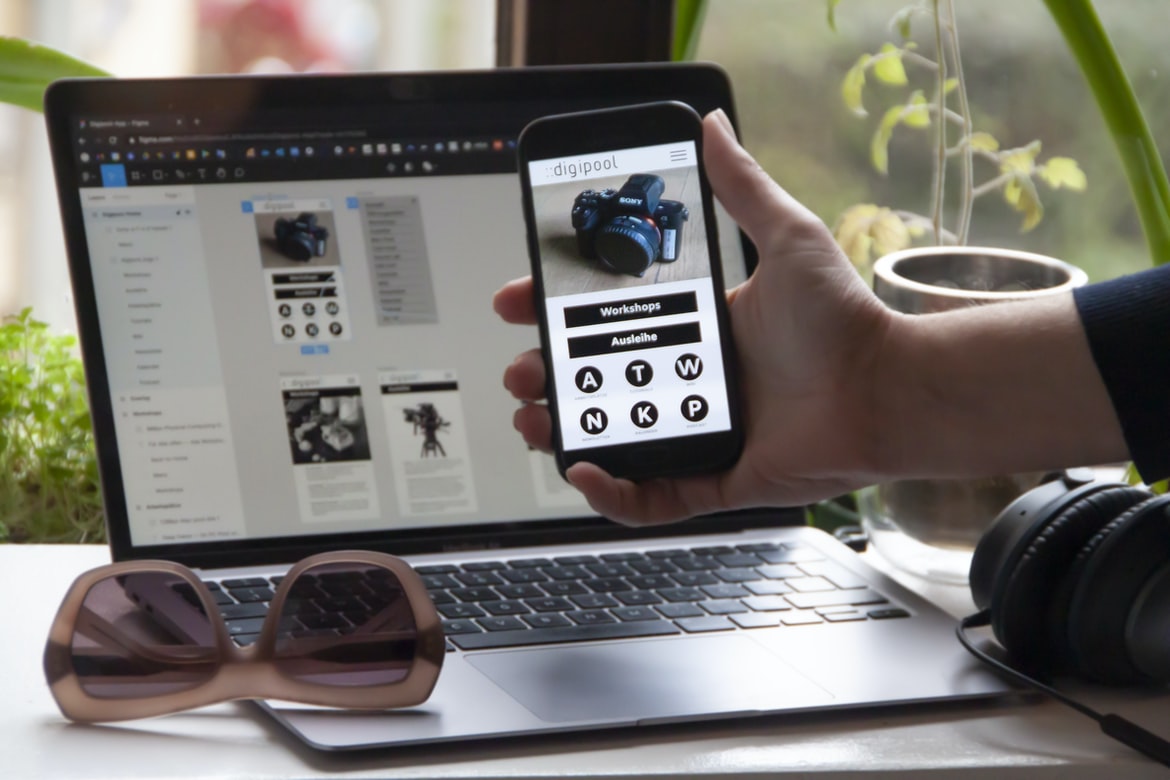
A Comprehensive Guide to Building Apps with Free Tutorials – A Step by Step Guide – User interfaces are the physical or logical layouts of a computer system. They can be as simple or complex as is necessary for the task at hand, but they must be user-friendly. The user interface (UI) of a computer system lets the user interact with the system in order to complete their tasks. A good UI ensures that the user can easily find what they are looking for and understands how to use the system. However, a poor UI can make it difficult for users to complete their tasks, so it is important that designers take into account both usability and accessibility when creating UIs.
What is UI UX?
UI UX is the design of the user interface elements in an application. This includes things like icons, buttons, menus, and windows. It can be difficult to create a good UI UX when creating an application, but it’s important to do so if you want users to be able to easily use your app. Good UI UX can make your app look more polished and professional and can help users achieve their goals faster. There are various methods to create a great user interface (UI) design. One popular way is to use user experience (UX) design principles. UX is the process of designing a product or service that meets the needs and wants of users. The main goals of UI UX are to make the interaction with the product easy and pleasant and to provide a good overall experience for the user.
The user experience should be a top priority for any application. If the user has a good overall experience, they are more likely to return and recommend your app to others. The following tips will help you create an application that is easy to use and gives the user a positive overall experience.
1. Keep all menus organized and concise. Don’t bury your users under too many choices or options. Make it easy for them to find what they are looking for, and make sure all menus are visually appealing and easy to navigate.
2. Use clear and concise labels when referring to controls and fields in your application. This will help users understand how the controls work without having to look at documentation or tutorials.
3. Design your applications so that users can easily find what they need without having to search through multiple screens or folders.
What are the keys to good UI UX?
There are a few things that need to be considered when building a good user interface (UI) for an application. The first is ensuring that the layout is logical and easy to understand. Second, it is important to provide clear and concise instructions for users. Finally, good UI UX should be visually appealing so that users feel comfortable using the application.
Some other factors that can affect UI UX include the use of typography, colour, and imagery. All of these elements should work together harmoniously to create a cohesive design. If any one element is out of place or too bright or dark, it can detract from the overall presentation.
All of these factors must be considered when designing a user interface, as they play an important role in creating a positive experience for users. By following these key guidelines, developers can create apps that are both easy to use and visually pleasing. There are a few things that every good UI UX designer must take into account when creating a user interface. Here are the top three keys to achieving great usability:
1. Make it easy to understand and use.
2. Use recognizable icons and buttons where possible so that users know where they are and what they can do.
3. Make sure all information is clear and concise so users don’t have to guess or search for it.
In order to create a user-friendly application, it is essential to take into account the design of the user interface (UI). A poorly designed UI can make an application difficult or even impossible to use.
Here are some tips for designing a user interface that is easy to use:
1. Keep your layout simple. Use fewer buttons and icons, and make your panels and windows as visible as possible. This will make it easier for users to find what they’re looking for and navigate around the application.
2. Make sure all information is clearly displayed. If you need to include text or other information in a panel or window, make sure it’s easily visible and legible. Use large fonts, bold colours, and clear borders to make sure everything is easy to see.
3. Keep the overall look professional but sleek.
How can you improve your UI UX?
There are many ways to improve your user interface (UI) UX. Here are tips:
1. Use feedback loops. Let users know what they’re doing and how their choices affect the outcome. This helps them make informed decisions and ensures that their inputs are being processed effectively.
2. Keep things simple. Don’t overcomplicate things or present too many options at once. This can be difficult to do, but it’s key to making sure users understand what they’re doing and have a good time using your app.
3. Use icons wisely. Icons can be a powerful way to communicate information, so use them wisely! Make sure they’re understandable and consistent across your app and use them in a way that supports user flow rather than distracting them from it.
4. Make sure your design is mobile-friendly from the start.
Most people assume that a website or application design is complete once it’s been created in a desktop environment. But if your business depends on customers using mobile devices to interact with your site or application, you need to make sure your design is mobile-friendly from the start.
Your users will be quick to notice any inconsistencies or poor design choices in a mobile-friendly layout, and they will quickly lose interest in using your product. So how do you build a mobile-friendly site or application? It s not as complicated as you might think.
The best way to start is by understanding why your website or application isn’t already mobile-friendly.
There are several reasons why your website or application might not be mobile-friendly. Perhaps you’ve never considered making your site or application mobile-friendly, or you’re not sure how to go about it. In this article, we’ll discuss some tips on how to improve your website’s or application’s mobile usability without a lot of extra work.
First and foremost, think about what makes a good mobile experience. For many people, responsiveness is key – the site should feel as though it’s literally jumping out of the screen when you touch it. Other factors to consider may include ensuring that all buttons and icons are big enough to see clearly, avoiding pop-ups and ads that are difficult to dismiss, and providing navigation menus that are easy to understand and use.
Once you’ve determined what makes for a great mobile experience, it’s time to start implementing those features.
How much does user experience impact application design?
User experience is one of the most important aspects of application design. It can make or break an application, and it’s something that should be taken into consideration from the very beginning. In order to create a good user experience, you need to take into account a number of factors, including how users will interact with your application, what features are available to them, and how easy it is for them to find what they’re looking for. Designers must also think about how users will perceive the overall look and feel of their applications.
User experience is incredibly important, and it should be taken into consideration from the very beginning of any application design project. By considering all of these factors, you can create applications that are both easy to use and visually appealing. User experience is one of the most important factors when it comes to designing an application. In fact, a study by Nielsen found that user experience ranks above platform compatibility and other technical requirements as the key factor in customer loyalty. In order to ensure that an application’s UX is top-notch, it is important to consider both the user and the design process when building the UI.
According to Frog Design, one of the key elements of good user experience is creating “a coherent system that makes sense from beginning to end.” This means considering how users will interact with different parts of the application and making sure all elements work together seamlessly. It can be difficult to balance these concerns while also meeting deadlines, but with careful planning and execution, a well-designed UI can be achieved.
What are the different components of user experience?
The different components of user experience are:
1. Interface: the look and feel of the application, including how it is displayed on the screen.
2. Navigation: how users move around the application and find what they want.
3. Usability: making it easy for users to accomplish tasks and find the information they need.
4. Interaction: how well the application responds to user inputs and provides feedback.
5. Graphics: how well the application looks, from the menus to the visuals on the screen.
6. Sound: whether there are any sound effects or background music, and if so, how effective they are.
7. Performance: how smoothly the application runs and response to user input, both when first launched and in regular use. User experience (UX) is the interaction between a user and the application or site they are using. It includes the visual design, sound design, interface layout, usability testing and other factors that contribute to a positive user experience.
There are several different components to UX, including:
-Visual design: The look and feel of an application or site. This includes everything from how the text looks onscreen to how colours are chosen.
-Sound design: The sounds made by an application or site during user interactions, such as when a button is clicked.
-Interface layout: The way elements are arranged on an application or site. This can include things like which buttons are placed where, as well as the size and placement of icons and menus.
What are some common challenges in developing user interfaces?
The following are some common challenges in developing user interfaces:
-Creating a consistent and intuitive design across all screens and devices
-Figuring out how users will interact with the interface and creating feedback loops that ensure they are getting what they expect
-Balancing design aesthetics with functionality and usability
-Providing a good experience even when the user is offline or using a nonstandard browser
E-Commerce Platform
The e-commerce platform is a web application that helps businesses sell products and services online. These platforms make it easy for businesses to create a website, set up an order system and manage their sales and customer service. They often come with features like inventory management, shipping tracking, and customer reviews.
Some of the most popular e-commerce platforms include Shopify, Magento, and WordPress. Each has its own unique features and advantages, so it’s important to choose the one that’s best suited for your business. If you’re not sure which platform to choose, consult with a qualified e-commerce strategist. E-Commerce platforms are essential for online stores. They allow businesses to create an online presence and sell products and services. There are a few different e-commerce platforms available, but the most popular ones are Shopify and Magento. Both platforms offer a variety of features, such as an easy-to-use checkout process and the ability to create custom websites. E-Commerce platforms can be expensive to set up, but they offer great benefits for businesses that want to start or grow their online presence.
Figma
Figma is a user interface design program that has become increasingly popular in the past few years. It offers a variety of features that make it an excellent choice for creating user interfaces, such as drag and drop, vector drawings, and easy collaboration. Here are some of the reasons why Figma is a great choice for user interface design:
-It’s easy to use: Figma is simple to learn and use, making it perfect for both experienced designers and those who are just starting out. You can start creating very quickly with little prior experience.
-It has a wide range of features: Figma offers everything you need to create high-quality user interfaces. You can create layouts, graphics, buttons, menus, and more.
-It’s versatile: Figma is perfect for creating user interfaces for both web and mobile applications.
Adobe XD
Adobe XD is a powerful application development platform that allows you to build user interfaces quickly and easily. With XD, you can create prototypes and test them on real users before you even start coding. This makes it a great choice for building user interfaces for mobile apps, web applications, or any type of software.
XD’s drag-and-drop interface makes creating user interfaces easy. You can add elements by dragging and dropping them from the menus or the interface builder panel onto your canvas. You can also create buttons, labels, and other components using the built-in templates or by customizing existing ones.
Once you have created your interface, you can test it on a real device by clicking the “Play” button in the inspector panel. This allows you to see how your design looks on different devices and browsers. Adobe XD is a user interface design tool that gives designers the ability to create prototypes and wireframes. It offers a variety of features, such as drag-and-drop, timelines, storyboards, and more. Adobe XD is perfect for creating interfaces that are responsive and look good on both desktop and mobile devices.
Design Mobile App
Developing a mobile app can be a daunting task. Not only do you have to worry about the technical aspects of the app, but you also need to think about how it will look and feel when users first use it.
To make your development process as smooth as possible, consider utilizing user experience (UX) design principles when creating your app’s interface. By doing so, you’ll create an app that is both easy to use and aesthetically pleasing.
Here are four tips for designing mobile apps with UX in mind:
1. Keep things simple. Don’t overload users with excessive information or complex menus. Make sure all elements of the interface are clearly labelled and easy to understand.
2. Use positive reinforcement. When users perform actions on your app, give them feedback that reinforces their success rather than frustrates them.
Graphic Design
Graphic design has always been an essential part of user experience (UX). From the initial stages of a designer’s process to the final product, good graphic design can help users understand and interact with a system more easily. But what is graphic design, and how does it help improve user experience?
In short, graphic design is the process of designing visual communication for products or services. It can involve everything from creating logos and marketing materials to developing user interfaces (UI) and web pages. The goal is to create a cohesive look and feels that makes users feel comfortable and confident using a system or app.
There are many ways that graphic design can improve UX. One common method is by providing clear instructions and feedback menus. This helps users understand how to use a system quickly and easily without getting overwhelmed. The usage of graphic design in application building UX has become increasingly common. Graphic designers have a lot to offer when it comes to creating user interfaces and overall user experience (UX). In this article, we will explore some of the ways graphic designers can help with the creation of a good UX.
Graphic design can be used for a variety of things within an application. From logo design to button icons, graphic designers are experts at creating stunning visuals that engage users. By taking into account the user’s needs and preferences, graphic designers can create interfaces that are easy to use and look great on any device. Additionally, by understanding how users interact with applications, graphic designers can help improve the overall user experience.
By using graphics and layout techniques, graphic designers can make an application feel more professional and polished.
What is UI design?
UI design is the process of creating a user interface for a digital product or service. It encompasses the concepts of graphic design, user experience design, interaction design, and information architecture. A good UI will be easy to use, visually appealing, and effective in conveying the desired message to users. What is UI design? UI design is the process of creating and designing the user interface or graphical interface for a software application. User interfaces can be simple, such as a menu bar and toolbar, or they can be more complex, such as a dialogue box with multiple buttons. The goal of UI design is to make the user experience as positive as possible by making it easy to use the application and by providing an attractive and functional appearance.
What is UX design?
UX design is the process of designing an interface for a software or web application that meets the needs of its users. The goal of UX design is to create an experience that is easy to use, attractive, and satisfying.
UX design involves understanding the needs of your users and creating a user interface that meets those needs. You must consider everything from how users interact with the interface to how they find information.
There are many different types of UI designs, but all involve making sure your user has an enjoyable experience using your product. There are a number of tools and techniques you can use to achieve this, including usability testing, wireframing, and prototyping.
If you want to create an effective UX design, it’s important to have a good understanding of both user behaviour and user interaction.
Visual Communication
The visual design of an application can set the tone and atmosphere for the user experience. Poor visual design can lead to a negative user experience, which could result in lost customers or even worse. Here are some tips to help you create a good user interface visual design.
1. Keep your app’s visuals consistent across devices. This will make it easier for users to transition from one device to another and will make it look more cohesive overall.
2. Use different types of media to convey your message. Images, videos, and icons can work together to create a powerful message that’ll encourage users to take action or learn more about your product.
3. Make sure all elements of your interface are responsive so that they look good no matter what size device is being used or how it’s being viewed. This includes buttons, text fields, and other interactive elements.
Visual Communication Vs Graphic Design
Visual communication Vs graphic design is two different art forms that use different media to tell a story. Graphic designers create images and graphics to represent information, while visual communicators use visuals to communicate ideas. While both disciplines have their own strengths, graphic design is better equipped to create beautiful, elegant designs that can be easily reproduced. Visual communication, on the other hand, is more adept at communicating complex ideas and concepts through visually appealing images.
Application of Graphic Design: Adobe Photoshop, Adobe Illustrator, Adobe InDesign
Graphic design is an essential part of any modern web or app user interface. With a range of software to choose from, there is a graphic designer that best suits the needs of your project. Adobe Photoshop, Adobe Illustrator, and Adobe InDesign are all popular tools for creating graphics, each with its own strengths and weaknesses. Here’s a look at how each program can be used to help create user interfaces and UIs.
Adobe Photoshop is the most widely used editing software for photos and graphics, but it’s not well suited for designing interfaces or UIs. Its filters can be useful for adding effects like sepia or vintage tones to images, but they don’t offer many customization options beyond that.
Figma, Adobe XD, WordPress, Elementor.
In today’s digital age, designing user interfaces is a critical component of any application. But how do you go about creating the perfect user interface for your users? There are a number of different tools that can help you achieve this, and two of the most popular are Adobe XD and Figma. Adobe XD is used by designers to create high-quality vector illustrations, while Figma is used for creating wireframes and prototypes. WordPress also has a strong user interface design component, with plugins available to create custom designs or import from other sources. Elementor is a tool used to create web pages, but it can also be used to create user interfaces. If you want to build an application that will be successful in the future, then you need to consider all of these tools and use the one that best suits your needs. The market for software that helps designers create user interfaces has exploded in recent years, with no shortage of options for both professional and amateur users. Three of the most popular such programs are Adobe XD, Figma, and WordPress. In this article, we will compare and contrast these three applications, focusing on their features and how they can be used to create user interfaces.
What are some tips for improving user experience in applications?
Applications today are more interactive than ever before. This means that the user experience (UX) in these applications is critical for success. Here are some tips for improving UX in applications:
1. Make sure the application is easy to use and understand. The user should be able to find what they need and understand how to use the application quickly.
2. Use visual cues to help users navigate the application. Use icons, buttons, and other visual elements to make it easy for users to find what they’re looking for.
3. Keep the user interface simple and easy to read. Make sure all text is legible and organized logically. Avoid clutter and extraneous elements that can confuse or frustrate the user.
4. Respect the user’s time by keeping the interface quick and responsive. Improving user experience in applications can be a daunting task. However, there are some easy and common things that can be done to improve the overall user experience. The following are some tips for improving the user experience in your application:
1. Make sure the user interface is easy to use and understand. Simplify the layout and make buttons big enough so that users know what they do when they click them. Also, make sure all labels are visible without having to hover over them.
2. Keep users informed about what is happening in your application. Display important information at the top of the screen so that users don’t have to scroll down constantly. Also, keep active notifications turned on so that users know when something new has happened.
3. Use helpful icons and visuals throughout your application.









