

A Comprehensive Guide to Building Applications with Free Tutorials – Useful tips for building user interfaces
1. Keep your user interface simple.
One of the most common mistakes developers make when designing user interfaces is making them too complex. This can lead to users becoming overwhelmed and frustrated, which will obviously not help your cause. Keep things as simple as possible while still providing the necessary information for users to interact with your application effectively.
2. Use contrasting colours and fonts to improve visibility.
Another effective way to improve usability is by using contrasting colours and fonts on your user interface. This will make it easier for users to locate what they’re looking for, especially if their eyesight is limited or if they are using a device with low brightness levels. Additionally, using different colours and fonts can also create a more visually appealing design that will attract users in droves!
3. Make sure everything works as expected before releasing it to users.
Before you release any updates or new versions of your application, make sure that everything works as expected – this includes all the user interface elements as well as the underlying functionality of the application itself. If something goes wrong during testing, you won’t want to let down your customers – plus, fixing an issue early on often means that future updates will be less likely because there won’t be any unexpected complications involved!
A look at popular application development frameworks
Frameworks are tools that help developers create applications more easily. They provide a structure for code and allow for more organised development. A few popular frameworks include Ruby on Rails, ASP.NET MVC, and JavaFX.Frameworks can be helpful in different ways, depending on the project. For example, Ruby on Rails is often used for web development because of its flexibility and popularity. ASP.NET MVC is often used for larger projects because of its modularity and ability to scale. JavaFX is popular among developers who want to create rich user interfaces with ease.
Guidelines for designing user interfaces
When designing or building an application, it is important to think about the user interface. There are a number of guidelines that can help make the user interface more intuitive and efficient.
One guideline is to keep the user interface as simple as possible. This means making sure all elements are clearly labelled and easy to use. Additionally, make sure all buttons, menus and other elements are responsive, so they fit the screen size of any device used to view the application.
Another guideline is to focus on the task at hand. When users are looking for information or features in an application, they should be able to find them quickly and easily. Make sure all your content is well-organised and easy to navigate.
Finally, always make sure the user experience is positive. If users feel frustrated or confused while using your application, they will likely abandon it altogether.
What is UI UX?
UI UX is an umbrella term that refers to the overall design and looks of a user interface. It encompasses everything from how the buttons look and feel to the layout of the screen. It can be tricky to determine just what constitutes UI UX, but there are a few key factors that can often be overlooked. For example, consider how easy it is for users to understand what’s going on in the application. Is everything laid out logically and easily accessible? Is there enough feedback provided so that users know when they’re making progress? And finally, does the Design feature any aesthetically pleasing elements? If all of these factors are taken into account, then a good UI UX will likely be achieved.
User Interface Design Principles
Design principles are used to guide the design of user interfaces and other graphical elements in an application. A well-designed UI will be intuitive and easy to use while still providing the necessary functionality.
Some common design principles include:
Layout & Flow – The layout of a user interface should be logical and easy to understand. Elements should be arranged in a consistent manner, and buttons and other controls should be placed where they will be easily accessible.
Visual hierarchy – Elements in a user interface should be arranged in a hierarchal fashion, with the most important elements at the top of the screen. This helps users stay focused on the tasks at hand while minimising distractions.
Cursor placement & interaction – Cursor placement is important in order to optimise user input. When possible, cursor selection should occur automatically (as with mouse-over effects), avoiding unnecessary clicks. Additionally, cursor interactions (such as clicking) should be direct and efficient without causing any unnecessary delays or distractions.
The Aesthetic of UI UX
The user interface of an app is the first thing users see and interacts with, so it is essential that the UI be well-designed. Good design can make a big difference in how users perceive and use the app. The following are some tips for improving UI UX:
1. Use Clear and Consistent Messages.
When communicating with users, make sure your messages are clear and consistent. This will help users understand what they need to do and make the most efficient use of your app.
2. Make It Easy to Navigate.
Make it easy for users to navigate your app by designing it in a way that is intuitive and easy to use. Users should be able to find what they’re looking for quickly and easily.
3. Make It Feel Personalised.
It’s important for your app to feel personalised, even if it isn’t technically personalised. By making your app feel like a part of the user’s life, you can create an emotional connection that will encourage them to use your app more often.
Guidelines for Building an Effective User Interface
Designing a user interface (UI) is one of the most important aspects of building an effective application. UI design should be based on the customer’s needs and objectives rather than on the developer’s own preferences or aesthetics.
There are a number of principles that should be followed when designing an effective UI:
1. Make it easy to use. The interface should be simple and logical, and it should allow users to perform their tasks quickly and easily.
2. Arrange the elements in a logical manner. The UI should be organised so that users can access the information they need easily and without confusion.
3. Use simple, clear graphics and colour schemes. Graphics should be simple and legible, and colours should be used sparingly to avoid overwhelming users.
4. Avoid unnecessary clutter. The UI should contain only the information necessary for users to complete their tasks and no more than is necessary to achieve the desired results.
5. Use default settings where possible.
Figma
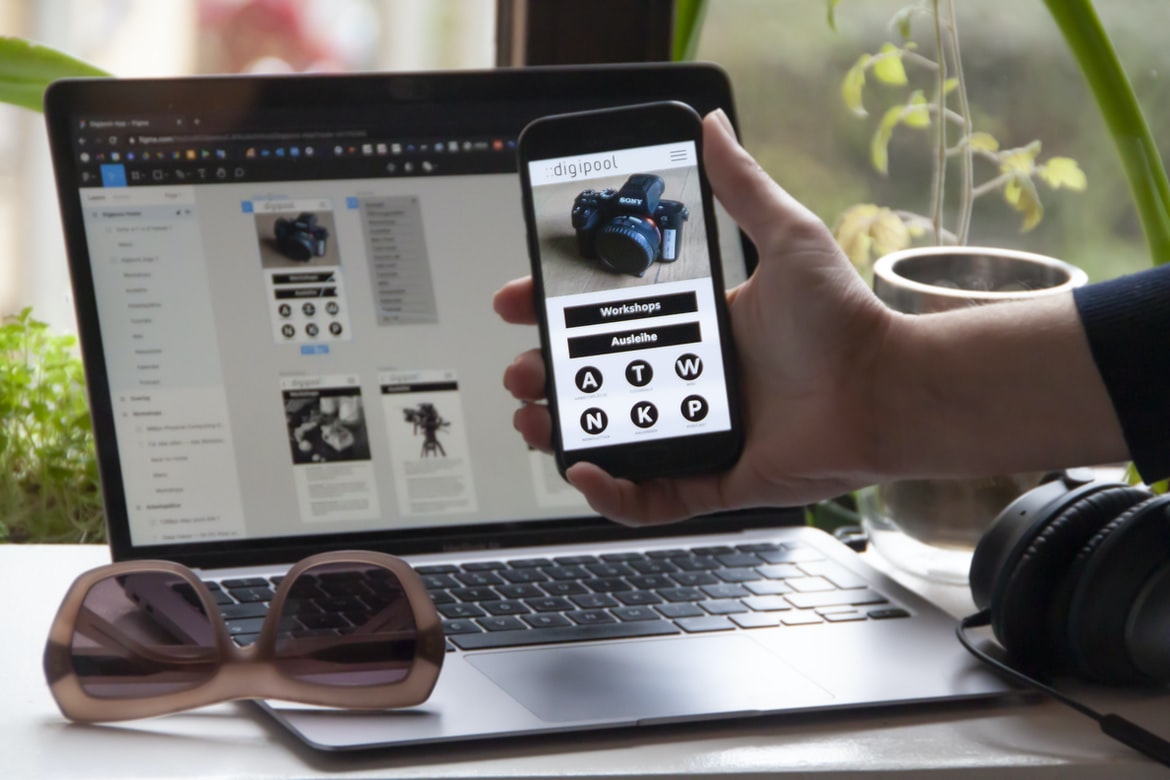
Figma is an app that helps you design user interfaces and UIs. It has a wide range of features, such as prototyping, collaboration, and versioning. It is free to use, and it has a large following among app designers.
Adobe XD
Adobe XD is software for application development, design and user experience. Adobe XD helps users build better applications faster and makes it easier to create intuitive and responsive designs. Adobe XD is integrated with the latest version of Adobe Creative Suite, so designers can work with all their existing files, tools and assets.
Design Mobile App
The application design process starts with understanding the customer’s needs and wants. Once the requirements are defined, it’s important to conceptualise how the app will function. After that, it’s time to build a prototype to test out the concept. Once everything is validated, it’s time to create a finalised design for the app. Lastly, it’s important to test and optimise the app for performance before releasing it to the public.
Graphic Design
The graphic design process can be broken down into several steps, each of which is important in order to create a successful finished product. The first step is to come up with an idea for the design. After that, it’s important to figure out what type of design will best suit the project at hand. Once that is determined, it’s necessary to create the layout and graphics for the document. The last step is to make sure everything looks good and fits together correctly, and finally, to finish up by adding any final touches or logos.
Graphic design is the creation of a visual representation of information, whether it be for advertising or for layout on a website. It requires skills in typography, illustration, photography, and web design to create appealing visuals that will engage users and help them understand the content. Graphic designers often work with clients to create concepts that reflect their brand and message, then take those concepts and turn them into a finalised product.
Graphic design is the process of creating a visual representation or communication for an intended audience. Graphic designers work with clients, often in the form of businesses, to create logos, packaging, website designs, and other visual materials.
The field of graphic design covers a broad range of activities, from conceptualising ideas to finished products. Many graphic designers specialise in one specific area, such as web development or logo design, but others may have more generalised skills that allow them to work across multiple disciplines.
While many graphic designers use computers to create their designs, there is no set standard for how a graphical design should be created. In fact, many times, the most creative and effective designs are created using traditional methods such as pen and paper or clay.
Graphic designers must have excellent problem-solving skills and be able to think outside the box in order to come up with unique solutions. They must also be skilled at communicating their ideas effectively through visuals.
What is UI design?
There are many different types of design, but all of them share the same goal: to make the user experience as enjoyable and efficient as possible. UI design is the process of creating the look and feel of an application or website. This includes everything from the layout of pages to the selection of colours and fonts.
UI designers must consider both the user’s needs and the constraints imposed by the device or platform on which the application will be displayed. They also need to take into account how users will interact with the application, whether through touch screens or keyboard and mouse inputs.
One common type of UI design is desktop applications. These are usually designed for use on personal computers, though they can also be found on mobile devices. Desktop applications typically consist of a window that users can open to display content or navigate around.
Web applications are another type of application that UI designers often have to concern themselves with. These applications are usually hosted on websites, and they allow users to access content from anywhere in the world. Web applications typically use a web browser as their windowing system, so they look and feel similar no matter what device a user is using to browse them.
User interface (UI) design has become increasingly important in recent years as more people have adopted smartphones and other mobile devices as their primary computing platforms. This is because mobile devices typically offer smaller screens than desktop computers do, which means that many web pages end up looking cramped and crowded when viewed on these devices.
What is UX design?
User experience (UX) Design is the process of designing a product or service with the goal of creating an enjoyable and satisfying user experience. It encompasses all aspects of the user’s interactions with a product, including how easy it is to find what you need, how well everything works, and whether users feel inspired to continue using the product.
Good UX design takes into account not just the features and functions of a product but also the way that those features and functions are used by users. For example, if a product has several menus with different options, good UX design would ensure that all menus are easy to understand and navigate, regardless of their size or location on the screen.
UX designers often work in collaboration with other departments within an organisation, such as marketing or engineering. The goal is always to create a product that meets users’ needs while also achieving business objectives.
User experience, or “UX” design, is the process of designing a user interface (UI) that is effective and appealing. A well-done UX design can help increase engagement with a product or service and make it easier for users to accomplish their goals.
UX designers must consider a variety of factors when designing a UI, including ease of use, clarity of instructions, and compatibility with devices and browsers. They may also focus on the visual appearance of a product or service, crafting user interfaces that are both visually appealing and functional.
While there is no one perfect way to design a user interface, paying close attention to the user’s needs will help ensure that their experience with your product or service is positive.
Visual Communication
User experience (UX) is a critical part of the application development process. Poor user interface design can lead to frustrating and potentially negative experiences for users, which can ultimately damage your business. In this article, we will discuss some tips for improving user interface design in your applications.
First and foremost, be sure that all elements of the user interface are easy to use and understand. Make sure menus are logically organised, and labels are concise. Additionally, keep in mind the target audience when designing your UI. Is it for casual users who just want to check out your application, or is it geared toward more experienced users who may need more complex features? Finally, make sure all elements of the UI reflect the brand and look/feel of your application. This will help foster a positive user experience and increase confidence in potential customers.
Visual communication is an important aspect of user experience design. By designing interfaces and user flows that are easy to understand and follow, you’ll make it easier for your users to get what they need from your application.
One way to improve visual communication is by using effective typography. In addition to conveying the message that you want to send, good typography can also help break up large blocks of text, making the page seem more organised and less overwhelming.
Another key element of good visual communication is colour. Not only can colour help set a mood but it can also be used to indicate important information or elements on a page. For example, red flags in a warning system or green dots in a directions grid could signify different levels of importance.
Finally, good visual communication includes clarity of purpose and function. If an element on a page is confusing or doesn’t perform the task that it was designed to do, users will likely reject it outright. By taking the time to consider all of these factors when creating your applications, you’ll not only create better user experiences but also produce visuals that are easier for people to understand and enjoy.
Visual Communication Vs Graphic Design
There is a growing trend in the design and branding world of separating visual communication, or what we commonly refer to as graphic design, from the user interface (UI) or user experience (UX). Visual communication is focused on creating appealing and functional graphical designs that can be used to tell a story. Graphic designers are often sought out for their expertise in creating layouts, fonts, textures, and illustrations that can help communicate a message. UI/UX designers work on the opposite side of the spectrum and focus on designing functional interfaces that are easy to use and look good. They may also take into account how users will interact with the design, such as how long it will take someone to find what they’re looking for or how easily they’ll be able to navigate around it.
While there is certainly overlap between these two disciplines, it’s important to remember that they have different goals. Visual communication is focused on creating appealing designs that can tell a story, while UI/UX design is focused on making an interface easy to use and look good. The two disciplines should be used together when possible in order to create truly effective designs.
Visual Communication and Graphic Design are two different but equally important fields of design. Visual communication is the process of creating effective images and graphics to communicate ideas, products, or messages. Graphic design is the process of creating visually appealing and effective designs for print, web, motion graphics, advertisements, etc. Both fields have their own strengths and weaknesses, but together they create an overall cohesive and effective application or website.
Application of Graphic Design: Adobe Photoshop, Adobe Illustrator, Adobe InDesign
Today’s discussion will focus on the various Adobe application design software, namely: Photoshop, Illustrator and InDesign. These programs are used to create graphics and user interfaces for digital applications.
Adobe Photoshop is the most commonly used program for graphic design. It is a photo-editing program that allows users to manipulate images with filters, adjustments and layers. It also has tools for cropping, resizing and texturing images.
Adobe Illustrator is a vector drawing program that allows users to create illustrations and logos using curves, lines and shapes. It has features for importing images, exporting files in different formats and creating layered designs.
InDesign is a page layout program that allows users to create publications such as brochures, flyers and website templates. It has features for creating pages with varying types of content (text, photos, graphics), as well as advanced typography options.
Figma, Adobe XD, WordPress, Elementor.
There are a lot of popular application building & design frameworks out there, but which is the best for your project? Figma, Adobe XD, WordPress, and Elementor are all popular choices and have their own unique advantages. Here’s a look at how they compare:
-Figma is the most comprehensive application building & design framework out there. It has features for UI UX, development tools, and more.
-Adobe XD is a powerful development platform that lets you create applications quickly and easily. It has features for user interface design as well as mobile app development.
-WordPress is one of the most popular content management systems in the world. It’s easy to use and offers a wide range of features for application building & design.
-Elementor is a drag-and-drop UI builder that makes it easy to create beautiful user interfaces. It also offers advanced development tools for developing applications quickly.
There are a number of tools and technologies that can be used to speed up the development process for applications. Some popular tools include:
The use of code repositories, such as GitHub, allows developers to store their source code in a central location and share it with others. This allows developers to collaborate on projects more easily, which can speed up the development process.
Another tool that can be used to speed up the development process is called a code editor. A code editor is a software application that allows developers to write and edit code files. Code editors vary in features and capabilities, but most offer features such as syntax highlighting, auto-completion and error detection. The use of a code editor can help developers save time by automating common tasks.
Finally, it is important to consider the user interface (UI) and user experience (UX) when developing an application. UI/UX Design is critical for ensuring that users have an enjoyable experience when using an application. Poor UI/UX design can lead to frustrated users who may eventually abandon an application. It is, therefore, important for developers to take into account both the UI/UX when designing an application’s interface and functionality.
What Is A Prototype?
What is a prototype? In software engineering, a prototype is an early version of a product that helps designers and developers test the concept and feasibility of an idea. A prototype typically consists of a low-fidelity representation of the final product, which allows people to test out ideas and see how well they work. Prototypes can also be used to gather feedback from users on how certain features or design elements work.
There are certain features or design elements in user interfaces and applications that work well and make users feel comfortable using the product. There are also other features or design elements that can be confusing or frustrating to users, which can lead to them abandoning the product.
One of the most important aspects of designing a user interface is making sure that all of the features and design elements work well together. If one feature is not working properly, it can cause users to become frustrated and abandon the product.
Some common problems with user interfaces that can frustrate users include inaccessible menus, incorrect information displayed on screens, and slow loading times. It is important to ensure that all of the features in an application are functional and easy to use so that users will not have any problems using the product.









