

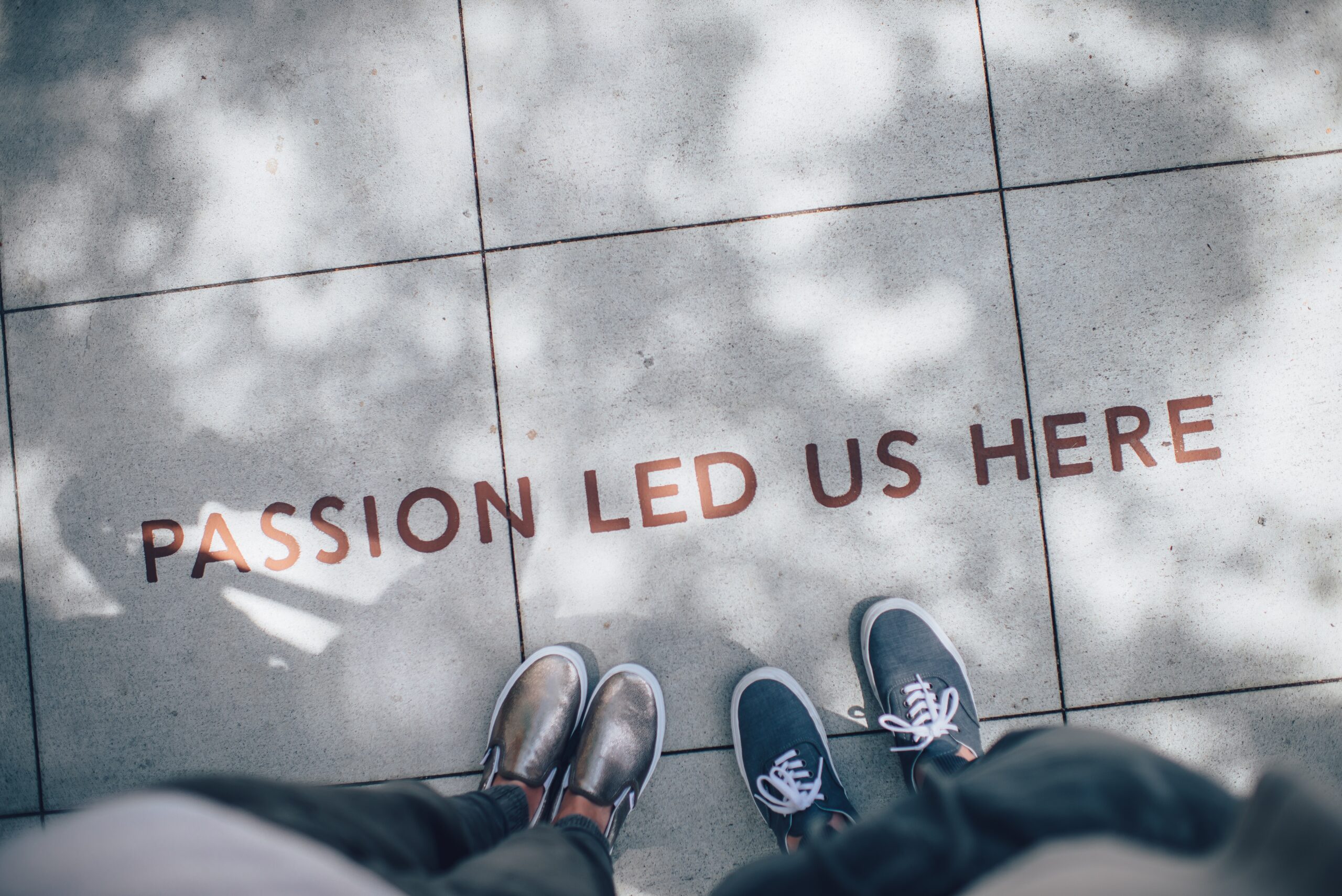
Printing text on the ground with Adobe Photoshop – Graphic design tutorial
Do you ever walk down the street and see words magically appear on the ground? Well, it’s not magic, it’s just graphic design! In this tutorial, we’ll show you how to use Adobe Photoshop to print text on the ground in a way that will leave everyone amazed. Whether you want to create custom sidewalk art or add a touch of whimsy to your neighbourhood, this technique is sure to make an impression. Get ready to bring your designs from the computer screen to real life with just a few simple steps.
Have you ever wondered how those stunning quotes and messages end up printed on sidewalks and streets? It may seem like an impossible feat, but with Adobe Photoshop, it’s easier than ever. In this article, we’ll uncover the secrets behind printing text on the ground using this powerful graphic design tool. From choosing the perfect font and size to creating realistic shadows and reflections, we’ll guide you through each step of the process. Prepare yourself for a mind-bending journey into the world of digital art meets urban landscape.
The power of text on the ground
The power of text on the ground is undeniable. When strategically placed and creatively designed, text on the ground can have a profound impact on an environment. It has the ability to engage, inform, and inspire individuals who interact with it.
One of the key advantages of printing text on the ground is its ability to catch people’s attention in unexpected ways. While traditional signage may go unnoticed or become part of the background scenery, text on the ground demands attention by forcing individuals to physically interact with it. As they walk over or around the words, they are instantly drawn into a moment of contemplation or reflection.
Additionally, using Adobe Photoshop to design such text opens up endless possibilities for creativity and expression. With various fonts, styles, effects, and colours at your disposal, you can create visually stunning designs that complement their surroundings and evoke emotions in viewers. You can play with scale and perspective to create optical illusions that make passers-by take a second look. Ultimately, printing text on the ground allows graphic designers to push boundaries and transform ordinary spaces into extraordinary experiences.
In conclusion, harnessing the power of text on the ground through Adobe Photoshop opens up a realm of creative possibilities for graphic designers. By strategically placing captivating typography in unexpected locations, they have the potential to engage and inspire individuals who come across these unique installations. So why not blur the lines between art and everyday life by experimenting with printing remarkable messages right beneath our feet?
Choosing the right font and size
Choosing the right font and size when printing text on the ground is crucial for legibility and impact. While there are endless options to choose from, it’s important to consider both practicality and aesthetics. When selecting a font, opt for something clean and easy to read at a distance, such as sans-serif fonts like Arial or Helvetica. These fonts have straight lines and simple shapes that make them highly legible even when enlarged.
In terms of size, it’s essential to strike a balance between visibility and context. If the text is too small, it can easily get lost in the larger design elements or be hard to read from a distance. On the other hand, if the text is too large, it may overwhelm the overall design or appear out of place. It’s recommended to test different sizes on mock-ups or digital versions first before committing to a final decision. Ultimately, finding the right font and size combination will ensure that your printed text on the ground is both visually appealing and clearly communicates its intended message effectively.
Preparing the image for printing
Preparing the image for printing is a crucial step in ensuring that your graphics look their best on any medium. When it comes to printing text on the ground, Adobe Photoshop offers a plethora of tools and features to perfect your design. One important aspect to consider is the resolution of your image. For crisp and clear results, make sure that your image has a resolution of at least 300 pixels per inch (PPI). This ensures that when you enlarge or scale down your text for printing, it remains sharp and detailed.
In addition to resolution, colour accuracy is also paramount in creating visually stunning prints. utilise the colour management settings within Adobe Photoshop to ensure accurate representation of colours across different devices and printers. Taking advantage of tools like the Eyedropper tool, which allows you to sample colours from other objects in your design or even from real-world objects surrounding you, can help achieve consistency and harmony between elements in your composition.
Lastly, don’t forget about bleed areas! A bleed refers to extending an image or background beyond the trim edge that will be trimmed off after printing. This prevents any potential white edges or gaps from appearing on your final printout. Before sending your file for printing, double-check that all essential elements are within the safe area while still making full use of the bleed areas available.
By paying attention to these key factors during preparation, you can elevate the quality of printed text on various surfaces using Adobe Photoshop’s powerful tools and features.
Creating a custom brush in Photoshop
Creating custom brushes in Photoshop is a versatile skill that can take your graphic design projects to the next level. Whether you’re looking to add unique textures or patterns to your designs, or simply want to have more control over the brush strokes, creating custom brushes allows you to unleash your creativity and produce truly original artwork.
One of the most powerful features of Photoshop is its ability to create custom brushes from any image or shape. By selecting an area of an image or drawing a shape with the pen tool, you can easily define a custom brush preset. The possibilities are endless – you can use photographs, hand-drawn sketches, or even digital illustrations as the basis for your brush. This opens up a world of opportunities for adding depth and complexity to your designs.
When creating a custom brush in Photoshop, it’s important to experiment with different settings such as spacing, size jitter, and opacity. These settings will determine how the brush behaves when applied on a canvas – whether it leaves smooth strokes or creates textured effects. By tweaking these parameters, you can achieve different artistic styles and mimic traditional media like charcoal or watercolour. Don’t be afraid to play around and discover new combinations that make your designs truly stand out.
In conclusion, mastering the art of creating custom brushes in Photoshop is essential for any aspiring graphic designer. It allows you to add unique touches and bring depth and texture into your designs effortlessly. So go ahead, delve into this powerful tool within Adobe Photoshop and unlock endless possibilities for enhancing your creative work.
Applying the text to the ground
One of the exciting possibilities in graphic design is the ability to take text and make it come alive on the ground. By using Adobe Photoshop, you can bring your creativity to life by printing text on various surfaces such as pavement, concrete, or grass. This technique provides a unique way of conveying messages or creating visually striking designs.
When applying text to the ground, it’s important to consider the surroundings and how they will interact with your design. For instance, if you’re working on a sidewalk, think about how people will walk past and view your artwork from different angles. Play with perspective by resizing and distorting letters to create an illusion of depth or movement. Experiment with different fonts and colours that complement the environment while still conveying your intended message.
Another aspect to consider when applying text to the ground is legibility. Remember that people will be viewing your design while walking or driving by, so ensure that your text is clear and easy to read from a distance. utilise bold fonts or add shadows for better visibility. It’s also crucial to strike a balance between being eye-catching without being distracting – this allows viewers to appreciate both the creative elements of your work and its practical purpose.
In conclusion, printing text on the ground using Adobe Photoshop provides endless opportunities for creative expression in graphic design. Consider factors like perspective, surroundings, legibility, and balance when applying text in order to achieve captivating results that catch attention while effectively conveying your message. So go ahead – step out onto new creative grounds!
Enhancing and refining the final result
Enhancing and refining the final result is an essential step in any graphic design project. When printing text on the ground with Adobe Photoshop, there are various techniques you can employ to make your design truly stand out. One important aspect to consider is the choice of font. Experiment with different fonts and consider their legibility, style, and overall aesthetic appeal when printed on the ground.
Additionally, don’t forget about the impact of colour. Selecting the right colour for your text can greatly enhance its visibility and readability. Keep in mind that certain colours may blend into the background or be difficult to see from a distance, so take some time to test different options before finalizing your design.
Finally, pay attention to details such as texture and shadows. These elements can add depth and dimensionality to your printed text on the ground, making it more visually interesting and engaging for viewers. Consider applying textures or gradients to create a sense of realism or experiment with shadow effects to make your text appear like it’s actually embedded within the ground.
By focusing on these key aspects – font choice, colour selection, texture application, and shadow effects – you can enhance and refine your final result when printing text on the ground using Adobe Photoshop. Taking these extra steps will ensure that your design catches people’s attention while delivering a clear message or instruction in a visually appealing way
Unleash your creativity with ground printing
Ground printing is a unique and innovative way to bring your creative visions to life. By using Adobe Photoshop, you can transform any surface into a canvas for your text designs. Whether it’s for advertising purposes, creating unique patterns on sidewalks, or simply adding an artistic touch to public spaces, ground printing allows you to unleash your creativity in ways never thought possible.
One of the most exciting aspects of ground printing is its versatility. With Photoshop’s powerful tools and features, you can experiment with different fonts, colours, textures, and sizes to create stunning visuals that leave a lasting impression. Imagine walking down the street and being greeted by beautiful quotes or inspiring messages etched onto the pavement beneath your feet – it’s like art coming alive!
Not only does ground printing offer endless design possibilities, but it also provides an opportunity for self-expression in unconventional places. It challenges traditional notions of where art should be displayed and encourages people to appreciate creativity in unexpected locations. Through ground printing, you can transform mundane surfaces into interactive artworks that engage viewers on a whole new level.
So why not step outside of the box and explore the world of ground printing? Let your imagination run wild as you discover how this unique technique can bring out your inner artist and make a lasting impact on those who happen upon your creations. In collaboration with Adobe Photoshop’s vast array of tools and effects, there are no limits to what you can achieve when unleashing your creativity through ground printing.
Why print text on the ground?
Printing text on the ground may seem like a peculiar concept at first, but it holds great potential for creative expression. Imagine walking through a park and coming across words or phrases etched into the concrete beneath your feet. The combination of visual and tactile elements can evoke a powerful experience. It creates an opportunity to engage with typography in a unique way, blurring the lines between graphic design and environmental art.
Not only does printing text on the ground allow for innovative design opportunities, but it also serves as a means of effectively conveying information in public spaces. In urban landscapes where distractions abound, incorporating signage into the ground helps ensure that messages are seen and comprehended. Whether it’s directing pedestrians to landmarks or displaying safety instructions, this unconventional approach captivates attention and leaves a lasting impression.
Furthermore, there is something deeply immersive about encountering printed text on the ground. It prompts individuals to slow down their pace and pay closer attention to their surroundings. This intentional act of stepping directly onto words forces us to physically engage with language, encouraging reflection and contemplation. By integrating print into our daily environment in unexpected ways, we create new avenues for communication that resonate deeply within us all.
Advantages of printing text on the ground
One of the most significant advantages of printing text on the ground is its potential to capture attention and create a lasting impression. Unlike traditional printed materials like posters or flyers, text placed directly on the ground can be impossible to ignore. As people walk past, they are naturally drawn to look down and read what is written beneath their feet. This unique positioning creates a sense of intrigue and curiosity that can greatly enhance brand awareness and message retention.
Additionally, printing text on the ground allows for creative freedom and versatility in terms of design. With Adobe Photoshop, designers have an array of options at their disposal to experiment with fonts, colours, and effects. Bold typography can be used effectively to grab attention from afar, while gradients or 3D effects can add depth and visual interest. By leveraging both visual elements and well-crafted copy, businesses can convey their message in a visually appealing way that truly stands out from other marketing materials.
Another advantage of this technique lies in its potential for viral social media content. In today’s digital age where people are constantly looking for unique experiences to share online, imagine the impact when someone comes across an interesting piece of text printed on the ground! They are likely to snap a photo or video it before sharing it with friends or followers – instantly amplifying the reach of your message organically. This opens up opportunities for user-generated content that promotes engagement around your brand or showcases creative campaigns designed around physical spaces.
Conclusion: Creating eye-catching designs with Adobe Photoshop
In conclusion, Adobe Photoshop is an incredibly powerful tool for creating eye-catching designs. Whether you’re a graphic designer looking to create stunning visuals or a business owner wanting to enhance the visuals of your brand, Photoshop provides endless possibilities.
One of the key takeaways from this graphic design tutorial is the importance of understanding colour psychology. By choosing the right colours, you can evoke specific emotions and make your designs more impactful. Experimenting with different colour combinations and learning how they work together can help you create visually stunning pieces that capture attention.
Another important aspect to consider when using Photoshop is typography. Choosing the right fonts and arranging them in a visually pleasing way can greatly enhance your designs. Creating hierarchy within your text by using different font sizes and weights can make it easier for viewers to read and understand the message you’re trying to convey.
Overall, Adobe Photoshop offers countless tools and techniques that allow designers to bring their ideas to life. By combining colours, textures, typography, and imagery in innovative ways, you can create eye-catching designs that leave a lasting impression on your audience. So why not get creative with Photoshop today? The possibilities are truly endless!
Join Blue Sky Graphics online school today to learn more about graphic design!









