

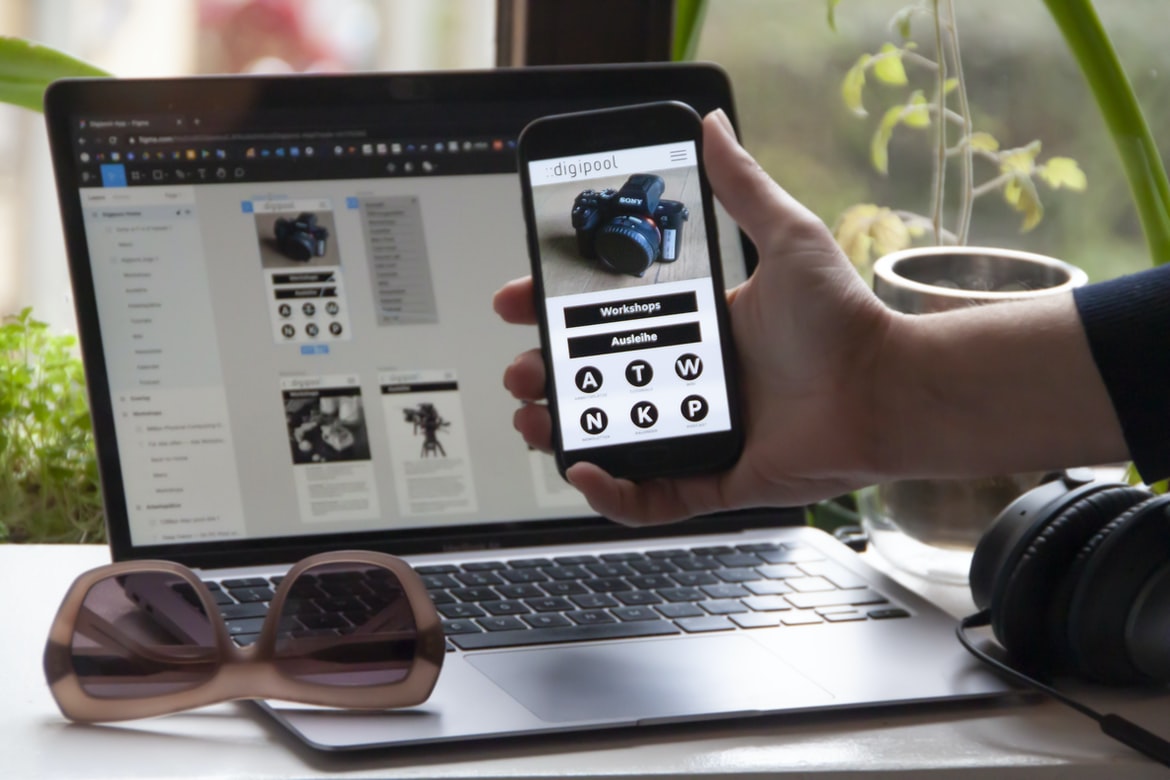
How Do I Choose The Right Graphic Design Elements For An App? – What are mobile apps, and what are their benefits?
Applications or mobile apps have come a long way since their debut. They are now more than just little programs that can be downloaded onto a phone; they are powerful tools that can be used to enhance productivity and interactivity in our daily lives.
There are many different types of mobile apps, but the most popular ones by far are those that allow users to access various aspects of their lives from a single place. For example, someone who is travelling may want to use an app to find local restaurants and attractions, while someone who is working out may use an app to track their progress and keep track of calories burned.
There are also apps that cater to specific needs or interests. For example, there is an app for cyclists that tells riders how far they have cycled and how much further they have left until the next stop. There are even apps for dogs that help owners keep tabs on their pets when they’re not at home.
Mobile apps can be incredibly useful tools, but like anything else, they need to be properly designed in order to provide the best possible experience for the user. Poorly designed or implemented mobile apps can actually cause more problems than they solve, so it’s important to have a process in place for developing them as well as designing them properly.
Development Process: What do you need to get started with mobile app development?
With the ever-growing popularity of mobile devices, developers have to create apps that look and function great on a wide variety of platforms. This means developing an app with an intuitive and user-friendly design process from start to finish.
Some key things you’ll need to get started developing your app include access to a mobile device or simulator, understanding the different mobile operating systems, and learning how to use various programming languages like HTML, CSS, and JavaScript. Once you have all of that under your belt, you can begin designing your app’s graphical layout and user interface.
Mobile App Design: How do you design a perfect mobile app?
The mobile app development process starts by understanding the business and customer needs. Once a clear understanding is formed, the next step is to come up with a design that meets those needs. After that, it’s important to create an app that users will love and keep coming back to. In order to do all of this, professional designers need proper software development skills paired with an in-depth knowledge of mobile app design principles.
What are the biggest considerations when creating or designing a mobile app?
When creating or designing a mobile app, the biggest considerations are usability and user experience. Many factors must be taken into account, such as the mobile platform, device types, and user demographics. The app’s interface and design must also be considered in order to ensure that it is easy to use and attractive. Additionally, it is important to ensure that the app performs optimally on different devices. Lastly, it is important to consider monetization options for the app in order to generate revenue.
What are the best visual communication apps on the market?
There are many visual communication apps on the market, and it can be hard to decide which one is the best for you. However, there are a few that stand out as being especially good at providing a user interface that is both easy to use and visually appealing.
Some of the most popular visual communication apps include WhatsApp, Snapchat, Instagram, and Facebook Messenger. Each of these apps has its own unique features and design elements that make them particularly well-suited for communicating with friends and family. WhatsApp is known for its simple and straightforward messaging interface, while Instagram is known for its striking photo filters and unique layouts. Facebook Messenger has become particularly popular in recent years due to its robust messaging features as well as its ability to integrate with other applications.
While there are many different visual communication apps on the market, these are some of the best options available. If you’re looking for an app that offers an easy-to-use interface and striking visuals, any of these choices will be a good fit.
How do visual communication apps help businesses and organizations?
Visual communication apps help businesses and organizations by creating a more engaging and interactive user experience. They can also be used to improve customer service, track employee productivity, and more. By providing an easy way for employees to communicate with customers, visual communication apps can help businesses become more efficient and organized.
How can developers create engaging user experiences with visual communication applications?
With the ever-growing popularity of mobile apps, developers must create engaging user experiences that are not only visually appealing but also easy to use and understand. Utilizing effective visual communication applications can help accomplish this goal.
Some effective techniques for creating engaging user experiences with visual communication applications include using clean and simple designs, utilizing typography effectively, and incorporating motion into your images or animations. Additionally, ensuring your app is responsive allows users to navigate it comfortably on all devices. By taking these factors into account while designing your app, you can ensure that users have a positive experience from start to finish.
What technologies are used to develop visual communication apps?
Visual communication apps use a variety of technologies and design processes. Some common technologies used in app development include HTML, CSS, JavaScript, and JSON. These languages are used to create the structure and appearance of Web pages, so they are familiar to developers.
Once the app is designed and coded, it needs to be tested before it can be released to the public. This process includes beta testing with select users, as well as user feedback during development. After all necessary tests have been completed, the app can be released to the public for use.
What are the advantages and disadvantages of developing a visual communication app?
Visual communication apps have several advantages over traditional text-based communication apps. For one, they are easier to use. Users can see the app in their full view and can interact with it more easily without having to scroll through long strings of text. Additionally, visual communication apps often have more features than traditional communication apps, making them more versatile and useful. However, visual communication apps also have some disadvantages. For example, they can be less private because users are constantly interacting with the app in a public space. Additionally, visual communication apps may not be as reliable or efficient as traditional text-based communication methods.
How can developers ensure that their visual communication app is secure and reliable?
Developers need to take security and reliability into account when designing and developing their visual communication apps. There are a number of ways that developers can ensure that their app is secure and reliable. One way is to use strong encryption techniques when storing user data. Another way is to make sure that the app is regularly updated with the latest security patches. Additionally, developers should always practice responsible coding practices, such as developing in a modular fashion and using automated testing tools. By taking these steps, developers can help ensure that their app is both secure and reliable.
What challenges do developers face when developing a visual communication app?
Developers often face challenges when developing visual communication apps. One challenge is making sure the app’s user interface looks good and sleek on all types of devices, including phones, tablets, and laptops. Another challenge is making sure the app’s messaging features are functional and easy to use. It can be difficult to design an app that is both visually appealing and functional. Developers also need to make sure the app works well on a variety of networks, including LTE and 3G. Finally, developers need to make sure the app’s code is error-free so it can be released to users without any problems.
What are the benefits of visual communication in app development?
Visual communication is one of the key benefits of using apps over other forms of communication. When users are interacting with an app, they need to be able to understand what is happening right away. This is why using graphical elements in app development can be so beneficial. By providing a visual framework for app users, developers can make interactions between different parts of the app much simpler and more direct. Additionally, good visual design can help users feel engaged with an app and encourage them to keep using it. Overall, good visual communication in mobile app development can lead to a smoother user experience and increased engagement with the app.
Visual communication is often seen as a powerful tool in app development. It helps developers to create a better user experience by providing a more engaging interface. Additionally, it can help to streamline the development process and improve communication between team members. Finally, visual communication can also make it easier for users to find and understand the information within an app.
How does visual communication help to create a better user experience for apps?
Visual communication is an important aspect of creating a good user experience for mobile apps. By using effective visual communication, developers can help users understand what they need to do in order to complete their tasks, make informed decisions, and get the most out of the app.
Some key factors that impact the effectiveness of visual communication include:
-The layout and design of interface screens
-The use of colours and graphics
-The arrangement and selection of content on the screen
-The use of icons and other user interface elements.
Layout & Design: When designing mobile interfaces, it’s important to keep in mind how users will interact with the app. For example, if a user is viewing a list of items, it’s helpful to place each item at the same width so that they can easily see all items without scrolling. Additionally, designers should consider how users might interact with different parts of the screen (for example, whether they’ll be clicking on links or scrolling). In general, it’s important to make sure buttons are appropriately sized and positioned so that they’re easy to hit with your finger.
Colours & Graphics: colours play an important role in conveying information to users. For example, blue may connote trustworthiness, while yellow may indicate caution or excitement. Similarly, different shades of green can signal different things (for example, green may represent health or money).
What are the most popular graphic design tools for app development?
There are a variety of graphic design tools that are popular for app development. Some of these tools include Adobe Photoshop, Adobe Illustrator, Inkscape and Sketch. It is important to choose the right tool for the job and make sure that it is compatible with the app development process and design requirements. Compatibility can be determined by checking the online support libraries or forums for each tool. Additionally, some app development platforms have specific plugins or add-ons that allow for more efficient use of specific graphic design tools.
What techniques can be used to improve the visual appeal of an app?
Visual appeal is one of the most important aspects of any mobile app. It can make all the difference in how users perceive and interact with the app. There are many different techniques that can be used to improve the visual appeal of an app, but some of the most common include using high-quality graphics, using colourful and attractive icons, and designing unique user interfaces.
One of the best ways to increase visual appeal is to use high-quality graphics. When designing mobile apps, it’s important to keep in mind that users will be looking at them on small screens. This means that it’s important to use clear and concise images that won’t cause eyestrain or fatigue. Additionally, it’s important to use images that match the theme or style of the app. For example, if an app is focused on travel information, then it would be appropriate to use images related to travel themes, such as planes, hotels, and attractions.
Another way to improve visual appeal is by using colourful and attractive icons. Icons are one of the first things that users see when they open an app, so it’s important for them to be appealing and stylish. One way to achieve this is by using a variety of colours and styles. Another option is to create icons specifically for mobile apps. This eliminates the need for extra files (like .pngs) on a website or in a project folder, which can save time during development.
Graphic Design
When designing a mobile app, it is important to consider the entire process from start to finish. This article discusses some of the key steps in developing and designing a mobile app. The following are some tips for creating a successful mobile app:
-Start with a clear idea of what you want your app to do and who it is for. This will help you focus on the design elements that are most important.
-Choose an appropriate user interface design for your app. Make sure that it is easy to use and meets the needs of your target audience.
-Take advantage of available technologies and platform features when developing your app. This will make it more user-friendly and adaptive to different devices and operating systems.
Graphic Design Mobile App
Designing a mobile application can be a complex and time-consuming process. The following article will provide you with an overview of the mobile app development process, as well as some tips for designing your own applications.
First, you’ll need to identify the features and functions that your app needs to include. Once you have a list of required features, you’ll need to develop a functional specification document that describes each feature in detail. This document will help developers create the underlying code necessary for your application.
Once the code is written, it’s time to design the user interface (UI). You’ll want to ensure that your UI is easy to use and looks professional. Additionally, you’ll need to consider how users will interact with your app while using it on their mobile devices. For example, will they be tapping buttons or scrolling through screens? You’ll also want to consider how users will navigate between different sections of your app.
After designing the UI, it’s important to test it on different devices and platforms so that you can make sure it looks and works properly on all devices. Finally, you’ll need to create marketing materials such as graphics and descriptions for your app so that potential customers can find it and download it.
What is UI design?
UI design is the process of creating the visual appearance and usability of a user interface. This includes everything from designing the look and feel of the app to crafting its layout and functionality. UI designers must consider both the technical requirements of the app’s underlying technology, as well as its target audience.
One key challenge faced by UI designers is balancing technical feasibility with aesthetics. For example, an app may require a certain level of user input (such as touch or gesture controls) that may not be visually appealing or intuitive. On the other hand, a designer may want to feature sleek, modern designs that are out of reach for some apps due to their technical limitations.
Overall, UI design is crucial for any mobile app development process because it helps create an engaging and user-friendly experience for users.
What is UX design?
User experience (UX) design is the process of designing a product or service to make it easy, efficient, and satisfying for the end user. It encompasses everything from understanding the customer’s needs to crafting a visual interface that is both appealing and easy to use.
One of the most important aspects of UX design is understanding how people interact with digital products. This knowledge can help designers create an effective user interface that is both intuitive and efficient. In addition, effective UX design often includes ensuring all content is easily searchable and accessible.
Overall, good UX design makes it easier for users to get what they need from a product or service. By paying close attention to detail and creating an engaging experience, designers can create a successful mobile app that meets users’ needs.
Visual Communication
Designing and developing mobile apps can be a fun and rewarding experience, but it’s also an extremely challenging process. There are a number of different factors to consider when designing and developing mobile apps, including user experience, navigation, layout, and branding.
One of the most important aspects of any mobile app is its visual design. The overall look and feel of the app are critical to its success and must be designed with the user in mind. It’s important to pay attention to every detail when creating a mobile app, from the fonts used in the interface to the colours used onscreen.
Creating a visually appealing mobile app can be a difficult task, but it’s one that’s well worth undertaking if you want your app to stand out from the crowd. By paying close attention to detail during design and development, you can ensure that your users have an enjoyable experience using your app.
Visual communication is an important aspect of app development, and it can make or break an application. Whether it’s conveying information visually through user interfaces or conveying emotions through animations and graphics, good visual design can help users understand your app and make informed decisions.
In order to create effective visuals, you need to have a clear understanding of the app’s purpose and target audience. You also need to be aware of the device you’re developing for and the conventions of that platform. For example, iOS apps typically have fewer buttons than Android apps do, so you might want to use icons more liberally on iOS devices.
Some other considerations for visual design include using metaphors and allegories, making sure all elements are consistent with each other, using appropriate typography for your target audience, and creating attractive designs that won’t distract from the content.
Overall, good visual communication is essential for successful mobile app development. By taking these factors into account during the design process, you’ll ensure that your users will appreciate your efforts and be able to easily navigate your app.
How can I make sure my app looks professional and appealing?
Most developers start their mobile app development process by designing the user interface conceptually. After that, they create a mock-up of how the UI should look and feel. Next, they create a prototype to test and refine the design. After that is complete, they move on to developing the actual codebase for their app. However, it’s important to make sure your app looks professional and appealing while you’re developing it so that users will be drawn in and more likely to download it. Here are a few tips to help you achieve this goal:
1) Use high-quality visuals: Your app’s appearance is key, so make sure you use high-quality visuals throughout your development process. This means using appropriate graphics software and ensuring your images are of good quality. Additionally, make sure your fonts are crisp and easy to read.
2) Use well-designed icons: Icons play an important role in making your app look professional. Make sure all of your icons are well-designed and consistent with each other. Additionally, make sure all of your buttons have corresponding labels, so users know what they do.
3) Use catchy slogans: One way to add some pizzazz to your app is by using catchy slogans onscreen or in marketing materials. Try coming up with phrases that resonate with users or that will attract attention from online search engines (such as “The best way to stay organized”).
How do I choose the right graphic design elements for an app?
When designing a mobile app, it is important to consider the overall process and design elements that will make the end product successful. In this article, we will discuss some of the key considerations for mobile app development and design.
How to Choose a Mobile App Development Company
When starting your own mobile app development project, selecting the right company can be daunting. There are many companies out there that claim to be experts in the field of mobile app development, but which ones are actually worth your time and money? Let’s take a look at some factors you should consider when choosing a company:
1) Size & Experience: When choosing a company, size is definitely an important factor. Make sure to check out their team size and experience. Larger companies typically have more resources available to them, which can provide faster turnaround times on projects. However, don’t forget about smaller companies – they can also offer great service and quality products if they have the necessary expertise.
2) Rate Plans & Pricing: Another thing to consider is their rate plans and pricing structure. It’s important to find a company that has affordable rates without sacrificing quality or speed of delivery on projects. You also want to make sure that you’re getting what you pay for – don’t settle for anything less than top-notch quality from your chosen company!
What are the best practices for creating a user interface with graphics design?
There are many things to consider when designing a user interface for a mobile app. First and foremost, the UI must be easy to use and navigate. The layout should be simple and organized, with buttons and controls positioned in an easily-understood location. Graphics should be simple and modern, avoiding excessive animation or detail that could distract from the app’s overall purpose. Finally, effective use of typography can help create a polished look and feel for the app.
Are there any specific trends in modern graphic design for apps?
Looking at the design and development of mobile apps, there are some clear trends that have emerged in recent years. One of the most important aspects of any app is its user interface (UI). Over the past few years, there has been a move towards simplifying and modernizing UIs for mobile apps. This has resulted in sleek and clean designs that are easy to use.
Another trend that has emerged in recent years is the use of animations and graphics. Animations can help users feel engaged with an app and can make it more visually appealing. Graphics also play an important role in user engagement, as they can help users understand how to use an app. In addition, graphics can be used to create a more immersive experience for users.
Overall, it seems that modern mobile apps are sleek, easy to use, and feature high-quality graphics and animations.
One of the main trends in modern graphic design for apps is flat design. Flat design is a style of visual design that relies mostly on shapes, shadows, and surfaces to create an effect. It’s often used in mobile apps because it is easier to see and use than more complex designs.
Another trend in modern graphic design for apps is using icons and other types of visuals that represent specific actions or functions within the app. This makes it easier for users to find what they’re looking for and prevents them from having to memorize specific commands or menu items.
Is it difficult to learn how to develop apps with graphic design?
Graphics play a big role in the design and layout of mobile apps, but this isn’t always easy for beginners to learn. There are many different software programs and tools that designers can use to create their app’s graphics, and it can be difficult to know where to start.
One of the most important things that new graphic designers need to learn is how to use vector editing software. Vector editing software lets you create detailed illustrations and logos without having to rely on bitmap images. This type of software is particularly useful when creating graphics for apps because it allows for precise control over the size, shape, and colour of your images.
Another important skill that graphic designers need is photoshop CC or Photoshop Elements, which are both widely used photo editing programs. These programs can be used to edit images for app designs, including adding text and logos. However, it’s important to note that these programs are not specifically designed for app graphics design, so users will need to be familiar with basic photo editing techniques before starting work on an app project.
Overall, learning how to create mobile app graphics can be challenging for beginners, but there are plenty of resources available online if necessary.









