

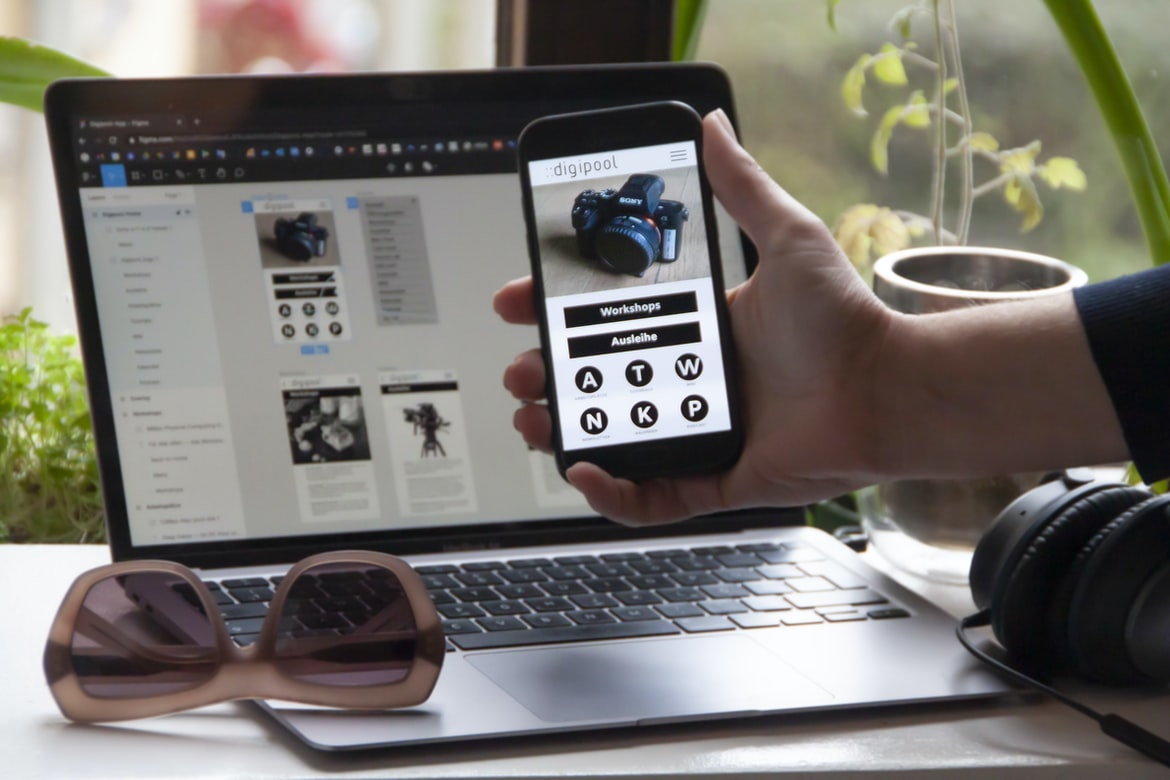
What Is Application Building and What Are Its Benefits? What are mobile apps, and what do they do?
There are a number of different types of mobile apps available on the market today. These include general-purpose apps, productivity apps, social media apps, and gaming apps.
A general-purpose app is designed to do one thing and be used for a variety of tasks. They can be used for communication or entertainment purposes. Examples of general-purpose apps include a phone application that lets you make calls, send text messages, and access your contacts; an app that lets you find restaurants and bars near you; or an app that helps you keep track of your finances.
Productivity apps are designed to help people work more efficiently. They can be used for managing schedules and tasks, tracking information, sending emails, and communicating with others. Some popular productivity apps include an app that lets you manage your finances, an app that helps you schedule appointments, or an app that lets you communicate with other professionals online.
Social media apps are designed to help users stay connected with friends and family online. They allow users to share pictures, videos, thoughts, and stories with others. Some popular social media apps include Facebook, Instagram, Twitter, and Snapchat.
Gaming apps are designed to provide users with hours of fun by letting them play games across a variety of platforms, such as iOS devices (iPhone/iPad), Android devices (phones/tablets), Windows 10 Mobile devices (smartphones), Steam Machines (PCs), Xbox One consoles etc.
Requirements gathering: What information is needed to design a good mobile app?
Requirements gathering is an important process in mobile app development. It is essential to have a good understanding of the app’s purpose and target audience before beginning any design or development work. Requirements can come from market research, user feedback, and internal business analysis.
Some key things to consider when gathering requirements are the app’s features and functions, its target customer base, how it will be used, and the platform on which it will be implemented. Additionally, it is important to determine how users will access the app (via a mobile device or computer), what type of data will be stored on the device (local or remotely), and how updates will be delivered (manually or automatically).
Overall, requirements gathering is an important step in designing a successful mobile app. It helps ensure that the finished product meets the needs of both users and developers alike. Requirements gathering for a mobile app typically includes researching the market, understanding user needs, and developing a conceptual design. Requirements can come from customer interviews, surveys, and focus groups; product data; market analysis; competitive analysis; and prior experience with similar apps.
In order to understand user needs, it is important to study the current trends in mobile app usage. This information can be gleaned by reading articles, watching videos, and interacting with users on social media platforms. After understanding the user base, it is then necessary to develop a concept design that meets their needs while still being feasible and affordable. A concept design should be based on realistic assumptions about how the app will be used and what features will be included. The final step in requirements gathering is developing a detailed specification that outlines all of the features required for the app.
Design process: How does a mobile app get designed?
If you are an app developer, you know that designing a mobile app is no easy task. In fact, it can be one of the most time-consuming and frustrating aspects of the entire process. But how does a mobile app get designed?
The answer depends on the type of app you are developing. For example, if you are developing a social networking app, your design process likely involves iterating on various prototypes with your users until you find something they enjoy using. Meanwhile, if you are creating an app that sells products or services, your process will likely involve conducting market research and gathering feedback from potential customers. Ultimately, the goal is to create a mobile app that is user-friendly and efficient, meets all of your company’s specific needs, and looks great on all devices (smartphones, tablets, laptops).
Development process: Once the design is finalized, how does the app get developed?
The mobile app development process can be broken down into a few discrete phases: design, development, and testing. The design phase of the process is responsible for creating a high-quality concept that can be translated into a working app. Once the design is finalized, the development team will begin working on developing the app based on the specified specs. This could involve coding, designing user interfaces, and creating additional features. After completing these steps, it’s important to test and optimize the app for maximum performance and usability. Finally, after all these stages are completed and approved by management, the app is ready for release to consumers. Once the design is finalized, a developer will start creating the code for the app. Once the code is finished, they will test it to make sure it works as expected and then submit it to an app store. If everything goes according to plan, users will be able to download and use the app once it’s available.
Testing and release: What steps are taken to ensure the app is ready for release?
Testing and release are important steps in the mobile app development process. Testing ensures that the app is ready for release, and release ensures that the app is available to users. There are a number of steps taken to ensure a successful release, including testing, designing a rollout plan, and conducting beta testing.
Testing and releasing an app can be a complex process.
Testing and releasing an app can be a complex process with many different steps. This process starts with designing the app and ends with marketing and distributing the app. There are many different testing phases that need to be completed before the app can be released to users. Each phase can take different amounts of time, so it is important to plan for each step in order to make sure the app is released on time and meets expectations.
Tip 1: Conduct Thorough Market Research & Understand Your Target Audience
There are many ways to develop a mobile app, but the right process depends on the type of app and the target audience. For example, if your app is a game, you may want to create a prototype first and then test it with users. However, if your app is for business or education purposes, you may want to do market research first to understand your target audience.
One important aspect of any mobile app development process is conducting thorough market research. This involves understanding your customer base and what they want from your app. You can find out information about your target audience by talking to potential customers, reading customer reviews online, or surveying people in your target market.
Once you have determined your target audience, you should design an app that meets their needs. Make sure to consider features that will appeal to users and design the layout so that it is easy to navigate. Finally, test the app with potential customers before launching it into the marketplaces.
Tip 2: Design a Simple & Intuitive User Interface
Creating a user interface for a mobile app is critical. The interface should be simple and intuitive so that users can easily find what they are looking for and make the appropriate choices. There are several things to consider when designing an interface:
Hierarchical Navigation: Choose a layout that makes navigation easy and efficient. Try to keep your menus organized vertically or horizontally, depending on how your app structure is set up.
Tooltips: Include tooltips wherever necessary to provide additional information about controls or menu items. This will help users who are unfamiliar with your app quickly learn its capabilities.
Images: Use images sparingly, but make sure they are high-quality and relevant to the content of your app. Users should be able to see what they are clicking without having to enlarge the image or scroll through long lists of text.
Layout & Typography: Use clear, simple layouts and typefaces that are easy on the eyes. Avoid large blocks of text that will be difficult for users to read on small screens.
Tip 3: Focus on Creating Quality Content & Seamless Experiences
Developing a mobile app is an iterative process that starts with ideation, goes through development and testing, and ends with the release. The following tips will help you make the most of the process and create high-quality apps that are seamless experiences for users.
1. Ideate: Before you start developing your app, take some time to think about what you want it to do and who your target audience is. This will help you come up with ideas for features and design patterns that will work best for your app.
2. Development: Once you have an idea of what your app should do, it’s time to start coding! Use agile methodology to keep your development process as quick and painless as possible so that you can focus on creating quality content instead of debugging errors.
3. Testing: Once your app is ready for release, it’s important to test it thoroughly before launch. Use beta testers and user feedback surveys to ensure that your users are happy with the final product.
Tip 4: Optimize Performance Across Devices & Platforms
There are a lot of considerations when it comes to optimizing performance in mobile app development. Here are four tips that can help you improve the speed and responsiveness of your apps across devices and platforms:
1. Use the right tool for the job. Make sure you’re using the right tools to optimize your code and make your app faster. For example, using a compiler or profiler to identify and fix bottlenecks can significantly speed up your app’s execution time.
2. Take advantage of platform optimizations. Many platforms have built-in optimizations that can save you time and money. For example, iOS has a ton of optimization options available through its SDK, while Android offers similar features through various Java programming languages and frameworks.
3. Pay attention to memory usage and garbage collection frequencies. Keeping track of how much memory an app is using at any given moment can help you identify areas where you might be able to free up space by reducing data sizes or eliminating redundant code or processes. Additionally, understanding how often garbage collection occurs (and whether it needs to be performed) can also optimize an app’s performance – sometimes by as much as 50%.
4. Follow good coding practices. Good coding practices – such as well-defined object-oriented design principles – can help avoid common development issues that can slow down an app’s performance overall.
Tip 5. Leverage AI to Create Personalized User Experiences
There are many ways to leverage AI in order to create personalized user experiences. One way is to automatically detect user preferences and patterns and then use this information to personalize the app experience for each individual. This can be done through things like recommending content based on previous interactions or suggesting nearby establishments when searching for a particular type of restaurant. Another way is to use AI to automate certain tasks within the app, such as filling out forms or making purchases. By doing this, the app can be more efficient, and users will have less need to interact with the app directly. Overall, by leveraging AI in various ways, we can create better mobile apps that are more accessible and engaging for all users.
What are the key considerations for app development with graphic design?
Graphics and design are critical components of any mobile app. However, there are a number of key considerations that need to be taken into account when developing an app with graphic design:
1. The app’s visual look and feel should be consistent throughout. This means that the elements of the design–from the user interface to graphics and icons–need to be uniform across all platforms and devices.
2. Graphics should be designed for legibility on a range of device sizes and resolutions. This means creating high-resolution graphics files that can be scaled down or up without losing detail or clarity.
3. Graphics should be optimized for performance, taking into consideration things like load times and battery life. If necessary, developers can use loading screens or animated GIFs to help ensure a smooth experience for users.
4. Graphics should be integrated well with the app’s functionality and content. This means incorporating appropriate fonts, colours, and images to match the tone and style of the app’s overall presentation.
How does graphic design influence the user experience of an app?
Interface design and graphic design are two important disciplines in designing mobile apps. Graphic designers use images, typography, and colour to create an appealing user experience for users. Interface designers focus on the layout and functionality of the app’s buttons, menus, and widgets. Together, these disciplines help create a smooth, intuitive user experience that encourages users to stay engaged with the app.
Graphic designers can use different techniques to influence the user experience of an app. One technique is called “Opaque Design”. The opaque design uses a high degree of contrast between elements on a screen so that users cannot see any details within the interface. This makes it difficult for users to understand how to use the app and can frustrate them as they try to figure out how to navigate it.
Another technique used by graphic designers is “Surface Design”. The surface design allows for a more natural flow of information between elements on the screen. This style makes it easier for users to understand how to use the app and reduces confusion. Surface design also avoids overcrowding on screens which can result in slow loading times for apps.
Overall, interface design and graphic design play an important role in creating a smooth user experience for mobile apps. By using techniques such as opaque design or surface design, graphic designers can reduce confusion and make it harder for users to abandon an app prematurely. Design is one important factor that can affect the user experience of a mobile app. Graphic design can help make an app look attractive and easy to use, which can lead to a higher conversion rate and longer-term engagement with the app. Additionally, good graphic design can improve the overall usability and accessibility of an app. Design is an essential part of any app, and it can directly influence how the user experiences the app. Graphic design can help create a visually appealing interface, which can make using the app more enjoyable. Additionally, well-designed graphics can help orient users within the app and improve its overall cohesion. Ineffective graphic design could confuse or frustrate users, making them less likely to use the app in the future.
What are the different types of graphics used in app development?
Graphics are a very important part of any mobile app. They can make or break the user experience and are often the first thing users notice about an app. There are many different types of graphics used in mobile app development, and it can be difficult to know which type is best for a given situation.
Here is a brief overview of the most common types of graphics used in mobile app development:
3D Graphics: 3D graphics are often used in games and allow developers to create realistic scenes and characters. They can be quite expensive to create, but they can provide a very immersive experience for users.
2D Graphics: 2D graphics are typically used for menus and other informational content. They can be simpler to create than 3D graphics, but they may not look as good overall.
UI/UX Graphics: UI/UX graphics help designers create user interfaces (the menus and buttons on an app) that look polished and professional. They can also be used to create charts and graphs that show data in a clear way. When it comes to developing mobile apps, there are many different types of graphics that can be used. For example, when creating a user interface, often times icons and images are used to represent different elements on the screen. Similarly, when displaying information about a particular object or area in the app, graphs and charts can often be helpful in making the information easily accessible. Additionally, animations can be used to create an engaging user experience.
Are there any specialized tools for creating graphical designs for apps?
There is no right or wrong answer when it comes to which tools are best for creating graphical designs for mobile apps. However, there are some specialized tools that can be helpful in the process.
Some popular graphic design software programs that can be used for creating graphics for mobile apps include Adobe Photoshop, Inkscape, and Illustrator. Each program has its own strengths and weaknesses, so it’s important to choose the one that will work best for the particular project at hand.
Another tool that can be useful in designing graphical interfaces for mobile apps is After Effects. This program is often used to create motion graphics and special effects footage, but it can also be used to create graphical designs. By using After Effects together with other software programs, users can create high-quality graphics that look professional.
In addition to graphic design software programs and tools, users also need access to source files such as logos, icons, and images. These files must be converted into formats that the graphic design software can use. This process can be done using online services or by using dedicated conversion tools. Nowadays, app design has become a lot more sophisticated. There are specialized tools for creating graphical designs for apps, which can speed up the development process. Some of these tools include Adobe Photoshop and Illustrator, as well as vector-based software like Inkscape.
How can I ensure that my app looks visually appealing and stands out from the competition?
There are a few things you can do to make your mobile app look visually appealing and stand out from the competition. One way is to use high-quality graphics and images in your app. You can also try to create an attractive design or layout and make use of colours that are eye-catching and pleasing to the eye. Additionally, you should think about incorporating user-friendly features that make using your app easier and more comfortable for users. Finally, you should consider marketing your app in a way that promotes its unique features and appeals to potential customers. All of these things will help make your mobile app more visually appealing and easier to use, which will hopefully lead to increased popularity and success for you as a developer. There are a few things you can do to make sure your app looks visually appealing and stands out from the competition. First, make sure that you use high-quality graphics and design elements. This will give your app a polished look and feel, which will help it stand out from the competition. Additionally, make sure that your app is easy to use and navigate. This will help users find what they’re looking for quickly and easily, which will increase user engagement and ultimately lead to more sales. Finally, make sure that your app features innovative features that set it apart from the rest. By doing this, you’ll not only improve user engagement but also create opportunities for new revenue streams.
Are there any limitations when using graphic design in apps?
Graphics design is one of the most important aspects when it comes to creating a good-looking and user-friendly mobile app. However, there are certain limitations when it comes to using graphical design in apps. Here are some of the most common:
1. Graphics must be styled for different devices – While graphics can be designed with a consistent look and feel across all devices, they may not look as good or function as smoothly on certain devices due to different screen resolutions and processing capabilities.
2. Graphic designs may not translate well – When graphic designs are translated from a computer or print medium to a mobile app, they can often look clunky or grainy. This is because mobile screens are often smaller and less capable than computer monitors or printers, making it difficult to create optimal layouts and graphics that won’t take up too much space or time on the screen.
3. Graphics may need to be simplified – Oftentimes, complex graphics will need to be simplified in order for them to fit within the confines of an app screen without taking up too much space or time. This can often require using simpler shapes and colours, which can sometimes result in less appealing designs overall.
Graphic Design
The mobile app development process is fundamentally different from desktop app development. Many of the same tools and techniques used in desktop app development don’t always work well on smartphones, which have smaller screens and less processing power. In particular, many designers and developers focus on creating beautiful graphical designs that look great on a monitor but can be difficult to operate on a small screen.
In order to make your mobile apps as user-friendly as possible, it’s important to design them for mobile devices from the very beginning. This means designing with touch inputs in mind, optimizing images for small screens, and providing clear explanations of complex features to non-technical users. It can also be helpful to use different user interfaces for different types of mobile devices: an iPhone interface for iPhones, Android interfaces for Android phones, and so forth. Graphic design is the process of creating a visual representation of a communication or product. Graphic designers work with clients to create images and designs that are both functional and appealing. Graphic design can be used in any industry, including mobile app development.
Graphic design can be used in any industry, including mobile app development. Graphic designers create the user interface, graphics and logos for mobile apps. A graphic designer’s main focus is on creating a beautiful and well-designed mobile app that meets the needs of the user.
When designing a mobile app, it is important to keep in mind the target audience. Mobile apps designed for children may have cartoon characters and bright colours, while adult apps may have more subdued colours and more complex graphics.
A graphic designer’s job is to make sure that all of the elements of the user interface—from menus to buttons—look consistent and look good on all devices. A good graphic designer also knows how to use typography (the use of letterforms) to create an effective and readable user interface.
Mobile app development is the process of creating an app for use on mobile devices. A mobile app can be anything from a simple game to a full-fledged platform that provides access to services or information. There are many different ways to develop a mobile app, but the process generally follows these steps:
1) Choose the platform: Mobile apps can be built for Android, iOS, Windows Phone, or Blackberry devices. Different platforms have different requirements, so it’s important to choose the right one for your project.
2) Design the user interface: The user interface (UI) is the main interface of your app. It’s responsible for presenting information to the user and making sure everything looks sleek and professional. UI designers will work with you to create an attractive and easy-to-use interface.
3) Create the content: Once you have designed the UI, you need to think about what content will go inside it. This includes designing menus and screens as well as writing code that allows users to interact with your app. Content creators will work with you to come up with ideas and concepts for your app’s content. Designing a mobile app can be a challenging and time-consuming process. There are different design paradigms that must be taken into account when developing a mobile app, such as skeuomorphism, material design, and motion graphics.
Another challenge is ensuring that the user experience is consistent across all devices since users will be using different types of devices to access the app. This means that the user interface and overall aesthetics of the app should be designed with consistency in mind.
Finally, it is important to consider how users will interact with the app. For example, if the app features a shopping feature, it is important to ensure that users can easily navigate through the different items and make purchases.
Graphic Design Mobile App
There are many different types of mobile apps available for download on the App Store and Google Play, but all of them require the same basic steps to be completed in order for them to be created.
The first step is to come up with an idea for the app. This can be anything from a simple game to a more complex application that helps users manage their finances or stay organized. After coming up with the idea, it’s time to start creating a design plan. This includes creating sketches and concept designs, as well as developing a detailed timeline and budget. Once the design is finalized, it’s time to start coding. The app will likely need several different modules in order to work properly, so coding must be done correctly in order for everything to work together smoothly. Once the app is coded and tested, it’s ready for release on the App Store or Google Play store. A mobile app is a computer program designed to run on a mobile device, such as an iPhone or Android phone. A mobile app typically includes interactive graphics and user interface elements, making it more powerful and efficient than web browsers on phones.
When designing a mobile app, there are several considerations that must be taken into account. The first and most important consideration is the device’s hardware and software capabilities. For example, an iPhone has a different display resolution than an Android phone, so certain design features may not look good on either platform. Additionally, different devices have different processing speeds and memory capacities, which can affect how quickly the user can interact with the app and how much data can be stored in the app’s memory.
The second consideration is the user’s behaviour in relation to the device. For example, if an iPhone user spends more time looking at a list of items onscreen than scrolling through a webpage, then the list of items might be displayed using a scrollbar instead of a pagination control in the same spot on an Android phone. Similarly, if users frequently pinch-to-zoom or rotate their screens while using apps, they might need to adapt some of their design decisions in order to make sure that content remains legible no matter what screen size or orientation is used.
The third consideration is how users will interact with the app itself: through touch gestures or keyboard shortcuts. A mobile app development process starts with a customer’s idea. A developer will work with the customer to collect requirements and design a prototype. The developer then works with a manufacturer to produce the app and submit it to the App Store or Google Play store. After approval, the developer will continue to update and support the app.
What is UI design?
UI design is all about creating a visually appealing user interface for a mobile app. This includes everything from designing the layout of the app’s screens to coming up with creative and eye-catching visual effects.
UI designers need to have a strong understanding of both user interface design principles and mobile app development principles. They also need to be able to create attractive, user-friendly interfaces that meet the specific needs of mobile apps. User interface (UI) design is the process of creating the look and feel of a user interface for a software application or website. The goal of UI design is to make the user experience as positive as possible by creating an attractive and easy-to-use interface.
There are many different aspects of UI design, including graphic design, layout design, user experience design, interaction design, and performance optimization. Together, these elements create an overall look and feel for the app or website.
It’s important to remember that UI design isn’t solely focused on aesthetics. The goal is to create an efficient and enjoyable experience for the users. This means taking into account things like readability, navigability, and usability.
What is UX design?
User interface (UI) design is the process of creating an effective and intuitive user interface for a computer system, application or website. It encompasses the study of the human factors that influence the effectiveness and ease of use of a system’s graphical interface.
When designing mobile apps, we must consider a variety of factors such as screen size, device capabilities and user demographics. We also need to take into account how people interact with mobile devices, including location-based services and touch/gesture controls.
There are many different software development frameworks available for building mobile apps. One popular platform is React Native, which allows you to create native apps for both Android and iOS platforms. User experience (UX) design is the process of designing a product or experience that makes it easy and enjoyable for users to interact with. It encompasses the entire user journey, from initial contact with a product or service to eventual abandonment or conversion.
UX design fundamentally shapes how people interact with products, whether they’re on a desktop computer, phone, television set, or other electronic devices. A well-designed product is not just usable but attractive and comfortable as well.
The goal of UX design is to create a positive interaction between users and the product or service. The ultimate goal is for users to be delighted by the experience and come back again and again.
Visual Communication
Visual communication is an essential part of any mobile app development process. In order to create a well-designed and intuitive experience for the user, it is important that all aspects of the app—from its interface to its animations—be consistent and coordinated.
One way to achieve visual consistency across your app is to use common design patterns and principles. For example, you might want to use a consistent grid system to organize your content or implement common layout elements like tabs or floating panels. Additionally, you can use animation to help convey information or enhance user interaction. For example, you might use motion effects when a user clicks on a button or enters text into a field.
Overall, good visual communication is essential for creating an immersive and engaging experience for users of your mobile app. By using common design patterns and principles, you can ensure that everything from the interface to the animations is coordinated and look great together. Visual communication is one of the most important aspects of any mobile app development process. If your app looks good and feels good to use, people are more likely to keep using it.
The first step in creating good visual communication is making sure you have a clear vision for your app. This means knowing what you want it to do and looking at existing apps in that space to get an idea of what works well and what could be improved. Once you have a general idea of how you want your app to look and feel, you need to start designing it!
When designing a mobile app, it is important to have an idea of what you want the app to look and feel like. This can be done through sketches or wireframes, both of which help to visualize the app’s layout and functionality. Once this foundation is in place, the development process can begin. The following are some tips for creating a successful mobile app:
1. Use simple designs and colours that are easy on the eyes.
2. Keep the user interface clutter-free and easy to use.
3. Make sure all animations are smooth and consistent across devices.
One of the best ways to create appealing visuals is by using flat design principles. These guidelines recommend using simple shapes, thin lines, and muted colours to create a clean, modern look. You can also add subtle textures or highlights to individual elements to give them more personality.
Once your design is finalized, it’s important to test it out with potential users. This can be done through user interviews or focus groups, both of which will help you identify any major issues with the design before they become problems down the road.
Overall, good visual communication is key to any successful mobile app development process. By following guidelines like flat design and testing different designs with users early on, you can make sure your app looks great from the moment people interface with it!
Designing and developing a successful mobile app can be an arduous task, but it’s important to make sure that the app looks great from the moment people interface with it. There are a few key factors to take into account when designing your app’s user interface, including making sure that all elements look consistent and organized and that buttons, icons, and other user interface elements are large and easily visible. Additionally, it’s important to pay attention to detail when designing your app’s graphics – users will be looking at them every time they open your app. Finally, make sure to test your user interface regularly in order to ensure that it looks accurate and polished.









